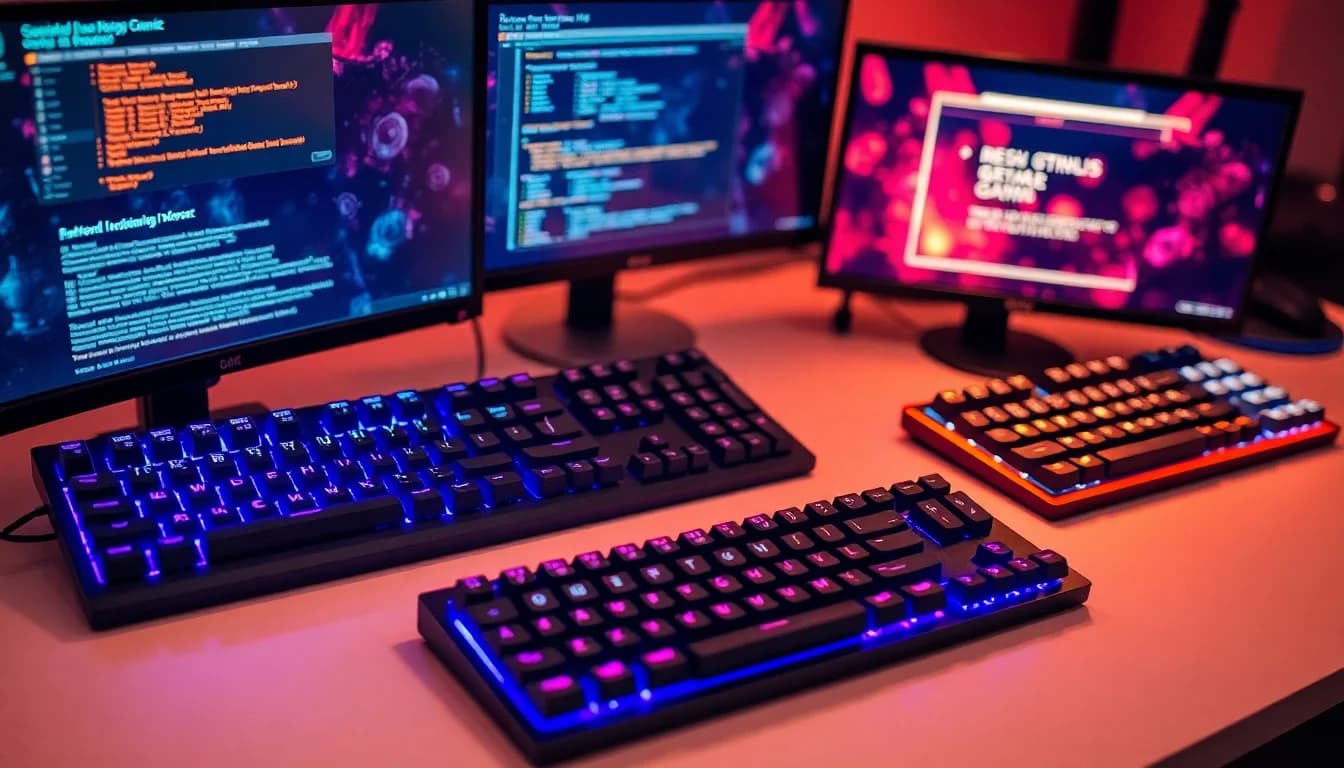
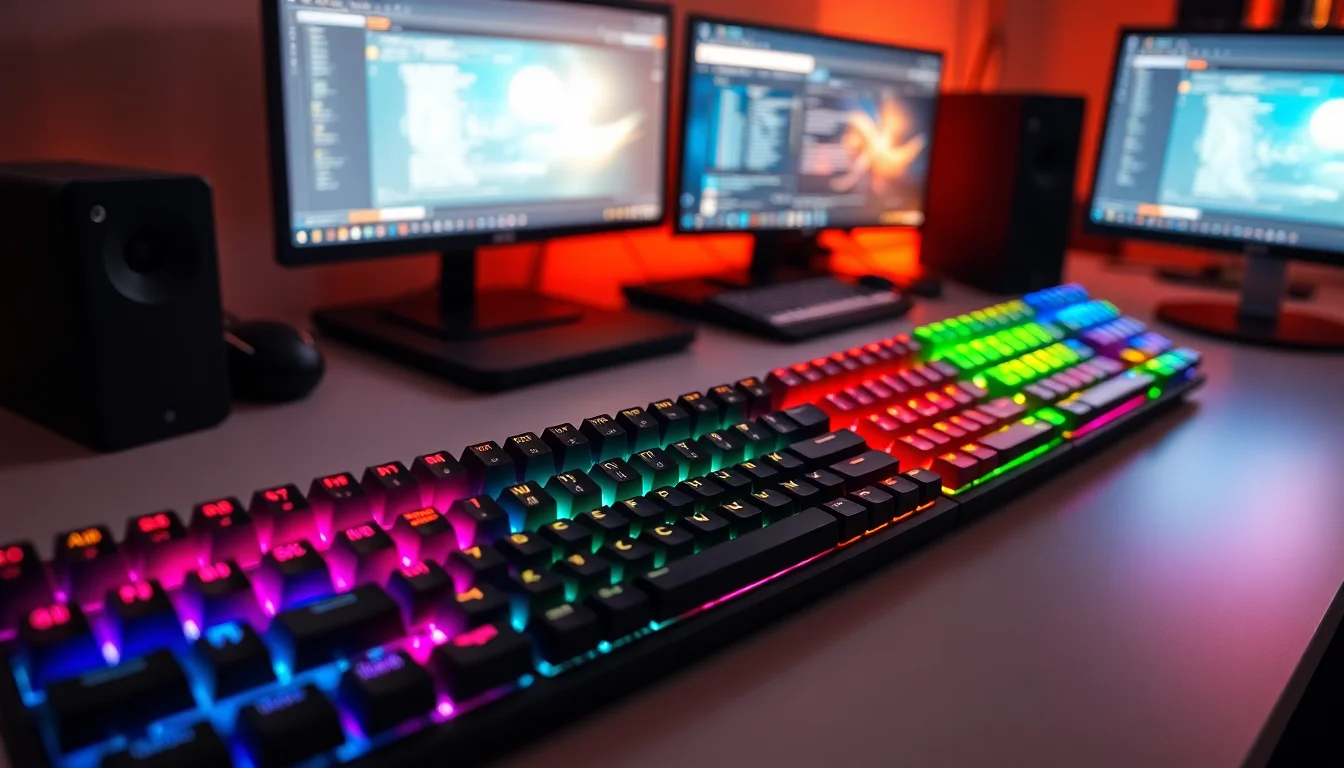
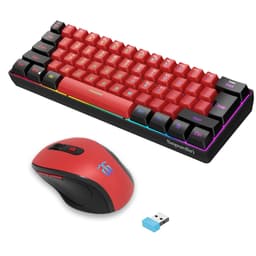
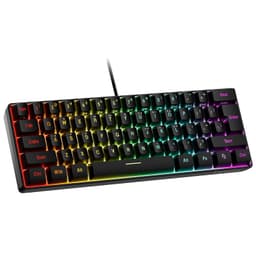
Pick the wrong keyboard and you'll know about it. Too mushy and you're mashing keys hoping something registers. Too loud and your flatmates start leaving passive-aggressive notes. At the budget end of the market, most boards make you choose between one problem or another. The Snpurdiri 60% Wired Gaming Keyboard tries to thread that needle at a price that's genuinely hard to argue with, and over 3,634 owners on Amazon have weighed in with a 4.2-star average. That's not nothing.
So here's the verdict upfront: this is a perfectly decent budget 60% keyboard for someone who wants a compact, colourful board without spending real money. It's not a mechanical keyboard, whatever the marketing dances around, and the ABS keycaps will develop that greasy shine within a few months of daily use. But at this price point, in this bracket, it punches reasonably well. If you need a second board, a travel keyboard, or something for a kid who wants RGB without you spending a fortune, this works. If you're a serious typist or competitive gamer who cares about switch feel and build rigidity, keep reading because you'll probably want to spend a bit more.
Core Specifications: Snpurdiri 60% Wired Gaming Keyboard
The Snpurdiri 60% sits in the 61-key compact layout category, which means no numpad, no function row, and no arrow keys as dedicated keys. That's the 60% deal. You get the alphanumeric block, modifiers, and that's more or less it. Function layer access handles the rest. The board ships in a black and white colourway that looks genuinely smart in photos, and the transparent keycap legends let the RGB bleed through reasonably well.
Connectivity is wired, with a detachable cable. That detachable cable is actually a bigger deal than it sounds at this price, because budget boards often have soldered cables that fray and then the whole board becomes landfill. Being able to swap the cable out is a practical win. The listing confirms wireless connectivity is also part of the picture, which gives you some flexibility depending on your setup. Build material is ABS (Acrylonitrile Butadiene Styrene) throughout, both for the keycaps and the case, which is standard at this price but worth knowing upfront.
The keyboard uses what Snpurdiri calls "advanced imitation mechanical technology," which is marketing language for membrane switches designed to mimic the feel of mechanicals. No driver is required, it's plug and play, and the listing specifically calls out that the instruction manual may not be in English. That last point is worth flagging because if you need to dig into function layer combos, you might be doing some trial and error. Owner reviews confirm this is occasionally frustrating but rarely a dealbreaker.
| Specification | Detail |
|---|---|
| Layout | 60% (61 keys) |
| Switch Type | Imitation mechanical membrane |
| Keycap Material | ABS, two-colour injection moulded |
| Backlight | RGB, 6 effects, 8 colour options |
| Connectivity | Wired (detachable cable), wireless |
| Software Required | None (plug and play) |
| Colourway | Black and White |
| Price | £26.99 |
| Rating | ★★★★☆ (4.2) (3,703 reviews) |

Switch Type and Feel
This is where you need to be clear-eyed. The Snpurdiri does not use mechanical switches. The listing describes "advanced imitation mechanical technology" and calls the board "relatively quiet." What that means in practice is a membrane or scissor-style mechanism underneath keycaps that are shaped and spaced to feel a bit like a mechanical board. It's not the same thing. There's no metal spring, no actuation point you can feel snap cleanly, and no hot-swap socket in sight.
That said, membrane switches have come a long way. The "imitation mechanical" approach on boards like this typically uses individual rubber dome actuators per key rather than a single membrane sheet, which gives a more isolated feel per keypress. Owner reviews describe the keys as light to press and reasonably responsive, which tracks. For casual gaming and everyday typing, most people find it perfectly acceptable. Where you'll notice the difference is in fast, repeated keystrokes during gaming, where a proper linear mechanical like a Gateron Red or even a budget Outemu switch will feel snappier and more consistent.
The listing says it's "relatively quiet," and that's believable for a membrane-style board. You won't get the satisfying clack of a Cherry MX Blue or the thock of a well-built linear, but you also won't be that person on a Discord call whose keyboard sounds like a hailstorm on a tin roof. For office use or shared spaces, the noise level is genuinely fine. Just don't go in expecting the tactile feedback of a proper mechanical. If that's what you want, you're looking at a different price bracket entirely.
Keycap Quality and Layout
The keycaps are ABS with two-colour injection moulding, which Snpurdiri uses to justify the claim that "letters will never fade." And to be fair, that part is probably true. Two-colour injection moulded legends are physically part of the keycap structure rather than printed on top, so they genuinely won't wear off. That's a meaningful step up from pad-printed legends on cheaper boards where the letters start disappearing after a few months of heavy use.
The problem with ABS keycaps isn't the legends, it's the surface. ABS plastic develops a greasy, shiny look from skin oils and friction. It's sometimes called "ABS shine" and it's basically inevitable with heavy daily use. If you're typing eight hours a day, you'll probably notice it within three to six months. PBT keycaps, which you find on mid-range and premium boards, are much more resistant to this. At this price point, ABS is the norm, so it's not a specific criticism of Snpurdiri, just something to know going in.
The 60% layout is the other big thing to get your head around. You lose the numpad, function row, and dedicated arrow keys. For gaming, this is often a non-issue or even a benefit because your mouse hand has more desk space and your hands sit closer together. For productivity work involving a lot of number entry, spreadsheets, or function key shortcuts, it can be genuinely annoying until you learn the function layer combinations. The transparent legends look good with the RGB on, and the black and white colourway is clean enough that it won't look out of place on a desk setup. Several owner reviews specifically mention being happy with how it looks, which matters if aesthetics are part of why you're buying a budget board.
Build Quality
The case is ABS plastic throughout. At this price, you're not getting an aluminium plate or a steel backplate, and that's fine, but it does mean there's some flex if you push on the board. Owner reviews are mixed on this. Some people don't notice or don't care. Others find the flex and the associated sound (a slightly hollow thock rather than a solid click) a bit cheap-feeling. Whether that bothers you depends entirely on what you're comparing it to.
The detachable cable is a genuine build quality win. Most keyboards at this price have fixed cables, and when the cable gets damaged (which it will, eventually, if you travel with it or have it on a desk with cable drag), you're replacing the whole board. A detachable cable means you just replace the cable. That's a practical, sensible design choice and it's one of the things owner reviews consistently appreciate. The board is described as "portable" and "thin," which matches the 60% brief nicely for travel or working from different locations.
The stabilisers on larger keys like the spacebar and shift are the typical budget affair. Owner reviews mention occasional rattle on the spacebar, which is a very common complaint on budget keyboards and not unique to Snpurdiri. If you're bothered by stabiliser rattle, the fix is a bit of dielectric grease or even a small piece of foam under the spacebar stabiliser wire, which is a five-minute job if you're comfortable opening the board. The overall weight is light, which is good for portability but means it can slide around on smooth desks without a mat. A few owners mention using a thin rubber mat underneath to sort this.
RGB and Lighting
Six backlight effects and eight colour options. That's the headline. For a budget board, that's a reasonable selection. You get the usual suspects: static colour, breathing, wave effects, and a few reactive modes that respond to keypresses. The transparent legends are a nice touch because the light bleeds through the characters clearly, so you can actually read the keys in the dark rather than just seeing a glow around opaque legends.
The RGB here is not per-key addressable in the way that enthusiast boards are. You're not going to be setting individual keys to specific colours or running complex animated profiles through software. What you get is zone or full-board effects controlled through key combinations (function layer shortcuts). For most people who just want their keyboard to look good on a desk, this is absolutely fine. For streamers or people who want their keyboard to sync with Razer Chroma or Corsair iCUE lighting ecosystems, this isn't the board for you.
Owner reviews are generally positive about the lighting. The most common comment is that it looks better than expected for the price. A few people note that the brightness isn't quite as punchy as higher-end boards, which is expected given the price tier. In a normally lit room it looks fine. In direct sunlight it'll wash out, but that's true of most keyboards. The eight colour change options give you enough variety to find something that suits your setup without needing any software at all, which is genuinely convenient.
Software and Customisation
There's no software. That's the whole story here. Plug it in, it works, and any customisation you do is through function layer key combinations. This is a deliberate design choice for a budget plug-and-play board, and for many users it's actually a positive. No bloatware to install, no driver conflicts, no software that stops working after a Windows update.
The downside is that you're limited to whatever the factory firmware allows. You can't remap keys, create macros, or store custom profiles. The function layer gives you access to media controls, RGB adjustments, and presumably some basic shortcuts, but the instruction manual not being guaranteed in English means some of this requires trial and error or hunting for a translated guide online. Owner reviews mention this occasionally, with some people finding it slightly fiddly to work out all the function combinations. It's not a dealbreaker but it's worth knowing.
For gaming specifically, the lack of macro support matters less than it might for productivity. Most games don't require custom macros at the keyboard level, and anti-ghosting (which the board supports, as implied by the gaming positioning) handles simultaneous keypresses fine. If you're after deep customisation, remappable keys, or per-key RGB control through software, you're looking at boards from brands like Keychron or Epomaker in the mid-range, or even something like the Redragon K530 which offers basic software remapping at a still-affordable price. For straightforward gaming and typing without the faff of software setup, the Snpurdiri approach is actually quite sensible.
Connectivity
The Snpurdiri 60% supports both wired and wireless connectivity. The wired connection uses a detachable cable, which as already mentioned is a practical advantage over fixed-cable budget boards. Wired is always the preferred option for gaming where latency matters, and a direct wired connection will always be more consistent than wireless for competitive play.
The wireless capability gives you flexibility for productivity use, desk setups where cable management is a pain, or using the keyboard with a TV or media PC from a distance. The specific wireless technology isn't detailed in the verified spec data, so it's not possible to say whether it's 2.4GHz dongle or Bluetooth, or both. What owner reviews suggest is that the wireless function works reliably for everyday use. If you're planning to use this primarily wirelessly for gaming, it's worth checking the current listing for the specific wireless spec before buying, since 2.4GHz and Bluetooth have meaningfully different latency characteristics.
For most buyers at this price point, the wired connection will be the primary mode anyway. The detachable cable makes it easy to pack away for travel or tidy up a desk, and the plug-and-play nature means there's no pairing faff when switching between wired and wireless use. That flexibility at this price is actually quite unusual and worth calling out as a genuine positive.
Battery Life
Battery life specifics aren't detailed in the verified product data for this board, so specific rated hours aren't something that can be quoted here with confidence. What can be said is that for a compact wireless-capable keyboard at this price, battery life is typically adequate for several days of normal use between charges, though RGB lighting will drain the battery faster than using it with lighting off or dimmed.
Owner reviews don't flag battery life as a significant complaint, which is usually a reasonable indicator that it's not causing problems in real-world use. If battery longevity is a critical factor for your use case (say, you're using this on a long trip and can't easily charge), it's worth checking the current listing or recent owner reviews for the most up-to-date information on rated battery life, as manufacturers sometimes update this information.
The charging setup follows from the detachable cable design. When the battery needs topping up, you connect the cable and charge it up, which is straightforward. The convenience of being able to use the keyboard wired while charging is a practical benefit that most users will appreciate, especially if you're the kind of person who forgets to charge things until they die mid-session.
Typing and Gaming Experience
For typing, the imitation mechanical feel is lighter than a proper mechanical and there's less tactile definition to each keypress. Experienced mechanical keyboard users will notice immediately. People coming from a standard laptop keyboard or a flat office membrane board will probably find it fine or even an improvement. The ergonomic height design mentioned in the listing is a real consideration: the board is angled to reduce wrist fatigue over long sessions, and owner reviews back this up with several people specifically mentioning comfortable extended typing sessions.
For gaming, the key question is anti-ghosting and rollover. The board is marketed as a gaming keyboard and owner reviews don't flag issues with missed keypresses or ghosting during gameplay, which suggests the anti-ghosting implementation is working as expected. The 60% layout is genuinely good for gaming because your right hand (mouse hand) has more desk space and your hands sit in a more natural position. Many competitive players actively prefer compact layouts for exactly this reason. The lack of a dedicated function row is a non-issue in most games since those keys rarely see heavy use in-game.
Sound-wise, the "relatively quiet" claim holds up based on owner feedback. This isn't a silent keyboard but it's nowhere near the noise level of a clicky mechanical. For open-plan offices or shared rooms it's a reasonable choice. For streaming or recording where keyboard noise in a microphone is a concern, it's better than most budget mechanicals but still audible on a sensitive condenser mic. A few owners mention the spacebar rattle as the noisiest element, which is consistent with the budget stabiliser situation mentioned earlier. Overall, the typing and gaming experience is appropriate for the price: not exceptional, but genuinely usable and better than many boards at this price point.
Compatibility
Plug and play with no driver required means compatibility is broad. Windows is the primary target and it works without any setup on Windows 10 and Windows 11. Owner reviews include Mac users who report it working fine for basic use, though the key labelling is obviously Windows-centric and Mac-specific shortcuts require some mental remapping. Linux users generally report no issues either, since the board presents as a standard HID (Human Interface Device) to the operating system.
Console compatibility depends on the console. For PlayStation and Xbox, wired keyboard support is generally available for games that support keyboard input, and a plug-and-play USB keyboard like this should work without issues for that use case. For games that don't natively support keyboard and mouse on console, you'd need a third-party adapter regardless of which keyboard you use. The wireless functionality's console compatibility depends on the specific wireless technology used, which as noted isn't fully specified in the verified data.
Mobile use via wireless is possible in principle, and for anyone wanting to use this with a tablet or phone for typing, the compact 60% size makes it genuinely practical. The lack of a numpad and compact footprint means it fits on a small desk, a lap tray, or next to a tablet stand without taking over the whole surface. That versatility across devices and operating systems is one of the understated selling points of a simple, no-driver compact keyboard at this price.
How It Compares
The Snpurdiri 60% sits in a crowded budget compact keyboard market. The two most relevant comparisons are the Redragon K530 Draconic and the Royal Kludge RK61, both of which are compact wireless keyboards that compete in the budget to lower-mid-range bracket. These comparisons matter because they show where the Snpurdiri wins and where spending a bit more makes sense.
The Redragon K530 uses actual mechanical switches (Redragon's own Red or Brown options), which gives it a meaningfully better switch feel than the Snpurdiri's imitation mechanical membrane. The K530 also has Bluetooth connectivity that's well-documented and reliable. It costs more, but not dramatically more, and for anyone who cares about switch feel, that extra spend is worth it. The Royal Kludge RK61 is another compact wireless board with genuine mechanical switches and a well-regarded build quality for the price. Again, it's more expensive, but it's a proper mechanical keyboard, which the Snpurdiri is not.
Where the Snpurdiri wins is simplicity and price. It's cheaper than both competitors, requires no software, and the detachable cable is a practical feature that some competing boards at similar prices don't offer. For someone who genuinely just wants a compact RGB keyboard that works without any setup faff, the Snpurdiri is a perfectly rational choice. For someone who wants to learn what mechanical keyboards actually feel like, or who is going to be typing heavily for work, the Redragon or Royal Kludge options are worth the extra outlay.
| Feature | Snpurdiri 60% | Redragon K530 Draconic | Royal Kludge RK61 |
|---|---|---|---|
| Switch Type | Imitation mechanical membrane | Mechanical (Red/Brown options) | Mechanical (multiple options) |
| Layout | 60% (61 keys) | 60% (61 keys) | 60% (61 keys) |
| Wireless | Yes | Bluetooth 5.0 | Bluetooth 3.0 |
| Wired | Yes (detachable cable) | Yes | Yes (detachable cable) |
| Keycaps | ABS double-shot | ABS | ABS |
| RGB | Yes (6 effects, 8 colours) | Yes (per-key RGB) | Yes |
| Software | None required | Optional | Optional |
| Price Tier | Budget | Budget to lower-mid | Budget to lower-mid |

Final Verdict
The Snpurdiri 60% Wired Gaming Keyboard is an honest budget compact keyboard that does what it says without pretending to be something it's not. Well, almost. The "mechanical feeling" marketing is a stretch, and anyone who's used a proper mechanical switch will see through it immediately. But the board itself is a solid, no-drama option for the price. The 60% layout is genuinely useful for gaming and travel, the RGB looks decent, the ABS double-shot legends won't fade, and the detachable cable is a practical feature that earns its place in the feature list.
Over 3,634 owners and a 4.2-star average is a meaningful data point. That's not a small sample of enthusiasts who bought it knowing what they were getting. That's a broad cross-section of people, many of whom are probably first-time compact keyboard buyers or people who wanted something cheap and cheerful for a secondary setup. The fact that most of them are happy with it says something real about the value proposition here.
The cons are real though. ABS keycaps will shine with heavy use. The membrane switches won't satisfy anyone who's used to mechanical feedback. The instruction manual may not be in English, which makes function layer navigation a bit of a puzzle. And stabiliser rattle on the spacebar is a known issue that you may or may not care about. None of these are dealbreakers at this price, but they're things you should go in knowing.
Who should buy this? Someone who wants a compact, wireless-capable RGB keyboard for light gaming, travel, or a secondary setup without spending much. A student who needs a small keyboard for a cramped desk. Someone buying a first keyboard for a younger gamer. Anyone who wants the 60% layout experience before committing to a more expensive mechanical board.
Who should skip it? Serious typists who spend hours a day at the keyboard and will feel every compromise in the switch and build. Competitive gamers who need the most consistent actuation possible and would benefit from a proper mechanical. Anyone who already knows they like mechanical switches and wants to stay there.
If you're on the fence and can stretch the budget, the Redragon K530 Draconic is the smarter buy. Actual mechanical switches, documented Bluetooth 5.0, and a build that feels a step up. It costs more but it's a proper mechanical keyboard rather than an imitation of one, and that difference matters if you're going to be using it daily. But if the budget genuinely won't stretch, the Snpurdiri is not a bad keyboard. It's a cheap keyboard that's actually pretty good for what it is.
What works. What doesn’t.
5 + 4What we liked5 reasons
- Detachable cable at this price is a genuine practical win
- Double-shot ABS legends won't fade with use
- 60% layout is genuinely good for gaming and travel
- No driver required, plug and play simplicity
- Decent RGB with transparent legends for the budget
Where it falls4 reasons
- Membrane switches, not true mechanical, feel will disappoint mechanical users
- ABS keycaps will develop shine with heavy daily use
- Instruction manual may not be in English
- Spacebar stabiliser rattle reported by multiple owners
Full specifications
4 attributes| Layout | 60% |
|---|---|
| Connectivity | wireless |
| Backlight | RGB |
| Type | membrane |
If this isn’t right for you
2 options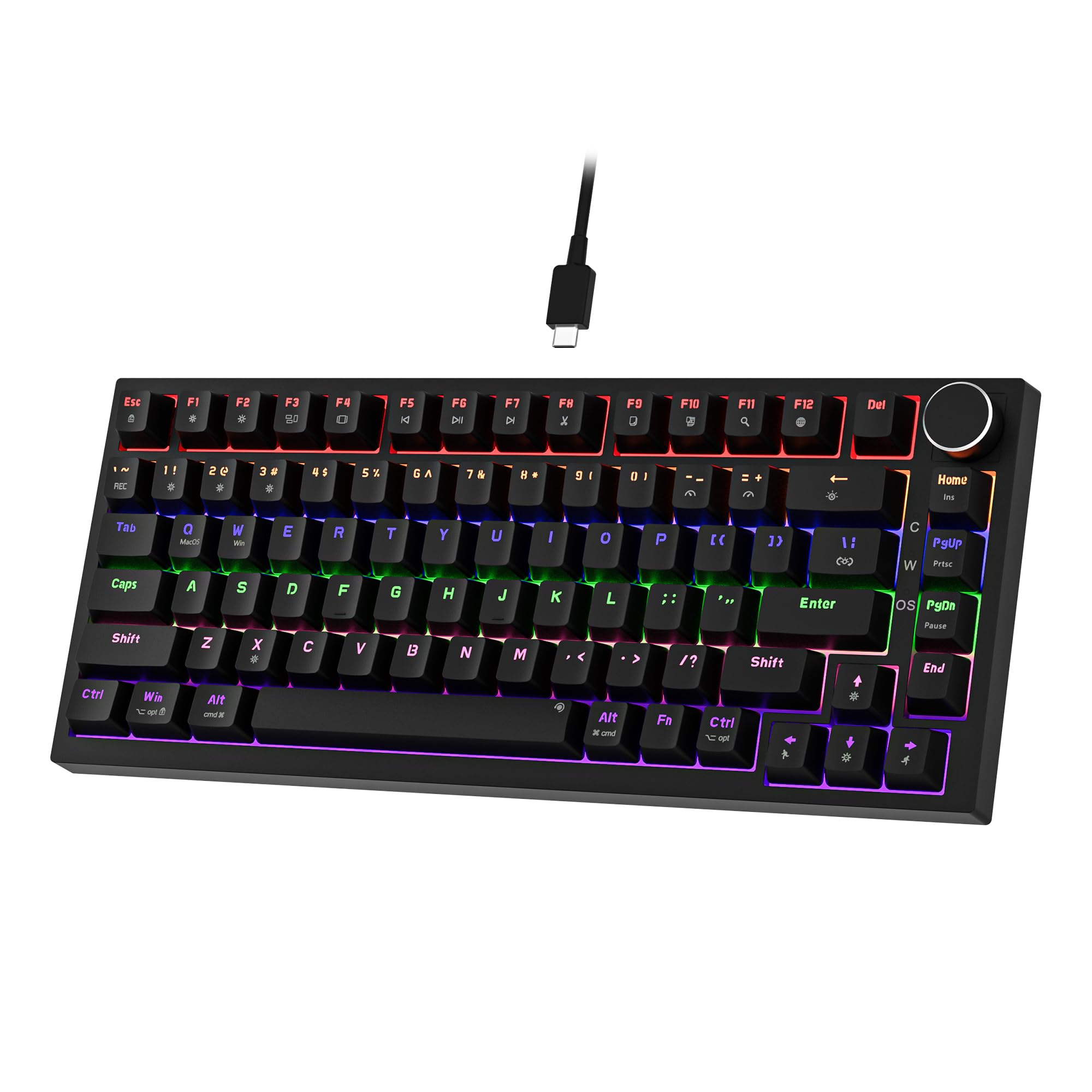 7.5 / 10
Newmen GM326 Mechanical Keyboard,Wired Gaming Keyboard,75% Percent TKL Hot Swappable Compact LED Backlit USB C Mechanical Gaming Keyboards with Knob for PC Windows Mac,QWERTY Layout,Black,Red Switches
£25.26 · NEWMEN
 7.5 / 10
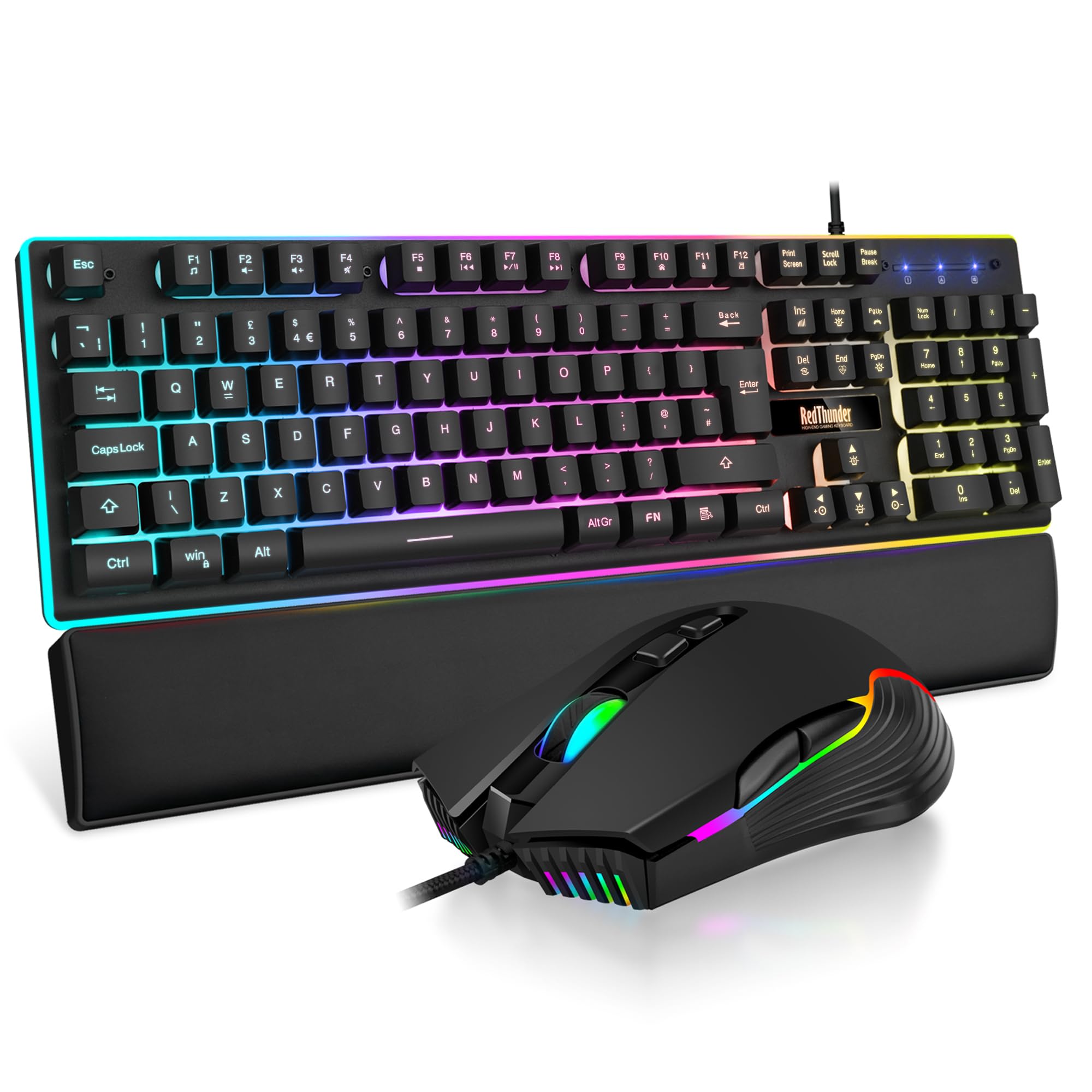
RedThunder K10 Wired Gaming Keyboard and Mouse Combo, UK Layout, True RGB Backlight, Soft Leather Wrist Rest, Mechanical Feel Ergonomic Anti-Ghosting Keyboard + 7D 7200 DPI Mouse for PC Mac (Black)
£33.99 · RedThunder
Frequently asked
5 questions01What switches does the Snpurdiri 60% Wired Gaming Keyboard use?+
The Snpurdiri 60% uses what the brand calls 'advanced imitation mechanical technology.' These are not true mechanical switches. They are membrane or rubber dome switches designed to mimic the feel of mechanicals, offering a lighter, quieter keystroke than a traditional flat membrane but without the distinct tactile snap or actuation point of a genuine mechanical switch like Cherry MX or Gateron.
02Is the Snpurdiri 60% Wired Gaming Keyboard good for gaming?+
It's adequate for casual and everyday gaming. The 60% layout gives your mouse hand more desk space, which many gamers prefer. Anti-ghosting support means simultaneous keypresses register correctly. However, the imitation mechanical switches lack the precise, consistent actuation of genuine mechanical switches, so competitive gamers who need the most reliable input response would be better served by a board with proper mechanical switches.
03Is the Snpurdiri 60% Wired Gaming Keyboard good for typing?+
For light to moderate typing it's fine, and the ergonomic height design helps with comfort over longer sessions. The imitation mechanical switches are lighter and quieter than a full membrane board, which many people find an improvement. However, heavy daily typists who are used to mechanical keyboards will notice the lack of tactile definition and the slightly mushy feel compared to proper mechanical switches. The ABS keycaps will also develop surface shine with intensive daily use.
04Is the Snpurdiri 60% Wired Gaming Keyboard loud?+
No, it's relatively quiet. The imitation mechanical switches produce a softer sound than clicky mechanical switches like Cherry MX Blues. Owner reviews confirm it's suitable for shared spaces and offices. The spacebar stabiliser can produce some rattle, which is the noisiest element, but overall it's a quiet board that won't disturb others nearby or cause major issues on a microphone.
05What warranty and returns apply to the Snpurdiri 60% Wired Gaming Keyboard?+
No specific manufacturer warranty period is listed in the verified product data for this keyboard. When buying through Amazon UK, you're covered by Amazon's standard 30-day return policy and the Amazon A-to-Z Guarantee, which protects your purchase if the item doesn't arrive or isn't as described. For warranty queries beyond that, it's worth checking the current product listing or contacting Snpurdiri directly.