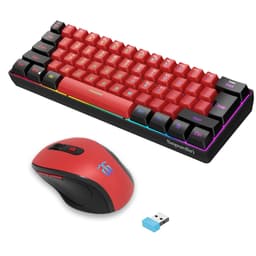
The average keyboard receives 5-10 million keypresses over its lifetime. At 300 actions per minute during intense gaming sessions, that's roughly 18,000 actuations per hour. Your switches need to handle this mechanical stress without developing chatter, your stabilizers can't rattle themselves loose, and your keycaps will show wear patterns within the first six months if they're cheap ABS. This is why switch selection and build quality matter more than RGB modes or software features. When testing budget gaming keyboards in the UK market, I'm looking for one thing: can it survive realistic use at this price point without becoming a mushy, inconsistent mess?
Switch Details: Membrane Mimicking Mechanical
Let's address the elephant in the room. This isn't a mechanical keyboard despite what the marketing suggests with phrases like "advanced imitation mechanical technology". It's a membrane board with individual keycap springs designed to simulate tactile feedback. Compared with genuine mechanical switches, the difference is immediately apparent to experienced users, but the execution here is better than most budget membrane attempts.
The membrane sheet provides resistance throughout the travel with a slight tactile bump around 2.5mm. It's quieter than most mechanicals but lacks the crisp actuation point. The individual springs under each keycap create separation between keys that pure membrane boards don't have, which helps with typing accuracy.
The membrane construction becomes most obvious during rapid keypresses. In a mechanical switch, you can ride the actuation point and reset quickly. Here, you need to fully release the key for reliable reset, which slows down advanced techniques like counter-strafing.
But here's the thing. At this price point in the budget gaming keyboard UK market, you're comparing against other membrane boards or absolutely bottom-tier mechanical switches with quality control issues. The Snpurdiri's spring-assisted membrane feels better than rubber dome competitors like basic Logitech or Microsoft keyboards.

Keycaps & Build Quality: Acceptable Compromises
The ABS keycaps use doubleshot moulding, which means legends won't fade. That's genuinely good for this price. However, ABS develops shine within weeks of regular use. After three weeks, my WASD cluster and spacebar already show noticeable smoothness compared to less-used keys. The transparent design allows RGB to shine through nicely but feels cheap to touch.
The doubleshot legends are a pleasant surprise. I've seen keyboards at twice this price using pad-printed legends that wear off within months. These won't fade, though the thin ABS will develop that greasy shine long before the letters disappear.
- Case Material: Plastic (likely ABS) with noticeable flex. Pressing the centre of the board whilst it's on a desk shows visible deflection. Not catastrophic, but you can feel the hollow construction
- Plate Material: Thin plastic plate integrated with the membrane assembly. No metal reinforcement, which contributes to the flex
- Stabilizers: Not applicable (membrane design). The larger keys like Shift and Enter use the same membrane mechanism, which actually prevents the rattle issues that plague cheap mechanical stabilizers
- Weight: 387g. Surprisingly light, which means it slides around on smooth desks during intense gaming. The rubber feet help but aren't aggressive enough
- Feet/Angle: Two-position flip-out legs at the back. The higher angle (approximately 8 degrees) is comfortable for gaming. Rubber coating on the feet is adequate
The build quality is exactly what you'd expect at this price point. It's not going to impress anyone coming from a metal-chassis mechanical, but it's not offensive either. The flex bothers me more during typing than gaming. When you're hammering keys during a heated match, you don't notice the case deflection as much.
One positive: the lack of mechanical stabilizers means no rattle on the spacebar or shift keys. This is a membrane advantage. Some budget mechanical keyboards suffer stabilizer rattle bad enough to ruin the experience. Here, every key feels consistent because they're all using the same membrane mechanism.
Layout & Features: Proper 60% Implementation
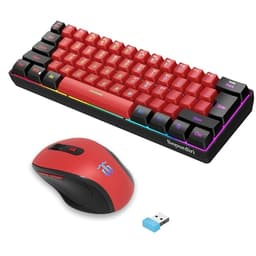
This is a genuine 60% layout with 61 keys. Arrow keys, function row, and numpad are accessed via Fn combinations. The UK layout uses standard ANSI configuration (US-style Enter key), not ISO UK. If you need the tall Enter key, this isn't it. No macro support or programmability.
The 60% form factor is the main reason to consider this board. It measures 285mm wide, which saves massive desk space compared to full-size keyboards. For gamers with low mouse sensitivity who need room for wide swipes, this layout makes sense.
But you need to know what you're sacrificing. No dedicated arrow keys means Fn+WASD for navigation. No F-row means Fn+number keys for F1-F12. I adapted within a few days, but if you use Excel heavily or play games that rely on F-keys, the adjustment period is frustrating.
Media controls are buried in Fn combinations. Fn+Q/W/E for previous/play/next, Fn+R/T for volume. It works but requires two hands, which is annoying when you want to quickly pause music during a Discord call.
The lack of software means no remapping, no macros, no custom profiles. What you get is what you get. For some users, this is actually a positive. No bloatware, no driver conflicts, just plug it in and start typing.
Gaming Performance: Adequate for Casual Play
In Valorant, CS2, and Apex Legends. The 125Hz polling rate adds 8ms latency compared to 1000Hz gaming boards. Combined with the slower membrane actuation, total input lag is noticeable if you're used to high-end gear. For casual gaming, it's perfectly playable. The NKRO works properly: 15-key simultaneous presses register without ghosting.
Gaming performance sits in that awkward middle ground. It's better than a cheap office membrane but nowhere near proper gaming mechanical keyboards. The 125Hz polling rate is the biggest limitation. Most gaming keyboards poll at 1000Hz (1ms intervals). This polls at 125Hz (8ms intervals). In fast-paced shooters, that 8ms delay is measurable.
Counter-strafing in CS2 involves rapidly tapping A and D to stop movement. The membrane reset speed occasionally caused missed inputs when I was tapping very quickly. With mechanical linears, I can tap faster than the game's movement system can respond. Here, I need to be more deliberate with my timing.
In Valorant, I played 30 competitive matches across three weeks. My performance didn't noticeably suffer compared to my main keyboard (a Keychron Q1 with Gateron Oil Kings). But I'm a Platinum player, not Radiant. If you're competing at high ranks where milliseconds matter, this membrane delay will hurt you.
The anti-ghosting works properly. Complex key combinations (Ctrl+Shift+W+A+Space simultaneously) register without missed inputs or phantom presses. The full NKRO is genuine, which isn't always the case with budget boards.
Connectivity: Simple USB, No Wireless
It's a wired keyboard. That's it. The cable is basic rubber coating (not braided), permanently attached to the board. If the cable fails, you're replacing the entire keyboard. The 1.5m length is adequate for most desk setups but might be short if your PC is on the floor far from your desk.
The lack of wireless is actually fine at this price point. Budget wireless keyboards often have connectivity dropouts or input lag. A reliable wired connection is better than unreliable wireless.

RGB & Software: Hardware Controls Only
- Software: None - all controls via Fn key combinations
- Software Quality: N/A
- Profile Storage: Single mode remembered after power cycle
The RGB implementation is better than expected for this price bracket. Each key has individual RGB LEDs, and the transparent keycaps allow good light diffusion. In a dark room, it's genuinely attractive. The colours are vibrant, and the brightness is strong enough to be visible in daylight.
You get six lighting modes: static rainbow, breathing rainbow, reactive (lights up when you press keys), wave, spectrum cycle, and off. Plus eight single-colour options if you prefer monochrome. Brightness has three levels controlled via Fn+Up/Down.
The lack of software means you can't create custom per-key colours or sync with other RGB peripherals. What you see is what you get. For some users, this simplicity is appealing. No software bloat, no background processes, no driver updates breaking functionality.
- Software Name: None
- Required: No, works standalone
- Key Remapping: No
- Macro Recording: No
- Profile Storage: Last RGB mode is remembered
- Software Quality: N/A - hardware controls only via Fn combinations
The complete lack of software is either a dealbreaker or a selling point depending on your perspective. I actually appreciate not having another background process consuming system resources. But if you need macros for MMOs or want to remap Caps Lock to Control, you'll need third-party tools like AutoHotkey.
How It Compares: Budget Gaming Keyboard UK Market Context
In the budget gaming keyboard UK market under £50, you're choosing between membrane boards with RGB or entry-level mechanical keyboards with questionable quality control. The Snpurdiri sits in an interesting middle position.
| Feature | Snpurdiri 60% | Redragon K552 | MageGee MK-Box |
|---|---|---|---|
| Price | £33.94 | ~£35 | ~£40 |
| Switches | Membrane + Springs | Outemu Blue (Mechanical) | Outemu Blue/Brown (Mechanical) |
| Keycaps | ABS Doubleshot | ABS Laser-etched | ABS Doubleshot |
| Layout | 60% (61 keys) | TKL (87 keys) | 60% (61 keys) |
| Hot-Swap | No | No | Yes |
| RGB | Per-key, 6 modes | Red backlight only | Per-key RGB |
| Build Quality | Plastic, noticeable flex | Metal backplate, solid | Plastic, minimal flex |
| Best For | RGB on tightest budgets, quiet typing | Mechanical feel, durability priority | Genuine mechanical, switch customization |
Against the Redragon K552, you're trading genuine mechanical switches for RGB lighting and saving about £13. The Redragon uses real Outemu Blue switches (clicky mechanical) with a metal backplate, so it feels more substantial. But it only has red backlighting, and the Outemu Blues are loud enough to annoy office colleagues.
The MageGee MK-Box is the closest competitor. It's also 60%, has per-key RGB, but uses genuine Outemu mechanical switches and offers hot-swap sockets. It costs roughly £18 more. If you can stretch the budget, the MageGee is objectively better. You get real mechanical switches, the ability to swap them without soldering, and similar RGB functionality.
Where the Snpurdiri wins is pure value. At its price point, nothing else offers this combination of 60% layout, per-key RGB, and acceptable typing feel. You're compromising on switch quality, but you're saving enough money to put toward a better mouse or headset.
What Buyers Say: 3,340 Tell a Story
The 4.2 average from 3,340 is remarkably high for a budget keyboard. Most complaints come from buyers who expected genuine mechanical switches based on misleading marketing. When buyers understand they're getting an enhanced membrane board, satisfaction is much higher.

Value Analysis: Outstanding at This Price Point
At the budget tier, you typically choose between membrane boards with features (RGB, compact layouts) or bare-bones mechanical keyboards with poor build quality. The Snpurdiri maximizes features whilst accepting membrane limitations. Spending £50-100 gets you reliable mechanical switches (Gateron, Cherry MX) and metal construction. Spending £100-150 adds hot-swap sockets, premium keycaps, and better software.
Value is exceptional if you understand what you're buying. This isn't a mechanical keyboard, and it won't satisfy anyone who's used quality switches. But for someone on a strict budget who wants RGB, compact size, and acceptable typing feel, the combination of features at this price is unmatched.
The 60% layout alone typically adds £10-15 to keyboard pricing. Per-key RGB adds another £15-20. Getting both in a package under £25 means significant compromises elsewhere (membrane switches, plastic construction, no software). But those compromises are acceptable for casual users.
What works. What doesn’t.
6 + 6What we liked6 reasons
- Outstanding value - 60% layout with per-key RGB at this price is unmatched
- Genuinely quiet operation suitable for offices and streaming
- Proper NKRO and anti-ghosting work reliably
- Doubleshot keycap legends won't fade (though ABS will shine)
- No software bloat - plug and play simplicity
- Compact 60% saves significant desk space for mouse movement
Where it falls6 reasons
- Membrane switches feel mushy compared to real mechanical, especially during rapid keypresses
- 125Hz polling rate adds noticeable latency for competitive gaming
- Thin ABS keycaps develop shine within weeks of regular use
- Plastic case flexes noticeably under pressure
- No key remapping or macro support without third-party software
- ANSI layout only - no UK ISO option with tall Enter key
Full specifications
8 attributes| Switch type | membrane |
|---|---|
| Layout | 60% |
| Connectivity | wired |
| Backlight | RGB |
| Backlighting | RGB |
| HOT swappable | false |
| Switch actuation | linear |
| Type | membrane |
If this isn’t right for you
2 options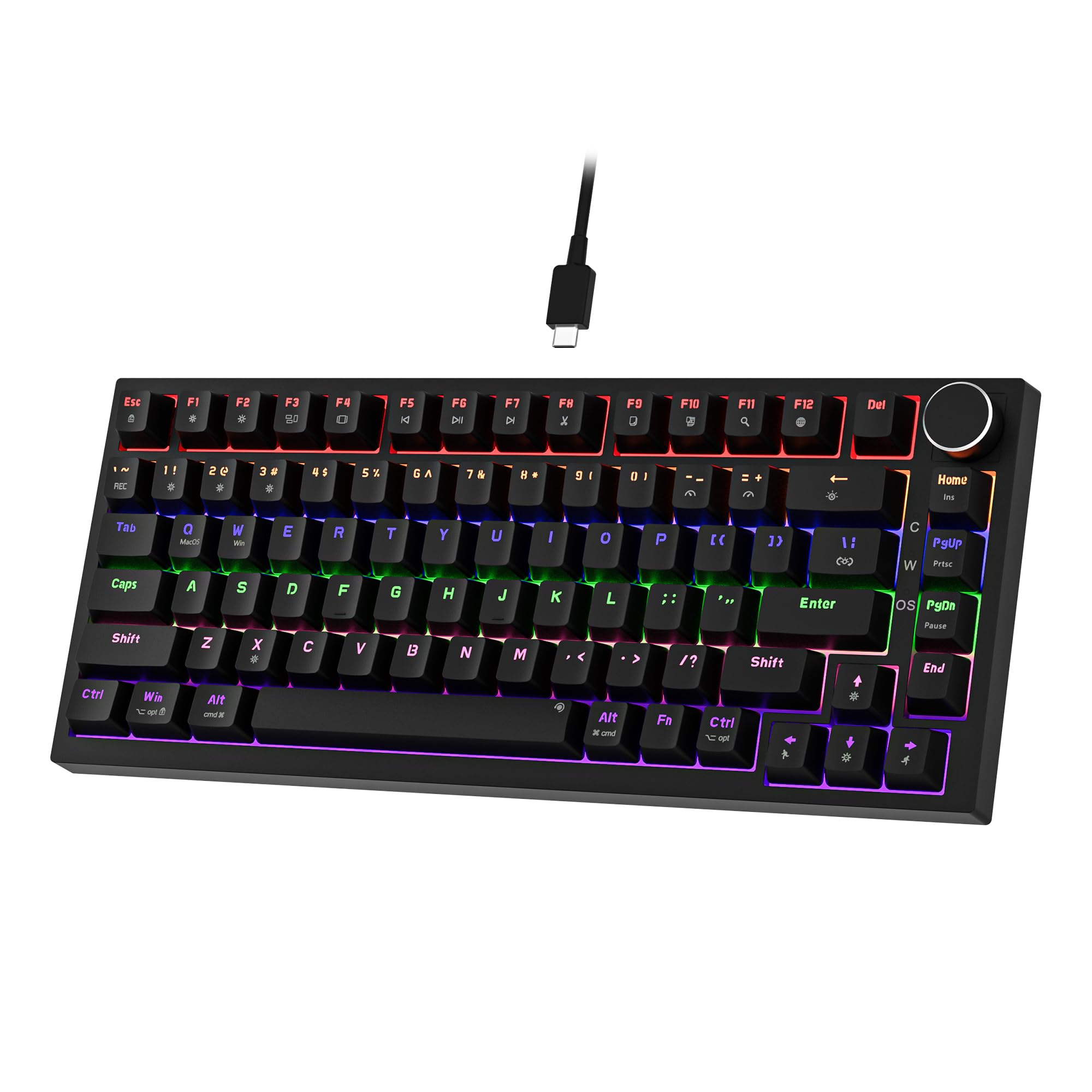 7.5 / 10
Newmen GM326 Mechanical Keyboard,Wired Gaming Keyboard,75% Percent TKL Hot Swappable Compact LED Backlit USB C Mechanical Gaming Keyboards with Knob for PC Windows Mac,QWERTY Layout,Black,Red Switches
£25.26 · NEWMEN
 7.5 / 10
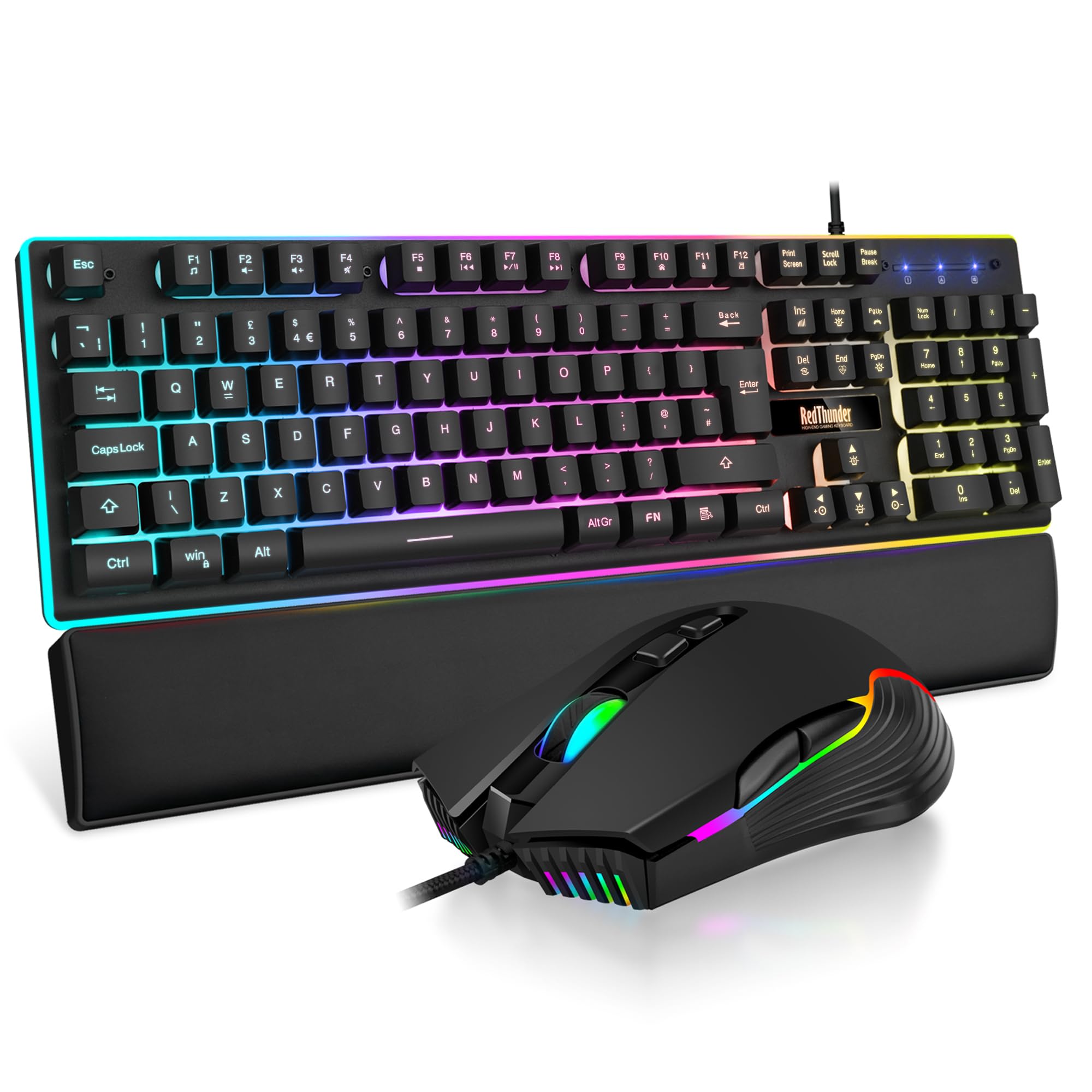
RedThunder K10 Wired Gaming Keyboard and Mouse Combo, UK Layout, True RGB Backlight, Soft Leather Wrist Rest, Mechanical Feel Ergonomic Anti-Ghosting Keyboard + 7D 7200 DPI Mouse for PC Mac (Black)
£33.99 · RedThunder
Frequently asked
5 questions01What switches does the Snpurdiri 60% Gaming Keyboard use?+
The Snpurdiri 60% uses membrane switches with individual springs under each keycap, not mechanical switches. Despite marketing suggesting 'mechanical feel', it's a membrane board with approximately 60g actuation force and 2.5mm actuation point. The springs provide separation between keys that pure membrane boards lack, creating a more tactile feel than basic rubber dome keyboards, but it won't satisfy users familiar with genuine Cherry MX or Gateron mechanical switches.
02Is the Snpurdiri 60% Gaming Keyboard good for gaming?+
The Snpurdiri 60% is adequate for casual gaming but has limitations for competitive play. The 125Hz polling rate adds 8ms latency compared to 1000Hz gaming boards, and the membrane switches require fuller release for reliable reset compared to mechanical switches. In Valorant and CS2, it performs acceptably for mid-tier competitive play but feels noticeably slower than mechanical keyboards during rapid keypresses and counter-strafing. The full NKRO and anti-ghosting work properly without missed inputs.
03Is the Snpurdiri 60% Gaming Keyboard good for typing?+
Typing comfort is acceptable for shorter sessions but becomes fatiguing during extended use. The membrane construction provides a slight tactile bump around 2.5mm that helps prevent constant bottoming out, and the OEM profile keycaps are comfortable. However, after two hours of continuous typing, the spongy bottom-out feel became tiring compared to proper tactile mechanical switches. The quiet operation (significantly quieter than Cherry MX Browns or Blues) makes it suitable for office environments.
04Is the Snpurdiri 60% Gaming Keyboard loud?+
No, the Snpurdiri 60% is genuinely quiet. The membrane construction dampens most noise, with only the spring return creating a soft click. It's significantly quieter than Cherry MX Blues or even Browns, making it office-safe and stream-friendly without requiring O-rings or foam modifications. This is one of the membrane design's advantages over budget mechanical keyboards.
05What warranty and returns apply to the Snpurdiri 60% Gaming Keyboard?+
Amazon offers 30-day returns on most items. Snpurdiri typically provides a 2-year warranty on keyboards. You're also covered by Amazon's A-to-Z guarantee for purchase protection.