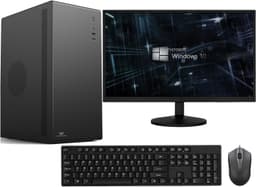
Best Overall Value
Price: £499.95 | Rating: ★★★★★ (5.0)
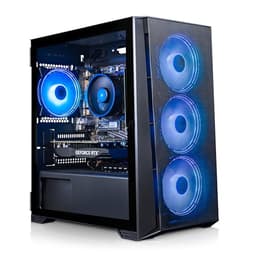
Here's the thing: the Vibox I-7 sits at a price point where it genuinely undercuts most of the competition while still delivering a proper working-from-home experience. The AMD Ryzen 3 3200G is no powerhouse on paper, but paired with 16GB of RAM and a 500GB SSD, it handles the daily grind of video calls, Office 365, browser tabs, and email without complaint. The integrated Radeon Vega 8 graphics are more than capable for Zoom, Teams, and even light image editing.
For WFH use, the 500GB SSD is enough for work files and apps, and files open quickly. Windows 11 is pre-installed and WiFi comes via a supplied USB adapter, so setup is straightforward.
The Ryzen 3 3200G is a few generations old now, and if your work involves serious video rendering or running virtual machines, you'll feel its limits. But for the vast majority of home workers, this is more than enough machine.
It won't win any benchmarks against the CyberPowerPC machines higher up the price ladder, but at this price, it's the best desktops for working from home under £1000 pick that most people should start with. Solid, sorted, and sensibly priced.
Pros
- Excellent value for the spec level
- 500GB SSD is plenty for work files and apps
- 16GB RAM handles multitasking well
- WiFi adapter supplied, Windows 11 ready to go
Buy on Amazon£499.95
Best for Beginners
Rating: ★★½☆☆ (2.9)
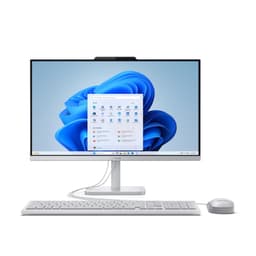
If you want a clean, fuss-free WFH setup without buying a separate monitor, keyboard, and mouse, this all-in-one is genuinely hard to argue with. The Intel i5 running up to 4.4GHz is a modern chip, which puts it ahead of several pricier refurb options in this list. For working from home, that matters. You get snappy performance on video calls, quick document loading, and smooth browser use.
The 23.8-inch FHD IPS panel is a proper pleasure to work on all day. IPS means decent colour accuracy and wide viewing angles, so you're not squinting at a washed-out screen during afternoon calls. The keyboard and mouse are included, so you can genuinely unbox this and be working within 20 minutes.
The 256GB SSD is the one compromise to flag. It's fine for most users, but if you store large files locally or work with video, you'll want to use cloud storage or an external drive. The all-in-one form factor also means upgrading later is limited. But for someone setting up a home office for the first time, or replacing an ageing laptop with something more comfortable, this is a brilliant starting point. It's our best budget pick for good reason.
Pros
- Modern i5 chip up to 4.4GHz, genuinely fast
- Complete setup: screen, keyboard, mouse included
- IPS panel is great for all-day working
- Tidy, cable-light desk setup
- Windows 11 Pro included
Cons
- 256GB SSD is on the small side
- Limited upgrade options as an AIO
- No dedicated GPU for heavier creative work
Buy on Amazon
Best Build Quality
Price: £849.00 | Rating: ★★★★☆ (4.1)
The RTX 5060 is brand new silicon, and getting it in a complete system under £900 is genuinely impressive. For WFH users who also do video editing, 3D work, or AI-assisted creative tasks, this machine will stay relevant for years. The Ryzen 5 8400F is a modern six-core chip with strong single-core performance, which is exactly what you want for snappy everyday use.
CyberPowerPC's build quality is solid, and the 650W 80+ rated PSU means there's headroom if you want to add components later. The RGB case is a bit gamer-y for a home office, but it's not offensive. WiFi is built in, and the 1TB NVMe SSD is fast enough that you'll notice the difference versus older SATA drives.
The honest caveat: the RTX 5060 is slightly wasted on pure WFH tasks. You're paying a premium for GPU power you might not use daily. But if longevity matters and you want a machine that won't feel dated in three years, this is the one to buy.
Pros
- RTX 5060 is cutting-edge GPU silicon
- Modern Ryzen 5 8400F processor
- Fast NVMe SSD, quality PSU
- Strong future-proofing for under £900
Cons
- GPU power is overkill for basic WFH tasks
- RGB aesthetic not for everyone in a home office
- No monitor included
Buy on Amazon
Best for Creative Work
Price: £739.99 | Rating: ★★★★½ (4.6)
The ADMI sits in an awkward spot. At around £675, it's significantly more than the Vibox I-7 but doesn't quite match the value of the Vibox V-196 bundle. The Ryzen 5 5500 is a solid six-core chip that handles WFH tasks well, and the 1TB NVMe SSD is fast. But the RTX 3050 6GB is showing its age in 2026, and the 6GB VRAM is a real limitation for creative work.
For working from home, the GPU is largely irrelevant unless you're doing light video editing or want to game occasionally. In that context, the RTX 3050 is adequate. The airflow-focused case design is a nice touch and owners report it runs cool and quiet, which is good news for long WFH days. WiFi is built in and Windows 11 is ready to go.
It's not a bad machine. But at this price, the competition is stiff. Worth considering if you find it on sale.
Pros
- Ryzen 5 5500 handles WFH multitasking well
- Fast 1TB NVMe SSD
- Good airflow design, runs cool and quiet
- 16GB RAM, solid for productivity
Cons
- RTX 3050 6GB is dated for the price
- Awkward value position versus rivals
- No monitor included
Buy on Amazon
Best Space-Saver
Rating: ★★★★½ (4.6)
Lenovo's IdeaCentre A100 is a proper looker. The 24-inch FHD display is clean and bright, the wireless keyboard and mouse are included, and the whole thing takes up minimal desk space. For a tidy home office, it's genuinely appealing. But here's the honest bit: the Intel N100 is an efficiency chip designed for light use, not a powerhouse.
For basic WFH tasks, the N100 is fine. Email, video calls, browser work, Office documents. It handles all of that without drama. The 512GB SSD gives you decent storage, and 16GB RAM means you won't hit walls with normal multitasking. But push it with large spreadsheets, multiple video streams, or any creative software and you'll notice the limits quickly.
At £699, it's priced against machines with significantly more processing power. You're paying for the Lenovo brand, the all-in-one convenience, and the clean design. If that matters to you, fair enough. But if raw performance per pound is your priority, look elsewhere in this list.
Pros
- Clean, space-saving all-in-one design
- 24-inch FHD display is a good size for WFH
- Wireless keyboard and mouse included
- 512GB SSD, decent storage for an AIO
- Lenovo build quality and brand reliability
Cons
- Intel N100 is a low-power efficiency chip, not a performer
- Expensive for the processing power you get
- Not suitable for demanding creative work
Check availability
Best RAM for Money
Price: £276.00 | Rating: ★★★★☆ (4.0)
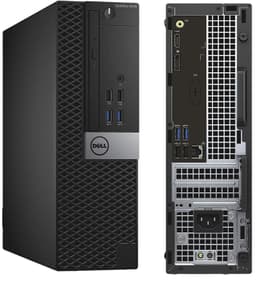
32GB of RAM for around £259 is genuinely eye-catching. And the i7-6700 is a capable chip for WFH tasks, still punching above its weight for video calls, Office work, and browser-heavy days. The 1TB SSD means you're not scrimping on storage, and Windows 11 Pro is properly licensed.
The honest concern is the CPU generation. The i7-6700 is a 6th-generation Intel chip from 2015. It's not slow, but it's a decade old. For working from home in 2026, it'll handle the basics well, but you're buying a machine with a limited runway. Driver support, security updates, and software compatibility will all become questions over the next few years.
That said, if your WFH needs are stable and you want a lot of RAM for running multiple apps or light virtual machines, this is a smart buy. Dell OptiPlex machines are built to commercial standards and refurb units tend to be reliable. Just go in with eyes open about the CPU age.
Pros
- 32GB RAM is exceptional at this price
- 1TB SSD, generous storage
- Dell OptiPlex commercial build quality
- Windows 11 Pro properly licensed
Cons
- i7-6700 is a decade-old CPU
- Limited longevity for future software demands
- No monitor included
Check availability
Best Refurb Bundle
Rating: ★★★★☆ (4.3)
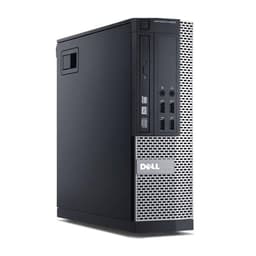
A complete WFH setup with a 23-inch monitor for around £200 is hard to ignore. The Dell OptiPlex 7020 or 9020 (you may receive either) is a well-built commercial machine, and the 16GB RAM with 500GB SSD is a decent spec for everyday home office work. Video calls, documents, email, browser tabs. It handles all of that.
But the 4th-generation Intel i7 is the elephant in the room. The i7-4770 was released in 2013. That's over a decade ago. For basic WFH tasks it still functions, but you're buying a machine that's already on borrowed time in terms of software support and performance expectations. Some users report occasional slowdowns with modern browser-heavy workflows.
The monitor bundle is the saving grace here. If you need a complete setup on a tight budget and your WFH tasks are genuinely light, this gets you there. Just don't expect it to last another five years without feeling the strain.
Pros
- Complete setup with 23" monitor included
- 16GB RAM handles basic WFH multitasking
- Dell commercial build quality
- Good value for a complete bundle
Cons
- 4th-gen Intel CPU is very old now
- Limited longevity for modern software
- 500GB SSD is adequate but not generous
Check availability
Best Under £150
Rating: ★★★★☆ (4.2)
At around £148, this is one of the cheapest ways to get a 16GB RAM, 512GB SSD machine running Windows 11 Pro. The i7-4770 is the same 4th-gen chip as the bundle above, so the same caveats apply. It's old. But for someone who needs a basic WFH machine and already has a monitor, this is a functional option.
Video calls will work. Office apps will run. Browser tabs will open. Just don't expect snappiness on modern web apps or anything GPU-intensive. The 512GB SSD is a step up from the bundle version, which is a nice touch at this price. WiFi is included via USB adapter, which is fine but not as clean as built-in WiFi.
Buy this if your budget is genuinely tight and your WFH tasks are light. Otherwise, stretch to the Vibox I-7 for a much better long-term investment.
Pros
- Very affordable entry point
- 16GB RAM and 512GB SSD at this price is decent
- Dell commercial build quality
- Windows 11 Pro included
Cons
- i7-4770 is genuinely old hardware
- USB WiFi adapter rather than built-in
- No monitor included
- Limited future-proofing
Check availability
Best Storage for Budget
Price: £299.00 | Rating: ★★★★☆ (4.0)
A 1TB NVMe SSD and a 21.5-inch monitor for around £249 sounds appealing. And the storage spec is genuinely good for the money. But the Intel i5-2400 is the problem here. That chip is from 2011. Fifteen years old. Running Windows 11 on it is technically possible but not comfortable, and you'll feel the age of the hardware in daily use.
For WFH tasks in 2026, the i5-2400 will struggle with modern video conferencing apps, particularly if you're using Teams or Zoom with background effects. Browser performance with multiple tabs will be noticeably sluggish. The 1TB NVMe SSD helps with file access speeds, but the CPU bottleneck is real.
Honestly, this is hard to recommend for working from home in 2026. The storage is the only standout spec. Spend a bit more and get something with a chip from this decade.
Pros
- 1TB NVMe SSD is generous for the price
- 21.5" monitor included
- 16GB RAM
Cons
- i5-2400 is 15 years old, a real limitation
- Will struggle with modern WFH apps
- Poor longevity for any serious use
- Hard to recommend over newer alternatives
Buy on Amazon
Best Under £100
Rating: ★★★★☆ (4.3)
Under £100 for a Windows 11 PC. Full stop. That's the headline. And for someone who genuinely cannot spend more, this gets you a working machine. The i5-4570 is a 4th-gen chip from 2013, so it's old, but it's not completely useless. Basic email, light document work, and simple video calls are within reach.
But the 120GB SSD is tiny. Windows 11 alone will eat a significant chunk of that. You'll need to be disciplined about storage, use cloud services for everything, and accept that this machine has a very short runway before it feels truly inadequate. The 8GB RAM is also the minimum you'd want for WFH use in 2026, and it will show under pressure.
This is a machine for very specific circumstances. A spare PC for a child doing homework, a basic browsing machine for a family member, or a genuine last resort when budget is the only consideration. For proper working from home, save up and spend more.
Pros
- Under £100, the cheapest option here
- Small form factor, easy to place anywhere
- Windows 11 Pro included
Cons
- 120GB SSD is genuinely too small for comfortable WFH use
- 8GB RAM is the bare minimum
- i5-4570 is over a decade old
- Not suitable for demanding WFH tasks
Check availability