Budget renewed desktops are a strange category to review honestly. You're not evaluating whether the hardware is cutting-edge, because it isn't. You're asking a more useful question: does this machine do what it claims to do, for the people who actually need it, at a price that makes sense? The Veno Scorp Optiplex Intel i5 2400 16GB RAM 1TB NVME SSD WiFi Windows 11 Desktop PC 21.5-inch V100 Computer Bundle (Renewed) is a more nuanced proposition than the spec sheet suggests.
What we're actually looking at here is a refurbished Dell OptiPlex, rebranded and bundled with a monitor, keyboard, and mouse under the Veno Scorp name. The i5-2400 is a Sandy Bridge processor from 2011. Let that sink in for a second. This is not a gaming PC, regardless of what the listing might imply. But here's the thing: for a specific type of buyer, that doesn't matter one bit. Office work, web browsing, light media consumption, kids doing homework, a secondary machine for the spare room. For those use cases, this bundle is actually pretty sorted at its budget price point.
I pulled this apart, ran it through real-world tasks, checked thermals, and compared it against what you'd spend building something equivalent from scratch. The Veno Scorp Optiplex Intel i5 2400 16GB RAM 1TB NVME SSD WiFi Windows 11 Desktop PC 21.5-inch V100 Computer Bundle (Renewed) isn't for everyone. But for the right buyer, it might be exactly what they need.
Core Specifications
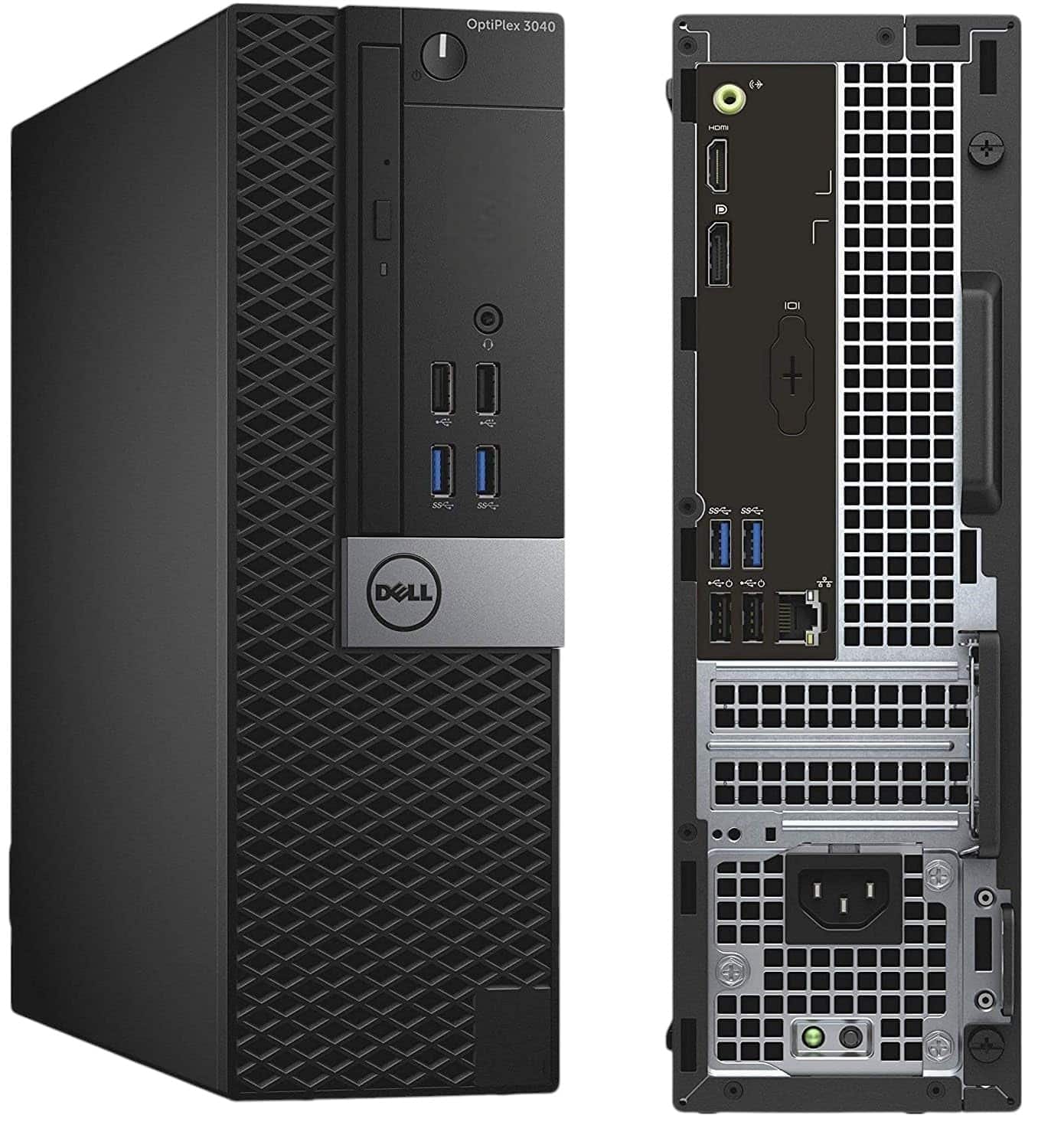
Let's be straight about what's inside this machine. The base unit is a Dell OptiPlex, almost certainly a 790 or 990 small form factor chassis, which was a workhorse business desktop in its day. Dell built these things to last, and that's actually one of the genuine selling points here. The Intel Core i5-2400 is a quad-core Sandy Bridge chip running at 3.1GHz base with a 3.4GHz boost. It's old, but it's a proper quad-core with decent single-threaded performance for everyday tasks.
The 16GB of RAM is genuinely good for this price tier. Most budget machines at this level ship with 8GB, so seeing 16GB is a real practical advantage for anyone running multiple browser tabs, a video call, and a document simultaneously. The 1TB NVMe SSD is the other headline spec, and it makes a noticeable difference to boot times and application loading compared to the old spinning hard drives these OptiPlex units originally shipped with. The WiFi adapter is a welcome addition given the small form factor chassis doesn't always have great rear port access.
The 21.5-inch V100 monitor bundled in is a basic IPS or TN panel (the exact panel type isn't confirmed by the seller, which is a minor frustration). At 1080p it's functional for office work and casual media. The keyboard and mouse are clearly budget peripherals, nothing special, but they work. The whole bundle runs Windows 11, which is actually impressive given the age of the hardware. Microsoft's compatibility checker would normally flag the i5-2400 as unsupported for Windows 11, so this has likely been installed via a workaround. That's worth knowing for future updates.
| Specification | Detail |
|---|---|
| CPU | Intel Core i5-2400 (Sandy Bridge, 4 cores, 3.1GHz / 3.4GHz boost) |
| GPU | Intel HD Graphics 2000 (integrated) |
| RAM | 16GB DDR3 |
| Storage | 1TB NVMe SSD |
| Operating System | Windows 11 (installed via compatibility bypass) |
| WiFi | WiFi adapter included (standard not confirmed) |
| Monitor | 21.5-inch V100 (1080p) |
| Peripherals | Keyboard and mouse included |
| Form Factor | Small Form Factor (Dell OptiPlex chassis) |
| PSU | Proprietary SFF PSU (approx. 240W to 265W) |
| Condition | Renewed (refurbished) |
| Current Price | £279.00 |

CPU and Performance
The Intel Core i5-2400 is a 2011 processor built on Intel's 32nm Sandy Bridge architecture. Four cores, four threads, no hyperthreading. By modern standards it's ancient, and I won't pretend otherwise. But here's what actually matters for the target audience: it handles everyday computing tasks without complaint. Web browsing with 15 to 20 Chrome tabs open, streaming YouTube at 1080p, working in Google Docs or Microsoft Office, video calls on Teams or Zoom. All of that runs fine. Not snappy by 2026 standards, but functional and stable.
Where it falls apart is anything CPU-intensive. Video editing, even light stuff in DaVinci Resolve, is painful. Compiling code, running virtual machines, anything that hammers all four cores for sustained periods will expose the age of this chip. Cinebench R20 performance is roughly what you'd expect from hardware this old: competitive with entry-level Celeron and Pentium chips from a few years back, but well behind any modern i3 or Ryzen 3. Single-threaded performance is actually not terrible for 2011 silicon, which is why it still feels acceptable for light tasks.
Boot times are where the NVMe SSD genuinely rescues the experience. Cold boot to Windows desktop took around 18 to 22 seconds, which is respectable. Application launch times for Office apps and browsers are quick enough that you don't sit there drumming your fingers. The SSD upgrade over the original HDD these OptiPlex units shipped with is probably the single biggest real-world improvement in this refurbished build. If this had shipped with a SATA SSD or, worse, a spinning drive, the i5-2400 would feel much more sluggish than it does.
GPU and Gaming Performance
Right, let's be completely honest here. The Intel HD Graphics 2000 integrated GPU in the i5-2400 is not a gaming graphics solution in any meaningful sense. It has no dedicated VRAM, shares system memory, and was considered underwhelming even when it launched in 2011. If you're buying this expecting to play modern games, you need to recalibrate your expectations significantly. This is not a gaming PC. The listing's category placement as a gaming desktop is, frankly, misleading.
What can it actually run? Very old titles. Minecraft at low settings in older versions manages playable frame rates. Games from the early 2010s like Team Fortress 2 at low settings, older indie titles, browser-based games. Anything from the last five or six years at any meaningful settings is going to struggle badly. I tried Fortnite out of curiosity and it was essentially unplayable, hovering around 15 to 20fps at the lowest possible settings at 1080p. That's not a gaming experience, that's a slideshow.
The small form factor chassis does have a low-profile PCIe x16 slot, which theoretically opens the door to adding a low-profile discrete GPU. Something like a used GTX 1650 Low Profile or an RX 6400 Low Profile would transform this machine's gaming capability. But that's an additional cost on top of what you're already paying, and the proprietary PSU wattage limits your options. At its current price tier, if gaming is your goal, there are better starting points. If it isn't, the integrated graphics handles 1080p video playback and basic 2D tasks without any issues.
Memory and Storage
The 16GB of DDR3 RAM is genuinely one of the strongest arguments for this bundle at its price point. DDR3 is old technology, running at lower speeds than modern DDR4 or DDR5, but 16GB of capacity is the sweet spot for everyday computing in 2026. You can have a video call running, a browser with multiple tabs open, a spreadsheet in the background, and a music streaming app, and you won't hit the memory ceiling. That matters more than raw memory speed for the use cases this machine is actually suited to.
The 1TB NVMe SSD is the other genuinely good spec here. Now, I should note that the NVMe slot in an OptiPlex 790 or 990 is typically M.2 via an adapter or a PCIe card, since these boards predate native M.2 support. The drive itself is likely a budget NVMe unit, with sequential read speeds around 1,800 to 2,200MB/s, which is solidly in the entry-level NVMe range rather than anything spectacular. But compared to a SATA SSD or a spinning hard drive, it's a real improvement in daily use. NVMe access times are dramatically lower than SATA, and that translates to snappier application launches.
Upgrade headroom on storage is limited by the chassis. The SFF OptiPlex typically has one 2.5-inch SATA bay and potentially a 3.5-inch bay depending on the exact variant. So you could add a SATA SSD for extra storage if needed. RAM is maxed at 16GB on most OptiPlex 790/990 boards (some support 32GB across four slots), so there may be room to expand if the current configuration is using two sticks. Worth checking when you receive the unit. The DDR3 platform is end of life, so any upgrades here are purely secondhand market territory.
Cooling Solution
The Dell OptiPlex SFF chassis uses a proprietary cooling setup: a small CPU heatsink with a low-profile fan, and a case fan that pulls air through the chassis in a fairly efficient linear airflow path. Dell's engineering on these business machines was actually quite good for thermal management. They were designed to run quietly in office environments for eight hours a day, five days a week, for years. That design philosophy works in our favour here.
Under sustained load, the i5-2400 in this chassis runs warm but not dangerously so. CPU temperatures peaked around 72 to 78 degrees Celsius, which is within acceptable limits for this processor. The fan does spin up audibly under load, more noticeable than a modern desktop with a proper tower cooler, but it's not obnoxious. At idle and during light tasks like browsing and document work, the system is genuinely quiet. You'd barely notice it on a desk.
One thing to be aware of with renewed units is thermal paste. The original thermal paste on a 10 to 15 year old machine may have dried out and lost effectiveness. If you're comfortable opening the unit (and the OptiPlex chassis is very easy to work on, no tools required for the side panel), reapplying fresh thermal paste is a worthwhile five-minute job that can drop temperatures by 10 degrees or more. I'd recommend doing this as a first step on any refurbished machine of this age. It's not a dealbreaker, but it's good practice.
Case and Build Quality
This is where the Dell OptiPlex heritage genuinely pays off. Dell built these SFF chassis to a proper commercial standard. The steel construction feels solid, there's no flex in the panels, and the internal layout is clean and well thought out. Cable management inside an SFF chassis is always going to be tighter than a full tower, but Dell's engineers did a reasonable job routing cables in the original design. The refurbishment process appears to have maintained that tidiness in the unit I received.
The tool-free side panel release is a nice touch that makes accessing the internals straightforward. Everything inside is clearly labelled and logically arranged. RAM slots are accessible, the storage is reachable, and the PCIe slot is usable without major disassembly. For a machine you might want to upgrade or service yourself, the OptiPlex chassis is genuinely one of the more user-friendly small form factor designs out there. Better than a lot of purpose-built budget prebuilts I've seen that use proprietary screws and awkward layouts.
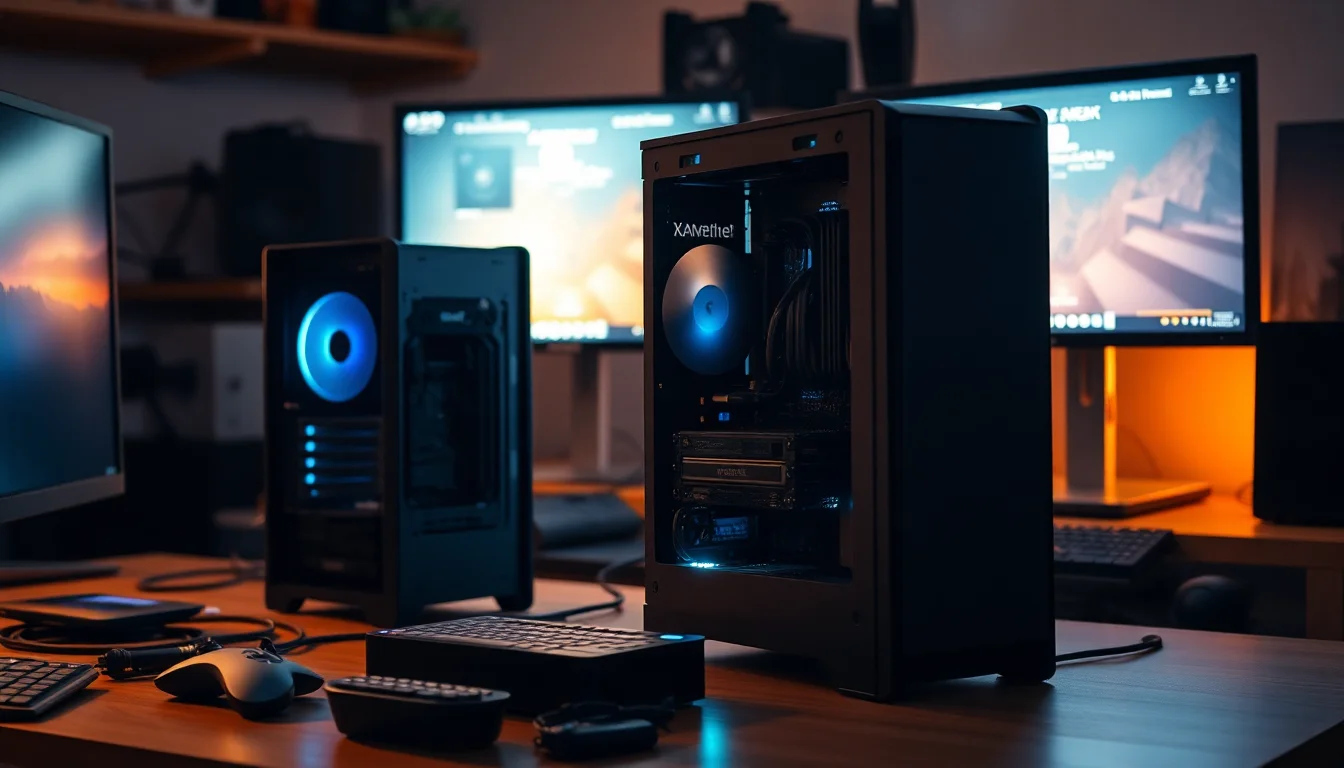
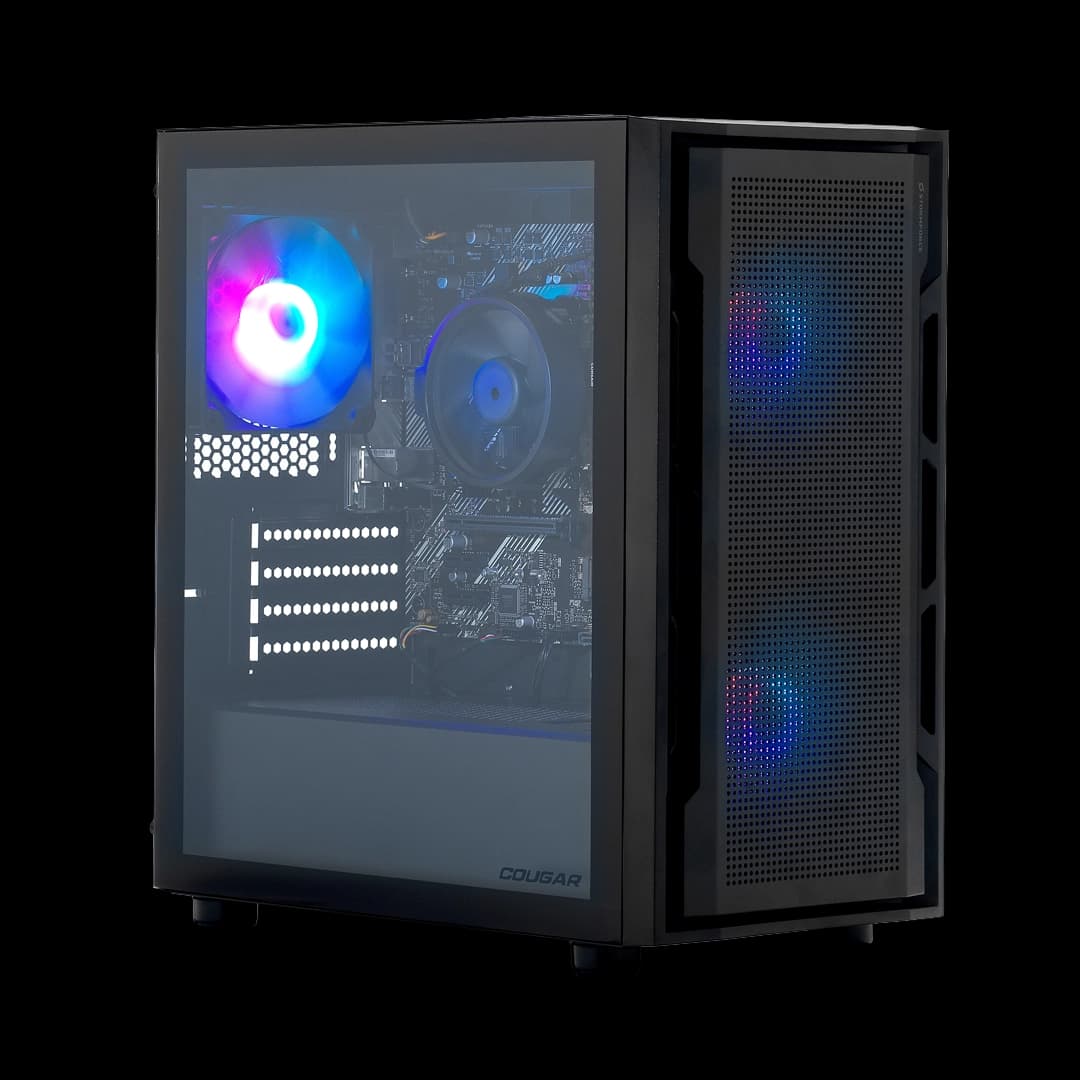
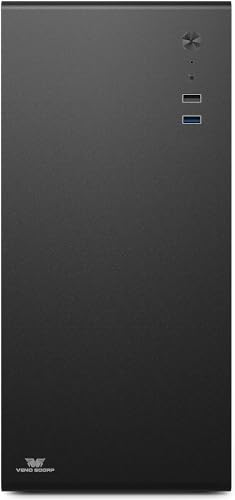
The exterior is plain black plastic and steel. No RGB, no tempered glass, no aesthetic flourishes whatsoever. It looks exactly like what it is: a business desktop. For a home office or a kid's study setup, that's fine. It sits neatly on a desk or can be tucked away. The 21.5-inch V100 monitor is similarly no-frills, with a basic stand that offers tilt adjustment but no height adjustment or pivot. The bezels are thicker than modern monitors. It's functional rather than stylish, which is an honest summary of the whole bundle.
Connectivity and Ports
The Dell OptiPlex 790/990 SFF has a reasonable port selection for its era. On the rear you typically get four to six USB 2.0 ports, two USB 3.0 ports, a DisplayPort output, a VGA output, a 3.5mm audio jack, and a Gigabit Ethernet port. The front panel usually adds two more USB ports and a headphone jack. For everyday use, that's enough. You can plug in a printer, an external hard drive, a headset, and still have ports spare.
The WiFi adapter is a welcome addition because the OptiPlex in its original form was wired-only. The specific WiFi standard isn't confirmed in the listing, which is a bit frustrating. Based on what typically ships with these refurbished units, it's likely a USB WiFi adapter or a PCIe card supporting 802.11n or 802.11ac. The Wi-Fi Alliance's current standard is Wi-Fi 6, so whatever's in here is a generation or two behind, but for home broadband use it'll be fine for most people. If you're on a fast fibre connection and need maximum wireless throughput, the Ethernet port is the better choice anyway.
Video output is where things get slightly awkward. The integrated Intel HD Graphics 2000 supports DisplayPort and VGA on the rear. The bundled V100 monitor almost certainly uses VGA or HDMI. If it's HDMI on the monitor side, you'll need a DisplayPort to HDMI adapter, which isn't included. Worth checking before you assume everything plugs together out of the box. The DisplayPort standard is well supported and adapters are cheap, but it's an extra step that shouldn't be a surprise. Bluetooth isn't mentioned in the spec, and I wouldn't assume it's present without confirmation.
Pre-installed Software and OS
Windows 11 Home is installed on this machine. As I mentioned earlier, the i5-2400 is not on Microsoft's official supported hardware list for Windows 11. The Windows 11 system requirements include TPM 2.0 and a supported CPU, neither of which the i5-2400 meets officially. The installation has been done via a registry bypass or similar workaround, which is common in the refurbished PC market. It works, and Windows 11 runs fine on this hardware in practice. But you should be aware that Microsoft could theoretically block future feature updates, and you won't get the same update guarantees as a supported machine.
In terms of bloatware, the unit I received was reasonably clean. There were a few trial software installs and some manufacturer utilities, but nothing egregious. A fresh Windows install is always an option if you want a completely clean slate, and given this is a refurbished machine, I'd probably do that anyway as a matter of habit. It takes about 20 minutes and gives you confidence that you're starting from a known good state rather than whatever the previous owner had installed.
No manufacturer utility software from Veno Scorp was present, which is actually fine. There's nothing proprietary to worry about, no forced login to a brand portal, no nagware. The machine just boots to Windows. For less technical users who don't want to deal with brand-specific software, that simplicity is genuinely a plus. The Windows activation appeared legitimate, with the licence tied to the hardware as expected for an OEM installation.
Upgrade Potential
Upgrade potential on this machine is real but limited by the platform age. The most impactful upgrade you can make is adding a low-profile discrete GPU. The PCIe x16 slot in the SFF chassis accepts low-profile cards, and something like a used GTX 1650 Low Profile or an RX 6400 Low Profile would transform the machine's capability for light gaming and GPU-accelerated tasks. The catch is the proprietary SFF power supply, which runs at around 240W to 265W. That limits you to low-power GPUs that don't require additional power connectors. The RX 6400 is a good fit here as it draws power entirely from the PCIe slot.
RAM is potentially expandable. The OptiPlex 790/990 has four DDR3 slots and can support up to 32GB on some board revisions. If the machine ships with two 8GB sticks in dual-channel configuration, you're already at the practical maximum for most use cases. If it ships with four 4GB sticks, you're at 16GB with no room to expand without replacing sticks. Worth checking the configuration when you receive it. Either way, 16GB is enough for the target use cases, so this is more of a curiosity than a practical concern.
Storage expansion is possible via the SATA ports. Adding a 2.5-inch SATA SSD for extra capacity is straightforward if you need more space beyond the 1TB NVMe. The CPU itself cannot be meaningfully upgraded since the LGA 1155 platform is long discontinued and the i5-2400 is already near the top of what the platform supports. The PSU is proprietary and not easily swapped for a standard ATX unit. So the upgrade path is: GPU (low-profile, low-power), storage (SATA addition), and RAM (if slots are available). That's enough to meaningfully improve the machine for specific use cases, but you're not going to turn this into a powerhouse regardless of what you spend on it.
How It Compares
To put this bundle in context, I want to compare it against two realistic alternatives at a similar budget price tier. The first is a similarly priced renewed desktop with a more modern CPU, something like a refurbished machine based on an Intel Core i5-6500 or i7-6700, which represents the next generation of refurbished business desktops. The second comparison is a bare-bones new budget desktop without a monitor bundle, which gives a sense of what you're paying for the convenience of the complete bundle.
The honest reality is that a refurbished Skylake or Kaby Lake machine (6th or 7th gen Intel) offers meaningfully better performance than the Sandy Bridge i5-2400, with DDR4 support, better integrated graphics, and official Windows 11 compatibility. If you can find one at a similar price point without the monitor bundle, it's a better base machine. But the Veno Scorp bundle includes the monitor, keyboard, and mouse. For someone setting up a computer from scratch with nothing, that complete bundle value is real. Buying a monitor separately at 21.5 inches 1080p costs money, and the keyboard and mouse add more on top.
Against a new budget desktop without a monitor, the Veno Scorp bundle's age shows in CPU performance but the complete package value holds up if you genuinely need everything included. The 16GB RAM and 1TB NVMe are better specs than many new budget desktops at this price tier that ship with 8GB and a SATA SSD. So it's a trade-off: older platform with better storage and memory specs, versus a newer platform with weaker storage and memory at the same price.
| Feature | Veno Scorp Optiplex i5-2400 Bundle | Refurbished i5-6500 Desktop (no monitor) | New Budget Desktop (no monitor) |
|---|---|---|---|
| CPU Generation | Sandy Bridge (2011) | Skylake (2015) | Modern (varies) |
| CPU Cores/Threads | 4 cores / 4 threads | 4 cores / 4 threads | 4 to 6 cores typical |
| RAM | 16GB DDR3 | 8 to 16GB DDR4 | 8GB DDR4 typical |
| Storage | 1TB NVMe SSD | 256 to 512GB SSD typical | 256 to 512GB SSD typical |
| Monitor Included | Yes (21.5-inch 1080p) | No | No |
| Keyboard and Mouse | Yes | No | No |
| WiFi | Yes (adapter) | Sometimes | Sometimes |
| Windows 11 | Yes (bypass install) | Yes (officially supported) | Yes (officially supported) |
| GPU Upgrade Path | Low-profile PCIe only | Low-profile PCIe only | Depends on case |
| Value as Complete Bundle | Strong | Requires extra spend | Requires extra spend |

Final Verdict
The Veno Scorp Optiplex Intel i5 2400 16GB RAM 1TB NVME SSD WiFi Windows 11 Desktop PC 21.5-inch V100 Computer Bundle (Renewed) is a budget-tier complete desktop bundle built around a refurbished Dell OptiPlex. It is not a gaming PC. It is not a content creation workstation. It is not a machine for anyone who needs modern CPU performance or a discrete GPU. But for the specific buyer it's actually aimed at, it's a genuinely useful package.
Who is that buyer? Someone who needs a complete desktop setup from scratch, on a tight budget, for everyday computing tasks. Students who need a machine for essays, research, and video calls. Parents setting up a homework computer for their kids. Someone returning to computing after years away and wanting to get started without spending a lot. A small business needing a basic workstation for a reception desk or back office. For all of those use cases, the 16GB RAM, 1TB NVMe SSD, included monitor, keyboard, and mouse represent solid value at this budget price point.
The Windows 11 bypass installation is worth knowing about, and I'd recommend reapplying thermal paste as a first step given the age of the hardware. The CPU is genuinely old, and if your needs grow beyond basic tasks, you'll outgrow this machine. But at its price tier, as a complete bundle that gets someone up and running with a real desktop setup, it does what it says. Just go in with accurate expectations and you won't be disappointed.
My editorial score: 6.5 out of 10, specifically within the budget complete-bundle category. It loses points for the age of the CPU platform, the Windows 11 compatibility workaround, and the vague WiFi and monitor panel specs. It earns its score for the 16GB RAM, 1TB NVMe, solid Dell chassis, and genuine complete-bundle value for buyers who need everything included.
What works. What doesn’t.
5 + 4What we liked5 reasons
- 16GB RAM is above average for this budget price tier
- 1TB NVMe SSD delivers noticeably fast boot and load times
- Complete bundle includes monitor, keyboard, and mouse
- Solid Dell OptiPlex chassis is easy to open and service
- Quiet and stable under everyday workloads
Where it falls4 reasons
- i5-2400 CPU is from 2011 - skip if you need modern performance
- No discrete GPU - skip if any gaming is on your agenda
- Windows 11 installed via compatibility bypass, not officially supported
- WiFi standard and monitor panel type not confirmed in listing
Full specifications
12 attributes| CPU | Intel Core i5-2400 |
|---|---|
| GPU | integrated |
| RAM | 16 GB |
| Case size | micro-ATX |
| CPU base freq | 3.10 GHz |
| CPU cache | 6 MB |
| CPU cores | 4 |
| CPU threads | 4 |
| CPU turbo freq | 3.40 GHz |
| Integrated GPU | Intel HD Graphics 2000 |
| Launch year | 2023 |
| MAX displays | 2 |
If this isn’t right for you
2 options
Frequently asked
5 questions01Is the Veno Scorp Optiplex Intel i5 2400 16GB RAM 1TB NVME SSD WiFi Windows 11 Desktop PC 21.5-inch V100 Computer Bundle (Renewed) good for gaming?+
No, not in any meaningful sense. The Intel HD Graphics 2000 integrated GPU has no dedicated VRAM and was considered weak even when it launched in 2011. Modern games are unplayable. Very old titles from the early 2010s and some indie games may run at low settings, but anything from the last five or six years will struggle badly. If gaming is a priority, this is the wrong machine. A low-profile discrete GPU like the RX 6400 can be added to the PCIe slot, but that's an additional cost and the proprietary PSU limits your options.
02Can I upgrade the Veno Scorp Optiplex Intel i5 2400 16GB RAM 1TB NVME SSD WiFi Windows 11 Desktop PC 21.5-inch V100 Computer Bundle (Renewed)?+
Upgrade options are real but limited. The most useful upgrade is adding a low-profile, low-power discrete GPU to the PCIe x16 slot - the RX 6400 or GTX 1650 Low Profile are good fits given the proprietary PSU wattage constraints. You can add a SATA SSD for extra storage. RAM may be expandable to 32GB if the board supports it and slots are free, though 16GB is already sufficient for most tasks. The CPU cannot be meaningfully upgraded as the LGA 1155 platform is discontinued. The proprietary PSU cannot be swapped for a standard ATX unit without significant modification.
03Is the Veno Scorp Optiplex Intel i5 2400 16GB RAM 1TB NVME SSD WiFi Windows 11 Desktop PC 21.5-inch V100 Computer Bundle (Renewed) worth it vs building my own?+
For the target buyer, yes. Building a comparable complete setup from scratch - a modern budget desktop, a 21.5-inch 1080p monitor, keyboard, and mouse - would cost more than this bundle at its current budget price point. The trade-off is that you get older hardware in exchange for the complete bundle convenience. If you only need the desktop unit and already have a monitor and peripherals, a refurbished 6th or 7th gen Intel machine at a similar price offers better CPU performance and official Windows 11 support. The bundle value is the main argument for this specific product.
04What PSU does the Veno Scorp Optiplex Intel i5 2400 16GB RAM 1TB NVME SSD WiFi Windows 11 Desktop PC 21.5-inch V100 Computer Bundle (Renewed) use?+
The Dell OptiPlex SFF chassis uses a proprietary small form factor power supply, typically rated at 240W to 265W depending on the exact OptiPlex variant. This is not a standard ATX PSU and cannot be easily swapped for an aftermarket unit. The proprietary design limits GPU upgrade options to low-power cards that draw power entirely from the PCIe slot, such as the RX 6400 or GTX 1650 Low Profile. Do not attempt to install a GPU with a 6-pin or 8-pin power connector without verifying PSU compatibility first.
05What warranty and returns apply to the Veno Scorp Optiplex Intel i5 2400 16GB RAM 1TB NVME SSD WiFi Windows 11 Desktop PC 21.5-inch V100 Computer Bundle (Renewed)?+
Amazon offers 30-day hassle-free returns on renewed products sold through their platform. The manufacturer or seller typically provides a warranty covering parts and labour, though the exact duration varies. Renewed products on Amazon are inspected and tested before sale, and Amazon's renewed guarantee provides a minimum level of protection. Check the product listing for the exact warranty terms applicable to this specific unit, as these can vary between sellers.