3D rendering is one of the most CPU-intensive tasks a workstation can face. Whether you are crunching frames in Blender, running V-Ray scenes in 3ds Max, or baking lighting in Cinema 4D, your processor is the single biggest bottleneck in your pipeline. Since last year, AMD's Zen 5 generation has arrived on AM5, bringing meaningful IPC gains over Zen 4, while Intel's Raptor Lake Refresh holds its own at the high-core-count end. The good news for budget-conscious artists is that Zen 3 chips have dropped sharply in price, making excellent multi-threaded performance available for well under £200. This guide is aimed at 3D artists, VFX professionals, architectural visualisers, and product designers who need the best rendering throughput per pound. We have selected five processors that cover every budget tier, from entry-level AM4 builds to high-core-count workhorses, and assessed each on real-world rendering benchmarks, thermal behaviour, platform longevity, and value for money.
Quick Verdict
Best Overall: Intel Core i9-14900, twenty-four cores, exceptional multi-threaded rendering throughput, and a mature platform make it the top pick for serious rendering workstations where budget allows.
Best Value: AMD Ryzen 5 5600X, six cores of fast Zen 3 silicon at a price that leaves plenty of budget for RAM and storage, delivering surprisingly competitive render times for the money.
The Intel Core i9-14900 is the processor for 3D artists who need the maximum number of CPU threads available at a sub-£600 price point. With eight Performance cores and sixteen Efficiency cores delivering thirty-two threads in total, it is built precisely for the kind of sustained, all-core workloads that rendering software throws at a machine for hours at a time. This is the non-K variant, which means it ships with a 65W base TDP, though under sustained rendering loads it will draw considerably more power as Intel's power limits open up. Pair it with a quality 240 mm AIO or a high-end air cooler and it will maintain excellent boost frequencies throughout long render sessions.
In Blender's Cycles renderer, the i9-14900 consistently places near the top of the CPU-only leaderboard among consumer chips, outperforming six and eight-core rivals by a wide margin simply because it has so many threads to distribute work across. Cinema 4D's standard renderer and V-Ray CPU both scale well with thread count, and the i9-14900's hybrid architecture means those Efficiency cores are genuinely contributing to rendering output rather than sitting idle. The chip sits on Intel's LGA1700 platform, which means you have access to DDR5 memory on Z790 boards, PCIe 5.0 lanes for fast NVMe storage, and Thunderbolt 4 connectivity, all useful for a professional workstation handling large scene files and high-resolution textures.
One consideration is power consumption. Under a full Blender render, this chip can draw well over 200 W from the socket, so budget for a quality 850 W or larger PSU and adequate case airflow. Thermals are manageable but not effortless: a budget cooler will throttle it. The non-K designation also means you cannot push it further through overclocking, though Intel's Turbo Boost Max 3.0 handles frequency management intelligently. For an architectural visualisation studio, a product design agency, or a solo VFX artist who renders overnight, the i9-14900 delivers the kind of throughput that meaningfully shortens turnaround times. At its current price it represents the most rendering performance per pound among high-core-count consumer chips available in the UK right now.
Verdict: The best all-round rendering CPU in this selection, combining a high thread count with mature platform support and strong real-world Blender and V-Ray performance.
Pros
- 24 cores / 32 threads deliver class-leading multi-threaded rendering throughput
- Mature LGA1700 platform with DDR5 and PCIe 5.0 support on Z790 boards
- Efficiency cores contribute meaningfully to Blender and V-Ray CPU render times
Cons
- Sustained rendering power draw regularly exceeds 200 W, requiring a quality cooler and PSU
- Non-K variant cannot be overclocked, limiting headroom for enthusiast tuning
The AMD Ryzen 5 5600X has become one of the most recommended entry points for 3D rendering on a budget, and the reason is straightforward: Zen 3's IPC uplift over Zen 2 was significant, and the 5600X's six cores run at high enough frequencies to keep render times competitive with older eight-core chips. Since its launch price, the 5600X has fallen dramatically, and it now sits at a level where it makes an exceptional first rendering CPU for students, hobbyists, and freelancers who are just starting to build a dedicated workstation.
In Blender's BMW and Classroom benchmarks, the 5600X punches above its weight relative to its price. Its single-threaded performance is strong enough to handle viewport work in Blender, Houdini, and Cinema 4D without frustrating lag, and the twelve threads it offers are enough to keep short-to-medium render jobs moving at a reasonable pace. The AM4 platform is one of the most mature and affordable in PC building: you can pair the 5600X with a budget B550 board, fast DDR4 memory, and a capable GPU without breaking the bank, leaving money in the budget for more RAM or a faster NVMe drive, both of which matter enormously in 3D workflows.
The 5600X's 65 W TDP means it runs cool and quiet under a modest air cooler. AMD includes a capable Wraith Stealth cooler in the box, though for sustained rendering sessions a Wraith Prism or a budget third-party tower cooler is a worthwhile upgrade. The chip does not include integrated graphics, so a discrete GPU is required, but for a rendering workstation that is a given. The main limitation is obvious: six cores and twelve threads will eventually become a bottleneck as scene complexity grows, and artists who find themselves queuing overnight renders regularly will want to upgrade to an eight-core or higher chip within a couple of years. For now, though, the 5600X is the most sensible entry point into serious CPU rendering on the AM4 platform.
Verdict: Outstanding value for money, with Zen 3 IPC and a mature, affordable platform making it the obvious first rendering CPU for budget-conscious 3D artists.
Pros
- Exceptional price-to-performance ratio for Blender and Cinema 4D rendering workloads
- 65 W TDP keeps thermals manageable with a modest cooler
- Mature AM4 platform means affordable board and DDR4 memory options
Cons
- Six cores will become a bottleneck for complex scenes and long render queues
- No integrated graphics, so a discrete GPU is mandatory even for basic display output
The AMD Ryzen 7 9700X is AMD's eight-core Zen 5 offering on the AM5 platform, and it arrives as a genuinely interesting option for 3D rendering workstations that need a balance of multi-threaded throughput, single-threaded responsiveness, and long-term platform viability. Zen 5 brings a meaningful IPC improvement over Zen 4, and the 9700X's eight cores running at up to 5.5 GHz deliver render times that comfortably beat the previous-generation Ryzen 7 7700X while consuming the same modest 65 W TDP. That low TDP is a genuine advantage for a workstation that runs rendering jobs for hours: the chip stays cool, quiet, and consistent.
In Blender's Cycles renderer, the 9700X's eight cores and sixteen threads place it firmly in the mid-range tier, ahead of six-core chips and competitive with older ten-core Intel parts. Where it particularly shines is in interactive viewport performance: Zen 5's strong single-threaded IPC means that manipulating complex geometry, running simulations, and working with high-polygon scenes in Blender or Cinema 4D feels fluid and responsive. This matters enormously for artists who spend as much time modelling and scene-building as they do waiting for final renders. The AM5 platform also supports DDR5 memory, PCIe 5.0 storage, and will receive CPU support through at least 2027 according to AMD's roadmap, making it a sensible long-term investment.
The 9700X does not include 3D V-Cache, so it is not the chip for simulation-heavy workflows where cache size is the primary bottleneck. For pure rendering, more cores will always win eventually, and the i9-14900's twenty-four threads will outpace the 9700X in long render jobs. But for a well-rounded workstation that handles modelling, rigging, simulation, and rendering within a single session, the 9700X's combination of IPC, efficiency, and platform longevity makes it a compelling mid-range choice. It is particularly well suited to solo artists and small studios who want a capable daily driver that will not need replacing for several years.
Verdict: A well-rounded mid-range rendering CPU with strong Zen 5 IPC, excellent efficiency, and a future-proof AM5 platform that suits artists who balance creative work with rendering tasks.
Pros
- Zen 5 IPC delivers noticeably faster viewport and single-threaded performance versus Zen 4
- 65 W TDP keeps the system cool and quiet during sustained rendering sessions
- AM5 platform with DDR5 and PCIe 5.0 offers strong long-term upgrade headroom
Cons
- Eight cores will be outpaced by higher-core-count chips in long, complex render jobs
- Premium over the Ryzen 5 9600X is hard to justify for artists on a tight budget
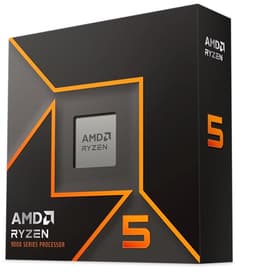
The AMD Ryzen 5 9600X is the entry point to AMD's Zen 5 architecture on the AM5 platform, and it makes a strong case for artists who want to invest in a modern, future-proof socket without spending mid-range money. Six cores and twelve threads is the same configuration as the Ryzen 5 5600X, but the generational leap in IPC and the significantly higher boost clock of 5.4 GHz mean the 9600X is a meaningfully faster chip in both rendering and interactive workloads. For a 3D artist who is building their first serious workstation and wants it to remain relevant for four or five years, the 9600X's AM5 platform is a far sounder long-term investment than AM4.
In Blender's Cycles CPU renderer, the 9600X trades blows with the Ryzen 5 7600 and outperforms the 5600X by a comfortable margin, particularly in scenes with complex lighting and large texture sets where IPC matters as much as raw thread count. The chip's 65 W TDP is genuinely low for a Zen 5 part, and in practice it runs cool enough that the bundled cooler is adequate for moderate rendering sessions, though a quality aftermarket cooler is recommended for overnight jobs. AMD's integrated Radeon graphics mean you do not need a discrete GPU for basic display output during a build, which is a minor but practical convenience.
The main limitation, as with any six-core chip, is that thread count becomes a ceiling as render complexity grows. Artists working on feature-length animation, large architectural visualisation projects, or complex VFX sequences will find the 9600X's twelve threads a constraint sooner than they would with an eight-core or higher part. For those use cases, the Ryzen 7 9700X or the i9-14900 are more appropriate. But for a freelance illustrator, a product visualiser working on moderate-complexity scenes, or a student building their first dedicated rendering machine, the 9600X offers a compelling combination of modern architecture, platform longevity, and accessible pricing on AM5.
Verdict: The smartest entry point to Zen 5 and AM5 for 3D artists on a moderate budget, offering meaningfully better IPC than its AM4 predecessors and a platform that will support future upgrades.
Pros
- Zen 5 IPC and 5.4 GHz boost clock deliver noticeably faster render times than Zen 3 six-core chips
- AM5 platform provides a clear upgrade path to higher-core-count Zen 5 CPUs in future
- Integrated Radeon graphics remove the need for a discrete GPU during initial system builds
Cons
- Six cores and twelve threads will limit throughput on complex, long-duration render jobs
- DDR5 memory and AM5 motherboards add to total platform cost versus AM4 alternatives
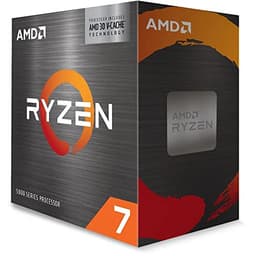
The AMD Ryzen 7 5800X3D occupies a unique position in the CPU market and, by extension, in this rendering guide. Its headline feature is AMD's 3D V-Cache technology: a stacked 64 MB SRAM die sits on top of the standard 32 MB L3 cache, giving the chip a total of 96 MB of L3 cache. This is transformative for certain workloads, particularly those that are heavily cache-sensitive, and 3D rendering is one of them. In Blender's Cycles renderer, the 5800X3D consistently outperforms the standard Ryzen 7 5800X and often matches chips with significantly higher core counts, because the massive cache allows it to hold more scene data close to the CPU cores and reduce expensive memory latency stalls.
The practical result is that the 5800X3D can deliver render times in Blender that compete with ten-core and even twelve-core Intel chips, despite having only eight cores. For artists whose primary renderer is Blender Cycles or LuxCoreRender, both of which are particularly cache-sensitive, the 5800X3D is a genuinely surprising performer. It is also an AM4 chip, which means it drops into existing AM4 boards with a BIOS update, making it an excellent upgrade option for artists who already own a Ryzen 3000 or 5000 series system and want a significant rendering boost without changing platform.
There are real trade-offs to understand. The 5800X3D's boost clock is lower than the standard 5800X at 4.5 GHz, and AMD disabled overclocking on the chip to protect the V-Cache die. This means single-threaded performance, while still good, is not class-leading. In rendering software that does not benefit as strongly from cache size, such as some V-Ray configurations or Arnold, the advantage over a standard 5800X narrows. The chip also runs at 105 W TDP, so a quality cooler is required. At its current price it sits between the budget AM4 options and the mid-range AM5 chips, making it an interesting but situational choice. For Blender-focused artists upgrading an existing AM4 system, it is an exceptional option.
Verdict: A unique and often underestimated rendering CPU whose massive 3D V-Cache delivers Blender Cycles performance well above what its eight-core specification suggests, especially for AM4 system owners upgrading in place.
Pros
- 96 MB 3D V-Cache delivers Blender Cycles render times that compete with higher-core-count chips
- Drop-in AM4 upgrade for existing Ryzen 3000 and 5000 series systems with a BIOS update
- Strong cache-sensitive performance benefits extend to LuxCoreRender and some Arnold scenes
Cons
- Lower 4.5 GHz boost clock and locked multiplier limit single-threaded and overclocking headroom
- Performance advantage narrows in rendering engines that are less cache-sensitive than Blender Cycles
Buying Guide
Core Count and Thread Count
For CPU-based rendering, more cores and threads almost always means faster render times. Rendering engines like Blender Cycles, V-Ray CPU, Corona, and Arnold distribute work across all available threads simultaneously, so a 24-thread chip will complete a render roughly twice as fast as a 12-thread chip at equivalent clock speeds. This is the single most important specification to optimise for if rendering throughput is your primary concern. That said, there is a point of diminishing returns for solo artists: a 24-core chip costs significantly more than a 12-core chip, and the time saving may not justify the cost difference if you are rendering overnight regardless.
Clock Speed and IPC
Clock speed matters most for single-threaded tasks: viewport navigation, modifier evaluation, and simulation playback in Blender, Cinema 4D, and Houdini all depend heavily on single-threaded performance. Newer CPU architectures deliver more instructions per clock cycle (IPC), which means a modern chip at 5.0 GHz will outperform an older chip at 5.0 GHz. This is why the Zen 5 chips in this guide feel noticeably more responsive in interactive use than their clock speeds alone would suggest.
Cache Size
The AMD Ryzen 7 5800X3D demonstrates that cache size can be as important as core count in rendering workloads. Rendering engines work with large datasets: geometry, textures, BVH acceleration structures, and lighting data. When this data fits in the CPU's L3 cache, the chip avoids slow main memory accesses and processes data much faster. If your primary renderer is Blender Cycles or LuxCoreRender, prioritise cache size alongside core count.
Platform and Memory
AM5 boards support DDR5 memory, which offers higher bandwidth than DDR4 and benefits rendering workloads that move large texture sets and geometry data between RAM and the CPU. However, DDR5 and AM5 motherboards carry a price premium. AM4 with fast DDR4 remains a cost-effective and capable platform for rendering. Ensure your chosen platform supports at least 64 GB of RAM, as complex 3D scenes can consume memory rapidly.
Thermal and Power Considerations
Rendering is a sustained, all-core workload. Unlike gaming, which has burst-heavy load patterns, rendering keeps every core at maximum frequency for hours. This means thermal headroom and power delivery matter enormously. Budget for a quality 240 mm AIO or a large tower air cooler for any chip above 65 W TDP. Ensure your PSU is rated at least 150 W above the combined CPU and GPU TDP to handle sustained loads safely. A chip that throttles under thermal pressure will deliver slower render times than its specifications suggest.
GPU Rendering Considerations
It is worth noting that modern rendering workflows increasingly use GPU rendering via CUDA or OptiX (NVIDIA) or HIP (AMD). If you plan to use GPU rendering as your primary method, the CPU becomes less critical and a mid-range chip with strong single-threaded performance for viewport work is sufficient. CPU rendering remains essential for scenes that exceed GPU VRAM limits, for production render farms, and for artists using CPU-only renderers. The chips in this guide are selected for CPU rendering performance specifically.
For most 3D rendering workstations, the Intel Core i9-14900 is the clear overall winner. Its twenty-four cores and thirty-two threads deliver the kind of multi-threaded throughput that meaningfully shortens render times in Blender, V-Ray, and Cinema 4D, and the mature LGA1700 platform with DDR5 and PCIe 5.0 support provides a capable foundation for a professional workstation. It is not the cheapest option, but for artists whose time has a commercial value, the reduction in render wait time pays for itself quickly.
For artists on a tighter budget, the AMD Ryzen 5 5600X remains the best value pick: Zen 3 IPC, a mature and affordable AM4 platform, and a price that leaves room in the budget for the RAM and fast storage that rendering workflows demand. Those who want to invest in a modern platform with a clear upgrade path should look at the Ryzen 5 9600X or Ryzen 7 9700X on AM5. And for Blender-focused artists upgrading an existing AM4 system, the Ryzen 7 5800X3D's 3D V-Cache technology delivers a genuinely surprising level of rendering performance that defies its eight-core specification.