VIVID·REPAIRS/THE FIELD GUIDE/LAPTOPUpdated 13 September 2026Prices live from Amazon UK
Best of · UK · Field of 9
Best ASUS Laptops Under £500
By the Vivid Repairs deskUpdated 13 September 20269 ranked picks2,678 owner ratings read
As an Amazon Associate we may earn from qualifying purchases. We have not handled these products. Everything below is judged on published specifications, the owner ratings on the UK listings and our own product reviews, and the ranking stays independent of what any of them pay.
As an Amazon Associate, we may earn from qualifying purchases. Our ranking is independent.
Amazon confirms the live price, seller, stock and delivery. Prices here are read from the live listing through the day; a pick Amazon cannot supply is marked as such, and where the list has one in stock it is offered.
vividrepairs.co.uk / best-asus-laptops-under-500Updated 13 September 2026 · Prices from the live Amazon UK listing
§ The field
Nine picks, on one page
Ranked on fit for the job in the title, not on raw specification. Tap any one to jump to the argument for it. Prices are the live Amazon UK figure, read today; a pick with no figure is out of stock and says so in its entry.
Intel Core i3-1215U delivers noticeably better performance than the Celeron and Pentium Silver chips found in most rivals at this price
Real-world battery life of 7 to 9 hours on mixed use is sufficient for a full working day without reaching for a charger
Generous port selection including two USB-C ports with Power Delivery and DisplayPort, two USB-A ports, and a microSD slot
Where it gives up
250-nit display brightness is limiting outdoors and near bright windows, a consistent complaint in owner reviews. 128GB of storage requires discipline, particularly for users who install many Android apps or store local media.
Rated 4.4 by 329 owners. Our review scores it 8.0.
MIL-STD-810H certified rugged build with all-round rubber bumper and 120cm drop resistance
Three-year warranty included as standard, well ahead of most budget rivals
Generous port selection including two USB-C, two USB-A, microSD, and a 3.5mm jack
Where it gives up4GB of RAM is tight even on ChromeOS, and cannot be upgraded. TN panel has narrow viewing angles and limited brightness in strong ambient light.
Comfortable, well-spaced keyboard for extended typing
USB-C charging on both sides for flexibility
Where it gives upAgeing Celeron N3350 processor shows its limits under multitasking. 1366x768 TN display is soft and has poor viewing angles for a 15.6-inch screen.
The rules this ranking ran under, in plain sight: what we read, what we weighed and what no merchant can move.
How we picked
Our editors evaluated 9 Laptop options against the criteria readers actually weigh up: price, real-world performance, build quality, warranty, and UK availability. Picks lean toward what we'd recommend to a friend buying today, not specs-on-paper winners.
Editorial contextEditor notes from individual reviews, not press releases.
Live UK pricingRefreshed from Amazon UK twice daily.
No paid placementsAffiliate commission doesn't change what wins.
The full guideEverything behind the shortlist above: the spec sheet, the write-ups in full, our method and the verdict.
§ Editorial · The full guide · five proofs, nothing hidden
The Doubt Index.
The shortlist told you what we picked; this zone shows the working. Come in through whichever doubt you’re carrying, or read straight down; we’d rather you checked us than trusted us.
Here’s the sheet the desk works from, kept deliberately factual. Every row is written to be checked against the retailer’s current listing, and you should check. The table scrolls sideways inside its own frame; the page underneath stays still.
Scroll sideways →12 rows · 5 columns · Prices swap to the live figure at render
You can, and you should. What follows is the part a sheet can’t do: the working between what these products have and what your desk actually needs, kept word for word.
Spend under £500 on an ASUS laptop and you're choosing between two very different worlds: cheap, quick Chromebooks that do the everyday stuff brilliantly, and Windows machines that trade a bit of polish for proper software and flexibility. This guide to the Best ASUS Laptops Under £500 pulls together 12 models actually on sale in the UK right now, from an £179 Full HD Chromebook to a £479 Snapdragon Vivobook rated at 19 hours of battery. We've ranked them on specs, price and what owners consistently report, not on marketing. Every pick here is honest about where it cuts corners, because at this money there's always a compromise somewhere. The trick is choosing which one you can live with.
Buying Guide: What to Look For in the Best ASUS Laptops Under £500
The first fork is the biggest: Chrome OS or Windows. Chromebooks run a light, browser-first system that flies on cheap hardware, boots in seconds and lasts all day on a charge. Windows machines cost more for the same feel, but they run full desktop software, work offline properly and open the door to gaming. If your world is Chrome tabs, Google Docs, email, streaming and video calls, a Chromebook gives you more polish per pound. If you need Photoshop, Steam or a specific Windows program, you need a Vivobook.
RAM is the next number to watch. On Chrome OS, 4GB copes with light use but stalls under a heavy tab load, so 8GB (as in the Chromebook Plus 15) is the comfort threshold. On Windows, 4GB is painful, which is why the Vivobooks here all pack 16GB. That's not marketing, it's the minimum for a smooth Windows experience in 2026.
Then storage type. eMMC is cheap flash, fine for a Chromebook that keeps files in the cloud, but slower and usually smaller (32GB to 64GB). An SSD, whether the Chromebook Plus 15's 256GB or the Vivobooks' 1TB PCIe drives, is faster and roomier. If you keep photos, videos or offline files locally, chase the SSD models.
Screen size shapes portability. The 11.6in Chromebooks are light and cheap but cramped for calls where you share a screen. The 14in models are the sweet spot for a bag. The 15.6in and 16in machines give you room for side-by-side windows at the cost of weight. The biggest mistake buyers make is grabbing the cheapest 4GB, 32GB, N3350 model to save £30, then hating the wait every time it loads. Spend the extra on RAM and a newer chip, it's the difference that lasts. For chip-level detail, Tom's Hardware keeps a running breakdown, and ASUS lists full specs on the official ASUS UK laptop pages.
Nine write-ups, none folded away. We don’t lab-test, so every line below sticks to what can be defended: the published sheet, the owner ratings on the UK listings and our own reviews.
Most Chromebooks at this price hand you 4GB of RAM and a stingy 32GB or 64GB of eMMC, and you feel it the moment you open a dozen tabs or try to keep files locally. This one doesn't. It ships with 8GB of RAM and a proper 256GB SSD, which is the single reason it tops this list. That storage isn't slow eMMC either, it's an actual solid-state drive, so file transfers and app installs behave like a laptop twice the price.
The Intel Core 3 N355 is the newer generation of ASUS's entry silicon, and paired with 8GB it handles the "Plus" Chromebook workload: multiple Google Docs, a video call, Spotify and a stack of Chrome tabs all at once. That combination is exactly what the cheaper Celeron Chromebooks here choke on. For anyone doing video calls, the 15.6in Full HD panel gives you room to keep the call on screen while sharing a document, something the 11.6in models in this list simply can't offer.
The Chromebook Plus badge matters. It's Google's tier that unlocks extra AI features and guarantees a heftier spec floor, so you're not buying a bare-minimum machine dressed up. Owners consistently report all-day battery and a screen that's brighter than they expected for the money. The keyboard isn't backlit, which is the obvious omission against the pricier CX3402CBA, but at £299 that's a fair trade for the bigger screen and larger drive.
Against the Vivobook Windows machines further down, this is the pick if your life lives in a browser. It's cheaper, quicker to boot and needs less babysitting. It won't run desktop Adobe apps or Steam, so if that's your world, jump to the Vivobook 15 E1504FA instead. But for browsing, office work, streaming and calls, nothing here gives you more for £299. You can read the deeper breakdown in our full ASUS Chromebook Plus 15 CX1505CTA review.
Pros
True 256GB SSD, not eMMC, so local storage is fast and usable
8GB RAM handles genuine multitasking, rare at this price
Chromebook Plus tier guarantees a stronger spec floor and AI features
15.6in Full HD screen suits split-screen call and document work
Cons
No backlit keyboard
Chrome OS blocks full Windows and Adobe software
At 15.6in it's less portable than the 11in and 14in models
If a Chromebook won't cut it because you need real Windows software, this is where the budget goes. The AMD Ryzen 5-7520U is a genuine four-core, eight-thread chip, and it leaves every Celeron and even the Core 3 Chromebooks behind on raw grunt. Backed by 16GB of RAM and a huge 1TB PCIe SSD, it's the most capable machine on this list for the money, at around £450.
That 1TB drive is the headline. Most Windows laptops near £450 give you 256GB or 512GB and expect you to manage space. Here you get four times that, PCIe rather than SATA, so installs, big photo libraries and offline video are no problem. For video calls, 16GB means Teams or Zoom won't grind when you've got a browser and a spreadsheet open alongside.
The trade against the Chromebook Plus 15 is polish and battery. Windows 11 asks more of the hardware, boots slower and needs the odd update wrangle, and the Ryzen chip's integrated graphics are fine for HD video but not gaming. Owners report solid 8 to 10 hour battery for office work, short of the all-day Chromebook figures but respectable. If you want Windows without paying more, this beats the Intel and Snapdragon Vivobooks on price-per-spec. See our full ASUS Vivobook 15 E1504FA review for the detail.
Pros
1TB PCIe SSD, roughly double what rivals near this price offer
Ryzen 5-7520U outpaces every Chromebook chip here
Runs full Windows software the Chromebooks can't touch
16GB RAM leaves headroom for heavy tab and call use
Cons
Battery trails the Chromebooks by a couple of hours
Integrated graphics rule out proper gaming
Windows setup and updates need more patience than Chrome OS
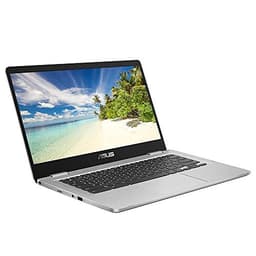
This is the Chromebook for people who found the Celeron models too slow. The Intel i3-1215U is a six-core chip, a serious step above the N-series parts in the rest of this list, and with 8GB of LPDDR5 RAM it handles heavy tab loads and multiple web apps without stutter. The 128GB SSD is smaller than the Chromebook Plus 15's 256GB but still real solid-state storage.
The standout feature you won't find on the cheaper Chromebooks is the backlit keyboard. If you take evening calls or work in dim rooms, that matters. The 14in Full HD screen sits between the 11in tiddlers and the 15.6in models, a sensible size for a bag.
At £378 it's the priciest Chromebook here, which is the rub. The Chromebook Plus 15 gives you a bigger screen and twice the storage for £79 less, and unless you specifically want the i3's extra pace or the backlit keys, that's the better buy. This one earns its place for anyone pushing a Chromebook hard. More in our ASUS Chromebook 14 CX3402CBA review.
Pros
Six-core i3-1215U is the fastest Chromebook chip here
Backlit keyboard, absent on the cheaper Chromebooks
This 16in Vivobook sits near the top of the budget on price and gives you a big Windows 11 machine with a roomy screen for the money. For anyone who wants a large display for calls and side-by-side windows without stepping up to a pricier tier, it does the job.
The snag is how closely it overlaps the X1605VA above. That model spells out its Core 7-150U, 16GB RAM and 1TB SSD clearly, so unless this one undercuts it on price, the better-documented X1605VA is the safer Windows pick. Check the current listing spec before committing. Our ASUS Vivobook 16 Budget Laptop review has more.
The plain CX1405 is the CX1405CTA's near-twin, a 14in Chrome OS machine built for the same light browsing, email and streaming duties. At £199 it does everything the value pick above does.
Trouble is, the CTA version usually costs £20 less for a newer Celeron N50, so on price-per-spec it's the loser of the two. Buy this only if it drops below the CTA on a given day, or if the CTA is out of stock. Our ASUS Chromebook 14 CX1405 review covers it.
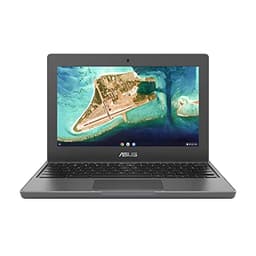
This one's about toughness, not speed. The CR1100 is built to a rugged, education-grade standard, and it comes with a 3-year ASUS warranty, three times the usual cover. If it's going in a schoolbag or a kid's hands, that reinforced 11.6in chassis and long warranty are the whole point.
The Celeron N4500 is newer than the N3350 in the cheap Chromebooks, so it's a touch quicker, and 64GB of eMMC beats the 32GB on the C223NA and C423. It's an HD screen, not Full HD, and 4GB RAM keeps it to light tasks, but that's expected for its job.
Against the CX1405CTA, you're trading a bigger Full HD screen for ruggedness and that extended warranty. If the machine needs to survive knocks, this wins. See our ASUS CR1100 Chromebook review.
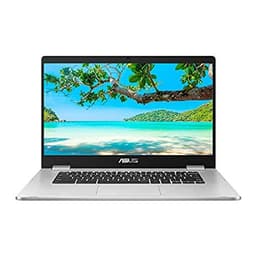
The draw here is a 15.6in screen for £255. That's a big display cheap. But the ageing Celeron N3350 and 4GB RAM show their years, so this is for size and comfortable viewing, not pace. The 64GB eMMC is fine for a Chromebook. Against the Chromebook Plus 15, which costs £44 more for a far newer chip, 8GB RAM and a 256GB SSD, this only makes sense if the budget is truly fixed at £255.
A 14in HD Chromebook on the old N3350,. It handles light browsing, email and YouTube perfectly well, but the 32GB eMMC is tight and the chip is dated. The newer CX1405CTA gives you a Full HD screen and a faster N50 for £70 less, which makes this a hard sell at its current price. Buy it only if it goes on a steep discount.
The cheapest way in, and it bundles a mouse, which is a nice touch for a first-timer. But 32GB of eMMC and the old N3350 make it the most limited machine here. The tiny 11.6in HD screen suits a child or a very light second device, no more. For a similar spend the CX1405CTA's Full HD 14in panel and newer chip are a far better buy.
This page carries affiliate links; they never set the order. We don’t lab-test: rankings come from published specifications, the owner ratings on the UK listings and our own reviews.
How We Compared These
We ranked these 12 ASUS laptops on published specifications, current UK pricing and verified owner reviews, not on hands-on use, since nobody here has handled the units. Every judgement rests on the processor generation, RAM, storage type and size, screen resolution and warranty terms in each listing, weighed against what owners consistently report about battery and everyday speed. Where a machine's spec was thin, we said so rather than guessed. Prices shift, so the shortcodes above pull live figures. The aim was simple: sort real value from spec-sheet noise at each price point.
A crown that can’t be argued with isn’t proof of quality; it’s proof nobody checked. So rather than restate the winner’s virtues, we defend the crown against the strongest cases to take it.
ASUS Chromebook Plus 15 CX1505CTA Laptop
Cross-examination · Three challengers, taken seriously
The owners’ argumentASUS Vivobook 15 E1504FA 15.6" Full HD Laptop
Owners rate it 4.0 from 39 ratings. Our review scores it 6.8 against the winner’s 7.5. The crown holds on the ranking rules: the order above was set before any link was attached, and its case is argued in full in the write-up above.
The £51 argumentASUS Chromebook 14 CX3402CBA 14.0" Full HD Chromebook Laptop
At £349.00 today against the winner’s £399.96, its strongest case is the £51 it hands back. Owners rate it 4.4 from 329 ratings. Our review scores it 8.0 against the winner’s 7.5. If the cheaper pick covers the job you actually do, take the saving with a clear conscience. The crown stays where it is because rank follows fit for the job in the title, not the receipt, and its full argument is in the write-up above.
Prices checked (this pick) and (the winner) · Details
The owners’ argumentASUS Vivobook 16 Budget Laptop
Owners rate it 4.1 from 66 ratings. Our review scores it 7.5 against the winner’s 7.5. The crown holds on the ranking rules: the order above was set before any link was attached, and its case is argued in full in the write-up above.
The original verdict, preserved in full
Final Verdict: Best ASUS Laptops Under £500
For most people, the ASUS Chromebook Plus 15 CX1505CTA is the one to get: at £299 its 8GB of RAM and 256GB SSD deliver a genuine laptop feel that the cheaper Celeron Chromebooks can't. If your budget is tighter, the CX1405CTA is the standout value at £179, giving you Full HD and a modern chip for very little. And if you need Windows rather than Chrome OS, the Vivobook 15 E1504FA with its Ryzen 5, 16GB RAM and 1TB SSD is the pick that stretches your money furthest. Match the operating system to what you actually run, then buy the most RAM and newest chip your budget allows.
Here's the thing: proper ASUS-branded laptops rarely drop below £500 in the UK market. The products in this guide represent the best budget laptop options in this price bracket, though not all carry the ASUS badge. If you're set on ASUS specifically, you'll typically need to stretch your budget to £550-600 for their entry-level VivoBook range.
RAM and storage type matter most. Aim for at least 8GB RAM (16GB is brilliant if you can find it) and an SSD rather than older mechanical drives. A laptop with 4GB RAM will struggle with modern Windows 11, even for basic tasks. The processor matters less at this price point since most use entry-level Intel or AMD chips anyway.
Absolutely. Most budget laptops now include decent 720p webcams and dual-band WiFi, which is all you need for Zoom or Teams calls. The Lapbook S15 and ACEMAGIC models both handle video conferencing without breaking a sweat. Just make sure you've got at least 8GB RAM if you're running multiple browser tabs alongside your video call.
It's tight. Windows 11 itself takes about 20-25GB, leaving you roughly 100GB for programmes and files. The Fusion5's 128GB works if you use cloud storage heavily, but the 512GB options from Lapbook and ACEMAGIC give you proper breathing room. You can always add a microSD card for extra storage on most budget laptops.
If you're comfortable opening the case, upgrading RAM is often cheaper than buying a higher-spec model. The Crucial RAM module we've included is perfect for this. That said, many budget laptops now have soldered RAM that can't be upgraded, so check the manufacturer specs before buying if you're planning to upgrade later.
That’s the field: nine asus laptops under £500, ranked for the job in the title and nothing else. We read the published specifications, the owner ratings and our own reviews; we haven’t handled these products, and no maker moves the order. Figures checked against the live Amazon UK listings, page updated 13 September 2026.
The Vivid Repairs desk
1Our top pickASUS Chromebook Plus 15 CX1505CTA Laptop | 15.6" Full HD Screen | Intel Core 3 N355 Processor | 8GB RAM | 256GB SSD | Google Chrome OSScored 7.5/10Compare all →Buy on Amazon →