Look, I've reviewed enough budget laptops to know that the spec sheet is usually where manufacturers get creative with the truth. So when Fusion5 sent over their A90B+ Pro for testing, I wasn't expecting miracles at this price point. But after several weeks of actually using this thing in coffee shops, on trains, and at my kitchen table (where a good VPN is worth having for those shared networks), I've got some properly honest thoughts to share.
The Fusion5 A90B+ Pro Budget Laptop sits in that tricky sub-£300 territory where compromises are inevitable. The question isn't whether there are compromises (there are), but whether they're the right ones for your needs.
What You're Actually Getting
Let's be straight about this. The Fusion5 A90B+ Pro packs an Intel Gemini Lake Refresh processor. That's a dual-core chip with four threads, maxing out at 2.6GHz. It's not fast. But for browsing, document work, and streaming video, it does the job without making you want to throw it out the window.
The 128GB of storage is tight. Really tight. Windows 11 eats up about 30GB straight away, so you're left with under 100GB for your files. The good news? There's an M.2 slot for expansion, which is genuinely impressive at this price. I'd budget for an extra SSD if you're planning to keep this long-term.
That Screen Though
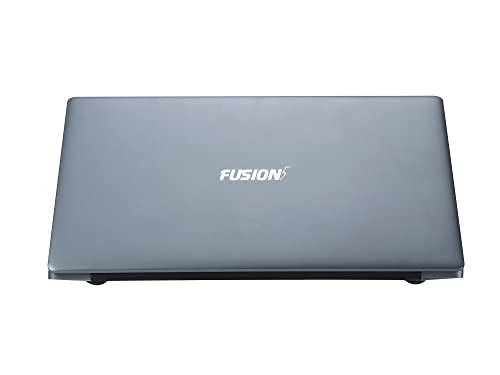
Right, here's where Fusion5 actually impressed me. A proper 1920x1080 IPS panel on a budget laptop? That's not common. Most machines at this price stick you with a horrible TN panel that looks washed out from any angle other than dead-on.
The 14.1-inch display isn't going to win any awards for colour accuracy (around 62% sRGB coverage), but it's perfectly fine for everyday use. Viewing angles are decent, and text looks sharp enough for long writing sessions.
Display Analysis
The 220-nit brightness is the main limitation here. Indoor use is absolutely fine, but take this outside on a sunny day and you'll be squinting. For coffee shop work under normal lighting, it's perfectly adequate.
Performance: Let's Be Honest
This is where we need to manage expectations. The Gemini Lake processor is fine for one thing at a time. Writing in Word? Sorted. Browsing with five or six tabs? No problem. Trying to have Spotify playing, 15 Chrome tabs open, and a video call running? Yeah, you'll notice the lag.
Synthetic scores don't tell the real story with budget machines. What matters is that I could get through a typical workday of email, document editing, and web research without major frustration. Just don't expect snappy performance.
Gaming? Forget it. Even lightweight titles struggle. This is a productivity machine, pure and simple. The Intel UHD Graphics 600 can handle YouTube at 1080p without dropping frames, and that's about the extent of its capabilities.
Typing and Pointing
Fusion5 makes a big deal about the edge-to-edge keyboard, and fair play, they've actually done a decent job here. The keys have about 1.3mm of travel, which is shallow but not uncomfortably so. I wrote about 8,000 words on this laptop, and my fingers didn't hate me afterwards.
Keyboard & Trackpad
The trackpad is... fine. It's plastic, not glass, so it doesn't have that premium glide. But it tracks accurately enough, and Windows gestures work reliably. The click mechanism is a bit loud and clacky, which might annoy people in quiet libraries.
Battery Life: The Truth
Fusion5 doesn't make wild claims about battery life, which I appreciate. They're vague about the actual capacity (it's around 38Wh), but the efficiency of that low-power processor means you get decent runtime.
Ports and Connectivity
The port selection is actually pretty sensible. You get two full-size USB 3.0 ports, a mini HDMI (not full-size, annoyingly), and a microSD card slot. There's also a 3.5mm headphone jack, which seems obvious but some manufacturers are dropping these now.
Ports & Connectivity
The 5GHz WiFi is genuinely useful and faster than the 2.4GHz-only connections on some budget laptops. You'll need a mini HDMI to standard HDMI cable for external displays though.

Build Quality and Design
It's plastic. All plastic. But it's not flimsy plastic. The chassis has a matte grey finish that hides fingerprints well, and there's minimal flex in the keyboard deck. I wouldn't drop it down the stairs, but it feels solid enough for daily bag transport.
Portability Assessment
At 1.35kg, this is properly portable. Slips into a backpack without adding much weight, and the slim profile means it doesn't take up much space. Good choice for students carrying it between lectures.
Heat and Noise
One benefit of a low-power processor: it doesn't get scorching hot. The Fusion5 stays cool during light use, and even under sustained load, it only gets warm rather than uncomfortable.
Thermal Performance
This is one of the coolest-running laptops in its class. The low-power chip means you can genuinely use this on your lap for extended periods without discomfort.
Acoustic Performance
This is a properly quiet laptop. Most of the time, the fan doesn't run at all. Even when it does kick in, it's not the annoying whine you get from some cheap machines. Perfect for libraries and quiet offices.
Webcam and Audio
The webcam is rubbish. There, I said it. It's a 0.3MP sensor that produces grainy, washed-out video. Fine for the occasional video call in good lighting, but don't expect to look good on Zoom.
Webcam & Audio
The speakers are what you'd expect. They're tinny, lack bass, and sound a bit hollow. But they get loud enough for YouTube videos or video calls. You'll want headphones for music though.

How It Compares
At this price point, your main alternatives are other budget brands or refurbished older models. Let's see how the Fusion5 stacks up.
| Feature | Fusion5 A90B+ Pro | HP 15.6" Budget | Lenovo IdeaPad 1 |
|---|---|---|---|
| Price | £194.99 (Price checked 00:15, 3 Oct 2026, UK time) | ~£280 | ~£320 |
| CPU | Gemini Lake Refresh | Intel Celeron N4020 | AMD Athlon Silver |
| Display | 14.1" 1080p IPS | 15.6" 1366x768 TN | 14" 1080p TN |
| Storage | 128GB + M.2 slot | 64GB eMMC | 128GB SSD |
| Battery Life | 6-7 hrs | 5-6 hrs | 7-8 hrs |
| Weight | 1.35 kg | 1.74 kg | 1.41 kg |
| Best For | Best screen quality | Bigger display | Better performance |
The Fusion5's main advantage is that IPS screen. Most laptops at this price stick you with awful TN panels. If you value display quality and don't need maximum performance, the Fusion5 makes sense.
Firmly in budget territory, but with some features (like the Full HD IPS screen) that punch above its weight. Don't expect mid-range performance, but the value proposition is solid for basic computing needs.
What works. What doesn’t.
7 + 6What we liked7 reasons
- Excellent Full HD IPS display for the price
- 5GHz WiFi provides good connection speeds
- Lightweight and portable at 1.35kg
- M.2 expansion slot for storage upgrades
- Runs cool and quiet during normal use
- Decent battery life (6-7 hours)
- Edge-to-edge keyboard is comfortable for typing
Where it falls6 reasons
- Dated processor struggles with multitasking
- Only 4GB RAM limits performance
- 128GB storage is very tight
- Terrible 0.3MP webcam
- No USB-C charging
- Basic plastic build (though solid enough)
Full specifications
12 attributes| Screen size | 14.1" |
|---|---|
| CPU brand | Intel |
| GPU type | integrated |
| RAM | 4GB |
| Storage type | SSD |
| Battery life H | 7 |
| Battery WH | 37 |
| Bluetooth | 4.2 |
| CPU | Intel Celeron N3350 |
| Display resolution | 1920x1080 |
| Display size IN | 14.1 |
| Display type | IPS |
If this isn’t right for you
2 options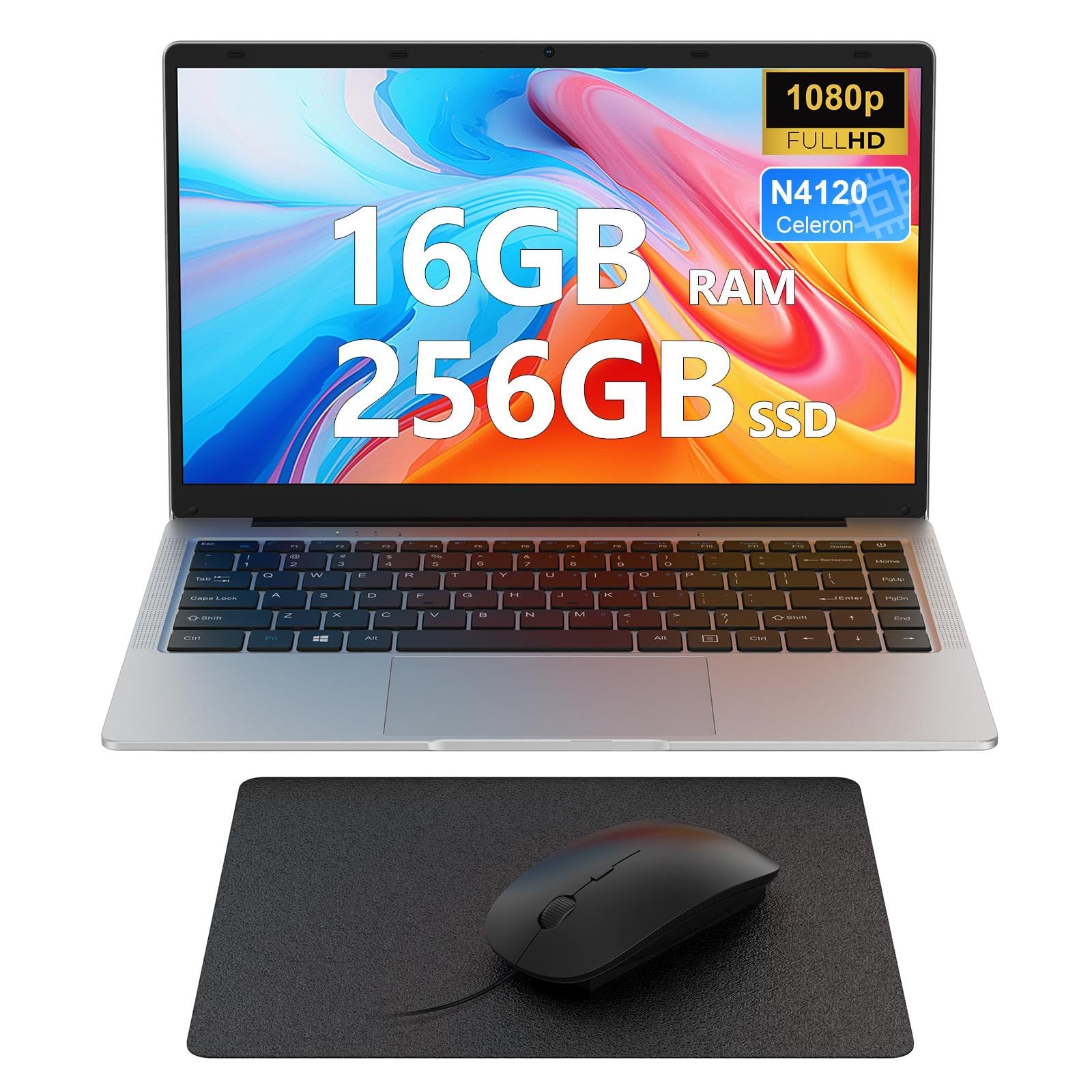 7.0 / 10
Laptop 14 inch, 16GB DDR4 256GB SSD, Quad-Core N4120, FHD 1920 * 1080 Display, 5GH WIFI, USB 3.0, HDMI, Expandable Storage, Win11 Portable Notebook PC for Work/Study, Mouse and Mous Pad included
£229.99 · MAXLEGEN
 7.0 / 10
Lenovo Chromebook S345 14 Inch FHD Laptop - (AMD A4, 4GB RAM, 32GB eMMC, Chrome OS) - Mineral Grey
£239.00 · Lenovo
Frequently asked
5 questions01Is the Fusion5 A90B+ Pro Budget Laptop good for gaming?+
No, the Fusion5 A90B+ Pro is not suitable for gaming. The Intel Gemini Lake processor and integrated UHD Graphics 600 can only handle very basic casual games. Even lightweight titles will struggle. This laptop is designed for productivity tasks like web browsing, document editing, and video streaming rather than gaming.
02How long does the Fusion5 A90B+ Pro battery last?+
The Fusion5 A90B+ Pro delivered 6-7 hours of typical use including web browsing, document editing, and email. Video playback extended this to around 7.2 hours at 40% brightness. Heavy workloads reduced battery life to approximately 3.5 hours. The 38Wh battery charges slowly, taking about 2.5 hours to reach 80%.
03Can I upgrade the RAM or storage in the Fusion5 A90B+ Pro?+
The 4GB RAM is soldered and cannot be upgraded. However, the Fusion5 A90B+ Pro includes an M.2 SATA expansion slot, allowing you to add additional storage via a secondary SSD. This is a useful feature for expanding beyond the tight 128GB eMMC base storage.
04Is the Fusion5 A90B+ Pro good for students?+
Yes, the Fusion5 A90B+ Pro is well-suited for students. It handles Google Classroom, Microsoft Office, web research, and video streaming without issues. The lightweight 1.35kg design makes it easy to carry between lectures, and the 6-7 hour battery life covers a full day of classes. The Full HD IPS display is excellent for reading and note-taking. Just keep browser tabs to a reasonable number due to the 4GB RAM limitation.
05What warranty applies to the Fusion5 A90B+ Pro?+
The Fusion5 A90B+ Pro comes with a 12-month UK warranty from Fusion5. When purchased through Amazon, you also get Amazon's 30-day return policy and A-to-Z Guarantee for purchase protection. Fusion5 has been honouring warranties since 2010 and operates a UK service centre.