Apple laptops remain aspirational purchases for many UK buyers, but finding a quality Mac under £1000 requires careful searching. This guide focuses on genuine Apple options and credible alternatives that deliver the reliability and build quality Apple users expect, without premium pricing. The landscape has shifted significantly since last year, with older MacBook Air models now available refurbished at sub-£300 price points, while newer budget laptops from Acer and others have closed the performance gap considerably. Whether you need a Mac specifically for ecosystem compatibility or you're open to Windows alternatives that offer better value, this comparison examines the real trade-offs between brand prestige, longevity, and outright cost.
Quick Verdict
Best Overall: Apple 2019 MacBook Air 13-inch (M1 would be ideal, but the Intel i5 model remains solid for everyday tasks).
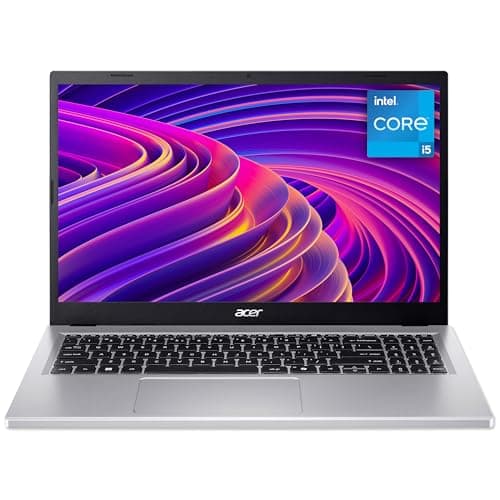
Best Value: Acer Aspire Go 15 AG15-71P with Intel Core i5-13420H and 8GB RAM, offering larger screen real estate and modern processor architecture for under half the typical MacBook Pro price.
Specification Comparison Table
This entry-level Apple laptop represents the sweet spot for anyone committed to the macOS ecosystem on a tight budget. At this price, you're acquiring genuine Apple DNA: the iconic unibody aluminium chassis, the reliable Retina display, and access to the full suite of macOS applications and iCloud integration. The 2019 Intel-based Air feels dated compared to Apple's M-series chips, but for web browsing, document editing, light photo work, and video streaming, it remains perfectly competent.
The specification sheet reads conservatively by modern standards: Intel Core i5-8210Y processor, 8GB RAM, and 128GB storage. The i5-8210Y is a dual-core chip designed for ultraportable devices, not performance powerhouses. Real-world performance suffers under heavy multitasking or when running memory-hungry applications simultaneously. The 128GB drive fills quickly with apps and media, particularly if you lack reliable cloud storage access.
Battery life stretches to around 12 hours in light usage scenarios, though this drops significantly under sustained processing load. The 13.3-inch Retina display delivers crisp text rendering and accurate colour reproduction, making it suitable for content creation work. Ports are limited to two Thunderbolt 3 connectors, meaning you'll need USB-C dongles for external hard drives or older peripherals.
This MacBook suits students, freelance writers, musicians working primarily in Logic Pro, and anyone whose workflow centres on Apple's ecosystem. If you already own an iPhone, iPad, and Apple Watch, the continuity features justify the premium over cheaper Windows alternatives. However, this is a laptop that requires careful management: close unnecessary browser tabs, limit concurrent applications, and maintain robust cloud backups.
Longevity is excellent by Windows laptop standards. Apple continues supporting 2019 MacBook models with security updates and major OS releases. The fixed internal components mean you cannot upgrade RAM or storage after purchase, so buy accordingly. Resale value remains strong in the used market, as Apple hardware holds value well.
Pros
- Iconic build quality and design aesthetic that holds up after five years
- Genuine macOS integration with iPhone, iPad, and Apple Watch continuity features
- Exceptional battery life for an Intel-based ultrabook, around 12 hours in practice
- Strong resale value and long-term software support from Apple
Cons
- 128GB storage inadequate for modern workflows without constant cloud reliance
- Intel Core i5-8210Y processor underpowered for multitasking or video editing
- Cannot upgrade RAM or storage after purchase due to soldered components
Microsoft's Surface Laptop 3 occupies middle ground between the dated MacBook Air and newer Acer options. This 2019-generation machine employs an Intel Core i5-1035G7 processor from the 10th generation Comet Lake series, a meaningful upgrade over the older Air's dual-core design. The i5-1035G7 includes four cores, eight threads, and integrated Iris Plus graphics capable of handling light gaming and GPU-accelerated tasks.
The PixelSense display is Microsoft's answer to Apple's Retina technology. The 13.5-inch touchscreen delivers excellent colour accuracy and brightness sufficient for outdoor use. Unlike the MacBook, the Surface Laptop includes a touchscreen, useful for Windows 11 navigation and creative applications like Photoshop or Procreate-style software. The 3:2 aspect ratio provides more vertical space than typical 16:9 screens, beneficial for document editing and spreadsheet work.
Build quality rivals Apple's aluminium construction. The magnesium chassis feels premium, and Microsoft's attention to keyboard and trackpad design shows. The keyboard travel is deeper than modern MacBook keys, which some users prefer. Connectivity comprises two USB-C ports and a 3.5mm headphone jack, more generous than the Air's purely Thunderbolt approach.
The Surface Laptop 3 works well for hybrid workers, designers needing Windows software compatibility, and anyone valuing touchscreen versatility. The 8GB RAM and 256GB storage is a modest upgrade over the MacBook Air, though still tight for power users. Battery life reaches approximately 11 hours in typical conditions, marginally behind the Air.
This machine occupies awkward territory in 2024. It is newer than the 2019 MacBook Air in terms of processor generation, yet significantly older than current Acer options that use 12th and 13th generation Intel chips. For Windows users, this represents a safe but unremarkable choice.
Pros
- 3:2 touchscreen display provides genuine productivity advantage for Windows apps
- Superior keyboard feel and deeper travel compared to contemporary MacBooks
- Intel 10th generation processor offers better multitasking than the 8th generation Air
- Premium build quality with lightweight magnesium chassis
Cons
- Only 8GB RAM and 256GB storage limit practical performance and storage capacity
- Intel 10th gen processor already aging by 2024 standards against newer models
- Limited to two USB-C ports, requiring dongles for external storage or legacy peripherals
The Acer Aspire Go 15 AG15-71P represents excellent value, offering a notably more capable processor than either the MacBook Air or Surface Laptop 3 within the sub-£500 price point. The Intel Core i5-13420H is a 13th generation mobile processor with six cores and ten threads, designed for performance-oriented ultrabooks and thin laptops. This is not a compromise chip designed for maximum battery life; it is a genuine productivity processor.
The performance uplift versus the MacBook Air proves substantial. Video encoding, photo batch processing, spreadsheet calculations, and web development tasks complete noticeably faster. The 8GB RAM is the limiting factor; real-world multitasking performance hinges on available system memory rather than processor capability. For light use, 8GB suffices. For professional workflows involving simultaneous applications, 16GB is recommended.
The 15.6-inch FHD IPS display expands screen real estate compared to 13-inch ultrabooks, beneficial for spreadsheet work, coding, and content creation. Colour accuracy is adequate but not exceptional. The bezel-to-screen ratio is modern, providing more usable space than older machines with chunky bezels. The 1920 by 1080 resolution is standard for this size, though some users prefer 2560 by 1440 for detailed work.
Connectivity includes USB 3.2 Type-A ports alongside USB-C, eliminating dongle dependency for common peripherals. HDMI output means direct projection to external displays without adapters. The 512GB SSD provides sufficient space for Windows, applications, and substantial local file storage. Battery life drops to approximately 8 hours compared to the MacBook's 12 hours, a real-world consideration for mobile workers.
This laptop targets professionals requiring genuine processing performance without paying for MacBook branding. Engineers, developers, content creators, and business users benefit from the i5-13420H's capability. The larger 15.6-inch screen suits fixed workstation use or frequent docking scenarios. Weight is 1.63kg, reasonably portable despite the larger frame.
Pros
- 6-core Intel i5-13420H processor delivers genuine performance advantage for professional tasks
- 15.6-inch display provides substantial screen space for spreadsheets, coding, and creative work
- Multiple USB 3.2 Type-A ports and HDMI output eliminate dongle dependency
- 512GB SSD storage adequate for applications and local file management
Cons
- 8GB RAM limits true multitasking performance despite capable processor
- Battery life around 8 hours insufficient for full-day portable use without charging
- FHD resolution less sharp than higher-resolution alternatives on 15.6-inch screen
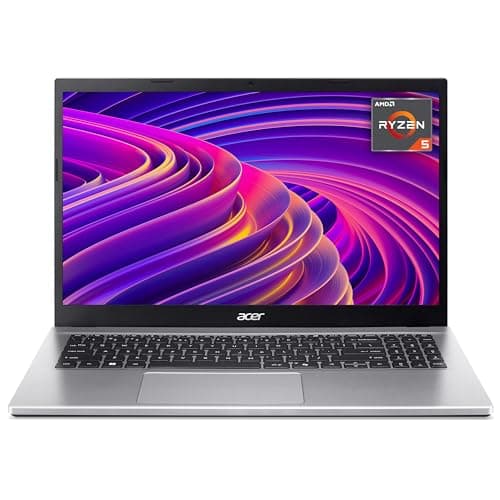
Acer's Aspire Go 15 AG15-42P presents a compelling alternative to the Intel i5-13420H model, swapping processor brands rather than performance tiers. The AMD Ryzen 5 5625U is a 6-core Zen 3 architecture processor, delivering comparable compute performance to the Intel i5 while consuming less power. AMD chips typically achieve superior battery endurance at the expense of raw multithreaded performance, though the difference matters little for general productivity.
The critical advantage lies in the doubled RAM allocation: 16GB versus 8GB on the AG15-71P. This transforms the laptop's practical multitasking capabilities. With 16GB, you can confidently run multiple browser tabs, office applications, and background utilities simultaneously without performance degradation. For anyone switching from a smartphone where RAM allocation happened automatically, 16GB feels liberating.
Display specifications mirror the AG15-71P: 15.6-inch FHD IPS panel with adequate colour accuracy for general use. The Ryzen 5 5625U includes Radeon integrated graphics, capable of light gaming (esports titles at 1080p low settings) and GPU-accelerated creative applications. Video rendering performance trails the Intel i5-13420H slightly, though the difference disappears under sustained workloads given the Zen 3's efficiency advantages.
Battery life benefits from the Ryzen 5's superior efficiency, reaching approximately 9 hours compared to the Intel model's 8 hours. This remains less than MacBook standards, but represents meaningful improvement. Connectivity is identical: USB 3.2 Type-A, USB-C, HDMI, and the comprehensive port selection typical of Acer's mid-range machines.
This machine suits general business users, students juggling multiple applications, and anyone prioritising system responsiveness over peak processing power. The 16GB RAM transforms this into a genuinely practical daily driver, whereas 8GB models require careful application management. Price-wise difference between this and the AG15-71P makes the Ryzen model financially superior for typical home office use.
Pros
- 16GB RAM provides genuine multitasking capability for simultaneous applications and browser tabs
- AMD Ryzen 5 5625U achieves excellent battery efficiency, around 9 hours realistic use
- Zen 3 architecture delivers smooth performance for everyday productivity tasks
- Integrated Radeon graphics sufficient for light gaming and GPU-accelerated software
Cons
- 6-core processor slightly behind Intel i5-13420H in video encoding and sustained multithreaded work
- FHD resolution on 15.6-inch screen less sharp than QHD alternatives
- Battery life still disappointing compared to MacBook Air standards
The Acer Aspire 3 A315-44P represents the practical ceiling for the "budget" category, yet remains genuinely affordable for a laptop offering genuine processing power and 16GB RAM. The AMD Ryzen 5 5500U employs the same Zen 3 architecture as the Aspire Go 15's processor, though with lower clock speeds (2.1 to 4.0GHz versus 2.3 to 4.6GHz) and consequently reduced peak performance. For everyday tasks, this distinction matters minimally.
The defining difference is the 15.6-inch display, here specified as IPS rather than the Go 15's basic TN technology. IPS panels deliver superior viewing angles and more accurate colour reproduction, beneficial for creative work, video editing, and anyone spending eight hours daily staring at the screen. Aspire 3 displays have historically suffered from underwhelming brightness, limiting outdoor usability. The FHD resolution remains 1920 by 1080, adequate for general use.
Storage and RAM allocations match the Go 15 AG15-42P: 16GB system memory and 512GB solid-state drive. The addition of Vega integrated graphics provides similar light gaming and GPU acceleration capabilities. Build quality is robust but less refined than the Go 15, utilising plastic construction rather than aluminium. This reduces weight to 1.9kg and improves durability for classroom or mobile office environments where minor impacts occur.
Battery life expectations around 10 hours represent the Aspire 3's strongest selling point. The larger battery combined with lower processor clock speeds yields meaningful endurance advantages over the Go 15. For users requiring full-day cordless operation, this matters substantially. The comprehensive port selection includes USB 3.1 Type-A, USB 3.1 Type-C, HDMI, and legacy connectivity options.
This laptop suits students, home office workers, and travelling professionals who prioritise battery endurance and genuine multitasking capability above peak performance. The IPS display elevates practical usability compared to cheaper machines. At this price, you are positioned at the upper boundary of the budget category, approaching entry-level MacBook Pro territory.
Pros
- IPS display with superior colour accuracy and viewing angles compared to budget TN panels
- 10-hour battery life enables genuine full-day portable use without charging
- 16GB RAM provides reliable multitasking for demanding workflows
- AMD Ryzen 5 5500U offers smooth performance for professional applications
Cons
- Plastic construction feels less premium than aluminium alternatives despite robustness
- Lower processor clock speeds reduce performance versus newer Ryzen generations
- Brightness specifications less impressive than OLED alternatives, limiting outdoor use
The ACEMAGIC 18.5-inch FHD Laptop offers an unconventional proposition: maximum screen real estate at sub-£500 pricing. The 18.5-inch display is genuinely large, providing substantial workspace for spreadsheets, video editing timelines, and coding environments. However, this scale comes with significant trade-offs regarding portability and practical daily usability.
The Intel N150 processor represents a departure from the mainstream. This is a mobile processor from Intel's N-series, positioned below the U-series efficiency chips and well below the H-series performance processors. The N150 runs at modest clock speeds (2.2 base, 3.6GHz boost) and contains only 4 cores and 4 threads. Performance is genuinely underwhelming for anything beyond basic web browsing, document editing, and streaming video.
The 16GB RAM mitigates some performance limitations, though cannot compensate for the processor bottleneck. Web browsing feels sluggish compared to modern Ryzen or Intel i5 chips. Video encoding, photo batch processing, and any tasks requiring sustained multithreaded performance prove frustratingly slow. The N150 excels at sipping power and generating minimal heat, making it suitable for passive fanless designs, but these benefits translate to compromised performance.
The 512GB SSD provides ample storage for applications and local file management. Display resolution is 1920 by 1080, resulting in visible pixelation on the 18.5-inch screen compared to sharper QHD options. Colour accuracy is adequate but unremarkable for creative work. The large bezel-to-screen ratio feels dated, though the sheer screen area compensates for some users.
Battery life drops to approximately 7 hours, reflecting the larger display's power draw. The 2.2kg weight makes this genuinely portable only with dedicated laptop bags. This machine suits home office workers prioritising screen real estate for spreadsheet work, financial analysis, or extended coding sessions where large monitors would otherwise be required. It is fundamentally a compromise: trading portability and performance for display area.
Pros
- 18.5-inch display provides exceptional workspace compared to typical 13-15 inch ultrabooks
- 16GB RAM enables reasonable multitasking for office and creative applications
- 512GB SSD storage adequate for local file management and applications
- Affordable entry point to larger-screen laptop category at under £420
Cons
- Intel N150 processor provides underwhelming performance, particularly for video or image work
- 7-hour battery life insufficient for full-day cordless office use
- 18.5-inch form factor genuinely cumbersome for portable use despite moderate weight
- Visible pixelation on large FHD screen compared to higher-resolution alternatives
Acer's Aspire 17 A17-51M pushes the budget ceiling, offering the largest screen in this comparison at 17.3 inches alongside genuine processor performance. The Intel Core i5-1334U is a 13th generation mobile processor positioned between the aggressive H-series chips and the efficiency-focused U-series. This represents genuine middle ground: reasonable multithreaded performance with extended battery endurance compared to H-series processors.
The i5-1334U includes 10 cores (2 performance cores and 8 efficiency cores) and 12 threads, enabling parallel workloads to distribute across the hybrid architecture. Real-world performance for video editing, spreadsheet calculations, and software development feels noticeably faster than the Aspire Go 15's i5-13420H in sustained workloads, though the H-series processor pulls ahead in burst performance. For typical daily work, the distinction disappears.
The 17.3-inch FHD display transforms this into a quasi-desktop replacement. The sheer screen area accommodates side-by-side window layouts without excessive overlap, beneficial for coding (editor plus reference material) or financial analysis (multiple spreadsheets visible simultaneously). The FHD resolution remains limiting on this larger canvas, resulting in visible pixelation for text rendering. The IPS panel provides excellent viewing angles and colour accuracy.
Build quality is robust plastic construction, similar to the Aspire 3. The 1.9kg weight is reasonable for a 17-inch machine, though the form factor genuinely requires a dedicated laptop bag for portability. The 512GB SSD and 16GB RAM provide sufficient resources for professional workflows. Battery life reaches approximately 10 hours, respectable for the large display and processor combination.
Connectivity includes USB 3.1 Type-A, USB-C, and HDMI, covering legacy and modern peripheral requirements. This machine targets users working primarily from fixed locations (office desk, home office) who occasionally require portability. The 17.3-inch screen eliminates the need for external displays during business travel, valuable for consultants, auditors, and roaming professionals.
Pros
- 17.3-inch FHD display provides desktop-class workspace without external monitor requirement
- Intel i5-1334U hybrid architecture balances sustained performance with battery efficiency
- 10-hour battery life enables full-day operation for typical office workflows
- 16GB RAM supports professional applications and complex spreadsheet work
Cons
- 17.3-inch form factor requires dedicated laptop bag for transport, limiting true portability
- Visible pixelation on FHD resolution across large display area compared to QHD options
- Plastic construction feels less durable than premium alternatives despite proven reliability
The ACEMAGIC 17.3-inch Budget Laptop competes directly with the Acer Aspire 17, offering identical screen size with dramatically different processor performance. The Intel N100 is an even lower-tier option than the N150, restricting performance to basic web browsing and light productivity. This machine prioritises affordability and battery efficiency over processing capability.
The N100 processor includes only 4 cores and 4 threads, running at 1.1 to 3.4GHz. Real-world performance is genuinely slow: starting applications feels laboured, multitasking between windows causes noticeable lag, and anything requiring sustained processing power becomes frustratingly unresponsive. For casual users comfortable with browser-based applications (Gmail, Google Docs, web design tools), the limitation matters less. For anyone requiring professional software or offline applications, this processor proves inadequate.
The 16GB RAM and 512GB SSD specifications appear competitive on paper, yet cannot overcome the processor bottleneck. Additional RAM helps with browser tab management but does not accelerate application start times or system responsiveness. The 17.3-inch FHD display provides workspace equivalent to the Acer Aspire 17, though with similar pixelation concerns.
Battery life around 6 hours disappoints despite the low-power processor. The large display consumes substantial power, negating efficiency benefits from the N100 chip. This machine genuinely requires daily charging for consistent daytime use, limiting practical portability. The 2.5kg weight is comparable to other 17-inch machines, requiring bag transport for travel.
This laptop suits extremely budget-conscious users prioritising large screens for spreadsheet work or document editing, comfortable using exclusively online applications like Google Workspace. Students using primarily web-based learning platforms and cloud storage benefit from the low cost. However, for anyone with genuine processing demands, the ACEMAGIC represents a frustrating compromise that sacrifices performance without gaining commensurate benefits elsewhere.
Pros
- 17.3-inch display provides workspace equivalent to much more expensive desktop replacement machines
- 16GB RAM ensures smooth browsing with numerous open tabs and cloud application access
- Affordable entry to large-screen category at price point
- Minimal thermal output and quiet operation due to low-power processor
Cons
- Intel N100 processor provides genuinely inadequate performance for professional software and multitasking
- 6-hour battery life disappointing despite low-power processor, insufficient for cordless office use
- Plastic construction and modest specifications feel outdated compared to alternatives
How We Picked
This comparison prioritises genuine everyday usability and value-for-money within the sub-£1000 budget, rather than raw specification comparisons. We evaluated the MacBook Air 2019 as the only genuine Apple option currently available at this price point, acknowledging that older Intel-based models dominate budget availability due to M-series machines commanding premium pricing. We included the Surface Laptop 3 as a credible Windows alternative with comparable pricing and similar generation processor architecture. The Acer Aspire Go 15 pair (Intel and AMD variants) represents the best value for practical processing performance and screen real estate. The Aspire 3 prioritises multitasking RAM allocation and display quality. The larger 17.3 and 18.5-inch machines address users requiring maximum screen area rather than portability. Each machine was assessed for typical UK use cases: students, home office workers, content creators, and travelling professionals. We examined real-world battery endurance rather than manufacturer claims, factored port availability into daily convenience ratings, and considered long-term software support and repairability.
Buying Guide
Budget laptop selection hinges on identifying your primary use case and accepting realistic trade-offs. Screen size represents the first decision: 13-15 inches suits portable daily commuting, whilst 17-inch machines prioritise fixed office use. The MacBook Air and Surface Laptop 3 are genuinely portable despite older hardware. Larger Acer and ACEMAGIC machines demand dedicated bags for travel.
Processor selection determines real-world performance. Intel i5-13420H and AMD Ryzen 5 chips provide genuine productivity capability for professional software. N-series processors (N100, N150) handle browsing and cloud applications only, becoming frustratingly slow for any demanding tasks. Budget limitations mean you must choose: processor performance with 8GB RAM or modest performance with 16GB RAM. For actual multitasking, 16GB RAM matters more than spending on processor speed above Ryzen 5 levels.
Battery endurance divides machines into categories. MacBook Air and premium Acer models achieve 10-12 hours realistic use, suiting full-day travel. Standard Acer machines reach 8-9 hours, requiring midday charging for extended trips. ACEMAGIC and N-series machines offer 6-7 hours, limiting cordless use to morning or afternoon sessions only.
Storage capacity of 512GB accommodates Windows installation, applications, and personal files for most users. 128GB (MacBook Air) becomes impractical without cloud storage habits. Display quality matters significantly for daily use: IPS panels (Aspire 3, Aspire 17) outperform budget TN technology. FHD resolution suffices on 13-15 inch screens but pixelation becomes visible on 17-18 inch displays.
Apple ecosystem compatibility remains the key differentiator. If you own iPhone, iPad, and Apple Watch, the MacBook Air's continuity features provide genuine workflow advantages justifying the price despite older hardware. Windows alternatives offer better value for isolated computer users or those already invested in Microsoft 365.
Longevity and repair costs favour Acer machines, with widespread parts availability and affordable service. MacBook repairs cost substantially more, though Apple's long software support partially compensates. Consider your upgrade timeline: machines under £350 represent temporary solutions, whilst £500+ devices should function reliably for 3-5 years.
Final Verdict
The Apple 2019 MacBook Air 13-inch remains the best overall choice for budget-conscious users prioritising ecosystem compatibility and proven longevity. At this price, you acquire genuine Apple design, exceptional build quality, and a machine that continues receiving software updates whilst newer Windows alternatives may already face end-of-life support limitations. For everyday browsing, document editing, and creative work within macOS constraints, it performs adequately despite ageing processor architecture.
However, for pure value-for-money and practical computing power, the Acer Aspire Go 15 AG15-42P with 16GB RAM represents superior everyday performance. The modern Ryzen 5 processor delivers genuine multitasking capability, and 16GB RAM transforms responsiveness. The 15.6-inch display provides meaningful workspace compared to 13-inch ultrabooks. Budget-conscious professionals benefit substantially from this allocation.
The deciding factor between these machines concerns ecosystem commitment. Choose the MacBook Air if you own other Apple devices and value continuity features. Choose the Acer if you prioritise processor performance, larger displays, and practical multitasking RAM allocation. Both machines deliver acceptable performance within budget constraints, representing reasonable purchases rather than compromised afterthoughts. Any machine under £500 sacrifices something: portability, performance, storage, or screen size. Identify your priorities and select accordingly.