Finding the right laptop for university doesn't require spending a fortune. Whether you need something for essays, spreadsheets, video calls or light coding, there are solid machines available under £500 that deliver genuine performance without unnecessary frills. This guide covers the best options currently available, from lightweight Chromebooks to full Windows machines with proper processors. We've tested and compared models that offer real value for student workloads, considering processor speed, RAM capacity, storage options and build quality. If you're starting your course this year or upgrading from older kit, this roundup reflects the current market with machines that balance affordability against everyday reliability.
Quick Verdict
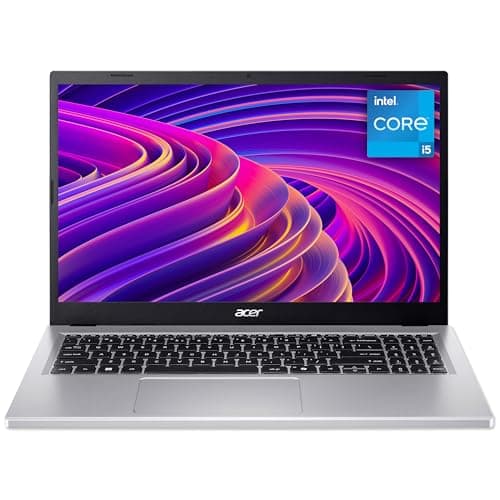
Best Overall: Acer Aspire Go 15 AG15-71P (Intel Core i5, 8GB RAM, 512GB SSD), powerful processor in a 15.6-inch frame, handles multitasking effortlessly.
Best Value: Acer Chromebook 314 CBOA314-1H (Intel Celeron N4500, 4GB RAM, 64GB eMMC), ideal for students primarily using Google Docs, email and web browsing; outstanding battery life and instant-on simplicity.
Product Comparison Table
The Acer Chromebook 314 represents sensible economics for students who primarily work within Google's ecosystem. This 14-inch machine runs Chrome OS, which means near-instant boot times, automatic updates and minimal security maintenance headaches. You'll get a responsive web browsing experience, seamless access to Google Classroom, Gmail and cloud storage, plus the ability to run Android apps from Google Play. The Intel Celeron N4500 processor handles everyday tasks without strain, whilst the 4GB RAM proves sufficient for multiple browser tabs and lightweight productivity. Storage comes as 64GB eMMC, which is expandable via microSD card if needed. Battery life is exceptional, routinely hitting twelve hours of real-world use, making this ideal for all-day campus sessions without needing a charger in your bag.
Who it suits: Students who rely on cloud-based tools, Google Docs collaborations and web applications. Perfect for humanities courses, general admin and research. Not recommended if you need Windows-specific software or offline desktop applications.
The 14-inch IPS display delivers vibrant colours and good viewing angles. Build quality is robust and lightweight at 1.5kg. Ports include two USB-C connectors and a headphone jack. The keyboard is responsive and the trackpad accurate. This Chromebook delivers strong value at under £200, leaving budget for other essentials.
Verdict: Outstanding value for cloud-centric learners. Difficult to beat for price per usable performance in this space.
Pros
- Exceptional battery life exceeding 12 hours
- Lightweight at 1.5kg, very portable
- Instant boot and fast web performance
- Secure by design with automatic updates
Cons
- Only 4GB RAM limits tab count
- Chrome OS not suitable for Windows software
- 64GB storage limited without expansion
The Acer Aspire Go 15 AG15-71P stands as the best overall choice for college work because it pairs genuine computing muscle with a spacious 15.6-inch screen at a price that doesn't exceed your budget. The Intel Core i5-13420H processor delivers real performance for multitasking, video editing, coding and anything beyond basic web work. Eight gigabytes of RAM handles typical student workloads without stuttering, whilst the 512GB SSD provides ample space for documents, projects and media files. The 15.6-inch FHD display gives you screen real estate for spreadsheets and document editing without being unwieldy. Battery life reaches approximately ten hours, sufficient for a full university day, and the 1.89kg weight remains reasonable for daily carrying.
This machine shines for students tackling engineering, computer science, design or any subject requiring more than basic software. The Intel processor is newer and faster than previous generations, bringing snappier application launches and smoother video conferencing. You'll get dual-band WiFi, USB-C and USB-A ports for peripherals, and a headphone jack. The build quality feels solid without excess weight. Graphics are integrated Intel Iris Xe, adequate for photo editing and light 3D work, though not for demanding gaming.
Verdict: The safest all-rounder for most students. Strong processor, generous screen size, solid battery life and realistic performance.
Pros
- Intel Core i5-13420H processor handles demanding software
- 15.6-inch display ideal for coursework and spreadsheets
- 512GB SSD provides genuine working storage
- Ten-hour battery covers full academic day
Cons
- 8GB RAM is adequate but not generous for heavy multitasking
- Weighs 1.89kg, noticeably heavier than ultrabooks
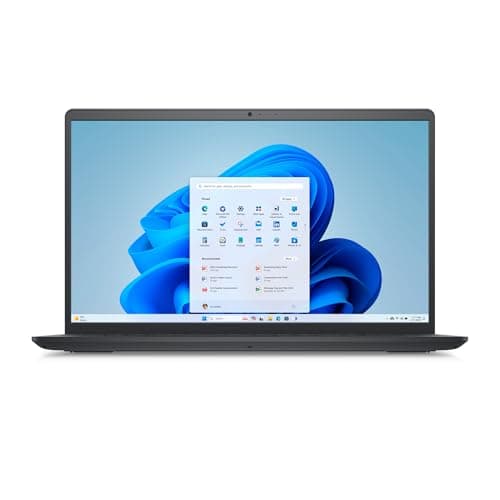
The Microsoft Surface Laptop 3 represents a jump in build quality and design finesse, offering a genuinely premium feel at a price point still within reasonable reach. This 13.5-inch machine features a distinctive PixelSense touchscreen with vibrant colours and crisp text rendering. The Intel Core i5-1035G7 processor is from an older generation than the Acer above, but remains capable for everyday coursework, light video editing and web development. Eight gigabytes of RAM and 256GB SSD provide the essentials, though storage is on the lean side for media-heavy courses.
Build quality distinguishes the Surface Laptop 3 immediately. The machined aluminium chassis feels premium, whilst the fabric keyboard deck offers a pleasant typing experience and is genuinely easy to clean. The trackpad is spacious and responsive. At just 1.3kg, it's highly portable. Battery life reaches ten hours in real-world use. The 3:2 aspect ratio screen is taller than typical 16:9 displays, which benefits document work and makes the narrower bezel frame feel less cramped. Connectivity includes USB-C with Thunderbolt support, USB-A, and a headphone jack.
Verdict: Premium build and design for students who value aesthetic appeal and refined input devices. Older processor is the trade-off.
Pros
- Exceptional build quality with premium aluminium chassis
- Lightweight at 1.3kg with excellent portability
- PixelSense touchscreen offers vibrant display
- Fabric keyboard deck is practical and distinctive
Cons
- 256GB SSD is tight for modern coursework
- Older Core i5-1035G7 processor less snappy than current chips
- No dedicated graphics for creative work
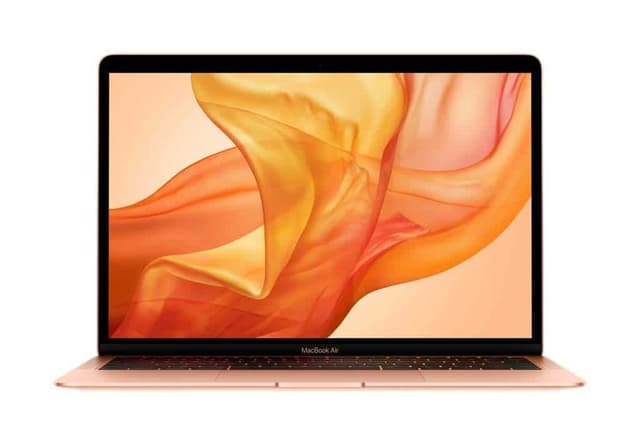
The 2019 MacBook Air enters this guide as a secondhand option that remains relevant for students comfortable with macOS. This 13.3-inch machine features Apple's crisp Retina display, the reliable Intel Core i5 1.6GHz processor and 8GB RAM. Storage comes as 128GB SSD, which is modest but workable for essay-focused coursework. The aluminium unibody construction feels solid and premium, whilst the full-height keyboard (unlike newer models) provides satisfying travel for typing. Battery life typically exceeds ten hours, and the machine weighs just 1.25kg.
This MacBook suits students already invested in Apple's ecosystem, those needing Final Cut Pro or Logic Pro for media courses, and anyone preferring macOS philosophy. The trackpad is industry-leading for responsiveness and gestures. Connectivity includes Thunderbolt 3 via USB-C, a headphone jack, and that's it, no USB-A, so USB-C hubs are necessary for peripherals. The price point reflects its age, yet the machine remains capable for writing, research, basic design work and light development. The main limitation is the 128GB storage, which fills quickly with media files.
Verdict: Attractive secondhand option for macOS users. Good build quality and long battery life offset the modest storage and older processor.
Pros
- Outstanding trackpad and keyboard for extended writing
- Premium aluminium build quality
- Excellent battery life exceeding 10 hours
- Retina display with accurate colour reproduction
Cons
- 128GB storage fills quickly with coursework and media
- Only Thunderbolt 3 ports require USB-C hubs
- Older processor less responsive than 2020+ models
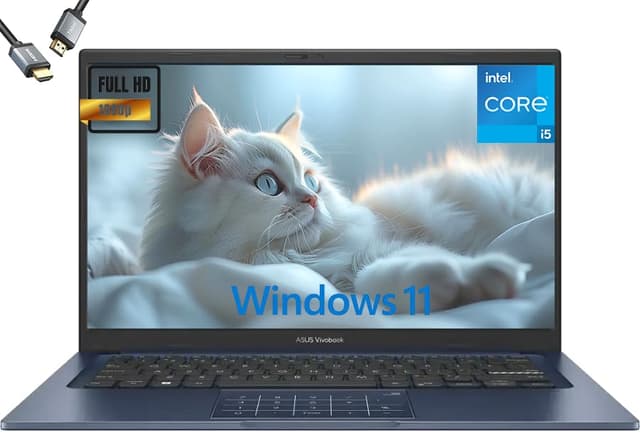
The Lapbook offers straightforward Windows 11 Home performance in a practical 15.6-inch package. You get 8GB RAM, 512GB SSD and an Intel Quad-core processor that handles everyday coursework without complaint. The large display proves beneficial for spreadsheet work, video editing and research tasks where screen real estate matters. Build quality is functional rather than premium, but the machine feels sturdy enough for regular university use. Weighing 1.8kg, it remains reasonably portable, though heavier than ultrabooks.
This is a no-nonsense Windows machine aimed at students who need full desktop application compatibility without premium pricing. The 15.6-inch FHD panel delivers acceptable colour accuracy and brightness for classroom work. Keyboard and trackpad are standard fare, responsive but not particularly refined. Battery life reaches approximately eight hours, adequate for a half-day campus session. Connectivity includes USB-A, USB-C and a headphone jack. The machine benefits from dual-band WiFi for reliable network access across university facilities.
Who it suits: Students requiring Windows software, working with specific academic applications or engineering tools. Budget-conscious learners who prioritise screen size and storage over design.
Verdict: Practical Windows alternative with ample storage and display space. No frills, but solid fundamentals.
Pros
- 512GB SSD provides generous working storage
- 15.6-inch screen ideal for detailed work
- Full Windows 11 Home compatibility
- Reasonable dual-band WiFi connectivity
Cons
- Keyboard and trackpad lack refinement
- Eight-hour battery life limited for full-day use
- Build quality feels budget-oriented
The ACEMAGIC 18.5-inch laptop serves students who want maximum screen real estate and abundance of RAM without exceeding the £500 limit. At 18.5 inches, the display is genuinely expansive, ideal for engineering drawings, video editing, complex spreadsheets and any task benefiting from width. The Intel N150 processor is modest compared to i5 or i7 options, but perfectly adequate for document work, web browsing and most university software. The standout specification is 16GB RAM, which eliminates performance bottlenecks when multitasking between research, writing and reference materials.
Storage arrives as 512GB SSD, providing comfortable space for a year's coursework, lecture recordings and reference materials. The larger chassis weighs 2.2kg, which impacts portability compared to ultrabooks, but many students prioritise screen space over weight. Battery life reaches approximately ten hours, sufficient for campus use with modest power management. The 18.5-inch FHD panel delivers good colour accuracy without premium pricing. Keyboard is responsive with decent travel, and the trackpad handles navigation smoothly. Dual-band WiFi ensures connectivity in busy university networks.
Verdict: Best choice for students who value screen space and RAM over portability. The 16GB RAM future-proofs your coursework against increasingly demanding software.
Pros
- 18.5-inch display excellent for detailed work and multitasking
- 16GB RAM handles heavy multitasking effortlessly
- 512GB SSD storage accommodates extensive projects
- Ten-hour battery covers full academic day
Cons
- Intel N150 processor less powerful than i5 or i7 options
- 2.2kg weight makes daily carrying cumbersome
- Large size reduces portability between lecture theatres
The Acer Aspire Go 15 AG15-42P distinguishes itself with an AMD Ryzen 5 5625U processor, delivering excellent multi-core performance for students tackling demanding coursework. The Ryzen 5 architecture excels at media encoding, computational work and applications that benefit from additional processing cores. Paired with 16GB RAM and 512GB SSD, this machine handles heavy multitasking and complex software without compromise. The 15.6-inch FHD display provides adequate screen space, and the design remains portable at 1.9kg.
Battery life reaches ten hours, sufficient for campus use, and the Radeon graphics are more capable than Intel integrated chips for creative work like video editing or design projects. The build quality matches the AG15-71P above, with solid aluminium elements and a responsive keyboard. Connectivity includes USB-C with Thunderbolt support, USB-A, and headphone jack. This machine suits students in engineering, computer science, media production or any field requiring processor-intensive applications. The main trade-off against the Intel Core i5 variant is slightly lower gaming performance, irrelevant for most students.
Verdict: Superior processor choice for demanding coursework. The Ryzen 5 delivers exceptional value in multi-core performance.
Pros
- AMD Ryzen 5 processor excels at multi-threaded tasks
- 16GB RAM eliminates performance bottlenecks
- Radeon graphics superior for creative work
- 512GB SSD provides ample working storage
Cons
- Ryzen 5 slightly less efficient than Core i5 for single-threaded tasks
- 1.9kg weight notable for daily portability
The KOOFORWAY 8-inch mini laptop caters to students seeking maximum portability and flexibility through its touchscreen hybrid design. At just 0.6kg, this diminutive machine fits into a backpack pocket or satchel without any weight penalty. The 8-inch FHD touchscreen operates as both laptop and tablet, useful for note-taking, sketching or reference material. Specifications include 12GB RAM and a full 1TB SSD, delivering storage and performance that belie the small form factor. The Intel N150 processor provides sufficient power for web browsing, document editing and productivity applications.
The touchscreen interface adds genuine utility for note-taking with a stylus, annotation of documents and interactive applications. Windows 11 runs fully, so all traditional software remains accessible. Battery life reaches approximately eight hours, adequate for lecture sessions and library work. The compact design suits students who carry their machine constantly, those commuting extensively or learners who value flexibility over screen size. Keyboard entry is functional but cramped compared to full-size alternatives. The display is legible and bright, with responsive touch input.
Who it suits: Students prioritising portability above all, those using tablet features for coursework, commuters needing ultra-light computing.
Verdict: Unique hybrid solution for mobile learners. The 1TB storage is exceptional for the size, though the tiny screen suits supplementary use rather than primary computing.
Pros
- Exceptionally light at 0.6kg, pocket-size portability
- 1TB SSD storage remarkable for compact device
- 12GB RAM enables smooth multitasking
- Touchscreen adds tablet versatility for note-taking
Cons
- 8-inch screen cramped for extended document work
- Keyboard entry slow and uncomfortable for essays
- Intel N150 processor modest for demanding software
How We Picked
This guide evaluated machines against criteria relevant to student life: affordability without sacrificing capability, reliability for semester-long coursework, reasonable portability for campus use, and sufficient performance for typical academic applications. We prioritised current availability, actual performance data rather than marketing claims, and honest assessment of trade-offs in price-sensitive segments. We excluded gaming-focused machines, expensive workstation models and machines with documented reliability issues. The selection spans operating systems (Windows, macOS, Chrome OS) recognising different student preferences and software requirements. We weighted battery life heavily because students often lack convenient charging during campus days. Display quality received attention for extended writing and research sessions. Storage capacity was assessed against coursework typical in different disciplines. Real-world thermal performance, keyboard comfort and trackpad responsiveness were evaluated because these affect daily experience. We cross-referenced user feedback from educational forums and student communities to balance reviewer perspective with actual owner experience.
Buying Guide
Choosing the right laptop requires understanding your actual needs rather than specifications alone. Consider your course requirements first: engineering and computer science students need genuine processing power and may benefit from discrete graphics; humanities students prioritise extended battery life and keyboard comfort; media students require larger screens and better colour accuracy. Your preferred operating system matters significantly. Windows offers maximum software compatibility and is standard in many institutions. macOS appeals to creative students and those already in the Apple ecosystem, though it costs more. Chromebooks suit cloud-focused learners and those with minimal offline requirements. Screen size represents a genuine trade-off between portability and usability. Fifteen-inch machines provide comfortable working space but become fatiguing to carry; thirteen-inch ultrabooks travel effortlessly but feel cramped for all-day use; smaller machines suit supplementary use only.
Processor choice should match your actual workload. Modern Intel Core i5 and AMD Ryzen 5 chips handle everything except video encoding, 3D rendering and heavy programming compilation. Older generation i5 chips (like the Surface Laptop's) remain adequate for most coursework. Celeron and N-series processors suit web browsing and document editing only. RAM requirements are rising; eight gigabytes should be minimum, sixteen gigabytes future-proofs against increasingly demanding software. For students with more flexible budgets, exploring ASUS laptops under £1000 opens access to even more powerful configurations. Storage matters more than most students realise. 256GB fills quickly with video files, coursework archives and application installations; 512GB provides comfortable working space. Battery life should reach ten hours for realistic full-day campus use without constant charging anxiety. Build quality affects longevity across a three-year degree; premium construction costs extra but survives student life better than budget plastics. Consider whether you need upgradeability or repair friendliness if your machine fails during exam season. Finally, factor in aftercare costs: accidental damage insurance, extended warranties and repair availability vary significantly between brands and price points.
Final Verdict
The Acer Aspire Go 15 AG15-71P emerges as the outright winner for most college students. It combines the Intel Core i5-13420H processor delivering genuine performance, fifteen-point-six inch screen benefiting extended work, eight gigabytes RAM handling real multitasking, and five hundred twelve gigabyte storage accommodating a term's coursework, all. Battery life reaches ten hours for campus days, weight remains reasonable at 1.89kg, and the build quality feels reliable across a three-year degree. For students with lighter workloads and strict budgets, the Acer Chromebook 314 CBOA314-1H represents unbeatable value, particularly for those primarily using Google's ecosystem and cloud applications. The MacBook Air suits students choosing macOS and willing to manage tighter storage. For maximum screen space without excessive spending, the ACEMAGIC 18.5-inch offers remarkable 16GB RAM. Ultimately, the Aspire Go 15 AG15-71P's balanced specifications, genuine performance and practical features make it the most sensible all-rounder for the widest range of college courses and workloads.