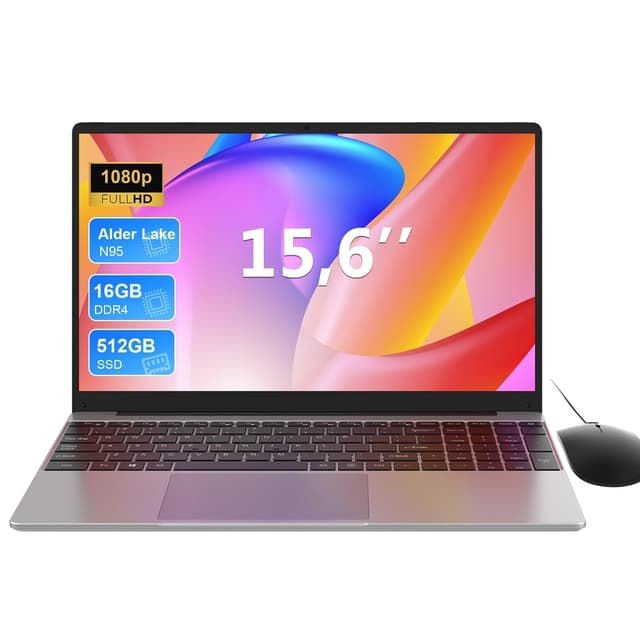
Lightweight laptops have never been more capable, and in 2024 the sub-1.5 kg category has expanded dramatically thanks to Qualcomm's Snapdragon X platform arriving in mainstream Windows machines alongside Intel's refreshed efficiency cores powering a new generation of Chromebooks. Whether you are a student hauling a bag across campus, a remote worker hopping between coffee shops, or a professional who simply resents a sore shoulder at the end of a long day, there is now a genuinely good portable machine at almost every price point between £130 and £700. This roundup covers six laptops from the catalogue that sit comfortably under £1,500, ranging from a premium Copilot+ Windows 11 machine with a stunning 2.8K display all the way down to a rugged 11.6-inch Chromebook built for education. We have ranked them by overall value and capability so you can find the right balance of portability, performance, and price for your specific needs.
Quick Verdict
Best Overall: ASUS Vivobook S 14 S3407QA. The Snapdragon X Plus chip, 2.8K IPS panel, 16 GB RAM, and 1 TB SSD make this the most capable and well-rounded lightweight laptop in this roundup at a price that undercuts comparable Intel and AMD rivals significantly.
Best Value: ASUS Chromebook 14 CX1405CTA. For everyday web browsing, document editing, video calls, and streaming, this 14-inch Full HD Chromebook delivers a clean IPS screen, modern port selection, and ChromeOS reliability at under £210, making it the smartest spend for budget-conscious buyers.
The ASUS Vivobook S 14 S3407QA is the headline act in this roundup and the pick for anyone who wants a genuinely productive Windows laptop that is also light enough to carry without complaint. Powered by Qualcomm's Snapdragon X Plus processor, this is a Copilot+ PC, meaning it meets Microsoft's requirements for on-device AI features including live captions, Cocreator in Paint, and the full suite of Windows Studio Effects for video calls. More importantly for day-to-day use, the Snapdragon X Plus delivers excellent multi-core performance and outstanding efficiency, translating into battery life figures that comfortably exceed what you would expect from an Intel or AMD machine at this price point. The Dell XPS 13 9345 offers similar efficiency gains with its own Snapdragon X Plus configuration.
The 14-inch 2560x1600 IPS display is one of the best screens in this price bracket. Running at 2.8K resolution with a 16:10 aspect ratio, it gives you noticeably more vertical space than a standard 1080p panel, which makes a real difference when working in spreadsheets, reading long documents, or browsing the web. The IPS panel technology ensures wide viewing angles and accurate colours, making this machine usable for light photo editing and content creation as well as office tasks.
Storage is generous at 1 TB via a PCIe Gen4 SSD, which is fast enough for demanding workflows, and 16 GB of RAM ensures smooth multitasking with dozens of browser tabs, Office applications, and background processes running simultaneously. The port selection is strong for a slim machine: two USB 4 Type-C ports (which support DisplayPort and fast charging), two USB 3.2 Type-A ports, a full-size HDMI 2.1 output, and a 3.5 mm audio combo jack. You will not need a hub for most office or home setups.
One important caveat for buyers who rely on x86 Windows software: the Snapdragon X Plus uses an ARM-based architecture, and while Microsoft's Prism emulation layer handles the vast majority of applications without issue, a small number of legacy or specialist x86 programmes may not run correctly. For mainstream users, this is rarely a problem, but it is worth checking your critical software before committing.
At under £600, the Vivobook S 14 represents exceptional value for a Copilot+ laptop with this display quality and storage capacity. It is the clear Best Overall pick in this roundup and would suit students, remote workers, and professionals who want a capable, portable Windows machine without spending over £1,000.
Pros
- 2.8K 16:10 IPS display is genuinely excellent for the price, with sharp text and wide viewing angles
- 1 TB PCIe Gen4 SSD and 16 GB RAM provide headroom that most sub-£700 laptops do not offer
- USB 4 Type-C ports support DisplayPort output and fast charging, reducing dongle dependency
- Snapdragon X Plus delivers strong efficiency, resulting in long real-world battery life
Cons
- ARM architecture means a small number of legacy x86 Windows applications may not run correctly under emulation
- Qualcomm Adreno integrated graphics are not suitable for gaming or GPU-accelerated creative workloads
The ASUS Chromebook 14 CX1405CTA is the Best Value pick in this roundup and represents the sweet spot for budget-conscious buyers who need a reliable, well-connected everyday laptop. Powered by the Intel Core 3 N355 processor, a modern efficiency-focused chip that replaces the older Celeron and Pentium Silver branding, this Chromebook handles web browsing, video calls, document editing, and streaming without hesitation. The N355 is a meaningful step up from the older Celeron N4500 found in the CR1100, delivering better single-core performance and improved graphics throughput.
The 14-inch 1920x1080 IPS display is a genuine highlight at this price. Full HD resolution on a 14-inch screen produces sharp, clear text, and the IPS panel type ensures accurate colours and wide viewing angles. This is not a compromise panel: it is a genuinely good screen that competes with displays found on Windows laptops costing two or three times as much. For students, home workers, and anyone who spends long hours reading or writing, the display quality will be immediately noticeable.
The port selection is well-considered for a budget Chromebook: two USB-C 3.2 Gen1 ports, one USB-A 3.2 Gen1 port, HDMI 1.4b output, a 3.5 mm audio jack, and a Kensington lock slot. The dual USB-C ports mean you can charge from either side of the machine, which is a practical convenience, and the HDMI output allows direct connection to an external monitor or projector without an adapter. The Kensington lock slot is a welcome inclusion for school or shared office environments.
Storage is 64 GB eMMC, which is standard for this class of Chromebook. As with all Chromebooks, the expectation is that most data lives in Google Drive, and the local storage is primarily used for the operating system, cached files, and a modest number of Android apps. For users who are comfortable with this cloud-first approach, 64 GB is workable. The 4 GB RAM is the one area where this machine shows its budget positioning: with many browser tabs and Android apps open simultaneously, you may notice some slowdown compared to the 8 GB Chromebook Plus 15.
For everyday tasks within ChromeOS, however, the CX1405CTA punches well above its price. It is an excellent choice for students, secondary school pupils, and anyone who wants a dependable, lightweight machine for web-based work without spending more than necessary.
Pros
- Full HD IPS display is genuinely impressive for a sub-£210 laptop, with sharp text and wide viewing angles
- Dual USB-C ports allow charging from either side and reduce the need for adapters
- Intel Core 3 N355 is a modern, efficient processor that handles ChromeOS tasks smoothly
Cons
- 4 GB RAM can feel limiting when running multiple Android apps alongside several browser tabs
- 64 GB eMMC storage requires a cloud-first mindset and is not suitable for storing large local file libraries
The ASUS Chromebook 11 CR1100 is the most compact and portable machine in this roundup, and it is specifically designed for durability and reliability in demanding environments. With an 11.6-inch form factor, this is a genuinely small laptop that slips easily into a bag, making it an ideal choice for younger students, primary school pupils, or anyone who prioritises portability above all else. ASUS includes a three-year warranty with this machine, which is a significant differentiator at this price point and reflects the CR1100's positioning as an education-focused device built to withstand the rigours of school life.
The Intel Celeron N4500 processor is a dual-core chip designed for basic ChromeOS tasks, and within that context it performs adequately. Web browsing, Google Docs, Google Classroom, video calls, and streaming all run without issue. The chip is not designed for demanding workloads, and users who push it with many simultaneous applications will notice its limitations, but for the core tasks a student or light home user requires, it is sufficient.
The 11.6-inch TN display running at 1366x768 resolution is the most significant compromise in this machine. TN panel technology offers narrower viewing angles and less accurate colour reproduction than IPS, and the lower resolution means text and images are noticeably less sharp than on the 14-inch Full HD Chromebooks in this roundup. For younger children or users who primarily use the machine for typing and reading rather than media consumption, this is acceptable, but adults who spend long hours in front of a screen will likely find it tiring.
The port selection is practical and well-suited to a compact machine: two USB-C ports, two USB-A ports, a microSD card slot, and a 3.5 mm audio jack. The dual USB-C and dual USB-A combination means connectivity is not a concern despite the small chassis. The microSD slot is useful for expanding local storage affordably.
With 4 GB RAM and 64 GB eMMC storage, the CR1100 mirrors the CX1405CTA in its specifications but trades the larger, sharper IPS screen for a smaller, more durable chassis with a three-year warranty. For parents buying a first laptop for a child, or schools equipping pupils with a robust portable device, this is a sensible and well-supported option. The three-year warranty alone justifies the slight premium over the cheapest Chromebook options.
Pros
- Three-year warranty included, which is unusually generous for a laptop at this price and provides genuine peace of mind for school use
- Compact 11.6-inch chassis is genuinely lightweight and easy for younger students to carry
- Dual USB-C and dual USB-A ports provide flexible connectivity in a small form factor
Cons
- TN display at 1366x768 resolution is noticeably less sharp and has narrower viewing angles than the IPS panels found in competing Chromebooks
- Intel Celeron N4500 is a basic dual-core chip that will feel constrained with more than a few applications open simultaneously
Buying Guide
Weight and Portability
The question of whether 1.5 kg is heavy for a laptop is one of the most common searches in this category, and the honest answer is: it depends on context. A 1.5 kg laptop is considered mid-range in terms of portability. Ultrabooks and premium thin-and-light machines typically weigh between 1.0 kg and 1.4 kg, while mainstream 14-inch laptops often sit between 1.4 kg and 1.8 kg. If you are carrying a laptop in a bag alongside textbooks, a water bottle, and other daily essentials, the difference between 1.2 kg and 1.6 kg becomes very noticeable over the course of a day. Chromebooks in the 11-14 inch category tend to be among the lightest laptops available, often coming in under 1.4 kg, which is one of their genuine advantages over Windows alternatives.
Display Quality
Resolution and panel type are the two most important display specifications for everyday use. IPS panels offer wider viewing angles and more accurate colours than TN panels, making them preferable for anyone who spends long hours reading, writing, or working with images. Full HD (1920x1080) is the minimum resolution worth considering on a 14-inch or larger screen: anything lower, such as the 1366x768 on the CR1100, produces noticeably less sharp text. If your budget stretches to a 2K or 2.8K panel like the one on the Vivobook S 14, the improvement in text clarity and screen real estate is substantial and worth prioritising.
RAM and Storage
For Windows laptops, 16 GB RAM is the recommended minimum for comfortable multitasking in 2024. For Chromebooks, 8 GB is preferable, though 4 GB remains workable for basic tasks. Storage requirements differ significantly between Windows and ChromeOS: Windows machines need at least 256 GB for comfortable use, ideally 512 GB or more, while Chromebooks can function well with 64 GB eMMC thanks to cloud-first design. NVMe SSDs are significantly faster than eMMC storage and make a noticeable difference to boot times and application loading.
Processor Architecture
In 2024, the choice between Intel x86, AMD x86, and Qualcomm ARM processors matters more than it has in previous years. Intel and AMD chips guarantee compatibility with all Windows software, as found in machines like the Dell Inspiron 15. Qualcomm Snapdragon X chips deliver outstanding efficiency and battery life but use ARM architecture, which means a small number of legacy applications may not run correctly. For most mainstream users, this is not a practical concern, but specialist software users should verify compatibility before purchasing an ARM-based machine.
ChromeOS vs Windows
ChromeOS is an excellent operating system for users whose work and personal life revolves around web-based tools, Google Workspace, and Android apps. It is fast, secure, low-maintenance, and works well on modest hardware. Windows offers broader software compatibility and is essential for users who rely on Microsoft Office desktop applications, creative software like Adobe Photoshop, or specialist industry tools. The right choice depends entirely on your software requirements rather than on any inherent quality difference between the two platforms.
Ports and Connectivity
Check that any laptop you consider includes the ports you actually need. A machine with only USB-C ports may require a hub for connecting older peripherals, which adds cost and bulk. HDMI output is valuable for connecting to external monitors or projectors without an adapter. SD card readers are useful for photographers. USB 4 or Thunderbolt ports offer the fastest data transfer and support for external GPUs or high-resolution displays.
The ASUS Vivobook S 14 S3407QA is the overall winner in this roundup by a clear margin. Its combination of a Qualcomm Snapdragon X Plus processor, a genuinely excellent 2.8K 16:10 IPS display, 16 GB RAM, and a 1 TB PCIe Gen4 SSD at under £600 is simply unmatched in this catalogue. The Copilot+ certification adds access to Microsoft's latest AI features, and the port selection, including two USB 4 Type-C ports and HDMI 2.1, means you are unlikely to need a hub for everyday use. For buyers who want a Windows laptop that is fast, well-equipped, and genuinely portable, this is the machine to buy.
For buyers on tighter budgets, the ASUS Chromebook 14 CX1405CTA at under £210 is the Best Value pick. Its Full HD IPS display, modern Intel Core 3 N355 processor, dual USB-C ports, and HDMI output make it the most capable affordable Chromebook in the roundup, and for users who work primarily in a browser and Google's ecosystem, it will handle everything they need without compromise. The Lenovo IdeaPad Slim 3 sits between these two options and earns its place for buyers who specifically need x86 Windows compatibility with 16 GB RAM at a mid-range price.