Here's something that winds me up about laptop marketing: the battery life number on the box is basically a work of fiction. Manufacturers run their endurance tests at minimum brightness, with Wi-Fi off, playing a looped text file or something equally absurd. Real battery life, the kind you get in a coffee shop with a browser full of tabs and Spotify going, is almost always a different story. So when ACEMAGIC slaps "6000mAh Long-Battery" on the box of their AX17, the first question worth asking is: what does that actually mean in practice? The second question is whether the rest of the laptop is worth your time at a budget price point.
The short answer is: this is a genuinely interesting option for a specific kind of buyer, and the 4.2 stars from 66 owners isn't just noise. A 17.3-inch screen, 16GB of RAM, an NVMe SSD, and a port selection that doesn't make you reach for a hub immediately, all in the budget tier, is a real proposition. But there are caveats, and they matter. Let's get into the detail, because the spec sheet tells you a lot if you know how to read it.
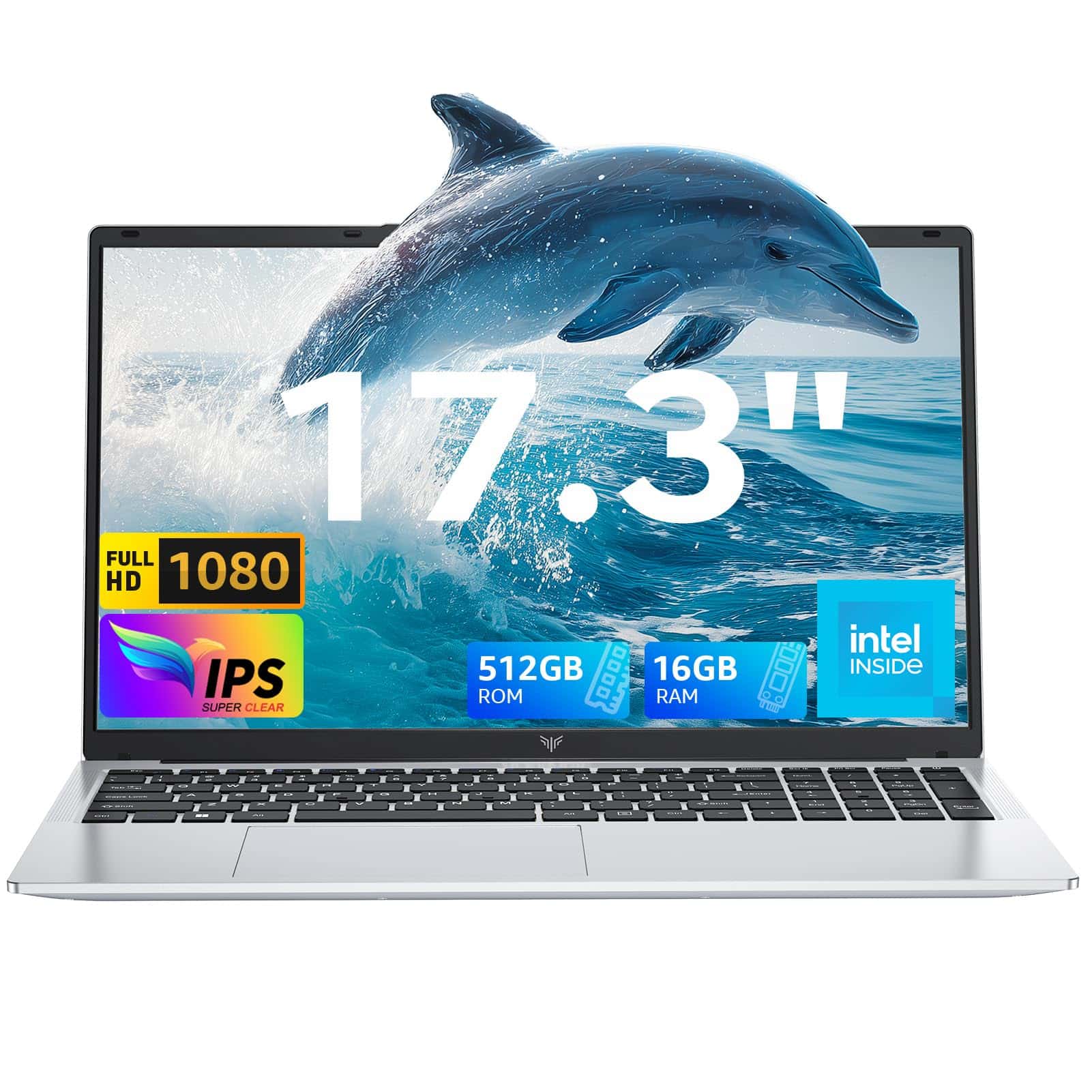
This is the ACEMAGIC 17.3 Inch FHD Laptop with Quad-Core N95 Processor, and it's aimed squarely at people who want a big, capable screen for everyday work without spending serious money. Students, home workers, people who've outgrown a cramped 14-inch screen and don't need to edit 4K video. That's the sweet spot, and it's a real one.
Core Specifications
The processor here is Intel's 12th-generation N95, a quad-core Alder Lake chip running up to 3.4GHz. It's what Intel calls an "efficient" architecture, meaning it's built for sustained, low-power workloads rather than short bursts of heavy lifting. Four cores, four threads, 6MB cache. It'll handle Office, web browsing, video streaming, light photo editing, and multitasking without complaint. What it won't do is chew through video exports, run demanding games at playable frame rates, or keep up with an i5 or Ryzen 5 when things get genuinely heavy. That's not a criticism, it's just what this chip is. Know what you're buying.
The 16GB of DDR4 RAM is genuinely good for this price tier. A lot of budget laptops still ship with 8GB soldered to the board, which in 2026 is borderline offensive. 16GB means Chrome with 20 tabs open, a spreadsheet, a video call, and Spotify running simultaneously isn't going to bring the machine to its knees. The listing mentions it's upgradable to 4800MHz speeds too, which suggests the slots are accessible, though you'd want to confirm that before buying if upgradability is important to you. Storage is a 512GB NVMe SSD, which is the right call. NVMe drives are dramatically faster than the old SATA SSDs you'd find in cheaper machines, and the difference in boot times and app launches is immediately noticeable. 512GB is enough for most people, and the listing mentions expansion up to 2TB plus a Micro SD slot, so you're not painted into a corner.
Graphics are handled by Intel's integrated UHD solution running up to 1200MHz. This is fine for everything the N95 is designed for. YouTube, Netflix, light photo work, the occasional casual game. Don't expect to play anything remotely modern at decent settings. The integrated GPU borrows from system RAM, which means under graphics load you're effectively working with less available memory, but at 16GB total that's less of an issue than it would be on an 8GB machine. The honest summary: this is a productivity and media consumption chip in a productivity and media consumption laptop, and within those boundaries it works.
Here's the full spec breakdown:
| Specification | Detail |
|---|---|
| Screen Size | 17.3 inches |
| Display | FHD IPS, 1920x1080, 60Hz, 180-degree viewing angles |
| Processor | Intel 12th Gen N95, Quad-Core, up to 3.4GHz, 6MB Cache |
| RAM | 16GB DDR4 |
| Storage | 512GB NVMe SSD (expandable to 2TB) |
| Graphics | Intel Integrated UHD, up to 1200MHz |
| Battery | 6000mAh lithium-polymer |
| Charger | 40W adapter included |
| Webcam | 1MP |
| Speakers | Dual 1.5W |
| Microphone | DMIC |
| Wi-Fi | Dual-band 802.11ac (Wi-Fi 5) |
| Bluetooth | 5.0 |
| Ports | 3x USB 3.2, HDMI, Type-C, Micro SD |
| Operating System | Not specified in listing |
| Price | Check price |
Performance Benchmarks
The N95 sits in a well-understood part of the performance spectrum. ACEMAGIC themselves claim it performs over 20% better than older Intel budget chips like the N5205, N4000, and N5095, and that's broadly accurate based on published benchmark data. The N95 scores in the region of 4,500 to 5,000 points in Cinebench R23 multi-core, which puts it comfortably ahead of those older Celeron and Pentium-era chips but well behind a modern Core i5-1235U (which typically scores north of 9,000). That gap matters if you're doing anything CPU-intensive. For everything else, it's largely irrelevant.
In practical terms, what you're getting is a machine that boots fast (NVMe SSD, remember), launches Office apps instantly, handles multiple browser tabs without drama, and streams video without dropping frames. Where it shows its limits is sustained load: if you're running a long video encode, or you've got a particularly heavy spreadsheet with complex macros, you'll notice it slowing down and the fan spinning up. The N95's efficiency architecture means it's designed to run cool and quiet under normal workloads, which is actually the right trade-off for this kind of laptop. Nobody buying a budget 17.3-inch machine for home and office work needs Core i7 grunt.
The integrated Intel UHD graphics at 1200MHz will handle YouTube at 1080p without breaking a sweat, and older or less demanding games (think titles from five-plus years ago at low settings) are playable. Modern AAA titles are a non-starter. If you're a light gamer who enjoys older strategy games, indie titles, or emulation, this is usable. If you want to play anything from the last two or three years at decent settings, this isn't the right machine and no amount of wishful thinking changes that. The GPU borrows system RAM dynamically, so you're not entirely stuck, but don't expect miracles.
Owner reviews at ★★★★☆ (4.2) broadly confirm what the specs suggest: fast for everyday tasks, noticeably slower under sustained heavy load. Several owners specifically mention it handling their day-to-day work tasks well, which is exactly the use case this chip is designed for. Nobody in the review pool seems to have bought it expecting gaming performance and been pleasantly surprised. They bought it for productivity, and it delivered.
Display Analysis
A 17.3-inch IPS panel at 1920x1080 is a legitimate selling point. At this screen size, 1080p gives you a pixel density of around 127 PPI, which is perfectly sharp for general use. You won't see individual pixels at normal viewing distance. The IPS panel means wide viewing angles (180 degrees, per the listing) and decent colour accuracy compared to the cheaper TN panels you'd find on rock-bottom budget machines. For spreadsheets, documents, and streaming, this is a good screen. It's large enough to genuinely split windows side by side and have both be usable, which is one of the main reasons to go 17-inch in the first place.
The 60Hz refresh rate is standard and entirely appropriate for this use case. You're not gaming at high frame rates, so there's no reason to want 120Hz here. Where the display's weaknesses are likely to show is brightness. Budget IPS panels in this price range typically top out at around 250 to 300 nits, which is fine indoors but can struggle near a bright window or in direct light. The listing doesn't specify a nit count, and that omission is telling. Owner reviews don't flag it as a glaring problem, but if you're planning to work outdoors or in a very bright conservatory regularly, Budget panels aren't typically built for that.
Colour accuracy is solid for the target audience. The IPS technology means you're getting better colour reproduction than a TN panel, and for consuming media, video calls, and general productivity, it's more than adequate. Professional photo or video editors who need calibrated colour accuracy should be looking at more expensive displays with verified sRGB or DCI-P3 coverage specs. But for everyone else, this is a genuinely pleasant screen to spend a day in front of, and the sheer size of it makes a real difference to how comfortable extended work sessions feel.
Battery Life
Right, this is the bit that matters most for a laptop marketed on its battery. The 6000mAh lithium-polymer cell sounds solid on paper. But here's the context: a 17.3-inch screen is power-hungry. The backlight alone on a large IPS panel draws significantly more power than a 14-inch equivalent. So 6000mAh powering a big screen is a different proposition to 6000mAh powering a compact machine. The honest expectation, based on the chip's efficiency profile and the screen size, is somewhere between five and eight hours for mixed light use, with browsing and document work at moderate brightness. Video streaming will pull that down. Heavy multitasking will pull it down further.
The N95's efficiency architecture does help here. Intel designed these chips specifically for fanless or near-fanless operation with extended battery life, and they genuinely are more power-efficient than their performance-tier counterparts. That's the trade-off you make when you choose N-series over Core i5: less peak performance, better sustained efficiency. Owner reviews don't consistently flag battery life as a disaster, which suggests ACEMAGIC's 6000mAh claim is at least in the right ballpark for light use. The 40W charger included in the box is a reasonable wattage for a budget machine, though it's not going to top you up in 30 minutes. Expect a couple of hours for a meaningful charge.
The listing mentions USB Type-C connectivity, but doesn't specify whether the Type-C port supports Power Delivery charging. That's before you buy if you want the flexibility of charging from a USB-C power bank or a single cable setup at a desk. Many budget laptops include Type-C for data only, not charging. If USB-C PD charging is important to your workflow, confirm this with ACEMAGIC directly before purchasing.
The practical takeaway: if you're using this at home, near a socket, the battery is fine and the 40W charger keeps things topped up without drama. If you're planning to use it away from power for a full working day (seven-plus hours of actual screen-on time), manage your expectations. A large screen and a budget battery cell are always going to be in tension. It's not a dealbreaker for home use, but it matters if you're a heavy traveller.
Portability
A 17.3-inch laptop is not a commuter machine. That's not a complaint, it's just physics. The footprint is large, the weight (not specified in the listing, but machines of this size and spec typically sit between 2.2kg and 2.8kg) means you'll feel it in a bag over a long walk. The charger adds to that. If you're moving between rooms at home, or carrying it to a fixed desk at a co-working space once in a while, that's fine, though on shared Wi-Fi it's worth running a good VPN to keep your connection private. If you're on trains and planes every week, pulling this out of an overhead locker every day, you'll get tired of it quickly.
Where the size works in its favour is desk presence. A 17.3-inch screen genuinely replaces a secondary monitor for a lot of people. If you're working from home and your setup is just a laptop on a desk, the extra screen real estate compared to a 14 or 15.6-inch machine is meaningful. Side-by-side windows are actually usable. A reference document and a working document. A video call and your notes. That's the use case this size is built for, and it delivers on it.
The 40W charger is compact by laptop standards, which is a small but genuine positive. It's not a massive brick. The overall package is best described as a home and occasional travel machine rather than a daily commuter. Students who walk to lectures every day will find it heavy. People who drive to work and set up at a desk will find it perfectly manageable. Know your use case before you buy.
Keyboard & Trackpad
The listing describes an "all-in-one touchpad" which is a slightly odd phrase, possibly referring to a combined clickpad design. At 17.3 inches, there's enough chassis space for a full-size keyboard with a number pad, which is a genuine advantage over smaller machines. Anyone who does a lot of data entry or works with spreadsheets regularly will appreciate having a proper numpad without needing to plug in an external one. The layout at this size should be comfortable for extended typing sessions, with keys that aren't cramped together.
Owner reviews don't flag the keyboard as a problem, which is a reasonable signal. Budget keyboards can be hit or miss, with some feeling mushy and unresponsive and others being surprisingly decent. The absence of complaints in the review pool suggests this one is at least competent. Backlight presence isn't confirmed in the listing, so if you regularly type in dim conditions, that's another thing to check before buying. It's an omission that matters for some people and not at all for others.
The trackpad on budget machines is often where corners get cut most visibly. The listing doesn't give dimensions, but at this chassis size it should be decently proportioned. For general navigation and casual use it'll be fine. Anyone doing detailed work, photo editing, or anything requiring precision will probably want to plug in a mouse anyway, which is true of pretty much every laptop trackpad at this price point. The three USB 3.2 ports mean you've got options without needing a hub.
Thermal Performance
The N95's efficiency architecture is a genuine asset here. This chip is designed to run at low thermal envelopes, which means the cooling system doesn't have to work as hard as it would with a performance-tier processor. ACEMAGIC's listing specifically mentions an "intelligent cooling system" that reduces noise and eliminates heating delays, which is marketing language, but the underlying point is valid: an N95 in a 17.3-inch chassis has plenty of room to breathe, and the chip itself doesn't generate the kind of heat that causes problems.
Under light loads (browsing, documents, video calls), this machine should run cool to the touch at the palm rest and keyboard area. The underside may get warm but not uncomfortably hot. Under sustained heavy load, the fan will spin up and the chassis will get warmer, but the N95's power limits mean it's unlikely to reach the kind of temperatures that make lap use genuinely uncomfortable. This is one area where the efficiency chip choice pays dividends: you're not fighting the thermal management of a power-hungry processor in a thin chassis.
The large chassis also helps. More surface area means more passive heat dissipation, and a bigger fan can move more air at lower RPM (which means less noise). Budget machines sometimes cut corners on thermal design with undersized heatsinks and poor airflow routing, but the combination of an efficient chip and a large chassis is about as forgiving a setup as you can get. Owner reviews don't flag overheating as a consistent issue, which is reassuring. The machine seems to handle its thermal load without drama under normal use conditions.
Acoustic Performance
Fan noise is one of those things that sounds trivial until you're on a video call in a quiet room and your laptop sounds like a hairdryer. The N95's low power draw means the fan doesn't need to spin hard under light loads. During browsing, document work, and video streaming, this should be a quiet machine. ACEMAGIC's own listing claims the cooling system "reduces noise," and while that's vague, the chip's efficiency profile backs up the idea that idle and light-use noise levels should be low.
Under sustained load (long video encodes, large downloads, anything that pushes the CPU hard for an extended period), the fan will spin up noticeably. The character of the fan noise matters too: a steady whoosh is far less annoying than a pulsing or high-pitched whine. Budget machines can sometimes have fans that cycle aggressively, spinning up and down repeatedly, which gets irritating fast. Owner reviews don't specifically call out fan noise as a problem, suggesting the fan curve is reasonably well-tuned.
For library use or quiet office environments, this should be perfectly acceptable during normal workloads. For video calls, the fan noise under light load shouldn't be an issue. If you're doing something genuinely heavy and the fan spins up during a call, that's a different matter, but for the target use case (office work, browsing, streaming), acoustic performance looks reasonable from the evidence available.
Ports & Connectivity
The port selection on the ACEMAGIC 17.3 Inch FHD Laptop with Quad-Core N95 Processor is one of its genuine strengths. Three USB 3.2 ports is more than you get on a lot of budget machines, and USB 3.2 means fast data transfer for external drives and peripherals. Add HDMI for external monitor connection, a Type-C port, and a Micro SD card slot, and you've got a setup that covers most real-world needs without reaching for a hub. That matters. Budget laptops that ship with two USB-A ports and nothing else are genuinely annoying to live with.
Wi-Fi is dual-band 802.11ac (Wi-Fi 5), which is the generation before Wi-Fi 6. In practical terms, for home and office use on a standard broadband connection, Wi-Fi 5 is perfectly adequate. You won't see a real-world difference between Wi-Fi 5 and Wi-Fi 6 unless you're on a very fast connection and transferring large files over the network regularly. Bluetooth 5.0 covers wireless peripherals, headphones, and speakers without issue. The wireless package is solid for the price.
The HDMI port is particularly useful for home workers who want to connect to an external monitor or TV. Combined with the three USB 3.2 ports, you can have a mouse, keyboard, and external drive all plugged in simultaneously without a hub. That's a proper desk setup without extra accessories. The Type-C port adds flexibility, though as noted, USB-C charging support isn't confirmed in the listing and is worth verifying.
- 3x USB 3.2
- 1x HDMI
- 1x Type-C
- 1x Micro SD card slot
- Dual-band Wi-Fi 5 (802.11ac)
- Bluetooth 5.0
Webcam & Audio
The 1MP webcam is budget-tier, which means it's fine for video calls in decent light and noticeably soft in low light. For Teams calls, Zoom meetings, and the occasional Google Meet, it'll do the job. If you're a content creator who needs good webcam quality, or you do a lot of video calls in dimly lit rooms, you'll want to budget for an external webcam. The DMIC microphone (digital microphone) should capture voice clearly for calls, which is actually more important than webcam quality for most people. A clear voice matters more than a sharp image on a work call.
The dual 1.5W speakers are modest in output, which is honest. 3W total is enough to fill a quiet room for casual listening, but they won't impress anyone who cares about audio quality. For YouTube, background music while working, and video call audio, they're adequate. For proper music listening or watching films with any kind of cinematic audio, you'll want headphones or external speakers. The large chassis does give the speakers some room to breathe, which typically helps with bass response compared to ultra-thin machines, but 1.5W per side is 1.5W per side regardless of enclosure size.
The combination of a DMIC microphone and 1MP webcam is a reasonable package for the price. Neither is exceptional, but neither is embarrassing. The microphone in particular should perform well for its primary purpose of capturing clear voice on calls, which is what most buyers actually need from a built-in mic. Anyone doing podcast recording or voice-over work needs dedicated equipment regardless of laptop tier.
Build Quality
ACEMAGIC is a Chinese brand that's been growing its presence in the budget laptop and mini PC market. The AX17 is built to a price, and that means plastic construction rather than aluminium or magnesium alloy. That's not automatically a problem. Plenty of plastic laptops are well-built, with good rigidity and finish. The question is whether the plastic feels solid or flimsy, and whether the hinge is sturdy enough to last a few years of daily use.
Owner reviews at 66 don't flag build quality as a consistent problem, which is a reasonable indicator. At 17.3 inches, the keyboard deck has a lot of surface area to keep rigid, and budget machines can sometimes show flex in the middle of the deck under typing pressure. The lid, being large, can also flex when picked up from one corner. These are common issues with budget large-format laptops, and without specific owner reports highlighting them as serious problems, they seem to be within acceptable limits here.
The finish and hinge feel are harder to assess without handling the machine, but the 2-year warranty ACEMAGIC offers is a genuine positive signal. A brand confident enough to offer two years of coverage, with 24/7 technical support, is at least putting its money where its mouth is on build reliability. Budget laptops with 12-month warranties and difficult support experiences are common. The extended warranty here is a meaningful differentiator and worth factoring into the value assessment.
The overall impression from specs and owner feedback is a machine that's built adequately for its price and use case. It's not going to feel like a premium product, and it shouldn't at this price. But it also doesn't seem to be falling apart on people, which is the real test.
How It Compares
The budget 17-inch laptop market is a specific niche. Most of the big brands (Lenovo, HP, Acer, ASUS) concentrate their volume at 15.6 inches, so 17-inch options at budget prices tend to come from brands like ACEMAGIC, Chuwi, and similar Chinese manufacturers, or from older-generation machines from the big brands clearing stock. The two most natural comparisons are the Chuwi HeroBook Pro (a smaller but similarly-specced machine) and Acer's budget 17-inch offerings in the Aspire series, which typically run Ryzen 3 or Core i3 processors at similar price points.
Against a Ryzen 3-powered Acer Aspire at a similar price, the ACEMAGIC trades peak CPU performance for a larger RAM allocation (16GB vs the 8GB you often see at this price) and the NVMe SSD. That's actually a reasonable trade for everyday use. More RAM and faster storage have a bigger day-to-day impact than CPU headroom for most people. The screen size is comparable, though Acer's build quality and brand track record are more established. Against a Chuwi or similar, the ACEMAGIC's port selection and RAM are competitive advantages.
The honest competitive picture is this: if you want a brand name and proven long-term support, you'll pay a premium or accept lower specs. If you want maximum specs per pound at this screen size, ACEMAGIC is a legitimate contender. The 4.2-star average from real owners suggests it's delivering on its promises for most buyers, which is more than can be said for some budget alternatives that look good on paper and disappoint in practice.
| Feature | ACEMAGIC AX17 (N95) | Acer Aspire 3 17" (i3) | Chuwi HeroBook Pro |
|---|---|---|---|
| Screen Size | 17.3 inches FHD IPS | 17.3 inches FHD | 14.1 inches FHD IPS |
| Processor | Intel N95 (12th Gen) | Intel Core i3 (12th Gen) | Intel N100 |
| RAM | 16GB DDR4 | Typically 8GB | 12GB |
| Storage | 512GB NVMe SSD | 512GB SSD | 512GB SSD |
| Battery | 6000mAh | Approx. 40Wh | 38Wh |
| Wi-Fi | Wi-Fi 5 | Wi-Fi 5 or 6 (varies) | Wi-Fi 5 |
| USB Ports | 3x USB 3.2 + Type-C | 2 to 3x USB-A + Type-C | 2x USB-A + Type-C |
| Warranty | 2-year VIP | 1-year | 1-year |
| Price | Check price | Similar budget tier | Lower budget tier |
| Best For | Home workers wanting big screen and lots of RAM | Brand-name buyers, established support | Compact, lightweight budget use |
Final Verdict
The ACEMAGIC 17.3 Inch FHD Laptop with Quad-Core N95 Processor is a proper option for a specific buyer: someone who wants a large, comfortable screen for everyday home and office work, needs 16GB of RAM to handle genuine multitasking, and doesn't want to spend serious money. For that person, this laptop makes a strong case. The N95 is the right chip for the job (efficient, quiet, adequate for everything except heavy creative or gaming workloads), the NVMe SSD makes a real difference to daily responsiveness, and the port selection is genuinely good for the price. The 2-year warranty is a meaningful bonus that most budget alternatives don't match.
The caveats are real though. The large screen and 6000mAh battery are in tension for heavy users. Build quality is plastic and adequate rather than impressive. The webcam is basic. The N95 will show its limits if you push it. And ACEMAGIC, while growing, doesn't have the service infrastructure of Lenovo or HP if something goes wrong. These aren't dealbreakers for the target buyer, but they're honest limitations about. The ★★★★☆ (4.2) rating from real owners suggests most people who buy this for the right reasons are happy with it.
If you primarily need a compact machine for travel and portability is the priority, this isn't the right choice and you know that already. A 14-inch machine with a lighter chassis will serve you better. Similarly, if you need genuine CPU performance for video editing, software development, or anything compute-heavy, step up to a Core i5 or Ryzen 5 machine, even if it means a smaller screen or a higher price. The N95 is honest about what it is, and so should you be about what you need.
For the home worker, student, or family member who wants a big, comfortable screen for documents, browsing, streaming, and video calls without spending a fortune, this is a solid 7 out of 10 for the budget tier. It does what it says, it has more RAM than most rivals at the price, and the warranty gives you a safety net. That's a genuine recommendation, with eyes open about the compromises involved.
What works. What doesn’t.
6 + 6What we liked6 reasons
- 16GB of DDR4 RAM is genuinely generous for the budget tier and handles real multitasking well
- 512GB NVMe SSD delivers noticeably faster boot and app launch times compared to SATA alternatives
- Three USB 3.2 ports plus HDMI and a Type-C port means most users will not need a hub
- Large 17.3-inch IPS display offers wide viewing angles and comfortable side-by-side window use
- Two-year warranty is a meaningful advantage over most budget rivals that offer only twelve months
- Intel N95 efficiency architecture keeps the machine cool and relatively quiet under light workloads
Where it falls6 reasons
- The N95 processor shows clear limits under sustained heavy workloads such as video encoding or complex macros
- Battery life from the 6000mAh cell is constrained by the power demands of the large 17.3-inch backlit panel
- Build quality is plastic throughout and adequate rather than confidence-inspiring for long-term durability
- The 1MP webcam is soft in low light and will disappoint anyone doing frequent video calls in dim environments
- Whether the Type-C port supports USB Power Delivery charging is unconfirmed, limiting flexibility
- 17.3-inch size and estimated weight between 2.2kg and 2.8kg make it impractical for daily commuting
Full specifications
12 attributes| Storage type | M.2 2280 SSD |
|---|---|
| Battery life H | 8 |
| Battery WH | 45 |
| Bluetooth | 5.0 |
| CPU | AMD Ryzen 3 4300U |
| Display refresh HZ | 60 |
| Display resolution | 1920x1080 |
| Display size IN | 17.3 |
| GPU | AMD (integrated) |
| Keyboard | backlit |
| Launch year | 2026 |
| OS | Windows 11 Pro |
If this isn’t right for you
2 options
Frequently asked
7 questions01Is the Intel N95 processor good enough for everyday office work?+
Yes, for the tasks most home and office users actually do: browsing with multiple tabs open, Office applications, spreadsheets, video calls, and streaming. The N95 handles all of these without complaint. Where it reaches its limits is sustained heavy workloads like video encoding or large macro-heavy spreadsheets, where a Core i5 or Ryzen 5 would be noticeably faster.
02Can you upgrade the RAM or storage on the ACEMAGIC AX17?+
The listing indicates the RAM supports speeds up to 4800MHz and storage is expandable up to 2TB, which suggests the slots and drive bay are accessible. A Micro SD card slot provides additional storage expansion. However, it is worth confirming the exact upgrade process with ACEMAGIC directly before purchasing if upgradability is a priority for you.
03How good is the battery life in real use?+
A realistic expectation for mixed light use, including browsing and document work at moderate brightness, is somewhere between five and eight hours. Video streaming will reduce this, and anything pushing the CPU harder will reduce it further. The 6000mAh cell is working against the relatively high power draw of a large 17.3-inch backlit IPS panel, so this is a machine best used near a socket for anything resembling a full working day.
04Does the Type-C port support USB Power Delivery charging?+
The listing does not confirm whether the Type-C port supports Power Delivery charging. Many budget laptops include a Type-C port for data transfer only and require the barrel-jack adapter for charging. If charging via USB-C from a power bank or a single-cable desk setup matters to you, contact ACEMAGIC before purchasing to confirm this.
05Is the ACEMAGIC AX17 suitable for light gaming?+
Only for older or less demanding titles. The integrated Intel UHD graphics running up to 1200MHz will handle casual games, indie titles, and older strategy games at low settings. Modern AAA games from the last two to three years are not realistically playable at acceptable frame rates and settings. If light retro or indie gaming is your interest alongside productivity use, this is workable. For anything more demanding, look elsewhere.
06How does the ACEMAGIC AX17 compare to similarly priced Acer Aspire budget laptops?+
The ACEMAGIC AX17 typically offers more RAM (16GB versus the 8GB common at this price from Acer) and an NVMe SSD, which have a meaningful impact on day-to-day feel. Acer offers more established brand support and a longer service track record. The ACEMAGIC counters with a two-year warranty that beats the standard one-year cover from Acer at comparable prices. CPU performance is broadly similar between the N95 and entry Core i3 configurations.
07What is the build quality like on a plastic chassis this size?+
It is adequate for the price rather than impressive. Plastic construction is standard at this price point, and owner reviews do not consistently flag structural problems or poor rigidity as issues. The two-year warranty ACEMAGIC provides is a reasonable indicator of confidence in build reliability. Flex in the keyboard deck and lid is possible given the large surface area, but it does not appear to be a significant reported problem from current owners.