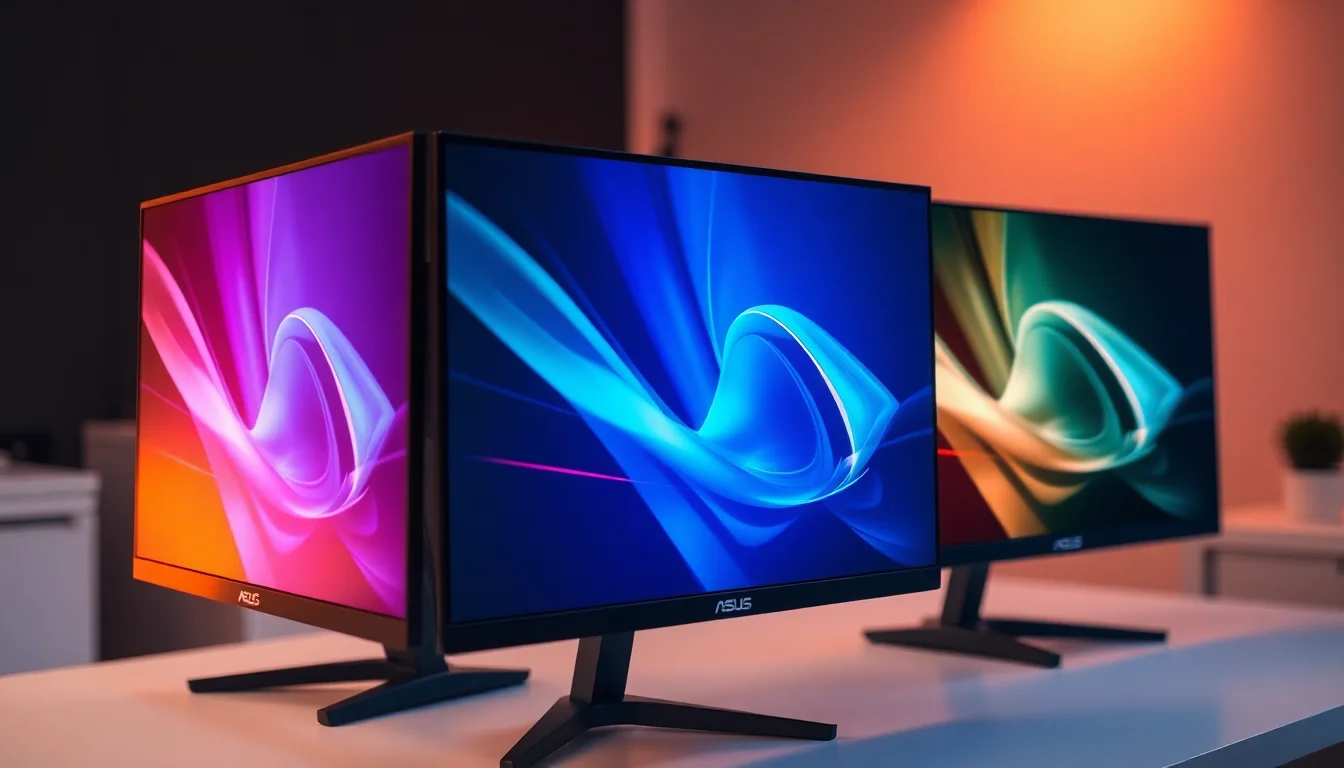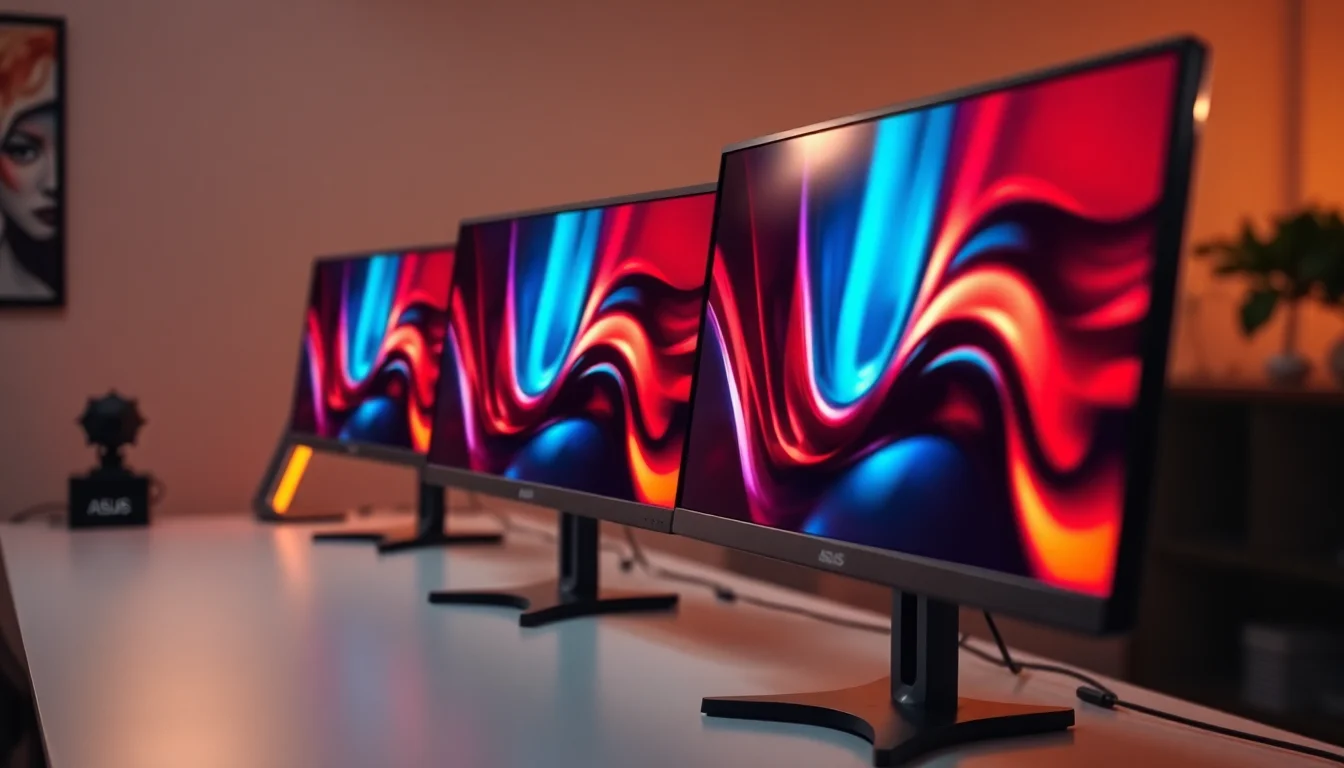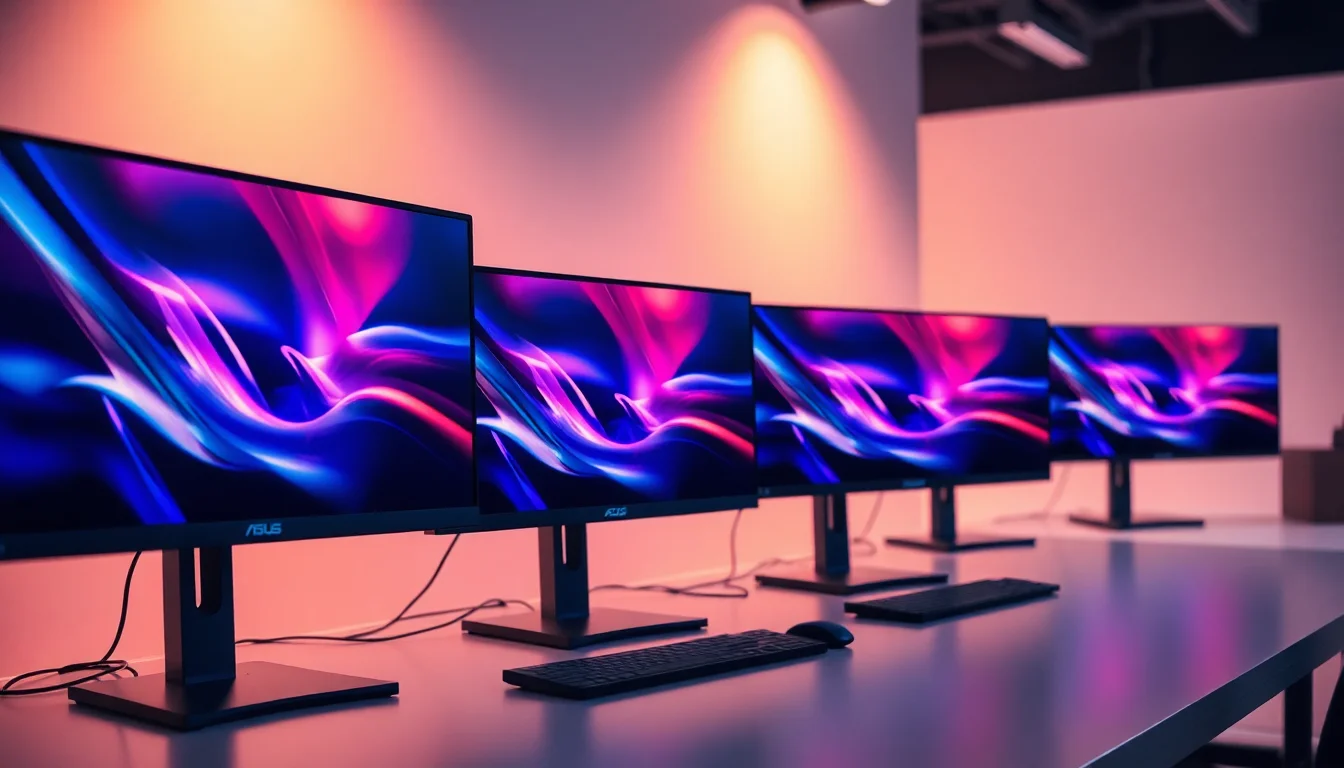
Buying a monitor in 2026 should be straightforward. It isn't. Panel specs get buried under marketing badges, refresh rate numbers get inflated, and response time figures are almost universally meaningless as stated. So when something like the ASUS TUF Gaming VG279QM5A lands in the budget bracket with a 240Hz Fast IPS panel and a sub-£150 price tag, the question isn't whether the spec sheet looks good. It does. The question is whether any of it holds up when you dig past the badge-fest on the box.
The short answer is: mostly yes, and that's actually impressive for this price point. The VG279QM5A is a 27-inch, 1080p Fast IPS panel running at 240Hz with G-Sync compatibility, AMD FreeSync Premium, and ASUS's ELMB SYNC backlight strobing. It's part of the TUF Gaming Series 5 lineup, which sits below ASUS's ROG Strix range but above the basic entry-level stuff. Owner feedback across over a hundred reviews averages ★★★★☆ (4.4), which is genuinely good. There are caveats, and we'll get to them, but this is a monitor that punches reasonably hard for what it costs.
The caveat immediately: this is 1080p on a 27-inch panel. That's a choice, and not everyone will be happy with it. If pixel density matters to you, read the Display Quality section carefully before committing.
Core Specifications
The headline numbers are a 27-inch Fast IPS panel running at 1920x1080 with a 240Hz maximum refresh rate. ASUS rates the response time at 0.3ms (MPRT) and 1ms GtG. The panel covers 99% sRGB, and ASUS claims a peak brightness of 400 nits with HDR support. Adaptive sync comes via both G-Sync compatibility and AMD FreeSync Premium, which means it'll play nicely with both green and red team GPUs without any faffing around in the driver settings.
Connectivity is what you'd expect at this price: DisplayPort 1.2 and HDMI 2.0 inputs, which is fine for 1080p at 240Hz. You're not getting USB-C or a USB hub, and there's no headphone stand or built-in speakers. The stand offers tilt adjustment but the ergonomics story is more complicated than ASUS's marketing suggests, which we'll cover properly later. VESA 100x100 mounting is supported, which is the sensible escape hatch if the stand doesn't work for your setup.
ASUS includes its DisplayWidget Center software for on-screen display control from your desktop, and there's a "Gaming AI" feature that supposedly optimises display settings based on what game you're running. In practice, owner feedback suggests most people switch it off and set things manually, which is probably the right call. The OSD itself is navigated via a joystick on the rear, which owners consistently praise as much easier to use than the button arrays you get on cheaper panels.
| Specification | Detail |
|---|---|
| Screen Size | 27 inches |
| Resolution | 1920 x 1080 (Full HD) |
| Panel Type | Fast IPS |
| Refresh Rate | 240Hz |
| Response Time | 0.3ms MPRT / 1ms GtG |
| Adaptive Sync | G-Sync Compatible, AMD FreeSync Premium |
| HDR | HDR10 / DisplayHDR 400 |
| Peak Brightness | 400 nits (HDR), 250 nits typical SDR |
| Colour Coverage | 99% sRGB |
| Contrast Ratio | 1000:1 (typical IPS) |
| Ports | 1x DisplayPort 1.2, 2x HDMI 2.0 |
| VESA Mount | 100 x 100mm |
| Backlight Strobe | ELMB SYNC |
| Software | DisplayWidget Center, Gaming AI |
| Price | £129.00 · Details |

Panel Technology
Fast IPS is the key term here, and it matters. Standard IPS panels have historically had GtG response times in the 4ms to 5ms range, which is fine for most things but starts showing visible ghosting at very high refresh rates. Fast IPS is a refinement of the IPS manufacturing process that reduces pixel transition times significantly, which is why ASUS can credibly quote 1ms GtG rather than the 4ms you'd get from a traditional IPS. The underlying IPS panel technology still delivers the wide viewing angles and colour accuracy that IPS is known for, so you're not sacrificing image quality for speed the way you would with a TN panel.
Viewing angles are one of the genuine strengths here. IPS panels typically deliver close to 178 degrees horizontally and vertically before colour shift becomes noticeable, and the Fast IPS variant doesn't change that. If you've got a monitor that multiple people look at, or you tend to sit off-centre, this will behave much better than a VA or TN alternative. Black uniformity is the traditional IPS weak point. IPS glow (that milky, slightly luminous quality in the corners when displaying dark content) is present on this panel, as several owners note. It's not unusual for the panel type, but if you're playing a lot of dark atmospheric games.
Contrast is the other IPS limitation. The native contrast ratio of around 1000:1 is typical for IPS and is noticeably lower than VA panels, which can hit 3000:1 or higher. In practice, this means blacks look more like very dark grey in a dimly lit room, and the HDR performance is constrained by it. If deep blacks are a priority, a VA panel would serve you better. But VA panels at this refresh rate and price are rare, and they bring their own problems (slow corner pixel transitions, smearing in dark scenes). The Fast IPS trade-off is well understood and, for competitive gaming in particular, it's the right one.
Display Quality
Here's the honest conversation about 1080p on a 27-inch screen. The pixel density works out at roughly 82 PPI (pixels per inch). For comparison, a 24-inch 1080p monitor sits at around 92 PPI, and a 27-inch 1440p panel hits about 109 PPI. That difference is visible. Text won't be as crisp, fine detail in games won't be as sharp, and if you sit closer than about 60 to 70cm, you might start noticing individual pixels. This isn't a dealbreaker for gaming, where you're often focused on motion rather than fine detail, but it's a real consideration for anyone who does any reading, coding, or image work on the same screen.
The anti-glare coating is matte, which is the sensible choice for a gaming monitor. It kills reflections effectively and means you can use this in a room with windows behind you without the screen becoming a mirror. The trade-off is a very slight grain or haze over the image compared to glossy panels, but on a 1080p screen at 27 inches, the pixel density is already the bigger visual limitation, so the coating isn't making things meaningfully worse. Owner reviews don't flag the coating as a problem, which suggests ASUS have got the balance right.
Brightness uniformity across the panel is generally solid based on owner reports, with no significant hotspots mentioned. The typical SDR brightness sits around 250 nits, which is adequate for most indoor environments but won't cut it in a very bright room or near a sunny window. If you're in a dark room gaming setup, 250 nits is actually plenty, and turning it down slightly will reduce eye strain during long sessions. The 400-nit HDR peak is a different story, which we'll address in the HDR section.
Refresh Rate and Adaptive Sync
240Hz is a serious refresh rate. To put it in context: most people can't distinguish frame-to-frame differences above around 144Hz in controlled tests, but the headroom matters in competitive gaming because it reduces input lag and means the monitor is never the bottleneck. At 240Hz, each frame is displayed for just 4.17 milliseconds. That's genuinely fast, and you feel it in fast-paced games even if you can't consciously count the frames. The jump from 60Hz to 144Hz is dramatic. The jump from 144Hz to 240Hz is more subtle but still real, particularly in first-person shooters where tracking moving targets is the core mechanic.
The adaptive sync implementation here is properly done. G-Sync Compatible certification means NVIDIA has validated that the monitor works without visual artefacts in variable refresh rate mode, which isn't guaranteed on cheaper FreeSync panels that just claim compatibility without going through NVIDIA's testing process. AMD FreeSync Premium adds the requirement for Low Framerate Compensation (LFC), which kicks in when your frame rate drops below the VRR range and multiplies the frame rate to keep the sync active. The FreeSync Premium range on this monitor runs from 48Hz to 240Hz, so LFC activates below 48fps. In practice, if you're running a GPU capable of hitting 240fps at 1080p, you're unlikely to drop below 48fps in anything short of a catastrophic scene, so this is mostly a non-issue.
ELMB SYNC is ASUS's backlight strobing technology that works simultaneously with adaptive sync, which is the interesting bit. Traditionally, backlight strobing (which reduces perceived motion blur by turning the backlight off between frames) couldn't be used alongside VRR because the two technologies conflict. ASUS's implementation allows both to run together, which theoretically gives you the motion clarity benefits of strobing with the tear-free benefits of VRR. Owner feedback on this is mixed. Some find it genuinely useful in competitive play. Others find the brightness reduction that comes with strobing too distracting and leave it off. It's a nice option to have either way.
Response Time and Motion
The 0.3ms figure on the box is MPRT (Moving Picture Response Time), which is a measurement of motion blur perception rather than actual pixel transition speed. It's a valid metric but it measures something different from GtG (grey-to-grey), which is what most people mean when they talk about response time. The GtG figure ASUS quotes is 1ms, which is the more practically relevant number for ghosting and trailing artefacts. For a Fast IPS panel, 1ms GtG is achievable at the faster overdrive settings, but it typically comes with a trade-off: overshoot, also called inverse ghosting, where pixels transition too aggressively and create a bright halo ahead of moving objects.
This is where the overdrive settings in the OSD matter. ASUS provides multiple overdrive levels, and the faster settings will produce some overshoot on this panel. Owner feedback suggests the middle overdrive setting hits the sweet spot for most use cases, giving fast enough transitions without the halo artefacts becoming distracting. The fastest setting is there if you want it, but several owners specifically mention dialling it back. This is normal behaviour for Fast IPS at 240Hz and isn't a flaw specific to this monitor. It's just the physics of pushing pixels this quickly.
In practical terms for gaming: dark trailing (the smearing behind fast-moving objects in dark scenes) is minimal on Fast IPS compared to VA panels. This is one of the main reasons competitive gamers prefer IPS at high refresh rates. The motion clarity at 240Hz with a properly tuned overdrive setting is genuinely good, and the ELMB SYNC option gives you an additional tool if you want to push motion clarity further. For first-person shooters, racing games, and anything where tracking fast movement is the priority, this panel delivers. It's not OLED-level motion clarity, but at this price point, nothing is.
Color Accuracy and Gamut
ASUS rates the VG279QM5A at 99% sRGB coverage, which is a strong figure for a budget gaming monitor. The sRGB colour space covers the standard range used by most games, streaming content, and web content, so hitting 99% means colours should look accurate and saturated without the washed-out quality you get from cheaper panels that only cover 72% NTSC (which is roughly equivalent to 90% sRGB). There's no DCI-P3 coverage figure quoted, which suggests the panel doesn't extend significantly into the wider P3 gamut. For gaming and general use, that's fine. For professional colour work, you'd want a P3-capable panel.
Factory calibration at this price point is typically basic. ASUS doesn't ship individual calibration reports with the VG279QM5A, and the out-of-box colour accuracy will vary between units. Owner reports suggest colours look good straight out of the box without any adjustment, which is consistent with a panel that covers 99% sRGB but hasn't been fine-tuned per unit. If you're doing colour-critical work like photo editing or graphic design, you'd want a dedicated calibrated monitor rather than relying on factory defaults. But for gaming and media consumption, the colours are reported as punchy and accurate enough that most owners don't bother adjusting them.
Delta-E figures aren't published by ASUS for this model, which is typical for gaming monitors in the budget bracket. Published measurements from independent display testing of similar Fast IPS panels in this class generally show average Delta-E values in the 2 to 3 range out of box, which is acceptable. A Delta-E below 2 is generally considered imperceptible to the human eye, so values in the 2 to 3 range mean there's some colour deviation but nothing that would be obvious in normal use. The Gaming AI feature includes a colour temperature adjustment function, but again, owner consensus is that manual OSD settings are more reliable. The DisplayWidget Center software, available from ASUS's support pages, gives you desktop-level control without diving into the OSD every time, which is a genuinely useful addition.

HDR Performance
The VG279QM5A carries DisplayHDR 400 certification. This is the entry-level tier of the VESA DisplayHDR standard, and it's important to understand what that means in practice. DisplayHDR 400 requires a peak brightness of 400 nits and covers the HDR10 format, but it doesn't require local dimming. Without local dimming, the monitor can't independently control brightness in different zones of the image, which is the mechanism that makes HDR look genuinely dramatic. What you get instead is the full panel brightening to 400 nits for HDR content, which is brighter than the SDR mode but doesn't produce the deep blacks alongside bright highlights that make HDR compelling on premium displays.
To put it plainly: the HDR on this monitor is checkbox HDR. It's not useless. HDR content will look slightly more vibrant and brighter than SDR. But it won't look like HDR on an OLED or a Mini-LED panel with proper local dimming. The contrast ratio of 1000:1 is the hard ceiling here. No amount of peak brightness can make blacks look deep when the panel can only dim to 1/1000th of its peak output. If you've seen HDR done properly on a high-end display, this will feel underwhelming. If you're coming from a standard SDR monitor, you might not notice the gap.
The practical recommendation is to leave HDR off for most gaming and only enable it for content that's been properly mastered for HDR10, where even a modest implementation can add some benefit. Several owners mention that SDR mode looks better than HDR mode on this panel, which is a common finding for DisplayHDR 400 monitors and shouldn't be taken as a sign that something's wrong with the unit. It's just the honest reality of entry-level HDR certification. For genuine HDR performance, you need to spend significantly more, and you'd be looking at a different product category entirely.
Contrast and Brightness
The native contrast ratio of 1000:1 is standard for IPS panels. It's not a failing specific to this monitor; it's an inherent characteristic of how IPS pixels work. The liquid crystal layer in an IPS panel doesn't completely block backlight when a pixel is supposed to be black, which is why IPS blacks always look slightly grey in a dark room. At 1000:1, the darkest the panel can get is 1/1000th of its peak brightness. If the panel is running at 250 nits peak, the darkest black is 0.25 nits. That's perceptible in a dark room, particularly in the corners where IPS glow adds to the problem.
For gaming in a normally lit room, this is largely a non-issue. The ambient light in your room will wash out the difference between a 0.25-nit black and a 0.05-nit black (which is what a good VA panel might achieve). It's only in dark room gaming where IPS contrast limitations become genuinely distracting. If that's your primary use case, a VA panel would be, though finding one at 240Hz in this price range is difficult. The trade-off is real but it's a known quantity, and for competitive gaming in a normally lit room, most owners report being perfectly happy with the contrast performance.
SDR brightness at 250 nits typical is adequate but not generous. It'll be fine in most indoor settings, and the 400-nit HDR peak gives you some headroom for brighter content. Owners in bright rooms occasionally mention wishing the panel went a bit brighter, which is fair. But for a gaming monitor used in a controlled environment, 250 nits is workable. The brightness uniformity across the panel is generally reported as good, with no significant backlight bleed noted in the majority of owner reviews, though a handful of units have shown corner bleed, which is normal sample variation for IPS at this price.
Ergonomics and Stand
The stand is where the TUF Gaming Series 5 shows its budget origins most clearly. You get tilt adjustment (typically around -5 to +20 degrees on ASUS TUF stands) but no height adjustment, no swivel, and no pivot to portrait mode. For a 27-inch gaming monitor, the lack of height adjustment is a real limitation. Proper ergonomics require your eye level to be roughly level with the top third of the screen, and if the fixed stand height doesn't put the panel in the right place for your chair and desk combination, your options are a monitor arm or a stack of books. Neither is ideal.
The good news is that VESA 100x100 mounting is supported, so a monitor arm is a clean solution if the stand doesn't work for you. Arms start at around £20 to £30 for basic single-monitor options, and they give you full adjustment in every axis. If you're buying this monitor and already know you'll use an arm, the stand limitations are irrelevant. If you're planning to use the included stand, measure your desk height and chair height before committing, because the fixed height might not suit your setup.
Build quality is reported positively by owners. The stand feels solid and doesn't wobble noticeably during normal use, which is a more important practical concern than the adjustment range for many people. The rear of the monitor has the TUF Gaming aesthetic without being as aggressively styled as the ROG Strix lineup, so it doesn't look out of place in a work-from-home setup that doubles as a gaming station. The joystick OSD navigation gets consistent praise in owner reviews, specifically because it's faster and more intuitive than the button arrays on competing monitors at this price. Small thing, but you'll interact with the OSD more than you think.
Connectivity and Ports
The port selection is functional but minimal. You get one DisplayPort 1.2 and two HDMI 2.0 inputs. DisplayPort 1.2 can handle 1080p at 240Hz without any issues, so the bandwidth is adequate for the panel's specifications. HDMI 2.0 tops out at around 144Hz at 1080p in most implementations, so if you want the full 240Hz, you'll need to use the DisplayPort connection. This matters if you're connecting a console via HDMI, where you'll be limited to 120Hz maximum anyway (and most current-gen consoles cap at 120Hz regardless).
- 1x DisplayPort 1.2 (required for 240Hz)
- 2x HDMI 2.0 (up to 144Hz at 1080p)
- 1x 3.5mm audio output
- No USB hub
- No USB-C
- No built-in speakers
The absence of a USB hub is a genuine omission at any price point but more forgivable in the budget bracket. If you regularly plug peripherals into your monitor, you'll need a separate hub or to plug directly into your PC. The 3.5mm audio output lets you pass audio from the DisplayPort or HDMI signal through to headphones or speakers, which is useful if your desk setup doesn't have the PC within easy cable reach. No built-in speakers, but that's not a loss at this price since built-in monitor speakers are universally terrible anyway.
The DisplayPort 1.2 standard supports up to 21.6 Gbps bandwidth, which is more than enough for 1080p at 240Hz with full colour depth. You won't hit any bandwidth limitations with this connection. HDMI 2.0, standardised by the HDMI Forum, delivers 18 Gbps, which constrains high refresh rate operation at 1080p to around 144Hz depending on colour format. if you're switching between a PC on DisplayPort and a console on HDMI and wondering why the refresh rate looks different.
How It Compares
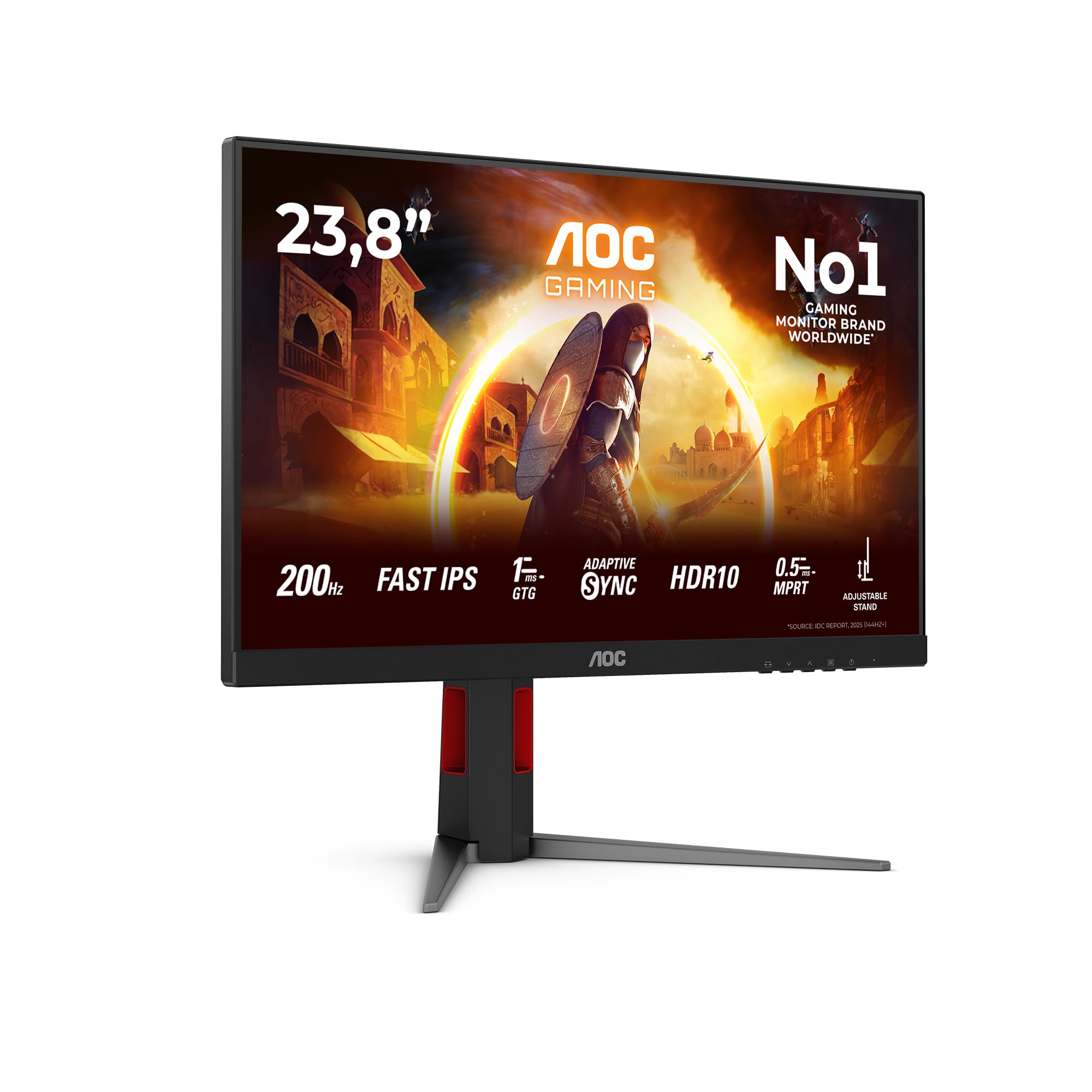
The two most relevant competitors in this space are the AOC 24G2SP and the LG 27GP850-B. The AOC 24G2SP is a 24-inch 1080p IPS monitor running at 165Hz, typically priced below the VG279QM5A. It's a well-regarded budget option with solid colour accuracy and a better native contrast ratio than many IPS panels, but 165Hz versus 240Hz is a meaningful difference for competitive gaming, and the 24-inch size suits some setups better than 27 inches. If refresh rate is your priority, the ASUS wins. If you're on a tighter budget and 165Hz is enough, the AOC is worth a look.
The LG 27GP850-B is a more direct competitor: 27-inch Nano IPS, 1440p, 180Hz (overclockable from 165Hz), and typically priced in the mid-range bracket. It covers about 98% DCI-P3 and has significantly better pixel density at 1440p. The refresh rate is lower than the VG279QM5A's 240Hz, but 180Hz is plenty for most people, and the 1440p resolution makes a very visible difference on a 27-inch panel. If your GPU can push 1440p at reasonable frame rates, the LG is a better all-round monitor. The ASUS makes sense if you specifically need 240Hz at 1080p, either because your GPU is optimised for 1080p competitive play or because budget is a hard constraint.
| Feature | ASUS TUF VG279QM5A | AOC 24G2SP | LG 27GP850-B |
|---|---|---|---|
| Screen Size | 27 inch | 24 inch | 27 inch |
| Resolution | 1080p | 1080p | 1440p |
| Panel Type | Fast IPS | IPS | Nano IPS |
| Refresh Rate | 240Hz | 165Hz | 180Hz |
| Adaptive Sync | G-Sync Compatible + FreeSync Premium | FreeSync Premium | G-Sync Compatible + FreeSync Premium Pro |
| Colour Coverage | 99% sRGB | 99% sRGB | 98% DCI-P3 |
| HDR | DisplayHDR 400 | None | DisplayHDR 400 |
| Backlight Strobe | ELMB SYNC | None | 1ms MBR |
| Price | £129.00 · Details | Budget tier | Mid-range tier |
The comparison table makes the positioning clear. The VG279QM5A is the high-refresh-rate budget option. It beats the AOC on refresh rate and size. It loses to the LG on resolution and colour gamut but costs significantly less. The decision tree is fairly simple: if you're playing competitive games at 1080p with a mid-range GPU and 240Hz is a meaningful target for you, the ASUS is the value pick. If you want better image quality for a mixed use case that includes content creation or just general productivity, the LG at 1440p is worth the extra spend.

Final Verdict
The ASUS TUF Gaming VG279QM5A does exactly what it's supposed to do, and that's clearly. It's a 240Hz Fast IPS gaming monitor in the budget bracket with proper dual adaptive sync support, a decent colour gamut, and build quality that owners consistently rate as solid. The positive overall rating across over a hundred reviews isn't inflated by a handful of enthusiastic early adopters; it reflects a monitor that delivers on its core promise without major reliability complaints.
The limitations are real but they're not surprises. The 1080p resolution on a 27-inch panel is the biggest one. 82 PPI is noticeably softer than 1440p, and if you sit close to your monitor or do any work that involves reading text, you'll feel it. The HDR is DisplayHDR 400, which means it's present but not transformative. The stand lacks height adjustment, which will frustrate anyone who cares about proper ergonomics. None of these are dealbreakers in isolation, but stacked together they paint a clear picture of what this monitor prioritises: refresh rate and gaming performance, at the expense of everything else.
And for the right buyer, that's the correct trade-off. If you're running a GPU that can hit 200fps or more in your favourite competitive titles at 1080p, this monitor is a genuinely good home for that performance. The Fast IPS panel keeps ghosting under control, ELMB SYNC gives you a motion clarity tool that most budget monitors don't offer, and the G-Sync compatibility means NVIDIA users get proper validated VRR rather than a best-effort FreeSync implementation. Owner feedback specifically calls out the smoothness in competitive play, which is the core use case.
Who should buy this? PC gamers playing competitive titles at 1080p with a mid-range GPU (think RTX 4060 or RX 7600 class, where 1080p at high frame rates is the sweet spot). People upgrading from a 60Hz or 144Hz monitor who want to experience 240Hz without spending mid-range money. Console gamers wanting a second screen for PC gaming don't need to look here specifically since 240Hz doesn't help PS5 or Xbox, but if the PC is the primary use case, this is solid value.
Who should skip it? Anyone doing photo editing, graphic design, or video work where colour accuracy and wide gamut matter more than refresh rate. People who sit close to their monitor and will notice the 1080p pixel density. Anyone who primarily plays slow-paced single-player games where 240Hz provides no meaningful benefit over 144Hz. And honestly, if your GPU can push 1440p at decent frame rates, the LG 27GP850-B is the smarter buy. The resolution bump on a 27-inch panel is significant enough that it's worth stretching the budget for, unless you're specifically chasing maximum competitive frame rates at 1080p.
At the budget price point, the ASUS TUF Gaming VG279QM5A earns a solid 7.5 out of 10. It's not a perfect monitor. But it's a very competent one for what it costs, and the owner feedback backs that up. If 240Hz Fast IPS in the budget bracket is what you need, this delivers it without any nasty surprises.
What works. What doesn’t.
5 + 4What we liked5 reasons
- 240Hz Fast IPS delivers genuinely smooth competitive gaming at a budget price
- Dual adaptive sync (G-Sync Compatible + FreeSync Premium) works with both GPU brands
- ELMB SYNC backlight strobing works alongside VRR, rare at this price
- 99% sRGB colour coverage is strong for the budget bracket
- Joystick OSD navigation consistently praised by owners as easy to use
Where it falls4 reasons
- 1080p on 27 inches gives a soft 82 PPI that's noticeable for text and fine detail
- Stand has no height adjustment, limiting ergonomic options
- DisplayHDR 400 is checkbox HDR with no local dimming and limited impact
- Typical IPS contrast of 1000:1 means blacks look grey in dark rooms
Full specifications
10 attributes| Panel type | IPS |
|---|---|
| Aspect ratio | 16:9 |
| Curvature | flat |
| HDR | HDR10 |
| Launch year | 2024 |
| Ports | 2x HDMI 2.0, 1x DisplayPort 1.4, 1x 3.5mm audio out |
| Refresh rate HZ | 240 |
| Resolution | 1920x1080 |
| Response time MS | 0.3 |
| Screen size IN | 27 |
If this isn’t right for you
2 options
Frequently asked
5 questions01Is the ASUS TUF Gaming Series 5, VG279QM5A Gaming Monitor, 27 inch Full HD Fast IPS panel, 240Hz, 0.3ms , G SYNC compatible, AMD FreeSync Premium, ELMB SYNC, 99% sRGB, DisplayWidget Center, Gaming AI good for gaming?+
Yes, particularly for competitive gaming at 1080p. The 240Hz Fast IPS panel keeps ghosting minimal, G-Sync Compatible and FreeSync Premium support means tear-free gaming on both NVIDIA and AMD GPUs, and ELMB SYNC adds backlight strobing for extra motion clarity. The 0.3ms MPRT and 1ms GtG response times are strong for the price. For slower single-player games, the high refresh rate provides less benefit, but for fast-paced shooters and racing games, this is a genuinely capable monitor.
02Does the ASUS TUF Gaming Series 5, VG279QM5A Gaming Monitor, 27 inch Full HD Fast IPS panel, 240Hz, 0.3ms , G SYNC compatible, AMD FreeSync Premium, ELMB SYNC, 99% sRGB, DisplayWidget Center, Gaming AI have good HDR?+
Not really, no. The DisplayHDR 400 certification is the entry-level VESA tier and doesn't require local dimming. Without local dimming, the monitor can't produce deep blacks alongside bright highlights simultaneously, which is what makes HDR look dramatic. The native contrast ratio of 1000:1 limits how good HDR can look. Several owners report that SDR mode actually looks better than HDR mode, which is common for DisplayHDR 400 monitors. HDR is present but it's not a reason to buy this monitor.
03Is the ASUS TUF Gaming Series 5, VG279QM5A Gaming Monitor, 27 inch Full HD Fast IPS panel, 240Hz, 0.3ms , G SYNC compatible, AMD FreeSync Premium, ELMB SYNC, 99% sRGB, DisplayWidget Center, Gaming AI good for content creation?+
It's acceptable for casual content creation. The 99% sRGB coverage is solid and colours are reported as accurate enough for general use without adjustment. However, there's no DCI-P3 coverage figure quoted, no individual factory calibration report, and no published Delta-E data from ASUS. For serious photo editing, graphic design, or video colour grading, you'd want a monitor with wide gamut P3 coverage and factory calibration. For casual editing or streaming thumbnail work, it'll do the job.
04What graphics card do I need for the ASUS TUF Gaming Series 5, VG279QM5A Gaming Monitor, 27 inch Full HD Fast IPS panel, 240Hz, 0.3ms , G SYNC compatible, AMD FreeSync Premium, ELMB SYNC, 99% sRGB, DisplayWidget Center, Gaming AI?+
To get meaningful use from 240Hz at 1080p, you need a GPU that can push frame rates well above 144fps in your target games. An NVIDIA RTX 4060 or AMD RX 7600 are well-matched for this monitor in most competitive titles at 1080p. Higher-end cards like the RTX 4070 or RX 7700 XT will hit 240fps more consistently in demanding titles. Older cards like the GTX 1660 Super can still benefit from the monitor via FreeSync Premium's VRR range, but you won't be hitting 240fps in modern games. The FreeSync Premium range of 48Hz to 240Hz means the adaptive sync works across a wide frame rate range.
05What warranty and returns apply to the ASUS TUF Gaming Series 5, VG279QM5A Gaming Monitor, 27 inch Full HD Fast IPS panel, 240Hz, 0.3ms , G SYNC compatible, AMD FreeSync Premium, ELMB SYNC, 99% sRGB, DisplayWidget Center, Gaming AI?+
ASUS typically provides a 3-year warranty on TUF Gaming monitors in the UK, but we'd recommend checking the current warranty terms directly on the ASUS UK support pages for confirmation. When purchasing through Amazon, you're also covered by Amazon's standard 30-day return policy and the A-to-Z Guarantee, which protects your purchase if the item doesn't arrive or isn't as described.