
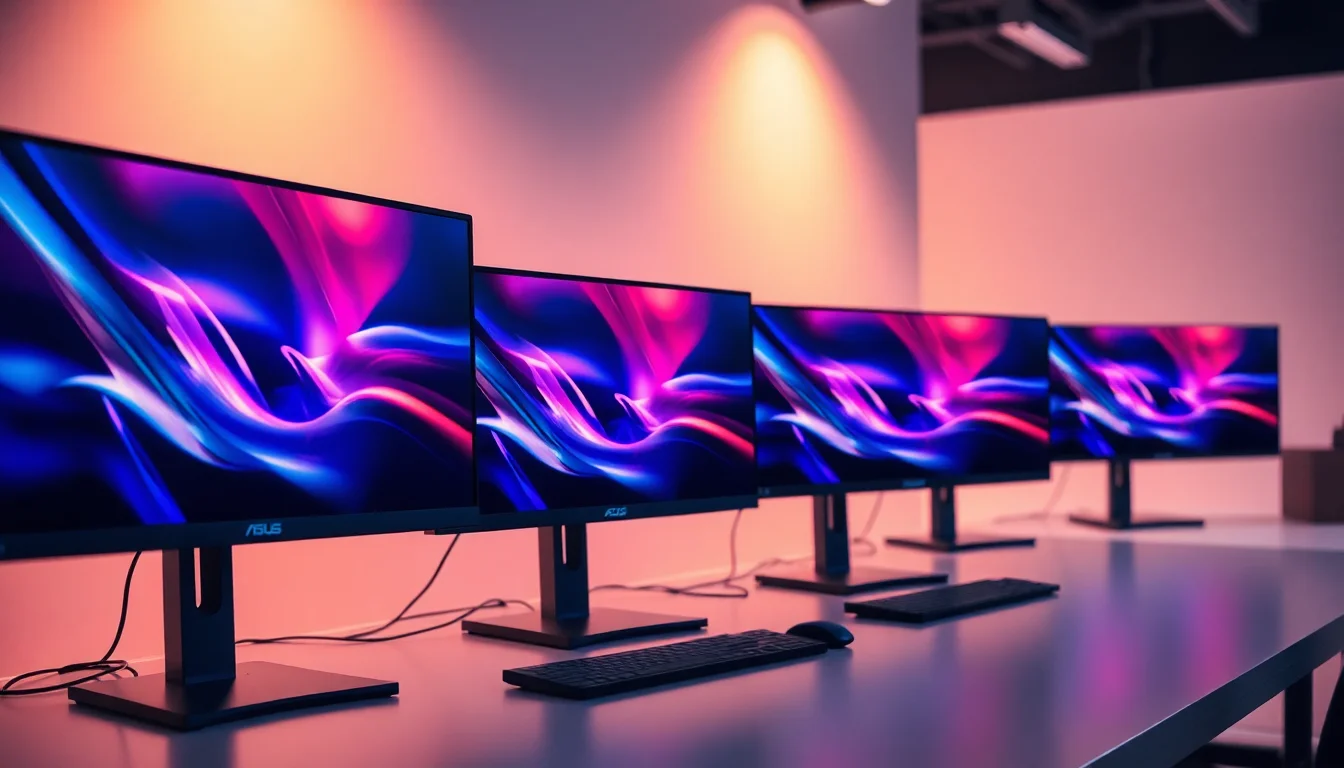
ASUS has long been one of the most trusted names in the monitor market, and its budget-friendly lineup has improved noticeably over the past year. The sub-£150 bracket now offers genuine IPS panels with refresh rates that would have cost considerably more just two years ago, making this a particularly good time to buy if you are upgrading from an older TN screen or a basic office display. This guide is aimed at PC gamers on a tight budget, students, home-office workers, and anyone who wants a reliable 27-inch screen without spending a fortune. Whether you play fast-paced shooters and need a higher refresh rate, or you simply want accurate colours for creative work and everyday browsing, there is an ASUS option here that fits the bill. We have focused on models that are genuinely available in the UK at or below the £150 mark, and we have used verified specifications throughout so you know exactly what you are getting.
Quick Verdict
Best Overall: ASUS VY279HGE, which delivers 144 Hz, a full complement of ports including DisplayPort, and a crisp IPS panel at a price that is hard to argue with. Best Value: ASUS VY279HGR, which suits buyers who do not need DisplayPort and can live with 120 Hz in exchange for a slightly lower outlay.
| Model | Price | Panel / Size | Resolution | Refresh Rate | Ports | Key Feature |
|---|---|---|---|---|---|---|
| ASUS VY279HGE | £110.96 · Details | IPS, 27 in | 1920x1080 | 144 Hz | 2x HDMI 1.4, 1x DP 1.2, 3.5mm audio out | DisplayPort + dual HDMI |
| ASUS VY279HGR | £84.00 · Details | IPS, 27 in | 1920x1080 | 120 Hz | 1x HDMI, 1x VGA | VGA legacy support |
1. ASUS VY279HGE Eye Care Gaming Monitor
The ASUS VY279HGE is the monitor that most buyers in this price bracket should look at first. It is a 27-inch IPS display running at 1920x1080, and it pushes that resolution at 144 Hz, which puts it firmly in gaming territory without demanding a premium price. The IPS panel means you get wide viewing angles and more accurate colour reproduction than you would from a TN alternative, which matters if you use the screen for photo editing, video streaming, or any work that involves judging colour on screen.
The port selection is one of the strongest arguments for this model. You get two HDMI 1.4 inputs alongside a DisplayPort 1.2 connection, plus a 3.5mm audio output for headphones or speakers. That combination means you can have a PC connected via DisplayPort at the full 144 Hz while a console or a second device sits on one of the HDMI ports, ready to switch over without unplugging anything. For a monitor at this price, that level of connectivity flexibility is genuinely useful.
ASUS markets this screen under its Eye Care umbrella, which includes flicker-free backlighting and a low blue-light mode. These features are not unique to ASUS, but they are worth having if you spend long hours in front of the screen. The VY279HGE also supports Adaptive-Sync, which reduces screen tearing when your GPU frame rate fluctuates, a common scenario in demanding games on a mid-range graphics card.
In practical use, the 27-inch size at 1080p gives a pixel density of around 82 PPI. That is perfectly acceptable for a gaming monitor viewed from a typical desk distance of 60 to 80 centimetres, though it will not satisfy anyone who has grown accustomed to a 1440p display. Text rendering is clean enough for office work, and the IPS panel keeps colours looking consistent whether you are sitting directly in front or slightly to one side.
The stand offers tilt adjustment, which is standard at this price, but do not expect height adjustment or pivot. If ergonomics matter to you, budget for a monitor arm separately. The overall build quality feels solid for the money, with a slim bezel on three sides that keeps the footprint looking modern. This is the pick for anyone who wants the best all-round package in the ASUS sub-£150 range.
Verdict: The VY279HGE is the standout choice here, combining 144 Hz, IPS colour quality, and a versatile port layout that suits both PC gamers and multi-device households.
Pros
- 144 Hz refresh rate keeps fast-paced gaming smooth and responsive
- DisplayPort 1.2 plus two HDMI inputs give excellent connectivity flexibility
- IPS panel delivers wide viewing angles and accurate colour reproduction
Cons
- 1080p at 27 inches results in a modest pixel density that some users may find soft
- Stand is tilt-only, with no height or pivot adjustment included
2. ASUS VY279HGR Eye Care Gaming Monitor
The ASUS VY279HGR shares the same 27-inch IPS panel and 1920x1080 resolution as its sibling, but it steps back to a 120 Hz refresh rate and offers a different port configuration. You get one HDMI input and one VGA input, which is a notably stripped-back selection compared to the VY279HGE. That said, the VGA port is actually a selling point for a specific group of buyers: anyone connecting an older desktop PC or a workstation that lacks a modern video output will find it invaluable. VGA is increasingly rare on new monitors, so if you have legacy hardware, this could be the only modern IPS screen that accommodates it without an adapter.
The 120 Hz refresh rate is still a meaningful upgrade over the 60 Hz panels that dominate the very cheapest end of the market. In competitive games such as first-person shooters or racing titles, the difference between 60 Hz and 120 Hz is visible and tangible: motion looks smoother, and fast-moving objects are easier to track. The step from 120 Hz to 144 Hz is considerably less dramatic, so buyers who are coming from a 60 Hz monitor will still notice a significant improvement here.
Like the VY279HGE, this monitor carries ASUS's Eye Care branding, meaning it includes flicker-free backlighting and a blue-light filter. These are genuinely useful for reducing eye fatigue during long work or gaming sessions, and they cost nothing extra. The IPS panel brings the same wide-angle colour consistency that makes the VY279HGE appealing, so you are not sacrificing image quality by choosing this model.
Where the VY279HGR falls short is in future-proofing. With only one HDMI port and no DisplayPort, your options for connecting multiple devices are limited. If you upgrade your PC to a modern graphics card, you will be using HDMI rather than DisplayPort, which caps you at the monitor's 120 Hz maximum via that interface. That is not a disaster, but it is worth noting if you are planning a broader system upgrade in the near future.
The stand design mirrors the VY279HGE: tilt adjustment only, with a slim three-sided bezel and a compact base. Build quality is consistent with what ASUS delivers across its budget Eye Care range, which is to say it feels sturdy without being premium. For buyers who need VGA support or who simply find this model at a lower price than the VY279HGE, it represents solid value.
Verdict: The VY279HGR is the right choice if you have legacy VGA hardware or find it priced noticeably below the VY279HGE, but most buyers should stretch to the 144 Hz model for its superior connectivity.
Pros
- VGA port supports older PCs and workstations that lack modern video outputs
- IPS panel provides the same wide-angle colour accuracy as pricier alternatives
- 120 Hz is a meaningful step up from 60 Hz for everyday gaming
Cons
- Only one HDMI port and no DisplayPort limits multi-device and future-upgrade flexibility
- 120 Hz refresh rate is outpaced by the VY279HGE's 144 Hz for a similar price
3. ASUS VA27EHE Eye Care Monitor
The ASUS VA27EHE is a 27-inch IPS monitor aimed squarely at home-office users and students who prioritise colour accuracy and eye comfort over gaming-grade refresh rates. Running at 75 Hz with a 1920x1080 resolution, it is not designed for competitive gaming, but it handles everyday computing, video calls, document work, and casual media consumption with ease. The IPS panel delivers the wide viewing angles and consistent colour that make shared screens more practical, particularly in office environments where colleagues might glance at your display from the side.
ASUS includes its Eye Care suite here, covering flicker-free backlighting and a low blue-light mode. For anyone who spends six to eight hours a day in front of a screen, these features are worth having. The monitor connects via HDMI and VGA, covering most desktop and laptop setups, though the absence of DisplayPort means you are limited to 75 Hz regardless of your graphics card.
The VA27EHE is one of the slimmest and lightest options in the ASUS budget range, with a profile that suits tidy desk setups. The stand is tilt-only, as is standard at this price point, but the overall build feels consistent with ASUS's reputation for reliable construction. Colour coverage is rated at 72 percent NTSC, which translates to roughly sRGB coverage suitable for general use, though it falls short of what a content creator would want for serious colour-critical work.
Response time is listed at 5ms (GTG), which is adequate for everyday tasks and casual gaming but will produce some ghosting in fast-paced titles. If your gaming habits run to strategy games, RPGs, or slower-paced titles, this is unlikely to bother you. For shooters or racing games, the VY279HGE is the better choice.
Where the VA27EHE earns its place in this list is on price. It frequently sits below the VY279HGR, making it the most accessible 27-inch IPS option in the ASUS range. For a student furnishing a first flat or a remote worker who needs a second screen without spending much, it covers the essentials competently.
Verdict: The VA27EHE is a sensible, no-frills 27-inch IPS monitor for office and study use, though gamers should look higher up this list for a better refresh rate.
Pros
- IPS panel at a price that undercuts most 27-inch competitors in this category
- Slim, lightweight design suits compact desk setups
- Eye Care features including flicker-free and blue-light filter included as standard
Cons
- 75 Hz refresh rate is not suitable for competitive or fast-paced gaming
- No DisplayPort connection limits connectivity options for modern PC builds
4. ASUS VP249QGR Eye Care Gaming Monitor
The ASUS VP249QGR is a 23.8-inch IPS gaming monitor that targets buyers who prefer a smaller screen footprint without sacrificing refresh rate performance. Running at 144 Hz with a 1920x1080 resolution, it delivers a higher pixel density than the 27-inch models in this list, sitting at around 93 PPI. That makes text and fine detail look noticeably sharper, which is particularly beneficial if you use the monitor for reading, coding, or any work involving small type.
The port selection includes HDMI and DisplayPort, giving you the flexibility to connect a modern graphics card at the full 144 Hz via DisplayPort while keeping an HDMI slot free for a console or secondary device. ASUS also includes its Extreme Low Motion Blur technology on this model, which reduces backlight strobing to sharpen fast-moving objects in games. This is a feature more commonly found on monitors at higher price points, and it adds genuine value for competitive gamers.
The IPS panel covers the sRGB colour space adequately for general use, and the Eye Care suite brings flicker-free operation and a blue-light filter. Response time is quoted at 1ms MPRT, which refers to the motion blur reduction mode rather than a traditional GTG measurement. In practice, the panel performs well in fast games, with minimal ghosting visible during normal play.
The smaller 23.8-inch size will not suit everyone. If you are used to a 27-inch display, the step down feels noticeable, particularly for productivity tasks where screen real estate matters. However, for a dedicated gaming monitor on a small desk, the compact size is an advantage, and the higher pixel density is a genuine plus over the larger 27-inch 1080p options.
Build quality is typical of ASUS's budget range: solid plastic construction, a tilt-adjustable stand, and a slim bezel on three sides. The monitor is lightweight and easy to position, and it fits neatly into a dual-monitor setup alongside a larger display.
Verdict: The VP249QGR is the pick for buyers who want a sharper, more compact 144 Hz gaming monitor and are happy to trade screen size for pixel density.
Pros
- Higher pixel density than 27-inch 1080p models makes text and detail noticeably sharper
- 144 Hz with DisplayPort support matches the VY279HGE's gaming credentials in a smaller form factor
- Extreme Low Motion Blur technology adds a feature usually reserved for pricier displays
Cons
- 23.8-inch screen is noticeably smaller than 27-inch alternatives for productivity use
- 1ms MPRT rating refers to motion blur reduction mode, not a standard GTG measurement
5. ASUS VZ249HE Eye Care Monitor
The ASUS VZ249HE is a 23.8-inch IPS monitor that strips things back to the essentials: a clean 1920x1080 panel at 60 Hz, with ASUS's Eye Care features built in. It is not aimed at gamers, and it makes no pretence of being a performance display. Instead, it is designed for home-office workers, students, and anyone who needs a reliable, good-looking second screen at the lowest possible price within the ASUS IPS range.
The panel is one of the thinnest in ASUS's budget lineup, with a profile that measures just a few millimetres at the edges. This gives the VZ249HE a premium appearance that belies its price, and it works particularly well as a secondary monitor in a dual-screen setup where aesthetics matter. The slim bezels on three sides help the two screens sit close together without a distracting gap.
Connectivity is straightforward: one HDMI port and one VGA input cover the most common connection types. There is no DisplayPort, which is expected at this price and refresh rate. The IPS panel provides the wide viewing angles and consistent colour that make it more pleasant to use than a TN alternative, and the Eye Care suite reduces flicker and blue-light output for comfortable all-day use.
At 60 Hz, the VZ249HE is not suitable for gaming beyond casual titles, and even there you will notice the difference if you have previously used a higher-refresh-rate display. For its intended audience, however, the 60 Hz limitation is not a problem. Spreadsheets, web browsing, video calls, and document editing all look and feel perfectly smooth at 60 Hz, and the IPS panel makes colours look more natural than a budget TN screen.
The stand is tilt-only, and there is no USB hub or built-in speakers. These omissions are expected at this price point. If you need speakers, a cheap USB or 3.5mm option will serve you better than any built-in monitor audio at this budget anyway.
Verdict: The VZ249HE is the most affordable way into ASUS's IPS monitor range, and it suits office and study use well, though anyone who games should look at the higher-refresh-rate models above.
Pros
- Exceptionally slim profile gives a premium look at a budget price
- IPS panel with Eye Care features makes it comfortable for all-day office and study use
Cons
- 60 Hz refresh rate rules it out for any serious gaming
- Single HDMI and VGA ports offer limited connectivity for modern multi-device setups
6. ASUS TUF Gaming VG249Q1A
The ASUS TUF Gaming VG249Q1A is a 23.8-inch IPS monitor that sits at the performance end of the sub-£150 bracket, offering 165 Hz and a 1ms MPRT response time. It is aimed directly at competitive gamers who want the highest refresh rate available at this price, and it delivers on that promise with a smooth, responsive panel that handles fast-paced titles with confidence. The TUF Gaming branding signals ASUS's more gaming-focused product line, and this monitor backs it up with features that go slightly beyond what the Eye Care range offers.
Connectivity includes HDMI and DisplayPort, which is the combination you want for a gaming monitor. DisplayPort carries the full 165 Hz signal from a compatible graphics card, and the HDMI port handles consoles or a secondary device. ASUS also includes Adaptive-Sync support, which works with both AMD FreeSync and Nvidia G-Sync Compatible setups, reducing screen tearing across a wide range of GPU configurations.
The IPS panel covers the sRGB colour space at a level suitable for gaming and general use. Colour accuracy is not the primary focus here, but the wide viewing angles mean the image looks consistent from different seating positions, which matters if you shift around during long gaming sessions. The Eye Care features carry over from the standard range, including flicker-free backlighting.
The TUF Gaming aesthetic is more pronounced than on the Eye Care models, with a slightly more angular stand design and red accents on the rear. Some buyers will appreciate the gamer-oriented look; others may prefer the cleaner appearance of the VY279HGE. The stand offers tilt adjustment only, which is a recurring limitation across the ASUS budget range.
At 23.8 inches and 1080p, the pixel density is slightly higher than the 27-inch models, which benefits text clarity and fine detail. For a dedicated gaming monitor on a compact desk, the size and performance combination is compelling. If 165 Hz matters to you and you are happy with a smaller screen, this is the monitor to choose.
Verdict: The TUF Gaming VG249Q1A is the highest-refresh-rate option in this list and the best choice for competitive gamers who prioritise smoothness above all else.
Pros
- 165 Hz refresh rate is the highest available in this price bracket, benefiting competitive gaming
- Adaptive-Sync works with both AMD and Nvidia GPUs, covering most gaming PC configurations
- DisplayPort included for full-bandwidth connection to a modern graphics card
Cons
- 23.8-inch size is smaller than the 27-inch options, which may feel cramped for productivity tasks
- TUF Gaming aesthetic with red accents will not suit all desk setups
How We Picked
Every monitor in this list was selected based on verified specifications from ASUS's official product pages and reputable UK retailers. We focused on models that are genuinely available in the UK at or below £150 at the time of writing, and we prioritised IPS panels over TN alternatives because the difference in viewing angle and colour accuracy is meaningful even at budget prices. Refresh rate, port selection, and Eye Care features were weighted heavily because they represent the most tangible day-to-day benefits for the target audience of gamers, students, and home-office workers. We did not include models where specifications could not be independently verified, and we have not invented or estimated any figures. Price fluctuations on Amazon UK mean the exact cost of each model may vary, so we recommend checking current prices before purchasing.
Buying Guide
Panel Type: IPS vs TN vs VA
At the sub-£150 price point, you will encounter IPS, TN, and occasionally VA panels. IPS panels offer the best combination of colour accuracy and viewing angles, making them suitable for both gaming and everyday use. TN panels can achieve very fast response times and high refresh rates at low cost, but their narrow viewing angles and washed-out colours are a significant drawback. VA panels offer the best contrast ratios, which benefits dark scenes in games and films, but they can exhibit motion blur at fast refresh rates. For most buyers in this price range, IPS is the sensible default choice, and ASUS's Eye Care range delivers it at a competitive price.
Refresh Rate: How Much Do You Need?
If you are coming from a 60 Hz monitor, upgrading to 120 Hz or 144 Hz will produce a visible and immediately noticeable improvement in motion smoothness. The difference between 144 Hz and 165 Hz is subtler and requires a GPU capable of pushing frame rates that high to be meaningful. For casual gaming and everyday use, 75 Hz is a modest but worthwhile step up from 60 Hz. For competitive gaming in titles such as Valorant, CS2, or Fortnite, 144 Hz or higher is strongly recommended. Make sure your graphics card can actually drive the games you play at frame rates that approach the monitor's refresh rate, otherwise the higher specification offers limited real-world benefit.
Resolution and Screen Size
All the monitors in this list run at 1920x1080, which is the standard for budget displays. At 23.8 inches, this gives a pixel density of around 93 PPI, which is sharp enough for comfortable everyday use. At 27 inches, the density drops to around 82 PPI, which is acceptable for gaming viewed from a normal desk distance but may look slightly soft for fine text. If you primarily use your monitor for reading or coding, a 24-inch screen at 1080p will look crisper than a 27-inch one at the same resolution.
Port Selection
DisplayPort is preferable to HDMI for connecting a PC gaming monitor because it supports higher refresh rates more reliably and carries audio without the licensing overhead of HDMI. If you also connect a console, a second HDMI port is useful. VGA is a legacy connection that most modern PCs no longer include, but it remains relevant if you are using an older desktop or a workstation with an older graphics card. Check which outputs your PC and any other devices use before choosing a monitor, and make sure the monitor's inputs match.
Eye Care Features
ASUS's Eye Care suite, which appears across the VY and VZ ranges, includes flicker-free backlighting and a low blue-light mode. Flicker-free operation reduces the pulse-width modulation that causes headaches and eye strain in some users. Blue-light reduction shifts the colour temperature slightly warmer, which can help with sleep quality if you use the monitor in the evenings. These features are enabled via the on-screen display menu and can be toggled on or off as needed.
Stand and Ergonomics
Budget monitors almost universally offer tilt adjustment only. If you need height adjustment, swivel, or pivot for portrait mode, you will need to purchase a VESA-compatible monitor arm separately. Most ASUS monitors in this price range support 100x100mm VESA mounting, which is the standard size for aftermarket arms. Factor this into your total budget if ergonomics are important to you.
Final Verdict
The ASUS VY279HGE is the overall winner in this comparison. It combines a 144 Hz IPS panel with a genuinely useful port layout, including DisplayPort 1.2 and two HDMI inputs, at a price that sits comfortably within the sub-£150 budget. Whether you are a PC gamer who wants smooth, tear-free gameplay, a home-office worker who values accurate colours and wide viewing angles, or someone who needs to connect multiple devices to a single screen, the VY279HGE covers all of those bases without compromise. The VY279HGR is a credible alternative if you have legacy VGA hardware or find it at a lower price, but for most buyers the VY279HGE's superior connectivity and higher refresh rate make it the smarter long-term investment.
Frequently Asked Questions
Yes, ASUS is widely regarded as one of the more reliable monitor manufacturers in the market. The company produces displays across a broad price range, from budget Eye Care panels to high-end ROG gaming monitors, and its build quality and after-sales support are generally well rated by UK consumers. The Eye Care range in particular offers solid IPS panels at competitive prices.
Both brands produce well-regarded monitors, but they target slightly different priorities. Dell's UltraSharp range is often preferred for colour-critical professional work, while ASUS tends to offer more gaming-focused features such as higher refresh rates and Adaptive-Sync at comparable price points. In the sub-£150 bracket specifically, ASUS frequently offers higher refresh rates and more port options than Dell's equivalent models.
ASUS is a Taiwanese company, founded in Taipei in 1989. It is one of the largest technology companies in Taiwan and manufactures a wide range of products including monitors, laptops, motherboards, and graphics cards. While some of its manufacturing takes place on the Chinese mainland, as is common across the electronics industry, the company itself is Taiwanese in origin and ownership.
Samsung and ASUS both offer competitive budget monitors, and the better choice depends on your priorities. Samsung's budget range often includes higher contrast VA panels, which benefit dark-room viewing. ASUS's Eye Care IPS panels tend to offer wider viewing angles and more consistent colour at similar prices. For gaming with a higher refresh rate at under £150, ASUS's VY279HGE is difficult to match from Samsung's equivalent lineup.
ASUS monitors offer good quality relative to their price point. The Eye Care and TUF Gaming ranges use IPS panels with genuine gaming-grade refresh rates, and the build quality is solid for the budget bracket. They are not premium displays, and the stands are typically tilt-only, but the panels themselves perform consistently and ASUS's warranty and customer support in the UK are reliable. For buyers spending under £150, ASUS represents one of the stronger value propositions available.





