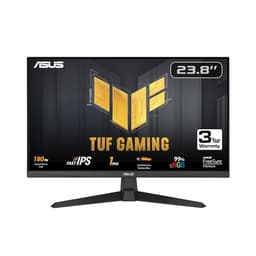
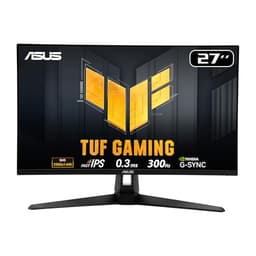
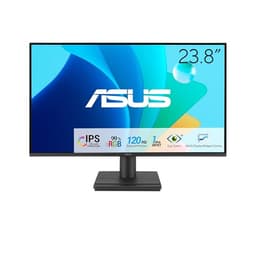
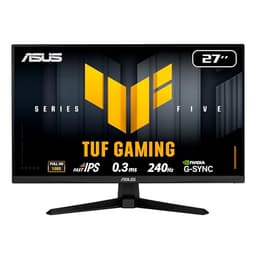
ASUS has spent the last few years quietly dominating the affordable monitor space, and the sub-£300 bracket is where that effort shows most clearly. Whether you are upgrading from a tired office panel, building a first gaming rig, or simply want a second screen that does not embarrass itself next to a decent PC, there is now a credible ASUS option at almost every price point below three hundred pounds. This year the range has shifted noticeably: refresh rates that once cost serious money have filtered down to budget territory, IPS panels are no longer a premium-only feature, and ASUS has pushed a 1440p 300Hz option into the mix that would have been unthinkable at this price just eighteen months ago. This guide is aimed at UK buyers who want a reliable, well-supported monitor without overspending, covering everything from a sub-£100 everyday IPS panel to a high-refresh curved VA and a proper 1440p gaming screen.
Quick Verdict
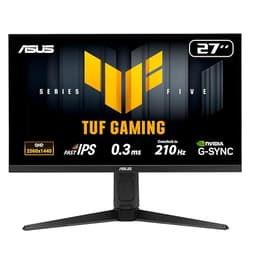
Best Overall: ASUS 27-inch 1440p 300Hz Gaming Monitor (B0F8W5SM6N). The jump to 2560x1440 at 300Hz for under £250 is remarkable and represents the best all-round value for anyone serious about gaming or content work.
Best Value: ASUS VY279HGR Eye Care Gaming Monitor (B0DJTDVCVT). At around £99 it is the most affordable entry point in the range and delivers a genuinely usable 27-inch IPS experience for everyday computing and casual gaming.
The ASUS VY279HGE is a 27-inch 1080p IPS monitor running at 144Hz, and it represents the kind of dependable, well-rounded display that has made ASUS a trusted name in the monitor market. It sits in the middle of this round-up in terms of both price and specification, and it is the monitor that will suit the widest range of buyers who want a step up from a basic 60Hz panel without committing to the higher prices of 1440p or ultra-high-refresh options.
The 144Hz refresh rate is the point at which gaming starts to feel genuinely fluid rather than merely acceptable. Moving from 60Hz to 144Hz is one of the most noticeable upgrades you can make to a gaming setup, far more immediately apparent than many other hardware improvements. Games feel smoother, mouse movements feel more responsive, and fast-moving scenes are easier to track. For most gamers playing on a mid-range GPU, 144Hz at 1080p is also highly achievable across a wide range of titles, including demanding AAA games.
The IPS panel delivers the colour accuracy and wide viewing angles that the technology is known for. The Eye Care branding refers to ASUS's suite of features designed to reduce eye fatigue during extended use, including a low blue light filter and flicker-free backlight technology. These features are genuinely useful for anyone who spends long hours in front of a screen, whether gaming or working.
The port selection includes two HDMI 1.4 inputs and a DisplayPort 1.2, plus a 3.5mm audio output. The dual HDMI inputs are useful for connecting multiple devices, such as a PC and a games console, and the audio output allows direct headphone connection. It is worth noting that the HDMI inputs are version 1.4 rather than 2.0, which means they are limited to 144Hz at 1080p rather than supporting higher resolutions or refresh rates. For the intended use case of 1080p gaming, this is not a limitation, but it is worth knowing if you plan to connect a newer console that outputs at higher specifications.
The VY279HGE is a monitor that does everything it promises without fuss. It is not the most exciting product in this round-up, but reliability and consistency are underrated qualities in a display that you will look at for hours every day.
Verdict: A reliable 27-inch 1080p IPS panel at 144Hz that suits the majority of PC gamers and general users. Solid port selection and Eye Care features make it a practical everyday choice.
Pros
- 144Hz IPS panel delivers genuinely fluid gaming without requiring a high-end GPU
- Dual HDMI inputs allow simultaneous connection of PC and console without switching cables
- Flicker-free backlight and low blue light filter reduce eye fatigue during long sessions
Cons
- HDMI inputs are version 1.4, limiting future flexibility compared to HDMI 2.0 rivals
- 1080p at 27 inches has lower pixel density than 24-inch panels or 1440p alternatives
Buying Guide
Panel Type: IPS vs VA
The most important decision when choosing a monitor under £300 is panel technology. IPS (In-Plane Switching) panels offer wide viewing angles, accurate colours, and consistent brightness across the screen. They are the preferred choice for colour-sensitive work, general productivity, and gamers who value image quality. VA (Vertical Alignment) panels offer deeper blacks and higher contrast ratios, making them better suited to dark gaming environments and film watching. They can exhibit some colour shift when viewed from off-axis angles, which matters less in a single-user gaming setup than in a shared workspace. TN panels, which are less common at this price now, offer fast response times but poor colour and narrow viewing angles, and are generally worth avoiding unless raw response time is the sole priority.
Resolution and Screen Size
At 27 inches, 1080p resolution produces a pixel density of around 82 pixels per inch, which some users find noticeably soft for text and fine detail. Moving to 1440p at 27 inches raises this to approximately 109 pixels per inch, a meaningful improvement that makes text crisper and images sharper. If your GPU can handle 1440p, the resolution upgrade is worth prioritising. At 24 inches, 1080p produces a higher pixel density of around 92 pixels per inch, which is more acceptable for close viewing distances.
Refresh Rate
Refresh rate determines how many frames per second the monitor can display. 60Hz is the baseline and feels sluggish once you have experienced higher rates. 120Hz or 144Hz is the sweet spot for most gamers, offering smooth motion without requiring an extremely powerful GPU. 280Hz or 300Hz is for competitive gamers who run titles at very high frame rates and want every advantage. Higher refresh rates are only useful if your GPU can actually deliver the corresponding frame rates, so match your monitor choice to your hardware.
Ports and Connectivity
Check the port specification carefully before buying. HDMI 2.0 supports higher bandwidth than HDMI 1.4, which matters for high refresh rates at higher resolutions. DisplayPort 1.4 offers even more bandwidth than DisplayPort 1.2. If you plan to connect both a PC and a console, look for monitors with at least two HDMI inputs. A headphone jack on the monitor is a convenient addition for desk setups where the PC case is out of reach. For a complete overview of monitor options alongside complementary peripherals, see our guide to the best gaming peripherals and best pc accessories and monitors available in the UK.
Is ASUS a Good Brand for Monitors?
ASUS is widely regarded as one of the best monitor manufacturers in the world. The company produces panels across every price tier, from budget Eye Care monitors to professional-grade ProArt displays and high-end ROG gaming screens. Build quality, warranty support, and panel consistency are all strong across the range. Compared to Dell, ASUS tends to offer more gaming-focused features at equivalent prices, while Dell often edges ahead for professional colour accuracy at the premium end. Samsung competes closely in the gaming monitor space, particularly with its Odyssey curved range, but ASUS generally offers better value at the sub-£300 level. ASUS is a Taiwanese company, headquartered in Taipei, not a Chinese brand, though like most electronics manufacturers it uses global supply chains for component sourcing and assembly.
The ASUS 27-inch 1440p 300Hz Gaming Monitor (B0F8W5SM6N) is the overall winner of this round-up. The combination of 2560x1440 resolution and 300Hz refresh rate on an IPS panel for under £250 represents a genuinely exceptional value proposition that would have been impossible at this price point just a couple of years ago. It suits gamers who want the sharpest possible image alongside the highest possible refresh rate, and it doubles as a capable productivity and content creation screen thanks to the IPS colour accuracy. For buyers on a tighter budget, the ASUS VY279HGR (B0DJTDVCVT) at around £99 is the Best Value pick: a 27-inch IPS panel at 120Hz for less than a hundred pounds is hard to argue with, and it delivers a far better experience than the TN panels that dominate this price tier from other manufacturers. Whichever model you choose from this list, ASUS's build quality, warranty support, and feature set make the brand a sound choice for UK buyers looking to spend their money wisely.