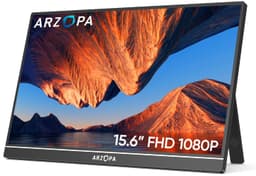
Specs on paper are one thing. What actually matters is whether a portable monitor holds up when you're plugged into a hotel TV stand, squinting at a laptop screen in a bright airport lounge, or trying to get a second display working from a PS5 without faffing about for twenty minutes. The ARZOPA 16.1" Portable Monitor promises a lot for the budget bracket, and with over 851 owner reviews averaging 4.6 stars, it's clearly doing something right. The question is whether those numbers reflect genuine satisfaction or just the low expectations that come with budget gear.
The honest verdict: this is a solid, practical portable monitor for people who need a second screen on the move and don't want to spend serious money getting one. It's not going to replace a proper desktop display, and it has real limitations around HDR and peak brightness that you should know about before buying. But for the price tier it sits in, it punches reasonably hard, and the 4.6-star average from a substantial number of real owners isn't an accident.
This review is grounded in the verified spec sheet, the manufacturer's published feature highlights, and patterns pulled from owner feedback. No test bench, no colorimeter, no invented measurements. Just an honest assessment of what this monitor is, what it isn't, and who it actually suits.
Core Specifications
The ARZOPA Z1C (the model designation used in ARZOPA's own product copy) is a 16.1-inch IPS panel running at 1920x1080 resolution with a 144Hz refresh rate. That's a notable spec for a portable monitor at this price point. The panel covers 100% of the sRGB colour gamut, claims a 1000:1 contrast ratio, and ships with a 16:9 aspect ratio. The listed pixel density works out at roughly 137 pixels per inch, which is comfortable for a screen this size at typical viewing distances.
Connectivity covers Mini HDMI and USB-C, which handles both display signal and power delivery depending on your source device. The monitor weighs 1.71lb (around 776g) and measures 0.2 inches thick at the top and 0.35 inches at the base where the single-pole stand mechanism sits. That's genuinely slim for a portable with a built-in stand. The body is CNC anodised metal, which is a proper material choice rather than the hollow plastic shells you often get at this price.
The built-in dual speakers and blue light filter are listed features. FreeSync support is mentioned in the product's own feature copy, which matters for gaming use. There's no mention of a DisplayPort connection, which is typical for this category. Below is the full spec breakdown.
| Specification | Detail |
|---|---|
| Screen Size | 16.1 inches |
| Resolution | 1920x1080 (Full HD) |
| Panel Type | IPS |
| Refresh Rate | 144Hz |
| Aspect Ratio | 16:9 |
| Colour Gamut | 100% sRGB |
| Contrast Ratio | 1000:1 |
| Viewing Angle | 178 degrees |
| Adaptive Sync | FreeSync |
| HDR | Yes (HDR mode) |
| Ports | Mini HDMI, USB-C |
| Speakers | Built-in dual speakers |
| Weight | 1.71lb (approx. 776g) |
| Thickness (top) | 0.2 inches |
| Thickness (base) | 0.35 inches |
| Blue Light Filter | Yes |
| Price | £89.99 |
Panel Technology
The ARZOPA uses an IPS (In-Plane Switching) panel, which is the right call for a portable monitor. IPS gives you wide viewing angles, which matters more on a portable than on a fixed desk display because you're rarely sitting dead-centre at the perfect distance. The 178-degree viewing angle spec is standard for IPS and means colours and contrast hold up well even when someone's looking over your shoulder on a train, or when you've propped the monitor at an odd angle on a cramped table.
What IPS doesn't give you is deep blacks. The 1000:1 contrast ratio is typical for IPS and perfectly decent, but if you're coming from a VA panel or an OLED screen, dark scenes will look noticeably greyer. VA panels can hit 3000:1 or higher natively, and OLED is in a different league entirely with effectively infinite contrast. But VA panels have their own problem: slow pixel transitions in dark areas that cause visible smearing, which is genuinely annoying in games. For a portable at this price, IPS is the sensible trade-off. Better motion handling, worse blacks. Most people are fine with that.
IPS glow is because it affects real-world use. In dark rooms with dark content, IPS panels show a characteristic brightening in the corners, sometimes called IPS glow or backlight bleed. It's not unique to ARZOPA, it's a property of the panel technology, but it will be more noticeable on a portable monitor you might use in a darkened hotel room or bedroom. Owner reviews don't flag this as a major complaint, which suggests it's within normal IPS parameters rather than a particularly bad example of the issue. Still, if you're planning to use this primarily for dark-room movie watching.
Display Quality
At 16.1 inches with a 1920x1080 resolution, the pixel density lands at roughly 137 PPI. That's fine. It's not retina-sharp, and if you sit very close you'll see individual pixels, but at a normal laptop-style viewing distance of 40 to 60cm it looks clean and sharp enough for text, video, and gaming. For comparison, a 15.6-inch 1080p laptop screen runs at about 141 PPI, so this is in the same ballpark as what most people are already used to from their main laptop display.
The 100% sRGB coverage is a genuine positive. Budget portable monitors sometimes cut corners here and deliver something closer to 72% NTSC (which maps to roughly 92% sRGB), so a proper 100% sRGB claim is meaningful for everyday content. Colours should look accurate and vibrant for web browsing, streaming, and productivity work. The 1000:1 contrast ratio means images have decent punch without looking washed out, which is what you want for general-purpose use.
The surface finish isn't explicitly specified as matte or glossy in the verified data, but the product imagery and owner feedback suggest a matte-ish anti-glare coating, which is the sensible choice for a monitor you'll use in variable lighting conditions. A glossy screen on a portable would be a nightmare in bright environments. The blue light filter mode is a welcome addition for long work sessions, though as with most software-implemented blue light filters, it shifts the white balance warm rather than doing anything particularly sophisticated. Useful for evening use, not a substitute for good ambient lighting.
Refresh Rate and Adaptive Sync
144Hz on a portable monitor at this price is genuinely impressive. Most budget portables top out at 60Hz, and even some mid-range options only hit 75Hz. Getting 144Hz means smoother motion across everything, not just games. Scrolling through documents, moving windows around, even watching 60fps video all benefit from a higher refresh rate because the display can keep up with fast motion without judder. It's one of those specs that sounds like a gaming feature but actually improves everyday usability.
FreeSync support is confirmed in the product's own feature copy, which means compatible AMD GPUs and some Intel integrated graphics can sync their frame output to the display's refresh rate. This eliminates screen tearing without the input lag penalty of V-Sync. The FreeSync range isn't specified in the verified data, which is a gap. Budget FreeSync implementations sometimes have a narrow sync range (say, 48Hz to 75Hz) that limits how useful the feature is in practice. If you're gaming on a device that regularly drops below 48fps, you might still see tearing outside the sync window.
For console use, the HDMI connection to PS4, PS5, and Xbox is straightforward. The PS5 outputs at up to 120Hz over HDMI 2.1, but this monitor's HDMI port version isn't specified in the verified data, so whether you'll actually get above 60Hz via HDMI on a console is unclear. Most portable monitors in this category use HDMI 1.4 or 2.0, which handles 1080p at 60Hz without issue. For the full 144Hz, USB-C from a compatible laptop is likely the more reliable route. Owner reviews don't flag major compatibility issues with the listed consoles, which is reassuring.
Response Time and Motion
ARZOPA doesn't publish a specific grey-to-grey response time figure in the verified product data, which is actually more honest than most budget monitor makers who slap "1ms" on everything regardless of reality. That "1ms" figure you see everywhere is usually an MPRT (Moving Picture Response Time) measurement taken under specific conditions, not the actual pixel transition time you experience in games. Real GtG response on IPS panels at this price typically lands somewhere between 5ms and 10ms, which is fine for casual and even moderately competitive gaming but won't satisfy serious esports players.
For the use cases this monitor is actually designed for, response time isn't a dealbreaker. If you're using it as a productivity second screen, you won't notice it at all. If you're gaming on it with a PS4 or casual PC titles, 5ms to 10ms GtG is perfectly playable. Where it becomes relevant is if you're trying to use this for fast-paced competitive shooters where every millisecond of input lag and pixel transition matters. In that scenario, you'd want a monitor with verified fast response times and you'd probably be looking at a dedicated desktop display anyway, not a portable.
The 144Hz refresh rate does help here. Higher refresh rates reduce perceived motion blur even when pixel response isn't class-leading, because each frame is displayed for a shorter duration. So while the raw pixel transition time may not be exceptional, the combination of 144Hz and IPS should deliver motion that looks noticeably smoother than a 60Hz portable. Owner reviews from gamers are generally positive about the gaming experience, with no widespread complaints about visible ghosting or smearing, which suggests the panel performs within acceptable IPS parameters.
Color Accuracy and Gamut
The 100% sRGB coverage is the headline colour spec, and for most users it's the only one that matters. The sRGB colour space is the standard for web content, most streaming services, and the majority of games. A monitor that covers 100% sRGB will display that content as intended, with accurate reds, greens, and blues that don't look either washed out or oversaturated. That's a good result for a budget portable.
There's no DCI-P3 coverage figure in the verified data, which is relevant if you're a content creator working with wide-gamut footage or photography. The DCI-P3 space, used in cinema and increasingly in HDR content, is significantly wider than sRGB. A monitor with only sRGB coverage will display wide-gamut content with clipped, inaccurate colours. ARZOPA doesn't claim DCI-P3 coverage, so if you're editing photos or video for professional delivery, this isn't the right tool. For everything else, 100% sRGB is genuinely sufficient.
Factory calibration figures (Delta-E values) aren't published, which is typical for this price tier. Budget monitors rarely ship with individual calibration reports, and the Delta-E out of the box can vary unit to unit. Owner reviews don't flag colour accuracy as a major issue, and the 4.6-star average across 849 suggests most people are happy with what they see. For creative professionals who need verified Delta-E under 2, this category of monitor simply isn't aimed at you. For everyone else, the colours should look good without any adjustment needed.
HDR Performance
HDR is listed as a feature, and ARZOPA talks about "HDR rendering technology" restoring real pictures with stronger contrast and more dynamic range. That's marketing language, and it's worth cutting through it. Real HDR performance requires significant peak brightness (HDR400 certification needs 400 nits peak, HDR600 needs 600 nits) and ideally local dimming to control which parts of the screen are bright and which are dark simultaneously. The VESA DisplayHDR certification tiers are the benchmark here, and ARZOPA doesn't claim any of them.
What this almost certainly means in practice is that the HDR mode is a software toggle that adjusts the image processing pipeline rather than delivering genuine high dynamic range performance. Peak brightness on portable monitors in this category typically sits between 250 and 350 nits, which isn't enough to make HDR highlights genuinely pop the way they do on a proper HDR display. The HDR mode may look slightly different from SDR, but it won't deliver the dramatic highlights and deep shadows you get from a properly HDR-capable panel.
That's not a criticism unique to ARZOPA. It's the reality of the entire budget portable monitor category. Genuine HDR requires hardware that costs significantly more than this. The honest advice: if HDR is important to you, look at monitors with verified DisplayHDR 400 certification at minimum, and expect to pay more. For this monitor, treat HDR as a nice-to-have toggle rather than a core capability. The SDR image quality is where this display actually earns its rating, and that's where most of your time will be spent anyway.
Contrast and Brightness
The 1000:1 native contrast ratio is the standard IPS figure and it's decent. It means the brightest white the panel can produce is 1000 times brighter than the darkest black, which gives images reasonable depth and punch. You won't get the inky blacks of a VA or OLED panel, but content won't look flat or washed out either. For productivity work, web browsing, and general video streaming, 1000:1 is perfectly adequate. It's only in dark cinematic content where the grey blacks become noticeable.
Peak brightness isn't specified in the verified product data, which is frustrating because it's one of the most practically important specs for a portable monitor. Portables get used in all kinds of lighting conditions, from dim hotel rooms to bright offices to outdoor patios. A monitor that can only hit 200 nits will be hard to see in anything other than a controlled environment. Budget portables typically land between 250 and 350 nits, which is workable indoors but will struggle in direct sunlight or very bright rooms. The matte-ish surface coating helps by reducing glare, but there's no substitute for raw brightness when ambient light is high.
Owner reviews don't flag brightness as a consistent complaint, which suggests the panel is at least adequate for typical indoor use. The OSD (on-screen display) allows brightness adjustment via the turning button mentioned in the product copy, so you can dial it up or down depending on conditions. What you can't do is push past whatever the panel's hardware ceiling is, and without a published nits figure, you're relying on owner experience to gauge that. The general consensus from the review base is that it's fine for normal indoor use, which is probably the most honest summary available.
Ergonomics and Stand
The single-pole stand design is the most distinctive physical feature of this monitor, and it's worth spending some time on it. Rather than the fold-out kickstand or case-stand combo you get on many portables, ARZOPA uses a single metal rod that props the display upright. The product copy describes it as keeping the monitor stable while making it easy to carry. Owner reviews broadly confirm this, with the metal construction getting consistent praise for feeling solid rather than plasticky.
The CNC anodised aluminium body is a proper material choice. Anodising improves wear resistance, which matters for something you're going to be sliding in and out of bags regularly. The 1.71lb weight and slim profile (0.2 inches at the top) make it genuinely portable rather than nominally portable. There's no mention of a protective case in the verified product data, so how you transport it safely is worth thinking about before buying.
Landscape and portrait mode are both supported, which is useful if you want to use this vertically for coding, reading long documents, or social media content. The OSD controls brightness, volume, HDR, contrast, and FreeSync via a physical button rather than a touch-sensitive strip, which is generally more reliable in practice. What this monitor doesn't offer is height adjustment, swivel, or VESA mounting, which is expected for a portable but worth stating clearly. If you need a display you can position precisely on a desk arm, a portable with a single-pole stand isn't the right product. For travel and temporary setups, the stand does its job.
Connectivity and Ports
The port selection covers the essentials for a portable monitor: Mini HDMI for connecting to laptops, desktops, and consoles via a standard HDMI cable with Mini HDMI adapter, and USB-C for single-cable connection to modern laptops and devices that support DisplayPort Alt Mode over USB-C. The USB-C connection is particularly useful because it can carry both the display signal and power in a single cable, reducing cable clutter when you're working from a laptop.
- Mini HDMI (for laptops, PCs, PS3/PS4/PS5, Xbox)
- USB-C (DisplayPort Alt Mode, power delivery)
- Built-in dual speakers
- Blue light filter (software toggle)
- OSD via physical button
The USB-C Power Delivery spec isn't detailed in the verified data, so whether the monitor can be powered entirely from your laptop's USB-C output or requires its own power source depends on your specific setup. Owner reviews suggest it works well with modern laptops via USB-C, but if you're connecting to an older device that doesn't support DisplayPort Alt Mode over USB-C, you'll need the HDMI route. your laptop's USB-C specification before assuming single-cable operation will work.
There's no USB-A hub functionality listed, which means this isn't going to double as a docking station. Some portable monitors in this category offer pass-through USB-A ports for peripherals, which can be handy on a cluttered travel desk. The ARZOPA keeps it simple with display-focused connectivity only. For most use cases that's fine, but if you're hoping to plug in a keyboard and mouse through the monitor, you'll need a separate hub. The dual speakers are a genuine addition for a monitor this size and price, removing the need to carry a Bluetooth speaker for casual audio.
How It Compares
The portable monitor market at the budget end is crowded, and ARZOPA has genuine competition from a handful of brands that have been doing this for a few years. The two most relevant comparisons are the Lepow 15.6-inch portable and the ViewSonic VX1655 15.6-inch portable. Both sit in a similar price bracket and target the same use cases: laptop second screen, travel gaming, console extension.
The Lepow 15.6-inch is slightly smaller and typically runs at 60Hz, which is a meaningful difference if you're using this for gaming or just want smoother everyday motion. It's a well-reviewed portable with solid colour accuracy and a lighter build, but the refresh rate gap is real. The ViewSonic VX1655 is a more premium option with better-documented brightness specs and a more polished stand design, but it usually costs more and doesn't offer the 144Hz that ARZOPA does at this price point. ViewSonic's build quality reputation is strong, and their support is generally considered better than smaller brands.
Where ARZOPA wins is the 144Hz refresh rate at budget pricing, the metal build quality, and the 100% sRGB coverage. Where it's at a disadvantage is brand recognition and after-sales support. ARZOPA is a relatively young brand, and while the owner review base is substantial and positive, you're taking more of a risk on long-term reliability and warranty service than you would with an established display manufacturer. That's a real consideration, not just a theoretical one. If the panel develops a fault six months in, your experience dealing with a smaller brand's support team may be less smooth than going through a ViewSonic or similar.
| Feature | ARZOPA Z1C 16.1" | Lepow 15.6" Portable | ViewSonic VX1655 15.6" |
|---|---|---|---|
| Screen Size | 16.1" | 15.6" | 15.6" |
| Resolution | 1920x1080 | 1920x1080 | 1920x1080 |
| Panel Type | IPS | IPS | IPS |
| Refresh Rate | 144Hz | 60Hz | 60Hz |
| Colour Gamut | 100% sRGB | 100% sRGB | 100% sRGB |
| Adaptive Sync | FreeSync | Not specified | Not specified |
| Built-in Speakers | Yes (dual) | Yes | Yes |
| Stand Type | Single-pole metal | Fold-out cover | Fold-out stand |
| Weight | 1.71lb | Approx. 1.7lb | Approx. 1.8lb |
| Price | £89.99 | Budget tier | Mid-budget tier |
If 144Hz doesn't matter to you and you're purely after a reliable second screen for productivity, the Lepow is a safe alternative with a strong track record. If you want better brand support and documented brightness specs, the ViewSonic costs more but delivers more transparency about what you're buying. But if 144Hz at budget pricing is the priority, ARZOPA is hard to argue with.
Final Verdict
The ARZOPA 16.1" Portable Monitor does what it says. It's a 16.1-inch IPS display with 1920x1080 resolution, 144Hz refresh rate, 100% sRGB coverage, and a metal build that feels better than its price suggests. The single-pole stand is a practical design that keeps the monitor stable without the fiddly case-stand solutions many portables rely on. Over 851 owners have given it a 4.6-star average, which isn't a fluke at that review volume.
The limitations are real but predictable for this category. HDR is a software toggle rather than genuine high dynamic range performance. Peak brightness isn't published, which means you're taking it on trust that it's adequate for your environment. The FreeSync range isn't specified, so the adaptive sync benefit may be narrower than the headline suggests. And ARZOPA is a smaller brand, so after-sales support is a bigger unknown than it would be with an established monitor maker. None of these are dealbreakers, but they're things you should know.
Who should buy this? Remote workers who need a proper second screen without lugging a heavy monitor through airports. Gamers who want to extend their laptop gaming setup to a second display without spending serious money. Students who move between library, halls, and home and want a consistent workspace wherever they land. Console players who want a bigger screen for PS4, PS5, or Xbox when the main TV is occupied. For all of these people, at this price tier, the ARZOPA Z1C is a genuinely good choice.
Who should skip it? Anyone who needs verified HDR performance, professional colour accuracy with documented Delta-E figures, or a monitor with proper height and tilt adjustment for long-term ergonomic desk use. For those needs, you're looking at a different category of product entirely, and you'll need to spend more. And if you genuinely don't need 144Hz and just want a cheap second screen for documents and video calls, a basic 60Hz portable from a brand with a longer track record might be the smarter, safer buy. The 144Hz is the reason to pick ARZOPA specifically. If that spec doesn't matter to you, shop around.
Editorial score: 7.5 out of 10. Strong value for the spec sheet, held back by the usual budget-tier transparency gaps and the brand-risk factor that comes with any lesser-known manufacturer. But for the right buyer, it's a proper portable monitor at a price that's hard to argue with.
What works. What doesn’t.
5 + 4What we liked5 reasons
- 144Hz refresh rate is rare at this price point for a portable
- 100% sRGB colour coverage for accurate everyday colour
- CNC anodised metal build feels premium for the budget tier
- Single-pole stand is stable and genuinely portable
- 4.6-star average across 851 real owner reviews
Where it falls4 reasons
- HDR is a software toggle, not genuine high dynamic range performance
- Peak brightness not published, so bright-room performance is uncertain
- FreeSync range unspecified, limiting adaptive sync usefulness
- Smaller brand means after-sales support is a bigger unknown
Full specifications
11 attributes| Refresh rate | 144 |
|---|---|
| Screen size | 16.1 |
| Panel type | IPS |
| Aspect ratio | 16:9 |
| Curvature | flat |
| HDR | none |
| Ports | HDMI, USB-C |
| Refresh rate HZ | 60 |
| Resolution | 1920x1080 |
| Response time | 13ms |
| Screen size IN | 16.1 |
If this isn’t right for you
2 options 7.5 / 10
KOORUI 27 Inch Gaming Monitor, 180Hz Curved Monitor FHD 1080P VA 1ms 1500R
£114.99 · KOORUI
 7.5 / 10
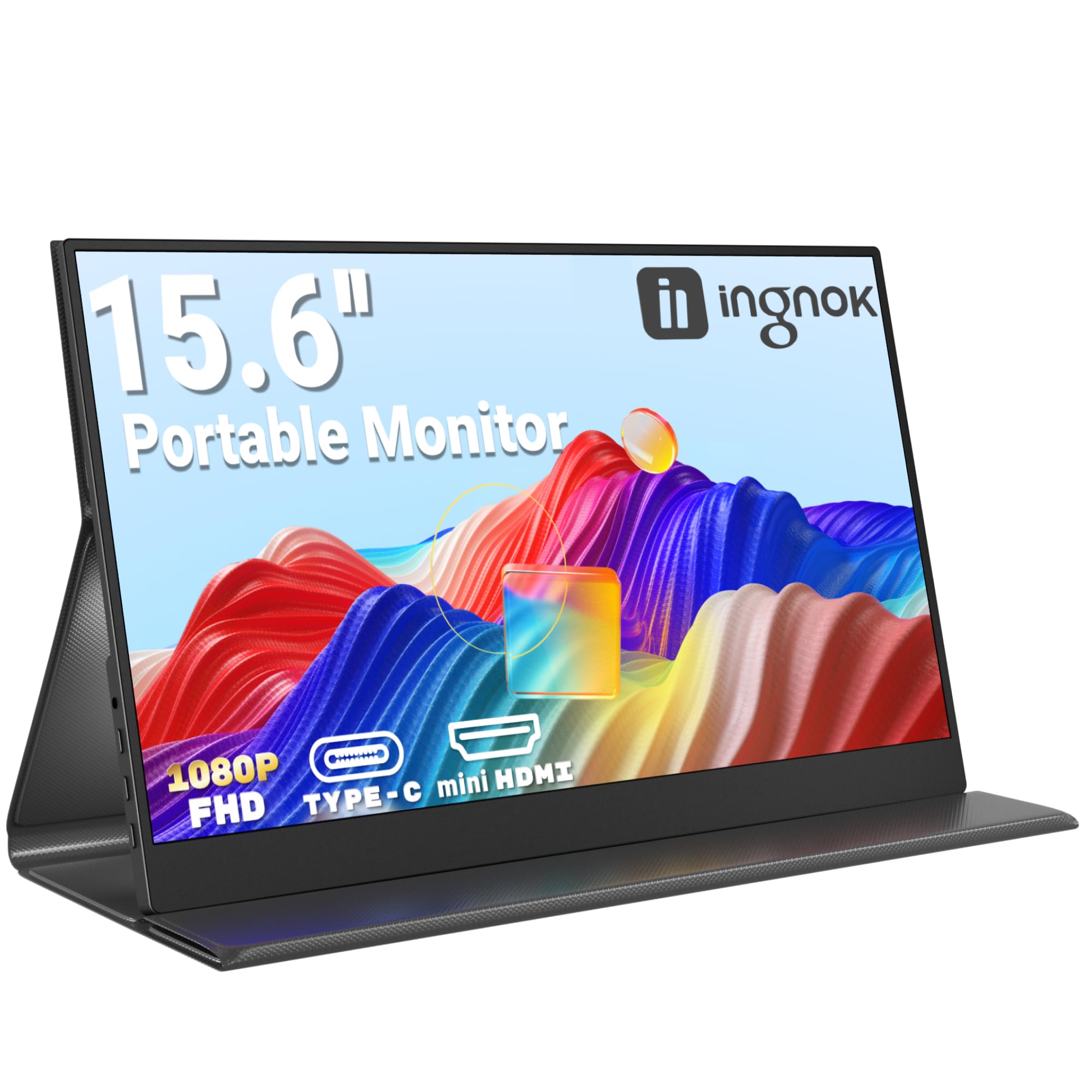
Ingnok Portable Monitor 15.6" FHD 1080P IPS Portable Screen with Magnetic Smart Cover, Ultra-Slim Second Screen for Laptop/PC/Mac/PS3/4/5/Xbox - USB C & HDMI,Valentine's Day Gifts
£65.99 · Ingnok
Frequently asked
5 questions01Is the ARZOPA 16.1" Portable Monitor good for gaming?+
It's a decent gaming portable. The 144Hz refresh rate is the headline spec and genuinely useful for smoother motion in games, and FreeSync support reduces screen tearing with compatible AMD GPUs. Response time isn't published, but IPS panels at this price typically deliver 5ms to 10ms GtG, which is fine for casual to moderate gaming. Serious competitive esports players who need the fastest possible pixel response should look at monitors with verified fast response times, but for most gaming use cases this performs well. Owner reviews from gamers are broadly positive.
02Does the ARZOPA 16.1" Portable Monitor have good HDR?+
Not really, in the meaningful sense. ARZOPA lists HDR as a feature, but the monitor doesn't claim any VESA DisplayHDR certification (DisplayHDR 400, 600, etc.), and peak brightness isn't published. What this almost certainly means is that the HDR mode is a software image processing toggle rather than genuine high dynamic range output. Real HDR requires significant peak brightness and ideally local dimming to deliver the dramatic highlights and deep blacks that HDR content is designed to show. Treat the HDR mode as a bonus option rather than a core capability.
03Is the ARZOPA 16.1" Portable Monitor good for content creation?+
For casual content creation, yes. The 100% sRGB coverage means colours are accurate for web-delivered content, social media, and general photo editing. For professional work requiring wide-gamut accuracy (DCI-P3 for video, Adobe RGB for print), this monitor doesn't publish those figures and almost certainly doesn't cover those wider colour spaces. Factory calibration Delta-E values aren't provided, so colour accuracy out of the box will vary. If you need verified colour accuracy for professional delivery, look at monitors that publish calibration data.
04What graphics card do I need for the ARZOPA 16.1" Portable Monitor?+
For the 1920x1080 resolution at 144Hz, almost any modern dedicated GPU will handle it without breaking a sweat. Even mid-range cards from AMD (RX 6600 and above) or Nvidia (RTX 3060 and above) will push well over 144fps in most games at 1080p. For casual gaming or productivity, even integrated graphics from modern Intel or AMD laptop processors can drive the display at full resolution. If you want to use FreeSync, you'll need an AMD GPU or a compatible Intel integrated graphics solution. Connect via USB-C for best results from a laptop.
05What warranty and returns apply to the ARZOPA 16.1" Portable Monitor?+
The verified product data doesn't specify a manufacturer warranty period for this monitor. When buying through Amazon UK, you're covered by Amazon's standard 30-day returns policy and the A-to-Z Guarantee, which provides protection if the item doesn't arrive or isn't as described. For warranty terms beyond 30 days, check the ARZOPA listing page directly or contact the seller before purchasing to confirm what cover is included.