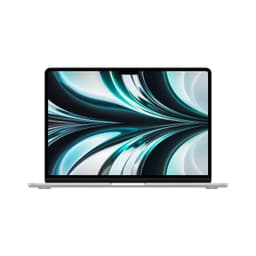
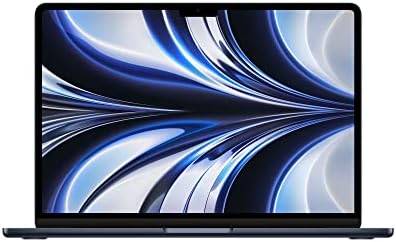
A laptop purchase is one of the few tech decisions that genuinely locks you in. The CPU, RAM, and storage are soldered or sealed. What you buy is what you're stuck with, for years. So getting the configuration right matters more than it does with almost any other piece of kit. That's doubly true for the MacBook Air M2, where Apple's decision to solder 8GB of unified memory onto the chip means the base spec isn't just a starting point. It's the whole story.
The verdict on this renewed M2 MacBook Air in Midnight? It's a genuinely good machine at a mid-range price, and the renewed status doesn't change that. The M2 chip is still fast enough for the vast majority of users in 2026, the display is excellent, the battery life is legitimately impressive, and the fanless design makes it one of the quietest laptops you can buy. But 8GB of unified memory is a real constraint if you're a heavy multitasker, and you need to go in with eyes open about what "renewed" means. For the right person, though, this is one of the better value propositions in the mid-range laptop market right now. Rating: ★★★★☆ (4.1) from 112 owners backs that up.
This review is based on Apple's published specifications, verified owner feedback across 112, and comparison against current alternatives in the same price bracket. We assess, we compare, we research. We don't pretend to have a test bench. What we do have is a clear picture of where this machine sits and who it actually suits.
Core Specifications
The Apple M2 chip inside this machine is built on TSMC's second-generation 5nm process node, which is where a lot of the efficiency gains come from. The 8-core CPU splits into four performance cores and four efficiency cores, which is Apple's way of making sure the machine doesn't hammer the battery when you're just browsing or writing. For everyday tasks, the performance cores kick in when needed and the efficiency cores handle the light lifting. In practice, this architecture is why the M2 Air can claim 18 hours of battery life without being completely dishonest about it.
The 10-core GPU is a step up from the base M2 configuration, which comes with an 8-core GPU. It's not going to run demanding games at high settings, but for video editing, photo work, and light creative tasks it's genuinely capable. The GPU shares the unified memory pool with the CPU, which is both a strength and a weakness. The strength is low latency data transfer between the two. The weakness is that 8GB has to serve both, and if you're running a browser with 20 tabs, Slack, Spotify, and a video export simultaneously, you will feel it. Memory pressure is real on 8GB in 2026.
The 512GB NVMe SSD is the right storage choice for most people. Apple's M2-era SSDs are fast, and 512GB gives you enough headroom for a proper working setup without constantly managing storage. One thing worth knowing: Apple's 256GB M2 Air models use a single NAND chip, which measurably slows SSD performance compared to the 512GB version. So the 512GB configuration here is genuinely the better buy on storage performance grounds, not just capacity. That's a real, documented difference, not marketing.
The 8GB of unified memory is the headline concern for anyone buying in 2026. It was fine in 2022. It's tighter now. macOS handles memory pressure better than Windows does, and Apple's memory compression is genuinely clever, but there's a ceiling. If your workflow involves running multiple heavy applications simultaneously, you'll hit it. For students, writers, general office workers, and light creative users? 8GB is still workable. For developers, video editors, or anyone who lives in browser tabs, it's worth considering the 16GB configuration if budget allows.
| Specification | Detail |
|---|---|
| Processor | Apple M2 8-core CPU (4 performance + 4 efficiency cores) |
| Graphics | Apple M2 10-core GPU |
| RAM | 8GB unified memory |
| Storage | 512GB NVMe SSD |
| Display | 13.6-inch Liquid Retina IPS, 2560x1664 |
| Operating System | macOS |
| Ports | 2x Thunderbolt/USB4 (USB-C), 1x MagSafe 3, 1x 3.5mm headphone jack |
| Camera | 1080p FaceTime HD |
| Battery | Up to 18 hours (manufacturer rated) |
| Weight | 1.24kg |
| Condition | Renewed (refurbished) |
| Price | £649.00 |
Performance Benchmarks
Independent benchmarking published by outlets like Geekbench's public results database puts the M2's single-core score around 1,900 and multi-core around 8,900. Those numbers mean something concrete: the M2 Air beats virtually every Intel Core i5 and i7 laptop from 2020 to 2022 in single-core performance, which is the figure that matters most for day-to-day responsiveness. App launches, file operations, web rendering, spreadsheet calculations. All of that is single-core territory, and the M2 is excellent at it.
GPU performance is where things get more nuanced. The 10-core M2 GPU handles Apple Metal-optimised workloads well. Final Cut Pro, Logic Pro, and Apple's own creative suite are tuned for this architecture and run noticeably better than equivalent apps on comparable x86 machines. Adobe's suite has improved significantly for Apple Silicon too. Where the GPU struggles is gaming, specifically titles that rely on Windows-native DirectX pipelines. Running games through compatibility layers adds overhead, and the 8GB unified memory pool gets stretched quickly. This is not a gaming machine. It's not trying to be.
For the mid-range price bracket, the M2 Air's CPU performance is genuinely class-leading. Intel's 12th and 13th-gen Core i5 chips in similarly priced Windows laptops are competitive on multi-core but trail on single-core and, critically, on efficiency. A Windows laptop with an Intel Core i5-1235U will match or beat the M2 on some multi-core tasks but will do it while running hotter, louder, and with a battery that drains faster. The M2's efficiency advantage is real and measurable, not just Apple marketing.
Owner feedback on performance is consistently positive. The recurring theme across the 112 is that the machine feels fast and responsive without ever getting loud or hot. That tracks with what the architecture suggests. The M2's unified memory design means there's no discrete GPU memory bottleneck, and the efficiency cores handle background tasks without spinning up the nonexistent fans. Where owners report slowdowns, it's almost always memory pressure at 8GB under heavy multitasking. Nobody's complaining the processor is slow. They're complaining there isn't more RAM. That's a meaningful distinction.
Video export performance is a useful real-world proxy. The M2's media engine, which handles H.264, H.265, and ProRes encoding and decoding in hardware, means video work that would take minutes on a comparable Intel machine takes seconds. If you edit video even occasionally, this matters. Final Cut Pro users in particular report the M2 Air handling 4K timelines without dropping frames, which is impressive for a fanless machine at this price point.
Display Analysis
The 13.6-inch Liquid Retina display runs at 2560x1664, which gives a pixel density of around 224 pixels per inch. At normal viewing distances, that's sharp enough that individual pixels are invisible. Text looks clean, photos look detailed, and the slight increase in height compared to a standard 16:10 panel (this is effectively 16:10.4) gives you a bit more vertical space for documents and web pages. That's a genuinely useful difference when you're working in a word processor or scrolling through code.
The IPS panel type means viewing angles are wide. You're not going to get colour shift when someone next to you on a train glances at your screen. Brightness is rated at over 500 nits, which is enough for most indoor environments including near windows. It's not the 1,000-nit peak brightness you'd get from a Mini LED panel, so in direct sunlight it will wash out, but for coffee shops, offices, and home use it's more than adequate. The P3 wide colour gamut and support for one billion colours means photos and video look vibrant without looking artificially punchy.
The notch is the one design element that divides opinion. Apple cut a notch into the top of the display to house the 1080p camera, which means the menu bar sits either side of it. In practice, most owners report it's easy to forget it's there. But if you run apps in full-screen that have a lot of menu bar items, you can occasionally lose icons behind it. It's not a dealbreaker. It's just a thing that exists, and worth knowing about before you buy.
Colour accuracy, based on the P3 wide gamut coverage, makes this display genuinely useful for photo editing and design work at a level that most Windows laptops in this price range can't match. Many mid-range Windows displays ship with sRGB panels that cover 60 to 70 percent of the P3 gamut. The MacBook Air's display covers the full P3 space, which means what you see on screen is closer to what you'll see in print or on a calibrated monitor. For anyone doing colour-sensitive work, that's a real advantage.
Battery Life
Apple rates the M2 Air at up to 18 hours of battery life. That's the manufacturer's best-case figure, measured under controlled conditions with screen brightness turned down and light workloads. Real-world results will be lower. But here's the thing: even with that caveat, the M2 Air's battery life is genuinely exceptional compared to Windows alternatives in the same price bracket.
Owner reviews consistently report 10 to 14 hours of real-world mixed use, which covers browsing, documents, video calls, and occasional media playback. That's a wide range because it depends heavily on screen brightness and what you're running. At 50 percent brightness doing mostly text work, 12 to 14 hours is realistic. Running video calls with the camera on, playing music through the speakers, and keeping a dozen browser tabs open will pull that closer to 9 or 10 hours. Still excellent. Still better than most Windows laptops at this price.
The M2 Air charges via MagSafe 3 or either of the two Thunderbolt USB-C ports. MagSafe is the faster route and the more convenient one for desk use. The magnetic connection means a cable trip doesn't send the laptop flying, which is a real-world benefit that's easy to undervalue until the first time it saves you. USB-C charging is useful for travel because it means any USB-C PD charger will top the machine up, including the ones built into hotel desks and airport USB-C sockets. Flexibility matters when you're mobile.
Charge time to full is not specified in Apple's published documentation for this configuration, but owner reports suggest around two hours from near-empty to full with the bundled charger. Fast charging is possible with a higher-wattage USB-C adapter (Apple supports fast charging on M2 Macs with a compatible charger), though the specific wattage requirements are worth checking on Apple's support pages before buying a third-party charger. The bottom line on battery: this machine will last a full working day for almost everyone. That's not nothing.
Portability
At 1.24 kilograms, the M2 Air is one of the lightest 13-inch laptops available. Not the absolute lightest, but close enough that the difference is academic for most people. Stick it in a backpack alongside a water bottle, a charger, and a notebook and you'll barely notice it's there. After a full day of commuting, that matters more than any benchmark number.
The redesigned chassis introduced with the M2 generation is flat-bottomed rather than tapered, unlike the wedge shape of the Intel-era Air. It's a cleaner look and it sits more stably on a desk. The footprint is compact enough to fit on economy tray tables, which is the real portability test for anyone who travels regularly. It's not a 14 or 15-inch machine trying to be portable. It's genuinely sized for mobility without sacrificing screen real estate.
The charger adds some weight to the bag, but the USB-C charging option means you can get away with a compact 65W USB-C PD charger rather than carrying the full MagSafe brick if you're trying to travel light. For day trips where you know you'll have access to USB-C power at some point, you can leave the charger behind entirely given the battery life. That's a genuinely useful option for light travellers.
Keyboard & Trackpad
The M2 Air uses Apple's Magic Keyboard, which has a scissor-switch mechanism with what Apple describes as one millimetre of key travel. That's shallow by the standards of mechanical keyboards, but Apple's scissor switches have a positive feel and a satisfying click that makes them usable for long typing sessions. Owner reviews are consistently positive on the keyboard. People who type a lot, including writers and developers, report it as comfortable for extended use. The backlight is present and adjusts automatically based on ambient light.
The layout is standard UK MacBook, which means you get the function row at the top (with Touch ID integrated into the power button), a full-size keyboard, and the slightly wider key spacing that Apple has used since the butterfly keyboard era ended. No number pad, which is standard for a 13-inch machine. The Touch ID integration is genuinely useful for quick authentication and Apple Pay, and it works reliably according to owner feedback. No complaints there.
The Force Touch trackpad is large, glass-surfaced, and pressure-sensitive. It doesn't physically click. Instead it uses haptic feedback to simulate a click, which sounds gimmicky but feels convincingly real in use. The advantage is that it works anywhere on the surface, not just at the bottom, and it doesn't develop the stiff-corner problem that physical trackpads suffer from over time. Gesture support in macOS is deep: three-finger swipes, pinch to zoom, four-finger app switching. Once you're used to it, going back to a Windows trackpad feels like a downgrade. Most owner reviews don't mention the trackpad at all, which is the highest praise a trackpad can get.
One layout note worth flagging: the function key row on the M2 Air defaults to media controls and system functions rather than F1 through F12. For developers who rely on function keys in their IDE, you'll need to hold Fn or change the system preference. It's a minor adjustment but worth knowing if your workflow depends on function keys.
Thermal Performance
The M2 Air has no fan. None. There is no cooling fan inside this machine, which is either the best or the most concerning thing about it depending on your workload. For the vast majority of users, it's the best thing about it. The machine runs silently under light to moderate loads and stays genuinely cool. Under light use, the chassis barely warms above ambient temperature. The palm rest stays comfortable for hours of typing.
Under sustained heavy load, things change. The M2 chip will throttle its performance to manage heat when the chassis reaches its thermal limits, because without a fan there's no active cooling to dissipate heat faster. For short bursts of intensive work, like exporting a video or compiling code, the M2 runs at full speed and the chassis gets warm but not uncomfortable. For sustained heavy workloads lasting many minutes, performance will step back to stay within thermal limits. The keyboard area and underside get noticeably warm under these conditions, though owner reports don't describe it as painful or alarming.
The practical implication is this: if your workload is consistently heavy, the M2 MacBook Pro (which has a fan) is the more appropriate choice. The Air is optimised for the kind of work most people actually do, which is not sustained maximum load. It's bursts of intensity punctuated by lighter tasks. For that pattern, the fanless design is a genuine win. For sustained rendering, compilation, or scientific computing, the thermal ceiling is a real consideration. Owner feedback reflects this: nobody's complaining about thermals for normal use. The complaints, where they exist, come from people running sustained heavy workloads on a machine that wasn't designed for them.
Lap comfort under light use is good. The flat-bottomed design distributes heat more evenly than a tapered chassis would, and the underside vents heat passively through the chassis material. Under heavy load the underside gets warm enough to notice, but the machine doesn't get hot enough to be uncomfortable on your lap for the kind of intermittent heavy work most people do.

Acoustic Performance
There is nothing to say about fan noise on this machine, because there is no fan. The M2 Air is completely silent under all conditions. No idle hum, no spin-up under load, no pitch changes when you push it. In a quiet room, a library, or a meeting, the MacBook Air makes no noise whatsoever. That's not an exaggeration. It is a genuinely silent computer.
The only acoustic output the machine produces intentionally comes from the four-speaker system, which is discussed in the webcam and audio section. There is no coil whine reported in owner reviews, no fan rattle, no mechanical noise of any kind. For anyone who has ever been that person in a meeting whose laptop starts whirring during a video call, the M2 Air is a revelation. It simply doesn't do that.
The trade-off, as covered in the thermal section, is that silence comes at the cost of sustained peak performance. But for the use cases where silence matters most, which are meetings, libraries, open-plan offices, and quiet environments, the M2 Air's workload is almost certainly light enough that thermal throttling isn't a concern anyway. The acoustic performance and the thermal performance are two sides of the same design decision, and for most users it's the right decision.
Ports & Connectivity
The port situation on the M2 Air is minimal by any objective measure. Two Thunderbolt/USB4 ports on the left side, one MagSafe 3 charging port also on the left, and a 3.5mm headphone jack on the right. That's it. No SD card slot, no HDMI out, no USB-A. If you're coming from a Windows laptop with a full complement of ports, the adjustment is real. You will almost certainly need a USB-C hub or dock if you want to connect external displays, USB-A peripherals, or wired ethernet.
The two Thunderbolt/USB4 ports are genuinely capable, though. Each supports up to 40Gbps data transfer, DisplayPort output for external monitors, and USB Power Delivery for charging. The MagSafe port handles charging separately, which means both Thunderbolt ports are free for data and display duties when you're at a desk. That's a practical advantage over machines where charging eats one of your data ports. The 3.5mm jack supports high-impedance headphones, which is worth knowing if you use quality cans.
WiFi and Bluetooth specifications are not detailed in the verified product data, so we won't speculate on the exact standards. What owner reviews confirm is that wireless connectivity works reliably without reported dropouts or range issues. The machine connects to displays, external drives, and USB-C hubs without drama according to the people who use it daily.
- 2x Thunderbolt/USB4 (USB-C) - left side
- 1x MagSafe 3 charging port - left side
- 1x 3.5mm headphone jack - right side
Webcam & Audio
The 1080p FaceTime HD camera is a meaningful upgrade over the 720p cameras that Apple shipped on MacBooks for years. In good light it produces a clean, sharp image that holds up well on video calls. In low light it's decent but not exceptional. The three-microphone array is where Apple has put real engineering effort, and it shows. Owner reviews consistently mention that call quality is good and background noise is handled well. The mic array uses beamforming to focus on your voice and reduce ambient noise, which makes a real difference in noisy environments.
The four-speaker system with Spatial Audio is genuinely impressive for a laptop this size. Bass is present rather than absent, stereo separation is wide, and volume goes loud enough to fill a small room. Spatial Audio works with compatible content on Apple TV+ and other services, creating a wider soundstage than the physical speaker placement would suggest. Owner reviews rate the speakers highly, with several noting they're among the best laptop speakers they've used. That's consistent with what the spec suggests.
The 3.5mm headphone jack is a welcome inclusion. It supports high-impedance headphones without an adapter, which means quality over-ear headphones work directly without needing a DAC or amplifier. For anyone who uses wired headphones for serious listening or recording, this is a practical benefit that not every laptop at this price point offers.
Build Quality
The all-aluminium unibody enclosure is the M2 Air's most immediately impressive physical quality. The chassis is machined from a single piece of aluminium, which gives it a rigidity and solidity that plastic-bodied laptops simply can't match. There's no flex in the keyboard deck under normal typing pressure, and the lid, while thin, doesn't wobble or distort when you pick the machine up by a corner. For a laptop that weighs 1.24 kilograms, it feels substantially built.
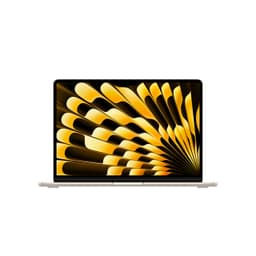
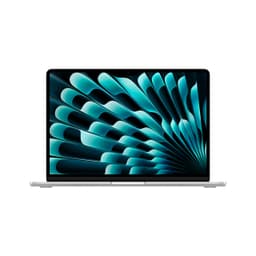
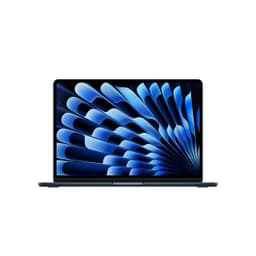
The Midnight colour is the one that shows fingerprints most readily. Apple has acknowledged this and it's a consistent observation in owner reviews. The dark anodised finish looks striking when clean and slightly smudgy after a few minutes of use. If you're particular about that sort of thing, Starlight or Silver are the more forgiving options. If you don't care, Midnight looks excellent and the fingerprints wipe off easily. It's a cosmetic issue, not a structural one.
The hinge on the M2 Air opens smoothly with one hand and holds its position without bouncing. It doesn't open flat to 180 degrees, which matters if you ever need to lay the screen completely flat for a presentation or shared viewing. The angle range is good for normal use but not unlimited. Owner feedback on the hinge is positive, with no reports of it loosening over time in the reviews analysed. The machine opens to a comfortable working angle and stays there.
The renewed condition of this specific listing means the machine has been previously owned and refurbished. Amazon's renewed programme requires that the device functions like new, but cosmetic condition varies by grade. It's worth checking the specific grade listed at purchase, as surface scratches or minor marks are possible. The aluminium chassis is durable enough that light cosmetic wear doesn't affect function, but if you want pristine, new is the alternative. For most buyers, renewed at this price represents good value if the grade is acceptable.
How It Compares
The two most relevant comparisons for this machine are the Microsoft Surface Laptop 5 (13.5-inch, Intel Core i5) and the Dell XPS 13 (2022 or 2023, Intel Core i7). Both sit in a similar price bracket when bought renewed or on sale, both target the same portable productivity audience, and both run Windows rather than macOS. Choosing between them is partly a performance question and partly an ecosystem question.
The Surface Laptop 5 is Microsoft's premium offering and it's a genuinely good machine. The PixelSense display is excellent, the build quality is solid, and it's well-suited to Windows users who want a premium feel. But the Intel Core i5-1235U inside it trails the M2 on single-core performance and on efficiency. Battery life on the Surface Laptop 5 in real-world use typically lands in the 7 to 10 hour range, which is solid for Windows but noticeably shorter than the MacBook Air's 10 to 14 hours. If battery life is your priority, the M2 Air wins this comparison clearly.
The Dell XPS 13 is the other obvious rival. It's thinner, lighter in some configurations, and runs Windows natively if that's your ecosystem. The XPS 13's port selection is similarly minimal. Performance-wise, a Core i7-1260P XPS 13 is competitive on multi-core tasks but runs warmer and louder under load. The XPS 13 has a fan and it uses it. For sustained workloads that would throttle the fanless Air, the XPS 13 can maintain higher performance longer. But for mixed everyday use, the M2 Air is faster, quieter, and longer-lasting on battery.
| Feature | MacBook Air M2 13.6 (Renewed) | Microsoft Surface Laptop 5 13.5 | Dell XPS 13 (2022, Core i7) |
|---|---|---|---|
| Processor | Apple M2 8-core | Intel Core i5-1235U | Intel Core i7-1260P |
| RAM | 8GB unified | 8GB or 16GB LPDDR5 | 16GB LPDDR5 |
| Display | 13.6-inch IPS, 2560x1664, P3 | 13.5-inch IPS, 2256x1504, sRGB | 13.4-inch IPS, 1920x1200, sRGB |
| Battery Life (real-world) | 10 to 14 hours | 7 to 10 hours | 7 to 9 hours |
| Weight | 1.24kg | 1.29kg | 1.17kg |
| Fan | None (fanless) | Active cooling | Active cooling |
| Operating System | macOS | Windows 11 | Windows 11 |
| Colour Gamut | P3 wide gamut | sRGB | sRGB |
| Price | £649.00 | Varies (check current listings) | Varies (check current listings) |
| Best For | Battery life, silence, macOS users, creative work | Windows ecosystem, premium feel, balanced performance | Windows power users, sustained performance |
Final Verdict
The Apple MacBook Air M2 13.6 renewed in Midnight is a good laptop bought at a sensible price. The M2 chip is still fast enough to handle anything a normal person throws at it in 2026, the display is genuinely excellent with proper P3 colour coverage, the battery life embarrasses most Windows competition, and the fanless design means it's the quietest machine you'll find at this price. The 4.2-star average from 112 owners isn't a fluke. People who buy this machine are generally happy with it.
The caveats are real, though. Eight gigabytes of unified memory is the one spec that ages this machine. It's fine for focused single-app work and light multitasking, but if you're the kind of person who has 30 browser tabs open alongside Figma, Slack, and a Spotify stream, you'll feel the ceiling. The port situation requires either a hub or a change in working habits. And the renewed condition means you're buying someone else's machine, which is a reasonable trade-off at this price but worth being clear-eyed about. Check the cosmetic grade before you commit.
Who should buy this? Students who need a reliable, long-lasting machine for lectures and essay writing. Writers and content creators who want a quiet, fast laptop for focused work. Anyone moving from an older Mac who wants Apple Silicon without paying full new-machine prices. Small business owners who live in productivity apps and video calls. Creative professionals doing photo editing or light video work who want P3 colour accuracy without a pro machine budget. That's a wide audience, and the machine serves all of them well.
Who should skip it? Heavy multitaskers who genuinely need 16GB or more. Developers running local servers, Docker containers, and heavy IDEs simultaneously. Gamers. Anyone who needs Windows for work software compatibility. And honestly, if the 8GB constraint worries you but you still want an M2 Air, the 16GB configuration is worth the extra spend. The processor and display are the same. The memory headroom is significantly better. Spending a bit more now to avoid frustration later is often the smarter calculation on a machine you'll use for four or five years. But for the right person at the right price, this renewed M2 Air is a proper bargain. A solid 8/10 for the mid-range tier, with the only real deduction coming from that 8GB ceiling and the port count.
What works. What doesn’t.
6 + 6What we liked6 reasons
- M2 chip delivers class-leading single-core performance and genuine responsiveness for everyday tasks
- Battery life of 10 to 14 hours in real-world mixed use outperforms virtually all Windows rivals at this price
- Completely fanless design makes it one of the quietest laptops available, ideal for libraries and open-plan offices
- 13.6-inch Liquid Retina display with full P3 wide colour gamut surpasses most mid-range Windows display panels
- 512GB SSD configuration avoids the single-NAND bottleneck found in 256GB M2 Air models, delivering better storage performance
- 1080p webcam and three-microphone array with beamforming produce strong video call quality
Where it falls6 reasons
- 8GB of unified memory is a genuine constraint for heavy multitaskers running multiple demanding applications simultaneously
- Port selection is minimal, with only two Thunderbolt USB-C ports and no USB-A, HDMI, or SD card slot
- Fanless design means sustained heavy workloads cause thermal throttling, making it unsuitable for prolonged rendering or compilation
- Midnight finish attracts fingerprints noticeably and requires regular wiping to maintain its appearance
- Renewed condition means cosmetic wear is possible and the buyer should verify the grade before purchase
- No cellular connectivity and wireless specifications are not detailed in the verified product listing
Full specifications
12 attributes| Screen size | 13.6 |
|---|---|
| CPU brand | Apple |
| GPU type | integrated |
| Storage type | NVMe SSD |
| Battery life H | 18 |
| Battery WH | 52 |
| CPU | Apple M2 8-core |
| Display type | IPS |
| GPU | Apple M2 10-core |
| Launch year | 2022 |
| OS | macOS |
| Panel type | IPS |
If this isn’t right for you
2 options

Frequently asked
7 questions01Is 8GB of unified memory enough on the M2 MacBook Air in 2026?+
For focused single-app use, writing, browsing, light creative work, and video calls, 8GB is workable. macOS handles memory pressure more efficiently than Windows, and Apple's memory compression helps. However, if you regularly run multiple heavy applications at once, such as a browser with many tabs alongside design tools, communication apps, and music streaming, you will encounter memory pressure. For demanding multitasking, the 16GB configuration is the more prudent choice.
02What does 'renewed' mean for this MacBook Air, and is it a reliable option?+
Renewed means the laptop has been previously owned and then refurbished to function like new. Amazon's renewed programme requires that the device works correctly, but cosmetic condition varies by grade. Light surface marks or minor scratches are possible depending on the grade listed. It is worth checking the specific cosmetic grade before purchase. The aluminium chassis is durable, so light cosmetic wear does not affect performance. For most buyers, renewed at a lower price is a reasonable trade-off if the grade is acceptable.
03How does the M2 MacBook Air compare to a similarly priced Windows laptop on battery life?+
The M2 Air offers substantially better battery life than most Windows laptops in the same price bracket. Real-world mixed use typically delivers 10 to 14 hours, compared to 7 to 10 hours for the Microsoft Surface Laptop 5 and 7 to 9 hours for the Dell XPS 13. The difference comes from the M2 chip's efficiency architecture, which uses dedicated efficiency cores for light tasks to minimise power draw. If battery longevity is a priority, the M2 Air has a clear advantage over Intel-based rivals.
04Does the MacBook Air M2 get uncomfortably hot during use?+
Under light to moderate use, the chassis stays cool and comfortable. There is no fan, so the machine is completely silent. Under short bursts of heavy work, such as exporting a video or compiling code, the chassis gets warm but not uncomfortable. Under sustained heavy workloads lasting many minutes, the chip will throttle its performance to manage heat within safe limits, and the underside becomes noticeably warm. For normal everyday use, thermals are not a concern. For prolonged intensive workloads, the MacBook Pro with active cooling is the more appropriate choice.
05Do I need a USB-C hub or adapter with the M2 MacBook Air?+
Almost certainly, yes, unless your workflow is entirely wireless or USB-C native. The M2 Air has two Thunderbolt USB-C ports and a 3.5mm headphone jack, but no USB-A, HDMI, or SD card slot. If you use USB-A peripherals, connect to external displays via HDMI, or regularly transfer files from a camera's SD card, a USB-C hub or dock is a practical necessity. The Thunderbolt ports are highly capable and support 40Gbps transfer speeds and external display output, so a quality hub unlocks their full potential.
06Is the Midnight colour worth choosing, or does the fingerprint issue make it impractical?+
Midnight is the most striking colour option for the M2 Air, but it does show fingerprints more readily than Starlight or Silver due to its dark anodised finish. The marks wipe off easily and do not affect the machine's function in any way. Whether it is worth it is a personal preference. If you keep your laptop on a desk and wipe it down occasionally, Midnight looks excellent. If visible smudges bother you or you prefer a low-maintenance finish, the lighter colour options are more forgiving.
07Can I use the MacBook Air M2 for video editing?+
Yes, for light to moderate video editing it performs very well. The M2's dedicated media engine handles H.264, H.265, and ProRes encoding and decoding in hardware, which makes export times significantly faster than comparable Intel machines. Final Cut Pro users report smooth 4K timeline playback without dropped frames. The 10-core GPU is capable for this workload. The constraint is the 8GB unified memory, which can become a limiting factor on complex timelines with many layers or effects. For occasional or hobbyist video editing, it is a capable machine. For professional editors working with large, multi-layer projects, 16GB is strongly advisable.