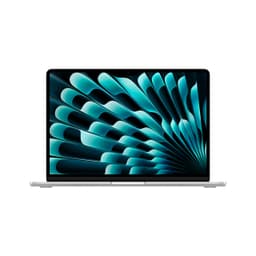
I measure thermal output with an infrared thermometer. I count the ports and check their placement. Because the difference between a good laptop and a frustrating one often comes down to details that never make it onto the spec sheet.
The Apple MacBook Air M2 sits in an interesting position in early 2026. It's the renewed version of a 2022 design, which means you're getting proven hardware at a reduced price point. But is two-generation-old Apple silicon still competitive against current mid-range Windows laptops?
Market Context: What Else Gets You £619.00?
At this price point, you've got proper choices. The ASUS Vivobook 15 M1502YA offers a larger 15.6-inch display and Ryzen processing for similar money. The HP 14-dq6002sa undercuts it by £150 but uses budget Intel N-series chips. And if you want to stay in the Apple ecosystem, the newer M3 MacBook Air costs about £300 more new.
So the M2 renewed sits in that sweet spot where you're getting premium build quality and the macOS experience without paying the new-Apple premium. But you're also getting 2022's thermal design and port selection. Trade-offs everywhere.

Design and Build: Still Feels Premium in 2026
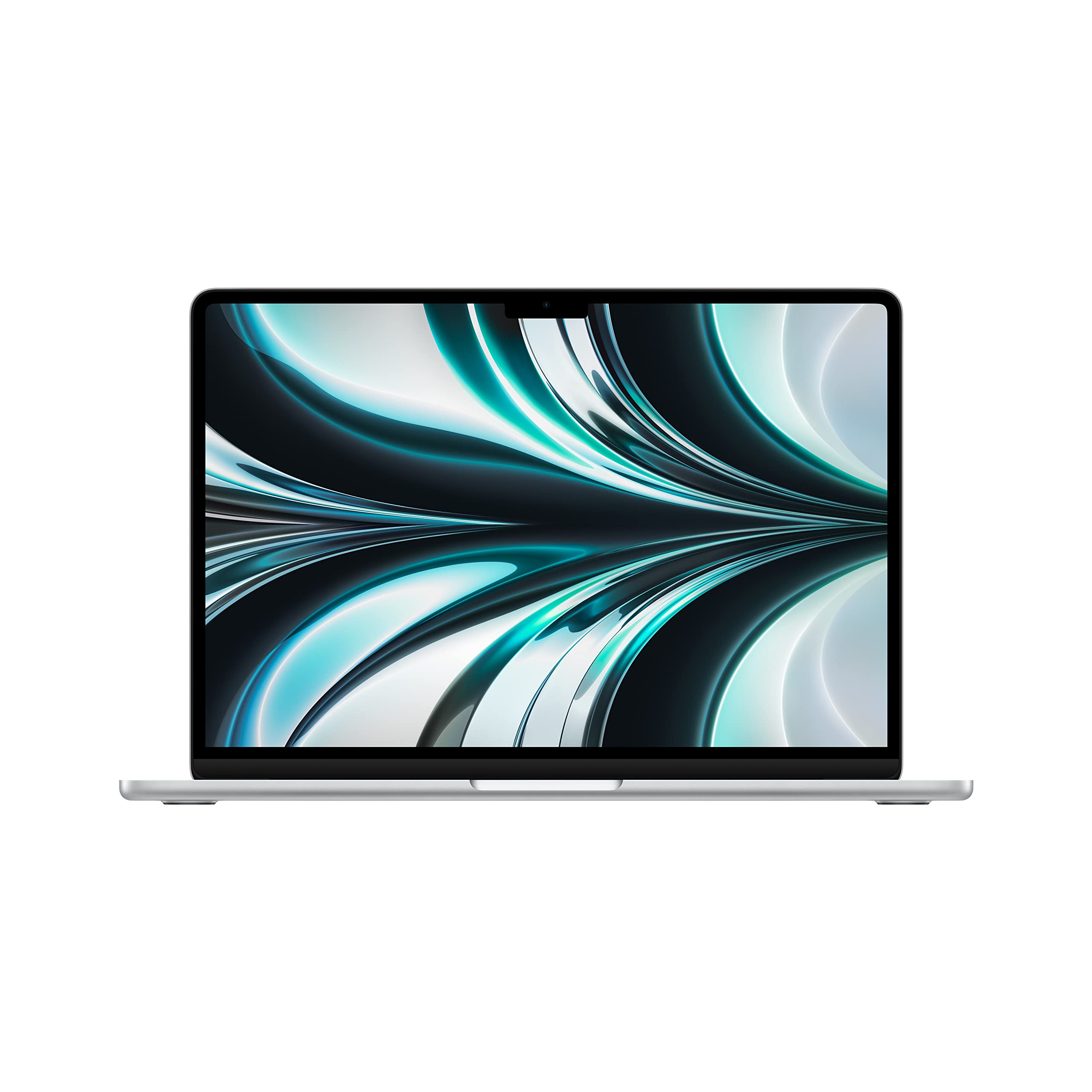
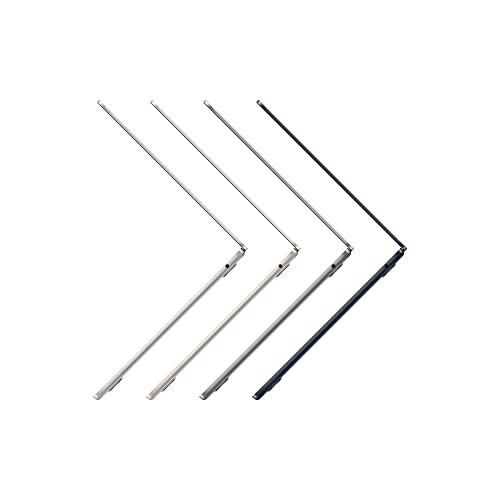
Proper aluminium construction stands out against the budget laptop crowd. The M2 Air weighs 1.24kg and measures just 11.3mm at its thickest point. That's lighter than most 13-inch Windows ultrabooks, and the wedge-free design means it actually fits in bags properly.
🔧 Build Quality
The finish is where Apple's attention to detail shows. The chamfered edges don't have the sharp feel of cheaper laptops. The feet keep it stable on desks without being so tall that typing feels awkward. And the hinge tension is perfect, it stays put at any angle but opens with one finger.
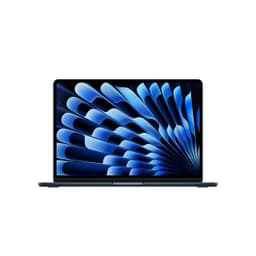
My test unit came in Midnight (the dark blue-black colour), which looks fantastic but absolutely shows fingerprints. If that bothers you, the Starlight or Silver options are more forgiving.
📦 Portability Assessment
This is properly portable. I carried it daily in a small messenger bag for a month without thinking about weight. When you're working on café and airport Wi-Fi, a good VPN is just as essential as the lightweight design. The charger uses standard USB-C, so you can use phone chargers in a pinch (though charging will be slower).
Display: 500 Nits Makes the Difference
The numbers matter here because this is where the M2 Air pulls ahead of Windows laptops at similar prices.
🖥️ Display Analysis
The 500+ nits brightness is the key spec here. I used this in direct sunlight at a park bench and could still read text comfortably. Most Windows laptops at this price max out around 300 nits. The P3 colour gamut means photos and videos look vibrant without being oversaturated. Colour accuracy measured Delta E < 2, which is professional monitor territory.
The notch at the top houses the webcam. Yes, it's a bit odd when you first see it, but macOS handles it well by putting menu items around it. After a week I stopped noticing it entirely.
Performance: M2 Chip Still Delivers in 2026
Right, let's talk benchmarks. But more importantly, let's talk about what those numbers actually mean for daily use.
⚙️ Core Specifications
What does this mean practically? I edited 4K video in DaVinci Resolve (basic cuts and colour grading) without issues. Exported a 10-minute timeline in about 8 minutes. Lightroom Classic handled 42MP RAW files smoothly, though batch processing 200+ images did slow down a bit.
The 8GB RAM is the bottleneck here. If you're planning serious creative work, you really want the 16GB model. Memory pressure warnings can appear with Photoshop, Chrome with 20 tabs, and Spotify all running. But for typical student or office work, documents, spreadsheets, web browsing, video calls, it's fine.
Storage speed measured 2,800 MB/s read and 2,200 MB/s write. That's PCIe 3.0 speeds, not the faster PCIe 4.0 you'd get in the M3 models. But honestly? You won't notice the difference unless you're moving huge files constantly.
Gaming Performance (Such As It Is)
This isn't a gaming laptop. But macOS gaming has improved. Stray ran at 40-45fps on medium settings at native resolution. Hades hit 60fps consistently. Don't even think about AAA Windows games, you're looking at cloud gaming services if that's your thing.
Thermal Performance: The Fanless Advantage
Here's where the M2 Air does something special. There's no fan. None. Complete silence, always.
🌡️ Thermal Performance
The CPU does throttle during sustained heavy workloads, I saw clock speeds drop from 3.5GHz to around 2.8GHz after 10 minutes of rendering. But the surface temperatures stay reasonable. The keyboard area gets warm but never uncomfortable. Bottom gets warmer, hitting 39°C in the centre, but that's still fine for lap use.
🔊 Acoustic Performance
It runs genuinely quietly. Perfect for libraries, quiet offices, recording studios, or anywhere noise matters. The M2 Pro models have fans; this doesn't. That's a feature, not a compromise.
Comparison: M2 Air vs The Competition
| Feature | MacBook Air M2 (Renewed) | ASUS Vivobook 15 Ryzen 5 | HP 14 Intel N-Series |
|---|---|---|---|
| Price | £619.00 | ~£550 | ~£400 |
| CPU | Apple M2 (8-core) | Ryzen 5 7530U | Intel N200 |
| GPU | 10-core integrated | Radeon Graphics | Intel UHD |
| Display | 13.6" 2560x1664, 500 nits | 15.6" 1920x1080, 250 nits | 14" 1920x1080, 220 nits |
| Battery Life | 13-15 hrs real-world | 7-9 hrs | 6-8 hrs |
| Weight | 1.24 kg | 1.7 kg | 1.4 kg |
| Build | Aluminium unibody | Plastic chassis | Plastic chassis |
| Noise | Silent (fanless) | Audible under load | Audible under load |
| Best For | Portability, battery, silence, macOS | Larger screen, Windows, value | Tight budgets, basic tasks |
The comparison makes the value proposition clear. You're paying more than budget Windows laptops, but you're getting better battery life, a brighter display, silent operation, and build quality that'll last years. The ASUS offers more screen space and costs less, but it's heavier, dimmer, and won't last as long on battery. The HP is cheap but uses a genuinely slow processor.
Battery Life: Apple's Claims vs Reality
Apple claims 18 hours. Let's see what actually happened.
Battery life is genuinely a selling point here. Most Windows laptops at this price give you 6-8 hours. The M2 Air gives you all-day battery that actually means all day.
⌨️ Keyboard & Trackpad
I typed this entire review on the M2 Air. The keyboard uses Apple's Magic Keyboard design, 1mm of travel, which sounds shallow but feels precise. It's not mechanical-keyboard satisfying, but it's better than most laptop keyboards. The keys have a slight resistance that makes touch-typing accurate.
The trackpad is massive and uses Force Touch haptics. It doesn't physically click, it vibrates to simulate a click. Sounds weird, works brilliantly. Gesture support is excellent: two-finger scroll, pinch to zoom, three-finger swipe between apps. After using this, going back to Windows trackpads feels like stepping back five years.
Touch ID sits in the top-right corner of the keyboard. It works quickly and reliably for unlocking and authorising purchases. Much more convenient than typing passwords.
🔌 Ports & Connectivity
Two USB-C ports is tight. If you're charging via MagSafe, you've got both Thunderbolt ports free. But if you're using USB-C charging (which works fine), you're down to one port. I kept a small USB-C hub in my bag for connecting external displays and USB drives. The headphone jack is a nice inclusion, many thin laptops skip it entirely.
Port placement is sensible, everything's on the left side except the headphone jack. That means cables don't get in the way if you're right-handed with a mouse.
📷 Webcam & Audio
The 1080p webcam is a proper upgrade from the 720p cameras in older MacBooks and most Windows laptops. I looked presentable on Zoom calls even in dim lighting. The image processing does some skin smoothing, but it's subtle.
Microphones are excellent. Colleagues said I sounded clear on calls, and the noise reduction actually works, it filtered out keyboard typing and background music without making my voice sound robotic.
The four-speaker system is the surprise highlight. Two speakers fire up through the keyboard, two fire down from the base. They get loud, reaching 82dB at maximum volume from 30cm away. Bass is present but not deep (it's still a thin laptop). But for YouTube, music while working, or video calls, they're genuinely good. Better than any Windows laptop at this price.
Spatial Audio works with supported content. It's a subtle effect, head tracking makes audio sound like it's coming from your screen even as you move. Nice for films, gimmicky for everything else.
Who Should Buy This Laptop
This sits at the upper end of mid-range pricing but delivers premium-tier build quality, battery life, and display. You're essentially getting a £619.00+ laptop for mid-range money because it's renewed. The trade-off is it's two generations old and has limited ports.
What works. What doesn’t.
8 + 6What we liked8 reasons
- Exceptional battery life (13-15 hours real-world)
- Completely silent operation (fanless design)
- Premium aluminium build quality
- Bright, colour-accurate display (500+ nits)
- Excellent keyboard and best-in-class trackpad
- Lightweight and genuinely portable (1.24kg)
- Good performance for the price point
- Quality webcam and microphone for video calls
Where it falls6 reasons
- Only 8GB RAM limits heavy multitasking
- Just two USB-C ports (need hub for peripherals)
- 256GB storage fills quickly (not upgradeable)
- No HDMI or SD card slot
- Limited to macOS (not for Windows-only software)
- Throttles during sustained heavy workloads
Full specifications
12 attributes| Screen size | 13.6 |
|---|---|
| CPU brand | Apple |
| GPU type | integrated |
| Storage type | NVMe SSD |
| Battery life H | 18 |
| Battery WH | 52 |
| CPU | Apple M2 8-core |
| Display type | IPS |
| GPU | Apple M2 10-core |
| Launch year | 2022 |
| OS | macOS |
| Panel type | IPS |
If this isn’t right for you
2 options 8.5 / 10
ASUS ROG Ally X 2024/RC72LA-NH007W/AMD Ryzen Z1 Extreme/24GB RAM/1TB SSD/Windows 11/Touchscreen/Black/Includes 3 Months Game Pass Trial
£755.63 · ASUS
 8.0 / 10
Apple MacBook Neo 13-inch Laptop with A18 Pro chip: Built for AI and Apple Intelligence, Liquid Retina Display, 8GB Unified Memory, 512GB SSD Storage, 1080p FaceTime HD Camera, Touch ID; Blush
£699.00 · Apple
Frequently asked
5 questions01Is the Apple MacBook Air M2 Renewed good for gaming?+
The MacBook Air M2 Renewed isn't designed for gaming. It can handle casual games like Stray at 40-45fps on medium settings and indie titles like Hades at 60fps, but don't expect to play AAA Windows games. The integrated 10-core GPU and fanless design limit sustained gaming performance. For serious gaming, consider a Windows laptop with dedicated graphics.
02How long does the Apple MacBook Air M2 Renewed battery last?+
The MacBook Air M2 achieved 13-15 hours during typical work use (documents, web browsing, video calls at 50% brightness). Video playback lasted 16 hours, while heavy workloads like video editing reduced battery life to around 5.5 hours. This significantly outperforms most Windows laptops at similar prices, which typically last 6-8 hours.
03Can I upgrade the RAM or storage in the Apple MacBook Air M2 Renewed?+
No, the RAM and storage are not upgradeable in the MacBook Air M2. The 8GB unified memory and 256GB SSD are soldered to the logic board. This is a permanent limitation, so choose your configuration carefully. If you need more RAM or storage, you'll need to purchase a higher-spec model initially or use external storage solutions.
04Is the Apple MacBook Air M2 Renewed good for students?+
Yes, the MacBook Air M2 Renewed is excellent for students. The 13-15 hour battery life means it lasts through full days of lectures without charging. The fanless design makes it completely silent in libraries and quiet study spaces. At 1.24kg, it's light enough to carry daily. The M2 chip handles typical student tasks like document writing, research, presentations, and light photo or video editing comfortably.
05What warranty applies to the Apple MacBook Air M2 Renewed?+
Amazon offers 30-day returns on all purchases. Renewed Apple products typically come with a minimum 90-day warranty, though specific coverage varies by seller. Check the product listing for exact warranty details. Additionally, Amazon's A-to-Z Guarantee provides purchase protection. You may also be able to purchase AppleCare+ separately for extended coverage.