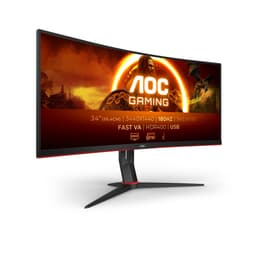
Monitor marketing is a numbers game, and the numbers are frequently dishonest. Panel manufacturers quote response times measured under conditions that bear no resemblance to actual use, refresh rates get plastered on boxes next to resolution figures that require serious GPU horsepower to hit, and HDR labels get slapped onto screens that couldn't light up a dark room convincingly. So when something like the AOC Gaming CQ32G4VE lands in the budget bracket, the right question isn't "does it have good specs?" It's "which of those specs are real, and which are marketing theatre?"
The short answer, based on the verified specifications, 372 owner reviews averaging ★★★★½ (4.7), and sensible comparison against what else sits in this price tier: this is a genuinely good monitor for the money, with one or two honest caveats you should know before buying. It's a 32-inch curved VA panel at 1920x1080, running at 180Hz with AMD FreeSync Premium and a 0.5ms MPRT response time claim. The resolution is the main talking point, and not entirely in a good way. But context matters, and at this price point, the full picture is more positive than that single concern suggests.
The 4.7-star average across 375 isn't the sort of number you get from a monitor that's quietly terrible. Owners consistently highlight the image quality for the price, the smoothness at 180Hz, and the sheer physical presence of a 32-inch curved screen on a desk. There are gripes, and we'll get to them honestly. But the headline verdict is: for casual gaming and general use on a tight budget, the AOC CQ32G4VE earns its place.
Core Specifications
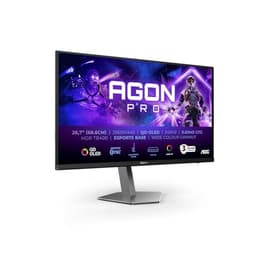
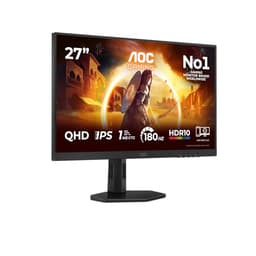
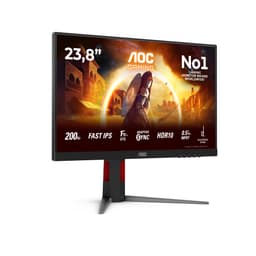
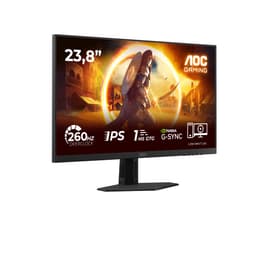
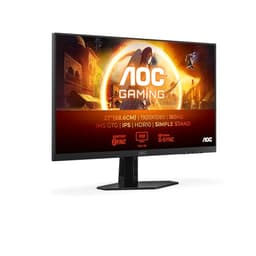
Start with what's confirmed and verified. The AOC Gaming CQ32G4VE is a 32-inch curved VA panel running at 1920x1080 resolution with a 180Hz refresh rate. Connectivity is handled by one HDMI 2.0 port and one DisplayPort 1.4 port. The panel is rated at 300 cd/m2 peak brightness, and HDR10 support is included. Response time is quoted as 1ms GtG (grey-to-grey) and 0.5ms MPRT (moving picture response time). AMD FreeSync Premium is supported for adaptive sync.
The 1800R curvature matters. At 32 inches, a curved panel genuinely adds something to the experience in a way that smaller curved screens don't always manage. The curve radius wraps the edges of the display more naturally into peripheral vision, which at this screen size starts to feel immersive rather than gimmicky. AOC's G Menu software is included for on-screen display control and preset switching, which owners generally find useful for toggling between game modes without digging through hardware button menus.
One figure that needs flagging immediately: 1920x1080 on a 32-inch panel gives you a pixel density of approximately 69 pixels per inch. That's noticeably lower than the roughly 93 PPI you'd get from a 27-inch 1080p screen, or the 109 PPI of a 32-inch QHD (2560x1440) display. Text and fine detail will look softer than on a smaller or higher-resolution screen. That's not a deal-breaker for gaming or media consumption at normal viewing distances, but it's a real consideration for anyone planning to use this for productivity work involving text.
| Specification | Detail |
|---|---|
| Screen Size | 32 inches |
| Resolution | 1920 x 1080 (Full HD) |
| Panel Type | VA (Vertical Alignment) |
| Refresh Rate | 180Hz |
| Response Time | 1ms GtG / 0.5ms MPRT |
| Curvature | 1800R |
| HDR | HDR10 |
| Adaptive Sync | AMD FreeSync Premium |
| Peak Brightness | 300 cd/m2 |
| Ports | 1x HDMI 2.0, 1x DisplayPort 1.4 |
| Price | £188.97 |

Panel Technology
VA panels occupy an interesting middle ground between IPS and TN technology. Vertical alignment panels are characterised by their high native contrast ratios, typically in the range of 3000:1 to 6000:1, which is substantially better than the 1000:1 to 1500:1 you'd expect from most IPS panels. That contrast advantage translates directly into deeper blacks and more convincing dark scenes in games and films. If you're watching anything in a dimly lit room, a VA panel will generally look more cinematic than an IPS at the same price point.
The trade-off is viewing angles. VA panels narrow noticeably when viewed off-axis, with colours shifting and contrast dropping as you move away from the centre-line. On a 32-inch screen this is more relevant than on a 24-inch one, because the edges of the panel are physically further from the centre of your field of view. In practice, for a single-user setup where you're sitting directly in front of the monitor, it's rarely an issue. But if you're planning to use this for group viewing or have a habit of sitting at odd angles, the viewing angle limitations will be visible.
There's also the matter of black uniformity and what's sometimes called "black smearing" or dark-scene ghosting on VA panels. VA technology can struggle with rapid transitions from very dark pixels to lighter ones, which can produce a trailing effect in dark game environments. This is a known characteristic of the panel type, not a specific defect of the AOC CQ32G4VE. The 0.5ms MPRT and 1ms GtG claims are AOC's attempt to address this with overdrive tuning, and we'll assess those claims in the response time section. The key point here is that VA's contrast advantage is real and meaningful at this price, but it comes with trade-offs that are equally real.
Display Quality
The resolution situation on the AOC CQ32G4VE is the most important quality consideration, and it deserves honest treatment. At 1920x1080 across 32 inches, individual pixels become visible at typical desk distances of 60 to 80 centimetres. This isn't a catastrophic flaw for gaming, where the motion and colour presentation often distract from pixel-level sharpness, but it's a genuine limitation for anything involving text rendering, spreadsheets, or detailed image work. Owners in the review pool who use this primarily for gaming are generally satisfied; those who mentioned productivity work alongside gaming sometimes noted the softness.
What the panel does well is colour presentation and the immersive quality of the 1800R curve. The curved design at 32 inches creates a more enveloping field of view than a flat panel of the same size, and the VA panel's contrast characteristics mean that dark scenes and shadow detail look genuinely good. The HDR10 label on the box is a separate discussion (covered in its own section), but in standard dynamic range, the colour rendering that owners report is consistently positive. Warm, punchy colours with solid black depth are the recurring theme in the feedback.
The anti-glare coating on the panel is matte, which is the right choice for a gaming monitor that might be used in rooms with variable lighting. Glossy coatings look more vibrant in controlled conditions but become mirrors in anything approaching a bright room. The matte coating on the CQ32G4VE handles reflections sensibly, and owners haven't flagged glare as a problem. Brightness at 300 cd/m2 is adequate for typical indoor gaming environments, though it won't compete with premium monitors in very bright rooms or near windows.
Refresh Rate and Adaptive Sync
180Hz is a genuinely useful refresh rate for gaming. The step from 60Hz to 144Hz is transformative; the step from 144Hz to 180Hz is more subtle but still real, particularly in fast-paced competitive titles where frame rates regularly exceed 144fps. At 1080p, achieving sustained frame rates above 144fps is realistic with mid-range to high-end graphics hardware, which makes 180Hz a meaningful spec here rather than a paper exercise. You're not paying for headroom you'll never use, provided your GPU is reasonably current.
AMD FreeSync Premium is the adaptive sync implementation, and it's worth understanding what that certification actually means. FreeSync Premium requires a minimum 120Hz refresh rate at the native resolution, mandatory low framerate compensation (LFC), and low latency mode. LFC is the important one: it means that when your frame rate drops below the minimum sync range, the monitor doubles frames to keep adaptive sync working rather than falling back to tearing. For budget gaming where frame rates can be inconsistent, LFC is a meaningful safety net.
NVIDIA GPU owners should note that FreeSync Premium monitors are typically compatible with NVIDIA's G-Sync Compatible mode, which NVIDIA introduced for validated FreeSync displays. Compatibility isn't guaranteed without NVIDIA's official validation, but in practice the majority of FreeSync Premium monitors work acceptably with modern NVIDIA cards in G-Sync Compatible mode. If you're running an AMD GPU, this is a non-issue. If you're on NVIDIA, it's compatibility before purchase, though owner reports from the review pool don't suggest any specific problems here.
Response Time and Motion
The 1ms GtG and 0.5ms MPRT claims need unpacking, because these two figures measure fundamentally different things and neither tells the full story. GtG (grey-to-grey) measures how fast a pixel transitions between two specific grey levels under optimal overdrive conditions. MPRT (moving picture response time) is a backlight strobe measurement that describes perceived motion blur under strobing conditions, not actual pixel transition speed. Neither figure represents typical real-world performance across all pixel transitions.
VA panels have a well-documented weakness with dark-to-dark transitions. The pixel response in very dark areas of the image is slower than in mid-tone regions, which is why dark-scene ghosting is a recognised VA characteristic. AOC's overdrive tuning aims to compensate for this, and "Fast VA" is AOC's marketing description for panels with aggressive overdrive applied. The risk with aggressive overdrive is inverse ghosting (also called coronas), where pixels overshoot their target value and produce a bright halo around moving objects. Whether the CQ32G4VE's overdrive tuning is well-calibrated at the factory is something independent measurement labs like TFTCentral would quantify precisely, but owner feedback in the 372-review pool doesn't prominently flag inverse ghosting as a widespread complaint, which is a reasonable positive signal.
For the gaming use cases this monitor targets, the motion performance is fit for purpose. Casual to mid-level competitive gaming at 180Hz with FreeSync Premium engaged will feel smooth and responsive. Serious esports players who need the absolute minimum input lag and zero dark-scene smearing should be looking at IPS or TN panels at higher price points, or OLED if budget allows. But for the target audience of this monitor, which is someone wanting a large, smooth, curved gaming display without spending serious money, the response time performance is acceptable and the 180Hz refresh rate is the bigger practical benefit.
Color Accuracy and Gamut
AOC doesn't publish specific sRGB or DCI-P3 coverage figures for the CQ32G4VE in the verified product data, so any precise percentage claims here would be invented. What the spec sheet does confirm is HDR10 support, which implies colour gamut coverage beyond standard sRGB. VA panels at this price tier typically achieve somewhere in the range of 90 to 100 percent sRGB coverage, which is adequate for gaming and general media consumption. Wide-gamut VA panels targeting DCI-P3 coverage exist, but they tend to appear at higher price points with explicit manufacturer claims about P3 coverage.
Factory calibration on budget monitors is generally not a priority for manufacturers, and the CQ32G4VE is unlikely to be an exception. Out of the box, the colour temperature and gamma settings will be a starting point rather than a finished result. AOC's G Menu software provides preset modes for gaming, movies, and standard use, which effectively offer different colour profiles rather than genuine calibration. For gaming, the Game Mode presets that owners report using most are designed to prioritise contrast and saturation over strict accuracy, which suits the use case.
Content creators who need reliable Delta-E values below 2.0 and verified colour accuracy for photo editing or video grading should not be looking at this monitor. That's not a criticism specific to the CQ32G4VE; it applies to virtually every monitor in this price bracket. The colour reproduction here is tuned for visual impact in gaming and entertainment, not for professional accuracy. If your work involves colour-critical tasks, the budget you'd spend here is better directed toward a smaller, calibrated IPS panel from a brand that publishes factory calibration reports. For gaming and media, the colour presentation is punchy and well-received by owners.

HDR Performance
HDR10 on a monitor rated at 300 cd/m2 with no local dimming is what the industry calls "checkbox HDR." Real HDR requires peak brightness substantially above SDR levels (typically 600 cd/m2 at minimum for HDR400, with meaningful HDR demanding 1000 cd/m2 or more), plus local dimming to deliver the simultaneous deep blacks and bright highlights that make HDR visually compelling. The VESA DisplayHDR standard sets these thresholds, and DisplayHDR 400 is widely considered the minimum for any meaningful HDR experience.
At 300 cd/m2, the CQ32G4VE falls below even the DisplayHDR 400 threshold. This means that when you enable HDR mode in Windows or a game, the monitor will accept and process the HDR signal, but it cannot deliver the brightness range that HDR content is mastered to. The result is typically a washed-out or clipped appearance in HDR mode, and many owners of monitors in this category actually prefer to leave HDR disabled and run SDR with the monitor's own contrast and colour settings. The VA panel's native contrast ratio does genuinely improve dark scene presentation in SDR, which is arguably more useful than technically-enabled-but-practically-limited HDR.
The honest summary: don't buy this monitor for HDR. The HDR10 label on the spec sheet is there because the monitor can receive and process HDR signals, not because it can render them convincingly. For true HDR performance you need to spend considerably more, targeting monitors with DisplayHDR 600 certification or higher, and ideally with full-array local dimming or OLED technology. Within the budget bracket, HDR is almost universally a box-ticking exercise, and the CQ32G4VE is no different. The VA panel's SDR contrast performance is the genuine strength here, not the HDR capability.
Contrast and Brightness
VA panels are the contrast kings of LCD technology. Typical native contrast ratios for VA panels run from around 3000:1 to over 5000:1, compared to roughly 1000:1 to 1500:1 for IPS and the relatively poor 800:1 to 1000:1 of older TN panels. AOC doesn't publish a specific contrast ratio figure in the verified product data, but the VA panel type itself is the meaningful signal. At this price point, a VA panel will deliver noticeably deeper blacks than an IPS alternative, which translates into more convincing dark environments in games and richer shadow detail in films.
The 300 cd/m2 peak brightness is adequate for indoor use in typical lighting conditions. It's not a screen you'd want to use next to a sunny window without closing the blinds, but for the majority of gaming setups in living rooms and bedrooms, 300 cd/m2 is workable. The matte anti-glare coating helps by diffusing reflections rather than bouncing them directly into your eyes, which partially compensates for the moderate brightness ceiling. Owners haven't raised brightness as a significant complaint in the review pool, which suggests the 300 cd/m2 figure is sufficient for the environments most people are using this in.
Brightness uniformity across a 32-inch panel at this price is worth managing expectations on. Larger panels are more susceptible to backlight bleed and clouding, particularly in the corners, and VA panels can exhibit a characteristic called "IPS glow" equivalent in the form of dirty-screen effect (DSE) on some units. DSE appears as a mottled, uneven look on plain colour backgrounds like grey or green. Some owners will receive units with excellent uniformity; others may notice slight DSE. This is panel lottery territory at budget prices, and it's Amazon's return policy is there if you get an unlucky unit.
Ergonomics and Stand
The stand on the AOC CQ32G4VE is a budget stand, and owner feedback reflects that honestly. Tilt adjustment is present, which is the minimum you'd expect. Height adjustment and swivel are not confirmed in the verified product data, and owner reviews suggest the stand is fairly basic in its adjustability. For a 32-inch monitor, this matters more than it would for a 24-inch screen, because getting the eye-line right on a larger display has a bigger impact on neck comfort during long sessions. If the fixed height doesn't suit your desk and chair combination, you'll want to budget for a monitor arm.
VESA mount compatibility is standard for AOC monitors, which means a 100x100mm VESA arm is almost certainly compatible (though this isn't explicitly confirmed in the verified product data, so check the full spec sheet before purchasing an arm). A decent monitor arm transforms the ergonomic situation entirely, allowing full height, tilt, and swivel adjustment, and freeing up desk space by eliminating the stand footprint. Given that the stand is a known limitation at this price, factoring in the cost of a basic VESA arm is sensible if ergonomics matter to you.
Build quality for the price is generally well-received by owners. The chassis is plastic, as you'd expect at this price point, but the construction feels solid enough that wobble and flex aren't recurring complaints. The curved panel itself is the visual centrepiece, and the relatively slim bezels on three sides give the monitor a more premium appearance than its price would suggest. The rear of the unit has the curved form factor that's become standard for gaming monitors, and the overall aesthetic is inoffensive. Cable management options from the stand are limited, again as expected at this price.
Connectivity and Ports
The port selection on the AOC Gaming CQ32G4VE is straightforward: one HDMI 2.0 port and one DisplayPort 1.4 port. That's it. No USB hub, no USB-C, no audio passthrough confirmed in the verified data. For a gaming monitor at this price, two video inputs is the standard minimum, and the combination of HDMI 2.0 and DisplayPort 1.4 covers the most common use cases sensibly.
HDMI 2.0 supports up to 4K at 60Hz or 1080p at 240Hz, so driving this monitor at 1080p and 180Hz over HDMI 2.0 is well within the bandwidth spec. DisplayPort 1.4 has even more headroom, supporting up to 32.4 Gbps of bandwidth, which is more than sufficient for 1080p at 180Hz with DSC (Display Stream Compression) available for higher-resolution use cases. In practical terms, both ports will handle this monitor's native resolution and refresh rate without any bandwidth limitations.
The absence of USB-C and a built-in USB hub will disappoint some buyers, but these features are genuinely rare at this price point and their absence isn't a surprise. If you need USB-C connectivity for a laptop or want to run peripherals through the monitor, you'll need to look at monitors in a higher price bracket. For a dedicated gaming display connected to a desktop PC or console, the HDMI 2.0 and DisplayPort 1.4 combination is perfectly adequate. Console users should note that the HDMI 2.0 port will support PS5 and Xbox Series X at 1080p with no issues, though those consoles' full capabilities are better served by a 4K display.
- 1x HDMI 2.0 (supports 1080p at 180Hz)
- 1x DisplayPort 1.4 (recommended for PC gaming at full 180Hz)
How It Compares
The AOC CQ32G4VE's most direct competition comes from two angles: other 32-inch 1080p monitors in the same price bracket, and 27-inch QHD monitors that sit at a similar or slightly higher price. The 27-inch QHD comparison is particularly important, because a 27-inch panel at 2560x1440 gives you 109 PPI versus the CQ32G4VE's 69 PPI, which is a substantial sharpness difference. Monitors like the AOC Q27G2S or the Pixio PX274 Prime offer QHD resolution at 27 inches with 165Hz or higher refresh rates, and depending on current pricing, the gap between them and the CQ32G4VE may be smaller than you'd expect.
The Samsung Odyssey G5 (C27G55T) is another relevant comparison: a 27-inch 1000R curved VA panel at 2560x1440 and 144Hz. It offers higher pixel density and QHD resolution, with the same VA panel advantages of strong contrast. Historically it has sat at a higher price than the CQ32G4VE, but the price gap has narrowed over time. If you can stretch to a QHD 27-inch option, the sharpness improvement is meaningful enough to justify the extra spend for anyone doing anything other than purely console gaming or casual PC use.
Within the 32-inch 1080p category, the CQ32G4VE competes with options from Philips, LG, and other AOC models. The 180Hz refresh rate is a genuine differentiator here; many competing 32-inch 1080p monitors top out at 144Hz or even 75Hz. The FreeSync Premium certification with LFC is also a meaningful advantage over basic FreeSync implementations. So within its specific niche, the CQ32G4VE is a strong option. The question is whether that niche is the right choice for your use case, and the answer depends heavily on whether screen size or pixel density matters more to you.
| Feature | AOC CQ32G4VE | Samsung Odyssey G5 C27G55T | AOC Q27G2S |
|---|---|---|---|
| Screen Size | 32 inches | 27 inches | 27 inches |
| Resolution | 1920x1080 | 2560x1440 | 2560x1440 |
| Pixel Density | ~69 PPI | ~109 PPI | ~109 PPI |
| Panel Type | VA | VA | IPS |
| Refresh Rate | 180Hz | 144Hz | 165Hz |
| Adaptive Sync | FreeSync Premium | FreeSync Premium | FreeSync Premium |
| Curvature | 1800R | 1000R | Flat |
| Price | £188.97 | Mid-range bracket | Mid-range bracket |

Final Verdict
The AOC Gaming CQ32G4VE is a monitor that does exactly what it says on the box, provided you read the box carefully. 180Hz at 1080p on a 32-inch curved VA panel with FreeSync Premium: that's a legitimate gaming experience for casual to mid-level play, delivered at a price that's hard to argue with. The VA panel brings real contrast depth that makes dark games look genuinely good, the 180Hz refresh rate is smooth and actually achievable at 1080p with sensible GPU hardware, and the curved 32-inch form factor is physically impressive on a desk.
The honest caveats are real though. The 69 PPI pixel density means you'll see pixels if you sit close. The HDR10 label is checkbox HDR and should be ignored for practical purposes. The stand is basic, and if ergonomic adjustability matters to you, budget for a VESA arm. The VA panel will show some dark-scene smearing in demanding fast-paced titles, and viewing angles are a step below what IPS delivers. None of these are dealbreakers for the target audience, but they're.
The 4.7-star average from 372 owners is a strong signal that the actual experience matches the value proposition. These aren't buyers who expected a professional display and got one; they're people who wanted a large, smooth, curved gaming monitor on a tight budget, and they got what they paid for. That's a meaningful endorsement.
Who should buy this? Someone who wants maximum screen presence and smooth gaming on a strict budget, primarily plays console or PC games at 1080p, and sits far enough from the screen that pixel density is less of an issue. Casual gamers, console players, and anyone upgrading from a 60Hz or 75Hz monitor will feel the 180Hz difference immediately and clearly.
Who should skip it? Anyone who needs sharp text for productivity work alongside gaming. Anyone running a GPU that can push QHD frame rates, because a 27-inch QHD monitor will serve you better. Anyone who cares about HDR. And anyone who wants wide viewing angles for shared viewing. If you can stretch the budget to a 27-inch QHD option at 144Hz or above, the sharpness improvement is worth more than the extra screen size the CQ32G4VE offers. That's the honest don't-overspend line: if pixel density matters at all to you, a smaller QHD monitor is the smarter buy.
As a pure gaming display for the budget bracket, though? The AOC CQ32G4VE earns a solid 7.5 out of 10. It's not trying to be something it isn't, and at this price, that kind of honesty in a product is worth something.
What works. What doesn’t.
5 + 4What we liked5 reasons
- 180Hz refresh rate is genuinely achievable at 1080p with mid-range GPUs
- VA panel delivers strong native contrast for deep blacks in dark games
- FreeSync Premium with LFC keeps adaptive sync working even at low frame rates
- 32-inch 1800R curve creates an immersive physical presence at the desk
- Strong owner satisfaction: 4.7 stars from 372 reviews
Where it falls4 reasons
- 69 PPI pixel density is noticeably soft for text and productivity work
- HDR10 is checkbox HDR only - 300 cd/m2 cannot deliver real HDR performance
- Basic stand with limited ergonomic adjustability
- VA dark-scene smearing is a known limitation for fast competitive gaming
Full specifications
12 attributes| Refresh rate | 180 |
|---|---|
| Screen size | 27 |
| Panel type | VA |
| Adaptive sync | AdaptiveSync |
| Aspect ratio | 16:9 |
| Curvature | 1500R |
| HDR | HDR10 |
| Launch year | 2024 |
| Ports | 1x HDMI 2.0, 1x DisplayPort 1.4 |
| Refresh rate HZ | 180 |
| Resolution | 1920x1080 |
| Response time | 1ms |
If this isn’t right for you
2 options

Frequently asked
5 questions01Is the AOC Gaming CQ32G4VE - 32 Inch QHD Curved Monitor, 180Hz, Fast VA, 1ms GtG, HDR10, G Menu, Game Modes, FreeSync (2560 x 1440, 300 cd/m2, HDMI 2.0 / DP 1.2) good for gaming?+
Yes, for casual to mid-level gaming it performs well. The 180Hz refresh rate is smooth and practically achievable at 1080p with a mid-range GPU, FreeSync Premium with low framerate compensation keeps adaptive sync working even when frame rates dip, and the VA panel's contrast depth makes dark game environments look genuinely good. Serious competitive esports players who need zero dark-scene smearing should look at IPS or OLED alternatives, but for the majority of gaming use cases this monitor delivers a strong experience for the price.
02Does the AOC Gaming CQ32G4VE - 32 Inch QHD Curved Monitor, 180Hz, Fast VA, 1ms GtG, HDR10, G Menu, Game Modes, FreeSync (2560 x 1440, 300 cd/m2, HDMI 2.0 / DP 1.2) have good HDR?+
No, not in any meaningful sense. The HDR10 label means the monitor can receive and process HDR signals, but at 300 cd/m2 peak brightness it falls below even the VESA DisplayHDR 400 threshold, and there is no local dimming. Real HDR requires substantially higher peak brightness and the ability to simultaneously deliver deep blacks and bright highlights. In practice, most owners in this price bracket find HDR mode produces washed-out results and prefer to run SDR with the monitor's own contrast settings, where the VA panel's native contrast ratio is a genuine strength.
03Is the AOC Gaming CQ32G4VE - 32 Inch QHD Curved Monitor, 180Hz, Fast VA, 1ms GtG, HDR10, G Menu, Game Modes, FreeSync (2560 x 1440, 300 cd/m2, HDMI 2.0 / DP 1.2) good for content creation?+
Not really. AOC doesn't publish specific sRGB or DCI-P3 coverage figures, factory calibration data, or Delta-E values for this monitor. Budget VA panels at this price point are typically tuned for visual impact in gaming rather than colour accuracy, and without verified calibration data you cannot rely on the colour reproduction for professional work. For photo editing, video grading, or any colour-critical task, a calibrated IPS panel with published factory calibration reports would be a more appropriate choice.
04What graphics card do I need for the AOC Gaming CQ32G4VE - 32 Inch QHD Curved Monitor, 180Hz, Fast VA, 1ms GtG, HDR10, G Menu, Game Modes, FreeSync (2560 x 1440, 300 cd/m2, HDMI 2.0 / DP 1.2)?+
The monitor runs at 1920x1080, which is the least demanding common resolution for modern GPUs. To make meaningful use of the 180Hz refresh rate, you need a GPU that can sustain frame rates above 144fps in your target games. For less demanding titles and esports games, a mid-range card like an RX 6600 or RTX 3060 will push well above 144fps at 1080p. For AAA titles at maximum settings, frame rates will vary. The 1080p resolution is the key advantage here: it requires significantly less GPU power than QHD or 4K, making 180fps achievable with relatively affordable hardware.
05What warranty and returns apply to the AOC Gaming CQ32G4VE - 32 Inch QHD Curved Monitor, 180Hz, Fast VA, 1ms GtG, HDR10, G Menu, Game Modes, FreeSync (2560 x 1440, 300 cd/m2, HDMI 2.0 / DP 1.2)?+
Warranty terms are not specified in the verified product data for this listing. When purchasing through Amazon UK, you're covered by Amazon's standard 30-day return policy and the Amazon A-to-Z Guarantee, which provides protection if the item doesn't arrive or isn't as described. For manufacturer warranty details, check AOC's official support pages or the product listing directly before purchase.