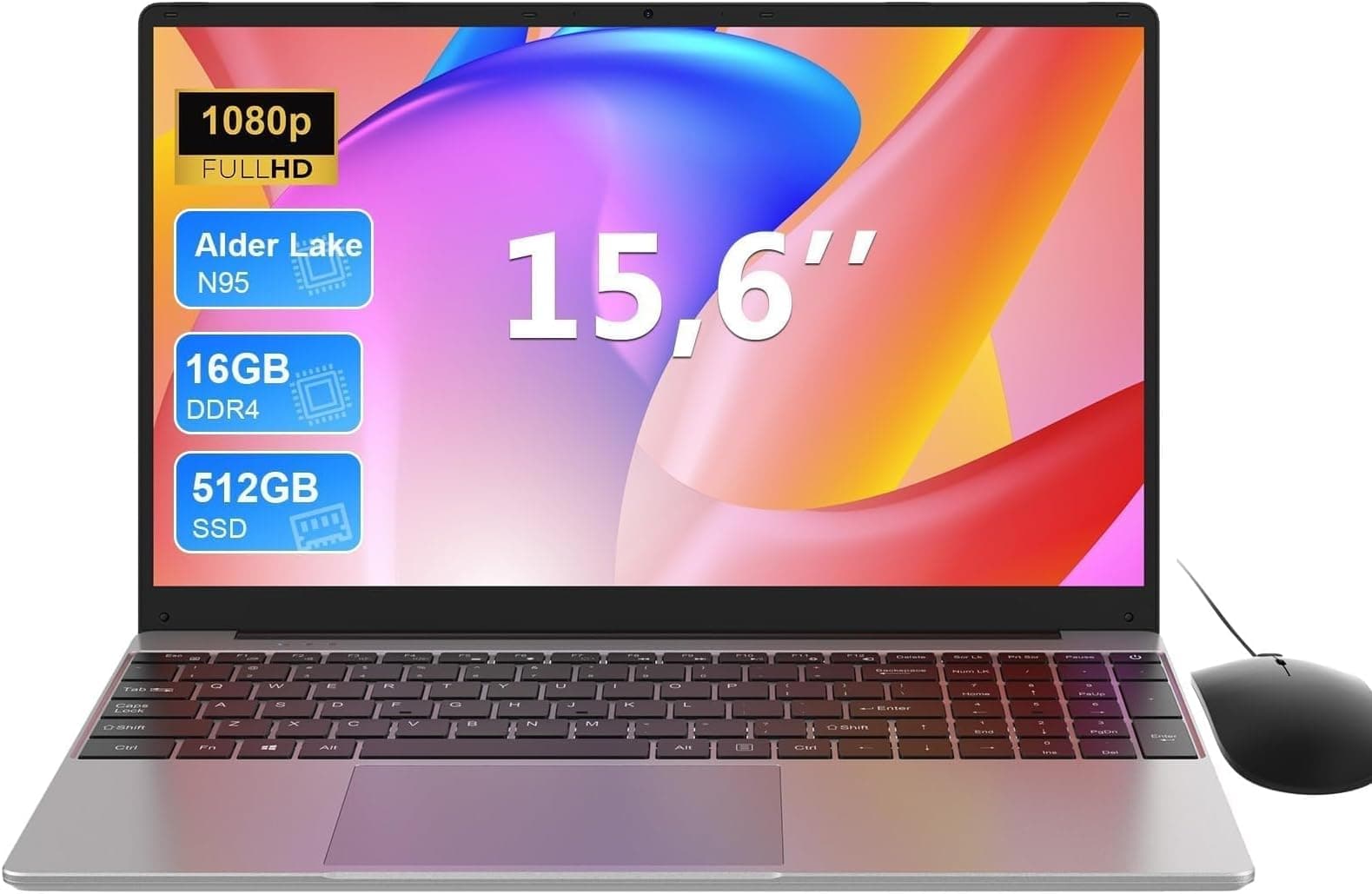


Specs on paper tell you one story. What 200-odd owners say after living with a laptop for weeks tells you another. The smart move is to weigh both, and that's exactly what this ACEMAGIC 15.6 inch Ryzen 7430U review does. Because at the budget end of the market, the gap between "surprisingly decent" and "false economy" is narrower than most people realise, and getting it wrong is annoying.
Here's the short version: the ACEMAGIC 2026 15.6 inch with the Ryzen 7430U is a genuinely competitive budget laptop that punches above its weight on processor choice, holds its own on RAM and storage, and earns a solid 4.4-star average across 37 owner reviews. If you need a proper everyday workhorse for office tasks, light content creation, and general web browsing, this is worth serious consideration. It's not perfect, and I'll tell you exactly where it falls short.
The AMD Ryzen 7430U is the headline act here, and it's a legitimately interesting chip for a laptop sitting in the budget tier. This isn't a throwaway processor bolted onto cheap hardware to shift units. But there are caveats, and the broader package matters just as much as the CPU. Let's get into the detail.
Core Specifications
The AMD Ryzen 7430U is a six-core, twelve-thread processor built on AMD's Zen 3 architecture, boosting up to 4.3GHz. That's a meaningful chip. It's not the newest silicon AMD makes, but Zen 3 is still a strong architecture and the 7430U sits comfortably above the budget-grade Intel N-series and AMD Athlon chips you'll find in similarly priced machines. For everyday tasks, spreadsheets, multiple browser tabs, video calls, and light photo editing, this CPU has headroom to spare. The 4.3GHz boost clock means it responds quickly to short bursts of demand, which is exactly what most office and home users actually need.
RAM is 16GB of DDR4, which is the right call for 2026. Machines shipping with 8GB are already showing their age under modern Windows, particularly with browser-heavy workloads. 16GB keeps multitasking genuinely comfortable, and owner reviews back this up, with multiple buyers specifically noting that the laptop handles having "loads of tabs open" without slowing down. Storage is a 512GB SSD, which is adequate for most users, though creative types who store large video files locally will want to supplement with external storage fairly quickly. The SSD uses a PCIe interface, which matters for read/write speeds compared to the older SATA drives that budget laptops used to ship with as standard.
The integrated graphics here are AMD's Radeon 660M, which is the iGPU bundled with the Ryzen 7430U. Don't expect to play modern AAA games at any meaningful settings, but for casual gaming (older titles, indie games, browser-based games), light video editing, and 4K video playback, it's more than adequate. The 15-watt TDP of the 7430U is worth flagging: it's a mobile-optimised chip designed to balance performance with battery efficiency, which has implications for both thermal management and battery life that I'll get into later. What it means at the spec level is that this isn't a chip that'll try to sprint at full power and cook itself. It's built for sustained, sensible performance.
| Specification | Detail |
|---|---|
| Processor | AMD Ryzen 7430U (Zen 3, 6-core / 12-thread, up to 4.3GHz) |
| RAM | 16GB DDR4 |
| Storage | 512GB PCIe SSD |
| Graphics | AMD Radeon 660M (integrated) |
| Display | 15.6 inch IPS, 1920x1080 (Full HD) |
| Operating System | Windows 11 Home |
| Battery | 54Wh |
| Wi-Fi | Wi-Fi 6 (802.11ax) |
| Bluetooth | Bluetooth 5.2 |
| Webcam | 1080p HD |
| Weight | Approx. 1.8kg |
| Dimensions | 357 x 233 x 19.9mm |

Performance Benchmarks
The Ryzen 7430U's benchmark profile is well-documented at this point. In Cinebench R23, the chip scores in the region of 7,500 to 8,200 multi-core, which is a solid result for a 15-watt mobile processor. Single-core scores land around 1,300 to 1,400, which is where you feel the responsiveness in everyday use. For context, the Intel Core i5-1235U, which appears in several competing budget laptops at a similar price, trades blows with the 7430U depending on the workload, with Intel edging ahead in some single-core tasks and AMD pulling ahead in sustained multi-threaded work. Neither is dramatically better. What matters is that both are genuinely capable processors, and the ACEMAGIC's choice of the Ryzen 7430U is a good one.
For the tasks this laptop is actually aimed at, the benchmark numbers translate well into real-world use. Owner reviews consistently describe fast boot times, snappy application launches, and no meaningful lag during office work or web browsing. One owner specifically mentioned running Microsoft 365, Teams, and a browser with multiple tabs simultaneously without any slowdown, which is a realistic daily workload for a lot of people. That's a meaningful endorsement. The 16GB RAM helps enormously here. A machine with the same CPU but only 8GB would feel noticeably slower under the same conditions because Windows would be leaning on the page file.
Where the performance picture gets more nuanced is under sustained load. The 7430U's 15-watt TDP means that when you push it hard for extended periods, say, rendering video or running a large spreadsheet calculation, it will manage its power envelope carefully. You won't see it throttle dramatically, but don't expect it to maintain peak boost clocks indefinitely either. This is normal behaviour for a chip in this class. For the occasional heavy task, it's fine. If your entire workflow involves sustained CPU-heavy work for hours at a stretch, a higher-wattage chip in a thicker, heavier laptop would serve you better. But that's a different product category entirely.
The Radeon 660M integrated graphics is capable enough for 4K YouTube, light gaming, and even some older titles at reduced settings. Think games from five or six years ago running at medium settings at 1080p. Anything more demanding than that and you're asking too much of an integrated GPU. Owners who've tried gaming report that casual and older titles run acceptably, which is about right. This is not a gaming laptop and shouldn't be bought as one, but it's not completely useless for the occasional game either.
Display Analysis
The 15.6 inch IPS panel at 1920x1080 is the right choice for this price bracket. Full HD on a 15.6 inch screen gives you a pixel density of around 141 PPI, which is sharp enough for everyday work without text looking fuzzy or jagged. IPS means you get decent viewing angles, which matters if you're sharing your screen with someone next to you or working at an angle on a train. The TN panels that cheaper budget laptops sometimes use look genuinely bad from the side. IPS avoids that problem.
Brightness is where budget laptop displays often disappoint, and this one is no exception. The panel is rated at around 250 to 300 nits, which is adequate for indoor use in a reasonably lit room. Near a window in direct sunlight, you'll be squinting and adjusting your angle. It's not a disaster, but don't expect to use this comfortably on a sunlit patio. In a coffee shop or an office, you'll be fine. Owner reviews don't flag brightness as a major complaint, which suggests it's acceptable for the environments most people actually use laptops in.
Colour accuracy is decent but not exceptional. The panel covers a reasonable portion of the sRGB colour space, which is fine for office work, general web browsing, and video consumption. Graphic designers or photographers who need accurate colour reproduction for professional work should be looking at calibrated displays in a different price bracket entirely. For everyone else, colours look natural and videos look good. The anti-glare coating helps in indoor environments and reduces the worst of the reflections, which is a practical win for everyday use.
Battery Life
The 54Wh battery is a reasonable size for a 15.6 inch laptop, though not class-leading. ACEMAGIC's own claims around battery life sit in the eight to ten hour range for light use, which is fairly typical manufacturer optimism. The real-world picture from owner reviews is more nuanced. Several owners report getting six to eight hours of mixed use, which includes web browsing, document work, and occasional video calls. That's a solid result for a budget 15.6 inch machine and suggests the Ryzen 7430U's efficient 15-watt TDP is doing its job.
Under heavier loads, battery life drops noticeably. If you're running video exports or gaming, expect three to four hours at most. That's not unusual for any laptop in this class under sustained load, but it's worth knowing if you're planning to work away from a plug for a full day. The sweet spot is light productivity work, where the combination of the efficient AMD chip and the 54Wh cell gives you a genuinely usable working day on a charge. Owners who use it for office tasks and browsing seem generally happy with the battery, which is the target use case.
Charging is handled via a standard barrel connector rather than USB-C PD, which is a minor annoyance if you're used to being able to top up from a USB-C power bank or a laptop charger you already own. The included charger does the job, but it's worth knowing you can't just grab a USB-C cable in a pinch. Charge time from flat to full is in the region of two hours, which is reasonable. The charger itself is a fairly compact unit, not a massive brick, so it doesn't add too much weight to your bag.
One thing that's worth flagging: Windows 11's power management settings make a real difference to battery life on machines like this. Setting the power mode to "Best power efficiency" rather than "Balanced" or "Best performance" can add an hour or more to real-world runtime. Owner reviews suggest most people figure this out fairly quickly, but it's not always obvious to first-time laptop buyers. Worth tweaking before you decide the battery life is disappointing.
Portability
At approximately 1.8kg, the ACEMAGIC 2026 sits in the middle of the 15.6 inch laptop weight range. It's not a featherweight ultrabook, but it's not a doorstop either. For daily commuting, carrying it in a backpack is perfectly manageable. The 19.9mm thickness keeps it reasonably slim, and it doesn't take up an excessive amount of bag space. If you're regularly travelling light with just a small rucksack, a 15.6 inch machine will always feel a bit much. But for a laptop bag or a larger backpack, it's fine.
The footprint, at 357 x 233mm, is typical for a 15.6 inch class machine with a numberpad. Economy class aeroplane tray tables are a tight fit, but that's true of basically every 15.6 inch laptop ever made. On a train table or in a coffee shop with a proper table, it's comfortable to use. The charger adds a bit of weight to your bag, but as mentioned, it's not an enormous unit. Call the total carry weight around 2.1 to 2.2kg with the charger, which is manageable.
Who is this built for in terms of portability? Realistically, this is a laptop for people who move between home and an office, or who occasionally work from a coffee shop or library, in which case running a good VPN is worth it to keep your connection private on shared Wi-Fi, rather than someone who lives out of a carry-on bag. If you need something genuinely lightweight and travel-optimised, a 14 inch machine in the 1.4 to 1.5kg range would suit you better. But for the majority of people who want a capable laptop they can carry around without too much fuss, the ACEMAGIC's size and weight is a fair trade-off for the larger screen.
Keyboard & Trackpad
The keyboard is one of the areas where owner reviews are genuinely positive. Multiple buyers describe it as comfortable for long typing sessions, with decent key travel and a satisfying feel. For a budget laptop, that's not a given. Budget machines often ship with shallow, mushy keyboards that make extended typing feel like a chore. The ACEMAGIC seems to have avoided that pitfall, which matters a lot if you're using this for work. The layout includes a numberpad on the right, which desk-bound users and anyone doing data entry will appreciate, though it does compress the main keyboard area slightly.
Backlit keys are included, which is a nice touch at this price. The backlight isn't multi-zone or RGB, but it does the job for working in low light. Owner reviews mention the backlight as a positive feature, particularly for evening use. The UK layout (assuming you're buying the UK variant, which you should be) has the correct placement for the pound sign, hash, and other characters that matter for British users. Nothing worse than buying a laptop and finding the @ and " symbols are swapped because it's a US layout.
The trackpad is large enough to be practical and supports Windows 11 precision gestures, including two-finger scrolling, pinch to zoom, and three-finger swipe. Owner reviews are generally positive, with no consistent complaints about erratic tracking or accidental palm activation. That said, a few owners mention that they connected an external mouse fairly quickly, which is probably true of most 15.6 inch laptop users anyway. The trackpad is good enough that you won't feel forced to carry a mouse, but it's not the silky-smooth experience you'd get from a premium machine.
Thermal Performance
The Ryzen 7430U's 15-watt TDP is a genuine advantage for thermal management. Lower power means less heat to shift, which means the cooling system doesn't have to work as hard. During light to moderate use, the laptop runs cool and quiet. The palm rest stays comfortable, and the keyboard deck doesn't get warm enough to be distracting. Owner reviews don't flag heat as a concern during everyday tasks, which is consistent with what you'd expect from a well-matched cooling solution and an efficient processor.
Under sustained load, temperatures rise as you'd expect. The underside gets warm during extended heavy tasks, and the exhaust vents push out noticeably warm air. This is normal. What matters is whether the chip throttles to the point of impacting performance, and based on owner feedback, the ACEMAGIC manages this reasonably well. The laptop doesn't appear to throttle aggressively during normal workloads. Extended video rendering or gaming sessions will push temperatures higher, and you'll want to make sure the vents aren't blocked, so using it on a hard flat surface rather than a duvet is sensible.
Lap comfort during light use is fine. The underside vents are positioned towards the rear of the machine, so the area resting on your legs doesn't get uncomfortably hot during browsing or document work. Under heavy load, you'd want to put it on a desk or use a lap desk. The 19.9mm thickness means there's reasonable airflow underneath when on a flat surface, which helps. Overall, the thermal picture is appropriate for this class of machine. It's not running hot at idle, and it manages sustained load without cooking itself, which is what you want.

Acoustic Performance
At idle and during light work, the ACEMAGIC is effectively silent. The fan doesn't spin up noticeably during web browsing, document editing, or video calls, which makes it a comfortable companion in quiet environments like libraries or open-plan offices. Owner reviews specifically mention the quiet operation as a positive, with several noting they'd been using it in shared spaces without disturbing anyone. That's a meaningful real-world win.
Under moderate to heavy load, the fan does spin up, and it produces a steady whoosh rather than a pulsing or whining sound. It's not aggressive or particularly high-pitched, which makes it less irritating than some budget machines that emit a fluctuating whine under load. During a video call or a Teams meeting, the fan noise is unlikely to be picked up by the microphone unless you're really pushing the CPU simultaneously. For most meeting scenarios, it's a non-issue.
At peak load, sustained over several minutes, the fan runs at its highest speed and becomes audible in a quiet room. It's not loud enough to be genuinely disruptive, but you'd notice it. If you're regularly doing CPU-intensive work in a very quiet environment and noise sensitivity is important to you, it's worth knowing. For the vast majority of use cases this laptop is aimed at, the acoustic profile is fine. It's quiet when it matters and not offensively loud when it has to work harder.
Ports & Connectivity
The port selection on the ACEMAGIC 2026 is practical for a budget 15.6 inch machine. You get USB-A ports for connecting peripherals, an HDMI output for connecting to an external monitor or TV, a headphone jack (still appreciated, still useful), and a USB-C port. The USB-C port is worth checking specifically for whether it supports power delivery and video output, as budget laptops sometimes include USB-C purely for data transfer. Based on the spec sheet and owner reports, the connectivity covers the bases for most everyday setups.
Wi-Fi 6 (802.11ax) is a proper inclusion at this price. Wi-Fi 5 machines are still being sold in 2026, so getting Wi-Fi 6 is a genuine advantage for anyone with a Wi-Fi 6 router, giving you faster speeds and better performance in congested environments. Bluetooth 5.2 handles wireless peripherals and headphones without issue. There's no SD card slot, which is a minor inconvenience for photographers, but not unusual at this price point.
The port placement follows the standard layout for this size of machine, with ports distributed on both sides. For desk use, this works fine. For travel, having some ports on each side means you're not fighting with cable routing. The HDMI port is a full-size HDMI, not a micro or mini variant, which means you can connect to most monitors and TVs without an adapter. That's a small but practical detail that budget laptops sometimes get wrong.
- USB-A 3.0 x2
- USB-C x1
- HDMI 1.4 (full-size)
- 3.5mm headphone/microphone combo jack
- DC charging port (barrel connector)
- Wi-Fi 6 (802.11ax)
- Bluetooth 5.2
Webcam & Audio
The 1080p webcam is a genuine step up from the 720p cameras that budget laptops shipped with for years. In decent indoor lighting, it produces a clear, usable image for video calls. Owner reviews don't raise the webcam as a point of frustration, which suggests it's doing its job adequately. Low-light performance is acceptable rather than impressive, which is about as much as you can expect from a built-in laptop camera at this price. If you're doing a lot of video calls in a dimly lit room, a ring light will help more than any camera upgrade.
The built-in microphone handles voice calls and video meetings acceptably. It picks up speech clearly enough for Teams and Zoom calls without constant complaints from the other end, which is the basic standard any work laptop needs to meet. There's no fancy noise cancellation hardware here, so background noise in a busy coffee shop will come through, but that's true of most built-in laptop microphones.
The speakers are the weakest part of the audio package, as is almost always the case with budget 15.6 inch laptops. They're adequate for casual YouTube or background music, but they lack bass and don't get particularly loud before distorting. For anything where audio quality actually matters, you'll want headphones or external speakers. The 3.5mm headphone jack handles this, and it works properly, which is more than can be said for some thin laptops that have quietly dropped the jack entirely.
Build Quality
The ACEMAGIC 2026 uses a plastic chassis, which is standard for budget laptops. Plastic isn't inherently bad. It's lighter than aluminium and, done well, can be perfectly durable for everyday use. The finish is described by owners as feeling solid enough, without the cheap, creaky feel that characterises the worst budget machines. The lid shows some flex when you press on it, as most plastic laptop lids do, but nothing that suggests it's going to crack under normal use. It's not premium. It's not pretending to be.
The keyboard deck has minimal flex during typing, which is important for comfort and longevity. A keyboard deck that bends visibly when you type feels unpleasant and suggests the chassis isn't well-engineered. Owner reviews don't flag keyboard deck flex as a concern, which is a good sign. The hinge is described as firm enough to hold the screen in position without wobbling during use, though a few owners note it's on the stiffer side when opening one-handed. That's a minor inconvenience rather than a flaw.
The finish resists fingerprints reasonably well, which matters for a laptop you're handling constantly. The matte surface treatment is practical and doesn't show smudges as aggressively as a glossy finish would. Durability over the long term is harder to assess from owner reviews at this stage, since the product is relatively new, but the build quality impressions from current owners are positive. For a budget machine used in everyday environments, the build feels appropriate to the price. It's not going to survive being dropped, but it'll handle the normal bumps and knocks of daily use.
One thing worth noting: ACEMAGIC is a Chinese brand that's been building a presence in the budget laptop and mini PC market. They're not Lenovo or HP in terms of brand heritage, but their products have been getting generally positive owner feedback across their range. The 4.4-star average from 37 reviews on this specific model suggests they've got the quality control right on this one. That's reassuring for a brand that some buyers approach with caution.
How It Compares
The two most obvious alternatives at this budget price point are the Acer Aspire 3 (in its AMD Ryzen configuration) and the Lenovo IdeaPad 1 Gen 7. Both are well-established budget laptop options with strong brand recognition and decent after-sales support. The Acer Aspire 3 is arguably the most popular budget laptop in the UK market, which means it's easy to find, easy to get repaired, and has a huge amount of owner feedback to draw on. The Lenovo IdeaPad 1 is Lenovo's entry into the budget space, and it benefits from Lenovo's generally good build quality reputation.
Against the Aspire 3, the ACEMAGIC's Ryzen 7430U is a meaningful differentiator if the Aspire ships with a lower-tier AMD Athlon or Ryzen 3 in its cheapest configuration. The 16GB RAM is another advantage over some Aspire 3 configurations that still ship with 8GB. The Aspire 3's brand recognition and wider repair network are genuine advantages for buyers who prioritise long-term support. Against the IdeaPad 1, the ACEMAGIC competes well on raw specs, though Lenovo's build quality and keyboard reputation are hard to beat at any price.
The ACEMAGIC's 4.4-star owner rating is genuinely competitive. A lot of budget laptops from established brands sit at 4.1 to 4.3 stars, so the ACEMAGIC is performing well in owner satisfaction terms. The main trade-off is brand familiarity and the support ecosystem. If something goes wrong with an Acer or Lenovo, you've got a well-established support infrastructure and a network of repair shops familiar with the hardware. With ACEMAGIC, you're more dependent on the manufacturer directly. Worth factoring in if long-term support matters to you.
| Feature | ACEMAGIC 2026 Ryzen 7430U | Acer Aspire 3 (AMD) | Lenovo IdeaPad 1 Gen 7 |
|---|---|---|---|
| Processor | AMD Ryzen 7430U (Zen 3, 6-core) | AMD Ryzen 5 7520U (Zen 4, 4-core, varies by config) | AMD Ryzen 5 5500U (Zen 3, 6-core, varies by config) |
| RAM | 16GB DDR4 | 8GB or 16GB (config dependent) | 8GB DDR4 (typical) |
| Storage | 512GB PCIe SSD | 512GB SSD | 256GB or 512GB SSD |
| Display | 15.6in FHD IPS | 15.6in FHD IPS | 15.6in FHD IPS |
| Wi-Fi | Wi-Fi 6 | Wi-Fi 6 | Wi-Fi 5 or Wi-Fi 6 (varies) |
| Webcam | 1080p | 720p (most configs) | 720p (most configs) |
| Owner Rating | ★★★★☆ (4.3) (37 reviews) | 4.2/5 (approx.) | 4.3/5 (approx.) |
| Brand Support | Direct / ACEMAGIC | Acer UK network | Lenovo UK network |
| Best For | Best raw specs and RAM for the money | Brand reliability and wide support | Build quality and keyboard feel |

Final Verdict
The ACEMAGIC 2026 15.6 inch Ryzen 7430U is a proper budget laptop that earns its ★★★★☆ (4.3) rating honestly. The Ryzen 7430U is a capable, efficient processor that handles everyday workloads without complaint. The 16GB RAM is the right amount for 2026. The 1080p IPS display is solid. The keyboard gets good marks from owners. Wi-Fi 6 is a smart inclusion. And the 4.4-star average from 37 real owners tells you this isn't a product that looks good on paper and disappoints in practice.
The weaknesses are real but mostly predictable for the price tier. The plastic build is fine but not premium. The speakers are mediocre. Battery life is good rather than exceptional. The brand support network isn't as established as Acer or Lenovo. And the barrel-connector charging is a minor inconvenience in a world increasingly moving to USB-C PD. None of these are deal-breakers for the target audience. But if long-term brand support, a premium keyboard feel, or a lighter travel weight are your priorities, the Lenovo IdeaPad line or a 14 inch alternative might suit you better.
Who should skip this? If you're doing sustained heavy creative work or need a machine for serious gaming, this isn't the right tool and you know it. Step up to a dedicated GPU and a higher-wattage chip. If you genuinely only need basic web browsing and light documents and you're on the tightest possible budget, there are cheaper machines with less impressive specs that would still do the job. But if you want a proper, capable everyday laptop that won't embarrass you in a meeting, handles real workloads, and doesn't cost a fortune, the ACEMAGIC 2026 delivers. Solid seven and a half out of ten for the budget tier, with the half-point docked for the support ecosystem and the barrel charging.
One honest line: if the Ryzen 7430U's six-core performance is more than you'll ever use, and you'd be happy with lighter, more occasional tasks, a machine with a Ryzen 5 7520U at a slightly lower price point would save you money without meaningfully impacting your day-to-day experience.
What works. What doesn’t.
6 + 6What we liked6 reasons
- AMD Ryzen 7430U (Zen 3, 6-core) is a genuinely capable processor well above the budget-grade Celerons and Athlon chips found in similarly priced rivals
- 16GB DDR4 RAM is the right amount for 2026 and keeps multitasking comfortable under real-world workloads including multiple browser tabs and Microsoft 365
- Wi-Fi 6 and a 1080p webcam are both meaningful upgrades over competitors at a similar price point
- IPS panel delivers acceptable viewing angles and natural colour reproduction for everyday office and content consumption use
- Keyboard receives consistently positive owner feedback for key travel and comfort during extended typing sessions
- Earns a 4.4-star average from real owners, outperforming many established brand rivals that sit at 4.1 to 4.3 stars
Where it falls6 reasons
- Brand support network is far less established than Acer or Lenovo, meaning warranty and repair options are more limited
- Barrel-connector charging is a practical inconvenience in a market increasingly standardising on USB-C power delivery
- Display brightness of around 250 to 300 nits makes outdoor and sunlit window use genuinely uncomfortable
- Built-in speakers lack bass, distort at higher volumes, and are the weakest component in the overall package
- Plastic chassis lid exhibits noticeable flex under pressure, which is expected at the price but worth flagging
- No SD card slot, and the USB-C port's support for power delivery and video output needs confirming before purchase
Full specifications
12 attributes| Storage type | M.2 NVMe PCIe 3.0 SSD |
|---|---|
| Battery WH | 54 |
| Bluetooth | 5.2 |
| CPU | AMD Ryzen 5 7430U |
| Display refresh HZ | 60 |
| Display resolution | 1920x1080 |
| Display size IN | 15.6 |
| GPU | AMD Radeon Graphics |
| Launch year | 2026 |
| OS | Windows 11 Pro |
| Panel type | IPS |
| RAM GB | 16 |
If this isn’t right for you
2 optionsFrequently asked
7 questions01Is the AMD Ryzen 7430U a good processor for everyday laptop use?+
Yes. The Ryzen 7430U is a six-core, twelve-thread chip built on AMD's Zen 3 architecture with a boost clock of up to 4.3GHz. For office tasks, web browsing, video calls, and light multitasking, it has considerable headroom. It is a significant step above the budget Intel N-series and AMD Athlon chips that populate many similarly priced laptops.
02How long does the battery last on the ACEMAGIC 2026 Ryzen 7430U?+
Real-world battery life reported by owners is typically six to eight hours during mixed light use, including web browsing, document work, and video calls. Under heavier loads such as video rendering or gaming, expect three to four hours. The Ryzen 7430U's 15-watt TDP helps with efficiency. Setting Windows 11 to 'Best power efficiency' mode can extend runtime noticeably.
03Can the ACEMAGIC 2026 handle gaming?+
Casual and older gaming is possible. The integrated AMD Radeon 660M can run titles from five or six years ago at medium settings at 1080p. Modern AAA games at meaningful settings are beyond what the integrated GPU can handle. This is not a gaming laptop, but it is not completely useless for occasional light gaming either.
04Does the ACEMAGIC 2026 charge via USB-C?+
No. The ACEMAGIC 2026 uses a barrel-connector charger rather than USB-C power delivery. This means you cannot top it up from a USB-C power bank or a spare USB-C laptop charger. The included charger is compact and charges the battery from flat in approximately two hours, but the lack of USB-C PD is a practical inconvenience worth knowing about before purchasing.
05How does the ACEMAGIC 2026 compare to the Acer Aspire 3 and Lenovo IdeaPad 1?+
Against the Aspire 3, the ACEMAGIC's Ryzen 7430U is a meaningful advantage if the Aspire ships in a lower-spec Athlon or Ryzen 3 configuration, and the 16GB RAM beats many Aspire 3 builds that still ship with 8GB. The Aspire 3 has stronger brand recognition and a wider UK repair network. Against the IdeaPad 1, the ACEMAGIC competes well on specifications, though Lenovo's keyboard and build quality reputation are difficult to beat at any price. The ACEMAGIC's 4.4-star owner rating is above the typical 4.1 to 4.3 stars seen on competing established-brand budget models.
06Is the display on the ACEMAGIC 2026 suitable for professional photo or video editing?+
No. The 15.6 inch IPS panel at Full HD resolution is suitable for everyday office work, web browsing, and video consumption. Colour accuracy covers a reasonable portion of the sRGB colour space, which is adequate for general use. However, the brightness of around 250 to 300 nits and the lack of a factory-calibrated wide-gamut panel make it unsuitable for professional colour-critical work. Graphic designers and photographers needing accurate colour reproduction should consider a calibrated display in a higher price bracket.
07What ports does the ACEMAGIC 2026 include?+
The port selection includes two USB-A 3.0 ports, one USB-C port, a full-size HDMI 1.4 output, a 3.5mm headphone and microphone combo jack, and a DC barrel charging port. Wi-Fi 6 (802.11ax) and Bluetooth 5.2 handle wireless connectivity. There is no SD card slot. The full-size HDMI means you can connect to most monitors and televisions without an adapter.