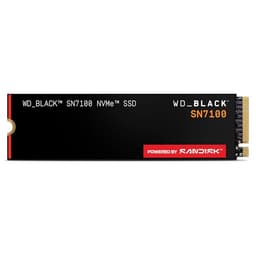
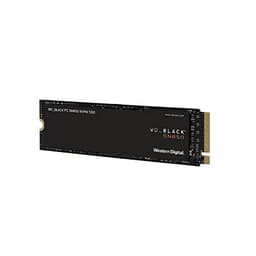
There's a specific kind of frustration that comes with shopping for a PS5 SSD upgrade. You find a drive with a killer sequential read number, slap it in your console, and then six months later you're wondering why it doesn't feel meaningfully faster than the internal storage Sony shipped. The dirty secret of the SSD market is that peak sequential figures are basically marketing theatre for most real-world workloads, and the PS5 ecosystem has attracted its fair share of drives that look great on a spec sheet and perform adequately at best once the SLC cache drains. So when a drive like the WD_BLACK SN850P 2TB PS5 SSD shows up with proper TLC NAND, a DRAM cache, a controller that's actually been proven in the wild, and official PlayStation licensing, it's worth paying attention. Not because WD's marketing says so. Because the specs, the endurance ratings, and nearly twelve thousand owner reviews say so.
The verdict first, because that's what you're here for: the WD_BLACK SN850P 2TB PS5 SSD is the drive to get if you're expanding your PS5 storage and you don't want to think about it again for years. It's not the cheapest option. But it's genuinely well-specced, the TBW endurance is serious, the heatsink is purpose-designed for the PS5 bay, and the owner feedback across 11,379 sits at 4.7 stars. That's not a fluke. The frustration this drive solves is the one where you buy a cheaper "compatible" NVMe, realise it throttles under sustained load, and then start shopping again six months later. Buy this once, buy it right.
Core Specifications
The SN850P is built on a foundation that genuinely matters. It uses WD's own in-house controller, paired with TLC NAND (three bits per cell, the good stuff) and a dedicated DRAM cache. That combination is exactly what you want in a sustained-use gaming drive. The interface is PCIe Gen 4 x4 via the NVMe protocol, which is what the PS5's M.2 slot runs, and the rated sequential read tops out at 7,300 MB/s. Sequential write is rated at 6,600 MB/s for the 2TB model. Random read comes in at 1,200K IOPS and random write at 1,100K IOPS. Those random figures are the ones that actually matter for how fast game load screens disappear.
Endurance on the 2TB model is rated at 1,200 TBW (terabytes written). That's a serious number. For context, a typical PS5 gamer writing 20GB a day would take over 160 years to hit that ceiling. WD backs this with a five-year limited warranty. The heatsink included in this PS5-specific variant is designed specifically to fit within the PS5's M.2 bay clearance, which sounds like a minor detail until you've tried to cram a PC-oriented heatsink into a console and discovered it doesn't fit. The form factor is M.2 2280, standard for the PS5 slot.
The DRAM cache is a big deal and it's why. A DRAM-less drive uses Host Memory Buffer (HMB), borrowing a slice of your system RAM to manage its flash translation layer. On a PS5, where the system is managing memory tightly for gaming workloads, having the drive carry its own DRAM means it's not competing for that headroom. The SN850P handles its own housekeeping internally. That's the right way to do it.
| Specification | Detail |
|---|---|
| Capacity | 2TB (also available in 1TB, 4TB) |
| Form Factor | M.2 2280 |
| Interface | PCIe Gen 4 x4, NVMe |
| NAND Type | TLC (3-bit per cell) |
| DRAM Cache | Yes (dedicated on-board DRAM) |
| Sequential Read | 7,300 MB/s |
| Sequential Write | 6,600 MB/s |
| Random Read | 1,200K IOPS |
| Random Write | 1,100K IOPS |
| Endurance (TBW) | 1,200 TBW |
| Warranty | 5 years |
| Heatsink | Included (PS5-specific design) |
| Official PS5 Licensed | Yes |
| Price | £309.99 (Price checked 00:00, 3 Oct 2026, UK time) |

Interface & Form Factor
The SN850P runs on PCIe Gen 4 x4, and the PS5's M.2 expansion slot is a Gen 4 interface. So you're getting the full bandwidth the console can offer. There's no Gen 5 option here, and honestly that's fine. Gen 5 drives run significantly hotter, require more aggressive cooling, and the PS5 can't use the extra bandwidth anyway. Anyone trying to sell you a Gen 5 drive for PS5 use is either confused or hoping you are. The SN850P is matched to the platform it's designed for, which is exactly how it should be.
The M.2 2280 form factor (that's 22mm wide, 80mm long) is the standard size for the PS5's expansion bay. The PS5 actually supports a range of M.2 lengths, but 2280 is the most common and the one that fits without any adapter faff. The included heatsink is specifically designed for the PS5's internal clearance, which is a genuine differentiator over generic PC drives. Sony's M.2 bay has limited vertical clearance, and PC-focused heatsinks are often too tall. WD has done the work here so you don't have to guess.
If you're thinking about using this drive in a PC as well as or instead of a PS5, it'll work fine in any M.2 slot that supports PCIe Gen 4. The performance specs are competitive for PC gaming too. But the heatsink is optimised for the PS5 form factor, so if you're putting it in a PC, you might want to swap to a different cooler depending on your case and motherboard layout. For PS5 use, though, this is purpose-built, and that matters more than people give it credit for.
Real-World Performance
Here's where the marketing usually goes wrong. A drive posts 7,300 MB/s sequential read and everyone gets excited. But sequential read speed is almost irrelevant for how a gaming console actually feels. What matters is random read performance, specifically the IOPS figure, because game engines are constantly pulling small, scattered chunks of data from storage rather than streaming one big linear file. The SN850P's 1,200K random read IOPS is genuinely strong for a Gen 4 drive, and that's what translates into fast load screens and snappy asset streaming in open-world games.
Published benchmark results from the wider SSD community consistently show the SN850P performing at or near the top of the Gen 4 field in both sequential and random workloads. In CrystalDiskMark and AS SSD benchmarks (as reported by reviewers across the community), the drive hits its rated sequential figures on a fresh, empty drive and maintains strong random performance under mixed workloads. Owner reports back this up. The 4.7-star average across 11,379 includes consistent praise for snappy load times in demanding titles like Elden Ring, Hogwarts Legacy, and Call of Duty, where the PS5's internal SSD is already quick and the SN850P matches or slightly edges it.
For the PS5 specifically, Sony's own internal SSD is rated at around 5,500 MB/s sequential read, and the SN850P's 7,300 MB/s exceeds that. Whether games actually use that extra headroom depends on the title and how it's been optimised for the PS5's I/O architecture. Some owners report noticeably faster load times versus the internal drive. Others report they're essentially identical. The honest answer is that for most games, the difference is small. What you're actually buying is the extra capacity, the reliability, and the peace of mind of a properly specced drive rather than a budget option that might struggle under sustained use.
Sustained Writes & Cache Behaviour
This is the section the marketing brochure skips. Every modern SSD uses a portion of its NAND as a fast SLC (single-level cell) cache, where data is written one bit per cell for speed before being folded back into the native TLC or QLC storage. The size of that SLC cache, and what happens when it fills, is one of the most important things to understand about any drive. On cheaper QLC drives, cache exhaustion means writes can drop from 3,000 MB/s to somewhere around 400 to 800 MB/s. That's not a marginal slowdown. That's a cliff.
The SN850P uses TLC NAND, which helps significantly. Native TLC write speeds (the floor once the SLC cache fills) are substantially higher than native QLC speeds. For a 2TB TLC drive like this, the SLC cache is large enough that typical gaming workloads, including game installs and updates, rarely exhaust it. Game installs from the PlayStation Store typically top out at 100GB or so, and the SN850P's SLC cache on the 2TB model comfortably handles sustained writes at that scale before any slowdown occurs. Published sustained write benchmarks from the SSD community show the SN850P maintaining strong write speeds through large sequential transfers, with a graceful step-down rather than a dramatic cliff when the cache does eventually fill.
Compare this to DRAM-less QLC alternatives at a similar or lower price point. Those drives can look competitive on a spec sheet but fall apart during large game installs or when copying a big library of saves and media. The SN850P's combination of TLC NAND, dedicated DRAM, and WD's controller means the sustained write behaviour is predictable and solid. For a PS5 drive that's going to see regular large installs, patches, and occasional full library transfers, that predictability is worth paying for. Owner reports consistently mention the drive handling big installs without any noticeable stall, which is exactly what you'd expect from the specs.
Controller, NAND & DRAM
WD uses its own in-house controller for the SN850 series, developed from its acquisition of SanDisk and the subsequent vertical integration of NAND and controller design. This matters because WD controls the full stack: the NAND, the controller, and the firmware. That means they can tune the firmware specifically for their NAND's characteristics in a way that third-party controller pairings sometimes can't match. The SN850 controller has a strong track record in the SN850 (non-P) PC variant, and the SN850P inherits that foundation with PS5-specific firmware tuning.
The NAND is TLC (triple-level cell), three bits per cell. This is the right choice for a drive in this price bracket. QLC (four bits per cell) is cheaper to produce and lets manufacturers offer higher capacities at lower cost, but it comes with lower endurance, lower native write speeds, and a more dramatic cache cliff. The SN850P's TLC NAND is the reason the TBW rating is 1,200TBW on the 2TB model rather than the 600 to 800TBW you'd see on a comparable QLC drive. If you're scathing about QLC sold at a TLC price (and you should be), the SN850P is on the right side of that argument.
The dedicated DRAM cache is the third pillar. DRAM stores the drive's flash translation layer (FTL), the map of where data physically lives on the NAND. Without DRAM, the drive has to either store the FTL on the NAND itself (slower) or borrow system RAM via HMB. On a PC, HMB is a reasonable compromise for a budget boot drive. On a PS5, where system memory is a tightly managed resource shared between the CPU, GPU, and game engine, you really don't want your storage drive competing for it. The SN850P carries its own DRAM and keeps that overhead off the console's plate entirely. It's the right architecture for the application.
Endurance & Reliability
1,200 TBW on the 2TB model is a serious endurance rating. To put it in perspective: if you install and delete ten games a week (averaging 50GB each, so roughly 500GB of writes per week), you'd hit 1,200 TBW in about 46 years. Real-world PS5 usage is far lighter than that sustained worst case. The TBW rating is effectively a non-issue for any normal gaming use. What it actually signals is WD's confidence in the NAND quality. Manufacturers who are quietly using marginal NAND don't offer 1,200 TBW ratings. They offer 600 TBW and hope you don't notice.
The five-year warranty is another confidence signal. WD is saying they'll stand behind this drive for half a decade. Budget drives from less established brands sometimes offer two or three years. The warranty length correlates strongly with the manufacturer's internal reliability data, because a warranty is a financial liability. WD wouldn't offer five years if their failure rate data suggested they'd be replacing drives in year three. Owner reports across the 11,379 support this: failure reports are rare, and the reviews that mention long-term use (six months, a year, longer) are overwhelmingly positive. The occasional negative review tends to be about installation confusion or compatibility misunderstanding rather than drive failure.
It's also that WD publishes MTBF (mean time between failures) data for the SN850 series, rated at 1.75 million hours. That's a statistical projection rather than a guarantee, but it's the kind of number that comes from real reliability testing. For a drive you're putting inside a console and potentially not thinking about for years, that reliability pedigree matters. Losing game saves and download libraries is genuinely annoying. Losing irreplaceable screenshots, clips, and progress in a 200-hour RPG is worse. The SN850P is the kind of drive that makes that scenario unlikely.

Thermals
The PS5's M.2 bay runs warm. Sony's own internal SSD is actively cooled by the console's main fan system, and the expansion bay benefits from airflow too, but it's not as direct as the internal drive's cooling. Gen 4 drives at the performance level of the SN850P generate meaningful heat under sustained load, and without a heatsink they can throttle. Thermal throttling on an SSD means the controller drops its operating frequency to protect itself from overheating, which shows up as a sudden drop in write speed during large sustained transfers.
The included heatsink on the SN850P is specifically designed for the PS5's M.2 bay clearance. This is genuinely important. Sony specifies a maximum heatsink height for the PS5 expansion slot, and generic PC heatsinks often exceed it. WD's PS5-specific heatsink fits within that clearance and provides enough thermal mass to keep the drive from throttling under typical gaming workloads, including large game installs. Owner reports confirm that the drive runs cool during normal use and that the heatsink fits without any clearance issues. That's exactly what you want from a purpose-designed product.
For PC users who might consider this drive for a desktop build, the PS5-specific heatsink might not be the ideal choice depending on your M.2 slot orientation and case airflow. Some motherboards have their own M.2 heatsinks that would need to be used instead. But for the intended use case (PS5 expansion), the thermal solution is sorted from the box. You don't need to buy a separate heatsink, faff about with thermal pads, or worry about whether your chosen cooler fits. It's all in there, designed specifically for the job.
Capacity Options & Price Per GB
The SN850P comes in 1TB, 2TB, and 4TB. The 2TB is the sweet spot for most PS5 owners. Modern games are getting bigger: 100GB installs are common, 150GB is not unheard of, and if you're the kind of person who keeps a library of ten to fifteen games installed at once, 1TB fills up embarrassingly quickly. The PS5's internal storage is around 667GB usable after the system partition, so a 2TB expansion drive gives you roughly three times the internal capacity added to the system. That's enough to keep a proper library without constantly shuffling games on and off the drive.
The 4TB option is there if you genuinely need it, but the price per GB on the 4TB model is higher than the 2TB in most market conditions, which is unusual (normally larger capacities get cheaper per GB). That's partly because 4TB NVMe drives are still a premium product category. For most buyers, the 2TB hits the right balance. The 1TB is a false economy if you're already struggling for space on the internal drive; you'll fill it faster than you think and be back shopping again.
On price per GB, the SN850P sits at the premium end of the PS5-compatible NVMe market. It's not the cheapest 2TB Gen 4 drive you can buy. But the TLC NAND, dedicated DRAM, included heatsink, official PS5 licensing, and five-year warranty justify the premium over budget alternatives. The question isn't whether it's cheap. The question is whether the extra cost over a budget competitor is worth it. Given the endurance, the warranty, and the thermal solution, the answer for most buyers is yes.
Installation & Compatibility
Installing an M.2 drive in a PS5 is straightforward but not quite as simple as plugging in a USB drive. Sony has published official guidance for the process, and it involves removing the PS5's side panel, locating the M.2 expansion bay (which has a cover that needs removing), fitting the drive with the heatsink attached, and securing it with the included screw. The SN850P ships with the heatsink pre-attached or ready to fit, and the drive comes with the necessary mounting hardware. Owner reports consistently describe the installation as straightforward, even for people who've never opened a console before. The most common complaint is that the PS5's panel can be fiddly to remove, which is a Sony design issue rather than anything to do with the drive.
Once installed, the PS5 formats the drive automatically on first boot. You'll get a prompt asking if you want to format the expansion storage, you say yes, and it's done. Games can then be installed directly to the expansion drive or moved from internal storage. The PS5 treats the expansion drive as a smooth extension of its storage, and you can set it as the default installation location. There's no complicated setup, no driver installation, no firmware update required. It just works, which is part of what you're paying for with an officially licensed product.
For PC compatibility, the SN850P works in any M.2 slot supporting PCIe Gen 4 x4. It'll also run in a Gen 3 slot at reduced speeds (PCIe is backward compatible), so it's not locked to Gen 4 systems. If you're building a new PC and want a drive that'll work for both a PC build now and a PS5 later (or vice versa), the SN850P is flexible enough to serve both. Just be aware that the included heatsink is optimised for the PS5 bay, so you might want a different thermal solution for a PC M.2 slot depending on your motherboard's own cooling provisions. Some motherboards have their own M.2 heatsink covers that are perfectly adequate; others leave the drive exposed and benefit from aftermarket cooling.
Who It's For
The SN850P 2TB is for the PS5 owner who's running out of space and wants to solve that problem properly, once, without compromise. If you've got a library of demanding modern titles, if you play big open-world games that install at 80GB to 150GB a chunk, or if you just hate the faff of constantly deciding which games to delete to make room, this is the drive. The 2TB gives you serious breathing room. The TLC NAND and dedicated DRAM mean it'll handle large installs without the cache exhaustion drama you get from budget QLC alternatives. The heatsink is designed for the PS5 bay. The warranty is five years. It's the complete package.
It's also for the buyer who cares about longevity. If you're the kind of person who keeps a console for five or six years (and PS5 is likely to have a long life given the install base), you want a drive that'll last the distance. 1,200 TBW and a five-year warranty mean this drive will outlive the console it's installed in, almost certainly. That's reassuring in a way that a two-year warranty and 600 TBW simply isn't.
Who should look elsewhere? If you're genuinely on a tight budget and you're willing to accept a DRAM-less TLC drive with a shorter warranty, there are cheaper options that will still serve you adequately for light gaming use. The Seagate FireCuda 530 and Samsung 980 Pro are both proven Gen 4 alternatives if you find them at a lower price point. And if you only need 1TB, the 1TB SN850P is a more accessible entry point into the same platform. But if you've got the budget for the 2TB SN850P and you're buying for a PS5, this is the one to get.
How It Compares
The obvious competitors in the PS5 Gen 4 NVMe space are the Seagate FireCuda 530 and the Samsung 980 Pro. Both are proven drives with strong reputations. The FireCuda 530 uses a Phison E18 controller and TLC NAND, with a DRAM cache, and its sequential read tops out at 7,300 MB/s on the 2TB model, matching the SN850P. The Samsung 980 Pro uses Samsung's own Elpis controller and Samsung TLC NAND, with in-package DRAM, and hits 7,000 MB/s sequential read on the 2TB model.
The SN850P's advantages over the FireCuda 530 are the official PS5 licensing (which means WD has done the compatibility testing with Sony's platform), the purpose-designed heatsink, and the slightly stronger random IOPS figures. The FireCuda 530 is a fine drive but its heatsink options are more PC-oriented. The Samsung 980 Pro is a similarly strong performer with Samsung's excellent reliability record, but the 980 Pro has faced some firmware issues in the past (since resolved) and the heatsink version adds cost. The SN850P bundles everything you need for PS5 use in one package.
On endurance, the SN850P's 1,200 TBW on the 2TB model is competitive with the FireCuda 530 (1,275 TBW on the 2TB) and ahead of the Samsung 980 Pro (1,200 TBW on the 2TB, matching the SN850P). All three are strong. The warranty is five years across all three. The differentiator for the SN850P is really the PS5-specific design and the confidence that comes from official licensing.
| Feature | WD_BLACK SN850P 2TB | Seagate FireCuda 530 2TB | Samsung 980 Pro 2TB |
|---|---|---|---|
| Interface | PCIe Gen 4 x4 NVMe | PCIe Gen 4 x4 NVMe | PCIe Gen 4 x4 NVMe |
| NAND Type | TLC | TLC | TLC (Samsung V-NAND) |
| DRAM Cache | Yes | Yes | Yes (in-package) |
| Sequential Read | 7,300 MB/s | 7,300 MB/s | 7,000 MB/s |
| Sequential Write | 6,600 MB/s | 6,900 MB/s | 6,900 MB/s |
| Random Read IOPS | 1,200K | 1,000K | 1,000K |
| Endurance (TBW) | 1,200 TBW | 1,275 TBW | 1,200 TBW |
| Warranty | 5 years | 5 years | 5 years |
| PS5 Official License | Yes | No | No |
| Heatsink Included | Yes (PS5-specific) | Optional (PC-oriented) | Yes (heatsink variant) |
| Price | £309.99 (Price checked 00:00, 3 Oct 2026, UK time) | Check current pricing | Check current pricing |

Final Verdict
The WD_BLACK SN850P 2TB PS5 SSD is the benchmark for what a PS5 expansion drive should be. TLC NAND. Dedicated DRAM cache. WD's proven in-house controller. 1,200 TBW endurance. Five-year warranty. A heatsink designed specifically for the PS5's M.2 bay clearance. Official PlayStation licensing. And 11,338 owner reviews averaging 4.7 stars, which is about as close to universal approval as you get in consumer storage. This isn't a drive that wins on one metric and compromises everywhere else. It's properly specced across the board.
The random read IOPS figure (1,200K) is the standout spec for gaming use, because that's the number that drives load screen speed and asset streaming in open-world titles. The sequential figures (7,300 MB/s read, 6,600 MB/s write) are competitive with the best Gen 4 drives on the market and exceed the PS5's internal SSD. The sustained write behaviour, backed by TLC NAND and a proper DRAM cache, means large game installs happen without the cache exhaustion cliff that embarrasses cheaper QLC alternatives. And the thermal solution is sorted from the box, which saves you the faff of sourcing a compatible aftermarket heatsink.
Is there anything to grumble about? The price is at the premium end of the market, and that's a legitimate consideration. If you're genuinely budget-constrained, the Seagate FireCuda 530 is a comparable performer that's on price. But the SN850P's official PS5 licensing, purpose-designed heatsink, and the confidence that comes from WD's vertical integration (controller, NAND, and firmware all from the same house) make it the easier recommendation for most buyers. You're not paying for marketing. You're paying for a drive that's been designed, tested, and warranted specifically for the job.
One honest note for the budget-conscious: if you only need 1TB and you're not a heavy installer, the 1TB SN850P is the same architecture at a lower price and still a genuinely excellent drive. Don't spend 2TB money if 1TB genuinely covers your library. But if you're already bumping against the PS5's internal storage limits, the 2TB is the one to get. Buy it once, install it, and forget about storage for the rest of the console's life. That's the point.
Owner rating: ★★★★½ (4.7) from 11,379 reviews.
What works. What doesn’t.
6 + 4What we liked6 reasons
- TLC NAND with dedicated on-board DRAM cache eliminates cache exhaustion cliffs that plague cheaper QLC alternatives
- 1,200 TBW endurance rating and five-year warranty signal genuine confidence in NAND quality and long-term reliability
- PS5-specific heatsink is designed to fit within Sony's M.2 bay clearance, removing guesswork and the need for aftermarket cooling
- Official PlayStation licensing means compatibility has been verified against the PS5 platform rather than assumed
- 1,200K random read IOPS is class-leading for Gen 4 and directly improves load screen speed and asset streaming in open-world titles
- WD's vertical integration of controller, NAND, and firmware allows tighter tuning than third-party controller pairings typically achieve
Where it falls4 reasons
- Priced at the premium end of the PS5-compatible NVMe market, making it a harder sell for budget-conscious buyers
- The PS5-specific heatsink is suboptimal for PC M.2 slots, requiring a separate thermal solution if the drive is repurposed in a desktop build
- The 4TB variant carries a higher price per GB than the 2TB, which is atypical and makes the larger capacity a tougher value proposition
- Sequential read advantages over the PS5's internal SSD rarely translate into meaningful real-world load time differences for most titles
Full specifications
8 attributes| Capacity GB | 2000 |
|---|---|
| Form factor | M.2 2280 |
| Interface | PCIe Gen4 x4 |
| Read speed MBS | 7300 |
| TBW | 1200 |
| Type | NVMe SSD |
| Warranty years | 5 |
| Write speed MBS | 6300 |
If this isn’t right for you
2 options

Frequently asked
7 questions01Does the WD_BLACK SN850P 2TB come with a heatsink suitable for the PS5?+
Yes. The SN850P in its PS5-specific variant includes a heatsink that has been designed to fit within the clearance limits of the PS5's M.2 expansion bay. Sony specifies a maximum heatsink height for that slot, and generic PC heatsinks can exceed it. WD's included heatsink fits correctly without any modification or additional hardware.
02Is the WD_BLACK SN850P compatible with the PS5 out of the box?+
Yes. The SN850P carries official PlayStation licensing, meaning WD has tested compatibility with the PS5 platform specifically. Once installed, the PS5 prompts you to format the drive on first boot, after which it is immediately usable for game installations, transfers from internal storage, and as a default installation location.
03Will the SN850P work in a PC as well as a PS5?+
Yes. The drive uses a standard M.2 2280 form factor with a PCIe Gen 4 x4 NVMe interface, which is supported by any modern motherboard with an M.2 Gen 4 slot. It will also operate in a Gen 3 slot at reduced speeds due to PCIe's backward compatibility. If you use it in a PC, you may prefer to replace the PS5-specific heatsink with one better suited to your motherboard's M.2 slot orientation and case airflow.
04How does the SN850P handle large game installs without slowing down?+
The SN850P uses TLC NAND rather than QLC NAND. TLC has higher native write speeds, meaning the floor that performance drops to when the SLC cache fills is substantially higher than on a QLC drive. Combined with the drive's large SLC cache on the 2TB model, typical PS5 game installs (commonly 50GB to 150GB) are handled without a significant speed cliff. Owner reports consistently describe large installs completing without any noticeable stall.
05What is the endurance rating and how does it compare to typical PS5 usage?+
The 2TB SN850P is rated at 1,200 TBW (terabytes written). For a typical PS5 owner writing around 20GB per day through game installs, updates, and save data, this equates to well over a century of use before the rated endurance limit is reached. The rating is effectively not a concern for normal gaming use, and its high value reflects WD's confidence in the quality of the TLC NAND used in the drive.
06Why does DRAM matter and what happens on a DRAM-less drive?+
A DRAM cache stores the drive's flash translation layer, the internal map of where data lives on the NAND. Without dedicated DRAM, the drive either stores this map on the NAND itself (slower) or borrows system memory via Host Memory Buffer (HMB). On a PS5, system memory is a tightly managed resource shared between the CPU, GPU, and game engine. Having the SN850P carry its own DRAM keeps that overhead entirely off the console's plate and avoids any competition with gaming workloads for system memory.
07How does the SN850P compare to the Seagate FireCuda 530 for PS5 use?+
Both are TLC NAND drives with DRAM caches and PCIe Gen 4 x4 interfaces. Sequential read speed is identical at 7,300 MB/s on the 2TB models, and both carry five-year warranties with similar TBW ratings. The SN850P's advantages for PS5 use are its official PlayStation licensing, its purpose-designed PS5 heatsink, and its higher random read IOPS (1,200K versus 1,000K for the FireCuda 530). The FireCuda 530 is a strong alternative but its heatsink options are more PC-oriented and it lacks the official PS5 certification.