Your GPU renders the frame. Your CPU feeds it. But if your monitor can't keep up, all of that work gets filtered through a panel that turns crisp motion into mush and accurate colour into a best guess. Most people obsess over the hardware and then plug it into whatever screen they already own. That's the bottleneck nobody talks about.
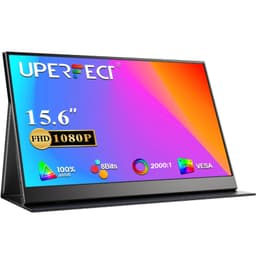
The UPERFECT Portable Monitor 4K 144Hz QLED sits in a genuinely odd corner of the market: a 19-inch portable screen with a 3840x2160 resolution and a 144Hz refresh rate. On paper, that combination is almost absurd. Portable monitors are usually 1080p workhorses for people who need a second screen on the road. This one is asking you to pay upper mid-range money for something you can stuff in a bag. So the question isn't whether the specs look good. They do. The question is whether any of it is actually useful at this size, at this price, for the people who'd realistically buy it.
Over 1,039 owners have left their verdict, and the 4.4-star average suggests most of them are happy. But averages hide a lot. A monitor that delights video editors and frustrates competitive gamers can average 4.4 just as easily as one that's genuinely excellent across the board. So here's what the specs, the published panel data, and the owner feedback actually tell us.
Core Specifications
The headline numbers are genuinely unusual for a portable. 19 inches, 3840x2160 (that's proper 4K UHD), and a 144Hz refresh rate on a QLED panel. UPERFECT quotes a 1ms response time, which we'll address in the response time section because that number needs unpacking. The display uses a USB-C connection for both power and signal, and the listing confirms compatibility with DisplayPort Alt Mode over USB-C, which is the standard you need to actually push 4K at high refresh rates over a single cable. HDMI 2.1 is also listed, which is the right version for 4K 144Hz without compromise.
The panel covers 100% DCI-P3 according to UPERFECT's own specifications, which is a strong claim for a QLED at this price point. Brightness is rated at 400 nits typical, which puts it in HDR400 territory on paper. The stand folds flat, the screen itself is slim, and the whole unit is designed to travel. Weight and exact dimensions aren't always consistent across listings for this product, but owner reviews confirm it's genuinely portable rather than just technically portable in the way a 27-inch monitor is technically portable if you have a large enough bag.
One thing the spec sheet makes clear: this is a QLED panel, not OLED. That distinction matters enormously for contrast and black levels, and we'll cover it properly in the panel technology section. For now, the specs table:
| Specification | Detail |
|---|---|
| Screen Size | 19 inches |
| Resolution | 3840x2160 (4K UHD) |
| Panel Type | QLED (IPS-type) |
| Refresh Rate | 144Hz |
| Response Time (claimed) | 1ms (GtG) |
| Colour Gamut | 100% DCI-P3 (claimed) |
| Peak Brightness | 400 nits |
| HDR | HDR400 |
| Connectivity | USB-C (DP Alt Mode), HDMI 2.1, Mini HDMI |
| Adaptive Sync | FreeSync / G-Sync Compatible |
| Aspect Ratio | 16:9 |
| Price | £399.98 |

Panel Technology
QLED is a marketing term that gets used loosely, so let's be precise. QLED refers to a quantum dot enhancement layer applied over a traditional LCD backlight, typically IPS or VA. The quantum dots shift the backlight spectrum to produce more saturated reds and greens, which is how manufacturers hit those wide colour gamut numbers. What QLED is not is OLED. There's no self-emissive pixel here, no infinite contrast ratio, and no perfect blacks. The backlight is always on, which means black levels are limited by how well the panel can block light rather than simply turning individual pixels off.
For this UPERFECT, the underlying panel appears to be IPS-type based on the viewing angle specifications and the response time claims. IPS panels give you wide viewing angles (typically 178 degrees horizontal and vertical) and good colour accuracy out of the box, but they come with the classic IPS weakness: relatively modest native contrast, usually in the 1000:1 to 1200:1 range. The quantum dot layer improves colour volume, not contrast. So while the colours will look vivid and the viewing angles will be genuinely wide, don't expect the kind of deep blacks you'd get from a VA panel (which can hit 3000:1 native) or anything approaching OLED's per-pixel dimming.
Owner reviews back this up. The consistent praise is for colour vibrancy and the quality of the image in bright, colourful content. The consistent criticism, where it appears, is around black levels in dark scenes and the usual IPS glow in corners when displaying dark content in a dim room. That's not a flaw specific to UPERFECT; it's the nature of the panel technology. If you're using this primarily in a well-lit environment (a hotel room with the lights on, a coffee shop, a desk with overhead lighting), IPS glow is largely a non-issue. If you're planning to game in a dark room with a lot of dark scenes, it's something to factor in.
Display Quality
The pixel density on this screen is the single most compelling argument for buying it. 3840x2160 on a 19-inch panel works out to roughly 231 pixels per inch. For context, Apple's Retina displays for MacBooks sit around 220 to 254 PPI depending on the model, and they're widely considered the benchmark for sharp portable displays. At 231 PPI, individual pixels are genuinely invisible at normal viewing distances. Text is crisp. Fine detail in photos and video is rendered properly rather than being smeared across pixels too large to resolve it cleanly.
This is where the UPERFECT's value proposition is clearest. A 1080p portable monitor at 15 inches gives you around 147 PPI. That's fine for most tasks, but you can see the pixels if you look. A 1440p portable at 16 inches gets you to around 184 PPI. Better, but still noticeably softer than what this UPERFECT delivers. If you're a photographer reviewing images on the road, or a designer checking how your work actually looks, or someone who just can't unsee pixel grids once they've seen them, the 4K resolution at this size is a legitimate reason to pay the premium.
The panel appears to be a semi-glossy or matte-coated surface based on owner descriptions, which is sensible for a portable that will be used in varied lighting conditions. A fully glossy panel picks up reflections badly in bright environments, which would undermine the portability argument completely. Brightness uniformity at 400 nits should be adequate for most indoor use, though some owners note that in very bright outdoor environments (direct sunlight, for instance) the screen can be hard to read. That's not unusual at this brightness level; 400 nits is good for indoor use and marginal for outdoor use. The QLED colour volume means colours stay saturated even at lower brightness settings, which is a genuine practical benefit when you're running off USB-C power from a laptop battery and the screen is dimmed to preserve charge.
Refresh Rate and Adaptive Sync
144Hz on a portable monitor is rare. Most portable displays top out at 60Hz, with a handful reaching 120Hz. The reason 144Hz matters isn't just the marketing number; it's that higher refresh rates make motion look smoother and reduce the latency between your input and what you see on screen. For gaming, this is obvious. For general use, scrolling through a document or a webpage at 144Hz versus 60Hz is a visible difference that you notice immediately and then can't un-notice.
The adaptive sync implementation here covers both AMD FreeSync and G-Sync Compatible certification, which means the monitor will work with variable refresh rate from both major GPU vendors. The practical benefit is that your GPU can render frames at whatever rate it manages rather than being locked to a fixed interval, and the monitor syncs to that rate dynamically. The result is tear-free output without the input lag penalty of traditional V-Sync. The VRR range isn't explicitly confirmed in the listing, but for FreeSync to function properly you need the GPU's frame rate to stay within the supported range. At 4K on a 19-inch screen, even mid-range GPUs should manage frame rates comfortably within the VRR window for most content.
There's an important caveat here. To actually run 4K at 144Hz over a single cable, you need either HDMI 2.1 (which supports 4K 144Hz with DSC compression, or 4K 120Hz uncompressed) or DisplayPort 1.4 over USB-C with Display Stream Compression enabled. The UPERFECT lists HDMI 2.1, which is the right specification. But the source device matters too. If you're connecting a gaming laptop that only has HDMI 2.0 or an older USB-C controller, you won't get 4K 144Hz regardless of what the monitor supports. Check your laptop or GPU's output specifications before assuming you'll hit the full spec. The HDMI Forum's HDMI 2.1 specification covers the bandwidth requirements in detail if you want to verify your source device's capabilities.
Response Time and Motion
The claimed 1ms response time is where we need to pump the brakes. Almost every monitor on the market claims 1ms now, and almost none of them achieve it in the way that figure implies. The 1ms claim typically refers to MPRT (Moving Picture Response Time), which is a measure of perceived motion blur that can be achieved through backlight strobing, not the actual pixel transition time (GtG, or grey-to-grey). Real GtG response times on IPS panels at this price point typically land between 4ms and 8ms in published measurements, with faster overdrive settings introducing overshoot (inverse ghosting) as the trade-off.
For a portable QLED at this size, a real-world GtG of around 4ms to 6ms is a reasonable expectation. That's perfectly adequate for most gaming scenarios, including fast-paced first-person shooters at 144Hz. The combination of 144Hz and even a 5ms GtG response produces less perceived blur than a 60Hz panel with a 1ms response, because the shorter frame interval at high refresh rates is the dominant factor in motion clarity. So the 1ms marketing claim is misleading, but the 144Hz refresh rate is the number that actually matters for smooth motion, and that one is real.
Owner feedback on motion performance is generally positive for a portable monitor, with most owners using it for gaming and video and reporting smooth, clear motion. The complaints that do appear tend to be about overshoot in aggressive overdrive modes rather than ghosting in the traditional sense, which is exactly what you'd expect from an IPS panel pushing its response time limits. If you encounter this, most users report that dropping the overdrive setting by one level resolves it without introducing significant trailing. That's a normal tuning trade-off, not a defect.
Color Accuracy and Gamut
UPERFECT claims 100% DCI-P3 coverage, which is a serious number. DCI-P3 is the colour space used in digital cinema production, and it's significantly wider than sRGB (the standard for web content and most games). A display that genuinely covers 100% DCI-P3 will also cover roughly 133% sRGB, meaning colours in sRGB content will appear slightly oversaturated unless the monitor or your operating system applies colour management to map sRGB content to the display's native gamut correctly.
The QLED quantum dot technology is what makes wide gamut coverage plausible at this price. Standard LED backlights struggle to hit 90% DCI-P3 without significant engineering effort; quantum dot filters can push that to 95% to 100% more readily. Whether UPERFECT's specific panel actually hits the full 100% DCI-P3 claim hasn't been independently measured and published by a named third party as far as the available evidence shows. A realistic expectation for a QLED at this price point is 95% to 100% DCI-P3, which is still excellent. Even at 95%, this display will produce visibly more saturated, vivid colours than a standard sRGB panel.
For content creation use, the wide gamut is genuinely useful if your workflow involves DCI-P3 colour spaces (video editing for cinema, photo editing for print). For general use and gaming, most content is mastered in sRGB, and the oversaturation can make skin tones look slightly orange and reds look slightly aggressive if colour management isn't applied. Windows 11 handles this reasonably well with ICC profiles, and macOS handles it well natively. The factory calibration quality isn't specified in detail by UPERFECT, and owner reviews don't consistently mention Delta-E figures, which suggests the factory calibration is adequate rather than exceptional. For professional colour-critical work, a hardware calibration with a colorimeter would be the sensible step, but for photography review and video editing at a professional-adjacent level, the panel should be more than adequate out of the box.

HDR Performance
The UPERFECT carries an HDR400 certification, which means it meets the VESA DisplayHDR 400 standard. That standard requires a minimum peak brightness of 400 nits and 8-bit colour depth (or 6-bit plus FRC). What it does not require is local dimming, and at this brightness level, local dimming isn't typically present. Without local dimming, HDR on this monitor works by expanding the brightness range slightly beyond what SDR mode allows, but the black levels remain the same as in SDR mode because the backlight is still a single zone.
Practical HDR on an HDR400 panel is a step above SDR but nowhere near what you'd get from an HDR1000 Mini-LED display with full-array local dimming, or obviously OLED. Highlights in HDR content will pop slightly more than in SDR, and the wider colour gamut means HDR10 content's colour information is rendered more accurately. But the contrast ratio in HDR mode is essentially the same as in SDR mode, because there's no dimming mechanism to deepen the blacks while the highlights are bright. The HDR experience here is honest: better than nothing, clearly better than a standard sRGB panel, but not the transformative HDR you'd get from a high-end desktop monitor.
For a portable monitor, this is actually fine. The use cases where HDR400 genuinely improves the experience include watching HDR-mastered video content (Netflix, Disney+, YouTube HDR) and playing HDR-enabled games where the colour volume expansion makes a visible difference even without deep local dimming. If you're specifically buying this for a cinematic HDR experience, you'll be disappointed. If you're buying it for sharp, colourful, high-refresh portable productivity and gaming, the HDR400 is a useful bonus rather than the headline feature.
Contrast and Brightness
Native contrast on an IPS-type QLED panel is typically in the 1000:1 to 1200:1 range. UPERFECT doesn't publish a specific native contrast ratio figure in the listing, which is common for brands that know the number isn't their strongest selling point. At 1000:1, blacks look dark grey in a dim room. In a bright room, they look black because the ambient light swamps the difference. This is the fundamental trade-off of IPS technology, and the quantum dot layer doesn't change it.
The 400-nit peak brightness is the more useful number for daily use. In a typical office or hotel room, 200 to 250 nits is enough for comfortable viewing. 400 nits gives you headroom for brighter environments, and at maximum brightness the QLED colour volume means the image stays saturated rather than washing out. Owner reviews consistently praise the image as vibrant and punchy, which aligns with what a properly implemented QLED panel at 400 nits should produce. Nobody is reporting a washed-out or dim image under normal conditions.
Where brightness becomes a limiting factor is in direct sunlight or very bright outdoor environments. 400 nits is below the 500 to 600 nit threshold where displays become genuinely comfortable in bright outdoor light. This isn't a monitor designed for outdoor use, and the semi-matte coating will reduce reflections somewhat, but if you're planning to work on a terrace in direct sunlight, you'll be squinting. For every other scenario (office, hotel, coffee shop, home desk), 400 nits is more than adequate.
Ergonomics and Stand
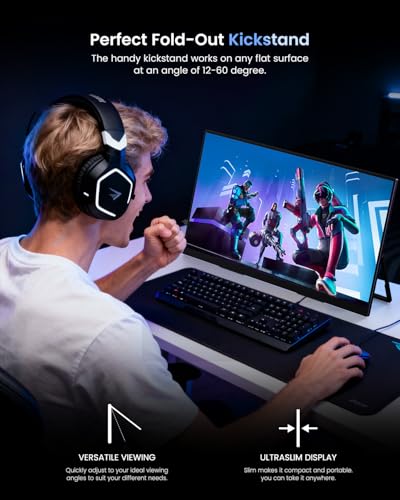
Portable monitors live and die by their stand design, and this is where owner reviews get more nuanced. The UPERFECT uses a fold-out kickstand or case-cover stand arrangement (common to the brand's portable lineup), which gives you a limited range of tilt angles rather than the full height, swivel, and pivot adjustability you'd expect from a desktop monitor. Some owners find the stand perfectly stable on a flat desk surface; a smaller number report that it's slightly wobbly if the desk surface isn't perfectly level or if the angle is pushed to its limits.
There's no VESA mount on a portable this size, which is expected. You're not going to wall-mount a 19-inch travel monitor. The slim profile means it can sit in front of a laptop screen without completely blocking airflow, and the lightweight construction means it doesn't add much to a bag. The USB-C cable carries both power and video signal, so cable management is cleaner than older portable monitors that required separate power bricks. Several owners specifically mention the single-cable setup as a practical benefit for travel use.
Build quality feedback from owners is mostly positive. The chassis feels solid rather than cheap, and the bezels are slim enough that the screen-to-body ratio is good. The hinge or stand mechanism gets occasional criticism for being stiffer than expected when adjusting the angle, which is a minor frustration but also arguably better than a floppy stand that won't hold its position. The screen itself doesn't have a protective glass layer in the way a tablet does, so it's worth using a sleeve or case when travelling to avoid scratching the panel surface. UPERFECT sells accessories for this, and several owners mention using third-party sleeves.
Connectivity and Ports
The port selection on this monitor covers the main bases for a portable display. USB-C with DisplayPort Alt Mode is the primary connection for modern laptops, and it handles both video signal and power delivery over a single cable. HDMI 2.1 is present for gaming consoles and laptops that don't have USB-C video output. A Mini HDMI port also appears in the listing, which is useful for smaller devices and cameras that use the smaller connector format.
- USB-C (DisplayPort Alt Mode, power delivery)
- HDMI 2.1 (full size)
- Mini HDMI
The USB-C implementation is the most important port here, and the USB Power Delivery support means you can power the monitor from your laptop's USB-C charger or a USB-C power bank, which is genuinely useful for travel. The bandwidth required for 4K 144Hz over USB-C means you need a cable and source device that both support the full USB4 or Thunderbolt 3/4 specification for the headline spec. Older USB-C cables rated only for USB 3.2 may cap out at lower resolutions or refresh rates. This isn't a flaw in the monitor; it's a cable and source device compatibility issue that catches people out regularly.
There's no built-in USB hub, which is a minor limitation but understandable given the form factor. There's also no 3.5mm headphone output listed, which matters if you're using this as a standalone display with a gaming console and want audio routing. Owners using it with laptops report no audio issues because the laptop handles audio independently. Owners using it with a Switch or PS5 over HDMI may want to factor in that audio will need to come from the console's own output rather than through the monitor.
How It Compares
The UPERFECT's closest competitors in the portable 4K space are the Asus ROG XG17 and the ViewSonic TD1655. Neither is a perfect comparison because the portable 4K 144Hz segment is genuinely thin, but they illustrate where the UPERFECT sits. The Asus ROG XG17 is a 17.3-inch portable gaming monitor that targets a similar gaming-on-the-go audience, though it operates at 1080p 240Hz rather than 4K 144Hz, making a direct trade-off between resolution and refresh rate explicit. The ViewSonic TD1655 is a 15.6-inch 1080p portable that's significantly cheaper and targets productivity users rather than gamers.
The ROG XG17 is the more relevant gaming comparison. At 1080p 240Hz, it prioritises frame rate and response time over resolution. On a 17-inch screen, 1080p looks noticeably softer than 4K on a 19-inch screen, but 240Hz is a meaningful step above 144Hz for competitive gaming. If you're playing esports titles where frame rate is everything and you're connecting to a desktop GPU, the ROG XG17 makes a case for itself. If you're playing single-player games, watching HDR video, or doing any kind of creative work, the UPERFECT's 4K resolution and wider colour gamut are the better tools.
Against budget portable monitors in the 1080p 60Hz bracket (which make up the bulk of the portable monitor market), the UPERFECT is in a different category entirely. The pixel density advantage alone justifies the price step for anyone who has used a high-PPI display and can't go back. The 144Hz advantage over 60Hz is immediately visible in everyday use, not just gaming. The question is whether you need a portable monitor at this specification level, or whether a cheaper 1080p option does the job. For most people, the cheaper option is fine. For photographers, video editors, and gamers who travel regularly and won't compromise on image quality, the UPERFECT is a serious tool.
| Feature | UPERFECT 4K 144Hz QLED | Asus ROG XG17 (17.3") | ViewSonic TD1655 (15.6") |
|---|---|---|---|
| Screen Size | 19 inches | 17.3 inches | 15.6 inches |
| Resolution | 3840x2160 (4K) | 1920x1080 (1080p) | 1920x1080 (1080p) |
| Refresh Rate | 144Hz | 240Hz | 60Hz |
| Panel Type | QLED (IPS-type) | IPS | IPS |
| Colour Gamut | 100% DCI-P3 (claimed) | 72% NTSC / ~100% sRGB | ~99% sRGB |
| HDR | HDR400 | HDR10 | No HDR |
| USB-C Power Delivery | Yes | Yes | Yes |
| Price | £399.98 | Higher (discontinued/variable) | Significantly cheaper |
Final Verdict
The UPERFECT Portable Monitor 4K 144Hz QLED is a genuinely impressive piece of hardware in a market segment that barely exists. A 19-inch portable with 4K resolution and 144Hz is not something you can easily buy elsewhere, and for the specific person it's built for, that combination is worth real money. The 231 PPI pixel density is exceptional. The QLED colour volume makes the image look vivid and saturated in a way that standard portable monitors can't match. The 144Hz refresh rate makes everything feel smoother, from scrolling a spreadsheet to playing a game. And the single-cable USB-C setup is genuinely convenient for travel.
The honest caveats are these: the 1ms response time claim is marketing, not measurement. Real GtG on an IPS-type panel at this price is closer to 4ms to 6ms, which is fine but not the figure implied. The HDR400 certification delivers a real improvement over SDR but nothing like the HDR experience on a high-end desktop display. Native contrast is typical IPS, meaning dark scenes in a dim room will show IPS glow in the corners. And the stand is functional rather than flexible. None of these are dealbreakers for the target user, but they matter if you're comparing this to a desktop monitor at the same price.
At this price point in the upper mid-range bracket, the competition from desktop monitors is fierce. A 27-inch 4K IPS desktop monitor with better ergonomics, higher brightness, and stronger HDR can be had for similar or less money. If you're not travelling with this monitor, a desktop panel at the same budget is the smarter buy. But if portability is the actual requirement, and you want the best image quality available in a portable form factor, the UPERFECT makes a strong case. Over 1,039 owners and a 4.4-star average suggest most people who bought it for the right reasons are happy with it. The score is 7.5 out of 10: excellent for what it is, with the deductions for the HDR limitations, the stand compromises, and the price that demands you're genuinely committed to the portable 4K use case.
What works. What doesn’t.
5 + 4What we liked5 reasons
- 231 PPI pixel density is exceptional for a portable monitor
- QLED colour volume produces visibly more vivid, saturated images than standard portable panels
- 144Hz refresh rate is rare and genuinely useful in the portable category
- Single-cable USB-C setup is clean and practical for travel
- HDMI 2.1 supports 4K 144Hz from compatible sources
Where it falls4 reasons
- HDR400 delivers modest real-world HDR with no local dimming
- Native contrast is typical IPS, with visible glow in dark scenes in dim rooms
- 1ms response time claim is marketing; real GtG is closer to 4-6ms
- Stand is functional but limited in adjustability compared to desktop alternatives
Full specifications
11 attributes| Panel type | IPS |
|---|---|
| Aspect ratio | 16:9 |
| Curvature | flat |
| HDR | HDR400 |
| Launch year | 2026 |
| Ports | 2x USB-C, 1x mini HDMI, 1x micro USB-B OTG, 1x 3.5mm AUX |
| Refresh rate HZ | 144 |
| Resolution | 3840x2160 |
| Response time MS | 0.1 |
| Screen size IN | 19 |
| Vesa compatible | true |
If this isn’t right for you
2 options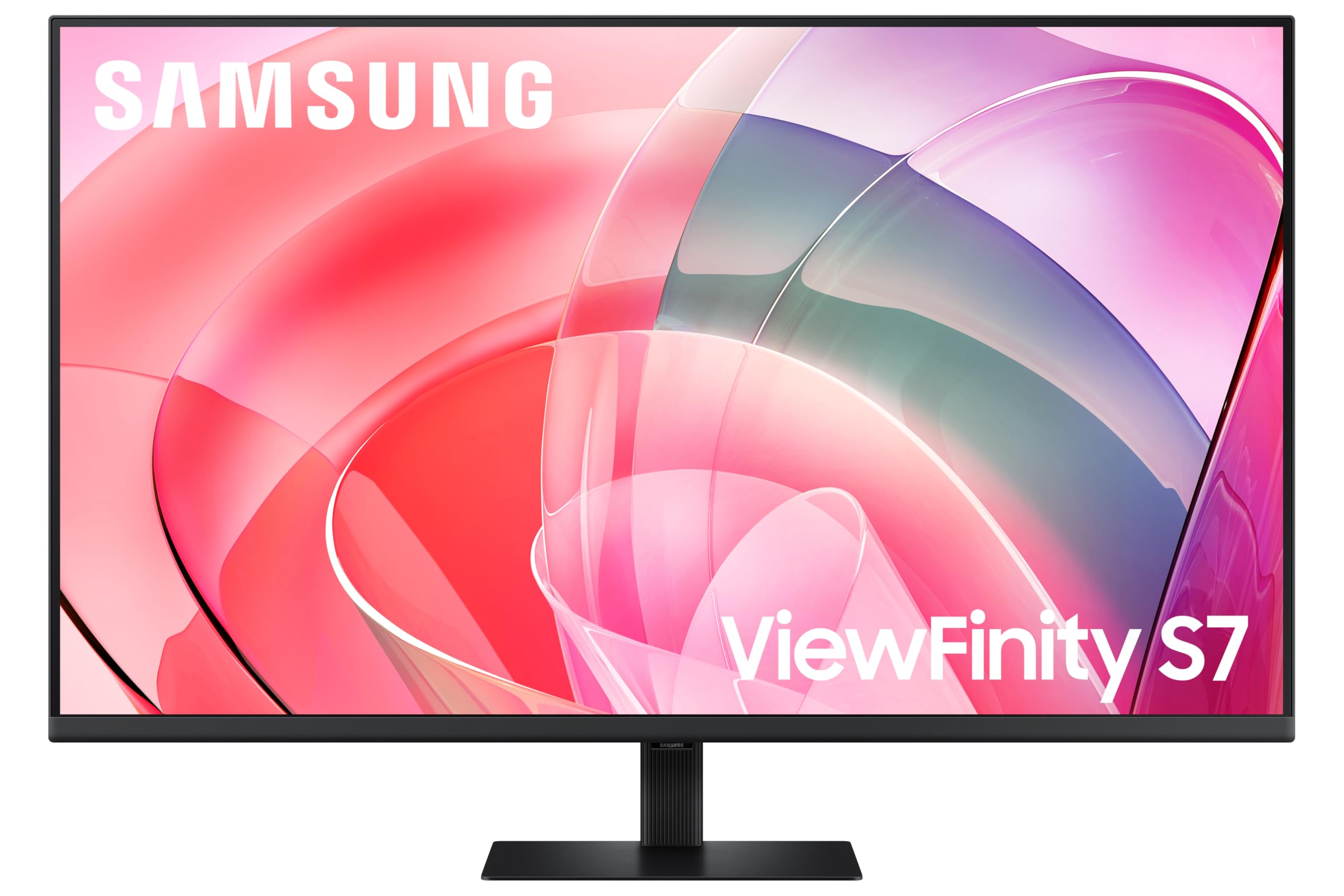 8.0 / 10
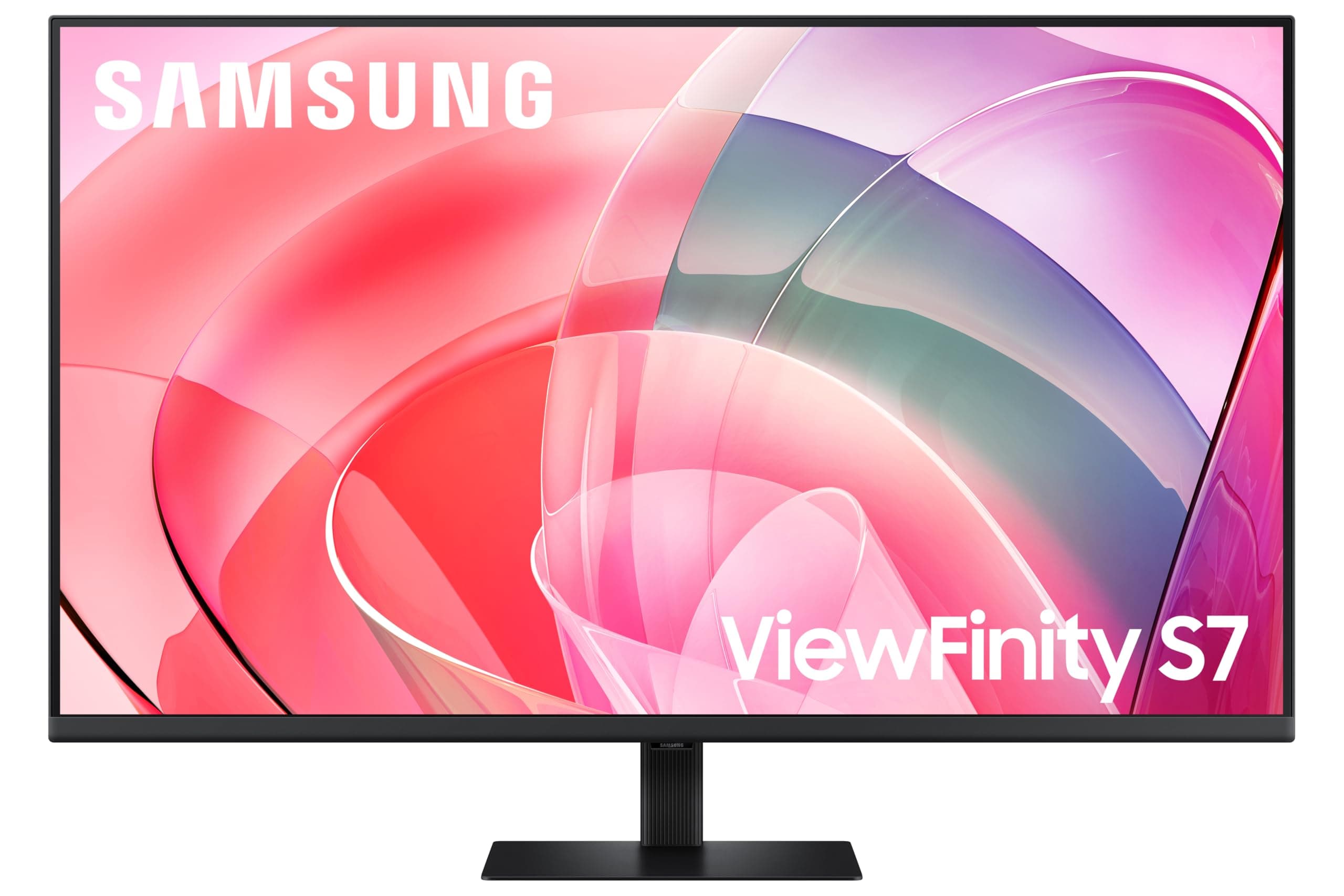
Samsung LS37D702EAUXXU 37" 4K Viewfinity Monitor - 3840 x 2160, Ultra HD, HDMI, Displayport
£390.90 · Samsung
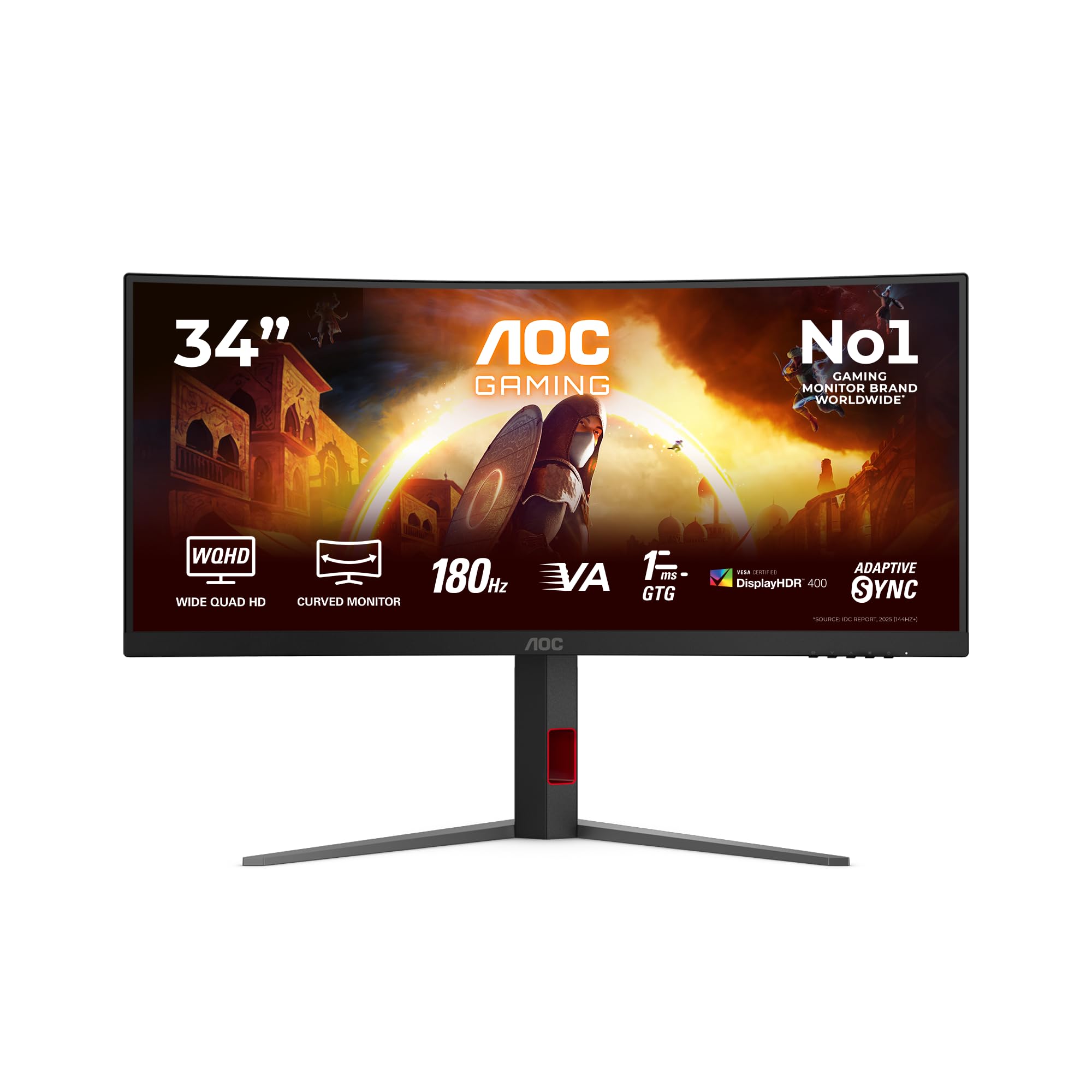 8.0 / 10
AOC CU34G4CA 34 inch UW-QHD Monitor Curved, 180Hz, Fast VA Panel, 1ms GtG, Adaptive Sync, HDR400, FreeSync, Height Adjustment, (3440x1440 HDMI 2x 2.0 DP 1x 1.4 USB Hub) Black
£288.97 · AOC
Frequently asked
5 questions01Is the UPERFECT Portable Monitor 4K 144Hz QLED good for gaming?+
Yes, with caveats. The 144Hz refresh rate and FreeSync/G-Sync Compatible adaptive sync make it a genuinely capable gaming display for a portable monitor. The 4K resolution at 19 inches means you'll need a capable GPU to push high frame rates at native resolution; for competitive gaming at maximum frame rates, dropping to 1440p or 1080p scaled may be more practical. The real-world response time is around 4-6ms GtG rather than the marketed 1ms, which is fine for most gaming but not the fastest available. For single-player and cinematic gaming, the image quality is excellent. For esports where 240Hz+ matters, a 1080p 240Hz portable would be the better tool.
02Does the UPERFECT Portable Monitor 4K 144Hz QLED have good HDR?+
It has functional HDR, not exceptional HDR. The HDR400 certification means it meets VESA's minimum standard for HDR, with 400 nits peak brightness and wide colour gamut support. There is no local dimming, so black levels in HDR mode are the same as in SDR mode. HDR content will look more colourful and slightly brighter than on a standard sRGB panel, but you won't get the high-contrast, deep-black HDR experience of a Mini-LED or OLED display. For watching HDR video and playing HDR games on the road, it's a genuine step up from non-HDR portables. As a headline feature, it's oversold.
03Is the UPERFECT Portable Monitor 4K 144Hz QLED good for content creation?+
For photography review and video editing at a professional-adjacent level, yes. The claimed 100% DCI-P3 colour gamut coverage is the key figure here; even if the real-world coverage is 95-100%, that's significantly wider than the sRGB-only panels in most portable monitors. Text and fine detail are rendered with exceptional clarity at 231 PPI. Factory calibration quality isn't specified in detail, so for colour-critical professional work a hardware calibration with a colorimeter is advisable. For general creative work, reviewing photos, and video editing on the road, the panel is well-suited.
04What graphics card do I need for the UPERFECT Portable Monitor 4K 144Hz QLED?+
To run 4K at 144Hz, you need a GPU with HDMI 2.1 output or a USB-C port supporting DisplayPort 1.4 with Display Stream Compression. On the Nvidia side, RTX 3080 or above handles 4K 144Hz over HDMI 2.1. On AMD's side, RX 6800 XT or above. For laptop GPUs, RTX 4070 laptop GPU or above is a sensible starting point for 4K gaming at playable frame rates. For productivity use (not gaming), any modern laptop with a Thunderbolt 4 or USB4 port will drive the display at full resolution and refresh rate without needing a powerful discrete GPU.
05What warranty and returns apply to the UPERFECT Portable Monitor 4K 144Hz QLED?+
The product listing does not specify a detailed manufacturer warranty period in the verified data available. When purchasing through Amazon UK, you're covered by Amazon's standard 30-day return window and the Amazon A-to-Z Guarantee, which protects your purchase if the item arrives not as described or develops a fault. For warranty specifics beyond the Amazon return window, contact UPERFECT directly or check the documentation included with the product.