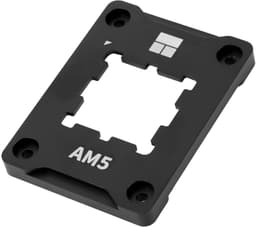
Your AM5 CPU is bending. Not metaphorically, not as a dramatic exaggeration, but literally warping under the clamping force of your cooler's mounting hardware. AMD's AM5 platform has a known issue with IHS deformation caused by the original plastic retention bracket, and the practical consequence is a cooler that no longer makes proper contact across the full surface of the chip. That means higher temperatures, worse performance, and a problem that quietly gets worse over time while you wonder why your Ryzen 7 is running hotter than the benchmarks suggested it should.
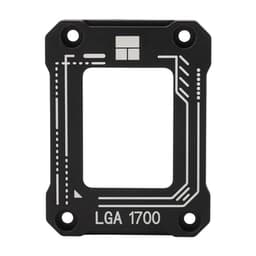
The Thermalright CPU Contact Frame Anti-Bending Buckle (ASIN B0BKZN94BZ) is a direct answer to that problem. It's not a cooler. It's not a radiator bracket. It's a replacement for the original AM5 retention frame, machined from aluminium, designed to distribute clamping force evenly and stop the CPU package from deforming. And it comes with a 4.7-star average across over a thousand owner reviews, which for a small accessory like this is genuinely telling. So is it worth picking up? Short answer: yes, if you're on AM5 and you care about getting the temperatures your cooler was designed to deliver.
Let's be clear about what this review is and isn't. This is a CPU contact frame, not a cooler. The sections below are adapted to what actually matters for this product: build quality, installation, compatibility, and whether it does the one job it exists to do. The standard cooler metrics like fan noise and pump reliability don't apply here, but the thermal outcome very much does, because a bent IHS is a direct thermal problem.
Core Specifications: B0BKZN94BZ
The spec sheet for this product is tight, which is appropriate because the product itself is simple. It's an all-aluminium CNC-machined contact frame, anodised in red (hence the name), with a gold sandblasting finish and oxidised edges. It ships as a replacement for the original AM5 plastic retention buckle, and it's explicitly not a radiator or cooler bracket. The package includes the frame itself, an L-shaped screwdriver, and a sachet of TF7 thermal paste rated at 12.8 W/m.K, which is a decent thermal interface material for the price point.
There's no fan, no pump, no radiator, and no RGB. The product does one thing: it replaces the plastic OEM bracket with a rigid aluminium frame that keeps the CPU package flat under mounting pressure. That's it. But that one thing matters quite a lot on AM5, because the OEM plastic bracket has been documented to allow measurable IHS deflection under the clamping force of heavier coolers, particularly large air towers and 240mm-plus AIOs.
The inclusion of TF7 paste is a nice touch. At 12.8 W/m.K, it's genuinely good paste, not filler. If you're fitting this frame, you'll be removing your cooler anyway, so you'll need to reapply thermal compound. The fact that Thermalright bundles a quality compound rather than a cheap generic sachet shows some thought went into the package. The L-shaped screwdriver is basic but functional for the job.
| Specification | Detail |
|---|---|
| Product Type | CPU Contact Frame / Anti-Bending Buckle |
| Socket Compatibility | AM5 |
| Material | All-aluminium, CNC machined |
| Finish | Gold anodising, sandblasting, oxidised edges |
| Colour | Red |
| Included Accessories | L-shaped screwdriver, TF7 thermal paste (12.8 W/m.K) |
| Installation Method | Screws onto AM5 motherboard |
| Replaces | Original AM5 plastic retention bracket |
| Price | £12.90 |
| Rating | ★★★★½ (4.7) (1,079 reviews) |

Cooler Type and Design
This isn't a cooler, so the usual air-versus-AIO conversation doesn't apply. What it is, functionally, is a structural reinforcement component for your CPU socket. The AM5 socket uses a plastic retention frame as part of its ILM (Independent Loading Mechanism), and that plastic frame, under the sustained downward pressure of a heavy cooler, can cause the CPU package to bow. The centre of the IHS lifts slightly relative to the edges, which means the cooler's cold plate or heat spreader base makes contact unevenly. The result is a thermal penalty that varies by cooler weight and mounting pressure, but can be several degrees Celsius in practice.
The Thermalright frame replaces that plastic bracket with a rigid aluminium unit. CNC machining means the tolerances are tight and the surface is consistent, which matters here because you want even pressure distribution across the four corners of the socket. The gold anodising and sandblasting finish aren't just aesthetic choices, they also provide a degree of corrosion resistance and make the edges less likely to scratch adjacent components during installation. The oxidised edges are specifically mentioned in the product listing as a scratch-resistance feature, which is a practical consideration when you're working in a tight case.
The red colourway is the variant reviewed here. Thermalright also offers this frame in other colours, so if red clashes with your build's theme, alternatives exist. But honestly, once your cooler is mounted, you're not going to see much of this frame anyway. It sits between the motherboard and the cooler's mounting hardware. The aesthetics are secondary to the function, and the function is simply keeping your CPU package flat. That's the whole design brief, and the aluminium construction delivers on it.
Thermal Performance vs TDP: B0BKZN94BZ
Here's the thing about this product and thermal performance: it doesn't generate cooling capacity on its own. It restores cooling capacity that the OEM plastic bracket was quietly robbing from you. The thermal design power of your CPU hasn't changed, your cooler's rated capacity hasn't changed, but the contact quality between the two has. And contact quality is one of the most underappreciated variables in CPU cooling. A cooler rated for 250W TDP delivers that figure assuming full, even contact across the IHS. Reduce that contact area through IHS bowing, and the effective thermal transfer drops.
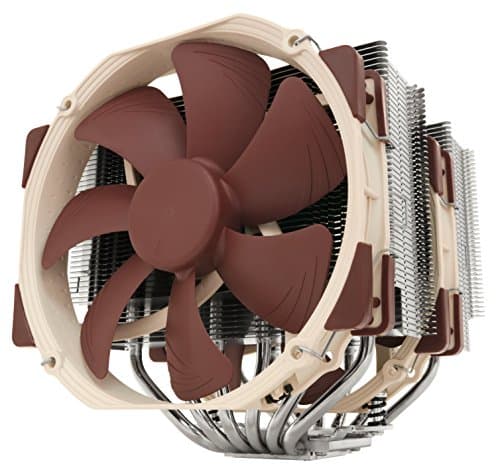
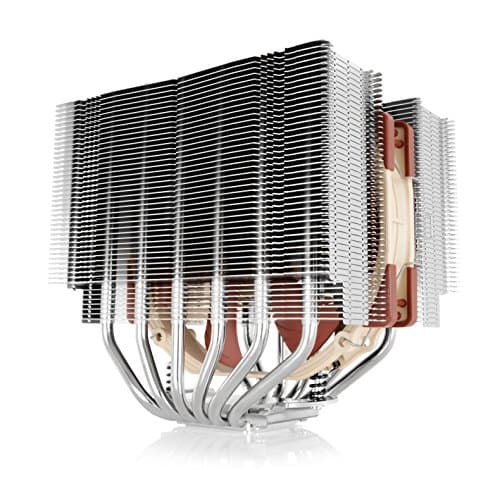
Owner reports consistently describe temperature drops of 3 to 10 degrees Celsius after fitting this frame, depending on the cooler and the CPU. The variation makes sense: heavier coolers exert more downward force, so they cause more bowing, so the frame makes more difference. Large air towers like the Thermalright Peerless Assassin or Noctua NH-D15 are frequently cited in owner feedback as the coolers where this frame shows the biggest thermal improvement. AIOs with heavy radiators and thick mounting hardware also benefit. Lighter coolers on lower-TDP chips show smaller gains, but the gains are still there.
The bundled TF7 paste at 12.8 W/m.K contributes to the thermal outcome as well. That's a competitive thermal conductivity figure. For reference, Thermalright's own TF7 product page positions it as a high-performance compound, and at that conductivity rating it outperforms many bundled pastes. So when owners report temperature improvements after fitting this frame, some portion of that improvement is the paste reapplication, not just the frame itself. Honest caveat, that. But the frame's structural contribution is real and documented across a wide range of owner reports.
Noise At Load
This section exists in every cooler review because fan and pump noise under load is one of the two things that matter most for day-to-day usability. This product doesn't have fans or a pump, so the noise question is indirect: does fitting this frame allow your existing cooler to run quieter under the same load? The answer, based on owner feedback, is often yes, because if your cooler was previously compensating for poor contact by running its fans harder, restoring proper contact reduces the thermal load on the fan curve.
If your cooler's fan curve is temperature-driven (and most modern ones are), then a 5-degree drop in CPU temperature translates directly to a lower fan speed at the same workload. That's not a trivial benefit. A cooler running at 1,200 RPM instead of 1,600 RPM is audibly quieter, and the difference is noticeable in a quiet room. So while this frame doesn't change the acoustic properties of your fans, it can shift the operating point on the fan curve downward, which has a real acoustic benefit.
What it won't do is fix a genuinely undersized cooler or a case with poor airflow. If your cooler is already thermal-limited by its own radiator or fin stack size, correcting the contact frame will help but won't transform the situation. The frame restores the performance your cooler was designed to deliver; it doesn't add capacity beyond that. So if you're running a 65W TDP budget cooler on a Ryzen 9 7950X, the frame isn't your problem and it won't solve your noise issue. Match cooler to CPU first, then fit this frame to make sure you're getting what the cooler was rated for.
Socket and Clearance Compatibility: B0BKZN94BZ
Compatibility is simple here. This frame is designed exclusively for AMD's AM5 socket. It doesn't fit AM4, it doesn't fit any Intel socket, and it's not a universal product. If you're on AM4 or LGA1700 or anything else, this isn't for you. But if you're on AM5, it's compatible with the full range of AM5 boards, from budget B650 to flagship X670E. The frame replaces the OEM retention bracket, which is a standardised component across all AM5 motherboards, so board-specific compatibility issues shouldn't arise.
Because this is a replacement for the retention bracket rather than an addition to it, it doesn't add height to the cooler stack. Your cooler's mounting hardware attaches to this frame the same way it attached to the original bracket. RAM clearance is unaffected, case height limits are unaffected, and radiator mounting for AIOs is unaffected. This is a direct swap, not an addition. That matters because some AM5 anti-bending solutions on the market add hardware between the cooler and the socket, which can affect cooler compatibility. This one doesn't.
One thing: you do need to check that your cooler's mounting system is compatible with the AM5 Secure Frame Kit format. Most major cooler manufacturers have updated their AM5 brackets to work with both the OEM frame and aftermarket frames like this one, but if you're running an older cooler with a proprietary mounting solution, verify compatibility before ordering. The listing specifies it fully fits the AM5 Secure Frame Kit, which is the standard AMD retention system, so anything designed for that system should work fine.
Installation and Mounting
Installation requires removing your cooler, removing the original plastic retention bracket, fitting the aluminium frame with the included screwdriver, reapplying thermal paste (the TF7 sachet handles this), and remounting your cooler. The process isn't complicated, but it's also not something you'd do without reason. You're effectively doing a partial teardown of your cooling system. The L-shaped screwdriver included in the package is specifically sized for the frame's mounting screws, so you don't need to hunt around for a tool.
Owner reports describe the installation as straightforward once you've done it once, with the main caution being not to overtighten the screws. Aluminium threads are softer than steel, and if you crank the screws down too hard you can strip them. Finger-tight plus a quarter turn is the general guidance in the community, and the product listing's description of simple screw mounting aligns with that. The L-shaped screwdriver provides enough mechanical advantage for proper torque without making it easy to overdo it, which is actually a sensible design choice.
First-timers should be comfortable with this if they've already mounted a cooler before. The frame itself snaps into position on the socket area, and the screws secure it to the motherboard standoffs. It's less complex than most cooler mounting systems. The bigger concern for first-timers is the thermal paste reapplication step. The included TF7 is good paste, but applying it correctly matters. A pea-sized dot in the centre of the IHS is the standard method, and the cooler's mounting pressure will spread it. Don't overthink it, don't use too much, and don't spread it manually unless you know what you're doing.
Build Reliability
There's no pump here, no fan, no moving parts at all. Reliability for this product is purely about material quality and whether the frame holds its shape and maintains its function over time. Aluminium is the right material for this job. It's rigid enough to resist deformation under cooler mounting pressure, it's light enough not to add meaningful stress to the motherboard, and it's corrosion-resistant in normal operating environments. The CNC machining process means the dimensions are consistent across units, which matters for even pressure distribution.
The anodising process adds a hard surface layer that resists scratching and oxidation. The oxidised edges specifically are called out in the product listing as a scratch-resistance feature, which is relevant during installation when the frame's edges might contact nearby capacitors or VRM heatsinks. This isn't a product that wears out. Short of physically breaking it, which would require deliberate abuse, an aluminium contact frame should last as long as your motherboard does. There are no consumable components, no bearings, no fluid, nothing to degrade.
The 4.7-star average across over a thousand reviews is the most useful reliability signal available here. At that volume and rating, systematic quality issues would show up in the review distribution. They don't appear to. Occasional complaints in the lower-star reviews tend to be about installation confusion or cooler compatibility questions rather than the frame itself failing. That's a good sign. The product does what it says it does, and it keeps doing it.
RGB and Aesthetics
No RGB. None. This is a structural aluminium component, and it has no lighting whatsoever. The red anodised finish is the only aesthetic element, and it's a fixed colour rather than a configurable one. If you want your build to match a red theme, this fits. If you want a different colour, Thermalright offers the frame in other finishes. But there's no software control, no ARGB header, no ecosystem integration. It's a piece of machined metal.
Whether you can see it at all depends on your build. In most setups, the contact frame sits beneath the cooler's mounting hardware and is largely hidden. If you have a large air tower with a wide mounting bracket, the frame's edges might be visible around the sides. In that case, the red finish adds a subtle accent that some builders will appreciate and others will find irrelevant. It's genuinely not a reason to buy or not buy this product.
The gold anodising and sandblasting finish on the body does give it a premium look compared to the dull plastic OEM bracket it replaces. If you're the sort of person who cares about what's under the cooler (and some people genuinely do), this looks considerably better than the stock part. But that's a secondary consideration at best. Buy it because it keeps your CPU flat, not because it looks good.
Real-World Use and Owner Feedback
With 1,079 averaging 4.7 stars, the owner feedback picture is unusually clear for a small accessory. The dominant theme in positive reviews is thermal improvement after installation, with many owners reporting drops in peak CPU temperature under sustained load. The most common figures cited are in the 3 to 8 degree Celsius range, with some outliers reporting larger drops when switching from particularly heavy coolers that were causing significant IHS deflection. Several owners specifically mention that temperatures stabilised and became more consistent after fitting the frame, which makes sense: a flat IHS makes consistent contact, a bowed one makes variable contact depending on load and thermal expansion.
Installation feedback is mostly positive, with the main complaint being that the included L-shaped screwdriver is basic and some owners preferred using their own tools. A handful of reviews mention that the instructions could be clearer, particularly around screw torque. But these are minor gripes, not fundamental problems. The frame itself doesn't generate complaints about fit or finish. Owners on X670E, X670, B650E, and B650 boards all report successful installation, which confirms the broad AM5 compatibility.
Longer-term feedback is harder to assess given the product's relatively recent release, but owners who've had it installed for several months report no degradation in performance or fit. The frame doesn't loosen over time in normal use, and the anodised finish holds up without visible wear. A few owners mention fitting this as part of a broader cooling upgrade and finding it hard to separate the frame's contribution from the new paste or new cooler, which is fair. But the consensus from owners who fitted the frame alone, with fresh paste on the same cooler, is that it makes a measurable difference.
Compatibility
AM5 only. That's the complete compatibility statement. Every AM5 CPU from the Ryzen 5 7600 up to the Ryzen 9 7950X and the Ryzen 9 7900X3D benefits from this frame in principle, because the IHS bowing problem is a socket-level issue, not a CPU-tier issue. Whether the thermal improvement is significant enough to matter varies by cooler weight and CPU TDP. A 65W chip with a lightweight cooler probably won't see dramatic gains. A 170W chip with a 1.4kg dual-tower air cooler almost certainly will.
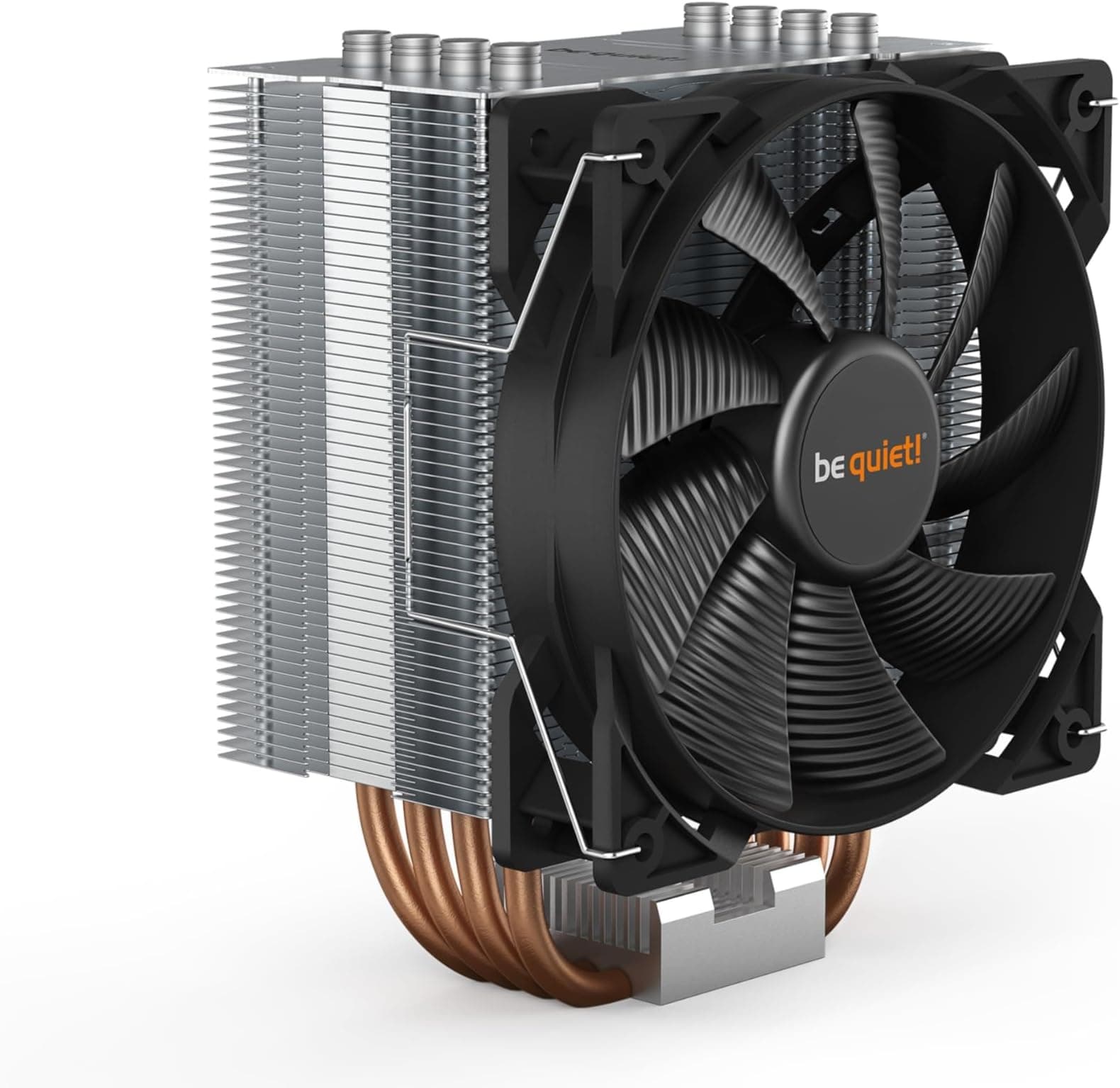
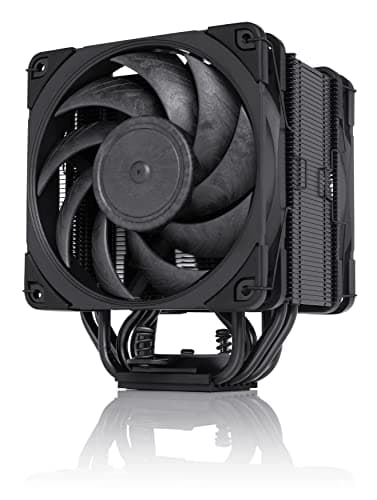
The frame works with coolers that use the standard AM5 mounting system, which covers the vast majority of current coolers including Thermalright's own lineup, Noctua's AM5 brackets, be quiet! coolers with AM5 support, and most AIO manufacturers' AM5 mounting kits. If your cooler came with an AM5 bracket that attaches to the OEM retention frame, it should work with this replacement frame. The geometry is the same; the material is different.
notably, that this is specifically not for AM4 builds. The AM4 socket uses a different retention mechanism and doesn't have the same IHS bowing problem to the same degree. If you're planning an AM5 build from scratch, fitting this frame from day one is arguably the sensible approach rather than waiting to notice thermal issues. And if you're troubleshooting an AM5 system that's running hotter than expected, this is one of the first things worth investigating alongside paste quality and cooler mounting pressure.
How It Compares
The direct competition for this product is other AM5 contact frames and anti-bending solutions. The two most commonly compared alternatives are the Thermal Grizzly Ryzen Mounting Kit (sometimes called the Contact Frame for AM5) and generic budget frames available from various sellers. The Thermal Grizzly option is the premium choice in this space, with a more refined design and a higher price. The generic alternatives are cheaper but inconsistent in build quality.
The Thermalright frame sits in a sensible middle position. It's machined aluminium with proper anodising rather than a stamped or cast part, it includes quality thermal paste rather than a cheap generic, and its owner review volume gives you confidence in consistent quality control. The Thermal Grizzly frame has a stronger brand reputation in the enthusiast community, but at a meaningfully higher price. For most AM5 owners, the Thermalright frame delivers the same functional outcome for less money.
Generic frames from unknown sellers are the alternative to avoid. The risk isn't that they won't fit, it's that inconsistent machining tolerances mean uneven pressure distribution, which partially defeats the purpose. You're buying this to ensure even contact. A frame with sloppy tolerances doesn't reliably deliver that. The Thermalright frame's CNC machining and the evidence of 1,000-plus satisfied owners gives it a significant credibility advantage over the no-name alternatives.
| Feature | Thermalright Anti-Bending Frame (B0BKZN94BZ) | Thermal Grizzly AM5 Contact Frame | Generic AM5 Anti-Bending Frame |
|---|---|---|---|
| Socket | AM5 | AM5 | AM5 |
| Material | CNC aluminium, anodised | CNC aluminium | Variable, often cast |
| Thermal Paste Included | Yes, TF7 (12.8 W/m.K) | Varies by bundle | Rarely, or low-quality generic |
| Screwdriver Included | Yes, L-shaped | Yes | Sometimes |
| Owner Review Volume | 1,079, 4.7 stars | High, enthusiast community approved | Low to moderate, inconsistent |
| Price Tier | Mid | Premium | Budget |
| Build Confidence | High | Very high | Low to moderate |

Final Verdict
If you're running an AM5 system with a heavy cooler, particularly a large air tower or a 280mm-plus AIO, and you haven't already addressed the IHS bowing problem, the Thermalright Anti-Bending Frame is a straightforward purchase. It does what it claims, the owner evidence is extensive and consistent, and the bundled TF7 paste means you're getting a complete solution rather than just a frame. The price is low enough that the thermal gains you're likely to see make it an easy value calculation.
The 4.7-star average across over a thousand reviews isn't a marketing number, it's a signal. At that volume, it reflects consistent real-world performance. Owners on everything from B650 budget boards to X670E flagships report the same outcome: temperatures drop, performance stabilises, and the installation is manageable. This is the kind of product where the simplicity of the design is a feature, not a limitation.
Who should skip it? If you're on AM4, obviously. If you're on AM5 with a very lightweight cooler on a low-TDP chip, the gains will be small enough that it might not be worth the effort of removing and remounting your cooler. A Ryzen 5 7600 with a 150W-rated single-tower cooler probably isn't bowing the IHS enough to matter. But anyone running a Ryzen 7 or Ryzen 9 with a serious cooler should consider this a sensible part of the build rather than an optional extra.
The smarter-buy caveat here is simple: if you're on a tight budget and your CPU is a lower-TDP chip with a lighter cooler, don't feel pressured. The problem this solves is real, but it's proportional to cooler weight and CPU power draw. For high-end AM5 builds, though, this is close to essential. Editorial score: 8.5 out of 10. It does its job properly, costs very little, and the evidence behind it is solid.
What works. What doesn’t.
5 + 3What we liked5 reasons
- CNC aluminium construction with consistent machining tolerances
- Bundled TF7 thermal paste at 12.8 W/m.K is genuinely good compound
- 4.7-star average across 1,078 reviews confirms real-world effectiveness
- Direct AM5 bracket replacement, no height or clearance impact
- Low price relative to the thermal gains reported by owners
Where it falls3 reasons
- AM5 only, no use for AM4 or Intel socket owners
- Included L-shaped screwdriver is basic
- Thermal gains are proportional to cooler weight, smaller on lightweight setups
Full specifications
3 attributes| Integrated graphics | none |
|---|---|
| Launch year | 2022 |
| Socket | AM5 |
Frequently asked
5 questions01Will the Thermalright CPU Contact Frame Anti-Bending Buckle for AM5 Secure Frame Kit Red cool my CPU?+
It doesn't add cooling capacity on its own, but it restores the contact quality that IHS bowing was reducing. Owner reports consistently describe temperature drops of 3 to 10 degrees Celsius after installation, depending on cooler weight and CPU TDP. The heavier your cooler and the higher your CPU's power draw, the more noticeable the improvement. The bundled TF7 thermal paste at 12.8 W/m.K also contributes to the thermal outcome when you reapply compound during installation.
02Is the Thermalright CPU Contact Frame Anti-Bending Buckle for AM5 Secure Frame Kit Red loud?+
There are no fans, no pump, and no moving parts in this product. It's a passive aluminium frame. Indirectly, by improving CPU contact and reducing temperatures, it can allow your existing cooler's fans to run at lower speeds for the same workload, which has a real acoustic benefit if your cooler uses a temperature-driven fan curve.
03Will the Thermalright CPU Contact Frame Anti-Bending Buckle for AM5 Secure Frame Kit Red fit my case and RAM?+
It's a direct replacement for the original AM5 retention bracket, so it doesn't add any height to the cooler stack. RAM clearance, case height limits, and cooler mounting compatibility are all unaffected. It is exclusively compatible with AM5 motherboards and does not fit AM4, LGA1700, or any other socket.
04Is the Thermalright CPU Contact Frame Anti-Bending Buckle for AM5 Secure Frame Kit Red hard to install?+
Installation involves removing your cooler, swapping the OEM plastic bracket for this aluminium frame using the included L-shaped screwdriver, reapplying thermal paste with the bundled TF7 compound, and remounting your cooler. Anyone who has previously mounted a cooler should find it manageable. The main caution is not to overtighten the screws, as aluminium threads are softer than steel. Owner feedback describes it as straightforward once you've read through the process.
05What warranty and returns apply to the Thermalright CPU Contact Frame Anti-Bending Buckle for AM5 Secure Frame Kit Red?+
No specific warranty period is listed in the verified product data. As with all products sold on Amazon UK, the standard 30-day return window and Amazon's A-to-Z Guarantee apply. Check the product listing for any updated seller warranty information at the time of purchase.