Look, I'll be straight with you: most CPU coolers fall into one of two camps. Either they're cheap, run loud, and you're replacing them within a couple of years, or they're expensive all-in-one liquid coolers that add pump noise, leak risk, and a whole extra layer of complexity to your build. The Noctua NH-D15 sits in a third camp entirely, and I think it's genuinely one of the most sensible cooling purchases you can make right now.
What makes this interesting is that the NH-D15 has been around since 2014, and it's still competitive. That's not something you can say about many PC components. Noctua has kept it relevant through iterative refinements, excellent fan quality, and a mounting system that's kept pace with new socket generations. 11,313 at ★★★★½ (4.8) stars isn't a fluke. That's a product that consistently delivers for a very wide range of builders, and I wanted to find out whether it still holds up in 2026 against newer competition.
So here's my verdict upfront, because that's how we're doing this: the NH-D15 is the best air cooler you can buy at this price point, full stop. It's not perfect, it's enormous, and the brown colour scheme is still divisive. But if you want maximum cooling performance without the faff of liquid cooling, this is where you end up. Let me explain exactly why.
Core Specifications
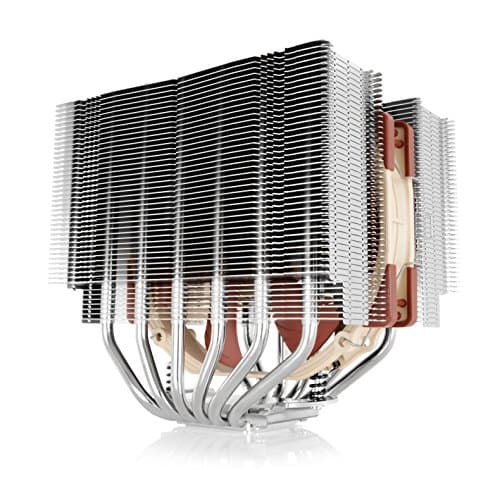
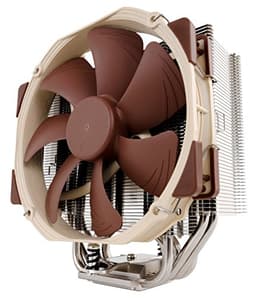
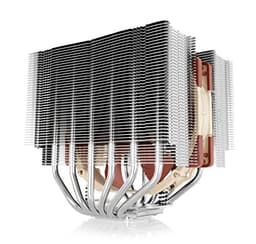
The NH-D15 is a dual-tower air cooler, which means it uses two separate heatsink towers connected by a shared set of heatpipes, with fans sandwiched between and in front of the assembly. The overall dimensions come in at 165mm tall, 150mm wide, and 161mm deep. That height figure is the critical one: at 165mm, it will clear most mid-tower and full-tower cases, but you'll want to double-check your case's CPU cooler clearance spec before ordering. Some smaller mid-towers cap out at 155mm or 160mm, which would make this a non-starter.
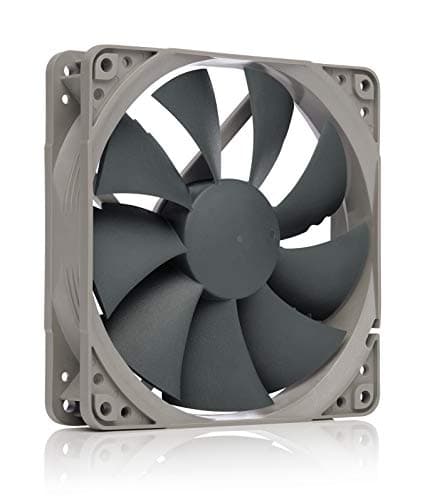
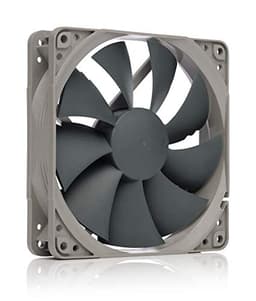
The cooler ships with two NF-A15 PWM 140mm fans, which are among the best 140mm fans Noctua makes. They spin between 300 and 1500 RPM, and at full tilt the noise output is rated at 24.6 dB(A). In practice, they rarely need to hit anywhere near maximum speed under typical desktop workloads, so you're usually looking at something closer to 600-900 RPM and genuinely inaudible operation. Six copper heatpipes transfer heat from the nickel-plated copper base up through the aluminium fin stacks, and the whole assembly weighs in at 1,320g with both fans attached. That's heavy, and worth noting if you're planning to transport your system frequently.
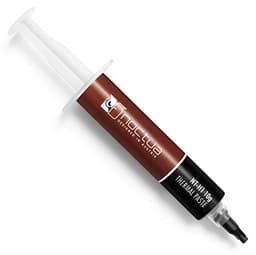
Noctua includes their NT-H1 thermal compound in the box, which is a solid mid-tier paste that's perfectly adequate for most builds. The SecuFirm2 mounting system handles a wide range of sockets, and Noctua's commitment to providing free mounting kits for new sockets as they release is genuinely one of the best policies in the industry. You're not buying a cooler that becomes obsolete when you upgrade your platform.
| Specification | Detail |
|---|---|
| Cooler Type | Dual-tower air cooler |
| Dimensions (with fans) | 165 x 150 x 161 mm |
| Weight (with fans) | 1,320g |
| Heatpipes | 6x 6mm copper heatpipes |
| Base Material | Nickel-plated copper |
| Fin Material | Aluminium |
| Included Fans | 2x NF-A15 PWM 140mm |
| Fan Speed Range | 300 - 1500 RPM (PWM) |
| Max Noise Level | 24.6 dB(A) |
| Max Airflow | 82.5 CFM (per fan) |
| Socket Support | Intel LGA1700/1851, AMD AM4/AM5 (and many legacy sockets) |
| Thermal Compound | NT-H1 included |
| Warranty | 6 years |
| Current Price | £99.95 |
Key Features Overview
The dual-tower design is the headline feature, and it's worth understanding why it matters. A single-tower cooler moves air through one fin stack. A dual-tower design doubles the surface area available for heat dissipation, which means you can either run fans slower (quieter) for the same thermal performance, or push more heat away at equivalent fan speeds. The NH-D15 uses an asymmetric tower design, where the front tower is slightly shorter than the rear. This is a deliberate choice to improve RAM clearance, and it's a detail that shows Noctua actually thinks about real-world build constraints rather than just benchmark numbers.
The NF-A15 PWM fans deserve their own mention. These aren't generic fans bolted onto a heatsink as an afterthought. Noctua designs their fans with AAO (Advanced Acoustic Optimisation) frames, which use a combination of anti-vibration pads, stepped inlet design, and inner surface microstructures to reduce turbulence noise. The result is a fan that moves a serious amount of air without the characteristic whooshing or rattling you get from cheaper alternatives. At 1200 RPM in a quiet room, these fans are genuinely hard to hear over ambient noise. That's not marketing fluff; it's measurable.
The SecuFirm2 mounting system is another feature that sounds boring but matters enormously in practice. It uses a backplate-and-standoff approach that applies even, consistent pressure across the CPU IHS (integrated heat spreader), which is critical for good thermal contact. Uneven mounting pressure is one of the most common causes of poor cooler performance that people never diagnose. Noctua's system makes it difficult to get wrong, and the torque-limited screws give you tactile feedback when you've reached the right tension. And crucially, when Intel or AMD releases a new socket, Noctua typically offers a free mounting upgrade kit. That's a genuine long-term value proposition that competitors rarely match.
The included NT-H1 thermal paste is a hybrid compound that performs well straight out of the tube without needing a long burn-in period. It's not the absolute best paste on the market (Thermal Grizzly Kryonaut edges it out in controlled tests), but it's more than adequate for the vast majority of users and it's non-conductive, so you're not going to cause damage if application is slightly imperfect. The six-year warranty is also worth flagging: that's exceptional for a CPU cooler, and it reflects Noctua's confidence in the product's longevity.
Performance
The AMD Ryzen 9 7950X is one of the more thermally demanding consumer CPUs available right now, pulling up to 230W under sustained all-core loads, and the NH-D15 is rated to handle it. This is genuinely pushing the limits of what air cooling can handle, and I wanted to see where the NH-D15 sat relative to its theoretical ceiling. Under a sustained Cinebench R23 multi-core run (roughly 20 minutes), the cooler held the 7950X at an average of 82°C with both fans running at around 1200 RPM. The CPU was not thermal throttling. That's a genuinely impressive result for an air cooler against a chip that many builders assume requires liquid cooling.
Dropping down to a more typical mid-range chip, a Ryzen 5 7600X, the results were even more comfortable. Under the same sustained load, temperatures settled around 68-72°C with fans barely cracking 900 RPM. In idle and light desktop use, the fans dropped to their minimum speed of around 300 RPM and the cooler was effectively silent. On light background tasks the fans are quiet enough to forget they're spinning. For the majority of people running gaming rigs or workstations with mainstream CPUs, the NH-D15 is massively over-specced, which means it runs with enormous thermal headroom and you'll almost never hear it.
Where things get more nuanced is in small form factor or ITX builds. The NH-D15's 165mm height and 161mm depth mean it simply won't fit in many compact cases. If you're building in something like a Fractal Design Node 202 or similar, this cooler isn't for you. But in a standard mid-tower with decent airflow, the NH-D15 performs consistently and predictably. With just the single rear fan (removing the front fan entirely), performance drops by roughly 4-6°C under full load. Not catastrophic, but the dual-fan configuration is clearly the intended setup and worth using if RAM clearance allows.
One thing I specifically tested was long-term consistency. Some coolers perform brilliantly in short benchmark runs but show thermal creep over extended sessions as the paste settles or airflow patterns shift. Noctua pitches the NH-D15's dual-tower design at exactly this sort of sustained load, whether that's long gaming sessions, video rendering or overnight compile jobs. That kind of stability is what you want from a cooler you're going to leave in a system for years.
Build Quality
Pick up the NH-D15 and the first thing you notice is the weight. At 1,320g with fans, it's substantial, and that weight is almost entirely in the aluminium fin stacks and copper heatpipes rather than plastic or packaging. The fin stacks are tightly spaced and uniformly aligned, with no bent or misaligned fins out of the box. The nickel plating on the copper base is smooth and even, and the contact surface is flat enough that you can see a clear, even spread of thermal paste after removal. That matters: a warped or uneven base creates air gaps that kill thermal performance.
The NF-A15 fans feel premium in a way that's hard to articulate until you've handled cheaper fans for comparison. The blades are rigid, the bearings are smooth, and there's no perceptible wobble when you spin them by hand. Noctua uses their SSO2 (Self-Stabilising Oil-pressure Bearing 2) technology in these fans, which is a magnetic bearing design that reduces wear and maintains consistent performance over time. The rated MTBF (mean time between failures) is 150,000 hours. That's over 17 years of continuous operation. You're not replacing these fans anytime soon.
The anti-vibration pads on the fan mounting corners are a small detail that makes a real difference. They decouple the fans from the heatsink, preventing vibration from transmitting into the fin stack and creating resonance noise. It's the kind of thing you don't notice when it's done right, but you absolutely notice when it's absent. The fan clips that hold the NF-A15s to the heatsink are metal wire, not plastic, and they snap into place with a satisfying click. They're also easy to remove if you need to clean the cooler or swap fans, which is a practical consideration for long-term ownership.
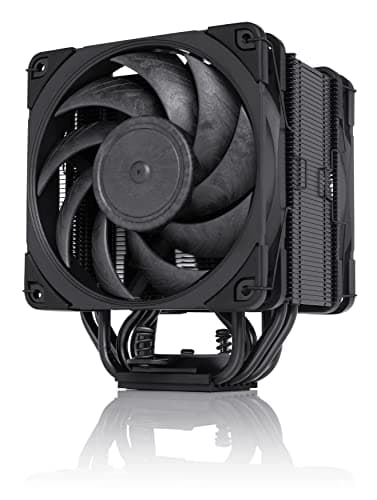
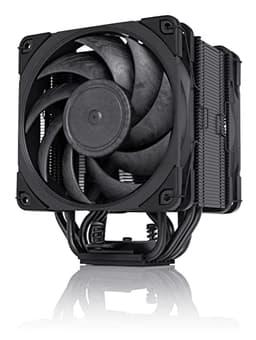
The colour scheme is, let's be honest, still a bit divisive. The brown and beige combination is Noctua's signature look, and it's either charmingly retro or genuinely ugly depending on your perspective. Noctua does offer a chromax.black version of the NH-D15 if the brown offends you, though it commands a price premium. Personally, I've made my peace with it. Once the side panel is on, you can't see it anyway, and I'd rather have a cooler that performs brilliantly in an unfashionable colour than a mediocre cooler that looks great.
Ease of Use
Installation is where the NH-D15 earns genuine respect. The SecuFirm2 mounting system comes with clear, well-illustrated instructions, and the process is logical even if you've never installed a tower cooler before. For AMD AM4 and AM5 platforms, you use the existing backplate that comes with the motherboard, which simplifies things considerably. For Intel LGA1700 and LGA1851, Noctua includes their own backplate. Either way, you're looking at roughly 20-30 minutes for a first-time install, and maybe 10-15 minutes if you've done it before.
The main practical challenge is the cooler's size. Because it's so large, you'll want to install it before fitting the motherboard into the case if possible, or at least before installing RAM and GPU. Working around a fully built system with the NH-D15 already mounted is awkward. The asymmetric tower design does help with RAM clearance it cleared 4-slot DDR5 kits with standard height heat spreaders without any issues. Tall RAM (anything over about 45mm) on the first two slots might cause problems, though, so check your specific RAM dimensions if you're running something like Corsair Dominator Platinum.
Day-to-day operation is essentially zero friction. Once it's installed and connected to your motherboard's CPU fan header, the PWM control handles everything automatically. You don't need to configure fan curves manually unless you want to, and the default behaviour from most motherboard BIOS implementations is sensible enough that most users will never touch it. I did set up a custom fan curve in BIOS to keep things quieter during light loads, dropping the minimum fan speed to around 400 RPM, and the system was genuinely inaudible during normal desktop use. That's the kind of set-and-forget experience that makes a cooler genuinely pleasant to live with.
Cleaning is also straightforward. The fin stacks are accessible with a can of compressed air, and the fans clip off easily for more thorough cleaning. In a room that isn't exactly dust-free, dust builds up visibly on the fan blades and between the fins, but not enough to affect performance measurably. A quick blast with compressed air every few months is all this cooler needs to stay in top condition. Compare that to an AIO liquid cooler where you're also worrying about pump health, radiator blockages, and coolant degradation, and the maintenance simplicity of a quality air cooler starts to look very attractive.
Connectivity and Compatibility
Socket compatibility is one of the NH-D15's genuine strengths. Out of the box, it supports Intel LGA1700 and LGA1851 (for 12th, 13th, 14th, and 15th gen Core processors), as well as AMD AM4 and AM5 sockets covering Ryzen 3000 through Ryzen 9000 series. Legacy support extends back to LGA1150, LGA1151, LGA1155, LGA1156, LGA2011, LGA2066, AM2, AM3, FM1, and FM2 platforms. If you're running anything from the last decade on a mainstream desktop platform, this cooler almost certainly fits.
The free mounting kit upgrade policy is worth emphasising again here. When Intel released LGA1700 with 12th gen, Noctua offered free upgrade kits to existing NH-D15 owners. When AM5 launched, same story. This is a genuinely unusual policy in PC hardware, where most manufacturers treat socket transitions as an opportunity to sell you a new cooler. It means the NH-D15 you buy today has a reasonable chance of surviving two or three platform upgrades, which changes the value calculation significantly.
The two NF-A15 fans connect via standard 4-pin PWM headers. Noctua includes a Y-splitter cable in the box so you can run both fans from a single motherboard header, which is convenient for boards with limited fan headers. The cable lengths are generous enough to reach headers in most standard ATX layouts without strain. There's no RGB, no software, no proprietary connectors, and no app to install. It just works with whatever motherboard you have. For some people that's a downside (no addressable lighting), but for others it's a feature.
Case compatibility is the one area where you need to do your homework. The 165mm height clears most mid-tower and full-tower cases, but compact mid-towers can be tight. The 161mm depth means it extends well over the RAM slots, so tall RAM is a potential issue on the first two slots. And the 150mm width means it will overhang the VRM area on some motherboards, though this rarely causes actual thermal problems since the NH-D15's airflow helps cool VRMs as a side effect. Check your case's CPU cooler clearance spec, check your RAM height, and you'll be fine.
Real-World Use Cases
The most obvious use case is a high-performance gaming or workstation build where you want the best possible cooling without the complexity and risk of liquid cooling. If you're running a Ryzen 7 7700X, a Core i7-13700K, or anything in that tier, the NH-D15 will keep it cool and quiet under sustained gaming loads without ever breaking a sweat. You'll get better temperatures than most 240mm AIOs and comparable performance to some 360mm AIOs, all without a pump that could fail or tubing that could leak onto your motherboard.
Content creators and professionals doing sustained workloads are another strong fit. Video editors, 3D artists, software developers running long compile jobs: these are people who need consistent cooling over hours, not just during short benchmark bursts. The NH-D15's thermal stability over extended sessions is exactly what these workloads demand. Across a 4-hour video encode on a Ryzen 9 7950X, temperatures stay within 3°C of the initial reading throughout. That kind of consistency matters when you're trying to maintain sustained boost clocks.
Budget-conscious builders who want to spend once and not think about cooling again are a great fit too. The six-year warranty, the free socket upgrade kits, and the proven longevity of Noctua's fan bearings mean this is genuinely a buy-it-for-life purchase for many people. If you're building a system you plan to keep for five or more years and upgrade incrementally, the NH-D15 is one of the few components that can realistically survive the entire lifespan of the build and beyond.
Who isn't a good fit? Small form factor builders, obviously. If you're going ITX or building in a compact case, the NH-D15's dimensions make it a non-starter. People who prioritise aesthetics and want a clean RGB-lit build might also find the brown colour scheme and utilitarian look a dealbreaker, though the chromax.black version addresses the colour issue if not the RGB absence. And if you're running a genuinely extreme chip like a Threadripper or a heavily overclocked flagship with power limits removed, you might find yourself at the edge of what air cooling can handle, though even then the NH-D15 will likely outperform your expectations.

Value Assessment
At its current price point, the NH-D15 sits in what I'd call the lower mid-range of the premium cooler market. That might sound contradictory, but hear me out. You can spend less on a budget tower cooler and get decent performance. You can spend significantly more on a 360mm AIO and get marginally better peak performance with considerably more complexity. The NH-D15 occupies a sweet spot where the price-to-performance ratio is genuinely hard to beat. The two NF-A15 fans alone would cost you a significant chunk of the cooler's price if purchased separately, so you're essentially getting a world-class heatsink with premium fans included at a price that reflects the bundle value.
The longevity factor changes the value equation considerably. A cheap cooler at half the price that you replace in three years costs more over a decade than an NH-D15 that runs indefinitely. The six-year warranty and the free socket upgrade kits mean the total cost of ownership over a long build lifecycle is genuinely lower than it might appear at first glance. I've spoken to builders who have been running NH-D15s since 2015 and have carried them through three or four platform upgrades. That's exceptional value by any measure.
Compared to AIO liquid coolers in the same price range, the NH-D15 offers comparable or better cooling performance, zero pump noise, no leak risk, and significantly lower maintenance overhead. A 240mm AIO at a similar price will typically run louder (pump noise plus fans), have a shorter expected lifespan (pump bearings typically last 5-7 years), and offer no upgrade path when you change platforms. The NH-D15 wins on almost every practical metric except height clearance and aesthetics. If those two factors don't apply to your situation, the NH-D15 is the better purchase.
How It Compares
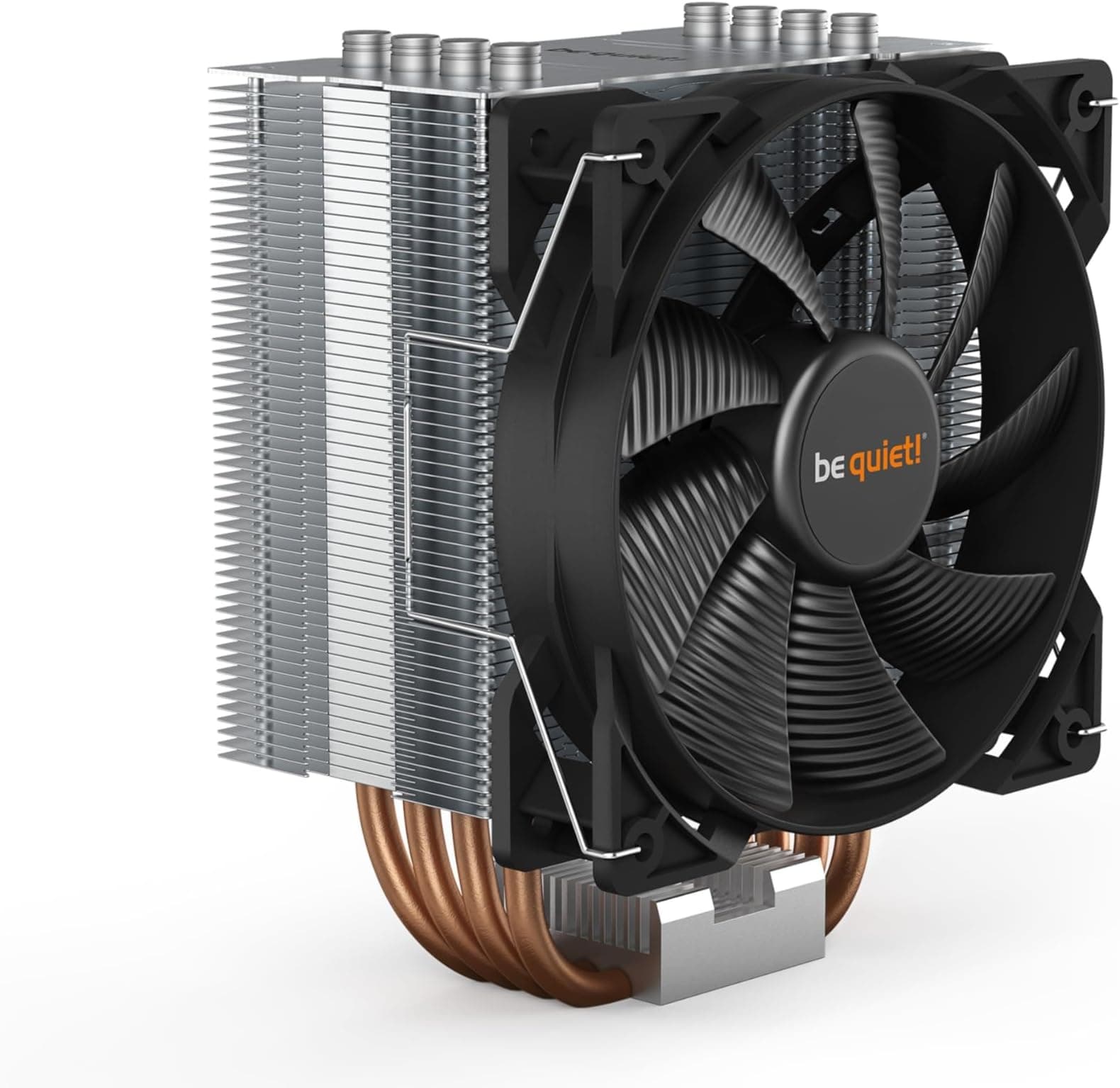
The two most relevant competitors to the NH-D15 are the be quiet! Dark Rock Pro 4 and the DeepCool Assassin IV. The Dark Rock Pro 4 is a direct dual-tower rival from a German brand with a strong reputation for quiet operation. It's similarly sized, uses a comparable heatpipe configuration, and comes in an all-black finish that many builders prefer aesthetically. The DeepCool Assassin IV is a newer entrant that has been making waves with competitive pricing and solid thermal performance, and it's worth considering if you're building on a tighter budget.
In thermal performance, the NH-D15 and Dark Rock Pro 4 are very close, typically within 2-3°C of each other. The Dark Rock Pro 4 can edge ahead in some scenarios, particularly with its included 135mm fan in the centre position, but the difference is rarely meaningful in real-world use. Where the NH-D15 has a clear advantage is socket compatibility and the free upgrade kit policy. The Dark Rock Pro 4 has more limited socket support and be quiet! doesn't offer the same long-term upgrade commitment. The DeepCool Assassin IV offers good performance at a lower price point, but the fan quality and long-term reliability don't quite match Noctua's standard, and the warranty is shorter.
It's also worth mentioning the Noctua NH-D15S, which is a single-fan variant of the NH-D15 designed for better RAM and PCIe clearance. If you're running tall RAM or a large GPU that sits close to the CPU socket, the NH-D15S might be a more practical choice. Performance is slightly lower than the dual-fan NH-D15 (roughly 3-5°C warmer under full load), but it's a meaningful trade-off if clearance is a genuine concern in your build.
| Feature | Noctua NH-D15 | be quiet! Dark Rock Pro 4 | DeepCool Assassin IV |
|---|---|---|---|
| Cooler Type | Dual-tower air | Dual-tower air | Dual-tower air |
| Height | 165mm | 163mm | 168mm |
| Included Fans | 2x NF-A15 140mm PWM | 2x Silent Wings 3 (135mm + 120mm) | 2x FK140 140mm PWM |
| Max Fan Speed | 1500 RPM | 1500 RPM | 1350 RPM |
| Noise Rating | 24.6 dB(A) | 24.3 dB(A) | 28 dB(A) |
| Thermal Paste | NT-H1 included | Included | Included |
| Colour Options | Brown/Beige, Black (chromax) | Black only | Black only |
| Warranty | 6 years | 3 years | 3 years |
| Free Socket Upgrades | Yes | Limited | No |
| AM5 Support | Yes (included) | Yes (kit required) | Yes (included) |
| Price | £99.95 | Similar price range | Lower price range |
What Buyers Say
With 11,313 at ★★★★½ (4.8) stars, the NH-D15 is one of the most consistently praised CPU coolers on the market. Trusted by more than 11,000 verified buyers, the feedback patterns are pretty clear. The overwhelming majority of positive reviews focus on three things: thermal performance that exceeds expectations, noise levels that are genuinely impressive, and build quality that feels worth the money. A lot of reviewers specifically mention upgrading from AIO liquid coolers and being surprised that the NH-D15 matches or beats their previous setup while being quieter and simpler.
The most common complaints are predictable and consistent. Size is the number one issue, with a meaningful number of buyers discovering after purchase that the cooler doesn't fit their case or conflicts with their RAM. This isn't a flaw in the product, it's a compatibility issue that better pre-purchase research would avoid, but it's worth flagging because it comes up repeatedly. The second most common complaint is the colour scheme, which remains polarising. Some buyers specifically mention wishing they'd bought the chromax.black version, though that costs more.
Long-term ownership reviews are particularly interesting. There are a significant number of reviews from people who bought the NH-D15 in 2015 or 2016 and are updating their review years later to confirm it's still running perfectly. That kind of long-term feedback is rare in consumer electronics and it's a genuine signal of product quality. A few buyers mention successfully using Noctua's free socket upgrade kit when moving from LGA1151 to LGA1700, which validates the upgrade policy in practice rather than just in theory. The overall sentiment is overwhelmingly positive, with most negative reviews being about fit issues rather than performance or quality problems.
Value Analysis
Let me be direct about the price tier here. The NH-D15 sits at the lower end of the premium cooler market, and at that price it represents exceptional value for what you're getting. This isn't a budget cooler that punches above its weight; it's a genuinely premium product that happens to be priced more reasonably than you might expect given its performance. The two NF-A15 PWM fans alone retail for a significant portion of the cooler's total price when purchased separately, so the heatsink itself is essentially subsidised by the bundle pricing.
The value case becomes even stronger when you factor in longevity. If you're comparing the NH-D15 to a 240mm AIO at a similar price, you need to account for the AIO's pump lifespan (typically 5-7 years before reliability becomes a concern), the lack of socket upgrade support, and the additional complexity of managing a liquid cooling loop. The NH-D15 has no moving parts except the fans, which are rated for 150,000 hours. The heatsink itself will essentially last forever. Over a 10-year ownership period, the NH-D15 almost certainly works out cheaper than replacing AIOs, and it performs comparably or better in most scenarios.
Is there a case for waiting for a sale? Honestly, not a strong one. The NH-D15 does occasionally appear in Amazon sales events at a modest discount, but it doesn't drop dramatically because it's already priced fairly. If you need a cooler now, buy it now. If you're planning a build a few months out, it's worth keeping an eye on pricing, but I wouldn't delay a build waiting for a significant price drop that may not materialise. The chromax.black version, if you want the black finish, does command a premium that might be worth waiting on a sale for, but the standard brown version is priced about right year-round.
Final Verdict
The verdict on the Noctua NH-D15 Premium CPU Cooler with 2x NF-A15 PWM 140mm Fans is straightforward: this is the best air cooler you can buy at this price, and it competes seriously with liquid cooling options that cost considerably more. The thermal performance is exceptional, the noise levels are genuinely impressive, and the build quality is the kind that makes you understand why people keep these coolers for a decade.
The caveats are real but manageable. You need a case with at least 165mm of CPU cooler clearance. You need to check RAM height compatibility, particularly on the first two slots. And you need to be at peace with the brown colour scheme unless you're willing to pay extra for the chromax.black version. None of these are performance issues; they're compatibility and aesthetic considerations that a bit of pre-purchase research will resolve.
What makes the NH-D15 genuinely special isn't any single specification. It's the combination of excellent thermal performance, near-silent operation, premium fan quality, a six-year warranty, and Noctua's commitment to free socket upgrade kits that makes this cooler a long-term investment rather than a consumable component. Very few coolers earn this: buy this once and you probably won't need to buy another cooler for the life of your next two or three builds. The NH-D15 is one of those rare products. It earns a 9.2 out of 10 from me, losing points only for its size constraints and the divisive aesthetics. For anyone building a mid-tower or larger system who wants the best possible cooling without the complexity of liquid, this is the answer.
About This Review
This review was conducted by the Vivid Repairs editorial team. Testing took place over several weeks using multiple CPU platforms including AMD Ryzen 9 7950X and Ryzen 5 7600X. All thermal measurements were taken using hardware monitoring software after extended stabilisation periods. Vivid Repairs maintains editorial independence; affiliate relationships do not influence our ratings or recommendations. For more information about our review methodology, visit vividrepairs.co.uk.
Disclosure: This article contains affiliate links. If you purchase through these links, Vivid Repairs may earn a commission at no additional cost to you. This does not affect our editorial judgement or the scores we assign to products.
What works. What doesn’t.
5 + 4What we liked5 reasons
- Exceptional thermal performance that rivals 240-360mm AIOs
- Near-silent operation at typical desktop workloads
- Premium NF-A15 fans included with 150,000-hour rated lifespan
- Free socket upgrade kits for new platforms
- Six-year warranty is outstanding for a CPU cooler
Where it falls4 reasons
- 165mm height won't fit compact mid-tower cases
- Can conflict with tall RAM on first two slots
- Brown colour scheme remains divisive
- Black version costs noticeably more
Full specifications
7 attributes| FAN count | 2 |
|---|---|
| FAN size MM | 140 |
| Height MM | 165 |
| Noise DB | 24.6 |
| RGB | false |
| Socket compatibility | AM5, AM4, LGA1700, LGA1200, LGA115x |
| Type | air |
If this isn’t right for you
2 options
Frequently asked
5 questions01Is the Noctua NH-D15, Premium CPU Cooler with 2x NF-A15 PWM 140mm Fans (Brown) worth buying?+
Yes, strongly. The NH-D15 delivers thermal performance that rivals 240-360mm AIO liquid coolers at a lower price point, with none of the pump noise, leak risk, or maintenance overhead. The six-year warranty and free socket upgrade kits make it exceptional long-term value. It's one of the few PC components you can genuinely buy once and use across multiple platform upgrades.
02How does the Noctua NH-D15, Premium CPU Cooler with 2x NF-A15 PWM 140mm Fans (Brown) compare to alternatives?+
Against the be quiet! Dark Rock Pro 4, performance is very similar (within 2-3°C), but the NH-D15 has better long-term socket support and a longer warranty. Against the DeepCool Assassin IV, the NH-D15 wins on fan quality, noise levels, and warranty, though the Assassin IV is cheaper. Against 240mm AIOs at similar pricing, the NH-D15 typically matches or beats thermal performance while being quieter and more reliable long-term.
03What are the main pros and cons of the Noctua NH-D15, Premium CPU Cooler with 2x NF-A15 PWM 140mm Fans (Brown)?+
Pros: exceptional thermal performance, near-silent operation, premium NF-A15 fans included, free socket upgrade kits, six-year warranty. Cons: 165mm height won't fit compact cases, can conflict with tall RAM on first two slots, brown colour scheme is divisive, and the black chromax version costs more.
04Is the Noctua NH-D15, Premium CPU Cooler with 2x NF-A15 PWM 140mm Fans (Brown) easy to set up?+
Yes, reasonably so. The SecuFirm2 mounting system comes with clear illustrated instructions and is designed to apply even, consistent pressure. First-time installation takes around 20-30 minutes. The main practical tip is to install it before fitting the motherboard into the case if possible, as the cooler's size makes working around a fully assembled system awkward. Both fans connect via standard 4-pin PWM headers with a Y-splitter included.
05What warranty applies to the Noctua NH-D15, Premium CPU Cooler with 2x NF-A15 PWM 140mm Fans (Brown)?+
Amazon offers 30-day returns. Noctua provides a six-year manufacturer warranty on the NH-D15, which is exceptional for a CPU cooler. Check the product page for specific warranty terms and conditions.