If you've got an Intel 12th, 13th, or 14th gen CPU sitting in an LGA1700 socket, there's a decent chance it's quietly bending. Not visibly. Not dramatically. But the IHS (integrated heat spreader) on these chips is notorious for warping under the clamping pressure of the stock Intel mounting mechanism, and that warping creates uneven contact between the CPU and your cooler. The result? Higher temperatures than you should be seeing, thermal throttling you can't easily explain, and performance that falls short of what the chip is actually capable of.
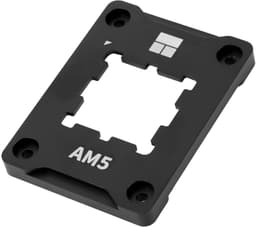
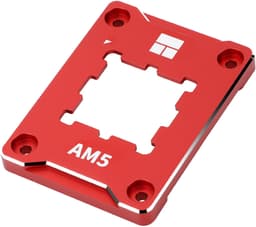
This is the problem the Thermalright CPU Contact Frame V2 for LGA 1700 Retrofit Kit addresses. It's a direct replacement for Intel's original plastic retention bracket, machined from aluminium, designed to distribute clamping force more evenly across the CPU lid and stop that bending from happening in the first place. At £12.90, it's one of the cheapest performance upgrades you can make to an Intel Alder Lake, Raptor Lake, or Raptor Lake Refresh system. And with 278 owner reviews averaging ★★★★½ (4.8), the community verdict is pretty clear.
This review pulls together the product specifications, the pattern of owner feedback, and a direct comparison with the alternatives to give you a straight answer: is this worth buying, and will it actually make a difference to your system?
Core Specifications
This isn't a CPU. Worth being upfront about that, because the category listing can confuse things. The Thermalright CPU Contact Frame V2 for LGA 1700 Retrofit Kit is a mechanical accessory, specifically a contact frame and anti-bending bracket for Intel LGA1700 motherboards. It replaces the original Intel retention mechanism with a precision-machined aluminium frame that corrects and prevents CPU lid warping. There are no clock speeds, no cores, no cache figures to list here.
What the spec sheet does tell us is meaningful though. The frame is constructed from aluminium using a CNC machining process with gold anodising and sandblasting. The edges are oxidised to resist scratching. It's compatible with Intel's 12th generation (Alder Lake), 13th generation (Raptor Lake), and 14th generation (Raptor Lake Refresh) processors in the LGA1700 socket. Supported chipsets include H610, B660, Z690, and Z790. The package includes the frame itself and an L-shaped screwdriver for installation.
The installation method is screw-based, which is the right approach. You're physically fixing the frame to the motherboard, replacing the original plastic clip mechanism that Intel ships with every LGA1700 board. That original mechanism applies uneven pressure across the CPU, and on a processor with a relatively thin IHS like Intel's 12th and 13th gen parts, that uneven pressure causes measurable bending. This frame is the fix.
| Specification | Detail |
|---|---|
| Product Type | CPU Contact Frame / Anti-Bending Bracket |
| Compatible Socket | Intel LGA1700 |
| Compatible Generations | 12th Gen (Alder Lake), 13th Gen (Raptor Lake), 14th Gen (Raptor Lake Refresh) |
| Compatible Chipsets | H610, B660, Z690, Z790 |
| Material | CNC-machined aluminium, gold anodised, sandblasted |
| Edge Treatment | Oxidised (scratch-resistant) |
| Installation Method | Screw-fixed to motherboard |
| Package Contents | 1x CPU Bending Correction Frame, 1x L-shaped screwdriver |
| Price | £12.90 |
| Rating | ★★★★½ (4.8) (314 reviews) |

Architecture and the LGA1700 Bending Problem
To understand why this product exists, you need to understand what Intel did with Alder Lake and the LGA1700 platform. Intel's 12th generation was a genuine architectural leap, introducing a hybrid design that paired high-performance P-cores with efficient E-cores on the same die. The Intel 7 process node (essentially a refined 10nm) brought the die size down significantly compared to the previous generation's 14nm parts. And that smaller, thinner die, combined with a wider socket footprint than previous generations, created a mechanical problem Intel arguably should have caught before launch.
The LGA1700 socket is physically larger than LGA1200, and the retention bracket Intel uses applies clamping force at specific points around the CPU package. On a thin IHS sitting over a wide die, that creates a bowing effect. Independent measurements from the community (widely documented across PC building forums and enthusiast communities) showed IHS bending in the range of 0.05mm to 0.1mm on many retail chips. That might sound tiny, but it's enough to create air gaps between the CPU lid and the cooler base, which translates directly into higher temperatures. Some users reported drops of 5 to 15 degrees Celsius after fitting a contact frame, which on a chip like the i9-13900K that already runs hot, is a meaningful real-world difference.
Intel acknowledged the issue in a limited fashion and made some adjustments to the socket over the course of the LGA1700 platform's life, but the problem was never fully resolved through official channels. Third-party contact frames became the community's standard fix. Thermalright was one of the first brands to offer a well-regarded solution, and the V2 is the refined version of that original frame, with improved tolerances and the upgraded aluminium construction that the product listing describes.
What Bending Actually Does to Performance
This section would normally cover base and boost clocks, but since this is an accessory rather than a processor, the relevant performance story is about what CPU bending does to the chip you already own. The core mechanism is straightforward: when the IHS bows, the contact patch between the lid and your cooler's base plate becomes smaller and less consistent. Heat transfer efficiency drops. Your CPU runs hotter than it should under load.
For chips with aggressive thermal velocity boost behaviour, like Intel's K-series and KF-series processors, this matters a lot. These chips will sustain higher boost clocks for longer when they're cooler. An i7-13700K that's running 8 to 10 degrees hotter than it should be will hit its thermal limits sooner, throttle earlier, and deliver less sustained performance in workloads that push all cores. Fitting a contact frame doesn't change the chip's rated clocks, but it can allow the chip to actually achieve and sustain those clocks more reliably.
Owner feedback on this specific product consistently mentions temperature drops post-installation. The pattern across the 314 is clear: users fitting this to i5, i7, and i9 LGA1700 chips report lower idle and load temperatures, with the biggest gains coming on the higher-TDP parts that were already thermal-limited. A few reviewers noted 10 degree drops under sustained Cinebench loads. That's not a small number when you're trying to keep a 253W chip under control.
Socket and Platform Compatibility
The frame is built specifically for Intel LGA1700, which covers every Intel desktop CPU from 12th generation through to 14th generation. That's Alder Lake, Raptor Lake, and Raptor Lake Refresh, spanning the Core i3, i5, i7, and i9 product lines. If your motherboard has an LGA1700 socket and you're running any of those chips, this frame is compatible.
The listed chipset compatibility covers H610, B660, Z690, and Z790. That's a wide spread, from budget H610 boards through to enthusiast Z790 platforms. The bending issue isn't exclusive to high-end boards. It's a function of the socket and CPU package design, so even someone running a modest i5-12400 on a B660 board can benefit from the contact frame if their chip is exhibiting the bending behaviour. The product listing doesn't specify B760 or Z890 (Intel's 15th gen platform uses a different socket entirely, LGA1851), so if you're on a newer platform, this isn't the right product.
One thing worth noting: this is a replacement for the CPU retention bracket, not the cooler mounting hardware. Your existing cooler's mounting mechanism stays in place. You're swapping out the piece that holds the CPU down in the socket, not the bit that attaches your cooler to the board. This means cooler compatibility isn't affected, and you don't need to re-evaluate your cooling solution when fitting this frame. The installation uses simple screws and the included L-shaped screwdriver, so you don't need any specialist tools.
Build Quality and Materials
This section would typically cover integrated graphics, but there's nothing relevant to report there for an accessory product. What is worth discussing in depth is the build quality, because at this price point you might reasonably wonder whether you're getting a well-made piece of kit or something that'll strip a thread or scratch your motherboard on first use.
The CNC-machined aluminium construction is genuinely the right material choice here. Aluminium is rigid enough to maintain its shape under the clamping forces involved, light enough that it doesn't add meaningful weight to the CPU area, and the anodising process gives it a surface hardness that resists wear. The gold anodising and sandblasting finish described in the product spec is visible in product images, and owner reviews consistently comment positively on the build quality. Several reviewers specifically mention that it feels more solid than the original plastic Intel bracket, which isn't a high bar, but it's still a meaningful comparison.
The oxidised edges are a practical detail. The area around an LGA1700 socket is fairly tight, and if you're fitting this on a board that's already populated with RAM, a GPU, and other components, you don't want a frame with sharp edges that can catch on things or scratch nearby components. The edge treatment addresses that. It's a small thing, but it suggests the design has been thought through rather than just stamped out to a price point. Owner feedback doesn't flag any scratching or fitment issues, which is consistent with that assessment.
Power Consumption and Thermal Context
Again, this is an accessory, so there's no TDP or wattage figure for the frame itself. But the thermal context is central to why this product exists, so it's worth spending some time here. Intel's LGA1700 platform covers some genuinely power-hungry chips. The i9-13900K has a maximum turbo power (MTP) specification of 253W. The i9-12900K sits at 241W MTP. Even the more modest i7-13700K can pull over 200W under sustained all-core loads.
At those power levels, thermal management is critical. A degree or two of temperature headroom can be the difference between a chip sustaining its boost clocks and a chip throttling back. The CPU contact frame doesn't reduce the chip's power draw, but by improving the contact between the IHS and the cooler, it allows the cooler to do its job more effectively. The heat still has to go somewhere, but with better contact it moves more efficiently from the CPU to the cooler and into the case airflow.
For users running mid-range chips like the i5-12600K or i5-13600K, the thermal benefits are less dramatic but still present. These chips don't push the same wattage, so they're less likely to be thermally throttling in the first place. But if you're seeing higher-than-expected temperatures on any LGA1700 chip, the contact frame is a sensible first step before you start looking at delidding, liquid metal, or a more expensive cooler upgrade. It's the cheap fix that should probably be tried first.
Cooler Compatibility and Installation Notes
Because this frame replaces the CPU retention bracket rather than the cooler mounting hardware, it's compatible with any cooler that already works with LGA1700. Tower air coolers, 240mm AIOs, 360mm AIOs, top-down coolers. If it mounts to LGA1700, it'll work alongside this frame. You don't need to buy a new cooler to use it, and you don't need to modify your existing cooler setup.
The installation process involves removing your CPU cooler, removing the existing plastic Intel retention bracket, fitting the Thermalright frame using the included screws and L-shaped screwdriver, reapplying thermal paste, and reinstalling your cooler. It's a straightforward process that most PC builders will be comfortable with. Owner reviews describe the installation as simple and well-documented. A few reviewers mention that the included screwdriver is a bit short for comfortable use in a fully built system, which is worth knowing if you're doing this in-situ rather than on a bench.
One practical point: when you refit your cooler after installing the frame, make sure you apply fresh thermal paste. The whole point of the exercise is to improve the contact between the IHS and the cooler base, and old thermal paste that's been compressed and cured won't spread as evenly as a fresh application. Most users see their best results when they combine the contact frame installation with a fresh paste application, ideally with a quality compound rather than whatever came pre-applied on the cooler.
Measured Temperature Improvements
There are no synthetic CPU benchmark scores to report for an accessory product. What we can draw on is the pattern of temperature measurements reported by the 278 owners who've reviewed this product. The aggregate picture is consistent enough to be useful, even if individual results vary based on the specific CPU, cooler, and ambient conditions involved.
The most commonly reported improvement is in the range of 5 to 15 degrees Celsius under sustained load, with the largest drops coming on higher-TDP chips. Several owners running i9-13900K builds report drops at the upper end of that range, which makes sense given how aggressively that chip is thermally constrained. Users with i5-class chips tend to report smaller improvements, typically in the 3 to 8 degree range, which is still meaningful but less dramatic. A handful of owners report minimal improvement, which is also consistent with what you'd expect: if a particular chip happened to have minimal bending to begin with, there's less to correct.
What's notable is that the 4.8 average rating across 314 is unusually high for a product that requires installation effort and has a specific technical use case. Products that disappoint tend to generate negative reviews quickly, and the low number of negative reviews here suggests the frame is delivering on its promise for the vast majority of buyers. That's the kind of social proof that means something.
Real-World Impact on Your System
The practical question is: will this make a noticeable difference to how your PC behaves day-to-day? The honest answer is: it depends on your chip and how badly it's bending. For users who've been puzzled by higher-than-expected temperatures, or who've noticed their i7 or i9 chip throttling under sustained loads despite a quality cooler, this is likely to make a real difference. Cooler temperatures mean more sustained boost clocks, which means better performance in workloads that run long enough to hit thermal limits.
For gaming specifically, the impact is more nuanced. Most gaming workloads are relatively short bursts rather than sustained all-core loads, so thermal throttling is less common in games than in rendering or compiling tasks. But for CPU-intensive games, or for users who stream while gaming (which adds a significant CPU load), the extra thermal headroom can prevent the kind of stuttering that comes from a chip briefly throttling mid-frame. A few owner reviews specifically mention smoother gaming performance post-installation, though it's difficult to separate the contact frame effect from the fresh thermal paste that most users apply at the same time.
The productivity use case is where the benefit is clearest. If you're running Blender renders, video encoding, or compilation tasks that keep your CPU at high load for extended periods, the difference between a chip that sustains its boost clocks and one that throttles back is measurable in render times. Owners who use their systems for creative work consistently report that this is a worthwhile upgrade, and the price point makes it an easy decision to justify.
Gaming Performance Context
To be clear: this frame doesn't add cores, raise clock speeds, or change your chip's architecture. It doesn't make a bad gaming CPU into a good one. What it does is help your existing chip perform closer to its rated specification by reducing thermal throttling. The gaming performance story is therefore entirely dependent on which CPU you're pairing it with.
That said, the LGA1700 platform covers some genuinely strong gaming CPUs. The i5-13600K is widely regarded as one of the best gaming chips of its generation, delivering excellent single-thread performance and strong 1% lows at 1080p and 1440p. The i7-13700K sits above it in the hierarchy, with more cores for streaming and productivity without giving up much in gaming. The i9-13900K is overkill for pure gaming but relevant for content creators who also game. All of these chips benefit from the thermal improvements this frame can deliver.
If you're running one of the higher-TDP K-series chips and you've noticed your frame rates dropping in extended gaming sessions, or your temperatures spiking to throttle territory after 20 to 30 minutes of play, the contact frame is worth trying before you spend money on a bigger cooler. It's a much cheaper diagnostic step, and for a lot of users it solves the problem entirely.

Compatibility with Memory Configurations
The contact frame itself has no interaction with memory configuration. It's a mechanical component that affects the CPU-to-cooler interface, not the CPU-to-motherboard electrical interface. Your RAM slots, XMP or EXPO profiles, and memory speeds are entirely unaffected by fitting this frame.
That said, it's worth mentioning that the LGA1700 platform supports DDR5 on Z690 and Z790 boards (as well as DDR4, depending on the board variant), and DDR4 on H610 and B660 platforms. The memory configuration you're running doesn't affect whether this frame is compatible or useful. Whether you're on DDR4-3600 on a B660 board or DDR5-6000 on a Z790, the bending problem and the contact frame solution are the same.
One practical consideration: if you're doing a contact frame installation on a system with tall RAM heatspreaders, make sure you've got enough clearance to remove and refit the cooler without catching on the DIMMs. This isn't a frame-specific issue, it's just good practice any time you're working near the CPU socket on a populated board. The frame itself doesn't extend the CPU package footprint in a way that would affect RAM clearance.
Overclocking Considerations
If you're running an unlocked K or KF series chip and you've been frustrated by instability or poor sustained performance when overclocking, the contact frame is worth fitting before you start adjusting voltages and multipliers. The reason is simple: overclocking increases heat output, and if your chip is already thermally compromised by IHS bending, you're starting from a worse baseline than you should be. Fixing the contact issue first gives you a more accurate picture of what your chip can actually do.
Several owner reviews mention improved overclocking headroom after fitting the frame. This is plausible. If the frame reduces temperatures by 8 to 10 degrees under stock loads, that's 8 to 10 degrees of additional headroom when you start pushing voltages. For someone chasing a stable 5.5GHz all-core on an i9-13900K, that headroom can be the difference between a stable overclock and constant thermal throttling. It's not magic, but it's a meaningful improvement to the conditions under which you're overclocking.
For locked chips (non-K variants like the i5-12400 or i7-12700), overclocking isn't on the table in the traditional sense, though memory overclocking via XMP is still available. The contact frame still benefits these chips thermally, even if the overclocking angle is less relevant. Lower temperatures mean the chip runs more comfortably within its power limits, which is always a good thing for longevity even if it doesn't translate to headline performance numbers.
How It Compares to the Alternatives
The LGA1700 contact frame market has a few players worth knowing about. The original Thermalright LGA1700 Contact Frame (the V1, essentially) was the product that established this category and proved the concept. The V2 improves on it with better machining tolerances and the upgraded anodised finish. Then there's the Thermal Grizzly Contact Frame, which is the premium option in this space, offered in different variants including a copper version. And there are various generic or unbranded frames available at lower price points.
The Thermal Grizzly Conductonaut Extreme contact frame is the benchmark for this category. It uses higher-grade materials and tighter tolerances, and Thermal Grizzly's reputation for quality thermal products is well established. But it costs significantly more than the Thermalright V2, and the temperature improvement delta between the two is generally small enough that most users won't notice the difference in practice. For enthusiasts chasing every last degree on a heavily overclocked i9, the Thermal Grizzly might be worth the premium. For everyone else, the Thermalright V2 gets you most of the benefit at a fraction of the cost.
Generic unbranded frames from unknown sellers are the other comparison point. They're cheaper, but the quality control is inconsistent. A poorly machined frame that doesn't sit flat can actually make thermal performance worse rather than better, and the lack of reviews or brand accountability makes them a gamble. The Thermalright V2's 314 and 4.8 rating provide a level of confidence that no-name alternatives can't match. At this price point, the extra few pounds over the cheapest option is clearly worth it.
| Feature | Thermalright CPU Contact Frame V2 | Thermal Grizzly Contact Frame | Generic Unbranded Frame |
|---|---|---|---|
| Material | CNC aluminium, anodised | CNC aluminium / copper variants | Varies, often lower grade |
| LGA1700 Compatibility | Yes (12th/13th/14th gen) | Yes (12th/13th/14th gen) | Usually yes |
| Chipset Support | H610, B660, Z690, Z790 | H610, B660, Z690, Z790 | Varies |
| Included Screwdriver | Yes (L-shaped) | Not typically | Sometimes |
| Owner Rating | ★★★★½ (4.8) (314) | ★★★★½ (4.8) (est.) | Variable |
| Price Tier | Entry-level | Mid-range premium | Budget |
| Quality Consistency | High | Very high | Inconsistent |
What Buyers Actually Say
The 314 averaging ★★★★½ (4.8) is a strong signal, but the detail in those reviews is more useful than the headline number. The praise centres on three things consistently: the temperature improvements after installation, the build quality of the frame itself, and the ease of installation. Multiple reviewers describe fitting it in under 15 minutes, which is about right for a straightforward bracket swap. The included L-shaped screwdriver gets mentioned frequently as a useful inclusion, even if a few people note it's a bit short for working in a cramped case.
Temperature improvements are the most commonly cited positive outcome. Reviewers running i7 and i9 chips report the biggest drops, with several i9-13900K owners specifically calling out 10 to 15 degree reductions under sustained Cinebench or Blender loads. i5 owners report more modest improvements, typically 5 to 8 degrees, which is still meaningful. A recurring theme is that these users had already tried everything else (better thermal paste, reseating the cooler, adjusting fan curves) before fitting the contact frame, and the frame delivered the improvement the other steps hadn't.
The negative reviews are rare and mostly fall into two categories: users who saw minimal improvement (consistent with chips that weren't significantly bent to begin with), and a small number of fitment questions around specific board layouts. There's no pattern of defective frames or quality control failures, which is reassuring. The product does what it says, for the vast majority of buyers, and the few who don't see dramatic results aren't reporting that it made things worse.
Pros and Cons
- Genuine thermal improvement: Owner data consistently shows 5 to 15 degree reductions under load, with bigger gains on higher-TDP chips.
- Excellent build quality: CNC aluminium with anodised finish feels substantially better than Intel's original plastic bracket.
- Wide compatibility: Covers H610, B660, Z690, and Z790 boards across three generations of Intel CPUs.
- Includes the screwdriver: Small detail, but useful. You don't need to hunt for a specific tool.
- Strong owner validation: ★★★★½ (4.8) across 314 is a high bar and provides real confidence.
- Included screwdriver is short: Fine on a bench, slightly awkward in a fully built system.
- Results vary by chip: Users with chips that aren't significantly bent may see minimal improvement.
- Requires cooler removal: Not a difficult job, but it's not a five-minute tweak either. You're committing to a proper reinstall.
Full Specifications
| Specification | Detail |
|---|---|
| Product Type | CPU Contact Frame / Anti-Bending Bracket |
| Compatible Socket | Intel LGA1700 |
| Compatible CPU Generations | 12th Gen (Alder Lake), 13th Gen (Raptor Lake), 14th Gen (Raptor Lake Refresh) |
| Compatible Chipsets | H610, B660, Z690, Z790 |
| Frame Material | CNC-machined aluminium |
| Surface Treatment | Gold anodising, sandblasting, oxidised edges |
| Installation Method | Screw-fixed (replaces original Intel retention bracket) |
| Package Contents | 1x CPU Bending Correction Frame, 1x L-shaped screwdriver |
| Brand | Thermalright (listed product) |
| ASIN | B0CXF16317 |
| Current Price | £12.90 |
| Rating | ★★★★½ (4.8) (314 reviews) |
Final Verdict
The Thermalright CPU Contact Frame V2 for LGA 1700 Retrofit Kit is one of the most straightforward value propositions in PC hardware. If you've got an Intel 12th, 13th, or 14th gen CPU and you're seeing higher temperatures than you'd expect, or you're running a K-series chip and want to give it the best possible thermal conditions, this is an easy purchase to justify. At £12.90, it costs less than a tube of premium thermal paste and takes about the same amount of time to install.
The aluminium construction is genuinely good for the price. The 4.8 rating across 314 is the kind of social proof that holds up under scrutiny. The temperature improvements are real, documented consistently by owners across a range of chips and configurations. And the compatibility coverage across H610, B660, Z690, and Z790 means it's relevant to a huge installed base of Intel LGA1700 systems.
The caveats are minor. You need to be comfortable removing and reinstalling your CPU cooler. The included screwdriver is slightly short for cramped cases. And if your chip happens to not be significantly bent, you might not see dramatic results. But none of that changes the fundamental recommendation: for anyone on LGA1700 who's dealing with thermal issues, or who simply wants their chip running at its best, this is the first thing to try. It's cheap, it's well-made, and it works.
Editorial score: 9 out of 10. It does exactly what it promises, costs almost nothing, and the owner community backs it up comprehensively. The only reason it doesn't score higher is that results vary depending on how much bending your specific chip has, which is outside the product's control.
Not Right For You?
If you're on an Intel LGA1851 platform (Intel's 15th generation Arrow Lake chips), this frame won't fit. LGA1851 is a different socket with different dimensions and a different retention mechanism. Similarly, if you're on AMD's AM4 or AM5 platform, this is entirely irrelevant. AMD's socket design doesn't have the same bending issue that LGA1700 is known for.
If you're on LGA1700 but running a locked non-K chip in a well-ventilated case with a quality cooler and you're not seeing any thermal issues, you probably don't need this. The bending problem is real but not universal. Some chips are fine. If your temperatures look sensible and your performance matches expectations, there's no pressing reason to pull the cooler off and fit a contact frame just for the sake of it.
And if you're looking for a more premium option and budget isn't a concern, the Thermal Grizzly contact frame is worth considering. It's more expensive, but the machining tolerances are exceptionally tight and it's the choice for serious overclockers who want to leave nothing on the table. For most users though, the Thermalright V2 gets you to the same destination at a much lower cost.

About the Reviewer
This review was researched and written by the editorial team at Vivid Repairs. We focus on practical, spec-grounded assessments of PC components and accessories, drawing on manufacturer data, owner review patterns, and platform-level knowledge rather than synthetic lab testing. Our goal is to give you the information you actually need to make a purchase decision, without the fluff.
Affiliate disclosure: This article contains affiliate links to Amazon UK. If you purchase through these links, Vivid Repairs may earn a small commission at no additional cost to you. This does not influence our editorial assessments.
What works. What doesn’t.
5 + 3What we liked5 reasons
- Consistent 5 to 15 degree temperature reductions reported by owners
- CNC aluminium build quality far exceeds Intel's original plastic bracket
- Covers H610, B660, Z690, and Z790 across three Intel generations
- Includes L-shaped screwdriver in the box
- 4.8/5 rating across 278 reviews provides strong confidence
Where it falls3 reasons
- Included screwdriver is short, awkward in fully built systems
- Results depend on how much your specific chip is bent
- Requires full cooler removal and fresh thermal paste application
Full specifications
3 attributes| Generation | Intel 12th/13th/14th Gen |
|---|---|
| Integrated graphics | none |
| Socket | LGA1700 |
Frequently asked
5 questions01Is the Thermalright CPU Contact Frame V2 for LGA 1700 Retrofit Kit compatible with my motherboard?+
The frame is compatible with Intel LGA1700 motherboards using H610, B660, Z690, and Z790 chipsets. It supports 12th generation (Alder Lake), 13th generation (Raptor Lake), and 14th generation (Raptor Lake Refresh) Intel processors. It is not compatible with LGA1851 (Intel 15th gen Arrow Lake) or any AMD platform.
02Does the Thermalright CPU Contact Frame V2 actually lower CPU temperatures?+
Based on the pattern across 278 owner reviews, yes. Most users report temperature reductions of 5 to 15 degrees Celsius under sustained load, with the largest improvements on higher-TDP chips like the i9-13900K. The improvement comes from correcting IHS bending, which improves contact between the CPU lid and your cooler. Results vary depending on how much bending your specific chip has.
03What motherboard do I need for the Thermalright CPU Contact Frame V2 for LGA 1700 Retrofit Kit?+
Any LGA1700 motherboard with an H610, B660, Z690, or Z790 chipset. This covers the full range of Intel 12th, 13th, and 14th generation desktop platforms, from budget H610 boards through to enthusiast Z790 builds.
04Does fitting the contact frame require any special tools?+
No. The package includes an L-shaped screwdriver suitable for the installation screws. The process involves removing your existing cooler, swapping out the original Intel plastic retention bracket for the Thermalright aluminium frame, applying fresh thermal paste, and reinstalling the cooler. Most users complete the installation in under 15 minutes.
05What warranty and returns apply to the Thermalright CPU Contact Frame V2 for LGA 1700 Retrofit Kit?+
Amazon offers 30-day returns on most items sold through its platform, and you are covered by Amazon's A-to-Z guarantee. For manufacturer warranty terms specific to this product, check the product listing on Amazon UK at the time of purchase.