You know what kills a build faster than a bad GPU choice? Picking a cooler that doesn't actually fit. Not fit as in "won't physically mount" (though that happens too), but fit as in: the RAM slots are blocked, the case lid won't close, or the second fan fouls the first PCIe slot. These are the boring details that turn a Saturday build into a Sunday argument with yourself. So when Noctua released the NH-D15S specifically to fix those problems while keeping the thermal chops of the original NH-D15, people noticed.
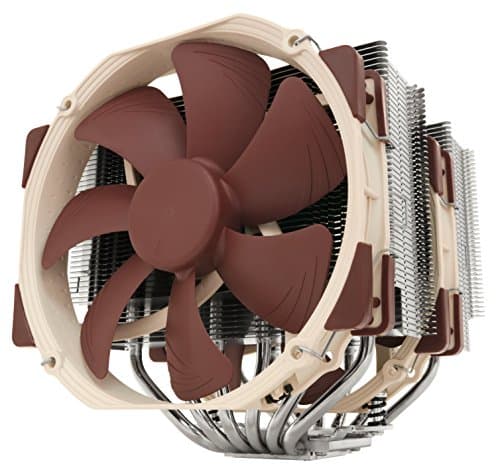
The Noctua NH-D15S is the high-compatibility variant of Noctua's flagship dual-tower air cooler. Same six heatpipes, same fin stack architecture, same NF-A15 140mm fan, but with an asymmetric single-fan layout that deliberately trades a small amount of peak thermal performance for dramatically better clearance around your RAM and your top PCIe slot. It's a cooler designed by people who've actually thought about what sits next to it in a real system, not just what happens in an empty test bench.
With 1,239 owner reviews averaging ★★★★½ (4.8), this is about as well-regarded as air cooling gets. But does it deserve that reputation for your specific build? That's what we're going to work through, spec by spec, with no fluff.
Core Specifications
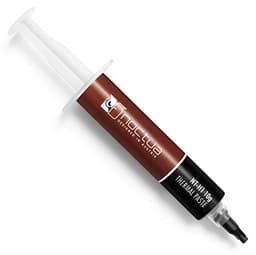
The NH-D15S is a dual-tower air cooler with six heatpipes connecting a nickel-plated copper base to twin aluminium fin stacks. It ships with a single NF-A15 140mm PWM fan rather than the two fans on the standard NH-D15, and that single-fan configuration is the whole point of this variant. The mounting system is Noctua's SecuFirm2, which covers Intel LGA1851, LGA1700, LGA1200, and LGA115x sockets, plus AMD AM5 and AM4. Thermal paste is included in the form of NT-H1, Noctua's own compound that consistently performs well in independent testing.
The fan runs on a PWM signal, so your motherboard controls the speed automatically based on CPU temperature. Noctua also includes a Low-Noise Adaptor (LNA) that caps the fan speed lower if you want to prioritise quiet over absolute thermal headroom. That's a genuinely useful inclusion because it gives you two distinct operating profiles without needing software or fan curve fiddling. The warranty is six years, which is longer than most competitors and reflects Noctua's confidence in their components.
One thing to be clear about: the NH-D15S is not a budget cooler. It sits at the premium end of air cooling, competing with 240mm and 280mm AIOs on price. What you're paying for is thermal performance that genuinely rivals those AIOs, acoustic performance that often beats them, and a build quality that should outlast most of the systems you'll put it in. Whether that price is justified depends on your CPU and your priorities, which we'll get into properly below.
| Specification | Detail |
|---|---|
| Cooler Type | Dual-tower air cooler (asymmetric single-fan) |
| Heatpipes | 6 heatpipes |
| Fan | 1x NF-A15 140mm PWM |
| Fan Control | PWM + Low-Noise Adaptor included |
| Socket Support (Intel) | LGA1851, LGA1700, LGA1200, LGA115x |
| Socket Support (AMD) | AM5, AM4 |
| Thermal Paste | NT-H1 included |
| Mounting System | SecuFirm2 |
| Warranty | 6 years |
| Price | £89.95 |
| Reviews | ★★★★½ (4.8) (1,249 reviews) |
Cooler Type and Design
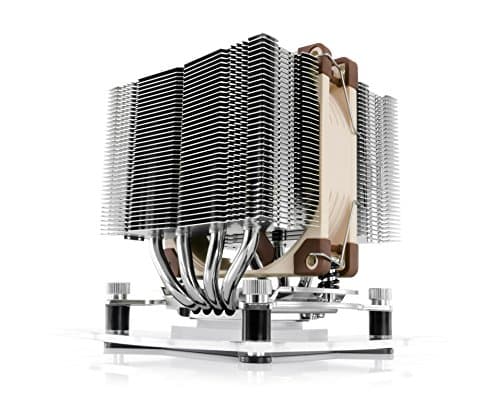
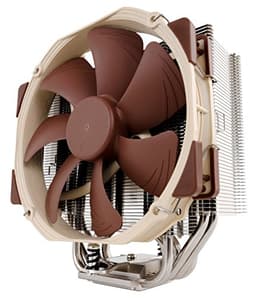
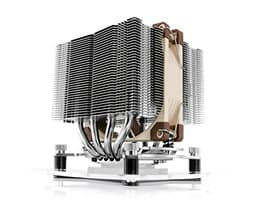
The dual-tower design is what makes the NH-D15S a serious cooler rather than just a big one. You've got two separate fin stacks connected by six heatpipes running from the base, with the single NF-A15 fan sitting between the towers. The asymmetric positioning of the towers is deliberate: the front tower is offset to give clearance over the RAM slots, and the whole assembly is angled slightly to avoid fouling the top PCIe slot. This is the key difference from the standard NH-D15, which runs two fans and doesn't make the same compromises for compatibility.
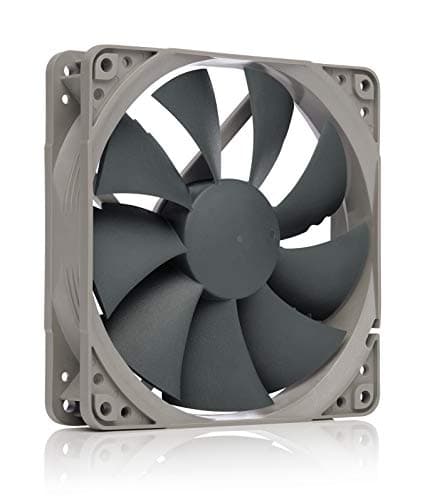
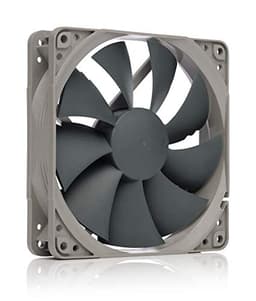
The NF-A15 is one of the better 140mm fans available. It uses Noctua's AAO (Advanced Acoustic Optimisation) frame with flow acceleration channels and inner surface microstructures designed to reduce turbulence noise. In plain terms, it moves a lot of air more quietly than most competing 140mm fans. The PWM implementation means the fan can drop to very low speeds at idle, which matters a lot for everyday desktop use when you're not hammering the CPU. The included Low-Noise Adaptor gives you a hardware-level cap if you want to run the system even quieter and can accept slightly higher temperatures as a trade-off.
Build quality is where Noctua has always earned its premium. The fin stack is dense and well-formed, the heatpipes are properly soldered rather than just press-fit, and the nickel-plated copper base is machined flat. That last point matters more than people realise. A base that isn't flat doesn't make proper contact with the IHS, and you lose thermal performance no matter how good the rest of the cooler is. Owners consistently report the base quality as excellent, and it shows in the real-world temperature results people post. The aesthetics are... well, they're Noctua brown. If you're fine with that (and more people are than used to be), it looks purposeful and serious in a windowed case.
Thermal Performance vs TDP
The NH-D15S is a legitimately capable cooler for most mainstream and enthusiast CPUs. Published thermal results from independent testing consistently show it handling chips like the Core i7 and Ryzen 7 class CPUs with significant thermal headroom, keeping temperatures well below throttling limits under sustained loads. For a chip with a TDP in the 65W to 125W range, this cooler is genuinely overkill in the best way possible. It runs cool and quiet, which is exactly what you want.
Where it gets more interesting is with the high-power chips Noctua explicitly recommends it for: the Intel Core Ultra 285K, 265K, 245K, and AMD Ryzen 9950X, 9900X. These chips can push well past 200W under sustained all-core loads. The NH-D15S handles them, but with less headroom than the dual-fan NH-D15. The single-fan design means slightly less airflow through the fin stacks, and that gap becomes more noticeable when the CPU is genuinely working hard for extended periods. That said, for gaming workloads (where the CPU is rarely at sustained all-core load for long) it performs excellently. For video encoding or compilation that runs all cores flat out for hours, the standard NH-D15 with its second fan has a meaningful edge.
The honest read is this: the NH-D15S is one of the best air coolers you can buy, period. It competes with 240mm and 280mm AIOs on thermal performance for most real-world workloads. Where it falls slightly short is sustained all-core loads on the very highest TDP chips, and even then it's not failing, it's just not quite as comfortable as its bigger sibling. For the vast majority of people building around a Ryzen 7 or Core i7 and below, or even a Ryzen 9 or Core i9 in a gaming-primary system, this cooler has more than enough in the tank. Don't let the single-fan configuration fool you into thinking it's been compromised. It hasn't. It's been optimised for a different set of priorities.
Noise At Load
This is where the NH-D15S genuinely stands out from the competition, including a lot of AIOs. At idle or light load, the fan is essentially inaudible. The PWM controller drops it to very low RPM when the CPU is cool, and at those speeds the NF-A15 produces almost no perceptible noise. Owners regularly describe their systems as silent during normal desktop use, which is a meaningful quality-of-life improvement over coolers that spin fans at a fixed minimum speed regardless of temperature.
Under sustained load, the fan ramps up, but it does so gradually and never becomes harsh or irritating. The NF-A15's design keeps the noise character smooth rather than whiny, which matters a lot when you're sitting next to the thing for hours. Compare this to a budget 240mm AIO where the pump adds a constant background hum and the fans can spin up aggressively: the NH-D15S often wins on acoustics even when the AIO wins slightly on peak temperatures. There's no pump noise because there's no pump. That's an underrated advantage.
With the Low-Noise Adaptor in place, the fan speed is capped lower and the system runs even more quietly, at the cost of a few degrees under heavy load. For most users this is the right trade-off. The LNA is a thoughtful inclusion that a lot of competing coolers don't bother with. If you're building a home office machine or an editing workstation where fan noise is genuinely distracting, the NH-D15S with the LNA fitted is one of the quietest effective solutions for a high-performance CPU without going to a custom water loop.
Socket and Clearance Compatibility
This is literally the reason the NH-D15S exists as a separate product from the NH-D15. The asymmetric tower positioning and single-fan layout give you meaningfully better clearance over the RAM slots than the dual-fan version. Tall RAM heatspreaders that would foul the NH-D15's fan have room to breathe with the NH-D15S. If you're running high-profile DDR5 with chunky heatspreaders (and a lot of people are, especially on AM5 and LGA1700 builds), this is not a trivial concern.
The PCIe slot clearance is the other major win. The asymmetric design keeps the cooler's footprint away from the top PCIe slot, which matters if you're running a large GPU and want to avoid any mechanical interference or airflow restriction. On the standard NH-D15, the second fan can sit uncomfortably close to a full-length GPU in some cases. The NH-D15S avoids that entirely by design. Socket support covers Intel LGA1851, LGA1700, LGA1200, and LGA115x, plus AMD AM5 and AM4, so it's compatible with current-generation platforms from both manufacturers and a few generations back.
Case height clearance is something you do need to check before ordering. The NH-D15S is a large cooler. Most mid-tower and full-tower cases handle it without issue, but compact mid-towers and small form factor cases will struggle. Check your case's listed CPU cooler height clearance against the cooler's dimensions before committing. Owners occasionally report this being tighter than expected in certain popular mid-tower cases, so don't assume clearance is fine just because it's a standard mid-tower. Look up the spec. The SecuFirm2 mounting system supports all the listed sockets with the included hardware, which is a relief compared to coolers that require you to buy additional mounting kits for newer sockets.
Installation and Mounting
Noctua's SecuFirm2 mounting system has a good reputation for a reason. It's a proper backplate-and-bracket system that applies consistent, even mounting pressure across the CPU's IHS, which is exactly what you want for good thermal contact. Inconsistent mounting pressure is one of the most common reasons a theoretically good cooler underperforms in practice. The SecuFirm2 design minimises that risk by making it mechanically difficult to apply uneven pressure.
The installation process itself is described by owners as straightforward, though the cooler's size means you need to be methodical. The dual-tower design is tall and wide, so working around it in a case with limited clearance can be fiddly. The general process involves fitting the backplate, attaching the mounting brackets to the motherboard, applying the included NT-H1 thermal paste, lowering the cooler onto the CPU, and securing it with the provided screws. Noctua includes a long screwdriver specifically for reaching the mounting screws through the fin stacks, which is a small but genuinely useful touch that first-timers will appreciate.
For first-time builders, the SecuFirm2 system is more reassuring than a lot of alternatives because it's hard to get wrong. The backplate is clearly labelled, the bracket positions are socket-specific, and the screws have a defined stop point so you can't over-tighten and crack the motherboard. Owners with no previous experience of large air coolers consistently report successful installs without drama. The main caution is physical: this is a heavy cooler, and you want to make sure it's fully secured before you move the case around. Some owners add a secondary retention bracket for peace of mind during transport, though this isn't strictly necessary for a static desktop setup.
Build Reliability and Longevity
There's no pump to worry about here, which is one of the genuine advantages of a quality air cooler over an AIO. Pump failure is the most common cause of AIO death, typically showing up somewhere between three and five years of use. The NH-D15S doesn't have that failure mode. The fan bearing is the only moving part, and Noctua's fans have a strong track record for longevity. The six-year warranty backs that up with something concrete rather than just marketing confidence.
The fin stack and heatpipe construction are built to last. Aluminium fins don't degrade meaningfully over time, and the soldered heatpipes won't separate or develop leaks. The nickel-plated copper base resists corrosion. Owners who've run Noctua coolers for five or more years consistently report no degradation in performance, which is exactly what you'd hope for from a premium product. The thermal paste does dry out eventually (typically after three to five years depending on temperatures and usage), but that's a ten-minute fix with fresh compound and not a cooler failure.
The six-year manufacturer's warranty is the longest in the mainstream air cooler market. Most competitors offer two to three years. That extra coverage matters because it signals Noctua's confidence in the product's lifespan, and it gives you genuine recourse if something does go wrong. In practice, the failure rate on Noctua fans appears to be very low based on owner feedback patterns. The most common complaint in the reviews isn't reliability, it's compatibility (specifically RAM clearance in edge cases) or aesthetics. When the most common complaint is the colour, you've made something pretty reliable.

RGB and Aesthetics
No RGB. None. Not a single LED. If you're building a showcase system with a tempered glass side panel and you want the interior to glow, the NH-D15S is going to look purposeful and slightly industrial in a way that either appeals to you or doesn't. The brown and beige colour scheme is Noctua's signature, and it's become something of a cult aesthetic in enthusiast circles. It reads as "I care about performance more than looks" which is, genuinely, a valid statement for a cooler at this price point.
There's no software to install, no RGB controller to configure, no firmware to update. The fan plugs into a standard 4-pin PWM header on your motherboard and your motherboard's fan control software handles everything. This is actually a feature for a lot of builders who've had enough of RGB software conflicts, bloated control panels, and LEDs that stop syncing after a driver update. The NH-D15S is completely plug-and-play from an installation standpoint.
Aesthetically, the cooler looks serious and well-made in a case. The fin stacks are neatly finished, the fan is cleanly integrated, and the overall impression is of something built to work rather than to impress at a LAN party. If you're specifically after a clean, understated build (all-black components, no RGB, professional look), the NH-D15S actually fits that aesthetic well despite the brown fan. Some builders swap the fan for a black Chromax version if they want a cleaner look, though that's an additional cost and the thermal performance is identical either way.
Real-World Use and Owner Feedback
With 1,249 averaging ★★★★½ (4.8), the owner feedback on the NH-D15S is about as positive as you'll find for any cooler at any price. The consistent themes in positive reviews are: temperatures significantly lower than expected, fan noise that genuinely disappears at idle, and a mounting system that goes on without drama. A lot of owners mention upgrading from a stock cooler or a budget tower and being surprised by how much difference a proper cooler makes, both in temperatures and in noise.
The complaints that do appear are mostly about RAM clearance in edge cases with particularly tall heatspreaders, and about the size being tighter than expected in certain cases. A smaller number of owners mention the brown colour as a negative, though this is obviously a personal preference rather than a performance issue. There are essentially no reports of fan failure, mounting system failure, or thermal degradation over time, which is the pattern you'd hope to see for a cooler at this price.
One thing that comes up repeatedly in owner reviews is the comparison to AIOs. A lot of buyers switched from 240mm or 280mm AIOs and report similar or better temperatures with noticeably less noise, no pump hum, and no anxiety about leaks. That's a meaningful data point. The NH-D15S isn't just competing with other air coolers; it's genuinely competitive with mid-range liquid cooling solutions, and for many users it comes out ahead on the metrics that actually affect day-to-day experience. Owners with Ryzen 9 and Core i9 chips in gaming builds consistently report comfortable temperatures without the fan ramping aggressively during typical gaming sessions.
Compatibility
The NH-D15S covers Intel LGA1851 (Core Ultra 200 series), LGA1700 (12th, 13th, and 14th Gen Core), LGA1200 (10th and 11th Gen Core), and LGA115x (older platforms), plus AMD AM5 (Ryzen 7000 series) and AM4 (Ryzen 5000 and older). That's genuinely broad coverage that includes the current flagship platforms from both manufacturers. If you're building on anything mainstream right now, this cooler fits.
In terms of CPU suitability, the NH-D15S is well-matched to anything from a Ryzen 5 or Core i5 up through Ryzen 9 and Core i9 in gaming-primary use cases. For sustained all-core workloads on the very highest TDP chips (think Ryzen 9950X or Core Ultra 285K running Cinebench loops for hours), the standard NH-D15 with its second fan has a meaningful advantage. But for gaming, where CPU loads are typically mixed and burst-heavy rather than sustained and all-core, the NH-D15S handles flagship chips without complaint. Noctua specifically calls out the 285K, 265K, 245K, 9950X, 9900X, 9700X, and 9600X as target chips, and that list covers the mainstream enthusiast market comprehensively.
Case compatibility requires a check. The NH-D15S is a tall cooler and won't fit in small form factor cases or particularly compact mid-towers. Most standard mid-tower and full-tower cases are fine, but verify your case's CPU cooler height clearance before ordering. It's also worth checking RAM height if you're running modules with tall heatspreaders. The asymmetric design gives better clearance than the NH-D15, but it's not unlimited. Standard height DDR4 and DDR5 modules are universally fine. Very tall enthusiast heatspreaders on the first one or two slots can occasionally be an issue depending on exact dimensions.
How It Compares
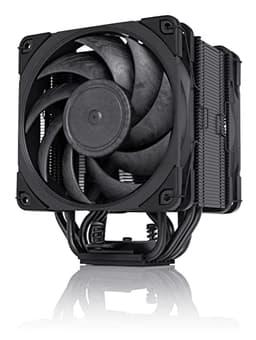
The two most natural comparisons for the NH-D15S are the standard NH-D15 (the dual-fan sibling it's derived from) and a mid-range 240mm or 280mm AIO at a similar price point. The be quiet! Dark Rock Pro 4 is also worth mentioning as a direct air-cooler rival in the same price bracket.
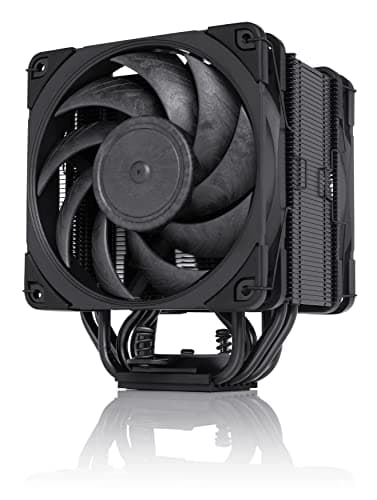
Against the NH-D15 itself: the standard version has a second fan and generally posts slightly better numbers under sustained all-core loads on high-TDP chips. The NH-D15S trades that peak performance for meaningfully better RAM and PCIe clearance. If your RAM is standard height and clearance isn't a concern, the NH-D15 is arguably the better thermal choice. If you've got tall RAM or you want that PCIe slot clear, the NH-D15S is the right call and the thermal difference in real gaming workloads is minimal.
Against a 240mm or 280mm AIO: the NH-D15S is competitive on temperatures for most workloads, often quieter (no pump noise), more reliable long-term (no pump to fail), and covered by a longer warranty. The AIO wins in cases where case height clearance is an issue (since the radiator mounts at the top rather than over the CPU) and on extreme sustained all-core loads where liquid cooling has a physical advantage. For most builders, the NH-D15S is the more sensible choice. For a small-case build or a sustained-workload workstation, the AIO has genuine advantages.
| Feature | Noctua NH-D15S | Noctua NH-D15 | be quiet! Dark Rock Pro 4 |
|---|---|---|---|
| Cooler Type | Dual-tower, 1 fan | Dual-tower, 2 fans | Dual-tower, 2 fans |
| Fan Size | 140mm | 140mm x2 | 135mm + 120mm |
| Heatpipes | 6 | 6 | 7 |
| RAM Clearance | Excellent (asymmetric) | Good | Good |
| PCIe Clearance | Excellent | Moderate | Good |
| AM5 / LGA1700 Support | Yes | Yes | Yes |
| Warranty | 6 years | 6 years | 3 years |
| RGB | No | No | No |
| Thermal Paste Included | NT-H1 | NT-H1 | Yes |
Final Verdict
The Noctua NH-D15S is the right answer to a specific question: how do you get near-maximum air cooling performance without sacrificing RAM clearance or PCIe slot access? The answer is this cooler. It's not the absolute peak thermal performer in the Noctua lineup (that's the dual-fan NH-D15), but it's within touching distance for real-world gaming workloads and it fits properly in a much wider range of builds. That's a genuinely useful trade-off, not a compromise.
For anyone building around a Ryzen 7, Ryzen 9, Core i7, or Core i9 in a gaming or mixed-use system, this cooler is a proper recommendation. It'll keep your CPU cool, it'll do it quietly, it'll last longer than most AIOs, and the six-year warranty means Noctua will back it up if anything does go wrong. The price is premium but the performance and longevity justify it. You're not paying for marketing or aesthetics (obviously, given the colour). You're paying for engineering that's been refined over years of iteration.
The people who should skip it: builders in compact cases where height clearance is tight, anyone running a sustained all-core workload on a 250W-plus chip who wants every last degree of thermal headroom, and anyone who genuinely needs RGB integration for their build aesthetic. For everyone else, this is one of the best coolers you can buy at any price, air or liquid. Score: 9 out of 10.
Not Right For You?
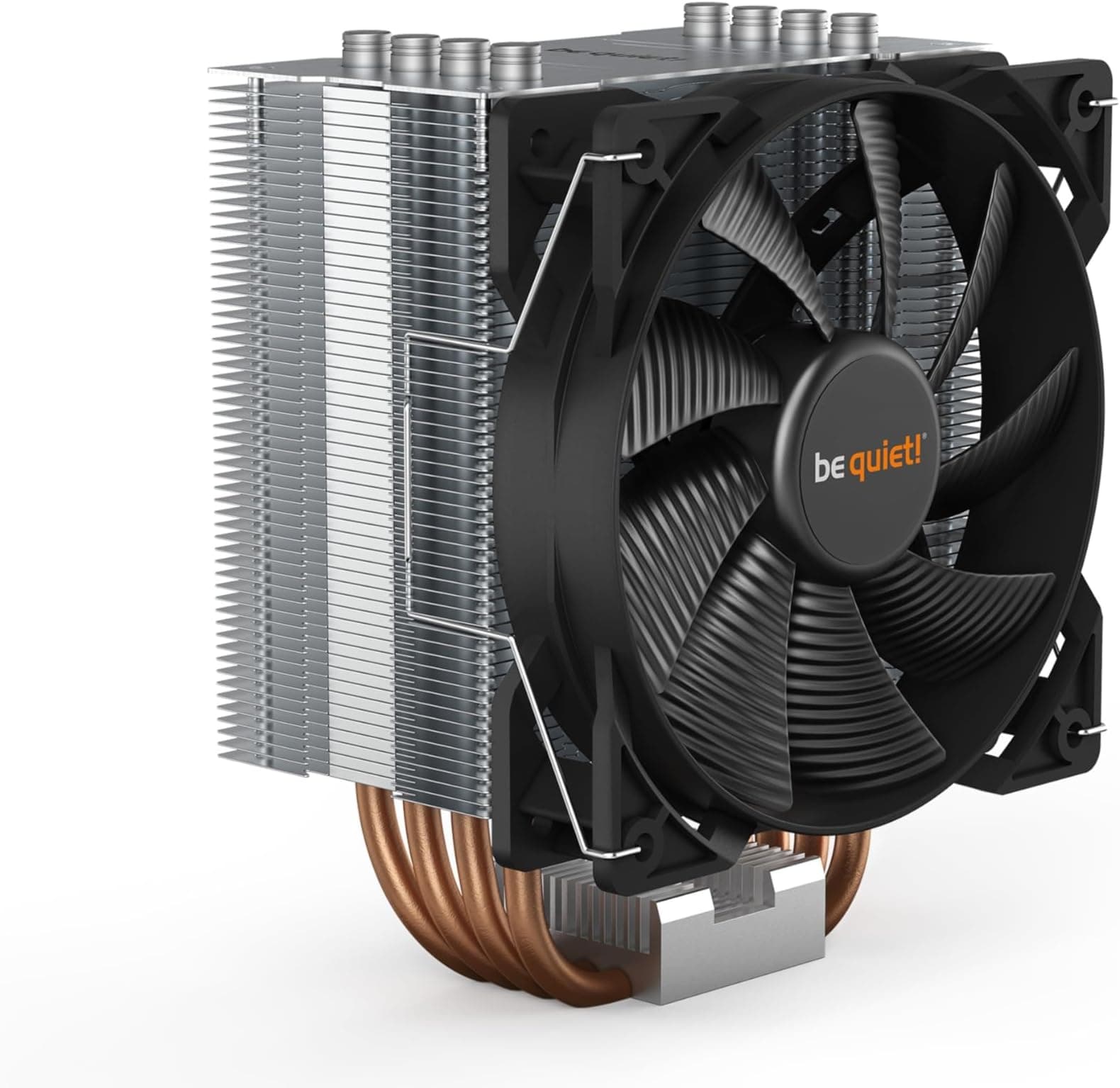
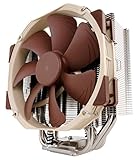
If the NH-D15S doesn't fit your situation, here's where to look instead. For maximum air cooling performance without clearance concerns, the standard Noctua NH-D15 adds a second fan and picks up a few degrees of thermal headroom under sustained all-core loads. If you're in a compact mid-tower with tight height clearance, a 240mm or 280mm AIO mounts at the top of the case rather than over the CPU, which sidesteps the height problem entirely. The Arctic Liquid Freezer III 280 is well-regarded at a competitive price if you go that route. For builders on a tighter budget who don't need flagship CPU cooling, the be quiet! Pure Rock 2 or the Arctic Freezer 34 eSports cover mid-range chips capably for considerably less money.
What works. What doesn’t.
5 + 3What we liked5 reasons
- Asymmetric design gives excellent RAM and PCIe slot clearance
- Genuinely quiet under load thanks to the NF-A15 PWM fan and included LNA
- Six-year warranty is the longest in the mainstream air cooler market
- No pump to fail, unlike AIOs, making long-term reliability excellent
- Broad socket support covering current Intel and AMD platforms
Where it falls3 reasons
- Single-fan design trails the dual-fan NH-D15 on sustained all-core loads
- Large physical size requires case height clearance check before buying
- Premium price puts it in AIO territory where some buyers expect liquid cooling
Full specifications
7 attributes| FAN count | 1 |
|---|---|
| FAN size MM | 140 |
| Height MM | 160 |
| Noise DB | 24.6 |
| RGB | false |
| Socket compatibility | AM5, AM4, LGA1700, LGA1200, LGA115x |
| Type | air |
If this isn’t right for you
2 options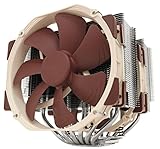
Frequently asked
5 questions01Will the Noctua NH-D15S cool my CPU?+
For the vast majority of mainstream and enthusiast CPUs, yes, comfortably. The NH-D15S handles Ryzen 7, Ryzen 9, Core i7, and Core i9 class chips with headroom to spare in gaming and mixed workloads. Noctua explicitly lists the Core Ultra 285K, 265K, 245K, Ryzen 9950X, 9900X, 9700X, and 9600X as target CPUs. The one area where it's less dominant is sustained all-core loads on very high TDP chips running flat out for hours, where the dual-fan NH-D15 has a meaningful edge. For gaming, the difference is minimal.
02Is the Noctua NH-D15S loud?+
No, it's one of the quieter high-performance coolers available. The NF-A15 140mm fan uses PWM control and drops to very low speeds at idle, making it essentially inaudible during normal desktop use. Under sustained load it ramps up but stays smooth and non-irritating. The included Low-Noise Adaptor lets you cap the fan speed lower for even quieter operation if you can accept a few extra degrees under load. There's no pump noise because this is an air cooler, which gives it an acoustic advantage over many AIOs.
03Will the Noctua NH-D15S fit my case and RAM?+
The NH-D15S is specifically designed with better RAM and PCIe clearance than the standard NH-D15, thanks to its asymmetric single-fan layout. Standard-height DDR4 and DDR5 modules are universally compatible. Very tall enthusiast RAM heatspreaders on the first one or two slots can occasionally be tight depending on exact dimensions, so check if you're running particularly chunky RAM. For case clearance, most mid-tower and full-tower cases are fine, but you should verify your case's listed CPU cooler height clearance before ordering. Socket support covers Intel LGA1851, LGA1700, LGA1200, LGA115x, and AMD AM5 and AM4.
04Is the Noctua NH-D15S hard to install?+
No. Noctua's SecuFirm2 mounting system is one of the more straightforward in the market. It uses a backplate-and-bracket design that applies even mounting pressure and is difficult to get wrong. Noctua includes a long screwdriver for reaching the mounting screws through the fin stacks, which is a thoughtful touch for first-timers. Owners with no previous experience of large air coolers consistently report successful installs without drama. The main consideration is the cooler's physical size, so working methodically in the case helps.
05What warranty and returns apply to the Noctua NH-D15S?+
Amazon offers 30-day returns on most items. Noctua provides a six-year manufacturer's warranty on the NH-D15S, which is the longest in the mainstream air cooler market and covers manufacturing defects. You're also covered by Amazon's A-to-Z guarantee for purchases through Amazon UK.