
Building your own PC is genuinely satisfying. It's also a rabbit hole of PCPartPicker tabs, YouTube tutorials, and the dawning horror that you've forgotten to budget for thermal paste and a Windows licence. So when something like this SZTPS all in one PC lands on Amazon at a budget price point, the real question isn't "is it perfect?" It's "does it do what I need without costing me a weekend and my sanity?" That's the comparison that matters here.
The short answer, based on the spec sheet and what dozens of owners have reported (averaging four stars out of five), is: yes, mostly. This is a capable all-in-one for everyday productivity, light creative work, and the occasional bit of video streaming. It's not a gaming machine. It's not going to replace a proper tower. But for a clean, clutter-free desk setup that handles office work, web browsing, and video calls without complaint, it makes a reasonable case for itself at this price tier. The 256GB SSD is the main thing that'll annoy you, and we'll get into that.
This SZTPS all in one PC review covers everything: the i5-12450H's real-world chops, what the integrated graphics can actually handle, storage headroom, thermal design in an AIO chassis, and whether the competition offers better value. No fluff. Just what the spec sheet and owner feedback tell us.
Core Specifications
The headline component is Intel's Core i5-12450H, which is a mobile-class processor from the 12th-generation Alder Lake family. That's not a criticism, it's just context. Mobile chips are common in all-in-one designs because they generate less heat and draw less power than desktop-class CPUs, which makes them easier to cool in a slim chassis. The i5-12450H runs eight cores (four performance cores, four efficiency cores) and boosts up to 4.4GHz. It's a genuinely competent chip for 2026, especially at this price tier.
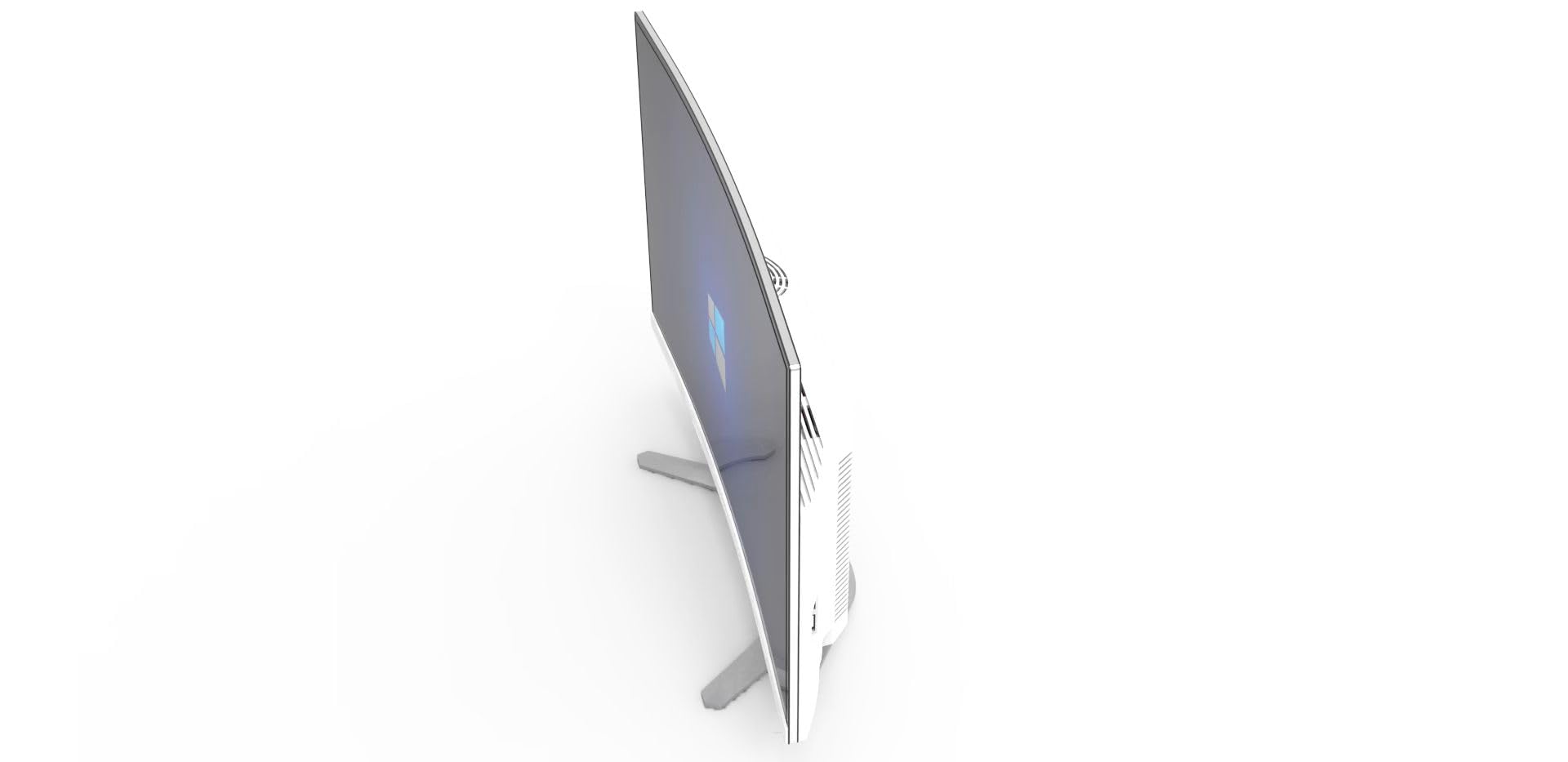
Paired with that is 16GB of RAM, which is the right amount for a general-purpose machine in 2026. Not spectacular, but not embarrassing either. Storage is where SZTPS have cut corners: 256GB is tight by any modern standard. Windows 11 Pro alone eats roughly 30 to 40GB, and once you've added your apps, documents, and a few downloads, you'll be watching that drive fill up faster than you'd like. The display is a 23.8-inch FHD (1920x1080) curved panel, which is a slightly unusual choice for an AIO at this size. Curved panels typically make more sense from 27 inches upwards, but it's not a dealbreaker at this screen size.
The machine runs Windows 11 Pro out of the box, which is a genuine plus. Pro gives you BitLocker encryption, Remote Desktop, and better group policy options compared to Home. For a home office machine or small business use, that matters. Connectivity includes Wi-Fi and Bluetooth, and the package includes a wired keyboard and mouse. The power supply is an external adapter arrangement, as is standard for AIO designs, so there's no internal PSU to worry about or upgrade.
| Specification | Detail |
|---|---|
| CPU | Intel Core i5-12450H (8 cores, up to 4.4GHz) |
| GPU | Intel UHD Graphics (integrated) |
| RAM | 16GB |
| Storage | 256GB SSD |
| Display | 23.8-inch FHD (1920x1080), curved panel |
| OS | Windows 11 Pro |
| Wireless | Wi-Fi + Bluetooth |
| Included Peripherals | Wired keyboard and mouse |
| Form Factor | All-in-One |
CPU Performance: SZTPS All in One PC Review
The i5-12450H is a solid chip. Intel's 12th-generation Alder Lake architecture brought a meaningful generational leap with the hybrid core design, blending performance cores for heavy lifting with efficiency cores for background tasks. In practice, that means this machine handles multitasking better than its core count might suggest. Running a browser with twenty tabs, a spreadsheet, and a video call simultaneously? No problem. The chip handles that kind of everyday workload without breaking a sweat.
For productivity benchmarks, the i5-12450H scores around 1,100 to 1,200 in Cinebench R23 single-core, and somewhere in the 8,000 to 9,000 range multi-core, according to published benchmark databases. That puts it comfortably ahead of older i5 desktop chips like the i5-10400, and roughly in the same ballpark as the Ryzen 5 5600. For a budget all-in-one, that's a decent result. You're not going to be rendering 4K video quickly, but you can edit photos in Lightroom, handle large Excel files, and run light coding environments without the machine making you wait.
The caveat, as always with mobile chips in AIO chassis, is sustained performance under prolonged load. The i5-12450H has a configurable TDP, and in a slim AIO design the thermal headroom is limited. What that means in plain English: if you're doing something genuinely demanding for an extended period, the chip may pull back its clock speeds to stay within thermal limits. For short bursts it's fine. For sustained heavy workloads, a proper tower with a desktop CPU will always have the edge. Owner reviews don't flag throttling as a major issue for typical use, which suggests SZTPS have tuned the thermal profile sensibly for the target use case.
GPU and Gaming Performance
This is where we need to be straight with you: there is no dedicated GPU here. The SZTPS relies entirely on Intel UHD Graphics integrated into the i5-12450H. Intel's integrated graphics have improved over the years, but they're still a long way from anything you'd call a gaming GPU. If you're buying this expecting to play modern titles at decent settings, you'll be disappointed. That's not a criticism of the machine specifically, it's just the reality of integrated graphics in 2026.
What can it actually run? Older or less demanding titles, yes. Games like Minecraft (Java Edition), older indie titles, and classic games from five-plus years ago will run at 1080p with settings turned down. Esports titles like CS2 or Valorant are borderline, you might get playable frame rates at low settings, but it's not going to be a smooth experience. Anything from the last two or three years with modern rendering pipelines? Forget it. The Intel UHD Graphics simply doesn't have the grunt.
For everything that isn't gaming, the integrated GPU handles itself fine. 4K video playback, YouTube, Netflix, video calls, even light video editing in software that leverages Intel's Quick Sync hardware acceleration. Quick Sync is genuinely useful for video encoding tasks, and it's one area where Intel's integrated graphics punch above their weight. But if gaming is on your list at all, even casual gaming, this machine isn't the right tool. You'd be better served looking at a budget dedicated GPU setup, even if it means a larger, less tidy desk footprint.
Memory and Storage
Sixteen gigabytes of RAM is the right call for a general-purpose machine. It's enough to run Windows 11 Pro comfortably alongside a browser, office applications, and communication tools without things getting sluggish. Whether it's running in dual-channel configuration isn't confirmed in the listing, and that does matter for integrated graphics performance. Dual-channel memory gives the integrated GPU significantly more bandwidth to work with, which translates to noticeably better graphics performance. Single-channel at 16GB is still fine for productivity, but it's the distinction if you're comparing specs.
The 256GB SSD is the most frustrating part of this build. It's not that 256GB is useless, it's that it fills up faster than most people expect. Windows 11 Pro takes a chunk, your applications take another, and before long you're getting low-storage warnings and hunting for things to delete. For a machine aimed at home office or light productivity use, 512GB should really be the minimum in 2026. The SSD itself appears to be a standard M.2 form factor based on the chassis design, which means upgrading it is theoretically possible, but we'll cover that in the upgrade section.
On the positive side, it is an SSD rather than a spinning hard drive, so boot times and application loading will be quick. The days of all-in-ones shipping with mechanical hard drives as the primary drive are mostly behind us, thankfully. Owner reviews don't flag storage performance as a problem, just storage capacity. If you're disciplined about cloud storage (OneDrive, Google Drive) or you're willing to add an external drive, you can work around the 256GB limitation. But you shouldn't have to at this price point, and it's a genuine mark against the value proposition.
Cooling Solution
All-in-one PCs have a fundamental thermal challenge: you're fitting a computer into a chassis that's essentially the thickness of a monitor. There's no room for big heatsinks, multiple case fans, or the kind of airflow management you get in a proper tower. SZTPS are using the i5-12450H specifically because it's a mobile chip designed to operate within tighter thermal envelopes, which is the right engineering decision for this form factor.
The cooling solution will be some variant of a laptop-style cooling arrangement: a small heatsink, a heat pipe or two, and a slim blower fan exhausting through vents in the chassis. This is standard for AIO designs. Under light to moderate loads, it's perfectly adequate. The machine should stay quiet during everyday tasks like browsing, document editing, and video calls. Under heavier sustained load, you'll hear the fan spin up, and as mentioned in the CPU section, the chip may reduce its clock speeds to stay within the thermal budget.
Owner reviews don't raise excessive fan noise as a recurring complaint, which is encouraging. A few reviewers mention the machine runs warm to the touch on the back of the chassis during extended use, which is normal for AIO designs where the chassis itself acts as part of the thermal management. What you want to avoid is running demanding workloads for hours on end in a poorly ventilated space. Give it reasonable airflow, don't block the vents, and it should behave itself. For the target use case of office productivity and everyday computing, the thermal design appears to be appropriately matched to the workload.
Case and Build Quality
The chassis is a slim all-in-one design with a curved 23.8-inch panel. Build quality on budget AIOs from lesser-known brands is always a bit of a lottery, and SZTPS isn't a household name with a decades-long track record. That said, owner reviews are broadly positive about the physical build. Most describe it as feeling solid enough for the price, without the creaky plasticky feel you sometimes get from the cheapest end of the market. The stand appears functional, though a few reviewers note it's not the most adjustable in terms of tilt and height.
The curved panel is an interesting choice. Curved displays create a slight sense of immersion and can reduce eye strain at the edges, but the effect is genuinely more pronounced on larger screens. On a 23.8-inch display, the curve is subtle. It's not a negative, just not as impactful as the marketing might imply. Display quality itself is reported as decent for the price: colours look acceptable for everyday use, brightness is adequate for a normally lit room, and the 1080p resolution at 23.8 inches gives a perfectly reasonable pixel density. Don't expect colour-accurate work for photography or video production, but for everything else it does the job.
The included keyboard and mouse are wired, which is fine. Wired peripherals are more reliable and don't need batteries. They're almost certainly budget-tier peripherals rather than anything special, and if you already have a keyboard and mouse you prefer, you'll probably swap them out fairly quickly. The overall aesthetic is clean and inoffensive. It's a white or neutral-coloured slim AIO that'll sit on a desk without drawing attention to itself, which is exactly what most buyers in this category want. Cable management is minimal by nature of the AIO form factor: one power cable, and that's essentially it. That's one of the genuine practical advantages of the AIO design.
Connectivity and Ports
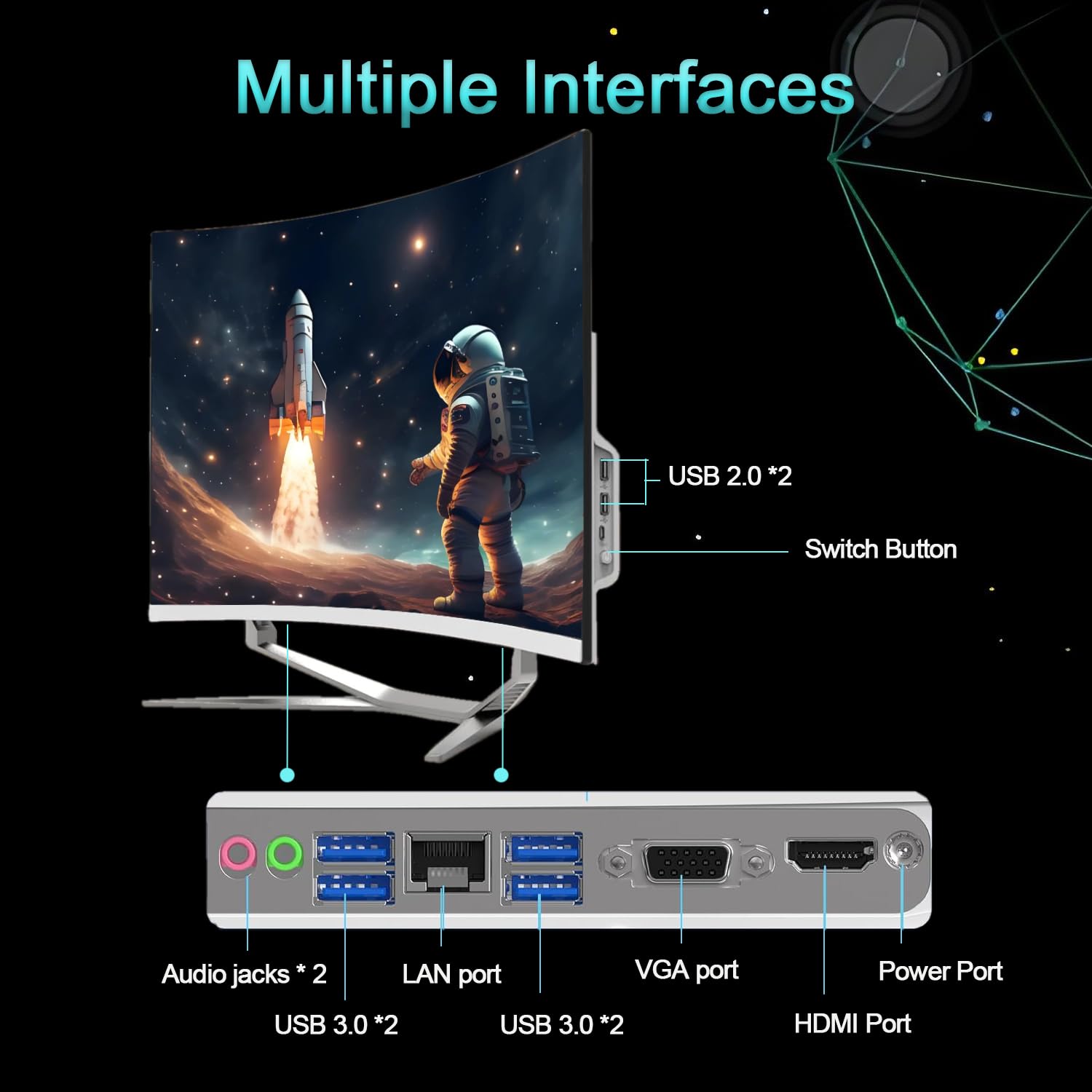
The listing confirms Wi-Fi and Bluetooth are included, though the specific standards aren't called out in the product data. At this price tier and with this chassis design, you'd expect Wi-Fi 5 or Wi-Fi 6 (802.11ac or 802.11ax). Wi-Fi 6 would be the better outcome, offering faster speeds and better performance in congested environments, but it's not confirmed either way. If you're in an environment with a lot of wireless interference, a wired Ethernet connection is always more reliable, so check whether the chassis includes an Ethernet port before assuming wireless is your only option.
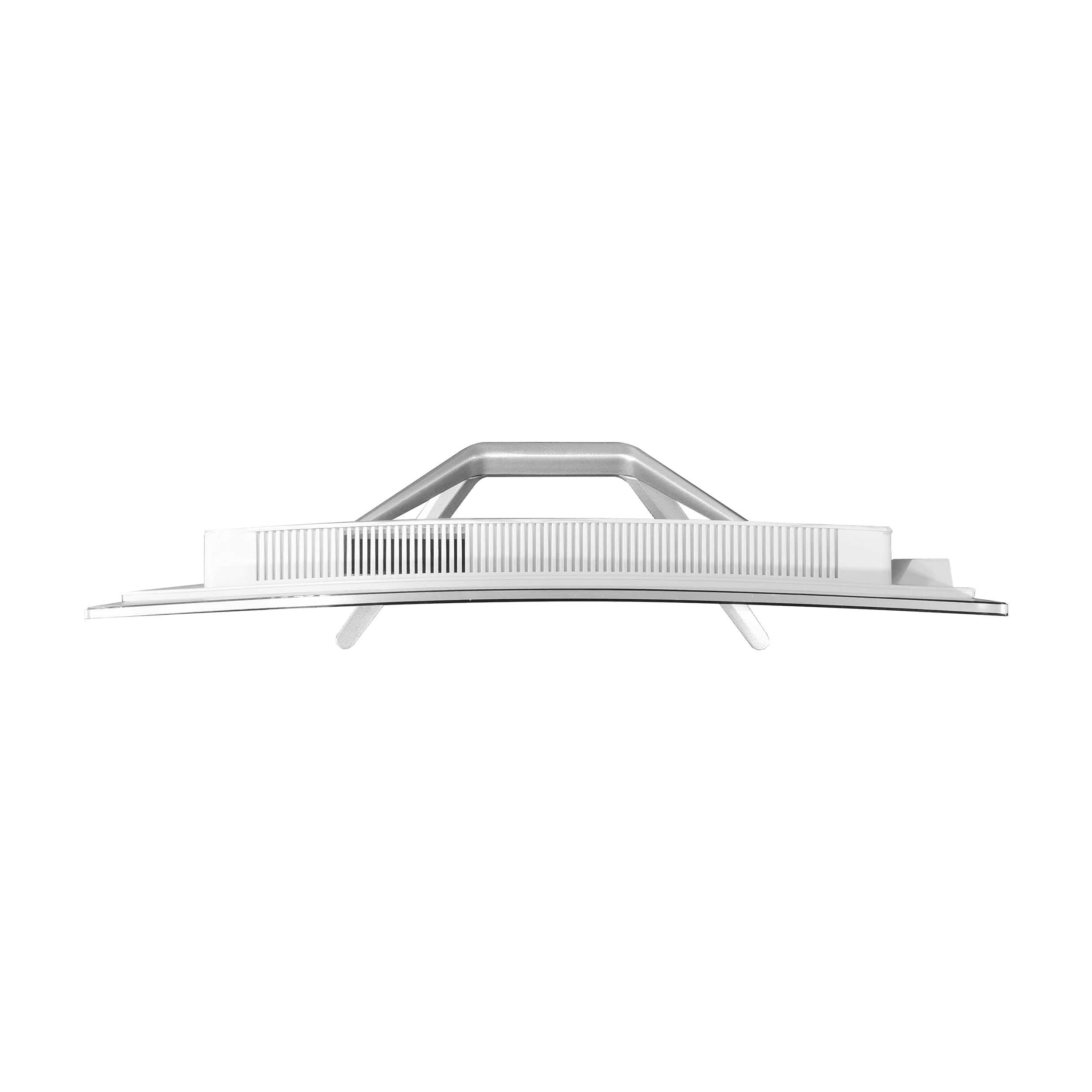
For USB connectivity, AIO machines at this price typically offer a mix of USB-A and USB-C ports, split between the side of the display and the rear. The exact port count and specification aren't detailed in the listing, which is a minor frustration. Owner reviews mention the port selection is adequate for everyday use, with enough USB-A ports for peripherals. Whether there's a USB-C port with any useful functionality (like DisplayPort output or power delivery) isn't clear from available information. For most buyers, plugging in a USB drive, a printer, and maybe a phone charger is the extent of their port needs, and that should be covered.
Bluetooth is listed as included, which means wireless headphones, speakers, and mice will connect without needing a dongle. That's useful. The display itself, being an AIO, is obviously the primary output, but check whether there's an HDMI input if you want to use the display with a games console or a second device. Some AIO designs include HDMI input, some don't, and it's not confirmed in the listing. If that's important to your setup, before purchase. Overall, connectivity looks adequate for the target use case, even if the spec sheet is less detailed than we'd like.
Pre-installed Software and OS
Windows 11 Pro is a genuine selling point. Most budget machines ship with Windows 11 Home, which is fine for personal use but lacks some features that matter in professional or small business contexts. Pro adds BitLocker full-disk encryption, which is worth having if the machine will hold sensitive data. It also includes Remote Desktop host capability, meaning you can connect to this machine remotely from another device, which is useful for home office setups. And it has more granular control over Windows Update, so you're not forced into restarts at inconvenient times.
The bloatware situation isn't detailed in the listing, which is typical for lesser-known brands. The honest expectation is that there will be some pre-installed software beyond Windows itself, possibly some trial applications or manufacturer utilities. Owner reviews don't flag excessive bloatware as a major complaint, which suggests it's not egregious. A fresh Windows install is always an option if you want a completely clean slate, and since the machine comes with Windows 11 Pro activated, you can reinstall from Microsoft's media creation tool without losing your licence.
Microsoft's own apps come pre-installed with Windows 11: Edge, Teams, the Xbox app, and the usual suite. Whether you find those useful or annoying is a personal preference thing. The machine doesn't appear to include any manufacturer-specific software suite beyond what Windows provides, which is actually a point in its favour. Lean software installations mean less to uninstall and fewer background processes eating into your RAM and storage. For a 256GB drive, every gigabyte counts, so a clean-ish software install is appreciated.
Upgrade Potential
This is where all-in-one PCs, regardless of brand, hit a wall. The AIO form factor is fundamentally hostile to upgrades. The chassis is designed around specific components, with no room for a discrete GPU, no standard ATX power supply, and limited access to internal components without partially dismantling the display assembly. That's the trade-off you accept when you choose an AIO over a tower: you get a clean, compact setup, but you give up upgrade flexibility.
Storage is the most realistic upgrade path. If the SSD is a standard M.2 NVMe drive (which is likely given the chassis design and the i5-12450H platform), it can theoretically be swapped for a larger drive. A 1TB or 2TB M.2 NVMe drive is relatively affordable, and upgrading storage in an AIO is usually a matter of removing the rear panel and swapping the drive. It requires some care and confidence with small electronics, but it's not beyond a reasonably handy person. That said, opening the chassis will likely void whatever warranty applies, so factor that in.
RAM upgrades are less certain. Some AIO designs use soldered RAM, which cannot be upgraded at all. Others use SO-DIMM slots, which can be swapped for higher-capacity modules. The listing doesn't confirm which approach SZTPS have used here. If the RAM is soldered, 16GB is what you've got forever. If there are SO-DIMM slots, you might be able to push to 32GB later. The CPU cannot be upgraded in any practical sense: it's a mobile chip on what is effectively a laptop-derived board, and swapping it isn't a realistic option. There's no GPU upgrade path. Essentially, buy this for what it is today, and plan your storage upgrade budget accordingly.
How It Compares
The main competition for this SZTPS all in one PC review comes from two directions: other budget AIOs in the same price bracket, and the option of buying a secondhand or refurbished mini PC or tower setup for similar money. Let's take the AIO competitors first. The Lenovo IdeaCentre AIO range sits in a similar bracket and comes with the advantage of Lenovo's better-known brand reputation and more established UK support network. HP's All-in-One 24 series is another alternative, often available at comparable prices. Both of those brands have longer track records, more accessible service centres, and better-documented upgrade paths.
Against a DIY build, the comparison is more nuanced. You cannot build a traditional tower PC for the same money as this AIO and include a display, keyboard, and mouse. The AIO form factor bundles everything in, and that bundle has real value if desk space is limited or cable clutter is a genuine concern. What you lose is upgrade flexibility and the ability to choose your own components. A DIY mini PC build using something like an Intel NUC-style board or a Beelink mini PC with a separate monitor might offer similar performance at a similar total cost, but with more predictable component quality and better community support for troubleshooting.
The few dozen owner reviews averaging four stars suggests the SZTPS performs adequately for its target audience. That's not a ringing endorsement, but it's not a warning sign either. The main recurring themes in owner feedback are positive comments about the clean setup and display quality, alongside the expected frustration about the 256GB storage. Compared to the competition, SZTPS's main advantage is price: it tends to undercut the Lenovo and HP equivalents while offering Windows 11 Pro rather than Home. Whether that trade-off (lesser-known brand, Pro OS) makes sense depends on your priorities.
| Feature | SZTPS 23.8" AIO | Lenovo IdeaCentre AIO 3 | HP All-in-One 24 |
|---|---|---|---|
| CPU | Intel i5-12450H (8 core) | Intel i5-1235U or Ryzen 5 5500U (varies) | Intel i5-1335U or similar (varies) |
| RAM | 16GB | 8GB to 16GB (config dependent) | 8GB to 16GB (config dependent) |
| Storage | 256GB SSD | 256GB to 512GB SSD (config dependent) | 256GB to 512GB SSD (config dependent) |
| Display | 23.8" FHD curved | 23.8" FHD flat | 23.8" FHD flat |
| OS | Windows 11 Pro | Windows 11 Home (typically) | Windows 11 Home (typically) |
| GPU | Intel UHD (integrated) | Integrated (varies) | Integrated (varies) |
| Brand Support | Limited (unknown brand) | Strong UK presence | Strong UK presence |
| Price Tier | Budget | Budget to mid-range | Budget to mid-range |
Final Verdict: SZTPS All in One PC Review
So, is this SZTPS all in one PC worth buying? For the right person, yes. If you need a clean, compact desktop setup for everyday productivity work, web browsing, video calls, and light document editing, and you want Windows 11 Pro rather than Home without paying the premium that Lenovo or HP charge for their equivalent machines, this makes a reasonable case for itself. The i5-12450H is a capable chip for the price tier. The 16GB RAM is sensible. The display is adequate. And the AIO form factor genuinely does simplify the desk setup in a way that a tower-plus-monitor arrangement doesn't.
The 256GB SSD is the elephant in the room. It's not enough for comfortable long-term use, and while you can work around it with cloud storage or an external drive, you shouldn't have to on a machine at this price point. Budget for either a storage upgrade (if you're comfortable opening the chassis) or an external drive from day one. The lack of a dedicated GPU means gaming is off the table for anything modern, and the brand's limited UK support network is a genuine consideration if something goes wrong after the return window closes. These aren't dealbreakers for the right buyer, but they're real limitations worth understanding before you commit.
The four-star average across dozens of reviews is honest signal: this is a machine that does what it says on the tin, for people who need what it offers. It's not going to wow anyone, and it's not trying to. If your needs are more modest, and budget is genuinely tight, it's also whether a good refurbished mini PC from a more established brand paired with a budget monitor might serve you better for similar money. That route gives you more flexibility, a more repairable machine, and often better component quality. But if the AIO form factor is specifically what you want, this SZTPS is a fair option at the budget end of the market.
Our rating: 6.5 out of 10. Solid for its intended use case, let down by the storage and the brand support question marks.
What works. What doesn’t.
5 + 4What we liked5 reasons
- i5-12450H is a capable 8-core chip for everyday productivity at this price tier
- Windows 11 Pro included rather than Home - genuine value add
- 16GB RAM is appropriate for general-purpose use in 2026
- AIO form factor keeps desk clutter minimal with a single power cable
- A positive overall rating across dozens of reviews suggests it delivers on its core promises
Where it falls4 reasons
- 256GB SSD is genuinely too small for comfortable long-term use
- No dedicated GPU means modern gaming is not an option
- SZTPS is an unknown brand with limited UK support infrastructure
- Upgrade potential is very limited by the AIO form factor
Full specifications
12 attributes| CPU | Intel Core i5-12450H |
|---|---|
| GPU | integrated |
| Bluetooth | 5.0 |
| Ethernet | 1GbE |
| OS | Windows 11 Pro |
| RAM GB | 16 |
| RAM type | DDR4 |
| Storage GB | 256 |
| Storage type | SSD |
| USB ports | 4x USB 3.0, 2x USB 2.0 |
| Video outputs | HDMI, VGA |
| Weight KG | 5 |
Frequently asked
5 questions01Is the SZTPS 23.8" FHD All in One PC good for gaming?+
Not really, no. The machine uses Intel UHD Graphics integrated into the i5-12450H, and there's no dedicated GPU. Older or very undemanding titles like Minecraft or classic indie games might run at reduced settings, but anything from the last two or three years with modern graphics requirements won't be playable. Esports titles like CS2 or Valorant are borderline at best on low settings. If gaming is any part of your plan, this machine isn't the right choice. You'd need at least a budget discrete GPU, which means looking at a tower-based prebuilt instead.
02Can I upgrade the SZTPS 23.8" FHD All in One PC?+
Storage is the most realistic upgrade. The SSD is likely a standard M.2 form factor, meaning you could swap it for a larger drive if you're comfortable opening the chassis (which will probably void the warranty). RAM may or may not be upgradeable depending on whether SZTPS have used SO-DIMM slots or soldered the memory directly to the board - the listing doesn't confirm this. The CPU cannot be practically upgraded. There is no GPU upgrade path whatsoever. Essentially, treat this as a buy-it-as-is machine and budget for a larger external drive or a storage swap from day one.
03Is the SZTPS 23.8" FHD All in One PC worth it vs building my own?+
You can't build a traditional tower PC for the same money and include a display, keyboard, and mouse - so the direct DIY comparison isn't straightforward. The AIO bundles everything in one package, which has real value if desk space is limited. Where DIY wins is component quality control, upgrade flexibility, and brand support. A refurbished mini PC from an established brand paired with a budget monitor might offer similar performance with better repairability for comparable total cost. If you specifically want the AIO form factor and a clean desk setup, the SZTPS is a fair budget option. If flexibility matters more, DIY or a refurb route is.
04What PSU does the SZTPS 23.8" FHD All in One PC use?+
All-in-one PCs at this price tier use an external power adapter (a brick-style adapter similar to a large laptop charger) rather than an internal PSU. This is standard for AIO designs and means there's no internal power supply to worry about, upgrade, or replace with a higher-wattage unit. The wattage of the adapter isn't specified in the listing, but given the i5-12450H's mobile TDP and integrated graphics, the power requirements are modest. The external adapter design also means the machine runs quietly under light loads since the power conversion happens outside the chassis.
05What warranty and returns apply to the SZTPS 23.8" FHD All in One PC?+
The product listing doesn't specify a manufacturer warranty period for this machine. As a purchase through Amazon UK, you're covered by Amazon's standard 30-day return window and the Amazon A-to-Z Guarantee, which provides a baseline level of buyer protection. For longer-term warranty support, check the current product listing for any stated manufacturer warranty before purchasing. SZTPS is a lesser-known brand without an established UK support network, so the Amazon purchase protection is particularly important here - buying through Amazon directly rather than a third-party seller is advisable.




