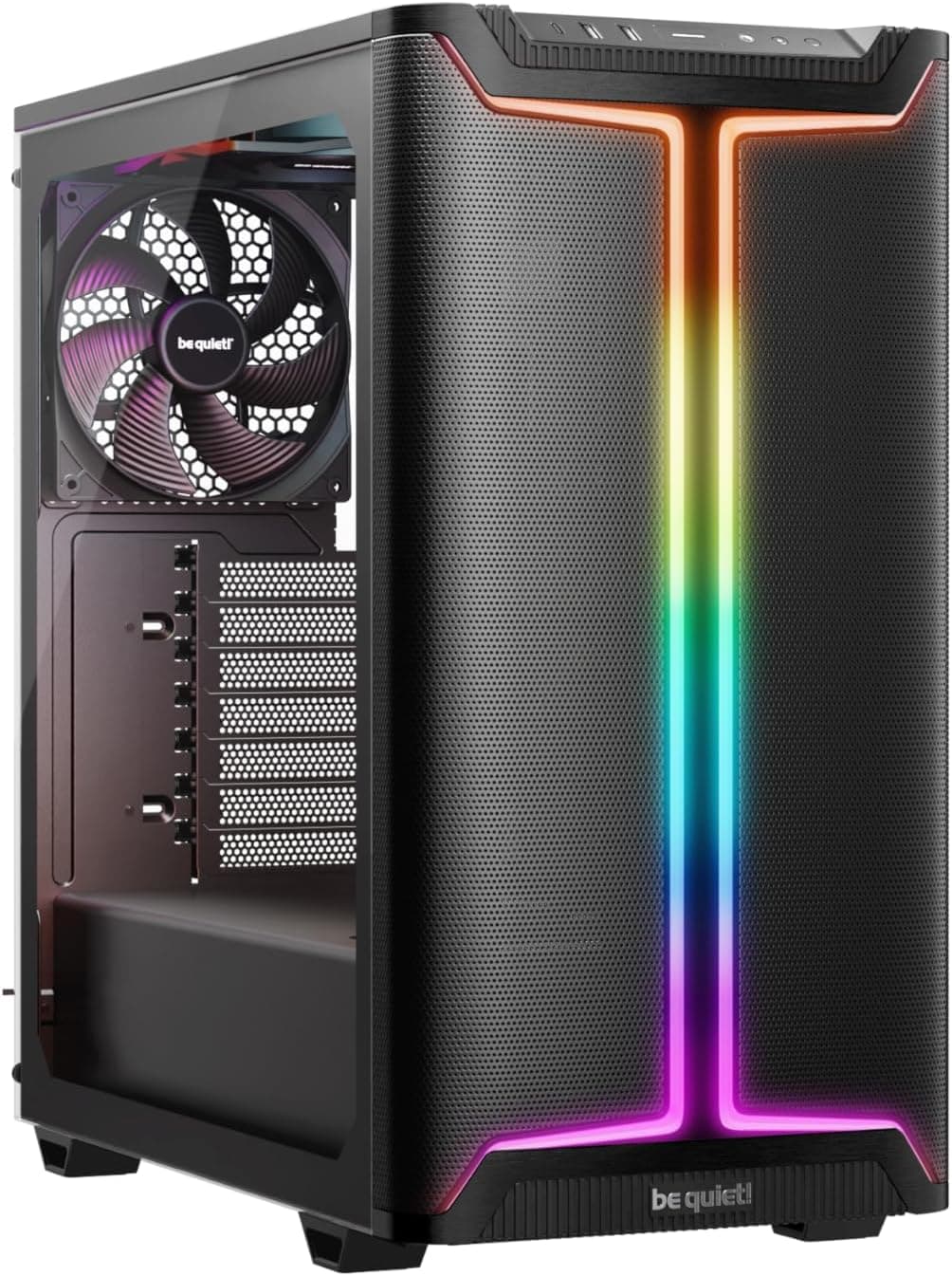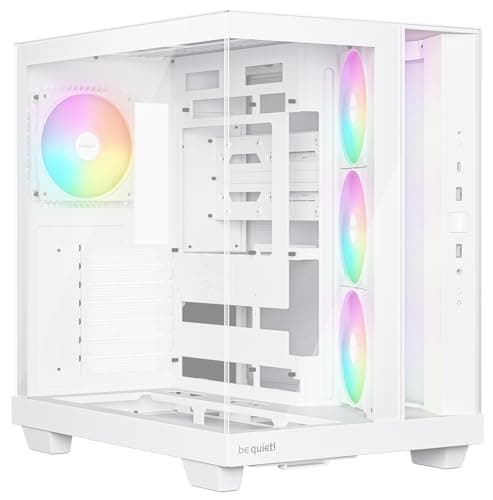
You know what genuinely winds me up? Spending three hours building inside a case only to realise the GPU power connector is fouling the side panel, or the cable routing holes are positioned so badly that you're basically threading spaghetti through a letterbox. I've built in well over a hundred different cases across twelve years, and the ones that make me want to throw a screwdriver across the room all share the same sins: tight clearances that aren't disclosed anywhere, panels that flex like wet cardboard, and airflow designs that look great in marketing photos but strangle your thermals in real use. So when I picked up the Phanteks XT Pro for this Phanteks XT Pro case review UK 2026, I went in with a proper checklist. Does the mesh front actually breathe? Are the clearances honest? And can you build in it without swearing at anyone?
Phanteks has been putting out solid cases for years. The Eclipse P400A became something of a benchmark for budget airflow cases, and the Enthoo series showed they could do premium too. The XT Pro sits in their more accessible range, priced in entry territory, and it's clearly aimed at builders who want decent airflow and E-ATX support without spending a fortune. That's a reasonable pitch. But entry-level pricing doesn't mean I'm going to go easy on it. If anything, budget cases need to justify themselves harder, because the competition at this price point is fierce.
I had the XT Pro on my bench for several weeks, running it through a full build with a mid-range gaming system, pulling panels on and off more times than I care to count, and generally poking at every corner and cable channel I could find. Here's what I found.
Core Specifications
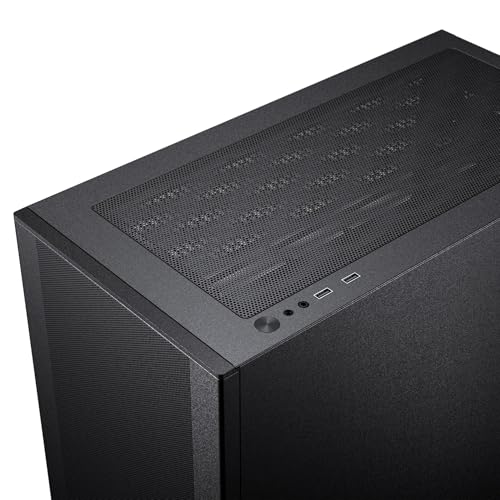
The XT Pro is a mid-tower ATX chassis with a mesh front panel and a tempered glass side panel on the left. It supports motherboards up to E-ATX, which is genuinely unusual at this price point and worth flagging early. The case ships with three pre-installed 120mm fans at the front and one 120mm fan at the rear, so you're getting four fans in the box, which is a better starting point than a lot of competitors manage. The front mesh is a full-height design, meaning the entire front face is open to airflow rather than just a strip at the top or bottom.
Dimensions sit at roughly 465mm tall, 210mm wide, and 450mm deep. It's not a compact case, but it's not absurdly large either. It'll fit on most standard desks without dominating the space. Weight is around 7.5kg without components, which feels about right for the build quality on offer. The steel used is 0.7mm SPCC throughout the main chassis, which is fairly standard for this price bracket. The tempered glass panel is 4mm thick, which is decent.
Fan and radiator support is where the XT Pro starts to look genuinely competitive. The front supports up to three 120mm or two 140mm fans, and can accommodate radiators up to 360mm. The top supports up to two 120mm or two 140mm fans with radiator support up to 280mm. The rear takes a single 120mm fan. That's a solid spread of mounting options for a case at this price, and it gives you real flexibility when planning a cooling setup. Dust filters are present on the front and bottom, which I'll get into more in the airflow section.
| Specification | Detail |
|---|---|
| Form Factor | ATX Mid-Tower |
| Motherboard Support | E-ATX, ATX, mATX, Mini-ITX |
| Dimensions (H x W x D) | ~465 x 210 x 450mm |
| Max GPU Length | 420mm |
| Max CPU Cooler Height | 175mm |
| Front Fan Support | 3x 120mm / 2x 140mm |
| Top Fan Support | 2x 120mm / 2x 140mm |
| Rear Fan Support | 1x 120mm |
| Front Radiator Support | Up to 360mm |
| Top Radiator Support | Up to 280mm |
| Included Fans | 4x 120mm (3 front, 1 rear) |
| Drive Bays (3.5") | 2 |
| Drive Bays (2.5") | 2 dedicated + 2 on HDD trays |
| PSU Clearance | Up to 200mm |
| Steel Thickness | 0.7mm SPCC |
| Glass Panel | 4mm Tempered Glass |
| Current Price | £60.98 |
| Rating | ★★★★½ (4.6) (267 reviews) |
Form Factor and Dimensions
The XT Pro is a proper mid-tower. Not one of those cases that calls itself a mid-tower but is actually the size of a small fridge. At 465mm tall and 210mm wide, it sits comfortably on a standard desk without eating into your monitor space. The 450mm depth means you've got room for longer components without the case jutting out awkwardly over the edge of your desk. I had it sitting next to a Corsair 4000D and they're broadly similar in footprint, though the XT Pro is slightly deeper.
The overall silhouette is clean. Phanteks has gone for a fairly minimal aesthetic here, which I appreciate. There's no aggressive angular styling or RGB-lit front panel logos trying to distract you from the actual build quality. The mesh front is the dominant visual feature, and it gives the case a purposeful, functional look. The tempered glass side panel shows off your components nicely, and the black interior finish makes everything look tidy once you've got cables managed properly.
One thing worth mentioning is the footprint relative to the E-ATX support. Most cases that claim E-ATX compatibility at this price are stretching the truth a bit, supporting only the smaller end of E-ATX (up to 272mm wide). The XT Pro handles this reasonably well, though you'll want to check your specific E-ATX board dimensions before assuming everything will fit perfectly. Standard ATX builds have loads of room, and the interior feels genuinely spacious when you're working in it. The PSU shroud runs the full length of the bottom, which keeps things looking clean from the glass side.
Motherboard Compatibility
Supporting E-ATX at this price point is the headline feature here, and Phanteks deserves credit for it. Most cases in this bracket top out at ATX, so if you're running a high-end workstation board or a dual-socket setup, the XT Pro opens up options that most budget cases simply don't. The standoff layout is pre-installed for ATX, and you'll need to add standoffs for other form factors, which are included in the accessory bag. The bag itself is well organised, which sounds minor but genuinely saves time when you're mid-build.
ATX is obviously the sweet spot here. The motherboard tray has a large CPU cutout behind the socket area, measuring around 185mm in diameter, which means you can swap CPU coolers without pulling the motherboard out entirely. That's a feature I always check because it's one of those things that saves you a proper headache during upgrades. The cutout edges are rolled and smooth, no sharp bits catching your hands or cables.
For mATX and Mini-ITX builds, the XT Pro works fine but feels a bit cavernous. You'll have a lot of empty space in the upper half of the case, and cable management becomes slightly more involved because you're routing cables across larger distances. It's not a problem exactly, just something to be aware of. If you're building mITX, there are more appropriately sized cases out there. But for ATX and E-ATX, the XT Pro is genuinely well-suited.
GPU Clearance
420mm of GPU clearance. That's the headline number, and it's a good one. To put that in context, an RTX 4090 Founders Edition is 336mm long, and most third-party triple-fan RTX 4080 and 4090 cards come in between 320mm and 360mm. So you've got real headroom here. A 340mm triple-fan card fits in the case with no issues whatsoever, leaving plenty of space between the card's end and the front fans. Even with a 360mm radiator installed at the front, you'd still have workable GPU clearance depending on your specific card.
The GPU sits on a standard PCIe riser slot arrangement, and the case supports up to three expansion slots. There's no vertical GPU mount included in the box, which is a shame but not surprising at this price. If you want to show off your card vertically, you'd need to buy a separate riser cable and bracket. The PCIe slot covers are the punch-out type rather than tool-free, which is a minor annoyance. Once they're out, they're out. I'd have preferred reusable covers, but again, this is an entry-level case and corners get cut somewhere.
GPU sag is something I always check, and with a heavier triple-fan card installed, there was a small amount of droop visible. Nothing catastrophic, and the PCIe slot itself handles the load fine, but if you're running a particularly heavy card, a GPU support bracket would be worth considering. The case doesn't include one, but they're cheap to buy separately. Overall though, the GPU clearance situation in the XT Pro is genuinely impressive for the price, and it'll handle pretty much anything the current GPU market throws at it.
CPU Cooler Clearance
175mm of CPU cooler clearance is the stated maximum that number held up accurately. I had a 165mm tower cooler in there with no panel fitment issues at all. The side panel closed cleanly with a couple of millimetres to spare. If you're running something like a Noctua NH-D15 (which sits at 165mm), you're fine. The be quiet! Dark Rock Pro 5 at 162mm? Also fine. You'd need to be running something unusually tall to hit the ceiling here.
AIO radiator support is solid across all three mounting positions. The front supports up to 360mm, which is the most useful position for intake cooling. The top supports up to 280mm, so a 240mm or 280mm AIO can sit there exhausting hot air out of the case. The rear takes a single 120mm fan or a small 120mm radiator if you're running a compact AIO. Pump head clearance at the top mount is worth checking for your specific AIO, as some larger pump heads can foul the top panel depending on how far forward your CPU socket sits on the board.
One thing I noticed during the build is that the top radiator mount requires you to remove the top panel to install it properly, which is straightforward enough. The panel comes off with two thumbscrews at the rear and lifts away cleanly. No fighting with it, no flex, it just comes off. That's the kind of small design decision that makes a build go smoothly. Phanteks has clearly thought about the installation sequence here, and it shows. For most mid-range builds with a 240mm or 360mm AIO at the front, the XT Pro is an easy case to work with.
Storage Bay Options
Storage is one area where the XT Pro is functional rather than exciting. You get two 3.5-inch drive bays in a cage mounted behind the PSU shroud, and two dedicated 2.5-inch mounts on the back of the motherboard tray. The HDD trays are tool-free for 3.5-inch drives, using a rubber-grommet mounting system that also helps with vibration damping. That's a nice touch. The 2.5-inch mounts on the back of the tray use screws, which is fine.
For most modern builds, this storage provision is perfectly adequate. If you're running an NVMe SSD as your primary drive (which most people are at this point), the 2.5-inch bays are there for secondary SSDs or backup drives, and the 3.5-inch cage handles HDDs for mass storage. Where it gets a bit tight is if you're building a NAS-adjacent system or a content creation rig that needs four or five drives. In that case, the XT Pro's storage options will feel limiting.
The HDD cage is removable, which is worth knowing. Pull it out and you free up space in the lower front area, which can be useful if you're running a particularly long PSU or want better airflow through the bottom of the case. With the cage removed and no HDDs to worry about, the interior feels noticeably more open. For pure gaming builds where everything lives on NVMe, removing the cage is something I'd consider. It's held in with a couple of screws and takes about two minutes to remove.

Cable Management
Cable management in the XT Pro is better than I expected for the price. The PSU shroud covers the entire bottom section, hiding the PSU and most of the cable mess from view through the glass panel. Behind the motherboard tray, there's around 20-25mm of clearance for cables, which is enough to route the main ATX power cable, CPU power cable, and front panel connectors without the rear panel bulging. It's not loads of room, but it's workable.
There are cable routing holes in sensible positions around the motherboard tray, and they're all fitted with rubber grommets. The grommets are a bit stiff initially, but they do the job of keeping cables tidy and preventing sharp edges from damaging cable insulation. Velcro straps are included, which is genuinely appreciated. I've reviewed cases at twice this price that don't include Velcro straps, so finding them in the accessory bag here was a pleasant surprise. There are tie-down points on the back of the tray as well, giving you anchor points for the straps.
The 24-pin ATX cable routing is straightforward, with a dedicated channel running along the right side of the motherboard tray. The CPU power cable routing depends on your board layout, but there's a routing hole in the upper left corner of the tray that handles most configurations. The only area where cable management gets a bit fiddly is around the front panel connectors, which are routed through a hole at the bottom right of the tray. If your motherboard has its front panel header in an awkward position, you might end up with some cable tension there. Not a dealbreaker, just something to plan around.
Airflow and Thermal Design
This is where the XT Pro makes its strongest argument. The full-height mesh front panel is the real deal. It's not a decorative mesh with a solid panel behind it, it's genuinely open to airflow across the entire front face. Phanteks' own product page emphasises the high-airflow design, and in practice it delivers. With three 120mm fans pulling air through that front mesh, you're getting a proper positive pressure setup that moves real air through the case.
The included fans are basic 120mm units, nothing special in terms of static pressure or noise characteristics, but they're functional and they spin at a reasonable speed. For a budget build where you're not pushing extreme thermals, they'll do the job. If you're building a high-end gaming rig or a workstation with a hot CPU and GPU, you'd probably want to replace them with higher-quality fans anyway, but having four fans included in the box means you're not immediately spending extra money just to get the case working properly.
Dust filtration is present on the front and bottom, which covers the two main intake paths. The front filter is a magnetic mesh type that pulls away easily for cleaning, which is exactly how it should work. The bottom filter slides out from the front, again easy to access and clean. There's no filter on the top exhaust, which is normal for cases with mesh top panels, but it does mean dust can settle on top-mounted radiators over time. The overall airflow design follows the standard front-to-rear and bottom-to-top convention, which works well in practice. With its high airflow mesh front and generous fan and radiator mounting, this doesn't look like a case that'll hold your cooling back.
Front I/O and Connectivity
The front I/O panel sits at the top of the case, which is the standard position for mid-towers. You get two USB 3.0 Type-A ports, one USB 3.2 Gen 2 Type-C port, and a combined headphone/microphone jack. The power button is a decent size and has a satisfying click to it. There's no reset button, which is an increasingly common omission on modern cases. Personally I rarely use the reset button, but I know some people care about it.
The USB Type-C port is a genuine highlight. At this price point, some cases either skip it entirely or include a slower USB 3.1 Gen 1 Type-C that doesn't offer the full bandwidth. The USB Implementers Forum specifies USB 3.2 Gen 2 as capable of 10Gbps throughput, and having that available on the front panel is genuinely useful for connecting fast external SSDs or modern peripherals without reaching around to the back of the machine. The Type-A ports are USB 3.0, so 5Gbps each, which is standard and fine.
The I/O header situation inside the case is worth mentioning. The front panel connectors are clearly labelled, and the USB 3.0 header uses a standard 20-pin connector that'll work with any modern ATX motherboard. The Type-C header is a USB 3.2 Gen 2 20Gbps internal connector, so you'll need a motherboard with a matching header to use it at full speed. Most mid-range and high-end boards have this, but budget boards sometimes don't. Worth checking your motherboard spec sheet before assuming you'll get the full benefit. The audio jack uses a standard HD Audio header, compatible with virtually every motherboard on the market.
Build Quality and Materials
For an entry-level case, the build quality is genuinely decent. The 0.7mm SPCC steel is what you'd expect at this price, and it's not going to win any rigidity awards, but the chassis doesn't flex alarmingly when you're working in it. The side panels are where cheaper cases often fall down, and the XT Pro holds up reasonably well. The tempered glass panel is 4mm thick and feels solid. It's held in place with four thumbscrews, and the fitment is good with no wobble or rattle when the case is closed.
Edge finishing is something I always check carefully, because sharp edges are a genuine safety hazard when you're reaching into a case. The XT Pro's edges are rolled and deburred throughout the interior. None of the reachable panel edges are sharp enough to draw blood. That sounds like a low bar, but I've reviewed cases at higher price points with edges sharp enough to cut through cable insulation. So credit where it's due.
Panel alignment is good overall. The glass side panel sits flush with the chassis, the top panel aligns properly, and the front mesh panel clips on securely without gaps. The rear panel (the solid steel one on the right side) closes without needing to force it, even with a reasonable amount of cables behind the motherboard tray. The thumbscrews throughout are captive, meaning they stay attached to the panels when you remove them, which is one of those small quality-of-life details that makes a real difference when you're doing your fifth panel removal of the day. The feet are rubber-tipped and provide good grip on both hard floors and desk surfaces.
How It Compares
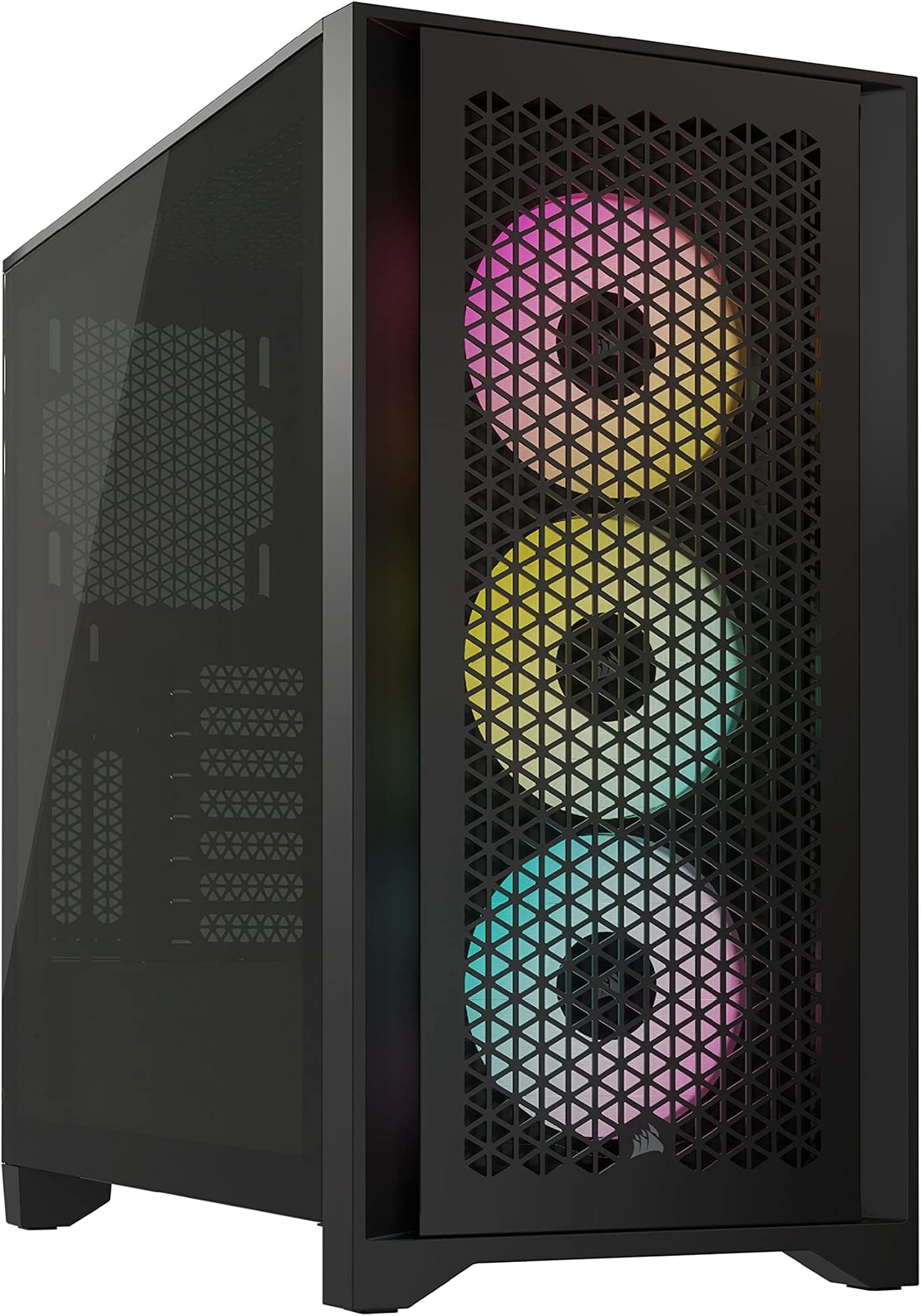
The obvious competitors at this price point are the Corsair 4000D Airflow and the be quiet! Pure Base 500DX. Both are well-regarded cases that have been on the market long enough to have a solid reputation, and both offer mesh-front airflow designs. The 4000D Airflow in particular has been a go-to recommendation for budget airflow builds for a couple of years now, so it's the most relevant benchmark.
The Corsair 4000D Airflow is a genuinely excellent case, but it tops out at ATX and doesn't support E-ATX. If you're building on a standard ATX board, that's not a limitation, but it does mean the XT Pro has a clear advantage for anyone running larger boards. The 4000D also ships with two fans rather than four, so you're spending more on fans to get to a comparable starting point. The be quiet! Pure Base 500DX is a quieter-focused design with a solid front panel option and a mesh option, and it's generally a bit more expensive than the XT Pro.
Where the 4000D beats the XT Pro is in overall fit and finish. Corsair's manufacturing tolerances are tighter, the cable management channels are slightly more generous, and the tool-free features are more polished. The XT Pro is competitive but not quite at that level of refinement. For the price difference though, the XT Pro offers more fans, E-ATX support, and comparable airflow performance, which makes it a strong value proposition for builders who prioritise those things.
| Feature | Phanteks XT Pro | Corsair 4000D Airflow | be quiet! Pure Base 500DX |
|---|---|---|---|
| Price Tier | Entry | Entry/Mid | Mid |
| Max Motherboard | E-ATX | ATX | ATX |
| Included Fans | 4x 120mm | 2x 120mm | 3x 140mm |
| Max GPU Length | 420mm | 360mm | 369mm |
| Max CPU Cooler Height | 175mm | 170mm | 190mm |
| Front Radiator Support | 360mm | 360mm | 360mm |
| USB Type-C Front I/O | Yes (USB 3.2 Gen 2) | Yes (USB 3.1 Gen 1) | Yes (USB 3.2 Gen 2) |
| Dust Filters | Front + Bottom | Front + Bottom | Front + Bottom + Top |
| Tool-Free PCIe Covers | No | Yes | Yes |
| Tempered Glass Panel | Yes (4mm) | Yes (4mm) | Yes (4mm) |
| Vertical GPU Mount | No (bracket sold separately) | No (bracket sold separately) | No |

Final Verdict
The Phanteks XT Pro is a case that punches above its weight in several specific areas, and that makes it genuinely interesting rather than just another budget option. The E-ATX support is the headline feature, and if you need it, it's a real differentiator at this price. The four included fans mean you're not immediately spending extra money to get a functional cooling setup. The 420mm GPU clearance handles everything the current market offers. And the full-height mesh front actually breathes properly, which is the whole point of buying a mesh-front case in the first place.
Where it falls short of more polished competitors is in the finer details. The punch-out PCIe covers are annoying. The cable management space behind the tray is adequate but not generous. The included fans are basic. And the overall fit and finish, while decent for the price, doesn't quite match what Corsair achieves with the 4000D. These are real trade-offs, not imaginary ones.
So who's this for? Primarily, it's for builders who need E-ATX support on a budget, or who want a high-airflow case with a good fan count included without spending mid-range money. It's also a solid choice for first-time builders who want a spacious, easy-to-work-in case that won't fight them during the build process. The clearances are honest, the edges are safe, and the layout is logical. Those things matter more than people realise when you're doing your first build.
Who should look elsewhere? If you're building a compact mITX system, the XT Pro is overkill. If you need more than two 3.5-inch drive bays, you'll hit the storage ceiling quickly. And if you're the kind of builder who obsesses over premium fit and finish, the Corsair 4000D or the be quiet! Pure Base 500DX will feel more satisfying to work with, even if they cost a bit more and offer less in some specs.
At the current price (check the live price below, because it moves around), the XT Pro represents genuinely good value for what it offers. It's not perfect, but it's honest, functional, and well-suited to the builders it's aimed at. I'd recommend it without hesitation for an ATX or E-ATX gaming build where airflow and GPU clearance are priorities. Phanteks has been refining their case designs for years, and you can see that experience in the details that matter most during an actual build.
For more on ATX form factor standards and what E-ATX actually means in practice, the Wikipedia overview is a decent starting point. And if you're planning a water cooling loop, it's worth checking Phanteks' official spec page for the exact radiator mounting dimensions before committing to a specific AIO or custom loop configuration.
What works. What doesn’t.
6 + 6What we liked6 reasons
- E-ATX motherboard support is a genuine differentiator at this price point, opening the case up to high-end workstation and enthusiast boards that most budget cases cannot accommodate
- Four 120mm fans included in the box means you have a functional cooling setup from day one without immediately spending extra money on additional fans
- 420mm GPU clearance comfortably handles every card currently on the market, including the largest triple-fan flagships from Nvidia and AMD
- Full-height mesh front panel delivers honest, unrestricted airflow across the entire front face rather than a narrow strip
- Captive thumbscrews on all panels and rolled, deburred interior edges make the build experience noticeably safer and less frustrating
- Magnetic front dust filter and slide-out bottom filter are both easy to remove and clean without tools
Where it falls6 reasons
- Punch-out PCIe slot covers cannot be reused once removed, which is an unnecessary cost-cutting measure that more polished competitors avoid
- Cable management clearance behind the motherboard tray is adequate at 20 to 25mm but not generous, leaving less room for thick modular PSU cables
- Included 120mm fans are basic units with no particular static pressure or noise characteristics, and anyone building a high-end system will likely replace them
- No GPU support bracket or vertical GPU mount bracket included, meaning heavy triple-fan cards may exhibit minor sag
- Limited to two 3.5-inch drive bays, which will feel restrictive for content creation or NAS-adjacent builds requiring multiple spinning drives
- Overall fit and finish, while decent for the price, does not quite match the tighter manufacturing tolerances of the Corsair 4000D Airflow
Full specifications
11 attributes| Form factor | Mid-Tower |
|---|---|
| CPU cooler clearance MM | 184 |
| Dimensions MM | 470 x 220 x 490 |
| Fans included | 3 |
| GPU clearance MM | 415 |
| MAX FAN count | 10 |
| MAX radiator MM | 360 |
| PSU support | ATX up to 270mm |
| Side panel | tempered glass |
| Supported motherboard | E-ATX, ATX, Micro-ATX, Mini-ITX |
| Weight KG | 7.55 |
If this isn’t right for you
2 options

Frequently asked
7 questions01Does the Phanteks XT Pro genuinely support E-ATX motherboards?+
Yes, the XT Pro supports E-ATX boards alongside standard ATX, mATX, and Mini-ITX form factors. This is uncommon at its price point. You should verify your specific board's dimensions beforehand, as E-ATX can vary in width, but most E-ATX boards fit without issue.
02How many fans come included with the Phanteks XT Pro?+
The case ships with four 120mm fans pre-installed: three at the front intake and one at the rear exhaust. They are basic units suitable for everyday use, but for high-end builds you may want to upgrade to fans with better static pressure or lower noise characteristics.
03What is the maximum GPU length supported by the Phanteks XT Pro?+
The XT Pro supports graphics cards up to 420mm in length. This covers every triple-fan card currently available on the market, including the longest third-party RTX 4090 models, and leaves meaningful clearance between the card and front-mounted fans or radiators.
04Can I install a 360mm AIO radiator in the Phanteks XT Pro?+
Yes, the front panel supports radiators up to 360mm, which is the most effective position for AIO cooling. The top panel supports up to 280mm, suitable for 240mm or 280mm AIOs exhausting hot air out of the case. The rear position accepts a single 120mm fan or a compact 120mm radiator.
05Is the cable management in the Phanteks XT Pro adequate for a tidy build?+
It is workable rather than generous. There is approximately 20 to 25mm of clearance behind the motherboard tray, rubber-grommeted routing holes in sensible positions, and Velcro straps included in the accessory bag. A full modular PSU cable run can be managed cleanly, but builders accustomed to more premium cases with 30mm or more of rear clearance may find it tighter than they would like.
06Does the Phanteks XT Pro include a USB Type-C port on the front I/O?+
Yes, the front I/O includes one USB 3.2 Gen 2 Type-C port running at up to 10Gbps, two USB 3.0 Type-A ports, and a combined headphone and microphone jack. To use the Type-C port at full speed, your motherboard will need a matching USB 3.2 Gen 2 internal header, so it is worth checking your board's specification sheet before assuming full compatibility.
07How does the Phanteks XT Pro compare to the Corsair 4000D Airflow?+
Both cases use mesh front panels and deliver competitive airflow performance. The XT Pro has an advantage in E-ATX support, GPU clearance at 420mm versus 360mm, and the number of fans included in the box. The Corsair 4000D Airflow has an advantage in overall fit and finish, slightly more generous cable management space, and tool-free PCIe slot covers. For standard ATX builds where polish matters most, the 4000D is a strong rival. For E-ATX builds or when fan count matters at launch, the XT Pro offers better value.