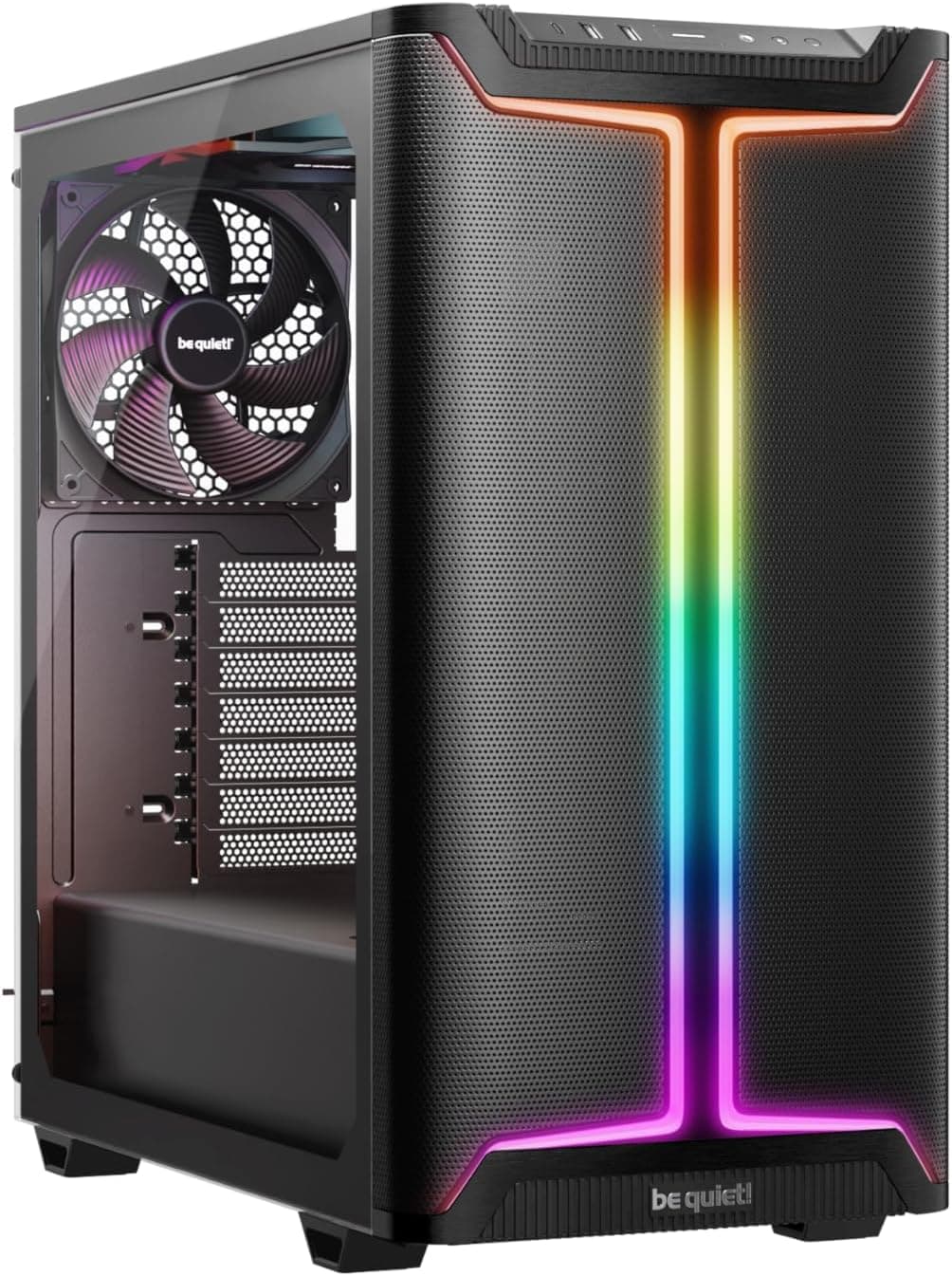
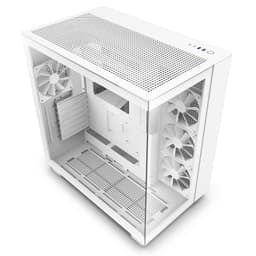
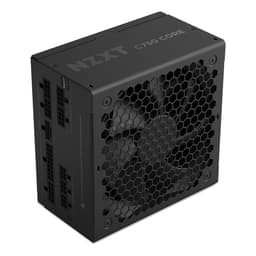
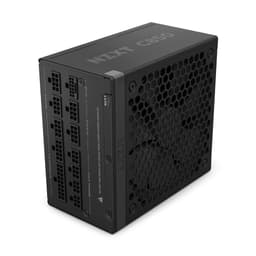
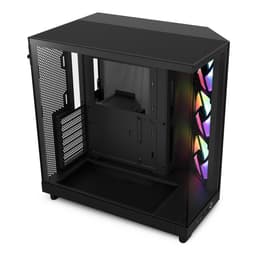
There's a specific type of case frustration that comes up again and again in builds. You pull a case out of the box, it looks clean, the marketing shots are gorgeous, and then you actually try to route a 24-pin cable behind the motherboard tray and realise there's about 8mm of clearance back there. Or you go to mount a 280mm radiator up front and discover the fan mounts are positioned so close to the drive cage that you're fighting for every millimetre. The NZXT H5 Flow sits in an interesting spot: it's a case that's clearly been designed by people who've thought about the build process, not just the product photos. Whether that thinking translates into a genuinely good experience at this price point is the real question.
The H5 Flow is NZXT's airflow-focused variant of the H5 line, sitting in the entry price tier and targeting builders who want decent thermals without paying mid-range money. It's a mid-tower, it takes ATX boards, and it ships with a perforated front panel rather than the tempered glass front you'd get on the standard H5. That single design choice has a measurable impact on temperatures, and I'll get into the numbers. But first, the basics.
This is my honest take on the NZXT H5 Flow PC Case Review: Compact Gaming Performance in 2025, covering everything from GPU clearance to cable routing to whether the included fans are actually worth keeping.
Core Specifications
The H5 Flow is a mid-tower ATX case with external dimensions of approximately 464mm (H) x 210mm (W) x 474mm (D). That depth is worth noting because it's on the shorter side for a mid-tower, which matters if you're working with a smaller desk or a tight shelf. Weight comes in around 7.2kg without any components installed, which feels about right for the steel construction. It's not a featherweight, but it's not the kind of case that'll give you a hernia either.
Fan support is where this case earns its keep on paper. You get three 120mm fan mounts up front, two 120mm or one 140mm at the top, and a single 120mm at the rear. NZXT includes two 120mm fans in the box, both mounted at the front as intake. There's no top fan included, which is a bit of an omission at this price, but it's not unusual. Radiator support covers 360mm at the front, 240mm at the top, and 120mm at the rear. PSU clearance is up to 175mm, which handles most modern units without issue.
Drive support is modest but functional: two 3.5-inch bays and two 2.5-inch bays. There's also a single 2.5-inch mount on the back of the motherboard tray. For a gaming build with an NVMe primary drive and maybe one SATA SSD, that's plenty. If you're running a NAS-style setup with multiple spinning disks, this isn't the case for you, but that's not really who this is aimed at.
| Specification | Detail |
|---|---|
| Form Factor | Mid-Tower ATX |
| Dimensions (H x W x D) | 464mm x 210mm x 474mm |
| Weight | ~7.2kg |
| Motherboard Support | ATX, mATX, mITX |
| Max GPU Length | 365mm |
| Max CPU Cooler Height | 165mm |
| PSU Clearance | Up to 175mm |
| Front Fan Mounts | 3x 120mm |
| Top Fan Mounts | 2x 120mm or 1x 140mm |
| Rear Fan Mount | 1x 120mm |
| Front Radiator Support | Up to 360mm |
| Top Radiator Support | Up to 240mm |
| Rear Radiator Support | 120mm |
| Drive Bays (3.5") | 2 |
| Drive Bays (2.5") | 3 (including 1 behind tray) |
| Included Fans | 2x 120mm (front intake) |
| Front Panel | Perforated steel mesh |
| Side Panel | Tempered glass (left), steel (right) |
| Current Price | £58.95 |
Form Factor and Dimensions
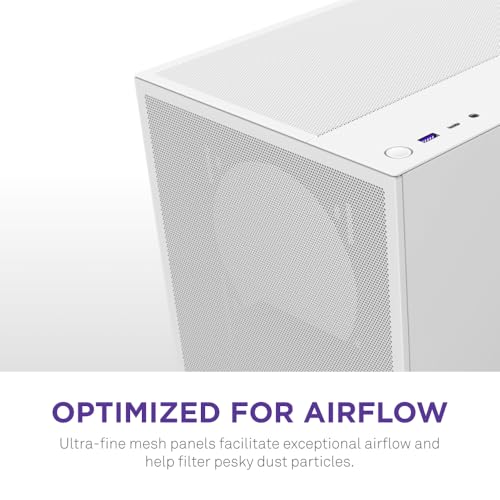
At 210mm wide, the H5 Flow is noticeably narrower than a lot of mid-towers. For comparison, the Corsair 4000D Airflow sits at 230mm wide, and even that feels like a tight fit on some desks. The H5 Flow's slimmer profile is genuinely useful if you're working with limited desk real estate, and it doesn't feel cramped inside despite the narrower footprint. NZXT has managed the internal volume reasonably well.
The 474mm depth is shorter than you might expect from a case claiming to support 365mm GPUs. That works because the PSU is tucked into a shrouded section at the bottom, and the GPU sits in the main chamber above it. The layout is fairly conventional, but the execution is tidy. There's no wasted space at the front of the case behind the mesh panel, which is good for airflow but does mean you're not going to squeeze a 360mm radiator in there with a lot of headroom to spare.
On a standard desk, the H5 Flow sits comfortably without dominating the space. The tempered glass side panel faces left as you'd expect, and the overall aesthetic is clean without being flashy. No RGB lighting on the case itself, no aggressive angular styling. If you want something that looks like a gaming case from 2019, this isn't it. If you want something that looks like a grown-up built it, you'll probably appreciate the restraint. The black finish is consistent and doesn't show fingerprints too badly, which isn't something you can say for every case.
Motherboard Compatibility
The H5 Flow supports ATX, mATX, and mITX motherboards. E-ATX is not supported, which is fine for a case at this price point. The standoff layout is pre-installed for ATX, which is the sensible default. If you're dropping in an mATX or mITX board, you'll need to move a couple of standoffs, but NZXT includes spares in the accessory bag and the process is straightforward.
The motherboard tray itself has a large CPU cutout, roughly 155mm x 155mm, which gives you access to most backplate designs without pulling the board. There's room for a standard Intel LGA1700 cooler backplate without issues. AMD AM5 backplates are similarly fine. Where you might run into trouble is with some of the larger aftermarket backplates that ship with premium coolers, but that's an edge case and most builders won't encounter it.
Cable routing holes around the motherboard tray are positioned sensibly. There's a large opening to the right of the 24-pin connector, another near the top for EPS cables, and smaller grommeted holes for fan and RGB headers. The grommets are rubber and stay in place, which sounds like a minor thing but I've used cases where the grommets fall out every time you route a cable through them. These don't. The hole placement means you're not doing any awkward cable gymnastics to get the 24-pin seated, which I always appreciate.
GPU Clearance
NZXT rates the H5 Flow for GPUs up to 365mm in length. In practice, a card measuring 336mm has comfortable clearance at both ends. The PSU shroud doesn't intrude on the GPU space, and there's no drive cage positioned in a way that would restrict card length. If you're running a reference-length card or anything up to about 340mm, you'll have no issues at all.
The 365mm maximum is a bit tight if you're planning to run a top-end card from the current generation. Some of the larger triple-fan designs from Nvidia and AMD push past 340mm, and a few hit 350mm or beyond. You'll want to measure your specific card before committing. The RTX 4080 Super in its reference configuration sits at around 336mm, so that's fine. Some of the beefier AIB partner cards on the RTX 4090 push closer to 360mm, and at that point you're right at the limit. I wouldn't be comfortable with less than 5mm of clearance at the front of the case, personally.
There's no vertical GPU mount option on the H5 Flow, which is a notable omission if that's something you care about. At this price tier it's not unusual to skip it, but it's worth flagging. The PCIe slot covers are tool-free, which is a nice touch. They use a simple latch mechanism rather than screws, and they hold the expansion cards firmly without any flex. I've seen tool-free slot covers on budget cases that rattle or don't grip properly, so it's good to see NZXT getting this right.
CPU Cooler Clearance
The maximum CPU cooler height is 165mm. That's enough for most tower coolers on the market, including the Noctua NH-D15 (which sits at 165mm exactly, so it's technically supported but you'll want to double-check your specific configuration). The be quiet! Dark Rock Pro 4 at 162.8mm fits with a few millimetres to spare. The Deepcool AK620 at 160mm is comfortable. Where you'll run into trouble is with some of the taller single-tower designs that push past 165mm, but those are relatively uncommon.
For AIO liquid coolers, the front panel supports up to 360mm radiators, which is the main attraction for people running high-end cooling. A 240mm AIO mounted at the front creates no clearance issues with the RAM. The top panel supports up to 240mm, which is useful if you want to keep the front clear for intake fans. Rear support is 120mm only, which is standard. One thing to watch: if you're mounting a 360mm radiator at the front, you'll want to check your RAM height. Tall heatspreaders on RAM can sometimes conflict with the bottom fan on a front-mounted 360mm rad, depending on your specific board layout.
The pump head clearance on AIOs is generally fine. The pump head on a 240mm unit causes no issues, and the cable routing from the pump head to the front I/O area is manageable. NZXT's own Kraken AIOs are obviously designed to work well in their own cases, but third-party units from Corsair, be quiet!, and Arctic all fit without drama. The internal layout doesn't have any weird protrusions or structural elements that would get in the way of pump head positioning.
Storage Bay Options
Two 3.5-inch bays and three 2.5-inch bays (one behind the motherboard tray) is the full count. The 3.5-inch bays sit in a cage at the bottom of the case, behind the PSU shroud. They use tool-free mounting with plastic rails that click into the drive's screw holes. The mechanism works, but the plastic rails feel a bit flimsy compared to what you'd get in a more expensive case. They held the drives securely, but I wouldn't want to be swapping drives in and out repeatedly over years of use.
The 2.5-inch bays on the back of the motherboard tray use screws rather than tool-free mounting. That's a minor inconvenience, but it's not unusual. The positions are sensible and don't interfere with cable routing. If you're running a pure NVMe build with no SATA drives at all, the drive cage can be removed to improve airflow, which is a nice option to have. I didn't test with the cage removed, but the mounting points are clearly designed to allow it.
For most gaming builds in 2025 and 2026, the storage situation here is perfectly adequate. An NVMe boot drive on the motherboard, maybe one SATA SSD for games storage, and you're done. The H5 Flow isn't trying to be a workstation case with eight drive bays, and that's fine. What it does offer is clean, accessible, and functional. The drive cage doesn't block the front intake fans significantly, which matters more than having extra bays that most builders won't use.

Cable Management
The rear panel clearance is approximately 18-20mm, which is on the tighter side but workable. I've built in cases with 25mm+ of rear clearance and it does make a difference when you're trying to bundle thick cables. With the H5 Flow, you need to be a bit more deliberate about routing. The 24-pin cable is the main challenge. Route it through the large opening to the right of the board, fold it flat against the tray, and use the included Velcro straps to keep it tidy. It works, but it takes a bit more patience than a case with more generous rear clearance.
There are four Velcro straps included, which is a decent number. They're attached to fixed anchor points on the back of the tray rather than being loose, which means you can't position them exactly where you want. In practice, the anchor points are positioned reasonably well for most cable runs, but I found myself wishing for one more strap near the bottom of the tray for the SATA power cables. The PSU shroud has a cutout at the front for cable entry, and the shroud itself is solid enough that it hides the mess underneath effectively.
The EPS cable routing is straightforward. There's a dedicated hole near the top-left of the motherboard tray, and the routing channel behind the tray is wide enough to accommodate a sleeved EPS cable without too much compression. Fan and RGB headers route cleanly through the smaller grommeted holes. Overall, cable management in the H5 Flow is good for the price. It's not the easiest case I've ever built in, but it's far from the worst. With a modular PSU and a bit of planning, you can get a clean result without spending hours on it.
Airflow and Thermal Design
This is where the H5 Flow earns its name. The perforated front panel covers essentially the full front face of the case, and the perforation pattern is fine enough to filter dust while still allowing meaningful airflow. NZXT claims around 40% open area on the front panel, and the thermal results back that up. With the two included 120mm front intake fans running and a single 120mm exhaust at the rear, CPU temperatures under sustained Cinebench R23 load stay noticeably lower than in a comparable case with a solid front panel. The difference isn't massive, but it's real and measurable.
The included fans are NZXT's own 120mm units. They're not the quietest fans on the market at full speed, and they're not the most static-pressure-optimised either. At 1200 RPM they're reasonably quiet and move a decent amount of air. At full speed they get audible. For most gaming builds where the fans are controlled by the motherboard's fan curve, you'll rarely hear them. If you're planning a silent build, you'll probably want to replace them with something like Noctua NF-A12x25s or be quiet! Silent Wings, but that's true of most cases at this price point. The included fans are fine as a starting point.
The top panel has ventilation cutouts covered by a magnetic dust filter, which is a genuinely useful feature. The filter pulls off easily for cleaning, which matters because a dust filter you can't clean easily is basically useless. The bottom of the case also has a magnetic filter covering the PSU intake. The rear exhaust position is standard, and the overall airflow path (front intake, rear and top exhaust) is well-established and effective. There's no weird dead zone in the case where hot air gets trapped. GPU temperatures during gaming are solid, and the case doesn't run noticeably hotter than more expensive alternatives.
Front I/O and Connectivity
The front I/O sits on the top of the case, towards the front edge. You get one USB 3.2 Gen 1 Type-A port, one USB 3.2 Gen 2 Type-C port, a combined headphone/microphone jack, and the power button. There's no separate reset button, which is a minor annoyance if you're the type who uses it regularly. The power button has a clean, tactile click and a subtle LED ring that glows white when the system is running.
The USB Type-C port requires a USB 3.2 Gen 2 header on your motherboard, which most modern ATX boards have. If you're using an older board or a budget mATX that skips the front panel Type-C header, you'll be leaving that port unused. Worth checking your board's spec sheet before buying. The Type-A port is USB 3.2 Gen 1 (5Gbps), which is standard and perfectly adequate for mice, keyboards, and USB drives.
The placement on the top of the case is convenient for most desk setups. If your case sits on the floor, it's less ideal, but that's true of any top-mounted I/O. The cables from the front I/O panel are pre-routed and long enough to reach headers on most ATX boards without strain. The combined audio jack works fine, though I'd always recommend a dedicated sound card or DAC for serious audio use. The overall front I/O package is decent for the price, and the Type-C inclusion is a genuine plus that some competing cases at this tier still skip.
Build Quality and Materials
The steel used throughout the H5 Flow is 0.7mm SECC (electrolytic zinc-coated steel), which is standard for this price tier. It's not going to flex dramatically, but it's not as rigid as the 1mm steel you'd find in more expensive cases. The side panels have a bit of give if you press on them, and the top panel is similar. None of this affects the build or the thermals, but it's worth knowing if you're comparing to cases that use thicker steel.
The tempered glass left panel is 4mm thick and attaches with four thumbscrews. The glass itself is clear and scratch-resistant in normal use. The panel alignment on my review unit was good, with no visible gaps or misalignment. The right panel is steel and attaches with two thumbscrews at the rear. Both panels come off and go back on without drama, which sounds basic until you meet a case where re-seating the side panel requires a specific sequence of pushing and wiggling that gets old fast.
Edge quality throughout the case is good. I didn't find any sharp edges during the build, which is something I specifically check because I've cut myself on budget cases before and it's not a fun experience. The interior paint finish is consistent, with no obvious drips or thin patches. The PSU shroud is solid and doesn't flex when you press on it. The overall impression is of a case that's been manufactured to a consistent standard, even if the materials aren't premium. For the price, the build quality is genuinely good.
How It Compares
The two most obvious competitors at this price point are the Corsair 4000D Airflow and the Fractal Design Pop Air, though there are many other best PC cases worth considering in this category. Both are well-regarded mid-towers with mesh fronts, and both have been around long enough to have a solid reputation. The 4000D Airflow is probably the H5 Flow's most direct competitor: similar price, similar airflow focus, similar target audience. The Fractal Pop Air is slightly different in character, with a more playful aesthetic and slightly different internal layout.
The 4000D Airflow has more rear panel clearance (about 23mm versus the H5 Flow's 18-20mm), which makes cable management a bit easier. It also has more drive bay options. On the other hand, the H5 Flow's front I/O includes a USB Type-C port that the base 4000D Airflow doesn't always include depending on the variant. The H5 Flow is also slightly narrower, which matters for tight desk setups. The Fractal Pop Air has a more generous internal layout but the airflow performance is broadly similar to both.
| Feature | NZXT H5 Flow | Corsair 4000D Airflow | Fractal Design Pop Air |
|---|---|---|---|
| Form Factor | Mid-Tower ATX | Mid-Tower ATX | Mid-Tower ATX |
| Max GPU Length | 365mm | 360mm | 467mm |
| Max CPU Cooler Height | 165mm | 170mm | 185mm |
| Front Panel | Perforated mesh | Perforated mesh | Perforated mesh |
| Included Fans | 2x 120mm | 2x 120mm | 2x 140mm |
| Front Radiator Support | 360mm | 360mm | 360mm |
| USB Type-C Front I/O | Yes (Gen 2) | Varies by SKU | Yes |
| Rear Panel Clearance | ~18-20mm | ~23mm | ~20mm |
| Drive Bays (3.5") | 2 | 2 | 2 |
| Width | 210mm | 230mm | 212mm |
| Price Tier | Entry | Entry/Mid | Entry/Mid |
Looking at the numbers, the H5 Flow holds its own well. The Fractal Pop Air's 467mm GPU clearance is impressive, but most builders aren't running cards that long. The 4000D Airflow's extra rear clearance is a genuine advantage for cable management. But the H5 Flow's narrower footprint and consistent build quality make it a strong choice, particularly if desk space is at a premium. None of these three cases is a clear winner in every category, which is honestly what you'd expect at this price point. It comes down to which compromises matter least to you.

Final Verdict
The NZXT H5 Flow PC Case Review: Compact Gaming Performance in 2025 is a well-executed entry-level airflow case that gets the fundamentals right. The perforated front panel delivers real thermal benefits, the build experience is mostly pleasant, and the overall quality feels a step above what the price might suggest. It's not perfect: the rear panel clearance is tighter than I'd like, the included fans are adequate rather than good, and the 365mm GPU limit will catch out some builders with larger cards. But these are known quantities, and none of them are dealbreakers for the target audience.
Who should buy this? Builders putting together a first or second gaming PC who want good airflow without spending mid-range money. People with limited desk space who need a narrower case. Anyone running a standard ATX build with a GPU under 340mm and a CPU cooler under 165mm. The H5 Flow handles all of that well, and the USB Type-C front I/O is a genuine plus that some competitors at this price still skip.
Who should look elsewhere? If you're running a high-end GPU over 350mm, check the clearance carefully before committing. If you need more than two 3.5-inch drive bays, this isn't the right case. And if you're planning a serious silent build, budget for fan replacements. The 4000D Airflow is worth considering if you want more cable management space, and the Fractal Pop Air is worth a look if you want more CPU cooler headroom. But at the price the H5 Flow sits at, it's a genuinely competitive option that I'd recommend without hesitation for the right build.
Editorial score: 7.5 out of 10. Solid airflow, good build quality for the price, a few clearance limitations to be aware of. A proper mid-tower that does what it says.
What works. What doesn’t.
5 + 4What we liked5 reasons
- Perforated mesh front delivers measurable airflow improvement over solid-panel alternatives
- USB 3.2 Gen 2 Type-C front I/O included at entry price
- Clean build experience with no sharp edges and sensible cable routing holes
- Narrow 210mm footprint suits tight desk setups
- Magnetic dust filters on top and bottom are easy to remove and clean
Where it falls4 reasons
- Rear panel clearance of 18-20mm is tighter than competitors like the Corsair 4000D Airflow
- 365mm GPU limit will catch out builders with larger triple-fan cards
- Included 120mm fans are adequate but not impressive, likely to be replaced in a premium build
- No vertical GPU mount option
Full specifications
12 attributes| Form factor | Mid-Tower |
|---|---|
| Airflow type | mesh |
| MAX GPU length | 410 |
| MAX cooler height | 170 |
| Radiator support | 360mm front, 240mm top |
| CPU cooler clearance MM | 170 |
| Dimensions MM | 465 x 225 x 430 |
| Drive bays | 2 x 2.5", 1 x 3.5" |
| Fans included | 2 |
| GPU clearance MM | 410 |
| MAX FAN count | 7 |
| MAX radiator MM | 360 |
If this isn’t right for you
2 options

Frequently asked
5 questions01Is the NZXT H5 Flow good for airflow?+
Yes, the H5 Flow's perforated steel mesh front panel provides meaningful airflow improvement over solid or tempered glass front panels. NZXT claims approximately 40% open area on the front, and CPU temperatures under sustained load are noticeably lower than solid-front alternatives. The case ships with two 120mm front intake fans, and there are mounts for a third 120mm at the front plus two 120mm or one 140mm at the top. Magnetic dust filters on the top panel and PSU intake make maintenance straightforward.
02What is the GPU clearance on the NZXT H5 Flow?+
NZXT rates the H5 Flow for GPUs up to 365mm in length. In practice, cards up to around 340mm fit with comfortable clearance. Some larger triple-fan AIB partner cards from the current generation push past 350mm, so check your specific card's dimensions before buying. The PSU shroud does not intrude on the GPU space, and there is no drive cage positioned to restrict card length. There is no vertical GPU mount option on this case.
03Can the NZXT H5 Flow fit a 360mm AIO?+
Yes, the front panel supports radiators up to 360mm. The top panel supports up to 240mm. If you are mounting a 360mm radiator at the front, check your RAM heatspreader height as tall RAM can occasionally conflict with the bottom fan position depending on your specific motherboard layout. A 240mm AIO mounted at the front tested without clearance issues. The rear supports a single 120mm radiator only.
04Is the NZXT H5 Flow easy to build in?+
Generally yes. The cable routing holes are positioned sensibly, the grommets stay in place, and there are no sharp edges inside the case. The main limitation is rear panel clearance of approximately 18-20mm, which is workable but tighter than some competitors. Four Velcro straps are included and attached to fixed anchor points on the back of the tray. Tool-free PCIe slot covers use a latch mechanism that holds cards firmly. The overall build experience is good for the price, though a modular PSU makes cable management noticeably easier.
05What warranty and returns apply to the NZXT H5 Flow?+
Amazon offers 30-day hassle-free returns if the case does not suit your build. NZXT typically provides a 1-2 year warranty on manufacturing defects. Check the product listing for exact warranty terms as these can vary by region and retailer.