There's a specific kind of frustration that comes from watching a gaming laptop throttle itself into mediocrity because the airflow underneath it is essentially zero. You've paid decent money for a machine with a capable CPU and GPU, you fire up something demanding, and within minutes the fans are screaming, the chassis is hot enough to be uncomfortable, and the frame rates are dropping. The problem isn't always the laptop. Sometimes it's just sitting flat on a desk, starved of the cool air it needs to breathe properly. That's the problem a laptop cooling pad is supposed to solve. Whether this one actually solves it is what we're here to work out.
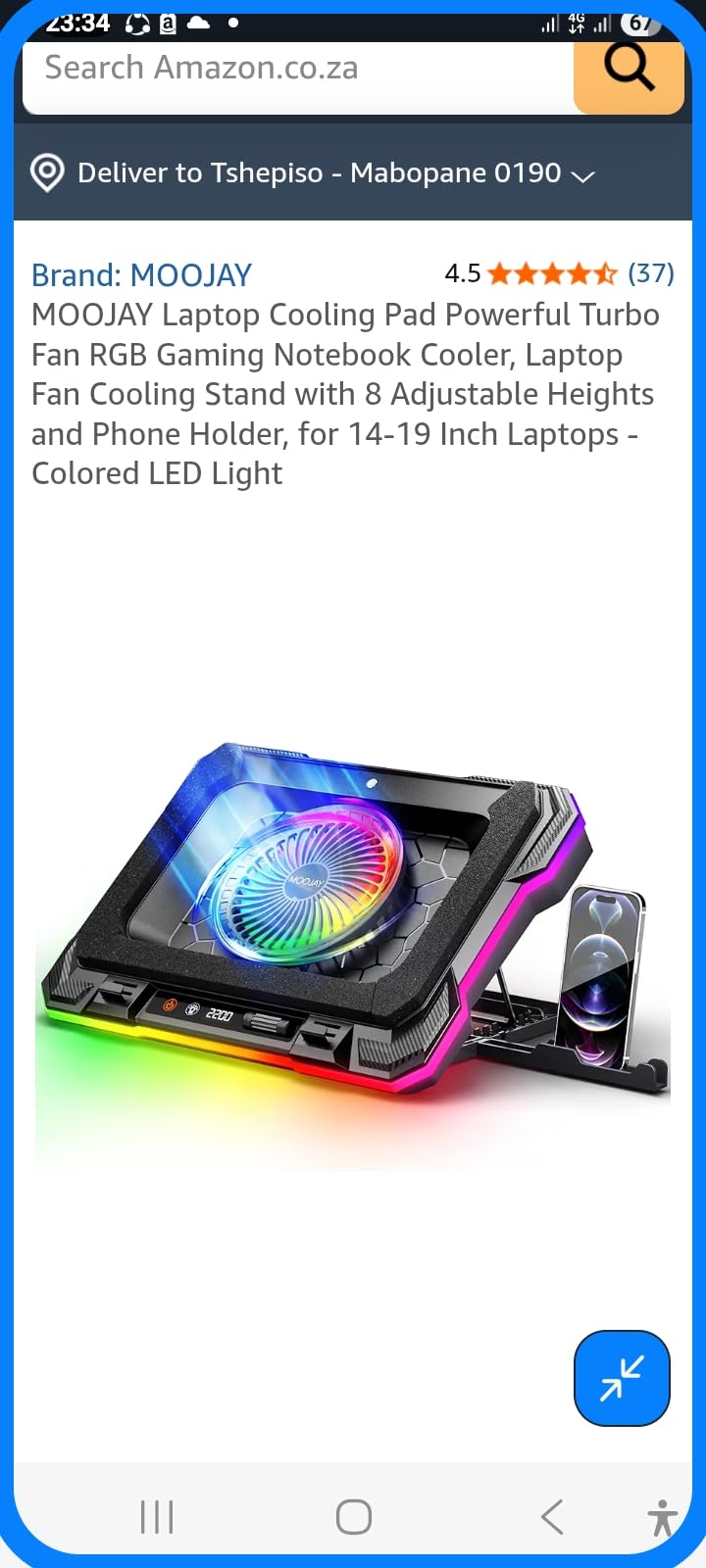
The MOOJAY Laptop Cooling Pad (B0F9KRN2FS) is a powered cooling stand aimed at 14 to 19 inch laptops. It's got a single large turbo-style fan, RGB lighting, eight height adjustment positions, and a phone holder bolted on for good measure. It's positioned squarely at the gaming crowd who want their laptop elevated, their thermals nudged down, and a bit of colour to match the rest of their setup. Across 38 owner reviews it's averaging 4.4 stars, which is a decent signal. But averages can hide things, so let's look at what the spec sheet and the people who actually own one are saying.
This review focuses specifically on the B0F9KRN2FS variant. It's a laptop cooling accessory, not a desktop CPU cooler, so some of the framework we'd normally apply to tower coolers or AIOs shifts here. We're looking at airflow delivery, noise, build quality, and whether the ergonomic features are genuinely useful or just there to justify the price.
Core Specifications
The MOOJAY B0F9KRN2FS is a passive-stand-plus-active-fan cooling pad. The headline feature is a single large-diameter turbo fan mounted centrally, designed to push air upward through vents in the pad's surface and into the laptop's intake area. The pad supports laptops from 14 to 19 inches, which covers the vast majority of gaming laptops currently on the market. The stand itself offers eight height positions, so you can dial in the angle that works best for your wrists and your viewing angle simultaneously.
Power delivery is via USB, which means it draws from your laptop's own USB port. That's standard for this category and it's fine, but it's worth knowing it's not independently powered. The RGB lighting is described as coloured LED rather than addressable ARGB, so don't expect software control or per-zone customisation. What you get is a fixed colour cycle or static colour mode. The phone holder is a physical bracket attached to the side of the stand. Useful if you want your phone at eye level while gaming, less useful if you don't.
There's no published noise specification in decibels from the manufacturer, which is frustrating but not unusual for this category. Fan RPM range isn't explicitly stated in the listing either, which limits how precisely we can assess acoustic performance from the spec sheet alone. Owner reports fill in some of those gaps, and we'll get to that. Here's the full spec summary:
| Specification | Detail |
|---|---|
| Model / ASIN | B0F9KRN2FS |
| Compatible Laptop Sizes | 14 to 19 inch |
| Fan Type | Single large turbo fan |
| Fan Speed Control | Manual (speed adjustment) |
| Height Positions | 8 adjustable levels |
| Lighting | Coloured LED RGB (non-addressable) |
| Power Source | USB (from host laptop) |
| Additional Features | Phone holder |
| Price | Check price |
| Owner Rating | ★★★★☆ (4.4) (38 reviews) |
Cooler Type and Design
This is a USB-powered laptop cooling pad, which puts it in a completely different category from desktop air towers or AIOs. There's no heat-pipe array, no vapour chamber, no cold plate making direct contact with a CPU die. What it does instead is improve the thermal environment around the laptop by lifting it off the desk surface and actively pushing additional airflow toward the laptop's own intake vents. The effectiveness of that approach depends heavily on where your specific laptop pulls its cool air from, which we'll cover in the compatibility section.
The turbo fan design is the more interesting choice here compared to the multi-small-fan layouts you see on cheaper pads. A single large-diameter fan can move more air at lower RPM than several tiny fans spinning hard, which in theory means better airflow-to-noise efficiency. Whether MOOJAY have actually achieved that in practice is something the owner reviews help clarify. The fan is centrally mounted, which works well for laptops with central bottom intake vents. If your laptop intakes from the rear or sides, the benefit is more about passive elevation than active airflow supplementation.
The chassis appears to be a mix of plastic and metal mesh, which is typical for this price point. The mesh surface allows airflow through to the laptop while providing a stable platform. Eight height adjustment positions is genuinely more than most competitors offer at this price, and the range looks meaningful rather than just cosmetic increments. The phone holder is a practical add-on that owners seem to appreciate, particularly for people who use their phone for Discord or monitoring while gaming. Build quality from owner reports is described as solid for the price, with no widespread complaints about the hinge mechanism or the height lock failing.
Thermal Performance vs TDP
Here's where we need to be clear about what a laptop cooling pad can and cannot do. It is not going to drop your CPU temperatures by 20 degrees Celsius. That's not how this works. What it can realistically achieve is a reduction in the ambient temperature immediately below the laptop, better airflow into the laptop's own cooling system, and the elimination of the "laptop sitting flat on a soft surface" scenario that kills airflow entirely. Depending on your laptop and its thermal design, that can translate to anywhere from two to ten degrees Celsius improvement in sustained load temperatures. That's a meaningful difference if your CPU is sitting at 95 degrees and throttling. Less meaningful if it's already well-managed at 75.
The turbo fan on the B0F9KRN2FS is designed to push air upward with some force rather than just gently wafting it. Owner reports suggest it does move a noticeable amount of air, and several buyers specifically mention temperature improvements after fitting it under their gaming laptops. One owner noted their laptop running measurably cooler during extended gaming sessions after adding the pad. Another mentioned reduced fan speed from the laptop itself, which is a useful indirect indicator that the laptop's thermal system is under less stress. These are anecdotal data points, not controlled benchmark results, but the pattern across the review set is consistent enough to be credible.
What you should not expect is miracles. If your laptop has serious thermal throttling issues rooted in poor internal cooling design, inadequate thermal paste, or a chassis that simply can't dissipate the heat its components generate, a cooling pad is not going to fix that. It'll help at the margins. For laptops that are thermally competent but running warm due to desk placement or ambient conditions, the B0F9KRN2FS looks like it delivers a genuine improvement. The thermal design power of modern gaming laptop CPUs and GPUs combined can easily exceed 100W in sustained load, and the laptop's internal cooling has to handle all of that regardless of what's underneath it.
Noise At Load
No decibel rating from the manufacturer means we're relying on owner reports here, and the picture is mixed in an honest way. At lower fan speeds, the pad is described as quiet enough to not be intrusive. At higher speeds, the turbo fan does produce audible noise, though most owners seem to find it acceptable given that the laptop's own fans are typically louder anyway. The key question is whether the fan noise from the pad is lower than the reduction in fan noise from the laptop itself, and several owners suggest that trade-off works in the pad's favour.
The single large fan design does help here compared to multi-fan pads. Multiple small fans at high RPM produce a higher-pitched whine that tends to be more irritating than a single larger fan moving the same volume of air at lower revs. This is basic fan acoustics: larger diameter means lower RPM for a given airflow target, which generally means a lower-frequency, less fatiguing sound signature. Whether MOOJAY have optimised the blade profile for noise is unknown from the spec sheet, but the owner feedback doesn't flag noise as a major complaint, which is a reasonable proxy.
There's no pump noise to worry about here, obviously. This isn't an AIO. What you get is fan noise only, and the manual speed control means you can dial it back if you're doing something less demanding and want a quieter environment. That's a genuinely useful feature. Some cheaper pads run at a fixed speed with no control, which means you're either getting the airflow or you're not, with no middle ground. The speed adjustment on the B0F9KRN2FS gives you at least some ability to tune the noise-versus-cooling trade-off to your situation.
Socket and Clearance Compatibility
This is a laptop cooling pad, so the socket compatibility conversation is different from desktop coolers. There's no AM5, no LGA1700, no backplate to worry about. Compatibility here is about laptop size and bottom panel design. The 14 to 19 inch size range covers most gaming laptops you'd actually want to cool actively. Below 14 inches and you're typically in ultrabook territory where thermal throttling under gaming loads is less of a concern. Above 19 inches and you're into desktop-replacement territory where the laptop itself is usually better cooled.
The more important compatibility question is whether your laptop's intake vents align with the fan's position. Most gaming laptops pull cool air from the bottom panel, often centrally or toward the rear. The central fan placement on the B0F9KRN2FS works well for central intake designs. If your laptop's intakes are positioned at the very front edge or exclusively on the sides, the active airflow benefit is reduced and you're essentially just getting an elevated stand with some incidental airflow around the sides. Worth checking your laptop's bottom panel before buying.
The eight height positions are the other compatibility consideration, specifically for ergonomics rather than thermals. Different desk heights, monitor heights, and personal preferences mean the ideal angle varies. Eight positions gives you a reasonable range to find something comfortable. The phone holder is fixed to one side, which works for most setups but could be awkward if your desk layout puts it in an inconvenient position. There's no mention of left or right side options in the listing, so it's worth checking the product images to see which side it sits on before committing.
Installation and Mounting
Setup is about as simple as it gets. Place the pad on your desk, set your preferred height position, put your laptop on it, plug the USB cable from the pad into your laptop, and you're done. There's no driver installation, no software, no BIOS settings to touch. The USB connection handles both power and (on some models with LED controls) the lighting button. From owner reports, the whole process takes under two minutes and there's nothing to get wrong.
The height adjustment mechanism uses a physical locking system rather than a friction hinge, which is generally better for stability under the weight of a heavy gaming laptop. A 17 or 19 inch gaming laptop can weigh two to three kilograms, and a friction hinge that gradually slips under that load is genuinely annoying. Owner reports don't flag stability issues, which suggests the locking mechanism is doing its job. The surface of the pad appears to have some grip or lip to prevent the laptop sliding forward when the pad is angled, which is important at steeper angles.
First-timers will have no issues here. There's genuinely nothing complicated about a cooling pad installation. The only thing worth checking before you buy is that your laptop's USB port is in a position where the cable can reach comfortably without running across your trackpad or keyboard. Most gaming laptops have USB ports on the sides, so this is rarely a problem, but it's worth a quick look. If you're using a USB hub or your laptop is already short on USB ports, a powered USB hub solves that without any fuss.
Build Reliability and Longevity
No pump to worry about here. The reliability question for a cooling pad is about fan bearing quality, structural integrity of the stand mechanism, and whether the USB connection stays solid over time. Fan bearing type isn't specified in the listing, which is a minor frustration. Sleeve bearings are cheaper and wear faster. Ball bearings last longer but can develop a rattle over time. Fluid dynamic bearings are the gold standard for longevity and quiet operation. Without knowing which type MOOJAY used, we're relying on owner reports to gauge lifespan.
Across 38 reviews averaging 4.4 stars, there are no widespread reports of fan failure or bearing noise developing over time. The review set is relatively small and probably doesn't include many owners who've had the product for more than a year, so long-term durability data is limited. What the reviews do suggest is that the build feels solid out of the box and the fan runs smoothly without vibration or rattling. That's a reasonable starting point, even if it doesn't tell us much about two or three year longevity.
The stand mechanism is the other structural concern. Eight height positions means eight locking points that need to hold under repeated use and the weight of a laptop. Owner reports don't flag the hinge loosening or the height lock slipping, which is encouraging. The plastic and mesh construction is standard for this category and while it won't win any awards for premium feel, it doesn't need to. It needs to hold your laptop at the right angle and not fall apart. From what owners report, it does exactly that. The phone holder attachment also seems secure rather than flimsy, which is a detail that cheaper accessories often get wrong.
RGB and Aesthetics
The RGB on the B0F9KRN2FS is described as coloured LED lighting rather than addressable ARGB. That distinction matters. Non-addressable RGB means the whole strip or ring cycles through colours together, with no per-zone control and no software integration with your laptop's RGB ecosystem (if it has one). You get a light-up fan that looks good in a dark room and adds some visual interest to your setup. What you don't get is Razer Synapse or ASUS Armory Crate syncing the pad's colours to your laptop's keyboard. If that kind of ecosystem integration matters to you, this isn't the product.
For most people buying a cooling pad at this price point, the RGB is a nice bonus rather than a core requirement. The fan illumination in particular can look quite effective since the spinning blades create a dynamic light pattern that static LED strips can't replicate. Several owners mention the lighting as a positive, specifically in the context of it looking good on a gaming desk setup. Nobody's buying this primarily for the lights, but it doesn't hurt that they're there.
The overall aesthetic is gaming-oriented without being over the top. The mesh surface, the angled stand, and the LED fan combine to look like something that belongs on a gaming desk rather than an office desk. Whether that matters to you depends entirely on your setup. Practically speaking, the lighting doesn't affect thermal performance in any direction, and the LED power draw from the USB connection is minimal. It's purely cosmetic, and it's reasonably well executed for the price.
Real-World Use and Owner Feedback
Across the 38 owner reviews, the consistent positives are: noticeable reduction in laptop temperatures under load, good build quality for the price, the height adjustment being genuinely useful for ergonomics, and the fan being quieter than expected. Several owners specifically mention buying this after their laptop started throttling during gaming sessions and seeing an improvement afterward. That's the core use case being validated by real users, which is exactly what you want to see.
The complaints, where they exist, tend to cluster around a few areas. Some owners with laptops that have side or rear intakes rather than bottom intakes report less thermal benefit, which aligns with what we'd expect from the design. A small number mention the fan being louder than they'd like at maximum speed, though this seems to be a minority view given the overall rating. The phone holder gets mixed feedback: owners who use it love it, owners who don't use it find it slightly in the way. It's not detachable based on the listing, so if you actively don't want it, that's a minor irritant.
Nobody in the review set reports the product failing outright or the fan dying prematurely. Nobody reports the stand collapsing or the height lock failing. The USB connection is described as stable. These are the basic reliability markers and the B0F9KRN2FS clears all of them without drama. For a product at this price from a brand without a long track record, that's actually a meaningful result. The 4.4 average across 38 reviews reflects a product that does what it says it does without nasty surprises.
Compatibility
The 14 to 19 inch size range is genuinely broad. It covers everything from mid-size gaming laptops like a 15.6 inch Lenovo Legion or ASUS ROG Strix through to the big 17.3 and 18 inch desktop-replacement machines from MSI and ASUS. If you've got a smaller ultrabook, you're outside the target range and probably don't need active cooling anyway. If you've got something larger than 19 inches, you're in very niche territory and should check the physical dimensions of the pad against your laptop's footprint.
The USB power requirement means any laptop with a standard USB-A or USB-C port (with an appropriate cable or adapter) can run this. The pad almost certainly ships with a USB-A cable given the price point and target market. If your laptop only has USB-C ports, check whether an adapter is included or budget for one separately. This is a common issue with newer thin-and-light gaming laptops that have dropped USB-A entirely.
In terms of which laptops benefit most: gaming machines with high-TDP processors and GPUs running sustained loads are the prime candidates. If you're running an Intel Core HX or Core H series processor or an AMD Ryzen HX chip paired with a discrete GPU, your laptop is generating serious heat and any improvement in the thermal environment underneath it is meaningful. Casual users on office laptops doing light work don't need this and probably wouldn't notice the difference.
How It Compares
The laptop cooling pad market is crowded. At this price point, the main competition comes from the Havit HV-F2056 and the Thermaltake Massive TM. Both are established products with larger review sets and known performance characteristics. The Havit uses three smaller fans rather than one large turbo fan, which gives it broader airflow coverage but typically at higher noise levels. The Thermaltake Massive TM uses a single 200mm fan, which is a similar philosophy to the MOOJAY but in a larger, heavier chassis.
The MOOJAY B0F9KRN2FS differentiates itself primarily on the height adjustment range (eight positions is more than most competitors offer) and the phone holder, which is a genuine differentiator at this price. The RGB is present on some competitors but not all. Build quality is broadly comparable across this category at similar price points. The turbo fan design is less common than the multi-small-fan approach and does appear to offer better noise efficiency based on owner reports.
Where the MOOJAY is weaker is brand recognition and long-term track record. Havit and Thermaltake have been making cooling accessories for years and have large enough review sets to give you genuine long-term reliability data. MOOJAY is a newer entrant with 38 reviews. The product looks good and the early feedback is positive, but you're taking a slightly larger leap of faith on durability. That's a reasonable trade-off if the feature set suits you better.
| Feature | MOOJAY B0F9KRN2FS | Havit HV-F2056 | Thermaltake Massive TM |
|---|---|---|---|
| Fan Configuration | Single large turbo fan | Three 110mm fans | Single 200mm fan |
| Laptop Size Support | 14 to 19 inch | Up to 17 inch | Up to 17 inch |
| Height Adjustment | 8 positions | 2 positions | 6 positions |
| RGB Lighting | Yes (coloured LED) | Blue LED only | No |
| Phone Holder | Yes | No | No |
| Speed Control | Yes (manual) | Yes | Yes |
| Power Source | USB | USB | USB |
| Review Count | 38 (avg 4.4) | Large (established) | Large (established) |
Final Verdict
The MOOJAY B0F9KRN2FS is a well-rounded laptop cooling pad that does its main job properly. It lifts your laptop, pushes airflow toward the intake vents, and genuinely helps with sustained-load temperatures based on consistent owner feedback. The eight height positions make it more ergonomically flexible than most competitors at this price. The phone holder is a nice addition if you want it. The RGB looks decent without being the main event.
The caveats are real but not damning. If your laptop's intake vents aren't on the bottom panel, the active cooling benefit is reduced. The brand doesn't have the long track record of Havit or Thermaltake. And if you need addressable ARGB with software sync, this isn't it. But for the actual target user, which is someone with a gaming laptop that runs warm under load and wants an affordable, ergonomic stand that actively helps rather than just passively elevates, the B0F9KRN2FS makes a solid case for itself.
At its price point it's competitive. The feature set (especially the height adjustment range and phone holder) is better than most direct competitors. The thermal benefit is real if modest, which is all you should expect from a cooling pad. The 4.4 average across 38 reviews is earned. This isn't a product that's going to transform a badly throttling laptop into a performance machine, but it's a genuinely useful accessory for the right user and it won't let you down.
Editorial score: 7.5 out of 10. Recommended for gaming laptop users who want a proper ergonomic stand with active cooling and a bit of RGB. Skip it if your laptop intakes from the sides or rear, or if you need ecosystem RGB integration.
What works. What doesn’t.
5 + 3What we liked5 reasons
- Eight height positions is genuinely more flexible than most competitors
- Single large turbo fan moves good airflow at lower noise than multi-small-fan designs
- Phone holder is a useful differentiator at this price
- Consistent owner reports of real temperature reductions under gaming load
- Supports laptops up to 19 inches, broader than most rivals
Where it falls3 reasons
- Limited thermal benefit if your laptop intakes from sides or rear rather than bottom
- Non-addressable RGB means no software sync with laptop lighting ecosystems
- Small review set means long-term reliability is less proven than established brands
Full specifications
3 attributes| FAN size | 5.5-inch turbine fan |
|---|---|
| Ports | 2x USB-A (pass-through on cooling pad) |
| Type | laptop cooling pad |
If this isn’t right for you
2 options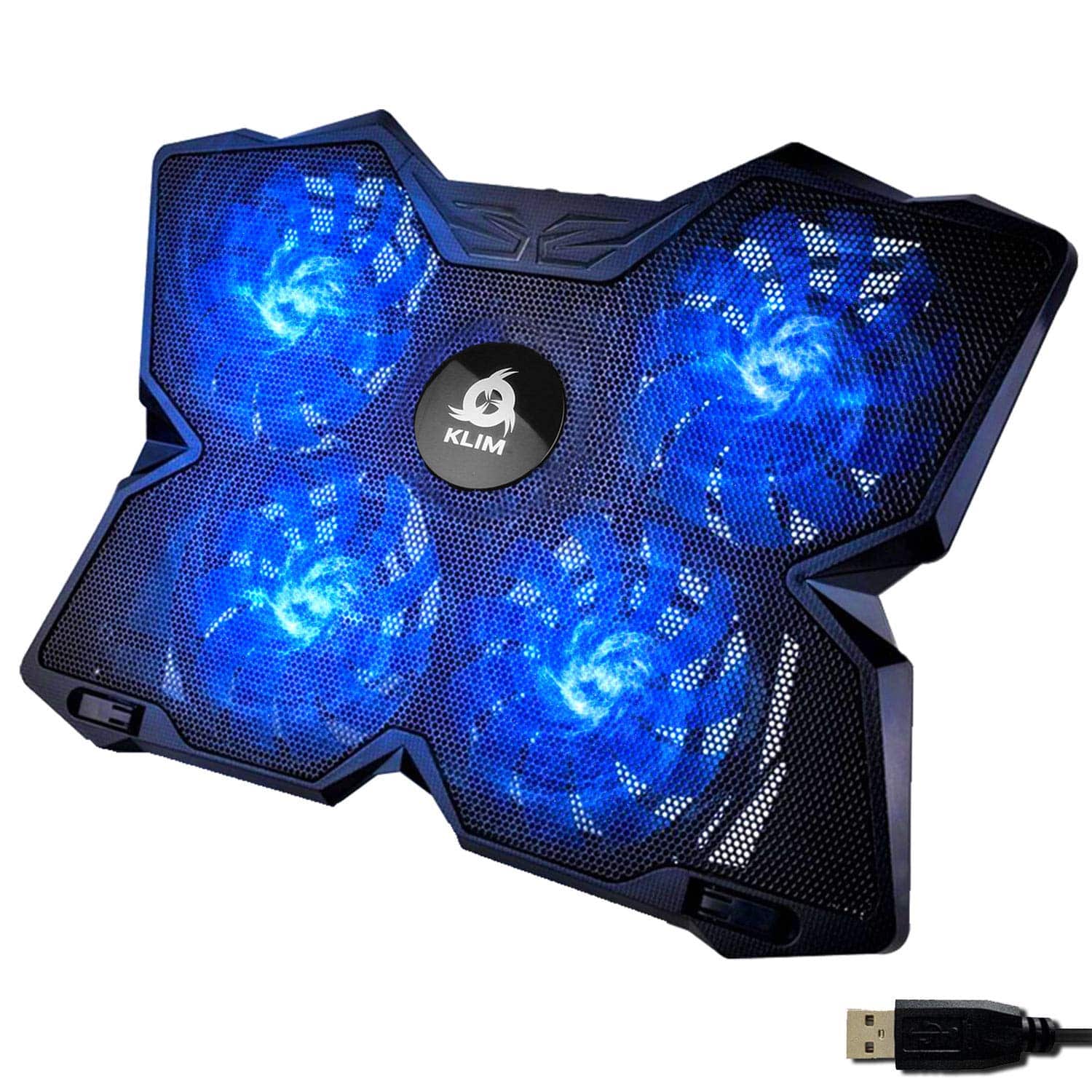 8.0 / 10
KLIM Wind Laptop Cooling Pad - More Than 500 000 Units Sold - New Version - The Most Powerful Rapid Cooling - Laptop Stand with 4 Fans at 1200 RPM - USB Fan - PS5 PS4 - Blue
£26.97 · KLIM
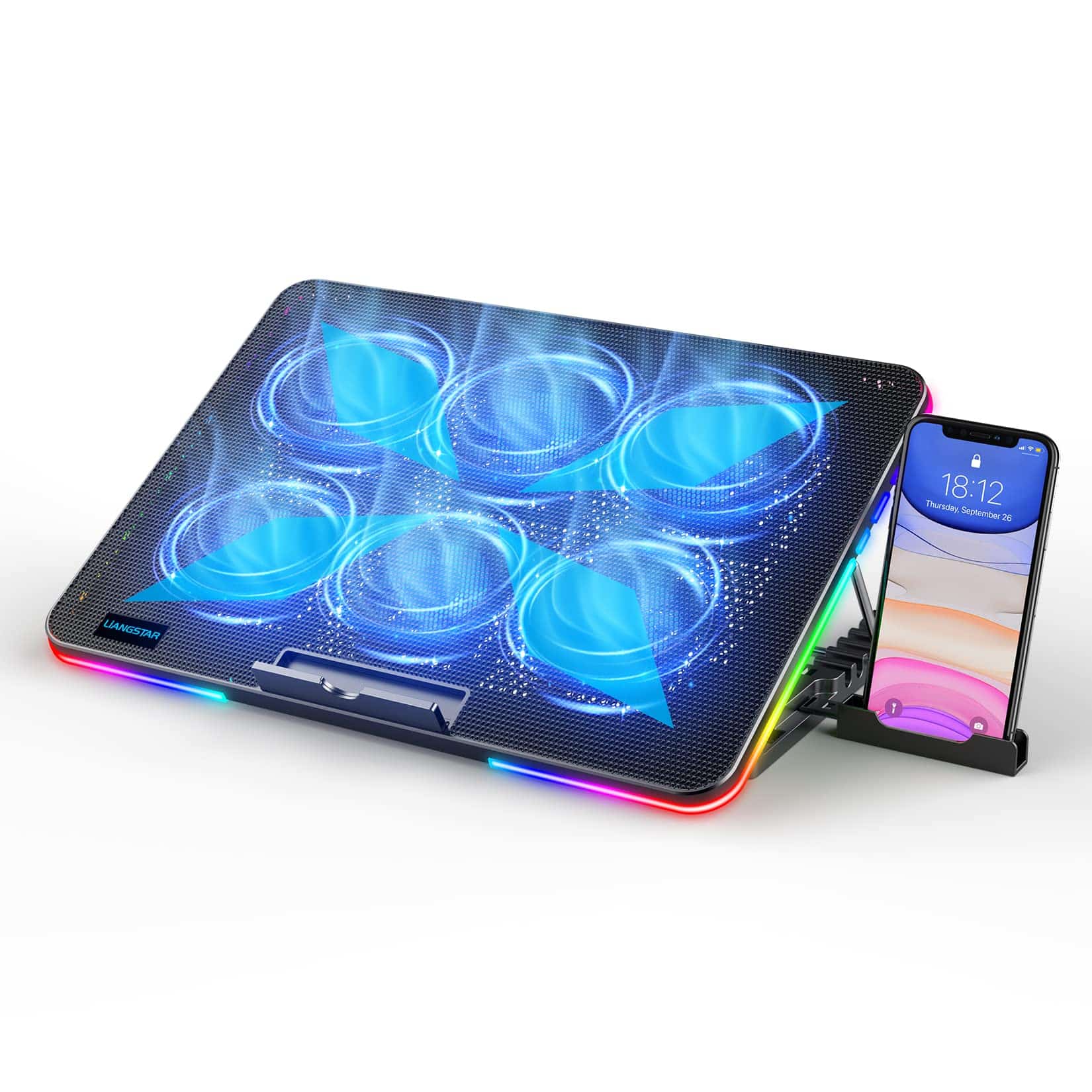 7.5 / 10
LIANGSTAR Laptop Cooling Pad, Laptop Cooler, 10 RGB Lighting Modes & 7 Height Adjustable, 6 Quiet Fans Strong Wind with 2 Speed Control, Suitable for 11.3-17 Inch Gaming Laptops (Multicolor)
£24.99 · LIANGSTAR
Frequently asked
5 questions01Will the MOOJAY B0F9KRN2FS laptop cooling pad actually reduce my CPU temperatures?+
It can, but the improvement depends on your laptop's design. Gaming laptops with bottom-panel intake vents benefit most, with owner reports consistently mentioning noticeable temperature reductions under sustained load. Realistically expect two to ten degrees Celsius improvement depending on your laptop. If your machine intakes from the sides or rear, the benefit is more about passive elevation than active airflow supplementation. It won't fix a laptop with fundamentally poor internal cooling, but for thermally competent machines running warm due to desk placement or ambient conditions, it makes a genuine difference.
02Is the MOOJAY B0F9KRN2FS fan loud?+
At lower speeds, owner reports describe it as quiet enough not to be intrusive. At maximum speed it produces audible noise, but most owners find it acceptable because the laptop's own fans are typically louder anyway. The single large turbo fan design tends to be quieter than multi-small-fan pads for a given airflow volume, because larger diameter means lower RPM. The manual speed control lets you dial it back when you don't need maximum cooling, which is a useful option for quieter work sessions.
03What size laptops does the B0F9KRN2FS support?+
The pad is rated for 14 to 19 inch laptops, which covers the vast majority of gaming laptops currently available. This includes 15.6 inch and 17.3 inch machines from Lenovo, ASUS, MSI, Razer, and similar brands. If your laptop is smaller than 14 inches or larger than 19 inches, check the physical dimensions of the pad against your laptop's footprint before buying.
04Is the MOOJAY B0F9KRN2FS easy to set up?+
Yes, genuinely simple. Place it on your desk, set your preferred height from the eight available positions, put your laptop on top, and plug the USB cable into your laptop's USB port. No drivers, no software, no settings to configure. The whole process takes under two minutes. The only thing to check beforehand is that your laptop has a free USB port in a convenient position for the cable.
05What warranty and returns apply to the MOOJAY B0F9KRN2FS?+
Amazon offers 30-day returns on most items sold through the platform. The MOOJAY product listing should specify the manufacturer warranty period. You're also covered by Amazon's A-to-Z guarantee, which provides additional buyer protection if the product doesn't match its description or arrives damaged.