Your laptop is throttling. Not dramatically, not with smoke and sparks, just quietly strangling itself under sustained load because the chassis can't shift heat fast enough. You notice it when a render takes longer than it should, or when your gaming laptop starts dropping frames in the second hour of a session. The CPU is protecting itself by slowing down, and the fix is usually simpler than people think: get some airflow under the machine.
The LIANGSTAR Laptop Cooling Pad is aimed squarely at that problem. Six fans, RGB lighting, seven height positions, and a phone holder thrown in for good measure. On paper it sounds like a lot for the money. The question worth asking is whether all that hardware actually moves enough air to make a real difference, or whether you're mostly paying for lights and a stand. With 7,658 owner reviews sitting at a 4.2 average, there's plenty of real-world signal to work with alongside the spec sheet.
This isn't a CPU cooler in the traditional sense. There are no heat pipes, no cold plate, no direct contact with the processor. What it does is attack the problem from the outside: force cooler air across the laptop's underside, reduce the ambient temperature the chassis is working against, and give the internal fans a fighting chance. Whether that's enough depends entirely on your laptop and how hard you push it.
Core Specifications
The LIANGSTAR cooling pad runs six fans, which is more than most competitors at this price point bother with. The fans can operate together or split into two groups of three, each controlled by a separate switch. Speed runs from zero up to maximum, so you can dial in how much noise you're willing to tolerate versus how much airflow you want. That's a genuinely useful feature, not just a marketing bullet point, because running all six flat out is louder than running three at medium.
The surface is a metal mesh with a baked colour finish, which is a step up from the cheap plastic you get on the very cheapest pads. It should handle the weight of a 17.3-inch laptop without flexing, and the harder surface means better airflow through the mesh rather than a solid platform blocking the laptop's own intake vents. Two USB ports sit on the unit: one powers the pad itself, the other is a passthrough for a mouse, keyboard, or whatever peripheral you need. That's worth knowing because you're spending one of your laptop's USB ports to run the thing.
Height adjustment covers seven positions, which is more than the usual two or three you get on basic stands. There's also a phone holder on the left side, which sounds gimmicky but owners consistently mention it as genuinely handy for reference material or a second screen during work. The pad supports laptops from 12 inches up to 17.3 inches, which covers the vast majority of consumer and gaming laptops on the market.
| Specification | Detail |
|---|---|
| Fan count | 6 |
| Fan operation modes | All 6 together, or two groups of 3 separately |
| Fan speed control | Two independent switches, 0 to maximum |
| RGB lighting | 10 modes, side light bars, can be turned off independently |
| Height positions | 7 adjustable angles |
| Surface material | Metal baking colour mesh |
| USB ports | 2 (one power input, one passthrough output) |
| Phone holder | Yes, left side |
| Laptop size support | 12 to 17.3 inches |
| Warranty | One year |
| Price | £24.99 |
| Reviews | ★★★★☆ (4.2) (7,948 reviews) |

Cooler Type and Design
This is an external laptop cooling pad, which is a fundamentally different category from the CPU coolers and AIOs we usually cover. There are no heat pipes making contact with the processor, no cold plate, no pump. Instead, the LIANGSTAR works by improving the thermal environment the laptop operates in. The six fans push air across the laptop's underside, reducing the temperature of the air being drawn into the chassis by the laptop's own internal cooling system. The laptop's internal fans then have cooler air to work with, which translates into lower CPU and GPU temperatures under load.
The metal mesh surface is the right call here. Cheaper pads use solid plastic platforms, which can actually restrict airflow if they block the laptop's bottom vents. A mesh surface lets the fan output pass through and reach the intake areas more effectively. The baked colour finish gives it a more premium feel than the budget-bin plastic alternatives, and it should resist scratching the laptop's underside better than bare mesh would. The six fans are arranged across the surface to provide reasonably even coverage, which matters more for larger 15 to 17.3-inch machines where a single central fan leaves the corners warm.
The seven-position height adjustment is worth more than it might seem. Getting the laptop screen to eye level is a genuine ergonomic benefit for desk workers, and a steeper angle can also help some laptops exhaust heat more efficiently depending on where their vents are positioned. The dual-switch fan control, where you can run the front three and rear three independently, gives you some flexibility in targeting airflow at specific parts of the laptop. If your machine runs hotter over the GPU area, you can push more air there. That's a thoughtful design choice for a pad at this price.
Thermal Performance vs TDP
Managing expectations here is important, because a laptop cooling pad is not a replacement for a proper internal cooling solution. What it can do is meaningfully reduce the thermal load on the laptop's own system, particularly during sustained workloads where heat accumulates in the chassis over time. The practical effect varies significantly by laptop. Thin and light machines with aggressive thermal throttling see the biggest gains, because they're most sensitive to ambient air temperature. Gaming laptops with already decent internal cooling see smaller but still measurable improvements.
Owner reports across the 7,948 consistently mention temperature drops in the range of 5 to 10 degrees Celsius under load, which is broadly in line with what external cooling pads can realistically achieve. That might not sound dramatic, but 5 to 8 degrees is often the difference between a laptop throttling its CPU to stay within thermal limits and running at full boost clocks throughout a session. For gaming laptops in particular, that translates directly to frame rates. For workstation users, it means shorter render times and more consistent performance over long sessions.
Where the LIANGSTAR's six-fan setup earns its keep over single or dual-fan pads is coverage area. A single large fan in the centre of a pad does a reasonable job for smaller laptops but leaves the edges of a 17-inch chassis largely unaffected. Six smaller fans distributed across the surface provide more even airflow to the full underside, which matters when you have a laptop with intake vents spread across its base. The split-group operation also means you can concentrate airflow in the area that needs it most rather than just blasting everything equally. That's a practical advantage, not just a spec-sheet number.
Noise At Load
Six fans always raises the noise question. The listing describes them as ultra-quiet, which is the kind of claim you take with appropriate scepticism. The honest answer, based on owner feedback, is that the noise level at moderate speeds is genuinely acceptable for most desk environments. At lower speed settings with only three fans running, multiple owners describe it as barely noticeable over background noise. That's a reasonable result for a pad doing actual work.
Push all six fans to maximum speed and the picture changes. It's not ear-splitting, but it's audible, and in a quiet room it's the kind of constant hum that some people find distracting. The dual-switch control is your friend here. Running one group of three at medium speed and the other at low covers most cooling scenarios without the full-noise penalty of running everything flat out. The ability to turn the fans off entirely on one switch while running the other is also useful for situations where you just want the stand and the height adjustment without any airflow noise at all.
The key point for noise assessment is that the LIANGSTAR's fans are supplementing the laptop's own internal cooling, not replacing it. If your laptop's internal fans are already screaming because the CPU is at 95 degrees, the pad's contribution to overall system noise is relatively minor. The goal is to keep the laptop cool enough that its internal fans don't have to work as hard, which can actually reduce total system noise even accounting for the pad's own fans. Several owners specifically mention that their laptop fans became quieter after adding the pad, which is the outcome you're looking for.
Socket and Clearance Compatibility
Compatibility for a laptop cooling pad works differently from desktop CPU coolers. There are no socket brackets, no RAM clearance concerns, no case height limits to worry about. The relevant compatibility questions are laptop size, bottom panel design, and whether the pad's surface height and angle work for your setup. The LIANGSTAR covers 12 to 17.3-inch laptops, which is essentially the full range of consumer and gaming machines. Anything smaller than 12 inches is netbook territory that barely exists anymore, and anything larger than 17.3 inches is a desktop replacement that probably doesn't travel anyway.
The more important compatibility consideration is your laptop's bottom panel layout. Laptops with large rubber feet that lift the chassis significantly off a surface may not benefit as much from a cooling pad, because the laptop already has decent airflow underneath. Thin and light machines that sit almost flush to a desk surface are the biggest beneficiaries, because the pad's fans are providing airflow the chassis would otherwise be starved of. Laptops with rear-exhaust-only designs also benefit less than those with bottom intake vents, since the pad's airflow is aimed at the underside.
The seven height positions give you flexibility in matching the pad to your desk setup and laptop hinge. The phone holder on the left side is a fixed feature rather than adjustable, which works for most people but is worth knowing if you have a specific desk layout in mind. The two USB ports mean you need one spare USB-A port on your laptop to power the pad, which is standard for this category. If your laptop only has USB-C ports, you'll need an adapter or a USB-C hub with USB-A passthrough, which is a real consideration for newer thin and light machines.
Installation and Mounting
There's nothing complicated about setting up a laptop cooling pad, and the LIANGSTAR is no exception. You plug the power USB into your laptop, set the height you want, put the laptop on top, and switch the fans on. The height adjustment mechanism uses a simple ratchet or locking hinge design that owners report as straightforward to operate, and the seven positions give you enough range to find a comfortable angle for both typing and viewing without fiddling around.
The metal mesh surface provides enough friction to keep the laptop stable at most angles without rubber grips becoming an issue. At the steeper height settings, some owners with very smooth laptop bases mention the laptop can slide slightly, particularly if they're using it on a polished desk surface. That's a minor point and easily solved by keeping the pad on a textbook or similar surface for grip. The phone holder on the left side clips in and holds a phone securely in portrait orientation, which is more solid than the flimsy plastic clips you get on some competitors.
The dual fan switches are on the side of the unit and clearly labelled, making it easy to adjust on the fly without looking. The RGB lighting controls are separate from the fan switches, so you can have the fans running without the lights or vice versa. That's a sensible design choice that some cheaper pads get wrong by tying the lighting to the fan power. First-time users won't find anything confusing here. This is genuinely one of the simpler things you can add to a laptop setup, and the LIANGSTAR doesn't overcomplicate it.
Build Reliability
There's no pump to worry about here, which is one of the structural advantages of a cooling pad over an AIO cooler. The longevity question is about fan bearing quality and the durability of the chassis and height adjustment mechanism. The metal mesh surface is a positive for long-term durability compared to plastic alternatives, which can crack or warp over time, particularly if you're regularly transporting the pad in a bag.
Fan bearing quality in this price category is always a mild concern. The fans in budget cooling pads typically use sleeve bearings rather than ball bearings, which are quieter when new but can develop a rattle or hum over time, particularly if the pad is used at steep angles where the bearing load is uneven. Owner reports in the longer-term reviews don't flag widespread fan noise degradation as a common issue, which is a reasonable sign that the bearings are holding up adequately for normal use. The one-year warranty covers manufacturing defects, which is the standard for this category.
The height adjustment mechanism is the component most likely to show wear over time. Ratchet-style adjusters can loosen with repeated use, and a pad that won't hold its angle properly becomes frustrating quickly. The owner feedback doesn't flag this as a widespread complaint, which suggests the adjustment mechanism is at least adequate for normal desk use. If you're someone who regularly packs and unpacks the pad for travel, the repeated adjustment cycles will test the mechanism more than static desk use would. Overall, for a pad at this price point, the build quality appears to be above the category average based on owner reports.
RGB and Aesthetics
Ten RGB lighting modes on the side light bars is honestly more than you need, but it's also more than most competitors offer at this price. The modes include static colours, breathing effects, and cycling patterns. The key feature is that the lights can be turned off completely and independently of the fans, which sounds obvious but is something cheaper pads frequently get wrong. If you want a clean, unlit desk setup, you're not forced to choose between lights and airflow.
The side-mounted light bars rather than under-mount lighting means the effect is visible from the front and sides of the pad rather than just glowing underneath the laptop. In a dark room it looks decent without being aggressive. It's not going to compete with a proper RGB keyboard or monitor stand for visual impact, but it's a consistent and controllable effect that doesn't flicker or have the uneven brightness you sometimes see on very cheap RGB implementations.
From a purely pragmatic standpoint, the RGB doesn't affect thermal performance either positively or negatively. It's there for people who want it, and it's ignorable for people who don't. The metal mesh surface and the overall form factor are reasonably clean-looking even without the lights active. For a desk setup where the laptop is at eye level on the stand, the pad itself is mostly hidden below the machine, so aesthetics matter less here than they would for a desktop component visible through a case window. The phone holder on the left does add a slight asymmetry to the design that some people won't love, but it's functional enough to justify its presence.

Real-World Use and Owner Feedback
With 7,948 at a 4.2 average, there's a clear pattern in what owners are actually experiencing. The most consistent praise is for the temperature reduction during gaming and sustained workloads, with a significant number of owners specifically mentioning that their laptop's internal fans became quieter after adding the pad, suggesting the system is genuinely running cooler rather than just compensating with more noise. The height adjustment and the phone holder get repeated mentions as features people didn't expect to care about but ended up using constantly.
The complaints cluster around a few areas. Fan noise at maximum speed is the most common criticism, which is predictable for a six-fan setup. A smaller number of owners mention that the USB passthrough port doesn't always deliver full USB speeds for data transfer, though it works fine for mice and keyboards. A few reviews mention that the height adjustment can feel slightly stiff initially, loosening up with use. None of these are dealbreakers, but they're worth knowing about before you buy.
The laptop size range generates a few compatibility notes. Owners with 15 to 17.3-inch gaming laptops are the most enthusiastic, which makes sense because larger laptops generate more heat, have more surface area for the fans to cover, and benefit most from the six-fan distribution. Owners with smaller 12 to 14-inch machines report more modest temperature gains, which is also logical since smaller laptops tend to run cooler to begin with. The one-year warranty has been invoked by a small number of owners with fan failures, and the feedback on the replacement process is generally positive, which is reassuring for a category where post-purchase support is often non-existent.
Compatibility
The 12 to 17.3-inch size range covers essentially every mainstream laptop category: ultrabooks, thin and light productivity machines, mid-range gaming laptops, and full-size gaming rigs. The brands explicitly mentioned in the listing include Dell, MacBook Pro, Alienware, ThinkPad, Lenovo, HP, and ASUS, which between them account for the majority of the UK laptop market. MacBook compatibility is worth a specific note: Apple silicon MacBooks run significantly cooler than Intel-era models, so the temperature gains are likely to be smaller, but the stand and height adjustment remain useful regardless.
Gaming laptops are the primary target audience and the use case where the LIANGSTAR earns its keep most clearly. Machines like the ASUS ROG series, Lenovo Legion, Dell G-series, and HP Omen all run hot under sustained gaming load, and all have bottom intake vents that the pad's fans can directly address. The six-fan layout is particularly well-suited to 15 and 17-inch gaming laptops where a single central fan wouldn't cover the GPU area effectively.
The one compatibility limitation to flag is the USB-A power requirement. If your laptop has moved entirely to USB-C, you'll need an adapter. This is increasingly relevant for newer MacBooks and some ultrabooks, where USB-A ports have been dropped entirely. A USB-C to USB-A adapter sorts the problem, but it's an extra purchase and an extra cable to manage. For the majority of gaming laptops, which retain USB-A ports, this isn't an issue at all.
How It Compares
The main competition at this price point comes from two directions. Single or dual-fan pads from brands like Havit and Klim are cheaper and simpler, while more expensive pads from Thermaltake and Cooler Master add more fans, better build quality, and sometimes active temperature monitoring. The LIANGSTAR sits in the middle, offering six fans and RGB at a price that undercuts the premium brands while delivering more coverage than the budget single-fan options.
The Havit HV-F2056 is the classic budget comparison: three fans, basic plastic construction, no RGB, and a lower price. It does the job for smaller laptops and light use, but the three-fan layout doesn't cover a 17-inch gaming laptop as effectively as six fans do. The Thermaltake Massive TM is a step up in build quality with a single large 200mm fan that moves a lot of air quietly, but it costs more and the single-fan design means less even coverage for larger machines.
For gaming laptop owners specifically, the six-fan layout of the LIANGSTAR is a genuine differentiator. More fans, more coverage, more airflow to the areas that need it. The RGB is a bonus rather than a selling point. The metal mesh surface puts it above the Havit in build quality without reaching the Thermaltake's price. For the typical buyer, the LIANGSTAR hits a sensible middle ground.
| Feature | LIANGSTAR Cooling Pad | Havit HV-F2056 | Thermaltake Massive TM |
|---|---|---|---|
| Fan count | 6 | 3 | 1 (200mm) |
| Independent fan control | Yes, two groups of 3 | No | Yes |
| RGB lighting | Yes, 10 modes | No | No |
| Height positions | 7 | 3 | 6 |
| Surface material | Metal mesh | Plastic mesh | Metal mesh |
| USB passthrough | Yes (1 port) | Yes (1 port) | Yes (2 ports) |
| Phone holder | Yes | No | No |
| Laptop size support | 12 to 17.3 inches | Up to 17 inches | Up to 17 inches |
| Warranty | 1 year | 1 year | 1 year |
What Buyers Say
The praise side of the owner feedback is fairly consistent. Temperature reductions during gaming sessions get the most mentions, with a number of owners reporting that CPU and GPU temperatures dropped noticeably under sustained load. The height adjustment is praised for making long work sessions more comfortable, and the phone holder gets more positive mentions than you might expect for what sounds like a minor feature. The RGB lighting is liked by those who want it and easily ignored by those who don't, which is the right outcome.
On the complaint side, fan noise at maximum speed is the most common gripe. This is predictable and mostly manageable with the dual-switch control, but owners who expected near-silent operation at full speed are occasionally disappointed. A smaller number of owners mention build quality concerns after several months of use, particularly around the height adjustment mechanism on units that see frequent travel. The USB passthrough port being limited to USB 2.0 speeds is a minor annoyance for anyone trying to use it for data transfer rather than just peripherals.
The overall sentiment is positive, and the 4.2 average across nearly 7,948 is a meaningful signal. That volume of reviews with that average rating suggests consistent performance across different laptops and use cases rather than a batch of enthusiastic early reviews inflating the score. The negative reviews are a small minority and cluster around specific use cases (very quiet environments where any fan noise is unwelcome, or owners who expected desktop-cooler-level temperature drops) rather than widespread product failures.
Value Analysis
At its current price point, the LIANGSTAR offers a feature set that would cost meaningfully more from a brand like Thermaltake or Cooler Master. Six fans, metal mesh construction, seven height positions, dual independent fan control, 10 RGB modes, and a phone holder is a lot of hardware for the money. The one-year warranty is standard for the category. The value case is strong if you're buying this for a gaming laptop or a machine that regularly throttles under load.
For lighter use cases, the value equation is less clear. If you're using a thin and light machine for productivity work that rarely pushes the CPU hard, the temperature gains will be modest and you might find a simpler, cheaper three-fan pad does the job adequately. The six-fan setup is genuinely overkill for a machine that never gets hot enough to throttle. In that scenario, you're paying for coverage and airflow capacity you don't need, and the simpler pad at a lower price makes more sense.
For gaming laptop owners, this is where the LIANGSTAR earns a clear recommendation. The six-fan layout, the independent group control, and the metal mesh surface address the real problems that gaming laptop users face: uneven heat distribution across a large chassis, the need to target airflow at specific hot spots, and a surface durable enough to handle a heavy machine. The RGB is a bonus. The phone holder is genuinely useful. The price sits at a level that's easy to justify against the performance gains a gaming laptop user will actually see.
Final Verdict
The LIANGSTAR Laptop Cooling Pad does what it sets out to do. Six fans provide meaningful airflow across the full underside of laptops up to 17.3 inches, the independent group control gives you real flexibility in managing noise versus cooling, and the metal mesh surface is a step up from the plastic construction of cheaper alternatives. Owner reports consistently back up the temperature reduction claims, and the 4.2 average across 7,948 is a credible signal that this isn't just performing well for a handful of enthusiastic early buyers.
The honest caveats are worth stating. Maximum fan speed is audible, so if you work in a very quiet environment, you'll be running the fans at medium rather than full, which reduces but doesn't eliminate the cooling benefit. The USB power requirement means one of your laptop's USB-A ports is always occupied, which matters more for some setups than others. And if your laptop runs cool to begin with, the gains will be modest regardless of how many fans are pushing air underneath it.
For gaming laptop owners dealing with thermal throttling, sustained frame rate drops, or a machine that gets uncomfortably hot on the underside during long sessions, this is a straightforward fix at a sensible price. It won't transform a thermally compromised laptop into a cool-running machine, but it will meaningfully reduce peak temperatures, give the internal cooling system less work to do, and in many cases result in quieter overall system noise because the laptop's own fans don't have to spin as hard. That's a practical outcome, not a marketing promise, and it's what you're actually buying this for.

Not Right For You?
If your laptop runs cool and you rarely see thermal throttling, a simpler three-fan pad at a lower price will do everything you need. If you want near-silent operation at all times, a single large fan pad like the Thermaltake Massive TM moves more air per fan and runs quieter doing it. If you've moved entirely to USB-C on a modern ultrabook, factor in the cost and hassle of an adapter before buying. And if the real problem is that your laptop's thermal paste has dried out after a few years of use, no external pad will fix that properly. A repaste job will do more for temperatures than any cooling pad on the market.
What works. What doesn’t.
5 + 3What we liked5 reasons
- Six fans with independent group control gives real airflow flexibility
- Metal mesh surface is more durable than plastic competitors at this price
- Seven height positions genuinely useful for ergonomics and airflow
- RGB can be switched off independently of the fans
- Strong owner rating across nearly 8,000 reviews backs up the thermal claims
Where it falls3 reasons
- All six fans at maximum speed is audibly noisy
- Requires USB-A port to power, problematic for USB-C-only laptops
- Temperature gains modest on laptops that don't run hot to begin with
Full specifications
3 attributes| FAN count | 6 |
|---|---|
| FAN size MM | 100 |
| RGB | true |
If this isn’t right for you
1 options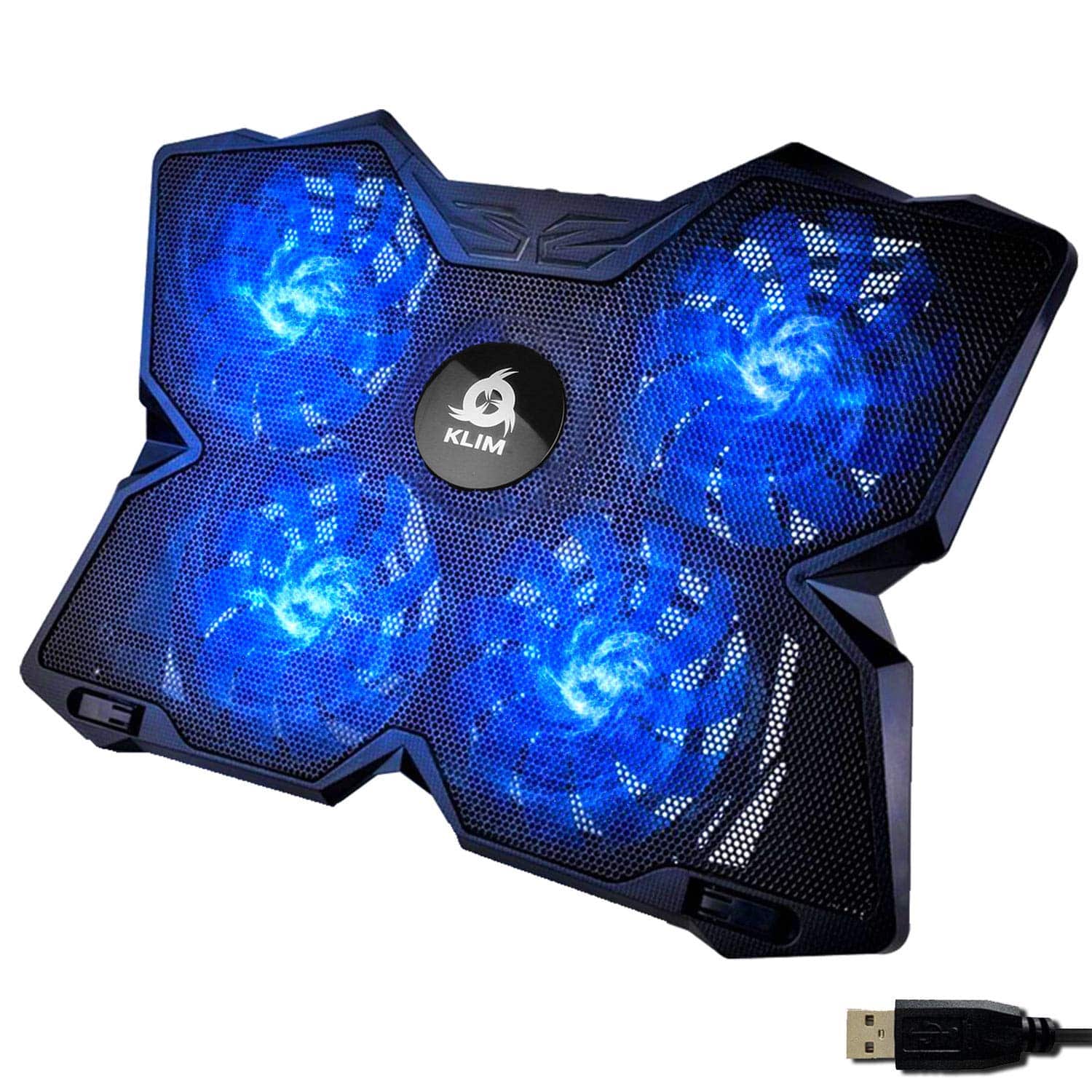
Frequently asked
5 questions01Will the LIANGSTAR Laptop Cooling Pad actually reduce my laptop temperatures?+
Based on owner reports across nearly 8,000 reviews, most users see temperature drops of 5 to 10 degrees Celsius under sustained load. The gains are largest on gaming laptops with bottom intake vents that run hot during gaming or heavy workloads. Thin and light machines used for light productivity see more modest improvements. The six-fan layout provides better coverage across larger 15 to 17.3-inch chassis than single or dual-fan alternatives.
02Is the LIANGSTAR Laptop Cooling Pad loud?+
At moderate speeds with three fans running, owner feedback describes it as barely noticeable in a normal desk environment. At maximum speed with all six fans running, it produces an audible hum that some people in quiet rooms find distracting. The dual-switch control lets you run one group of three at medium speed and the other at low, which covers most cooling scenarios without the full-noise penalty of running everything flat out. The lights can also be turned off independently of the fans.
03What laptop sizes does the LIANGSTAR Cooling Pad support?+
The pad supports laptops from 12 inches up to 17.3 inches, covering the full range of consumer and gaming machines. It is compatible with Dell, MacBook Pro, Alienware, ThinkPad, Lenovo, HP, ASUS, and most other mainstream brands. Note that powering the pad requires a USB-A port on your laptop. If your machine only has USB-C ports, you will need a USB-A adapter.
04Is the LIANGSTAR Laptop Cooling Pad easy to set up?+
Yes. You plug the power USB into your laptop, set your preferred height from the seven available positions, place the laptop on the mesh surface, and switch the fans on. The dual fan switches are clearly labelled on the side of the unit. There are no drivers, no software, and nothing complicated to configure. First-time users will have it running in under a minute.
05What warranty does the LIANGSTAR Laptop Cooling Pad come with?+
The manufacturer provides a one-year warranty. Amazon also offers 30-day returns on most items sold through the platform, and purchases are covered by Amazon's A-to-Z guarantee. Owner feedback on warranty claims is generally positive, with replacement units dispatched promptly in reported cases of fan failure.