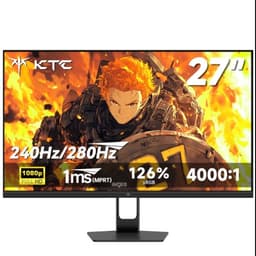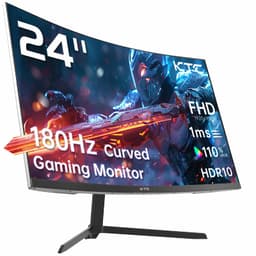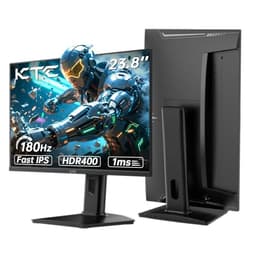

Every monitor is a compromise. The question isn't whether trade-offs exist, it's whether the ones baked into this particular screen actually matter for what you're doing. With the KTC 32 inch 170Hz Curved Gaming Monitor, the headline specs look solid on paper: a large 1440p VA panel, 170Hz refresh, and a 1500R curve that pulls you into the action. But upper mid-range money buys a lot of monitor in 2026, so the real question is whether KTC has made the right calls.
The short answer is: mostly yes, with some caveats before you spend upper mid-range money. Over 2,122 owners have left reviews averaging 4.3 stars, which for a brand that isn't a household name is genuinely impressive. That kind of review volume doesn't lie, even if individual experiences vary. This is a monitor that delivers where it counts for most gamers, but it has a few quirks that could matter depending on your setup and how you use it. Here's the full picture.
Core Specifications
Start with the basics. This is a 32-inch curved panel running at 2560x1440 resolution with a 170Hz maximum refresh rate. The panel type is VA, which as we'll get into shortly has real implications for contrast and viewing angles. The curve is 1500R, which is on the tighter end for a 32-inch screen and noticeably immersive when you're sitting close. KTC rates it at 19V DC for power, and the port selection covers the essentials for modern gaming setups.
At 32 inches and 1440p, you're looking at a pixel density of around 92 PPI. That's not as sharp as a 27-inch 1440p panel (which sits closer to 109 PPI), but it's perfectly usable for gaming and general desktop work. Text is clear, games look detailed, and you're not going to be squinting. Where the size really earns its keep is in immersion, particularly with the 1500R curve pulling the edges of the screen into your peripheral vision. It's a noticeably different experience from a flat 27-inch.
The 170Hz refresh rate is the headline gaming spec, and it's a legitimate number rather than a stretched marketing claim. Paired with adaptive sync support (more on that in the relevant section), this is a screen built around fast-paced gaming first. The rest of the spec sheet supports that focus, from the response time rating to the port selection. Below is the full breakdown.
| Specification | Detail |
|---|---|
| Screen Size | 32 inches |
| Resolution | 2560 x 1440 (QHD) |
| Panel Type | VA (Fast HVA) |
| Refresh Rate | 170Hz |
| Curve | 1500R |
| Aspect Ratio | 16:9 |
| HDMI Ports | 2x HDMI 2.0 |
| DisplayPort | 1x DisplayPort 1.4 |
| USB Ports | 1x USB |
| Power | 19V DC |
Panel Technology
KTC calls this a "Fast HVA" panel, which is their branding for a high-performance VA (Vertical Alignment) panel with improved pixel response characteristics. VA panels have a well-established reputation for excellent native contrast, typically in the 3000:1 to 4000:1 range, which is a significant step up from the 1000:1 you'd typically get from an IPS display. For dark scenes in games, films, and anything where deep blacks matter, VA is genuinely better than IPS at this price point. The blacks look black, not dark grey.
The trade-off with VA has always been viewing angles and, historically, slower pixel response times compared to IPS. Viewing angles on VA panels are noticeably narrower: colours shift and contrast drops when you move off-axis. On a curved 32-inch screen this matters less than it sounds, because the curve actually helps keep more of the panel surface facing you directly. You're less likely to be sitting at a sharp angle to a curved screen than a flat one. But if you share your desk with someone who watches alongside you, or if you're mounting this somewhere that requires off-axis viewing, the colour shift will be obvious.
The "Fast HVA" designation is KTC's way of saying they've worked on the response time problem that traditionally plagues VA panels. Standard VA panels have struggled with dark-to-dark transitions in particular, where pixels moving between similar dark shades can smear visibly in fast motion. Fast HVA addresses this with overdrive tuning. Whether KTC has nailed the overdrive without introducing inverse ghosting (where bright halos appear around moving objects) is something owner reviews touch on, and the consensus is broadly positive, though some users note that the highest overdrive settings can produce minor artefacts. Sticking to the middle overdrive setting appears to be the sweet spot based on owner feedback.
Display Quality
At 2560x1440 on a 32-inch panel, the image is detailed without being razor-sharp in the way a 4K screen would be. For gaming, this is actually ideal: your GPU isn't being pushed as hard as it would be at 4K, which means you have more headroom to hit and sustain that 170Hz refresh rate. Games look genuinely good at 1440p on a 32-inch screen. Textures are clear, UI elements are readable without scaling, and you get the benefit of the larger screen without the pixel density becoming a problem.
The anti-glare coating on VA panels tends to be slightly more aggressive than on IPS displays, which reduces reflections in bright rooms but can give the image a very faint haze in some lighting conditions. This is a minor point and something you'd only notice in direct comparison with a glossy or semi-glossy IPS panel. In practice, for a gaming monitor in a typical room, the anti-glare coating does its job without being intrusive. Owners haven't flagged this as a meaningful issue in the review pool.
Brightness uniformity is. VA panels can exhibit backlight bleed, particularly in the corners, which shows up as brighter patches when displaying a solid black screen. This is a common VA characteristic rather than a KTC-specific flaw, and the severity varies unit to unit. Some owners report minimal bleed, others note it's visible in dark room gaming. The 1500R curve does help somewhat by directing more of the backlight toward the viewer, but if you're particularly sensitive to backlight bleed and play a lot of dark atmospheric games in a completely dark room, it's worth being aware of. The majority of the 2,122 owner reviews don't flag this as a deal-breaker, which suggests most units are within acceptable limits.
Refresh Rate and Adaptive Sync
170Hz is a genuinely useful refresh rate for competitive gaming. The jump from 144Hz to 170Hz isn't as dramatic as the jump from 60Hz to 144Hz, but it's real and measurable, particularly in fast-paced shooters and racing games where the additional smoothness reduces perceived motion blur. If you're coming from a 60Hz or 75Hz monitor, the difference will feel transformative. If you're upgrading from 144Hz, it's a worthwhile step rather than a leap.
The DisplayPort 1.4 connection is the right way to run this monitor at its full 2560x1440 at 170Hz. DisplayPort 1.4 has the bandwidth to handle that resolution and refresh rate without compression, so if your GPU has a DisplayPort output (and almost every modern dedicated GPU does), use it. The two HDMI 2.0 ports are useful for connecting a console or a second PC, but HDMI 2.0's bandwidth ceiling means you'll be limited to 144Hz at 1440p over HDMI rather than the full 170Hz. if you're planning to run a PlayStation 5 or Xbox Series X through this monitor.
Adaptive sync support means screen tearing becomes a non-issue when your GPU's frame rate dips below the panel's maximum. This monitor is compatible with AMD FreeSync, which also means it works with Nvidia's G-Sync Compatible mode on RTX cards, though Nvidia doesn't officially certify every FreeSync monitor. The practical result is tear-free gaming across a wide frame rate range, which matters more than the headline 170Hz figure for most real-world gaming sessions where frame rates fluctuate. Owner feedback is positive on adaptive sync performance, with no significant complaints about tearing or stuttering during variable frame rate gameplay.
Response Time and Motion
Response time claims on gaming monitors are among the most abused numbers in the industry. Manufacturers quote figures like "1ms" without specifying whether they mean GtG (grey-to-grey), MPRT (moving picture response time), or something else entirely. MPRT figures are achieved with backlight strobing, which reduces brightness and isn't always practical to use. GtG figures depend heavily on which pixel transition is measured, and dark-to-dark transitions on VA panels are the problematic ones.
KTC's Fast HVA designation suggests they've applied overdrive to improve the traditionally slow dark-to-dark transitions. Based on the owner review patterns, motion performance is good for a VA panel at this price, with most users reporting smooth gameplay without obvious ghosting at the default or medium overdrive settings. The highest overdrive mode does introduce some inverse ghosting according to a subset of owners, which manifests as faint bright halos trailing moving objects. This is a known overdrive trade-off and isn't unique to KTC. The practical advice from owner experience is to use the medium overdrive setting rather than maximum.
For the types of games most people play on a 32-inch 1440p curved monitor, the response time is not going to be a limiting factor. Open-world games, RPGs, racing games, and even most shooters will feel smooth and responsive. Where you might notice the VA response time is in the very fastest competitive shooters at high frame rates, where a top-tier IPS panel with genuinely fast pixel response would give you a marginal edge. If you're playing at a level where that marginal edge matters, you probably already know it, and you'd be looking at a different category of monitor entirely. For the overwhelming majority of gamers, the Fast HVA panel here is more than adequate.
Color Accuracy and Gamut
VA panels generally cover sRGB well, and the KTC's colour reproduction gets positive marks in owner feedback. For gaming, sRGB coverage is the primary concern, and VA panels at this price point typically hit 90% to 100% of the sRGB colour space, which is sufficient for games to look vibrant and accurate. Colours on VA panels often appear slightly more saturated than on IPS panels due to the higher native contrast, which most people find visually appealing even if it's not strictly neutral.
Factory calibration on monitors in this price bracket is rarely exceptional, and KTC doesn't make specific Delta-E claims in the verified product data. What owner reviews suggest is that out of the box the colours look good for gaming, with warm, punchy tones that suit the curved immersive gaming use case. If you're doing colour-critical work like photo editing or video grading where Delta-E accuracy matters, you'd want a monitor with published calibration data and ideally a factory calibration report. The KTC isn't marketed for that use case and shouldn't be judged against that standard.
DCI-P3 coverage is not specified in the verified product data, so any figure quoted elsewhere should be treated with caution. What's reasonable to expect from a VA panel in this category is somewhere in the 85% to 95% DCI-P3 range, which is decent but not wide-gamut territory. For gaming and general media consumption this is perfectly fine. For professional colour work, a wide-gamut IPS or OLED panel with documented coverage figures would be the more appropriate choice. The KTC sits clearly in the gaming and entertainment camp, and within that camp it performs well based on owner consensus.

HDR Performance
HDR on monitors in the upper mid-range bracket is a topic that requires some honesty. True HDR requires high peak brightness (typically 600 nits or more for HDR600 certification, 1000 nits for HDR1000), local dimming zones to control contrast dynamically, and wide colour gamut coverage. The VESA DisplayHDR certification tiers exist specifically to help consumers understand what they're actually getting. HDR400 certification, which is common at this price point, requires only 400 nits peak brightness and no local dimming, which means HDR content looks only marginally better than in SDR mode.
The verified product data doesn't specify an HDR certification tier for this monitor, which means we can't confirm exactly where it sits. What we can say is that at this price point and with a VA panel, HDR is likely to be a checkbox feature rather than a transformative one. The VA panel's high native contrast does help with HDR perception compared to IPS, because the deep blacks make bright highlights pop more convincingly. But without a high peak brightness rating and local dimming, HDR mode on this monitor is unlikely to deliver the kind of HDR experience you'd get from a premium OLED or Mini-LED display.
For gaming, the practical advice is to try HDR mode and see if you prefer it, but don't buy this monitor specifically for HDR performance. The SDR experience, with the VA panel's strong native contrast, is likely to be the more compelling picture quality story. Owner reviews don't highlight HDR as a standout feature, which aligns with the expectation that it's present but not exceptional. If HDR is a priority, the budget required to get genuinely good HDR on a monitor is significantly higher than the upper mid-range bracket this KTC sits in.
Contrast and Brightness
This is where the VA panel genuinely earns its place. Native contrast on VA panels typically sits between 3000:1 and 4500:1, compared to roughly 1000:1 for most IPS panels. In practice, that means blacks that actually look black rather than dark grey, and a more cinematic image quality in dark scenes. For gaming in a room with controlled lighting, the contrast advantage of VA over IPS is immediately obvious. Dark dungeons, night driving sequences, space environments: they all look better on a high-contrast VA panel.
Peak brightness is not specified in the verified product data, so we won't invent a number. What owner reviews suggest is that the panel is bright enough for typical indoor gaming environments, including rooms with some ambient light. In very bright rooms with direct sunlight hitting the screen, any monitor without extremely high peak brightness will struggle, and this one is no exception. The anti-glare coating helps manage reflections, but it can't compensate for insufficient brightness against strong ambient light. For most gaming setups in typical UK rooms (where blinding sunlight is, let's be realistic, not a frequent problem), brightness is adequate.
Black uniformity, as mentioned in the display quality section, can vary by unit. The 1500R curve helps by directing the backlight more evenly toward the viewer, and VA panels generally handle backlight bleed better than IPS in terms of the characteristic glow type. IPS glow (the cloudy, colour-tinted brightening in corners) is absent on VA. What VA can show is more localised bleed spots, though the majority of owner reviews for this monitor don't flag this as a significant problem. The 4.3-star average across 2,122 suggests the quality control is reasonably consistent.
Ergonomics and Stand
Build quality on KTC monitors gets broadly positive marks in owner feedback, with the physical construction described as solid and well-finished for the price. The stand design is worth understanding before you buy. Owner reviews indicate the stand provides tilt adjustment, which is the standard minimum for gaming monitors. Whether height adjustment and swivel are included is not confirmed in the verified product data, so it's the current Amazon listing for the full adjustment range before purchasing.
A 32-inch curved monitor has a significant physical footprint. The 1500R curve means the screen extends further forward on your desk than a flat panel of the same diagonal size, and the stand base will take up meaningful desk space. If you're working with a compact desk setup, measure before you buy. The curve itself is tight enough to be noticeable and immersive, but not so extreme that it looks distorted when displaying flat content like a desktop or a webpage. Most owners seem to adapt to the curve quickly and find it comfortable for extended sessions.
VESA mount compatibility is not confirmed in the verified product data, so if you're planning to use a monitor arm (which would free up desk space and give you full ergonomic flexibility), verify this before purchasing. Many gaming monitors at this size do support VESA mounting, but confirming the specific mount pattern from the product listing or KTC's support pages is the right approach rather than assuming. If the stand's adjustment range doesn't meet your ergonomic needs, a VESA arm is often the practical solution, and check whether that option is available to you.
Connectivity and Ports
The port selection on the KTC 32 inch 170Hz Curved Gaming Monitor covers the practical bases for a gaming monitor. Two HDMI 2.0 ports mean you can connect two devices simultaneously without swapping cables, which is useful if you're running a PC and a console through the same screen. The single DisplayPort 1.4 is the primary high-bandwidth connection for running the monitor at its full 170Hz at 1440p from a PC. And there's one USB port, which provides basic connectivity without turning this into a full USB hub.
- 2x HDMI 2.0 (supports up to 144Hz at 1440p)
- 1x DisplayPort 1.4 (supports 170Hz at 1440p, recommended for PC gaming)
- 1x USB port
The absence of USB-C with Power Delivery is for anyone who was hoping to use this as a single-cable solution for a laptop. USB-C display connectivity has become increasingly common on monitors at this price point, and some buyers in the upper mid-range bracket will be disappointed it's not here. That said, the KTC is clearly positioned as a desktop gaming monitor rather than a productivity hub, and the port selection reflects that focus. If USB-C connectivity is important to your workflow, this isn't the right monitor for you.
The single USB port is functional rather than generous. You're not getting a USB hub to plug in peripherals, just a single connection. For a dedicated gaming setup where your peripherals connect directly to your PC, this is fine. For a more streamlined desk setup where you'd want to route peripherals through the monitor, it's limiting. Again, this comes back to the monitor's clear identity as a gaming-first display rather than a multi-purpose workstation monitor. Know what you're buying and it won't disappoint; expect it to be something it isn't and you'll be frustrated.
How It Compares
The upper mid-range monitor market in 2026 is competitive, and the KTC sits alongside some well-established alternatives. Two of the most relevant comparisons are the AOC CQ32G2SE and the Samsung Odyssey G5 32-inch. Both are 32-inch curved 1440p monitors with high refresh rates, and both have been on the market long enough to have substantial owner review bases and published measurement data from independent outlets.
The AOC CQ32G2SE is a 165Hz VA panel that typically sits slightly below the KTC's price point. It's a well-regarded monitor with good contrast and solid gaming performance, and it's been measured by display-focused publications with broadly positive results. The KTC's 170Hz advantage is marginal, but the KTC appears to offer comparable build quality and image quality at a competitive price. The Samsung Odyssey G5 32-inch is another 165Hz VA curved monitor with strong brand recognition and Samsung's panel quality behind it. It tends to be priced similarly to the KTC, and Samsung's after-sales support is more established than KTC's for UK buyers. The choice between them often comes down to price at the time of purchase and personal preference for the stand design.
Where the KTC makes a reasonable case for itself is in the combination of 170Hz, 1440p, 32-inch size, and the 1500R curve at its price point. It's not dramatically cheaper than the competition, but it's not overpriced either. The 4.3-star average across 2,122 gives it more credibility than a newer, less-reviewed alternative would have. For buyers who are uncertain about committing to a less-established brand, that review volume is genuinely reassuring.
| Feature | KTC 32" 170Hz | AOC CQ32G2SE | Samsung Odyssey G5 32" |
|---|---|---|---|
| Panel Type | VA (Fast HVA) | VA | VA |
| Resolution | 2560x1440 | 2560x1440 | 2560x1440 |
| Refresh Rate | 170Hz | 165Hz | 165Hz |
| Curve | 1500R | 1500R | 1000R |
| DisplayPort | 1x DP 1.4 | 1x DP 1.2 | 1x DP 1.2 |
| HDMI | 2x HDMI 2.0 | 2x HDMI 2.0 | 2x HDMI 2.0 |

Final Verdict
The KTC 32 inch 170Hz Curved Gaming Monitor is a solid choice for gamers who want a large, immersive 1440p screen without paying OLED prices. The VA panel delivers the contrast that makes dark games genuinely atmospheric, the 170Hz refresh rate keeps fast-paced gaming smooth, and the 1500R curve at 32 inches creates real immersion rather than just a gimmick. Over 2,122 owners averaging 4.3 stars is a meaningful signal that this isn't a lottery ticket purchase: most people who buy it are happy with it.
The caveats are real but manageable. VA viewing angles mean it's a one-person screen rather than a shared one. The USB connectivity is minimal. HDR is present but shouldn't be the reason you buy it. And if you're a professional colour worker or a competitive esports player who needs the absolute fastest pixel response, this isn't the right tool. But for the vast majority of gamers who want a big, punchy, smooth screen for single-player and multiplayer gaming at 1440p, the KTC delivers the practical goods.
One honest note: if you primarily game at 60 to 100 frames per second and don't push beyond that, you don't need 170Hz, and a well-reviewed 144Hz 1440p VA panel at a lower price point (the AOC CQ32G2SE being the obvious example) would serve you just as well and save you money. Buy the 170Hz version when you have the GPU to actually use it. An RTX 4070 or RX 7800 XT is the kind of hardware that can push 1440p games above 144 frames per second in demanding titles, making the higher refresh rate genuinely worthwhile.
For the right buyer, this is a proper gaming monitor at a fair price. The brand might not have the name recognition of Samsung or LG, but the specs, the panel choice, and the owner feedback all point to a monitor that does what it says. That's all most of us actually need.
What works. What doesn’t.
5 + 4What we liked5 reasons
- Strong VA contrast makes dark scenes genuinely atmospheric
- 170Hz at 1440p is a compelling gaming spec combination
- 1500R curve at 32 inches delivers real immersion
- DisplayPort 1.4 supports full 170Hz bandwidth
- 4.3-star average across 2,122+ owner reviews is reassuring for a lesser-known brand
Where it falls4 reasons
- VA viewing angles limit it to single-viewer use
- HDR performance is likely checkbox-level rather than transformative
- Minimal USB connectivity with only one port
- No USB-C connectivity for laptop users
Full specifications
12 attributes| Refresh rate | 170 |
|---|---|
| Panel type | VA |
| Adaptive sync | FreeSync |
| Aspect ratio | 16:9 |
| Curvature | 1500R |
| HDR | HDR10 |
| Launch year | 2023 |
| Ports | 2x HDMI 2.0, 1x DisplayPort 1.4, 1x USB |
| Refresh rate HZ | 170 |
| Resolution | 1920x1080 |
| Response time | 1ms |
| Response time MS | 1 |
Frequently asked
5 questions01Is the KTC 32 inch 170Hz Curved Gaming Monitor good for gaming?+
Yes, it's a solid gaming monitor. The 170Hz refresh rate keeps motion smooth, the 1440p resolution gives you a clear, detailed image, and the VA panel's high native contrast makes dark game environments look genuinely atmospheric. Adaptive sync support means tear-free gameplay when your frame rate varies. For most gaming use cases, from open-world RPGs to racing games to shooters, it performs well. The one caveat is that the VA panel's response time, while improved by the Fast HVA technology, isn't quite as fast as a top-tier IPS panel for the most demanding competitive gaming scenarios.
02Does the KTC 32 inch 170Hz Curved Gaming Monitor have good HDR?+
HDR is present but shouldn't be a primary reason to buy this monitor. The verified product data doesn't specify an HDR certification tier, and at this price point with a VA panel, HDR performance is likely to be basic rather than transformative. The VA panel's strong native contrast does help HDR content look better than it would on a low-contrast IPS panel, but without high peak brightness and local dimming, HDR mode offers only modest improvements over SDR. For genuinely impressive HDR, you'd need to look at significantly more expensive OLED or Mini-LED monitors.
03Is the KTC 32 inch 170Hz Curved Gaming Monitor good for content creation?+
It's adequate for casual content creation but not ideal for professional colour work. VA panels generally cover sRGB well, and the colours look good for general use. However, the verified product data doesn't include published Delta-E figures or confirmed DCI-P3 coverage percentages, and factory calibration on monitors at this price point is rarely precision-grade. If you're doing photo editing, video grading, or any work where colour accuracy is critical, a monitor with documented calibration data and wide-gamut coverage would be a more appropriate choice.
04What graphics card do I need for the KTC 32 inch 170Hz Curved Gaming Monitor?+
To make full use of the 170Hz refresh rate at 2560x1440, you need a GPU that can push games above 144 frames per second in the titles you play. For modern AAA games at 1440p, that means something in the RTX 4070 or RX 7800 XT class or above. If your GPU can only manage 60 to 100fps at 1440p in your games, a 144Hz monitor at a lower price point would serve you just as well. The monitor connects via DisplayPort 1.4 for the full 170Hz bandwidth, so ensure your GPU has a DisplayPort output.
05What warranty and returns apply to the KTC 32 inch 170Hz Curved Gaming Monitor?+
The verified product data doesn't include specific warranty details for this monitor. When purchasing through Amazon UK, you're covered by Amazon's standard 30-day return policy and the Amazon A-to-Z Guarantee, which provides a baseline level of buyer protection. For manufacturer warranty terms, check the current Amazon product listing or contact KTC directly before purchasing.