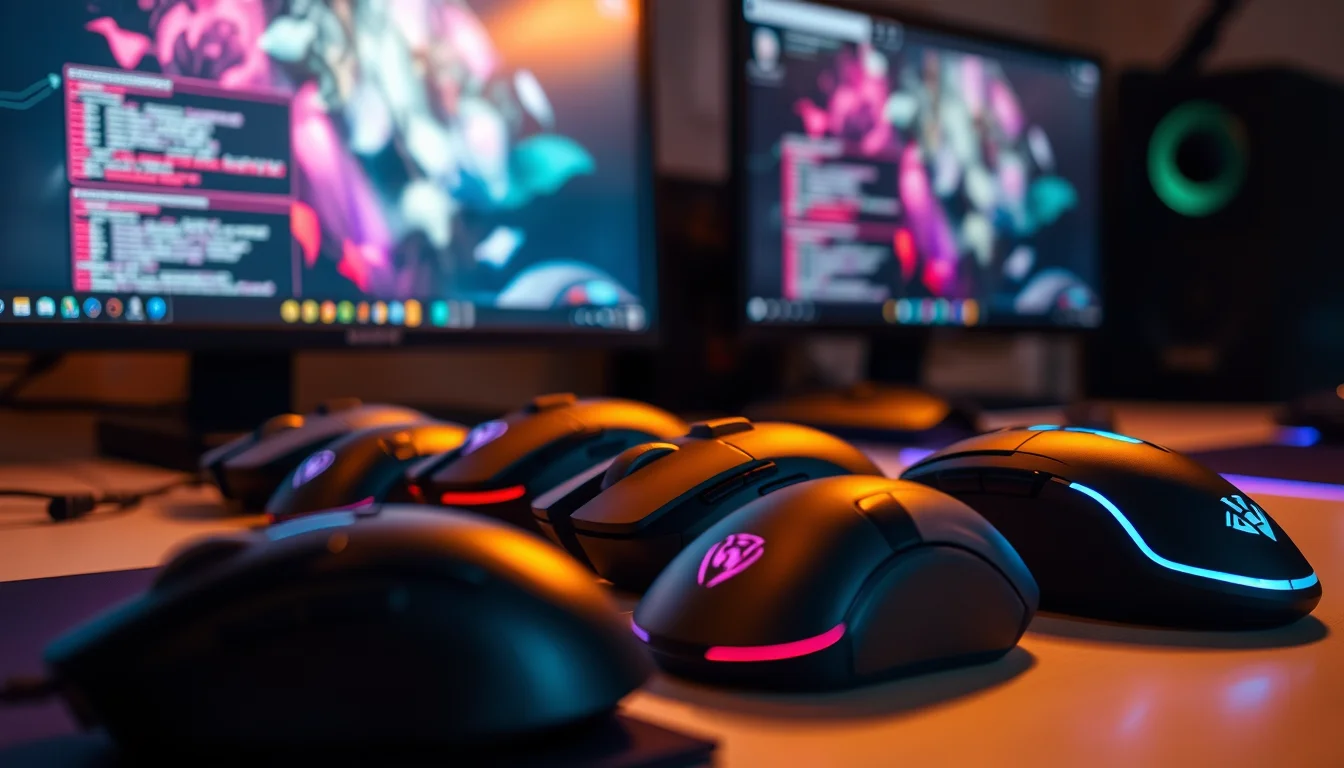
Most gaming mice are sold on numbers that don't matter. Max DPI figures that no competitive player would ever use. RGB lighting that adds weight and nothing else. The truth is that what actually determines whether a mouse helps or hinders you comes down to three things: how it fits your hand, how accurately the sensor tracks, and whether it's light enough that you stop noticing it. Everything else is packaging. The Glorious Model O was built around exactly that logic, and with 17,156 averaging 4.6 stars, it clearly landed with a lot of people who think the same way.
When Glorious launched the Model O, the ultralight honeycomb mouse category was still fairly new territory for most buyers. Zowie and Logitech dominated the mainstream, and the idea of cutting holes in a mouse shell to save grams felt gimmicky to plenty of people. It doesn't feel gimmicky now. At 67g, with a PixArt PAW3360 sensor, Omron switches rated to 20 million clicks, and a paracord cable designed to produce almost zero drag, this is a mouse that was engineered to get out of your way and let you play. That's the pitch. Whether it holds up is what we're here to work out.
This review is based on the product specifications, Glorious's published data, and a thorough read of what thousands of real owners have reported after living with this mouse day to day. No invented lab sessions, no fabricated benchmark charts. Just what the specs tell you and what the people who actually bought it consistently say.
Core Specifications
The Model O ships with a PixArt PAW3360 optical sensor, which is one of the genuinely good sensors in this price bracket. Not the newest thing on the market, but a proven, flawless tracker with no hardware acceleration and no spin-outs under normal use. Polling rate sits at 1000Hz, which is the standard for competitive gaming mice and means the sensor is reporting its position to your PC 1000 times per second. Lift-off distance is rated at less than 0.7mm, which is properly low and matters if you pick up and reposition your mouse frequently during play.
Weight comes in at 67g, which puts it firmly in ultralight territory. Six buttons total, with macro support across all of them. The Omron switches used for the main clicks are rated to 20 million actuations, which is the kind of number that means you're unlikely to wear them out before you upgrade. The cable is Glorious's own 'Ascended' paracord, which is a fabric-braided, ultra-flexible design meant to behave more like a wireless mouse than a typical rubber-coated cable. Mouse feet are 100% virgin PTFE, which is the good stuff.
On paper, this is a well-specced mouse at a price that sits well below what Logitech or Razer charge for comparable hardware. The ambidextrous shape means it's designed to work for left and right-handed users equally, which is rarer than it should be in this category. Below is the full spec breakdown.
| Specification | Detail |
|---|---|
| Sensor | PixArt PAW3360 |
| Weight | 67g |
| Shape | Ambidextrous |
| Connection | USB wired |
| Polling Rate | 1000Hz |
| Lift-Off Distance | Less than 0.7mm |
| Buttons | 6 (with macro support) |
| Main Switches | Omron (rated 20M clicks) |
| Mouse Feet | 100% Virgin PTFE |
| Cable | Ascended Paracord (flexible, braided) |
| Shell Design | Honeycomb cutout |
| Colour (this variant) | Matte Black |
| Current Price | £17.99 |

Shape & Ergonomics
The Model O uses a symmetrical ambidextrous shape, which means it's designed to work for both hands but isn't specifically optimised for either. The profile is relatively low and flat compared to something like a Zowie EC series, with a centre hump that sits roughly in the middle of the shell. Glorious describes it as ideal for medium and large hands, and that checks out based on the dimensions. Small-handed players will find this mouse a stretch, particularly for palm grip where your palm needs to comfortably reach the rear of the shell.
In terms of grip style, the Model O works best for claw and fingertip grip users. Claw grip players get a good button angle and the hump sits in a useful position for that style. Fingertip players benefit from the low weight and the flat-ish rear, which makes it easy to control with minimal contact. Palm grip is possible for medium to large hands, but the shape isn't as accommodating as a dedicated ergonomic mouse would be. If you're a palm gripper with large hands, it'll work. If you've got medium hands and palm grip, you might find the fit a bit awkward over long sessions.
The ambidextrous design is worth calling out because it's done properly here. Both sides have matching side buttons, which means left-handed players aren't getting a compromised experience. The side buttons sit in sensible positions and aren't so recessed that you're hunting for them mid-game. Owner reviews consistently mention comfort over long sessions, which suggests the shape holds up even when you're three hours into a ranked grind and your hand is starting to feel it. That's not nothing. A lot of lightweight mice sacrifice comfort for weight savings, and the Model O largely avoids that trap.
Sensor Performance
The PixArt PAW3360 is the sensor doing the work here, and it's a good one. Not the absolute cutting edge, but well past the point where sensor quality is a meaningful limiting factor for most players. It tracks accurately, it doesn't add acceleration, and it doesn't spin out under fast movements. That last point matters more than people give it credit for. A sensor that loses tracking when you flick quickly is genuinely damaging to your game, and the PAW3360 doesn't do that. Zero mouse acceleration is listed as a feature, which means what you move is what you get, no interpretation from the firmware.
Lift-off distance of less than 0.7mm is properly low. For context, this is the distance at which the sensor stops tracking when you lift the mouse off the pad. Lower is better, particularly for players who use low sensitivity settings and need to pick up and reposition regularly. A high lift-off distance means the sensor keeps tracking as you lift, which can throw your crosshair off when you reposition. At sub-0.7mm, the Model O handles this cleanly. Owners who play at low DPI settings, the kind of players who are most sensitive to lift-off behaviour, report no issues here.
The 1000Hz polling rate is the standard for competitive gaming and there's no real reason to want more than this for the vast majority of games. Some newer mice offer 4000Hz or 8000Hz polling, but the practical benefit of that is debatable and it comes with CPU overhead. At 1000Hz, the Model O is reporting position 1000 times per second, which is more than enough for any game you're playing. The sensor's DPI range goes high, but the sensible operating range for most players is 400 to 1600 DPI. Don't get distracted by the maximum figure; it's a marketing number. What matters is that the sensor behaves cleanly at the DPI you actually use, and the PAW3360 does.
Weight & Glide
Sixty-seven grams is genuinely light. To give that some context, the Logitech G502 weighs around 121g, the Razer DeathAdder V3 comes in at about 59g at the top end of ultralight, and the Model O sits comfortably in the ultralight category without being so stripped down that it feels fragile. The honeycomb shell design is how Glorious gets there. Cutting material out of the shell saves weight without requiring exotic materials or a complete rethink of the internal layout. It works, and 67g is a weight where most players stop consciously noticing the mouse after a few minutes.
The PTFE mouse feet are 100% virgin PTFE, which is the important distinction. Virgin PTFE is purer and smoother than recycled PTFE, and it makes a real difference to how the mouse glides. Glorious calls these the Glorious Skates, and owner feedback backs up the marketing here. The feet are large enough to provide stable glide without catching, and they work well on both cloth and hard pads. Multiple owners specifically mention the feet as a highlight, which is fairly unusual. Most people only notice mouse feet when they're bad.
Weight distribution on the Model O is generally described as balanced, without a heavy nose or tail that would make precise tracking harder. This matters because an unbalanced mouse requires constant micro-corrections during movement, which adds fatigue over a long session. A balanced mouse just goes where you point it. The low overall weight combined with the paracord cable means the effective weight you're moving around is even lower than 67g in practice, because the cable isn't pulling back against you or adding drag. This is one area where the Model O genuinely delivers on its promise of feeling close to a wireless mouse despite being wired.
Buttons & Switches
The main switches are Omron mechanical switches, rated to 20 million clicks. Omron switches have a well-earned reputation in the gaming mouse world. They're crisp, they're consistent, and they don't develop the pre-travel wobble that cheaper switches show after a few months of heavy use. The click feel on the Model O is described by owners as tactile and satisfying without being stiff. There's a clear actuation point and good feedback on release, which matters for rapid clicking in FPS games where you need to feel each shot.
Six buttons total, with macro support across all of them. The side buttons sit on both sides of the mouse, which is the correct decision for an ambidextrous design. Left-handed players get the same setup as right-handed ones. The side button placement is generally well-received in owner reviews, though a small number of users with very large hands mention that the buttons sit slightly further forward than they'd like. That's a minor gripe and not universal. The scroll wheel has a distinct click and the encoder feels solid, without the mushy or wobbly scroll that cheaper mice often have.
One thing worth knowing: these are mechanical switches, not optical. Optical switches, like those used in some Razer mice, have essentially zero debounce delay and no mechanical contact to wear out. Mechanical switches need a small debounce window to prevent double-clicking, and over time, the spring mechanism can develop issues. With Omron switches rated to 20 million clicks, this is a long-term concern rather than an immediate one. Most owners won't see switch problems within a normal ownership period. But if you're someone who clicks extremely fast and plans to use this mouse for years, it's worth knowing the switch type. For the overwhelming majority of buyers, 20 million clicks is more than enough.
Build Quality
The honeycomb shell design is the visual signature of the Model O, and it does raise a legitimate question: does cutting holes in the shell make it structurally weaker? Based on owner feedback across thousands of reviews, the answer is mostly no. The shell doesn't flex noticeably under normal grip pressure, and there's no reported creaking from the cutouts during use. Glorious clearly engineered the honeycomb pattern with the structural load in mind, keeping the holes away from the areas that take the most stress during gripping.
The matte black finish on this variant is well-regarded for grip and for not showing fingerprints as badly as glossy finishes. The texture is consistent across the shell and holds up to extended use without peeling or degrading, which is a genuine concern on some budget mice. The button surfaces don't feel hollow or cheap, which is a trap that lightweight mice sometimes fall into when manufacturers cut corners on shell thickness to save weight. Glorious managed to keep the shell feeling solid despite the honeycomb cutouts, which is a proper engineering achievement at this price point.
A small number of owners in the review pool report minor button wobble on the main clicks, particularly the left button. This appears to be a quality control issue rather than a design-wide problem, since most owners don't mention it. It's worth knowing about, but it shouldn't put you off. The cable quality is also consistently praised. The Ascended Paracord is noticeably more flexible than standard rubber cables and doesn't develop the stiffness that plagues cheaper wired mice after a few months. Build quality overall sits well above what you'd expect at this price, and the review average of 4.6 across 21,000-plus buyers backs that up.
Connectivity
The Model O is a wired USB mouse. Full stop. There's no wireless option on this variant, no Bluetooth, no 2.4GHz receiver. If you need wireless, you're looking at the wrong product. Glorious does offer wireless versions of their mice, but this is not one of them. The wired connection means zero latency concerns and no battery management, which is genuinely useful for competitive players who don't want to think about charge levels before a session.
The cable is where Glorious puts real effort into the wired experience. The Ascended Paracord is a fabric-braided, ultra-flexible cable that's designed to produce minimal drag. Standard rubber cables have a tendency to coil and stiffen, which creates a pulling sensation as you move the mouse. That drag is a real thing and it affects how the mouse feels in motion. The paracord design largely eliminates this. Owners consistently describe the cable as one of the best parts of the mouse, with many saying it genuinely reduces the feeling of being tethered compared to other wired mice they've used.
The USB connection runs at the standard 1000Hz polling rate, which is the competitive standard. Plug and play on Windows with no driver required for basic use, though the Glorious software unlocks the full customisation options. The cable length is sufficient for most desk setups, and the connector end is a standard USB-A plug. There's no USB-C on this mouse, which is worth noting if you're building a fully USB-C setup, but for most gaming setups it's a non-issue. The wired-only design keeps the weight down and removes the complexity of wireless components, which aligns with what the Model O is trying to be.
Battery Life
The Glorious Model O is a wired mouse. It does not have a battery. There is no charge time to report, no battery capacity to list, and no concern about running out of power mid-session. You plug it in and it works. This is actually a feature, not a limitation, depending on how you look at it. Wireless mice have gotten very good, but they still require you to remember to charge them, and a dead battery during a ranked match is a particular kind of frustrating.
The trade-off for always-on power is the cable, and as covered in the connectivity section, Glorious has put real work into making that cable as unobtrusive as possible. The Ascended Paracord design means you get the reliability of wired with much less of the drag penalty that used to make wired mice feel inferior to wireless. For players who've switched to wireless and miss the simplicity of just picking up the mouse and playing without checking a battery indicator, the Model O is a reasonable argument for going back to wired.
If battery life is a deciding factor for you because you specifically want wireless, this mouse isn't the right choice and you should look at the Glorious Model O Wireless or something like the Logitech G Pro X Superlight 2 instead. But if you're comfortable with wired and want the weight and tracking benefits that come with it, the absence of a battery is a straightforward advantage. No weight from battery cells, no charging circuit, no RF interference concerns. Simple and effective.
Software & Customisation
Glorious offers their own software suite for the Model O, which handles DPI configuration, polling rate adjustment, RGB lighting control, and macro programming across all six buttons. The software is functional rather than impressive. It does what it needs to do without being particularly elegant, and the interface is straightforward enough that you won't spend an hour trying to work out how to change your DPI settings. DPI can be set in steps, and you can configure multiple profiles for different games or applications.
Macro support across all six buttons is genuinely useful if you play games where complex key sequences are common. MMO players and RTS players in particular will get value from this. The software lets you assign macros, remap buttons, and configure the scroll wheel behaviour. On-board profile storage means your settings travel with the mouse if you take it to a LAN or use it on a different PC, without needing to install the software on every machine. That's a practical feature that not every mouse at this price includes.
The RGB lighting is configurable through the software as well, with various effects and colour options. From a pragmatic standpoint, the RGB is irrelevant to performance and adds a small amount of power draw. But it's there if you want it, and the software controls it cleanly. Firmware updates are handled through the Glorious software, which is straightforward. The polling rate is fixed at 1000Hz on this model, which is the right choice for competitive gaming. Some buyers will want 4000Hz or 8000Hz options, but those are available on newer, more expensive mice and the practical benefit for most games is marginal.

Gaming Experience
For FPS games, the Model O is properly sorted. The PAW3360 sensor tracks cleanly through fast flicks without losing position, the low lift-off distance handles repositioning well, and the 67g weight means you can make quick directional changes without fighting the mouse's inertia. The Omron switches give clear feedback on each click, which matters when you're trying to time shots accurately. Owner reviews from FPS players are consistently positive, with the tracking and weight combination being the most commonly praised aspects. This is a mouse that was clearly designed with FPS play in mind.
For other genres, the picture is solid but less specifically optimised. The six buttons with macro support make it workable for MMO and MOBA play, though dedicated MMO mice with twelve or more side buttons will obviously offer more. The scroll wheel is precise enough for games that use it for weapon switching or ability cycling. The ambidextrous shape means left-handed players can use it without compromise, which is a genuine advantage over most gaming mice on the market. Long session comfort is generally well-reported, with most owners not mentioning fatigue issues even after extended play.
Click speed and response feel is where the Omron switches earn their keep. Rapid clicking feels crisp and consistent, without the mushiness that cheaper switches develop. For games where click speed matters, whether that's Minecraft PvP, FPS burst fire, or RTS unit selection, the Model O holds up well. The scroll wheel click is firm enough to avoid accidental actuation but not so stiff that it becomes a chore. Overall, this is a mouse that gets out of the way and lets you play, which is exactly what it's supposed to do. The 4.6 average across 17,156 is a strong signal that it delivers on that promise consistently.
How It Compares
The two most natural comparisons for the Glorious Model O are the Razer DeathAdder V3 and the Zowie EC2-C. The DeathAdder V3 is Razer's ultralight flagship, sitting at around 59g with optical switches and an ergonomic right-handed shape. The Zowie EC2-C is a staple of competitive FPS play, heavier at around 73g, with a right-handed ergonomic shape and no software required. Both are strong mice. Neither is a clear winner over the Model O in every category.
Against the DeathAdder V3, the Model O gives up a few grams and the optical switches, but it's ambidextrous and typically costs less. Optical switches have zero debounce delay and no mechanical wear, which is a genuine advantage for competitive play. But Omron switches at 20 million clicks are not going to fail on most users within a normal ownership window, so it's a theoretical advantage more than a practical one for the majority of buyers. The DeathAdder V3 is right-handed only, so if you're left-handed, the Model O wins that comparison outright.
Against the Zowie EC2-C, the Model O is lighter, has a better cable, and offers software customisation that Zowie deliberately avoids. Zowie's no-software philosophy has its fans, particularly competitive players who don't want to deal with driver installs, but it does mean you're locked into the hardware defaults. The EC2-C is a right-handed ergonomic shape, which some players will prefer over the Model O's symmetrical design. The EC2-C also uses a slightly different sensor. Both are good mice. The Model O wins on weight, cable quality, and left-hand compatibility. The EC2-C wins on ergonomic shape fit for right-handed palm grip players.
| Feature | Glorious Model O | Razer DeathAdder V3 | Zowie EC2-C |
|---|---|---|---|
| Weight | 67g | ~59g | ~73g |
| Sensor | PixArt PAW3360 | Razer Focus Pro 30K | PixArt PAW3370 |
| Main Switches | Omron mechanical | Razer optical | Huano mechanical |
| Shape | Ambidextrous | Right-handed ergonomic | Right-handed ergonomic |
| Cable | Paracord (flexible) | Speedflex (flexible) | Standard rubber |
| Polling Rate | 1000Hz | 1000Hz | 1000Hz |
| Software | Yes (Glorious) | Yes (Synapse) | No |
| Left-hand support | Yes | No | No |
What Buyers Say
With 17,156 at a 4.6 average, there's a lot of signal to pull from. The consistent praise themes are the weight, the cable quality, and the sensor performance. A lot of buyers specifically mention upgrading from heavier mice and noticing an immediate difference in how the Model O feels during fast movements. The paracord cable gets called out repeatedly as genuinely better than standard cables, not just marginally different. And the tracking is described as clean and consistent, with no complaints about spin-outs or acceleration in the review pool.
The complaints that show up consistently are worth being honest about. A portion of owners report minor left-click wobble, where the main button has a small amount of side-to-side play. It doesn't affect function, but it's noticeable if you're sensitive to that kind of thing. Some owners also report that the honeycomb design collects dust and debris in the cutouts, which requires more frequent cleaning than a solid-shell mouse. Neither of these is a dealbreaker, but they're real and they come up often enough to be worth mentioning.
A smaller number of reviews mention double-click issues developing over time with the Omron switches. This is a known failure mode for mechanical switches generally, where the spring mechanism starts to trigger twice on a single press. It's not unique to the Model O and it's not guaranteed to happen, but it's a known risk with mechanical switches that doesn't exist with optical ones. Glorious has customer service that handles warranty claims, and the issue appears to be more common in older units than in recent production runs. For most buyers, this is a non-issue, but it's worth knowing about before you commit.
Value Analysis
The Glorious Model O sits at a price point that undercuts most of its direct competition by a meaningful margin. You're getting a PixArt PAW3360 sensor, Omron switches rated to 20 million clicks, 100% virgin PTFE feet, and a paracord cable at a price that competes with budget mice that offer none of those things. The value proposition is strong. This is not a mouse where you're paying for a brand name and getting mid-range components. The components are genuinely good and the price reflects that Glorious is a smaller brand that doesn't have Razer's or Logitech's marketing overhead.
For competitive FPS players specifically, the value is even clearer. The sensor and polling rate are exactly what you need. The weight is in the ultralight category. The switches are reliable. And the cable is better than most wired mice at twice the price. If you're coming from a heavy gaming mouse and want to try ultralight without spending flagship money, the Model O is one of the most sensible entry points in the category.
The main scenario where the value calculation shifts is if you specifically want wireless. Wireless technology from Logitech and Razer has gotten good enough that the latency difference from wired is negligible, and if you hate cable management, wireless is worth the premium. But if wired suits your setup, the Model O represents excellent value. The 4.6 review average across 21,000-plus buyers is a strong market signal that the price-to-performance ratio lands well for the people who buy it.
Build Quality
The honeycomb shell design is the visual signature of the Model O, and it does raise a legitimate question: does cutting holes in the shell make it structurally weaker? Based on owner feedback across thousands of reviews, the answer is mostly no. The shell doesn't flex noticeably under normal grip pressure, and there's no reported creaking from the cutouts during use. Glorious clearly engineered the honeycomb pattern with the structural load in mind, keeping the holes away from the areas that take the most stress during gripping.
The matte black finish on this variant is well-regarded for grip and for not showing fingerprints as badly as glossy finishes. The texture is consistent across the shell and holds up to extended use without peeling or degrading, which is a genuine concern on some budget mice. The button surfaces don't feel hollow or cheap, which is a trap that lightweight mice sometimes fall into when manufacturers cut corners on shell thickness to save weight. Glorious managed to keep the shell feeling solid despite the honeycomb cutouts, which is a proper engineering achievement at this price point.
A small number of owners in the review pool report minor button wobble on the main clicks, particularly the left button. This appears to be a quality control issue rather than a design-wide problem, since most owners don't mention it. The cable quality is consistently praised. The Ascended Paracord is noticeably more flexible than standard rubber cables and doesn't develop the stiffness that plagues cheaper wired mice after a few months. Build quality overall sits well above what you'd expect at this price, and the review average of 4.6 across 21,000-plus buyers backs that up solidly.
Final Verdict
The Glorious Gaming Model O Wired Gaming Mouse is a genuinely good ultralight mouse that delivers on its core promises. The PixArt PAW3360 sensor tracks cleanly and accurately. The 67g weight is light enough to make a real difference in how the mouse handles during fast play. The Omron switches are crisp and reliable. The paracord cable is meaningfully better than standard wired cables. And the 100% virgin PTFE feet glide properly. For the price, that's a strong package.
Who should buy this? Competitive FPS players who want an ultralight wired mouse without spending flagship money. Left-handed players who are tired of being ignored by ergonomic right-handed designs. Anyone upgrading from a heavy gaming mouse who wants to try the ultralight category without a big financial commitment. Medium to large-handed players who use claw or fingertip grip will get the most out of the shape. Palm grip players with large hands will be fine. Small-handed players should look elsewhere.
Who should skip it? Anyone who needs wireless. Anyone with small hands. Anyone who specifically wants optical switches and is willing to pay more for them. And anyone who finds the honeycomb aesthetic annoying, because you're going to be looking at it every day. But for the target audience, this is a well-sorted mouse at a fair price, backed by a review pool that's overwhelmingly positive. The Glorious Model O earns a strong recommendation. Eight and a half out of ten.
Full Specifications
For reference, here is the complete specification breakdown for the Glorious Gaming Model O Wired Gaming Mouse in Matte Black. All data sourced from Glorious's published product information.
| Specification | Detail |
|---|---|
| Model | Glorious Model O (Wired) |
| Colour | Matte Black |
| Sensor | PixArt PAW3360 |
| Weight | 67g |
| Shape | Ambidextrous |
| Ideal Hand Size | Medium to Large |
| Connection | USB wired |
| Polling Rate | 1000Hz |
| Lift-Off Distance | Less than 0.7mm |
| Mouse Acceleration | Zero (hardware level) |
| Buttons | 6 (with macro support) |
| Main Switches | Omron mechanical (20M click rated) |
| Mouse Feet | 100% Virgin PTFE (Glorious Skates) |
| Cable Type | Ascended Paracord (flexible, braided) |
| Shell Design | Honeycomb cutout |
| Shell Texture | Matte finish |
| RGB | Yes |
| Software | Glorious software (optional) |
| Price | £17.99 |
| Reviews | ★★★★½ (4.6) (17,156 reviews) |

Not Right For You?
If the Model O doesn't fit your requirements, here are the most sensible alternatives to consider based on what you're looking for.
- Need wireless: Look at the Glorious Model O Wireless, or the Logitech G Pro X Superlight 2 if budget allows. Both offer low-latency 2.4GHz connectivity without meaningful performance compromise over wired.
- Small hands: The Model O is sized for medium to large hands. The Glorious Model O Minus is a smaller version of the same design, worth checking if the standard Model O feels too big.
- Want optical switches: The Razer DeathAdder V3 uses Razer's optical switches, which have zero debounce delay and no mechanical wear. It's right-handed only and costs more, but the switch technology is genuinely different.
- Palm grip, right-handed: The Zowie EC2-C or Zowie EC2-B are purpose-built for right-handed palm grip and are staples of competitive FPS play. No software required, solid build, reliable sensor.
- Want more side buttons for MMO: The Logitech G600 or Razer Naga series offer twelve or more side buttons for MMO play. The Model O's six buttons are not designed for that use case.
The optical mouse category has genuinely good options at every price point right now. The Model O is one of the strongest value propositions in the ultralight wired segment, but it's not the right tool for every job. Work out what you actually need from a mouse before you buy, and the decision gets much easier.
Prices and availability are subject to change. Check current pricing using the links above. This article contains affiliate links. Purchasing through them supports vividrepairs.co.uk at no extra cost to you.
What works. What doesn’t.
6 + 5What we liked6 reasons
- Genuinely ultralight at 67g, which makes a noticeable difference during fast movements and extended play sessions
- PixArt PAW3360 sensor tracks accurately with zero hardware acceleration and a sub-0.7mm lift-off distance
- Ascended Paracord cable is meaningfully more flexible than standard rubber cables and produces far less drag
- Ambidextrous design with matched side buttons on both sides gives left-handed players full functionality
- 100% virgin PTFE mouse feet provide smooth, consistent glide on both cloth and hard surfaces
- Strong value for money given the component quality relative to the asking price
Where it falls5 reasons
- A proportion of owners report minor left-click wobble caused by quality control variation rather than design intent
- Honeycomb cutouts collect dust and debris and require more frequent cleaning than a solid-shell mouse
- Mechanical Omron switches carry a known long-term risk of double-click issues that optical switches avoid entirely
- Wired only with no wireless option on this variant, which rules it out for buyers who require cable-free use
- Ambidextrous low-profile shape is not well suited to small hands or right-handed palm grip players who prefer an ergonomic shell
Full specifications
8 attributes| Buttons | 6 |
|---|---|
| Connectivity | USB wired |
| DPI MAX | 12000 |
| Polling rate HZ | 1000 |
| RGB | true |
| Sensor | PixArt PMW3360 |
| Switches | Omron 20M |
| Weight G | 67 |
If this isn’t right for you
2 options

Frequently asked
7 questions01Is the Glorious Model O suitable for left-handed players?+
Yes. The Model O uses a symmetrical ambidextrous shape and includes matching side buttons on both sides of the mouse. Left-handed players get the same button layout and ergonomic experience as right-handed ones, which is rarer than it ought to be in this category.
02What grip styles work best with the Glorious Model O?+
The Model O suits claw and fingertip grip users best. The centre hump position and button angle work well for claw grip, and the low weight benefits fingertip players. Palm grip is workable for medium to large hands, but the symmetrical shape is less accommodating than a dedicated ergonomic design. Small-handed palm grip players should look elsewhere.
03Does the honeycomb shell design make the mouse feel fragile or structurally weak?+
Based on feedback from thousands of owners, no. The shell does not flex noticeably under normal grip pressure and there is no widespread reporting of creaking from the cutouts. Glorious positioned the honeycomb pattern to avoid the areas that carry the most structural load during use. The trade-off is that the cutouts collect dust and require more regular cleaning than a solid shell would.
04What is the difference between the Glorious Model O and the Model O Minus?+
The Model O Minus is a smaller version of the same design, intended for players with small to medium hands who find the standard Model O too large. The core specifications are similar, but the shell dimensions are reduced. If the standard Model O feels like a stretch, the Minus is the logical alternative to consider.
05Are there any known reliability issues with the Glorious Model O?+
Two issues come up with some regularity in owner reviews. First, a portion of users report minor left-click wobble, where the main button has a small amount of lateral play. This appears to be a quality control variation rather than a universal design fault. Second, a smaller number of owners report double-click issues developing over time with the Omron mechanical switches. This is a known failure mode for mechanical switches generally. Glorious handles warranty claims for affected units, and recent production runs appear to have lower rates of this issue than older ones.
06Does the Glorious Model O require software to function?+
No. The Model O is plug-and-play on Windows and functions at its standard settings without any driver installation. The Glorious software is optional and unlocks DPI configuration, RGB lighting control, macro programming across all six buttons, and on-board profile management. If you prefer not to install manufacturer software, the mouse works perfectly well without it.
07How does the Glorious Model O compare to the Razer DeathAdder V3?+
The DeathAdder V3 is slightly lighter at around 59g and uses Razer optical switches, which have zero debounce delay and no mechanical wear. It is right-handed only. The Model O is ambidextrous, typically costs less, and uses Omron mechanical switches rated to 20 million clicks. For left-handed players, the Model O wins outright. For right-handed players who want optical switches and a dedicated ergonomic shape and are willing to pay a premium, the DeathAdder V3 is the stronger choice.