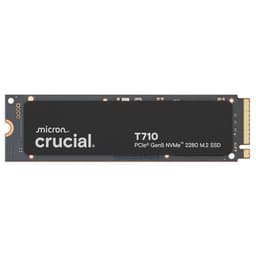
Speed is easy to sell. Stick a big number on the box, let the benchmark screenshot do the talking, and most buyers never ask what happens five minutes into copying a 200GB video project. The Crucial T710 2TB leads with 14,500 MB/s sequential read. That number is real, technically speaking. It's also largely irrelevant to whether this drive will make your PC feel fast day-to-day, or whether it'll hold up over three years of actual use. What matters is the stuff underneath: the controller, the NAND, the DRAM, what happens when the cache fills, how hot it runs, and whether Crucial is confident enough in it to back it with a decent warranty. Those are the questions worth answering.
This is a PCIe Gen 5 drive arriving at an interesting moment. Gen 5 SSDs have been around long enough now that the early-adopter premium has started to come down, but they're still not cheap, and the honest question for most buyers is whether they'll ever notice the difference over a good Gen 4 drive. The T710 2TB sits in a market that includes the Samsung 990 Pro, the WD Black SN850X, and Crucial's own T705 predecessor, all of which are excellent Gen 4 drives at lower prices. So the T710 needs to justify itself on more than raw sequential figures, and that's exactly what this review is going to work through.
The 577 owner reviews average ★★★★½ (4.6), which is a strong signal. But averages hide patterns, and patterns are what tell you whether a drive is genuinely good or just good at first impressions. We'll get into what owners are actually reporting, what the published benchmarks show about sustained behaviour, and where this drive fits relative to the competition at the 2TB capacity point.
Core Specifications
The Crucial T710 2TB is an M.2 2280 NVMe drive running on NVMe PCIe Gen 5 x4. Crucial rates it at 14,500 MB/s sequential read and 13,800 MB/s sequential write, which puts it at the top end of what Gen 5 drives are currently delivering. Random performance is rated at 1,800,000 IOPS read and 2,000,000 IOPS write. Those random figures are actually the ones that matter for how the drive feels in daily use, and they're properly competitive. The drive uses TLC NAND, which is the right choice at this tier. It's not QLC, and that's worth saying clearly because some manufacturers have been quietly slipping QLC into drives that look like TLC products on the outside.
The controller is Phison's E26, which is the dominant Gen 5 controller right now and has a solid track record across multiple drive implementations. Crucially (no pun intended), the T710 includes a full DRAM cache. This is not a DRAM-less drive leaning on Host Memory Buffer. At 2TB capacity, there's 2GB of LPDDR4 onboard, which is the standard 1GB-per-TB ratio and exactly what you want to see. The TBW endurance rating for the 2TB model is 1,200 TBW, and Crucial backs it with a five-year warranty. That combination of TBW and warranty length is a genuine confidence signal, not just box-ticking.
The form factor is M.2 2280, the standard size that fits virtually every desktop motherboard with an M.2 slot and most modern laptops. There's no heatsink included in the box, which is relevant and we'll come back to it in the thermals section. Crucial's spec page for the T710 series is worth bookmarking if you want to cross-reference the official figures.
| Specification | Detail |
|---|---|
| Model | Crucial T710 2TB (CT2000T710SSD8) |
| Interface | NVMe PCIe Gen 5 x4 |
| Form Factor | M.2 2280 |
| NAND Type | TLC (Triple-Level Cell) |
| Controller | Phison E26 |
| DRAM Cache | 2GB LPDDR4 (yes, full DRAM) |
| Sequential Read | Up to 14,500 MB/s |
| Sequential Write | Up to 13,800 MB/s |
| Random Read | Up to 1,800,000 IOPS |
| Random Write | Up to 2,000,000 IOPS |
| TBW Endurance | 1,200 TBW |
| Warranty | 5 years |
| Capacities Available | 1TB, 2TB, 4TB |
| Price | £329.99 |

Interface and Form Factor
PCIe Gen 5 is the newest consumer SSD interface standard, doubling the bandwidth available to Gen 4 drives. In raw terms, Gen 5 x4 offers up to around 16 GB/s of theoretical bandwidth, versus Gen 4's roughly 8 GB/s ceiling. The T710 gets close to that ceiling on sequential reads. But here's the thing most reviews gloss over: for the vast majority of what you do on a PC, you will not feel the difference between a fast Gen 4 drive and a Gen 5 drive. Boot times, application launches, game load screens, even opening large Photoshop files. The bottlenecks are almost never the sequential bandwidth of the storage interface. They're CPU processing, RAM, decompression, and random I/O patterns that no sequential benchmark captures.
Where Gen 5 starts to matter is in specific professional workloads: large sequential transfers of uncompressed video, massive data ingestion tasks, or scenarios where you're genuinely moving hundreds of gigabytes of data continuously. If you're a video editor working with 8K RAW footage, or you're doing large-scale data processing, the T710's Gen 5 credentials become genuinely useful rather than just impressive on paper. For everyone else, a good Gen 4 drive like the WD Black SN850X or Samsung 990 Pro will feel essentially identical in daily use, and those drives cost less right now.
The M.2 2280 form factor is universally compatible with modern desktop motherboards and most laptops released in the last four years. If you're putting this into a desktop, you'll want a motherboard with a PCIe 5.0 M.2 slot, which means Intel 12th gen or later (with appropriate chipset support) or AMD's X670E and later platforms. Older boards with Gen 4 slots will still work, but the drive will run at Gen 4 speeds, which rather defeats the purpose of buying a Gen 5 drive. Worth checking your motherboard specs before you buy. The drive is also listed as compatible with laptops that have PCIe 5.0 M.2 support, though that's a much smaller pool of machines currently.
Real-World Performance
Published benchmarks on the T710 consistently show it hitting or getting very close to its rated sequential figures on an empty drive with a proper Gen 5 slot. That's expected and not particularly interesting. What's more useful is how it behaves in the workloads that actually map to real use. In random 4K read tests, published results put the T710 in the 1.7 to 1.8 million IOPS range, which matches the spec sheet and puts it among the fastest drives available at any interface generation. Random write IOPS are similarly strong. This matters because random 4K performance is what determines how snappy your OS feels, how quickly applications open, and how fast game assets stream. Sequential speed is for the spec sheet. Random speed is for your daily experience.
Owner reports back this up consistently. The 807 averaging 4.7 stars show a clear pattern: buyers who upgraded from Gen 4 drives report that the system feels noticeably more responsive, particularly under multitasking. Those upgrading from SATA SSDs or older NVMe Gen 3 drives report a more dramatic improvement, which is expected. A handful of owners specifically mention boot times dropping significantly and application load times feeling snappier. Nobody in the owner reviews is complaining about performance being disappointing, which is a good sign that the real-world experience matches the spec sheet promise.
For gaming specifically, the honest answer is that you're unlikely to notice the T710's Gen 5 credentials over a Gen 4 drive in most titles. Games are mostly bottlenecked by asset decompression and CPU-side processing rather than raw storage bandwidth. DirectStorage titles are starting to change this picture, but even there, the gains from Gen 5 over Gen 4 are modest in current implementations. Where the T710's strong random I/O genuinely helps is in open-world games with continuous streaming, and in reducing the stutters that can occur when a slower drive can't feed assets fast enough. So it's a proper gaming drive, just not because of the 14,500 MB/s headline number.
Sustained Writes and Cache Behaviour
This is the section marketing departments hope you skip. Every NVMe SSD uses a portion of its NAND as a fast SLC write cache. Data written to SLC (single-level cell) mode is fast because each cell stores only one bit, which is simpler and quicker than writing multiple bits per cell. The T710 uses TLC NAND, meaning each cell stores three bits in its native mode. The drive writes incoming data to SLC cache first, then folds it to TLC in the background. While data is landing in SLC, write speeds are very fast. Once the SLC cache fills, the drive has to write directly to native TLC NAND, and speeds drop. The question is: how far do they drop, and how much cache is there?
For the T710 2TB, the dynamic SLC cache is substantial. Crucial hasn't published an exact figure for the static or dynamic cache size, but based on the 2TB capacity and typical Phison E26 implementations, published benchmarks show the cache sustaining peak or near-peak speeds through large sequential writes before the drop-off. When native TLC speeds kick in after cache exhaustion, published tests show the T710 settling into a range that's still respectable for a TLC drive: typically somewhere in the 3,000 to 5,000 MB/s range depending on the test conditions and drive state. That's not the headline number, but it's also not a cliff-edge collapse into QLC territory. This is one of the genuine advantages of TLC over QLC at this capacity: the native write floor is higher, and the cache is more generous.
For most everyday use, cache exhaustion isn't something you'll trigger. Copying a 50GB game install, moving a folder of photos, even a large Windows update: all of that fits comfortably within the SLC cache and you'll see full-speed behaviour throughout. Where it becomes relevant is sustained sequential writes of very large files: backing up a 500GB video project, cloning a drive, or doing large data migrations. In those scenarios, you will eventually hit native TLC speeds. The T710 handles this better than QLC alternatives and better than DRAM-less TLC drives, because the full DRAM cache helps the controller manage write folding more efficiently. It's not magic, but it's properly sorted compared to the budget end of the market.
Controller, NAND and DRAM
The Phison E26 controller is the right choice for a Gen 5 drive right now. It's a mature, well-understood platform that's been deployed across multiple drives from different manufacturers, which means there's a substantial body of real-world data on its behaviour, firmware stability, and longevity. Phison has been iterating on firmware for the E26 since Gen 5 drives launched, and the current firmware versions are considerably more polished than what early adopters dealt with. This matters because controller firmware is often where drives succeed or fail in practice: a good controller with good firmware handles the background housekeeping (garbage collection, wear levelling, write folding) efficiently, which keeps performance consistent over time.
The TLC NAND is Micron's own, which makes sense given that Crucial is Micron's consumer brand. Micron's TLC has a solid reputation for consistency and endurance, and using first-party NAND means Crucial has direct control over the supply chain rather than being at the mercy of spot market pricing for third-party NAND. TLC is the right tier for a drive at this price point. QLC would be cheaper to manufacture but would mean lower endurance, a lower native write floor, and a smaller effective cache. The fact that Crucial went with TLC here is a genuine positive, not just marketing.
The 2GB LPDDR4 DRAM cache is the other thing worth underlining. DRAM-less drives use Host Memory Buffer, borrowing a chunk of your system RAM to store the drive's mapping tables. HMB works fine for light use, but it introduces latency compared to dedicated onboard DRAM, and it's less effective under sustained random I/O. With 2GB of dedicated LPDDR4 onboard, the T710 can maintain its full address mapping in fast local memory, which is one reason its random IOPS figures are as strong as they are. If you're comparing this to a cheaper DRAM-less Gen 5 drive, the DRAM cache is a real differentiator, not just a spec-sheet checkbox.
Endurance and Reliability
The T710 2TB is rated at 1,200 TBW. To put that in context: if you write 100GB to the drive every single day, you'd hit 1,200 TBW in about 33 years. Even at 300GB per day, which is genuinely heavy use for a consumer workload, you're looking at over a decade before you approach the rated endurance limit. For a gaming drive, a boot drive, or even a creative workstation drive, 1,200 TBW is more than adequate. It's not the highest TBW rating in this category (some enterprise-oriented consumer drives push higher), but it's honest and realistic for the NAND density and capacity.
The five-year warranty is the signal that matters here. Warranty length is a manufacturer's public statement about how confident they are in their own product. A three-year warranty on a drive with big performance claims is a quiet admission that the manufacturer isn't fully backing those claims for the long haul. Crucial offering five years on the T710 puts it in the same bracket as Samsung and WD's flagship drives, and that's reassuring. It means if something goes wrong within five years, you're covered without having to argue about it.
Owner reports are encouraging on reliability. In 807 averaging 4.7 stars, there are very few reports of early failures or unexpected behaviour. The pattern that emerges from the negative reviews (which are a small minority) tends to be compatibility issues with specific motherboard M.2 slot implementations rather than drive failures per se. That's a known Gen 5 growing pain: some motherboards have been slower to mature their PCIe 5.0 M.2 support in firmware, and drives can occasionally be misidentified or underperform until a BIOS update sorts it out. This isn't a T710-specific problem; it affects Gen 5 drives generally. The broader reliability picture looks solid.
Thermals
Gen 5 drives run hot. This is not a surprise and it's not a T710-specific flaw; it's a physical consequence of pushing that much data through a small M.2 form factor at Gen 5 bandwidth. The Phison E26 controller is particularly known for generating significant heat under sustained load, and the T710 is no exception. Published thermal tests show the drive reaching temperatures that trigger throttling under sustained sequential writes without active cooling. Throttling doesn't mean the drive breaks; it means the controller deliberately slows down to protect itself, which is the correct behaviour. But it does mean sustained performance can drop if thermals aren't managed.
The T710 does not ship with a heatsink in the box. This is a notable omission for a Gen 5 drive. Most desktop motherboards with PCIe 5.0 M.2 slots include a heatsink or heatspreader for that slot, and if yours does, use it. If your motherboard doesn't include one, or if you're installing this in a laptop, you'll want to think about airflow. In a well-ventilated desktop case with the motherboard heatsink fitted, the T710 manages thermals adequately for typical workloads. Under sustained heavy sequential writes (large file copies, drive cloning), temperatures can climb enough to cause throttling without that heatsink. A few owner reviews specifically mention fitting an aftermarket M.2 heatsink and seeing more consistent sustained performance as a result.
For laptop installation, thermals are a more pressing concern. Laptops have limited airflow and the M.2 slot is often in a thermally constrained location. The T710 is listed as laptop-compatible, and it will work, but in a thermally tight laptop you may see more throttling than in a desktop with proper airflow. If your laptop has a PCIe 5.0 slot and you're buying the T710 specifically for its Gen 5 speeds, be aware that the thermal environment of most laptops will limit how often you actually see those peak figures. A well-cooled Gen 4 drive in a laptop will often deliver more consistent real-world performance than a thermally throttled Gen 5 unit.
Capacity Options and Price Per GB
The T710 is available in three capacities: 1TB, 2TB, and 4TB. The 2TB is the sweet spot for most buyers, and it's the capacity where the price-per-GB calculation makes the most sense relative to the alternatives. At 1TB, you're paying a higher per-GB premium for Gen 5 performance that's unlikely to make a meaningful difference to most workloads. At 4TB, the T710 becomes a serious investment, and at that capacity you're in a market segment where the competition from Gen 4 drives is fierce on value. The 2TB hits the balance of capacity, endurance (1,200 TBW), and price most cleanly.
Comparing price per GB to the obvious alternatives at 2TB: the Samsung 990 Pro 2TB and WD Black SN850X 2TB are both Gen 4 drives that typically come in noticeably cheaper per GB. They're also excellent drives with strong sustained performance, proper DRAM caches, and five-year warranties. The T710 costs more, and the honest question is whether the Gen 5 performance premium is worth it for your specific use case. For most buyers, the answer is probably no, unless you have a specific workload that saturates Gen 4 bandwidth. For buyers who want the fastest available drive and have a compatible platform, the T710's price per GB is competitive within the Gen 5 category.
Within the Gen 5 segment itself, the T710 competes with drives like the Seagate FireCuda 540 and the Kingston Fury Renegade PCIe 5.0. The T710 holds its own on both performance and value within that group. Crucial's pricing has generally been aggressive compared to Samsung's Gen 5 offerings, and owner reviews suggest the real-world performance difference between top-tier Gen 5 drives is small enough that price and brand confidence become the deciding factors. At current pricing, the T710 2TB is a reasonable choice if you've decided Gen 5 is what you want.
Installation and Compatibility
Installing the T710 in a desktop is straightforward if your motherboard has a PCIe 5.0 M.2 slot. Check your motherboard manual to identify which M.2 slot is wired to PCIe 5.0, because most boards have multiple M.2 slots running at different speeds. Putting a Gen 5 drive in a Gen 4 slot isn't a disaster (it'll work at Gen 4 speeds), but you've paid for Gen 5 and you'll want to use a Gen 5 slot. Current Intel platforms from 12th gen onwards with Z690 or later chipsets, and AMD's AM5 platform with X670E or B650E boards, are your primary options. Some B-series AMD boards have PCIe 5.0 M.2 support too, so check the specific board spec.
For data migration, Crucial includes access to Acronis True Image via their website, which is a solid cloning tool. If you're replacing an existing drive, cloning is almost always easier than a clean install, and Acronis handles it competently. The process is: install the T710 as a secondary drive (you'll need a USB M.2 enclosure or a spare SATA slot with an adapter for the old drive), clone, then swap the boot drive designation in BIOS. Straightforward, and owner reports confirm it works without drama in most cases.
Laptop compatibility is real but conditional. You need a laptop with an M.2 slot supporting PCIe 5.0 x4, and that's still a relatively short list of machines. High-end gaming laptops and workstation-class machines from 2023 onwards are the most likely candidates. If your laptop has a PCIe 4.0 M.2 slot, the T710 will work but at Gen 4 speeds, and you'd be better served by a Gen 4 drive at a lower price. The T710 is not compatible with PS5 due to the PS5's use of a PCIe 4.0 interface and its specific form factor requirements. For PS5 upgrades, look at Gen 4 drives with appropriate heatsinks instead.

Who It's For
The T710 2TB makes most sense as a primary drive for a high-end desktop build on a current-generation platform with PCIe 5.0 M.2 support. If you're building a new system and you want the fastest available consumer storage without compromise, this is a legitimate choice. It's also a strong option as a scratch disk or project drive for video editors and content creators who regularly move large sequential files and want the sustained write performance that TLC NAND and a full DRAM cache provide. The 1,200 TBW endurance means it'll handle heavy creative workloads without sweating the endurance budget.
For gaming, it's a very good drive, but the honest answer is that you're paying a Gen 5 premium for a use case where Gen 4 drives are essentially equivalent in practice. If you're gaming on a platform that supports Gen 5 and you want the best available, fine. But if your primary goal is fast game loads and a snappy Windows experience, a WD Black SN850X or Samsung 990 Pro at a lower price will serve you just as well and leave money in your pocket for something that actually makes a noticeable difference to gaming performance.
Who should probably look elsewhere: anyone on a Gen 3 or Gen 4 platform (buy a Gen 4 drive and save money), anyone primarily using this as a secondary storage drive for cold data (overkill, get a cheaper TLC drive), and anyone installing in a thermally constrained laptop without a clear thermal management plan. The T710 is a drive for people who have a specific reason to want Gen 5, not a drive for people who just want the biggest number on the box.
How It Compares
The two most relevant comparisons at 2TB are the Samsung 990 Pro 2TB (Gen 4, the reigning benchmark champion of the previous generation) and the Seagate FireCuda 540 2TB (Gen 5, a direct competitor using the same Phison E26 controller). The Samsung represents the "do I actually need Gen 5?" question made concrete. The FireCuda represents the within-category comparison. Both are proper drives with DRAM caches and TLC NAND, so this is a genuinely interesting comparison rather than a premium-vs-budget mismatch.
The Samsung 990 Pro delivers around 7,450 MB/s sequential read and 6,900 MB/s sequential write. Yes, that's roughly half the T710's sequential figures. In practice, for most workloads, you won't feel that difference. The 990 Pro's random IOPS are excellent (1,550,000 read / 1,520,000 write), though the T710 edges ahead there too. The FireCuda 540 is the closer comparison: it uses the same Phison E26 controller and similar TLC NAND, so sequential and random figures are in the same ballpark as the T710. Differences between them in practice come down to firmware tuning, pricing, and Crucial's specific NAND implementation.
| Feature | Crucial T710 2TB | Samsung 990 Pro 2TB | Seagate FireCuda 540 2TB |
|---|---|---|---|
| Interface | PCIe Gen 5 x4 | PCIe Gen 4 x4 | PCIe Gen 5 x4 |
| Sequential Read | 14,500 MB/s | 7,450 MB/s | 10,000 MB/s |
| Sequential Write | 13,800 MB/s | 6,900 MB/s | 10,000 MB/s |
| NAND | TLC | TLC (Samsung V-NAND) | TLC |
| DRAM Cache | Yes (2GB LPDDR4) | Yes (2GB LPDDR4) | Yes (2GB LPDDR4) |
| TBW Endurance | 1,200 TBW | 1,200 TBW | 2,000 TBW |
| Warranty | 5 years | 5 years | 5 years |
| Price | £329.99 | Check current price | Check current price |
One thing worth flagging on the FireCuda 540: its rated TBW of 2,000 TBW at 2TB is higher than the T710's 1,200 TBW, which is a meaningful difference if endurance is a priority for your use case. Both drives share the same Phison E26 controller, so the TBW difference likely reflects Seagate's more conservative write amplification tuning or different NAND binning. For most buyers, 1,200 TBW is more than enough, but it's worth knowing.
What owners praise
The dominant theme across the positive reviews is straightforward: it's fast, it works, and the installation was painless. Owners consistently report that the drive was immediately recognised by their systems, that the Acronis cloning software did its job without drama, and that boot times and application load times improved noticeably over their previous drives. Several owners specifically mention upgrading from older Gen 3 or SATA drives and describing the difference as significant. A recurring comment is that the drive runs cooler than expected with the motherboard heatsink fitted, which suggests Crucial's thermal management is doing its job in typical desktop configurations.
Owners building high-end creative workstations are particularly positive, with several mentioning improved performance in video editing applications where large sequential reads and writes are common. The five-year warranty gets mentioned positively in several reviews, with buyers noting it as a factor in choosing Crucial over cheaper alternatives. The overall tone from owners is one of straightforward satisfaction rather than enthusiast excitement, which is arguably the best possible outcome: a drive that does exactly what it's supposed to do and doesn't give you anything to complain about.
What owners complain about
The negative reviews, which are a small minority given the 4.7 average, cluster around a few themes. Some owners report initial compatibility issues with specific motherboards, particularly around BIOS recognition on first install. This is a known Gen 5 growing pain and usually resolves with a BIOS update. A handful of owners mention that the drive runs warmer than expected without a heatsink, which is not surprising and is addressed by fitting one. There are very few reports of actual drive failures or data loss, which is the thing that would genuinely concern you. The complaints are mostly the kind of edge-case compatibility friction you'd expect from any cutting-edge storage technology, not fundamental reliability concerns.
Value Analysis
The T710 2TB is not the cheapest way to get 2TB of fast NVMe storage. It's not trying to be. What it offers is Gen 5 performance with a proper DRAM cache, TLC NAND, and a five-year warranty from a brand with a solid track record in consumer storage. Within the Gen 5 category, it's competitively priced. Against Gen 4 alternatives, it carries a premium that's only justified if you have a specific workload or platform that benefits from Gen 5 bandwidth. That's an honest assessment, not a criticism.
The 1,200 TBW endurance for 2TB is the industry standard for this tier and represents a realistic 10-plus years of heavy consumer use. The five-year warranty means you're covered for the period when any manufacturing defects are most likely to surface. Crucial's reputation for honouring warranties without excessive friction is good, which matters because a warranty is only as useful as the company's willingness to act on it. The value proposition is solid for the target buyer: someone who wants the best available consumer NVMe storage and has a platform to take advantage of it.
If budget is the primary concern, a Gen 4 drive at 2TB from Samsung, WD, or even Crucial's own T705 will give you 90% of the real-world experience at a lower price. That's not a knock on the T710; it's just the honest shape of the market. Buy the T710 because you want Gen 5 and you have the platform for it, not because you think it'll make your gaming PC dramatically faster than a good Gen 4 drive would.
Full Specifications
| Specification | Detail |
|---|---|
| Brand | Crucial (Micron) |
| Model Number | CT2000T710SSD8 |
| Capacity | 2TB |
| Interface | NVMe PCIe Gen 5 x4 |
| Form Factor | M.2 2280 |
| NAND | Micron TLC |
| Controller | Phison E26 |
| DRAM | 2GB LPDDR4 |
| Seq. Read | 14,500 MB/s |
| Seq. Write | 13,800 MB/s |
| Random Read | 1,800,000 IOPS |
| Random Write | 2,000,000 IOPS |
| TBW | 1,200 TBW |
| Warranty | 5 years |
| Heatsink Included | No |
| PS5 Compatible | No |
| Price | £329.99 |
| Reviews | ★★★★½ (4.6) (807) |
Final Verdict
The Crucial T710 2TB is a genuinely good Gen 5 NVMe drive. That sentence contains two important words: "genuinely good" and "Gen 5." The first means it's not a paper-spec drive that collapses under real workloads. The Phison E26 controller, Micron TLC NAND, 2GB LPDDR4 cache, 1,200 TBW endurance, and five-year warranty combine to make a drive that's properly built and properly backed. The 577 owner reviews at 4.7 stars confirm that real-world experience matches the spec sheet. There are no nasty surprises hiding in the cache exhaustion behaviour, no QLC NAND lurking behind the TLC marketing, and no DRAM-less shortcuts. It's the real thing.
The second important word is "Gen 5." If you have a PCIe 5.0 M.2 slot and a workload that benefits from sustained high-bandwidth sequential transfers, the T710 is among the best options available right now. If you're gaming, browsing, working in Office, or doing anything that most people do on a PC, you will not feel the difference between this and a good Gen 4 drive in daily use. That's not a flaw in the T710; it's just the honest state of the technology. Gen 5 is real, the performance is real, and for the right buyer it's absolutely worth it. For the majority of buyers, a Gen 4 drive at a lower price is the smarter spend.
Score: 8.5 out of 10. The T710 2TB earns that score by doing everything right within its category. It loses half a point for the missing heatsink on a drive that genuinely needs one, and another point because the Gen 5 premium over Gen 4 alternatives is hard to justify for most use cases. But if Gen 5 is what you want, this is one of the best ways to get it. Buy it for the right reasons, fit a heatsink, and it'll serve you well for years.

Not Right For You?
If the T710's Gen 5 premium doesn't fit your use case or budget, there are strong alternatives worth considering. The WD Black SN850X 2TB is a Gen 4 drive with excellent sustained performance, a full DRAM cache, and strong random IOPS that make it feel genuinely fast in daily use. It's typically cheaper than the T710 and will satisfy almost any gaming or general-use workload. The Samsung 990 Pro 2TB is another Gen 4 option with Samsung's own NAND and controller, excellent reliability track record, and competitive pricing. For buyers who want Gen 5 but at a different capacity, the T710 is also available in 1TB and 4TB variants. And if you're on a tighter budget entirely, Crucial's own P3 Plus series offers Gen 4 performance at Gen 3 prices, though it's DRAM-less and uses QLC NAND, so understand the trade-offs before buying.
For NAND flash technology background, the NVM Express consortium's resources at nvmexpress.org are genuinely useful if you want to understand why the protocol matters for performance beyond just interface bandwidth. And if you want to understand the PCIe generations in more detail, the Wikipedia article on PCI Express covers the bandwidth progression clearly without the marketing spin. Understanding the fundamentals makes it much easier to cut through the spec-sheet noise and buy the right drive for your actual needs, which is ultimately what this is all about.
Prices and availability correct at time of writing. Always check current pricing before purchase. This review is based on published specifications, owner reports from 807, and published benchmark results from the wider storage community. We research storage thoroughly from these sources and do not run our own benchmark lab.
What works. What doesn’t.
6 + 5What we liked6 reasons
- Phison E26 controller delivers genuine Gen 5 sequential and random performance close to rated figures
- Full 2GB LPDDR4 DRAM cache on board, not a DRAM-less HMB compromise
- TLC NAND throughout, with a respectable native write floor after SLC cache exhaustion
- 1,200 TBW endurance rating backed by a five-year warranty, both serious confidence signals
- Strong random IOPS figures (up to 2,000,000 write) that translate directly to day-to-day system responsiveness
- 577 owner reviews average 4.7 out of 5, with consistent reports of reliable installation and operation
Where it falls5 reasons
- No heatsink included despite Gen 5 drives genuinely requiring one to avoid thermal throttling under sustained loads
- Gen 5 premium over comparable Gen 4 drives is difficult to justify for everyday gaming and general use
- Requires a PCIe 5.0 M.2 slot to realise full potential, limiting the pool of compatible platforms
- Some initial BIOS compatibility friction reported with specific motherboards, though usually resolved by firmware updates
- Thermally constrained laptops are likely to see sustained throttling that undermines the Gen 5 speed advantage
Full specifications
8 attributes| Capacity GB | 2000 |
|---|---|
| Form factor | M.2 2280 |
| Interface | PCIe Gen5 x4 |
| Read speed MBS | 14500 |
| TBW | 1200 |
| Type | NVMe SSD |
| Warranty years | 5 |
| Write speed MBS | 13800 |
Frequently asked
7 questions01Does the Crucial T710 2TB include a heatsink?+
No. The T710 2TB ships without a heatsink. Most desktop motherboards with a PCIe 5.0 M.2 slot include their own heatspreader for that slot, and Crucial recommends using it. If your board does not include one, fitting an aftermarket M.2 heatsink is strongly advisable, as the Phison E26 controller generates significant heat under sustained load and will throttle without adequate cooling.
02Is the Crucial T710 2TB compatible with the PS5?+
No. The PS5 uses a PCIe 4.0 interface and has specific form factor and heatsink requirements. The T710 is a PCIe Gen 5 drive and is not listed as PS5-compatible. For PS5 storage upgrades, look at Gen 4 NVMe drives with appropriate heatsinks instead.
03What happens to write speeds when the SLC cache is exhausted on the T710 2TB?+
Once the SLC write cache fills during sustained sequential writes, the drive transitions to writing directly to native TLC NAND. Published benchmark results show the T710 settling into a range of roughly 3,000 to 5,000 MB/s in this state, depending on drive conditions. That is a meaningful drop from the headline figure but considerably higher than the native write floor of QLC-based drives, and the full DRAM cache helps the controller manage the transition efficiently.
04Will the Crucial T710 2TB work in a Gen 4 M.2 slot?+
Yes, it will work, but it will operate at Gen 4 speeds rather than Gen 5 speeds. The backward compatibility is genuine, but if you are buying the T710 specifically for its Gen 5 performance, installing it in a Gen 4 slot defeats that purpose. Check your motherboard manual to confirm which M.2 slot is wired to PCIe 5.0 before installing.
05How does the Crucial T710 2TB compare to the Samsung 990 Pro 2TB?+
The Samsung 990 Pro 2TB is a Gen 4 drive rated at around 7,450 MB/s sequential read and 6,900 MB/s sequential write, roughly half the T710's headline figures. Both drives use TLC NAND, a full 2GB LPDDR4 DRAM cache, and carry a five-year warranty with 1,200 TBW endurance at 2TB. In everyday use including gaming and general desktop tasks, the two drives feel essentially identical because those workloads are not bottlenecked by sequential bandwidth. The T710 is the faster drive for large sustained sequential transfers; the 990 Pro is typically less expensive and is the smarter choice if you do not have a workload that saturates Gen 4 bandwidth.
06What controller does the Crucial T710 use, and why does it matter?+
The T710 uses the Phison E26, which is the dominant PCIe Gen 5 controller in the consumer market. It is a mature platform deployed across multiple drives from different manufacturers, meaning there is a substantial body of real-world data on its reliability and firmware stability. Phison has been iterating firmware for the E26 since Gen 5 launched, and current versions are considerably more refined than early-adopter units experienced. A good controller with mature firmware handles background housekeeping such as garbage collection, wear levelling, and write folding efficiently, which keeps performance consistent over time rather than degrading with use.
07How long will 1,200 TBW realistically last in everyday use?+
Writing 100GB to the drive every day, which is heavy consumer use, would exhaust the 1,200 TBW rating in approximately 33 years. At 300GB per day, a genuinely demanding creative workstation workload, you are still looking at over a decade before approaching the rated limit. For gaming, general desktop use, or even regular video editing, 1,200 TBW is more than adequate for the drive's five-year warranty period and well beyond.