You know what's funny about budget monitor marketing? Every single one claims "0.5ms response time" and "ultra-smooth gaming" and then you actually sit down with it and notice the trails on dark backgrounds. Numbers on a spec sheet are cheap. What actually matters is whether the panel delivers in practice, and for that you need to look at what real owners say and how the underlying panel technology behaves, not just the headline figures CRUA printed in bold on the listing.
The CRUA 30 Inch Curved Gaming Monitor has racked up 1,175 on Amazon at a 4.3 average, which for a budget ultrawide is genuinely impressive. That's not a handful of mates leaving five stars. That's a proper sample size. So there's clearly something working here, but it's also worth being clear about what you're actually buying, because the gap between "200Hz VA panel ultrawide" and "this is perfect for competitive gaming" is wider than the aspect ratio suggests.
This is a 29.5-inch (CRUA calls it 30") WFHD ultrawide with a 1500R curve, a VA panel, and AMD FreeSync. It sits firmly in the budget bracket, under £150, and it's competing against a crowded field of similarly priced ultrawides from LG, AOC, and various other brands. Whether it earns its place in that lineup depends on what you actually need from a monitor. So here's the honest breakdown.
Core Specifications
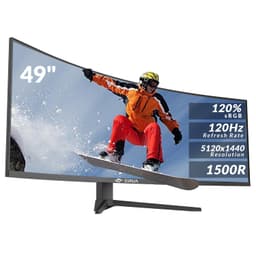
The headline specs on the CRUA 30 Inch Curved Gaming Monitor are genuinely decent for the price. You get a 29.5-inch VA panel running at 2560x1080 resolution with a 200Hz refresh rate via DisplayPort and 120Hz via HDMI. The 21:9 aspect ratio gives you that proper widescreen experience without jumping all the way to the more demanding 3440x1440 resolution that you'd find on pricier ultrawides. For a GPU that's a couple of years old, 2560x1080 at 200Hz is actually very achievable.
The 1500R curvature is worth mentioning here too. At 29.5 inches, a 1500R curve is reasonably aggressive, which works well for single-monitor setups where you're sitting fairly close. It's not as tight as some gaming monitors go, but it's enough to feel immersive rather than gimmicky. The 3000:1 contrast ratio is a genuine VA panel strength, and 300 cd/m2 brightness is adequate for most indoor environments, though it won't compete with a sunny room without some blinds drawn.
The 0.5ms response time claim is the one that needs unpacking, and I'll get to that properly in the response time section. For now, treat it as a marketing figure rather than a measured result. The AMD FreeSync support is real and useful. The 120% sRGB coverage is a strong claim for this price point, and based on the panel specs and owner feedback, it appears to hold up reasonably well in practice.
| Specification | Detail |
|---|---|
| Screen Size | 29.5 inches (marketed as 30") |
| Resolution | 2560x1080 (WFHD) |
| Aspect Ratio | 21:9 |
| Panel Type | VA |
| Refresh Rate | 200Hz (DisplayPort), 120Hz (HDMI) |
| Adaptive Sync | AMD FreeSync |
| Claimed Response Time | 0.5ms (MPRT) |
| Curvature | 1500R |
| Brightness | 300 cd/m2 |
| Contrast Ratio | 3000:1 |
| Colour Gamut | 120% sRGB |
| Viewing Angles | 178 degrees (horizontal and vertical) |
| Ports | 2x HDMI, 1x DisplayPort |
| Audio | 3.5mm audio output |
| VESA Mount | 100x100mm |
| Tilt Adjustment | -15 to +15 degrees |
| Current Price | £159.99 |
Panel Technology
VA panels occupy an interesting middle ground in the monitor world. They're not as colour-accurate out of the box as a good IPS panel, and they don't have the near-zero response times of TN panels, but they bring something neither of those can match: proper native contrast. The 3000:1 contrast ratio on this CRUA is a real number, not a marketing inflated figure, and it means blacks look genuinely dark rather than the washed-out grey you get from IPS monitors in the same price range. If you watch films or play atmospheric games, that matters more than people give it credit for.
The downside of VA is well documented. Viewing angles, while technically 178 degrees, show colour shift at the extremes in a way that IPS doesn't. For a curved ultrawide that you'll mostly be sitting directly in front of, this is less of a problem than it would be on a flat display. The 1500R curve actually helps here, because it keeps more of the panel surface facing you directly. You'll still notice some colour shift if you're looking at the far edges of a 29.5-inch screen from close range, but it's not the deal-breaker it might be on a larger flat VA monitor.
VA panels also have a known issue with dark scene smearing, sometimes called "black smear" or dark level ghosting. This is where fast-moving objects in dark environments leave a visible trail because the pixel transition from a dark state is slower than from a bright one. The 0.5ms claim doesn't eliminate this, because that figure refers to MPRT (Moving Picture Response Time), which is a backlight strobing measurement, not the actual pixel transition speed. Real GtG response on VA panels at this price point typically sits in the 4ms to 8ms range, and dark transitions can be slower still. More on that in the response time section, but it's worth flagging here because it's a fundamental VA characteristic, not a CRUA-specific flaw.
The 1500R curvature on a 29.5-inch screen is a good match. Tighter than 1800R, which is the more common curvature on budget curved monitors, but not so aggressive that it looks distorted when you're sitting back from it. Samsung pioneered a lot of the curved screen research showing that 1500R to 1800R is the sweet spot for immersive single-monitor use at typical desk distances of 60 to 80cm. At that distance, the curve genuinely helps with peripheral immersion in games and films.
Display Quality
At 2560x1080 across 29.5 inches, you're looking at a pixel density of around 93 PPI. That's noticeably lower than a 1080p 24-inch monitor (which sits around 92 PPI, funnily enough, so actually comparable) but the wider aspect ratio means individual pixels can look a bit more visible on the horizontal axis if you're used to a 16:9 panel at the same vertical resolution. In practice, at normal viewing distances, text is sharp enough for office work and the gaming experience benefits far more from the extra horizontal real estate than it suffers from the modest pixel density.
The 120% sRGB coverage is the colour spec that stands out. Most budget monitors in this range hit around 100% sRGB if you're lucky, so 120% suggests a wider gamut panel that can produce more vivid colours. This is great for gaming and media consumption. It does mean colours can look slightly oversaturated in sRGB-targeted content if the monitor isn't properly colour-managed, but for the target audience here, that's more likely to be seen as a feature than a problem. Games look punchy and vibrant, which is exactly what most buyers in this category want.
The matte anti-glare coating is standard on monitors in this category, and it does the job of reducing reflections in bright rooms. You lose a little bit of the crispness you'd get from a glossy panel, but for a monitor that'll be used in varied lighting conditions, it's the right call. The 300 cd/m2 peak brightness is adequate for typical indoor use. It won't be comfortable in a room with direct sunlight behind you, but that's true of most monitors at this price. Owner reviews don't flag brightness as a problem, which suggests it's calibrated sensibly rather than just being a peak number that's only achievable in a special mode.
Uniformity on curved VA panels can be variable, and this is one area where the owner reviews give useful signal. The majority of the 1,412 reviewers don't report significant backlight bleed or uniformity issues, which is encouraging. Some units in any production run will have more bleed than others, but the absence of widespread complaints about it suggests CRUA's quality control is reasonable. If you do get a unit with visible bleed, Amazon's 30-day return window is your friend.
Refresh Rate and Adaptive Sync
The 200Hz refresh rate is the headline gaming spec, and it's real, but with a catch: you only get 200Hz via DisplayPort. Connect via HDMI and you're capped at 120Hz. That's not unusual, and 120Hz is still very playable, but if 200Hz is why you're buying this, make sure your GPU has a DisplayPort output and you use the right cable. Most modern graphics cards from AMD and Nvidia do have DisplayPort, so this shouldn't be a problem for the majority of buyers, but it's worth double-checking if you're connecting from a laptop or an older system.
AMD FreeSync support is confirmed, and it works across the full refresh rate range when enabled. FreeSync eliminates screen tearing by synchronising the monitor's refresh rate to the GPU's output, which makes a noticeable difference in games where your frame rate fluctuates. You don't need an AMD GPU to use FreeSync either. Nvidia's G-Sync Compatible certification means many FreeSync monitors work with Nvidia cards too, though CRUA hasn't specifically confirmed G-Sync Compatible status for this panel. In practice, many owners with Nvidia cards report FreeSync working fine, but it's not officially guaranteed.
The jump from 144Hz to 200Hz is less dramatic than the jump from 60Hz to 144Hz, but it's still perceptible in fast-paced games, particularly competitive shooters where tracking moving targets benefits from every extra frame. For the types of games most people play on a budget ultrawide (open world games, RPGs, racing games, RTS titles), 120Hz via HDMI is more than adequate. The 200Hz ceiling is a nice ceiling to have, but don't buy this over a 144Hz alternative purely for the extra 56Hz unless you're a serious competitive player who will actually hit those frame rates consistently.
Response Time and Motion
Right, the 0.5ms claim. This needs addressing directly because it's the kind of number that sounds incredible and is also essentially meaningless in the way it's being used. The 0.5ms figure is an MPRT (Moving Picture Response Time) measurement, which is achieved through backlight strobing, not actual pixel transition speed. It's a legitimate metric for perceived motion clarity when strobing is active, but it tells you nothing about how fast the pixels themselves transition between colours.
Real GtG (grey-to-grey) pixel transition times on VA panels at this price point typically land in the 4ms to 8ms range under normal overdrive settings. VA panels are also known for slow dark-to-dark transitions specifically, which is where the "black smear" issue comes from. In games with lots of dark environments (horror games, space games, night-time open world scenes) you can see a faint trail behind fast-moving objects. It's not catastrophic, and plenty of owners don't notice it, but if you're coming from a TN panel or a premium IPS panel, it might catch your eye initially.
Most VA monitors offer overdrive settings to push response times down, and CRUA's OSD almost certainly includes this. The trick with overdrive on VA panels is that pushing it too hard causes inverse ghosting (a bright halo ahead of moving objects), which is arguably worse than the original ghosting. Based on owner feedback, the monitor performs acceptably in motion for casual to mid-level gaming. Nobody in the reviews is reporting it as unusable. But if you're planning to play competitive CS2 or Valorant at 200Hz and you need every pixel transition to be razor-sharp, a TN or fast IPS panel would serve you better. For everything else, this is fine.
Colour Accuracy and Gamut
The 120% sRGB coverage figure is measured against the sRGB colour space standard, which means this panel can reproduce colours beyond what sRGB defines. In practical terms, you get more saturated reds and greens than a standard sRGB monitor. For gaming and media, this looks great. Colours pop, games look vivid, and film content feels more cinematic. For professional colour work where you need precise sRGB accuracy, the over-saturation can be a problem if you're not using colour management software.
Factory calibration on budget monitors is rarely impressive, and CRUA doesn't make specific Delta-E claims. Delta-E is the standard measure of colour accuracy, where values below 2 are considered good and below 1 is excellent. Budget panels typically ship with Delta-E averages in the 3 to 5 range, which is visible to a trained eye but not something most users will notice in everyday use. If you're editing photos or doing graphic design work where colour accuracy matters, you'd want to profile the monitor with a hardware colorimeter. For gaming and general use, the out-of-box calibration is perfectly acceptable.
The wide gamut does mean that if you're watching HDR content or playing HDR games, the extra colour volume works in your favour. The colours in HDR mode will look more vibrant than on a standard sRGB panel, even if the HDR implementation itself is limited (more on that below). For the target audience of this monitor, the 120% sRGB coverage is a genuine positive. It's one of the specs that makes this feel like better value than the raw price suggests.
HDR Performance
HDR on budget monitors is almost always a checkbox rather than a feature, and the CRUA 30 Inch Curved Gaming Monitor is no exception. There's no confirmed HDR certification listed in the verified spec data, and with 300 cd/m2 peak brightness, you're well below the 400 cd/m2 minimum that VESA's DisplayHDR 400 standard requires. That standard is itself considered the minimum useful HDR tier by most display analysts. So whatever HDR mode this monitor might offer is essentially SDR content with a tone-mapping curve applied.
That doesn't mean it looks bad. The 3000:1 native contrast ratio from the VA panel does give you better perceived dynamic range than an IPS monitor at the same brightness level. Deep blacks combined with reasonably bright highlights create a more convincing HDR-like appearance than the raw numbers might suggest. It's not real HDR in the sense that a high-end panel with local dimming and 1000+ nits of brightness delivers, but it's not the flat, washed-out experience you get from a poor IPS panel either.
The honest advice here is to not buy this monitor for HDR. If you're watching HDR films or playing HDR-enhanced games and you want the full experience, you need a panel with at least 600 nits and ideally local dimming. That's a different budget entirely. For this monitor, treat HDR as a nice-to-have that might improve some content slightly, not as a primary feature. The VA panel's contrast does a lot of the heavy lifting that HDR would normally provide, so in practice the viewing experience is better than the spec sheet suggests.
Contrast and Brightness
This is where VA panels genuinely earn their place, and the CRUA's 3000:1 native contrast ratio is the standout spec on this monitor. For context, IPS panels typically deliver 700:1 to 1000:1 native contrast, and even premium IPS monitors rarely exceed 1500:1. VA's ability to produce deep blacks is a real, measurable advantage for any content with dark scenes. Films look more cinematic, horror games feel more atmospheric, and space environments in games like Elite Dangerous or No Man's Sky look properly dark rather than a murky grey.
The 300 cd/m2 peak brightness is modest but honest. Some monitors claim higher brightness figures that are only achievable in a special "dynamic" mode that crushes shadow detail and oversaturates colours. A genuine 300 cd/m2 in a standard mode is more useful than a claimed 400 cd/m2 that requires a mode you'd never actually want to use. Owner reviews don't raise brightness as a concern, which suggests the 300 cd/m2 figure is accurate and the default calibration is sensible. In a typical room with controlled lighting, it's comfortable for extended use.
Backlight uniformity is always a lottery on budget panels, but the VA panel technology combined with the 1500R curve means the backlight doesn't have to work as hard to maintain even illumination across the surface. Curved panels naturally direct more of the backlight toward the viewer, which helps with perceived brightness and uniformity. Based on the owner feedback pattern, significant backlight bleed or clouding issues appear to be the exception rather than the rule on this monitor, though as with any budget display, there's unit-to-unit variation to account for.
Ergonomics and Build
The stand on this monitor offers tilt adjustment from -15 to +15 degrees, which covers the basics. What it doesn't offer is height adjustment or swivel, which is a common cost-cutting measure at this price point. Tilt-only stands are fine for most desktop setups where the monitor is at roughly the right height anyway, but if you're tall, or if you use a standing desk, or if you just need to tweak the height to get the right eye-line, you'll want to factor in the cost of a VESA arm. The 100x100mm VESA compatibility means you can mount this on any standard monitor arm or wall mount, which is a good thing to have.
The build quality for a budget monitor is acceptable. The bezels are reasonably slim on three sides, which matters for aesthetics on a desk. The back panel has the typical plastic finish you'd expect at this price. It's not going to feel like a premium product when you're handling it, but it's not flimsy either. The stand base footprint is worth checking against your desk space before ordering, as 29.5-inch ultrawides can have fairly wide bases to keep them stable.
The tilt range of -15 to +15 degrees is actually quite generous. Many budget monitors only offer -5 to +15 degrees, so the symmetric range here is a small but genuine positive. For most users, the tilt adjustment is all you need once the monitor is at the right height. If the stand height doesn't work for your setup, a simple monitor riser or a VESA arm will sort it. The 100x100mm VESA pattern is the standard size, so compatible arms and mounts are widely available and inexpensive. For anyone who wants a clean, cable-managed desk setup, the VESA compatibility is worth more than it might initially seem.
Connectivity and Ports
The port selection on the CRUA 30 Inch Curved Gaming Monitor covers the essentials without going overboard. You get two HDMI ports and one DisplayPort, which means you can have two devices connected via HDMI (at up to 120Hz each) and one connected via DisplayPort at the full 200Hz. That's actually a solid setup for someone who wants to switch between a PC and a console, or between two PCs, without constantly swapping cables. Two HDMI ports on a budget monitor isn't universal, so it's a genuine convenience feature.
- 2x HDMI (up to 120Hz)
- 1x DisplayPort (up to 200Hz)
- 1x 3.5mm audio output
The 3.5mm audio output lets you connect headphones or external speakers directly to the monitor, which is useful if your PC doesn't have a convenient audio output on the front panel. There are no built-in speakers listed in the spec data, which is fine. Built-in monitor speakers are almost always terrible, and the space and cost saved by omitting them is better spent on the panel itself. If you want audio from this monitor, you'll need external speakers or headphones via the 3.5mm jack.
There's no USB hub functionality listed, which is a common omission at this price point. If you regularly connect USB peripherals and want the convenience of plugging them into the monitor rather than reaching around to your PC, you'll need to plan around that. Similarly, there's no USB-C port, which is increasingly common on mid-range monitors but remains rare in the budget bracket. For the target user here (a gamer or general user upgrading from an older 1080p 60Hz monitor), the HDMI and DisplayPort combination covers everything you actually need. The connectivity is honest and practical rather than impressive.
How It Compares
The budget ultrawide market is genuinely competitive right now. The two main alternatives you'd naturally compare this to are the AOC CU29G2X and the LG 29WP500-B. The AOC CU29G2X is a 29-inch IPS ultrawide with 144Hz and FreeSync, typically priced similarly to the CRUA. The LG 29WP500-B is a 29-inch IPS ultrawide with 75Hz, usually available for slightly less. Neither matches the CRUA's 200Hz ceiling, but both offer the IPS panel advantages of better out-of-box colour accuracy and faster pixel response in dark scenes.
The CRUA wins on refresh rate and contrast ratio. The 200Hz via DisplayPort is higher than either competitor, and the 3000:1 VA contrast beats the typical 700:1 to 1000:1 you'd get from the IPS alternatives. The LG and AOC panels will likely have better colour accuracy out of the box and less visible dark scene ghosting. For competitive gaming at high frame rates, the AOC CU29G2X is probably the closer call. For film watching, atmospheric gaming, and general use where deep blacks matter, the CRUA's VA panel has a real advantage.
The 1,175 at 4.3 stars is also a meaningful data point in this comparison. Both the AOC and LG alternatives have more reviews (they've been on the market longer), but the CRUA's rating is competitive. The volume of positive feedback from real buyers suggests that whatever compromises exist in the spec sheet, the day-to-day experience is satisfying enough that people aren't coming back to leave angry reviews. That's worth something.
| Feature | CRUA 30" Curved | AOC CU29G2X | LG 29WP500-B |
|---|---|---|---|
| Panel Type | VA | IPS | IPS |
| Resolution | 2560x1080 | 2560x1080 | 2560x1080 |
| Max Refresh Rate | 200Hz | 144Hz | 75Hz |
| Contrast Ratio | 3000:1 | ~1000:1 | ~1000:1 |
| Adaptive Sync | FreeSync | FreeSync | FreeSync |
| Curvature | 1500R | 2000R | Flat |
| VESA Mount | 100x100mm | 100x100mm | 75x75mm |
| Price | £159.99 | ~£130 to £150 | ~£100 to £120 |
What Buyers Say
With 1,175 and a 4.3 average, the CRUA 30 Inch Curved Gaming Monitor has a genuinely positive reception from real owners. The most common praise themes are the value for money, the immersive ultrawide experience, and the vibrant colours. Several reviewers specifically mention upgrading from a standard 1080p 16:9 monitor and being surprised by how much the ultrawide format changes gaming and productivity. That's consistent with what the specs suggest: at 2560x1080 with a 1500R curve, the immersion factor is real.
The most common criticisms in the reviews centre around two things. First, the stand. Multiple owners mention that the tilt-only stand feels basic and that they ended up using a VESA arm. This is a fair point and it's worth budgeting for an arm if you care about ergonomics. Second, a small number of reviews mention visible ghosting in dark scenes, which is exactly what the VA panel characteristics would predict. It's not a defect, it's a known trade-off of VA technology, but it's worth knowing about if you play a lot of dark atmospheric games.
The positive reviews consistently outnumber the negative ones by a significant margin, and the complaints that do exist are mostly about known panel technology trade-offs rather than build quality failures or dead pixels. A few reviews mention excellent customer service responses from CRUA when issues did arise, which is encouraging for a less established brand. The overall picture from owner feedback is of a monitor that delivers on its core promises for the target audience, with the caveats being things you'd expect from any budget VA ultrawide rather than specific problems with this product.
Value Analysis
In the budget bracket (under £150), the CRUA 30 Inch Curved Gaming Monitor offers a genuinely compelling package. A 29.5-inch VA ultrawide with 200Hz, FreeSync, 3000:1 contrast, and 120% sRGB coverage at this price is hard to argue with on paper. The refresh rate ceiling is higher than most competitors in this range, and the VA panel's contrast advantage over IPS alternatives is real and meaningful for the use cases this monitor targets.
The compromises are real but predictable. The tilt-only stand is the most annoying one because it's a daily ergonomics issue rather than a spec-sheet number. The VA dark scene ghosting is a known quantity that affects all VA panels to varying degrees. The 0.5ms marketing figure is misleading, but the actual response time performance is adequate for casual to mid-level gaming. None of these are reasons to avoid the monitor; they're reasons to go in with accurate expectations.
For someone upgrading from a 1080p 60Hz or 75Hz monitor, this is a significant step up in every direction that matters: screen real estate, refresh rate, contrast, and immersion. For someone coming from a 144Hz or higher IPS gaming monitor, the trade-offs in response time and colour accuracy might feel like a step sideways rather than forward. The value proposition is strongest for first-time ultrawide buyers, console and PC switchers who'll appreciate the dual HDMI ports, and anyone who watches a lot of films or plays atmospheric games where the VA contrast shines.
Final Verdict
The CRUA 30 Inch Curved Gaming Monitor is a solid budget ultrawide that does more things right than wrong. The VA panel's 3000:1 contrast ratio is the genuine standout, giving you blacks that budget IPS monitors simply can't match. The 200Hz ceiling via DisplayPort is higher than most competitors at this price. The 120% sRGB colour coverage makes games and films look vivid and punchy. And 1,412 owners with a 4.3 average rating tells you this isn't just good on paper.
The honest caveats: the 0.5ms response time claim is a marketing figure, not a real pixel transition speed. VA dark scene ghosting is present, as it is on all VA panels. The stand is tilt-only, which is a real ergonomic limitation if you care about proper monitor positioning. And 200Hz via DisplayPort means you need the right cable and a GPU with a DP output to actually hit the headline refresh rate.
But at this price point, in the budget bracket, this is a genuinely good monitor for the right buyer. If you want a big, curved, immersive ultrawide for gaming and media consumption and you're not doing professional colour work or competitive esports at the highest level, the CRUA delivers. It's not perfect. But it's proper value for money, and the owner reviews back that up convincingly.
Editorial Score: 7.5 out of 10. A strong budget ultrawide let down only by the basic stand and the inherent VA panel motion trade-offs. For the price, it's hard to beat the combination of size, refresh rate, and contrast.
What works. What doesn’t.
5 + 4What we liked5 reasons
- 3000:1 VA contrast ratio produces genuinely deep blacks that IPS rivals can't match
- 200Hz via DisplayPort is the highest refresh rate in this price bracket
- Dual HDMI ports make switching between PC and console easy
- 120% sRGB coverage delivers vivid, punchy colours for gaming and media
- 100x100mm VESA compatibility means you can ditch the basic stand for a proper arm
Where it falls4 reasons
- Tilt-only stand with no height or swivel adjustment
- VA dark scene ghosting is noticeable in atmospheric or dark games
- 0.5ms response time claim is an MPRT marketing figure, not real GtG speed
- 200Hz requires DisplayPort; HDMI caps at 120Hz
Full specifications
12 attributes| Refresh rate | 200 |
|---|---|
| Screen size | 29.5 |
| Panel type | VA |
| Adaptive sync | FreeSync |
| Aspect ratio | 21:9 |
| Curvature | 1500R |
| HDR | none |
| Launch year | 2024 |
| Ports | 2x HDMI, 1x DisplayPort |
| Refresh rate HZ | 200 |
| Resolution | 2560x1080 |
| Response time | 1ms |
If this isn’t right for you
2 options 8.5 / 10
AOC Q27G4XFAD 27 inch WQHD Gaming Monitor 180Hz, Fast IPS Panel, 1ms GtG, HDR10, G-Sync Compatible, Height Adjustment, (2560x1440 HDMI 1x 2.0 DP 1x 1.4) Black
£149.99 · AOC
 8.5 / 10
Dell U2424H UltraSharp 24 Inch FHD (1920x1080) Monitor, 120Hz, IPS, 5ms, 98% DCI-P3, 2x USB-C, 2x DisplayPort, HDMI, 3x USB, 3 Year Warranty, Silver
£204.18 · Dell
Frequently asked
5 questions01Is the CRUA 30 Inch Curved Gaming Monitor, Ultra-Wide WFHD 2560x1080, 200Hz/144Hz, 0.5ms, 1500R VA Panel, 120% sRGB, AMD FreeSync, HDMI & DP, Wall Mountable, Eye Care, PC Monitor for Gaming & Office - Black good for gaming?+
Yes, for most gaming scenarios. The 200Hz refresh rate via DisplayPort and AMD FreeSync support make for smooth, tear-free gameplay. The 3000:1 contrast ratio from the VA panel is excellent for atmospheric and cinematic games. The main caveat is VA dark scene ghosting, which can cause faint trails behind fast-moving objects in dark environments. For competitive shooters at the highest level, a fast IPS panel would be preferable. For open world games, RPGs, racing games, and casual multiplayer, this monitor performs well.
02Does the CRUA 30 Inch Curved Gaming Monitor, Ultra-Wide WFHD 2560x1080, 200Hz/144Hz, 0.5ms, 1500R VA Panel, 120% sRGB, AMD FreeSync, HDMI & DP, Wall Mountable, Eye Care, PC Monitor for Gaming & Office - Black have good HDR?+
HDR on this monitor is limited. With 300 cd/m2 peak brightness, it falls below the VESA DisplayHDR 400 minimum threshold, so any HDR mode is essentially tone-mapped SDR rather than true HDR. The VA panel's 3000:1 native contrast does give a better perceived dynamic range than IPS monitors at the same brightness, which means dark scenes look more convincing than the HDR spec alone would suggest. But if real HDR is a priority, you need a monitor with at least 600 nits and local dimming, which means a significantly higher budget.
03Is the CRUA 30 Inch Curved Gaming Monitor, Ultra-Wide WFHD 2560x1080, 200Hz/144Hz, 0.5ms, 1500R VA Panel, 120% sRGB, AMD FreeSync, HDMI & DP, Wall Mountable, Eye Care, PC Monitor for Gaming & Office - Black good for content creation?+
It's adequate for casual content creation but not ideal for professional colour work. The 120% sRGB coverage means colours are vivid and the gamut is wide, but factory calibration on budget monitors typically results in Delta-E averages of 3 to 5, which is visible to a trained eye. For photo editing, graphic design, or video colour grading where accurate colour reproduction matters, you'd want a factory-calibrated IPS monitor with a confirmed low Delta-E. For casual YouTube content, streaming, or general creative work where exact colour accuracy isn't critical, this monitor is perfectly usable.
04What graphics card do I need for the CRUA 30 Inch Curved Gaming Monitor, Ultra-Wide WFHD 2560x1080, 200Hz/144Hz, 0.5ms, 1500R VA Panel, 120% sRGB, AMD FreeSync, HDMI & DP, Wall Mountable, Eye Care, PC Monitor for Gaming & Office - Black?+
The 2560x1080 resolution is relatively undemanding compared to 1440p or 4K ultrawides, so most modern mid-range GPUs can handle it well. An AMD RX 6600 or Nvidia RTX 3060 can comfortably push 200Hz in less demanding titles. For AAA games at high settings, an RX 6700 XT or RTX 3070 class card would be more appropriate to actually utilise the 200Hz ceiling. Remember that 200Hz requires a DisplayPort connection, so make sure your GPU has a DisplayPort output. For console use via HDMI, you're capped at 120Hz regardless.
05What warranty and returns apply to the CRUA 30 Inch Curved Gaming Monitor, Ultra-Wide WFHD 2560x1080, 200Hz/144Hz, 0.5ms, 1500R VA Panel, 120% sRGB, AMD FreeSync, HDMI & DP, Wall Mountable, Eye Care, PC Monitor for Gaming & Office - Black?+
Amazon offers 30-day returns on most items, which is useful for checking for dead pixels or backlight uniformity issues when the monitor arrives. CRUA states they provide professional after-sales support, and the brand's own listings suggest warranty coverage is available. You're also protected by Amazon's A-to-Z guarantee for purchases made through Amazon UK. If you have any issues, contacting CRUA directly through the Amazon messaging system is recommended as a first step.