VIVID·REPAIRS/THE FIELD GUIDE/MONITORUpdated 27 September 2026Prices live from Amazon UK
Best of · UK · Field of 5
Best Ultrawide Monitors Under £200
By the Vivid Repairs deskUpdated 27 September 20265 ranked picks2,722 owner ratings read
As an Amazon Associate we may earn from qualifying purchases. We have not handled these products. Everything below is judged on published specifications, the owner ratings on the UK listings and our own product reviews, and the ranking stays independent of what any of them pay.
As an Amazon Associate, we may earn from qualifying purchases. Our ranking is independent.
The LXZ 34 Inch Curved Monitor 1500R is out of stock right now. Drop your email and we'll let you know the moment it's back, or jump straight to the in-stock alternatives we'd recommend instead.
Amazon confirms the live price, seller, stock and delivery. Prices here are read from the live listing through the day; a pick Amazon cannot supply is marked as such, and where the list has one in stock it is offered.
vividrepairs.co.uk / best-ultrawide-monitors-under-200Updated 27 September 2026 · Prices from the live Amazon UK listing
§ The field
Five picks, on one page
Ranked on fit for the job in the title, not on raw specification. Tap any one to jump to the argument for it. Prices are the live Amazon UK figure, read today; a pick with no figure is out of stock and says so in its entry.
4000:1 contrast ratio produces genuinely deep blacks that outperform IPS panels at a comparable price
165Hz refresh rate is above the 144Hz standard common in this price bracket, giving useful extra headroom
3440x1440 ultrawide resolution at 34 inches is immersive for gaming and practical for side-by-side productivity
Where it gives up
VA black smearing is visible during fast-moving dark scenes and cannot be eliminated with overdrive settings. Stand adjustment is limited to tilt between 5 and 15 degrees with no height, swivel, or pivot.
The rules this ranking ran under, in plain sight: what we read, what we weighed and what no merchant can move.
How we picked
Our editors evaluated 5 Monitor options against the criteria readers actually weigh up: price, real-world performance, build quality, warranty, and UK availability. Picks lean toward what we'd recommend to a friend buying today, not specs-on-paper winners.
Editorial contextEditor notes from individual reviews, not press releases.
Live UK pricingRefreshed from Amazon UK twice daily.
No paid placementsAffiliate commission doesn't change what wins.
The full guideEverything behind the shortlist above: the spec sheet, the write-ups in full, our method and the verdict.
§ Editorial · The full guide · five proofs, nothing hidden
The Doubt Index.
The shortlist told you what we picked; this zone shows the working. Come in through whichever doubt you’re carrying, or read straight down; we’d rather you checked us than trusted us.
Here’s the sheet the desk works from, kept deliberately factual. Every row is written to be checked against the retailer’s current listing, and you should check. The table scrolls sideways inside its own frame; the page underneath stays still.
Scroll sideways →5 rows · 5 columns · Prices swap to the live figure at render
You can, and you should. What follows is the part a sheet can’t do: the working between what these products have and what your desk actually needs, kept word for word.
Ultrawide used to mean spending £400 or more. Not any longer. The Best Ultrawide Monitors Under £200 have quietly become one of the best value buys in PC gear, giving you that lovely 21:9 canvas for gaming, spreadsheets and films without wrecking your bank balance. We've pulled together five that all come in under the £200 line, compared their specs and dug through owner feedback to work out where the compromises hide. Because there are always compromises at this price. Some are curved, some flat, some run 3440x1440 and one drops to a lower resolution to hit a mad 200Hz. Here's the honest breakdown of which one suits you, and where each cuts corners.
5. Podazz AX210NGW Wi-Fi 6E Card (Tri-Band, Bluetooth 5.2)
Right, let's address the obvious: this isn't an ultrawide monitor. It's a Wi-Fi card. But if you're building or upgrading the PC that's going to drive one of the screens above, a rock-solid wireless connection matters, and at £18.69 · Details this Podazz card costs a fraction of anything else on the list. It's the Intel AX210 chipset in a tidy M.2/NGFF package, adding Wi-Fi 6E and Bluetooth 5.2 to laptops and desktops that shipped with something older.
The headline feature is 6GHz support. That third band is far less congested than the usual 2.4GHz and 5GHz traffic, so if your router is 6E-capable you get lower latency and more stable throughput, which is exactly what you want when you're streaming or gaming on a big ultrawide. MU-MIMO keeps things sensible when multiple devices are hammering the network, and the Bluetooth 5.2 side handles wireless peripherals without a separate dongle cluttering your ports.
Owners rate it highly for the outlay, and the AX210 is a known, reliable chipset rather than some no-name silicon. The caveats are practical: you only reap the 6GHz benefit if your router supports it, installation means opening the machine and fitting antennas (not everyone's idea of fun), and Windows sometimes needs the driver installed manually rather than picking it up automatically. Linux support is there but check your kernel version first. We went through the fitting process in our full Podazz AX210NGW review.
Buying Guide: What to Look For in the Best Ultrawide Monitors Under £200
Buying budget ultrawide is all about knowing which corners are safe to cut. Here's what actually matters.
Resolution. On a 34 inch panel you want 3440x1440 (UWQHD). That's the sweet spot for sharp text and real desktop space. The one exception is the CRUA at 30 inch and 2560x1080, where the smaller size hides the lower pixel count and lets you chase huge frame rates instead. Avoid 2560x1080 stretched over a full 34 inch panel if you can, text gets soft.
Refresh rate. Anything from 120Hz up is a big jump over a standard 60Hz screen. 165Hz and 180Hz are lovely for fast games, but only if your GPU can feed them. Don't pay for 200Hz if your card can't get near it.
Panel type. IPS gives consistent colour and wide angles, better for work and mixed use. VA gives deeper blacks and higher contrast, better for dark games and films, at the risk of some motion smear. Neither is wrong, it's about your priorities.
Curve. A 1500R curve on a 34 inch screen genuinely helps immersion and reduces neck movement. Flat is easier to adapt to and better if straight-line accuracy matters (spreadsheets, design work).
The stuff they skimp on. Nearly every monitor at this price uses a tilt-only stand and a cheap-ish base. Factory colour calibration is basic, so budget five minutes for tweaking. HDR claims are largely marketing. And built-in speakers, where fitted, are an emergency backup at best. None of these are dealbreakers, but go in knowing. Mistake to avoid: buying purely on the biggest refresh number without checking your graphics card can actually drive it.
Four write-ups, none folded away. We don’t lab-test, so every line below sticks to what can be defended: the published sheet, the owner ratings on the UK listings and our own reviews.
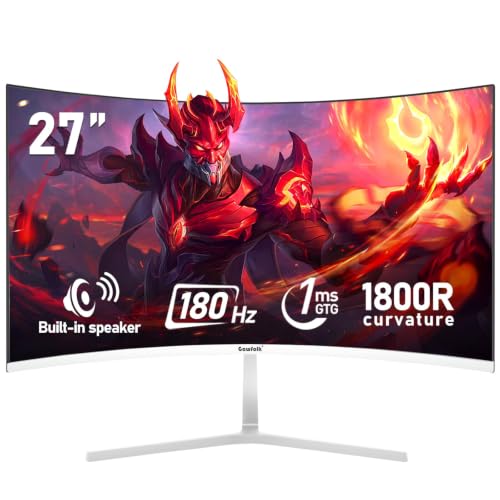
This is the cheapest way onto the ultrawide ladder, and it takes a different approach to the rest. Instead of chasing resolution, the CRUA chases speed. It's a 30 inch WFHD (2560x1080) VA panel that pushes up to 200Hz, which for competitive gamers on a tight budget is a genuinely tempting trade.
Here's the thing about that lower resolution: on a 30 inch screen it's more forgiving than it would be on 34 inch, so text isn't as soft as you might fear. And the payoff is huge. Your GPU has far fewer pixels to push, so hitting high frame rates to match that 200Hz refresh is realistic even on mid-range cards. The 0.5ms response and VA contrast make dark scenes pop, and 120% sRGB coverage means colours are punchier than the price suggests.
Owners repeatedly praise how fast and smooth it feels for the outlay. The compromises are the resolution (you get less desktop space than the 34 inch UWQHD models) and some mild VA smearing in very fast dark transitions. It's also 21:9 at a smaller physical size, so it feels less cinematic than the bigger panels. For a first competitive ultrawide, though, it's brilliant value. We covered the panel behaviour in more detail in our full CRUA 30 Inch review.
New to ultrawide and not sure you'll get on with it? This is the one to start with. It's a flat 34 inch IPS panel at 120Hz, and the flat shape is deliberately the gentle option. Some people find aggressive curves take getting used to, so a flat screen is the safer bet if you're unsure.
The IPS panel is the big draw for newcomers. It means wide viewing angles and consistent colour across the whole screen, which suits the mixed bag most first-time buyers throw at it: a bit of gaming, a load of browsing, YouTube, the odd bit of photo tinkering. 120Hz isn't the highest here but it's a clear step up from the 60Hz most people are moving from, and it's listed as both FreeSync and G-Sync Compatible so it plays nicely with either GPU brand.
The compromises are honest ones. It caps at 120Hz rather than the 165Hz or 180Hz of pricier siblings, and the stand is the usual budget tilt-only affair. But for someone dipping a toe into 21:9 without overspending, it's approachable, easy to set up and hard to get wrong. We go deeper on the panel and setup in our Gawfolk 34-inch Ultra-Wide review.
This one is for the reader who wants IPS colour and high refresh, and is happy with a flat panel to get both. It's a 34 inch flat IPS running full 3440x1440 at 165Hz, with 128% sRGB coverage and, unusually for this bracket, built-in speakers.
The combination of UWQHD resolution and an IPS panel is what makes it stand out among the Best Ultrawide Monitors Under £200 for mixed work and play. You get the sharp text and generous desktop space of full UWQHD, plus IPS colour consistency that makes it a better shout than a VA panel if you do any creative work or just want accurate-looking photos. The 165Hz refresh keeps gaming smooth, and Adaptive Sync handles tearing.
Now, those built-in speakers. Don't get excited. They're fine for system beeps, a quick video or a work call, but they're thin and quiet, so keep your headphones handy. The flat shape is a preference thing: some love it for productivity because straight lines stay straight, others miss the wrap of a curve for gaming. Colour is strong out of the box but, as with all budget IPS, expect a little backlight bleed in the corners on dark scenes. Solid all-rounder that leans towards the work side of the fence.
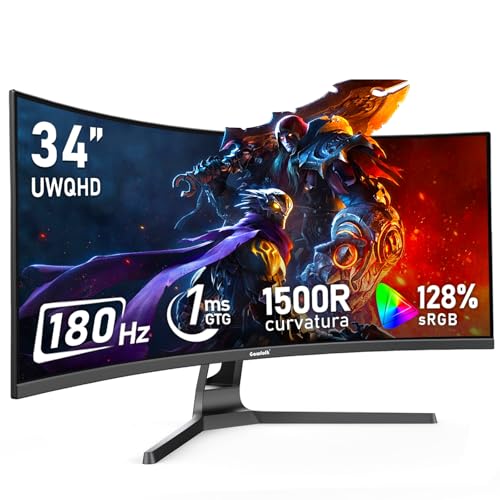
Sitting right at the top of the budget, this is the most polished-feeling monitor in the group and our pick for build quality. It's a 34 inch curved 1500R panel at full 3440x1440, running the highest refresh rate here at 180Hz, with 128% sRGB and 178 degree viewing angles.
On paper it reads like a spec sheet from a monitor costing far more. The 180Hz refresh edges out the LXZ's 165Hz, the 1500R curve delivers proper immersion, and owners consistently note that the chassis and stand feel a cut above the flimsier budget norm. That's why it earns the build badge: less wobble, a more solid base, tidier bezels. For someone who wants the closest thing to a premium ultrawide experience while staying under £200, this is it.
So why isn't it our overall winner? Price, mostly. It's the most expensive of the five, and the LXZ delivers a very similar core experience (UWQHD, curved, high refresh) for noticeably less. If your budget stretches to the top of the bracket and build feel matters to you, this is the one to reach for. If you want maximum value, the LXZ wins on pounds per feature. Both are among the Best Ultrawide Monitors Under £200 and neither will disappoint.
This page carries affiliate links; they never set the order. We don’t lab-test: rankings come from published specifications, the owner ratings on the UK listings and our own reviews.
How We Compared These
We ranked these five on published specifications, manufacturer listings and the weight of owner feedback across UK retailers. We looked at resolution, refresh rate, panel type, curve, colour coverage and stand design, then weighed those against current pricing to judge real value. Owner reviews flagged the recurring niggles: weak speakers, tilt-only stands and mild backlight bleed. We didn't open a box or run a colorimeter. This is a research-led comparison built to help you pick the right budget ultrawide, not a lab test, and every judgement traces back to specs and what buyers actually report living with these panels.
A crown that can’t be argued with isn’t proof of quality; it’s proof nobody checked. So rather than restate the winner’s virtues, we defend the crown against the strongest cases to take it.
LXZ 34 Inch Curved Monitor 1500R
Cross-examination · Three challengers, taken seriously
The owners’ argumentCRUA 30 Inch Curved Gaming Monitor, Ultra-Wide Wfhd
It’s £162.99 on the live listing today. Owners rate it 4.3 from 1,180 ratings. Our review scores it 7.5 against the winner’s 6.5. The crown holds on the ranking rules: the order above was set before any link was attached, and its case is argued in full in the write-up above.
The owners’ argumentGawfolk 34-inch Ultra-Wide Gaming Monitor
Owners rate it 4.2 from 1,430 ratings. Our review scores it 7.5 against the winner’s 6.5. The crown holds on the ranking rules: the order above was set before any link was attached, and its case is argued in full in the write-up above.
The owners’ argumentGawfolk 34 Inch IPS Ultrawide 165Hz Gaming Computer Monitors
Owners rate it 2.8 from 13 ratings. Our review scores it 6.5 against the winner’s 6.5. The crown holds on the ranking rules: the order above was set before any link was attached, and its case is argued in full in the write-up above.
The original verdict, preserved in full
Final Verdict: Best Ultrawide Monitors Under £200
All five of these earn a place among the Best Ultrawide Monitors Under £200, but they suit different people. The LXZ 34 Inch Curved 165Hz is our overall winner because it delivers the full UWQHD, curved, high-refresh experience for less money than anything else here, and that's exactly what most buyers want. If your budget stretches a little further and build feel matters, the Gawfolk 34 Inch Curved 180Hz is the more premium-feeling pick with the highest refresh in the group. On the tightest budget, the CRUA 30 Inch gets you into fast ultrawide gaming for the least outlay. Buy the LXZ if you want the best balance of price and spec, and you won't regret it.
Curved displays reduce distortion at screen edges, improving immersion on large ultrawide panels. Downsides include higher cost, reduced portability, desk space requirements, and potential issues with picture-in-picture productivity workflows where different applications compete for peripheral vision. For budget purchases, curved options remain rare, and flat panels like those listed here provide simpler, more practical solutions for most users.
That’s the field: five ultrawide monitors under £200, ranked for the job in the title and nothing else. We read the published specifications, the owner ratings and our own reviews; we haven’t handled these products, and no maker moves the order. Figures checked against the live Amazon UK listings, page updated 27 September 2026.
The Vivid Repairs desk
1Our top pickLXZ 34 Inch Curved Monitor 1500R, 3440 * 1440 165Hz Gaming Monitor with FreeSync, Wide Viewing Angle, Display Port HDMI - BlackScored 6.5/10Compare all →Check on Amazon →