Most PC cases are bought once and regretted slowly. You pick something that looks decent in a product photo, get three builds deep, and realise the front panel is throttling your airflow, the fan mounting is completely inflexible, and swapping out the I/O means buying a whole new chassis. That's not a niche frustration. It's basically the standard experience at the budget end of the market.
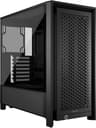
The CORSAIR FRAME 4000D Modular Mid-Tower ATX PC Case takes a proper swing at fixing that. The headline feature is modularity, and not in the vague marketing sense where a manufacturer calls removable dust filters "modular". Corsair is talking about swapping the motherboard tray material, changing out the front I/O panel for different port configurations, and repositioning fans across three axes. For a case sitting at this price tier, that's genuinely unusual. Whether it delivers on the promise is what we're here to work out.
646 owners have rated it ★★★★½ (4.7), which is an unusually high score for a case at this price point. Cases tend to attract complaints about sharp edges, poor panel fit, and cable management nightmares. The fact that this one sits that high suggests Corsair has got the basics right. But let's look at what the specs actually tell us.
Core Specifications
The FRAME 4000D is a mid-tower ATX chassis built around Corsair's modular FRAME system. The standout cooling credentials are serious for this price bracket: support for up to twelve 120mm fans simultaneously, three 360mm radiator mounting locations (front, roof, and side panel), and the InfiniRail fan mounting system that lets you slide fans to any position along the front and roof rails. That's a level of flexibility you'd normally expect to pay more for.
The front panel is perforated steel in a 3D Y-pattern, which Corsair says is optimised for low airflow restriction. The side panel near the motherboard tray is removable and doubles as a fan mount, which is a clever dual-purpose design. You can run it as a cable cover for a clean build, or pull it off and bolt fans to it if you need more aggressive cooling. The case is explicitly listed as compatible with ASUS BTF, MSI Project Zero, and Gigabyte Project Stealth motherboard formats, which are the rear-connector hidden-cable board designs that have been gaining traction over the past couple of years.
The specs below cover what Corsair has published. Where a figure isn't specified in the official product data, it's noted as such rather than guessed at.
| Specification | Detail |
|---|---|
| Form Factor | Mid-Tower ATX |
| Motherboard Support | ATX, mATX, mITX (plus ASUS BTF, MSI Project Zero, Gigabyte Project Stealth) |
| Max Fan Count | Up to 12 x 120mm simultaneously |
| Radiator Support | 3 x 360mm (front, roof, side) |
| Front Fan Rail | InfiniRail, supports up to 200mm |
| Roof Fan Rail | InfiniRail, supports up to 140mm |
| Side Panel (internal) | Removable, can mount fans for additional cooling |
| Front Panel | Perforated steel, 3D Y-pattern |
| Modular I/O | Yes, front I/O panel swappable |
| Modular Tray | Motherboard tray upgradeable to billet aluminium |
| GPU Length | Not specified in official data |
| CPU Cooler Height | Not specified in official data |
| Price | £89.17 |

Form Factor and Dimensions
The FRAME 4000D is a standard mid-tower, which means it'll sit on most desks without dominating them and fit under most desks without requiring you to rearrange everything. Mid-towers in this class typically run around 450mm to 480mm tall and 200mm to 220mm wide, though Corsair hasn't published exact external dimensions for the FRAME 4000D in the official product listing. What we do know is that it's designed to fit standard ATX motherboards, which gives you a good sense of the internal volume.
The chassis is built around the FRAME modular system, which is the real differentiator here. The concept is that the case grows with you rather than becoming obsolete when your needs change. Want more USB ports on the front panel? Swap the I/O module. Want a stiffer, more premium feel to the motherboard tray? Upgrade to the billet aluminium option. That kind of future-proofing is genuinely useful if you're the sort of person who keeps a case for four or five years and upgrades components in it over time.
The footprint should be manageable for most desk setups. It's not a compact case by any stretch, but it's not a full-tower either. The three-360mm-radiator support does suggest Corsair has built some proper internal volume into this thing. Fitting a 360mm radiator on three separate panels simultaneously requires real space, and that space also benefits cable routing and component clearance more broadly. So the thermal ambition of the design has a secondary benefit for the build experience.
Motherboard Compatibility
Standard support covers ATX, Micro-ATX, and Mini-ITX boards. That's the expected range for a mid-tower, and it means the vast majority of consumer motherboards will fit without issue. The more interesting compatibility story here is the explicit support for ASUS BTF, MSI Project Zero, and Gigabyte Project Stealth form factors. These are boards designed to move power connectors and data cables to the rear of the PCB, eliminating visible cables on the main side of the build entirely.
If you're building with one of those boards, the FRAME 4000D is designed to accommodate the routing required. The modular side panel near the motherboard tray is particularly relevant here. Pull it off, and you've got access to the rear routing channels that these hidden-connector boards depend on. Keep it on as a cable cover, and your build looks clean from the front even if you're using a conventional board. It's a setup that works well either way, which is good design.
The standoff layout for Mini-ITX and Micro-ATX boards isn't detailed in the product listing, but that's standard across Corsair's 4000 series cases and the FRAME shares the same basic chassis approach. Corsair's UK case lineup page covers the full range if you need to cross-reference. One thing worth noting: E-ATX support isn't mentioned in the verified product data, so if you're running a large enthusiast board, check the specs carefully before buying.
GPU Clearance
Corsair hasn't published a specific maximum GPU length figure in the official FRAME 4000D product data, which is a bit annoying if you're trying to confirm fitment for something like an RTX 5090 or a Radeon RX 9070 XT. What we can work backwards from is the chassis class and radiator support. A case that fits a 360mm radiator in the front panel is typically at least 400mm deep internally, which generally translates to GPU clearance well in excess of 350mm. Most triple-slot, triple-fan flagship cards sit around 330mm to 360mm long.
The side panel fan mounting option is worth thinking about here too. If you're mounting fans on the internal side panel for extra cooling, that will eat into clearance between the panel and the GPU. With the side panel removed or used purely as a cable cover, you should have significantly more lateral space. This is the kind of trade-off that's worth planning before you buy, particularly if you're running a very wide card.
Owner feedback from the 752 doesn't flag GPU clearance as a problem, which is a reasonable signal. Cases that are tight on GPU length tend to generate complaints quickly, and the absence of those complaints here suggests Corsair has been generous. But until Corsair publishes the exact figure, treat that as informed inference rather than a confirmed spec. If you're buying this for a specific card, it's worth checking the Corsair product page directly for any updated documentation.
CPU Cooler Clearance
Again, the official product listing doesn't publish a maximum air cooler height figure. That's frustrating for anyone trying to confirm whether a 170mm tower cooler like a Noctua NH-D15 or a DeepCool Assassin IV will fit without fouling the side panel. The internal side panel design is relevant here: if you're running the panel as a cable cover, clearance to the cooler is determined by the panel's position. If you've removed it entirely to mount fans, the constraint disappears on that side.
The AIO radiator story is much clearer. Three 360mm radiator mounting positions means you can fit a 360mm AIO in the front, roof, or side without compromises. The InfiniRail system on the roof supports fans up to 140mm, so a 420mm AIO (3 x 140mm) would need to go in the front or side rather than the roof. That's a minor point but worth knowing if you're planning a specific cooling configuration. The front position is generally preferred for AIOs anyway, as it allows the radiator to act as an intake and push cool air directly over the GPU and motherboard.
The dual 360mm radiator support in the product name refers to the ability to run two 360mm radiators simultaneously, which is genuinely useful for custom loop builders or anyone running an extreme dual-radiator AIO setup. Three mounting locations means you could theoretically run a 360mm front, 360mm roof, and 360mm side all at once. Whether you'd ever need that much cooling capacity in a mid-tower is a different question, but having the option is better than not having it.
Storage Bay Options
The official product data doesn't break out a specific drive bay count for the FRAME 4000D, which is a gap in the spec sheet. What we know from the modular design philosophy is that the case is built to be reconfigurable, and drive bay positioning is typically part of that story in Corsair's 4000 series cases. The standard 4000D Airflow, for reference, ships with two 2.5-inch SSD mounts and support for 3.5-inch drives via a removable cage. The FRAME likely follows a similar approach, though without confirmed data it's not possible to state exact numbers.
For most modern builds, dedicated 3.5-inch drive bays are less critical than they used to be. If you're building with NVMe SSDs for your OS and primary storage, the drive bay question is mainly about whether you can tuck a 2.5-inch SATA SSD or two behind the motherboard tray. The FRAME's modular side panel design suggests there's decent space back there, and the hidden-connector board compatibility implies Corsair has thought carefully about rear-tray organisation.
If you're planning a NAS-style build with multiple 3.5-inch spinning drives, a mid-tower focused on airflow and modularity probably isn't your first choice anyway. That's a different use case that calls for a different chassis. For a gaming or workstation build with two or three NVMe drives and maybe a 2.5-inch SATA for overflow, the FRAME should be perfectly adequate, even if the exact bay count isn't confirmed in the official listing.

Cable Management
This is where the FRAME 4000D's design philosophy pays off most clearly. The internal side panel that doubles as a cable cover is a genuinely clever solution to a problem that cases at this price tier usually ignore. Most budget-to-mid cases give you a rear panel with some cable routing holes and expect you to get on with it. The FRAME gives you a physical panel that hides the mess entirely if you're not interested in the fanless-side aesthetic.
The compatibility with ASUS BTF, MSI Project Zero, and Gigabyte Project Stealth boards takes this further. Those boards move the 24-pin ATX connector, CPU power, and PCIe power connectors to the rear of the PCB. In a case designed to support them, that means the main chamber of your build can be genuinely cable-free, not just tidy. The FRAME's rear routing channels are built to handle this. That's a significant quality-of-life improvement over a conventional case if you're building with one of those boards.
Even with a conventional board, the modular I/O panel means you're not stuck with a fixed set of front panel cables creating clutter. Being able to change the front I/O configuration means you can choose a panel that matches your actual usage rather than routing cables to ports you never use. Owner reviews don't flag cable management as a pain point, which for a case at this price bracket is genuinely notable. Budget cases are where cable management complaints pile up fastest.
Airflow and Thermal Design
The front panel is perforated steel in a 3D Y-pattern. Corsair describes it as optimised for high airflow with minimal restriction, and the three-dimensional perforation design is specifically intended to reduce the pressure drop across the panel compared to a flat mesh. That matters more than it sounds. A lot of "mesh" cases use panels that look open but actually create significant restriction at the fan face, which reduces the effective airflow even with powerful fans. The Y-pattern geometry is designed to address that.
The InfiniRail system is the other key thermal feature. Rather than fixed fan mounting positions, the steel rails slide to let you position fans exactly where you need them, up to 200mm in the front and up to 140mm in the roof. That means you can align intake fans directly with your GPU, your CPU cooler, or your radiator, depending on your configuration. Fixed mounting positions are a constant frustration in cases where the standard positions don't align well with your specific components. Sliding rails solve that properly.
The side panel fan mounting option adds a third dimension to the airflow picture. With fans on the side pushing air directly over the motherboard and GPU, you can create a more targeted cooling path rather than relying purely on front-to-rear or bottom-to-top convection. The ability to run up to twelve 120mm fans simultaneously means you're not constrained by mounting positions even in a maxed-out configuration. For a high-end gaming build or a workstation with a power-hungry CPU and GPU, that flexibility is genuinely useful. Most cases at this price tier give you three or four fan positions and call it done.
Front I/O and Connectivity
The modular I/O panel is the headline feature here, and it's a proper differentiator. The ability to swap out the front I/O panel for one with different port configurations means this case can adapt to what you actually need rather than locking you into whatever Corsair shipped it with. Want more USB Type-A ports? Swap the panel. Need a USB Type-C with higher power delivery? Same answer. That's a meaningful upgrade path that most cases at any price point don't offer.
The specific port configuration of the default panel isn't detailed in the official product data, which is a gap. Corsair's standard 4000 series front I/O typically includes USB 3.0 Type-A ports and a USB 3.1 Gen 2 Type-C, plus a combined headphone/microphone jack. The FRAME likely starts from a similar baseline, but the whole point is that the baseline is changeable. If the default panel doesn't suit you, you're not stuck with it.
Placement of the front I/O panel matters too. Top-mounted panels are convenient for desktop use but get in the way if the case is on the floor. Front-panel placement lower on the chassis is better for floor-mounted cases. The FRAME's product images suggest a top-front placement, which is standard for a case designed primarily for desk use. Owner reviews don't flag I/O placement as an issue, which suggests it's sensibly positioned for the intended use case.
Build Quality and Materials
The InfiniRail system is described as steel multi-point mounting, which is the right material choice for something that needs to hold fans securely under vibration. Plastic fan mounting rails are a cost-cutting measure that shows up in cheaper cases and tends to crack or flex over time. Steel rails hold their position properly and don't introduce resonance issues the way thin plastic does.
The modular FRAME system itself is a quality indicator. The ability to upgrade the motherboard tray to billet aluminium suggests Corsair has built the chassis with proper tolerances and consistent mounting points. You can't offer an aluminium tray upgrade if the base chassis is flimsy or inconsistent, because the tray needs to align precisely with standoffs and panel mounting points. The fact that the upgrade is offered suggests the base chassis is built to proper tolerances.
Owner reviews at ★★★★½ (4.7) across 646 people is a strong quality signal. Cases tend to generate complaints about sharp edges, panel flex, and poor alignment fairly quickly when build quality is lacking. The score here suggests those issues are absent or rare. That tracks with what you'd expect from Corsair at this price tier. They're not known for cutting corners on steel thickness or panel finish, and the FRAME appears to continue that trend. The perforated steel front panel in particular should be sturdy given the 3D perforation pattern, which adds structural rigidity compared to a flat sheet with holes punched through it.
How It Compares
The two most natural comparisons at this price tier are the Fractal Design Pop Air and the be quiet! Pure Base 500DX. Both are well-regarded mid-towers with good airflow credentials, and both sit in a similar price bracket. The FRAME 4000D's modular system is the obvious differentiator, but it's worth looking at where the competitors are stronger too.
The Fractal Pop Air is a solid, no-nonsense case with good build quality and decent airflow from its mesh front panel. It doesn't offer anything like the InfiniRail system or modular I/O, but it ships with fans included and has a well-documented internal layout that makes it easy to plan a build around. The be quiet! Pure Base 500DX adds a tempered glass side panel and good noise dampening, which is a different priority to the FRAME's airflow-first approach. If noise matters more than maximum cooling, the 500DX is a reasonable alternative.
Where the FRAME 4000D wins clearly is flexibility. No case at this price point offers the combination of sliding fan rails, three 360mm radiator positions, swappable I/O panels, and hidden-connector board support. If you're planning a high-end cooling setup or building with a BTF/Project Zero board, the FRAME is the obvious choice. If you want a simpler build with fans included and a more traditional layout, the competition might suit you better.
| Feature | CORSAIR FRAME 4000D | Fractal Design Pop Air | be quiet! Pure Base 500DX |
|---|---|---|---|
| Form Factor | Mid-Tower ATX | Mid-Tower ATX | Mid-Tower ATX |
| Front Panel | Perforated steel, 3D Y-pattern | Mesh front | Mesh front with RGB |
| Max Radiator Size | 3 x 360mm (front, roof, side) | 360mm front | 360mm front |
| Max Simultaneous Fans | 12 x 120mm | 7 fans | 7 fans |
| Fan Rail System | InfiniRail (sliding) | Fixed positions | Fixed positions |
| Modular I/O | Yes, swappable panels | No | No |
| Hidden-Connector Board Support | Yes (BTF, Project Zero, Project Stealth) | No | No |
| Side Panel Fan Mount | Yes, removable cable cover doubles as fan mount | No | No |
| Fans Included | Not specified in official data | 2 x 140mm | 3 x 140mm Pure Wings |
| Price Tier | Entry | Entry to Mid | Mid |

Final Verdict
The CORSAIR FRAME 4000D Modular Mid-Tower ATX PC Case is a genuinely interesting product at this price point, and the modular angle isn't just marketing. The InfiniRail system solves a real problem with fixed fan mounting positions. The swappable I/O panel solves a real problem with front ports becoming obsolete. The support for hidden-connector motherboards solves a real problem for anyone building with ASUS BTF, MSI Project Zero, or Gigabyte Project Stealth boards. These aren't invented features. They're answers to frustrations that come up repeatedly in PC building.
The thermal design is ambitious for the price tier. Three 360mm radiator positions and twelve simultaneous 120mm fan slots is a specification you'd expect from a case costing significantly more. The 3D Y-pattern perforated front panel is a proper engineering choice rather than a cosmetic one, and the sliding rail system means your fan positions aren't dictated by where Corsair decided to punch holes in the chassis. That's real flexibility.
The gaps in the spec sheet are worth acknowledging. No published GPU clearance figure, no confirmed CPU cooler height limit, no specified drive bay count. These aren't dealbreakers, and the owner feedback suggests real-world fitment is fine, but they make pre-purchase planning harder than it should be. Corsair should publish those numbers. The ★★★★½ (4.7) from 646 owners tells you the case delivers in practice, even if the spec sheet is incomplete.
Who should buy this? Anyone building a high-performance system who wants cooling flexibility without paying premium case prices. Anyone using a hidden-connector motherboard who needs proper rear-routing support. Anyone who plans to keep their case for several years and wants the option to upgrade it rather than replace it. The FRAME 4000D is a proper mid-tower with a well-thought-out feature set at a competitive price. That's a good combination.
Who should skip it? If you want a simpler build with fans included and a traditional layout, there are easier options. If noise dampening is your priority over maximum airflow, the be quiet! Pure Base 500DX is a better fit. And if you're building a budget system where you just need a box to put parts in, the FRAME's modular features are more than you need.
Score: 8.5 out of 10. Strong feature set at the price, genuine modularity rather than gimmick modularity, and owner feedback that backs up the promise. The incomplete spec sheet is the main frustration.
What works. What doesn’t.
5 + 3What we liked5 reasons
- InfiniRail sliding fan system gives genuinely flexible positioning up to 200mm front, 140mm roof
- Three 360mm radiator mounting locations is exceptional for this price tier
- Modular I/O panel means front ports can be upgraded without replacing the case
- Explicit support for ASUS BTF, MSI Project Zero, and Gigabyte Project Stealth hidden-connector boards
- 4.7 out of 5 from 646 owners suggests real-world build experience matches the spec sheet promise
Where it falls3 reasons
- No published GPU length clearance or CPU cooler height limit in official data
- Drive bay count not confirmed in official product listing
- Fans included not specified, competitors at similar price ship with fans
Full specifications
12 attributes| Form factor | Mid-Tower |
|---|---|
| Airflow type | mesh |
| MAX GPU length | 360 |
| MAX cooler height | 170 |
| Radiator support | 360mm front, 280mm top |
| CPU cooler clearance MM | 170 |
| Dimensions MM | 487 x 239 x 486 |
| Drive bays | 2x 3.5", 4x 2.5" |
| Fans included | 0 |
| GPU clearance MM | 430 |
| MAX FAN count | 12 |
| MAX radiator MM | 360 |
If this isn’t right for you
2 options 8.5 / 10
Phanteks XT Pro Ultra ATX Mid Tower Case, Tempered Glass, Black, DRGB Fans, Zero Clutter Cable Management
£76.99 · Phanteks
 8.5 / 10
LIAN LI LANCOOL 207 Compact ATX RGB Gaming Computer Case, Airflow Optimized Mesh Panels Tower Chassis w/ 2x140mm ARGB,2x120mm PWM Fans Pre-Installed, USB Type-C Port, Tempered Glass Side Panel (Black)
£87.36 · Lian Li
Frequently asked
5 questions01Is the CORSAIR FRAME 4000D Modular Mid-Tower ATX PC Case, High Airflow, InfiniRail™ Fan Mounting System, Dual 360mm Radiator Support, ASUS BTF, MSI Project Zero, Gigabyte Project Stealth, Black good for airflow?+
Yes, and it's one of the stronger airflow cases at this price tier. The front panel uses a 3D Y-pattern perforated steel design specifically engineered for low airflow restriction, which is a step above the flat mesh panels you find on many competitors. The InfiniRail system lets you slide fans to any position along the front rail (up to 200mm fans) and roof rail (up to 140mm fans), so you can align intake fans precisely with your GPU or radiator rather than accepting whatever fixed positions the manufacturer chose. The case supports up to 12 x 120mm fans simultaneously and has three 360mm radiator mounting positions across the front, roof, and side panel. The removable internal side panel can also be used as a fan mount for direct airflow over the motherboard and GPU. That's a genuinely impressive thermal specification for the price.
02What's the GPU clearance on the CORSAIR FRAME 4000D Modular Mid-Tower ATX PC Case, High Airflow, InfiniRail™ Fan Mounting System, Dual 360mm Radiator Support, ASUS BTF, MSI Project Zero, Gigabyte Project Stealth, Black?+
Corsair hasn't published a specific maximum GPU length figure in the official FRAME 4000D product data at the time of writing. However, the chassis is built to accommodate a 360mm radiator in the front panel, which implies substantial internal depth and generally correlates with GPU clearance well above 350mm. Most current flagship triple-fan cards sit between 330mm and 360mm long. Owner feedback across 646 reviews doesn't flag GPU clearance as a problem, which is a reasonable real-world signal. If you're building with a particularly long card, it's worth checking Corsair's product page directly for any updated specification data before purchasing.
03Can the CORSAIR FRAME 4000D Modular Mid-Tower ATX PC Case, High Airflow, InfiniRail™ Fan Mounting System, Dual 360mm Radiator Support, ASUS BTF, MSI Project Zero, Gigabyte Project Stealth, Black fit a 360mm AIO?+
Yes, and then some. The FRAME 4000D supports 360mm radiators in three separate locations: front, roof, and side panel. You can run a 360mm AIO in any of these positions, or run multiple radiators simultaneously for custom loop setups. The roof InfiniRail supports fans up to 140mm, so a 420mm AIO (3 x 140mm) would need to go in the front or side rather than the roof. For standard 360mm AIOs, the front position is generally recommended as it allows the radiator to act as a cool-air intake, which benefits both CPU and GPU temperatures. The dual 360mm radiator support referenced in the product name means you can run two 360mm radiators at once without compromise.
04Is the CORSAIR FRAME 4000D Modular Mid-Tower ATX PC Case, High Airflow, InfiniRail™ Fan Mounting System, Dual 360mm Radiator Support, ASUS BTF, MSI Project Zero, Gigabyte Project Stealth, Black easy to build in?+
Owner feedback suggests yes. The 4.7 out of 5 rating from 646 reviews is notably high for a case at this price tier, and cable management complaints are conspicuously absent from the review patterns. The internal side panel that doubles as a cable cover is a practical feature that makes the build look clean without requiring you to be obsessive about cable routing. The modular I/O panel means fewer unnecessary cables cluttering the front panel area. For builders using ASUS BTF, MSI Project Zero, or Gigabyte Project Stealth hidden-connector motherboards, the case is specifically designed to support rear-routing of power and data cables, which eliminates visible cables from the main chamber entirely. The InfiniRail fan mounting system also reduces the fiddly work of aligning fans with fixed mounting holes.
05What warranty and returns apply to the CORSAIR FRAME 4000D Modular Mid-Tower ATX PC Case, High Airflow, InfiniRail™ Fan Mounting System, Dual 360mm Radiator Support, ASUS BTF, MSI Project Zero, Gigabyte Project Stealth, Black?+
Amazon offers 30-day hassle-free returns if the case doesn't suit your build. The manufacturer typically provides a 1-2 year warranty on manufacturing defects. Check the product listing for exact warranty terms.