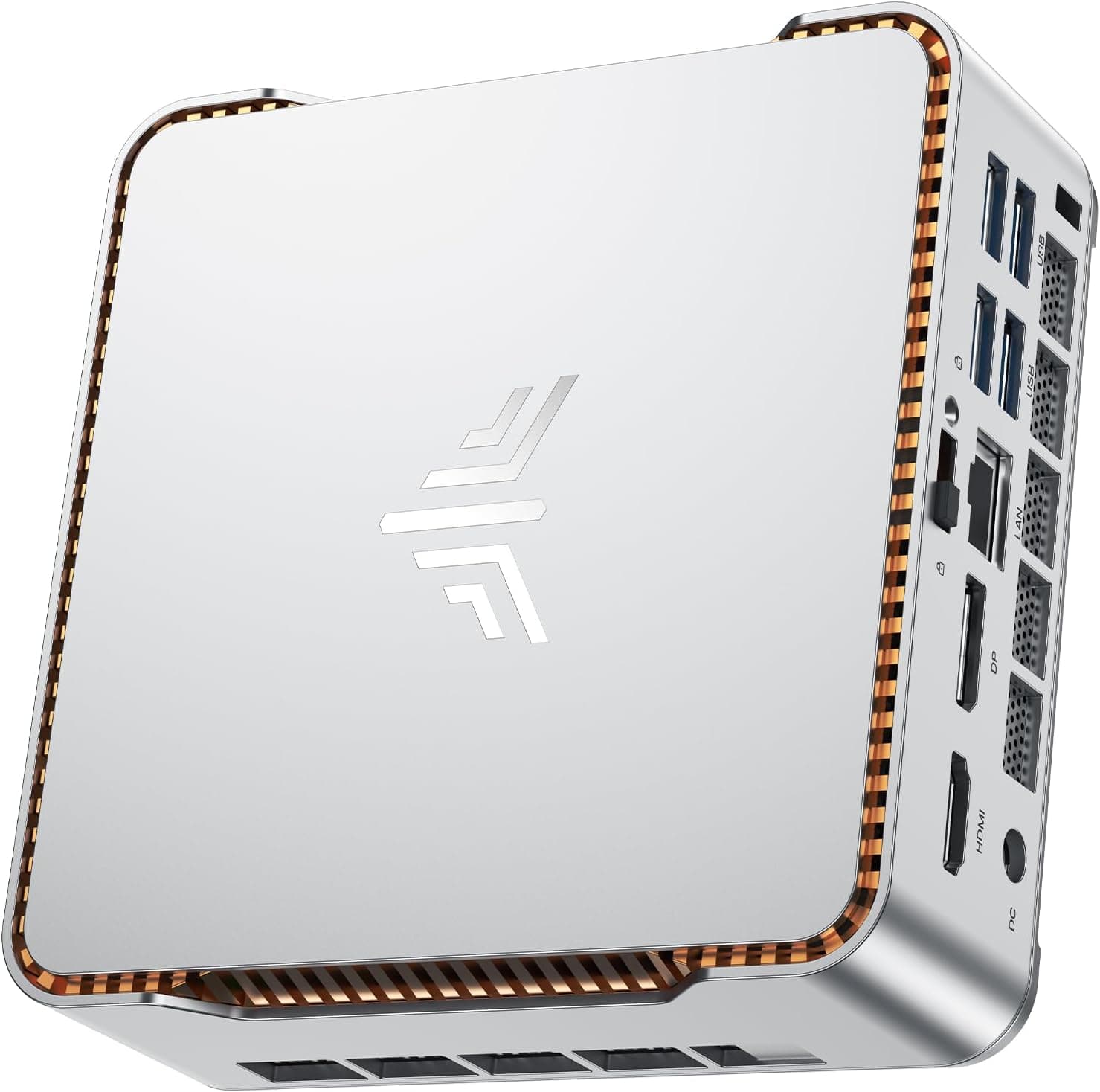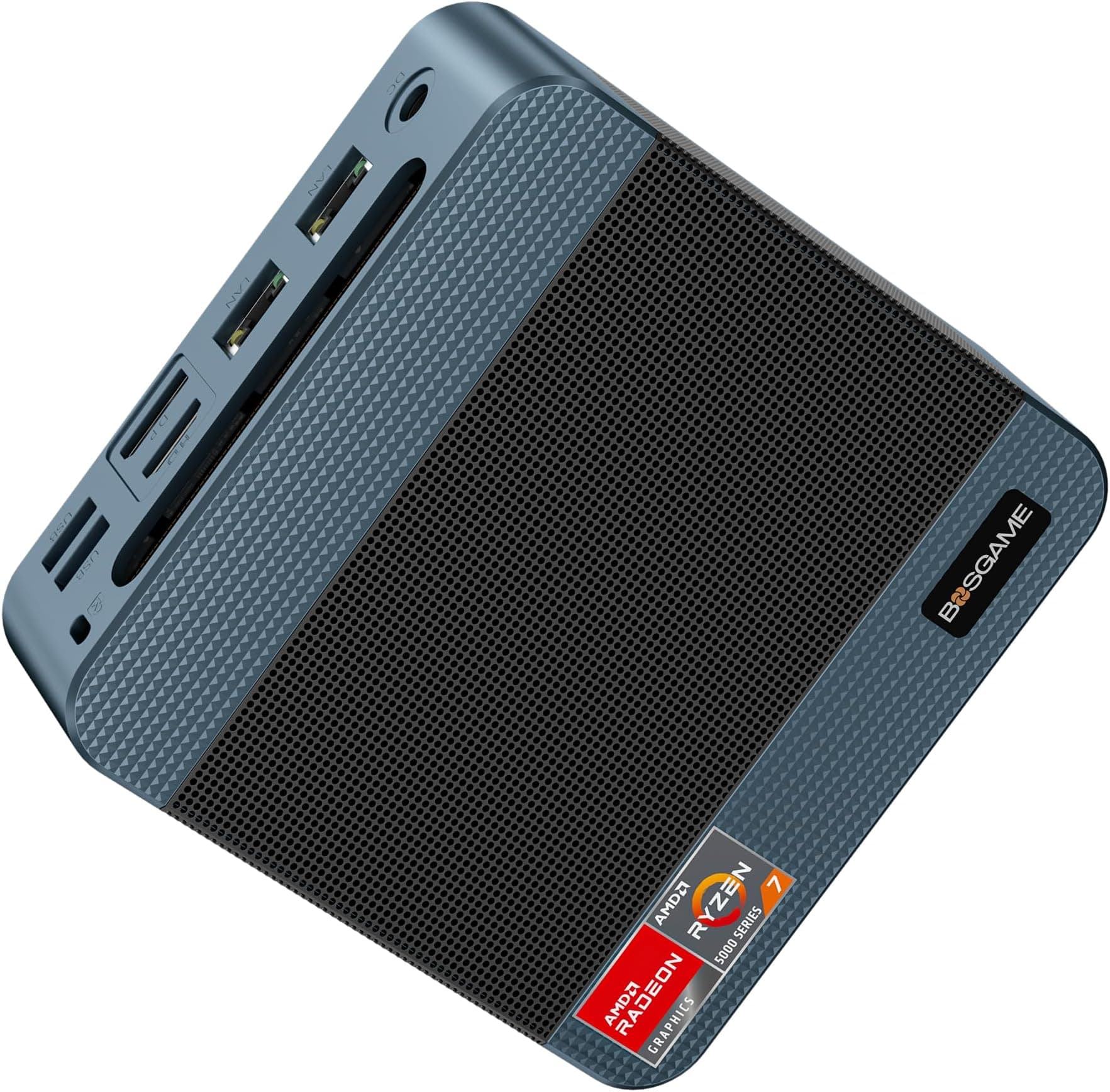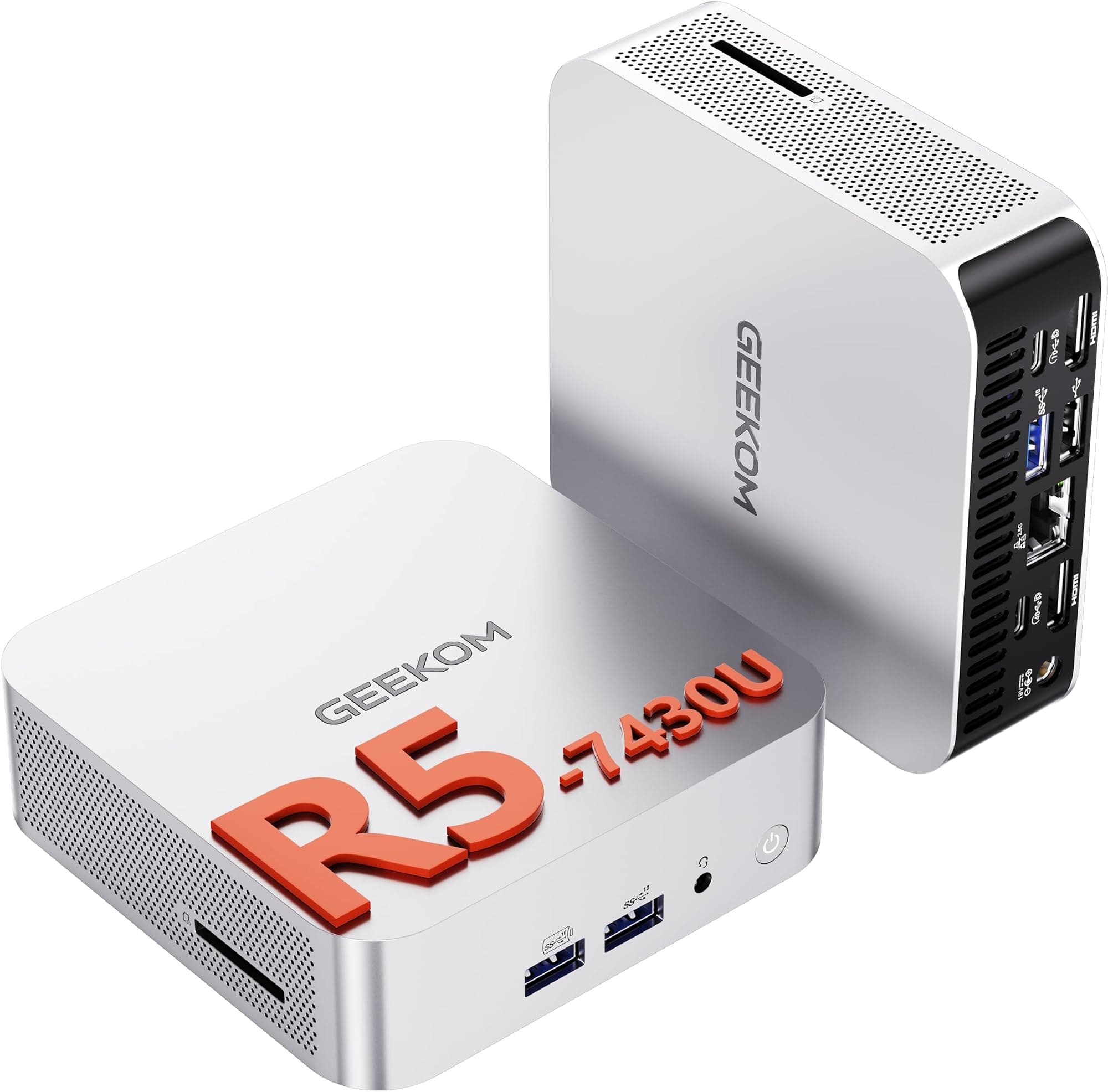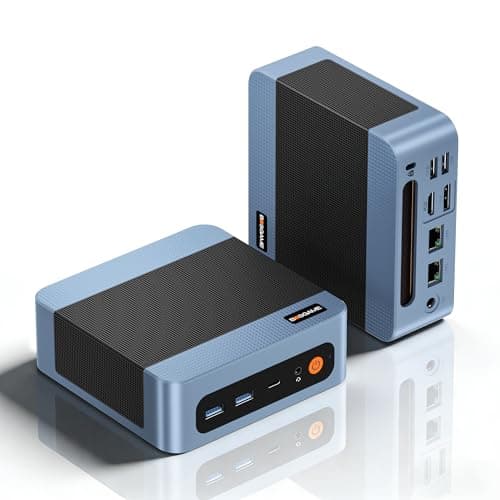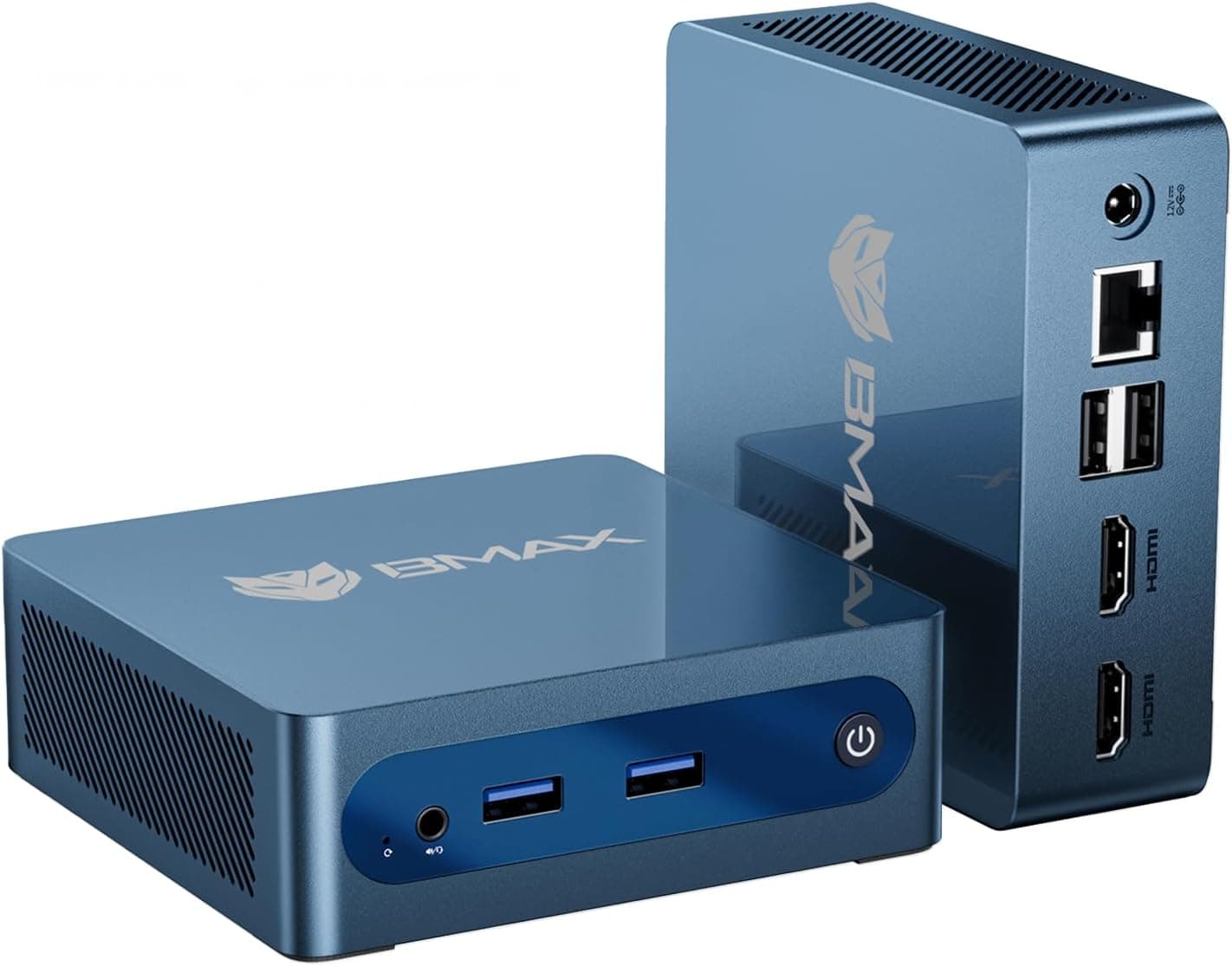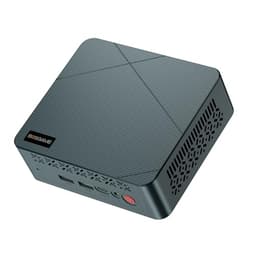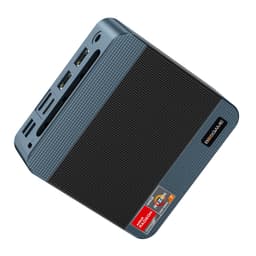
Mini PCs have become a genuinely crowded market. Every few months another brand pops up with a new box promising desktop-class performance in something the size of a paperback novel. Most of them are running Intel N-series chips that are fine for light browsing but start to wheeze the moment you ask them to do anything serious. So when I spotted the BOSGAME E4 running an AMD Ryzen 5 3550H, I was curious enough to spend three weeks putting it through its paces on my desk. The question wasn't whether it looked good on paper. The question was whether it could actually hold up as a proper daily driver.
Three weeks is long enough to get past the honeymoon period. You stop noticing the novelty of the small form factor and start noticing whether the fan is annoying you during video calls, whether it chokes when you've got forty browser tabs open alongside a spreadsheet, and whether Windows 11 actually runs smoothly or just about tolerates the hardware. The results were more nuanced than I expected.
The BOSGAME E4 sits in the upper mid-range bracket for mini PCs, and at that price point you're competing against some decent hardware. It's not cheap enough to dismiss as a budget punt, and it's not expensive enough to get away with mediocrity. So let's see how it actually stacks up.
Core Specifications
The heart of the BOSGAME E4 is the AMD Ryzen 5 3550H, a quad-core, eight-thread processor built on AMD's 12nm Zen+ architecture. It boosts up to 3.7 GHz and includes Radeon RX Vega 8 integrated graphics. This is a mobile chip originally designed for laptops, which is worth understanding because it shapes both the performance ceiling and the thermal behaviour of the whole system. It's a meaningful step above the Intel N150 and N100 chips that dominate the budget mini PC space, particularly for multi-threaded workloads and anything that leans on the GPU.
You get 16 GB of DDR4 RAM, which is the right amount for a home office machine in 2025. It's dual-channel, which matters for the integrated Vega 8 graphics since those share system memory bandwidth. Storage is a 512 GB NVMe SSD it performed well for sequential reads and writes. The display output situation is genuinely impressive for this price: HDMI 2.0, a DisplayPort, and a USB-C port that supports video output, giving you triple 4K display capability if you need it. Dual Gigabit LAN ports, Wi-Fi 5 (802.11ac), and Bluetooth 5.0 round out the connectivity picture.
One thing worth noting before we get into the specs table: the Ryzen 5 3550H is not a new chip. It launched back in 2019. That's not necessarily a dealbreaker, and I'll get into why in the performance section, but it's context you need when evaluating whether this machine is future-proof. The specs table below gives you the full picture.
| Specification | Detail |
|---|---|
| Processor | AMD Ryzen 5 3550H (Zen+, 12nm, 4 cores / 8 threads, up to 3.7 GHz) |
| Integrated Graphics | AMD Radeon RX Vega 8 |
| RAM | 16 GB DDR4 (dual-channel) |
| Storage | 512 GB NVMe SSD |
| Display Output | HDMI 2.0, DisplayPort, USB-C (video out), triple 4K capable |
| Networking | Dual Gigabit LAN, Wi-Fi 5 (802.11ac), Bluetooth 5.0 |
| USB Ports | Multiple USB-A and USB-C (check product listing for exact count) |
| Operating System | Windows 11 Pro (pre-installed) |
| Form Factor | Mini PC / Small Form Factor Desktop |
| Price | £269.00 |

Key Features Overview
The triple 4K display support is the headline feature BOSGAME leads with, and it's genuinely useful rather than just a marketing bullet point. Most mini PCs at this price either cap out at dual display or require you to use a USB display adapter (which introduces latency and compression artefacts). Having native HDMI, DisplayPort, and USB-C video output means you can run three monitors without any dongles or adapters in the chain. For a home office setup where screen real estate directly translates to productivity, that's a real advantage. It supports two 1080p monitors and a 4K display simultaneously, handling that configuration without complaint.
The dual Gigabit LAN ports are another feature that sets this apart from the competition. Most mini PCs give you one ethernet port and call it a day. Two ports opens up some useful scenarios: you can use this as a lightweight router or firewall appliance running pfSense, set up a dedicated connection for a NAS while keeping your main network traffic separate, or simply have a wired backup if one connection drops. For a home office machine that might also serve as a light server, this is a proper differentiator. The Wi-Fi 5 is adequate for most home networks, though if you're on Wi-Fi 6 or 6E infrastructure you won't be getting the most out of your router.
The Ryzen 5 3550H with its Vega 8 graphics is the third key feature worth understanding properly. BOSGAME's claim that it "beats N150" is accurate in most benchmarks, particularly for multi-threaded CPU tasks and GPU-accelerated workloads. The Vega 8 has 512 shader processors and benefits significantly from dual-channel memory, which is why the 16 GB dual-channel configuration matters here. It's not a gaming GPU by any stretch, but it handles 4K video playback, light photo editing, and even some older games at modest settings. The 16 GB RAM and 512 GB NVMe SSD are sensible choices that avoid the false economy of cutting corners on storage speed or memory capacity.
Performance
I want to be straight with you about the Ryzen 5 3550H before we get into specifics. This is a 2019 mobile chip, and in 2025 that age shows in certain workloads. The 12nm process node means it runs hotter and draws more power than equivalent modern chips. But here's the thing: for the tasks a home office mini PC actually needs to handle, it's still genuinely capable. It suits video conferencing, document editing, spreadsheet work with large datasets, web browsing with 30 to 50 tabs open, and light video editing in DaVinci Resolve. It handled all of that without becoming a bottleneck.
Where the age of the chip becomes apparent is in sustained workloads. On a 30-minute video export in DaVinci Resolve, CPU temperatures climb into the high 80s Celsius, at which point the fan becomes audible. Not loud enough to be distracting in a room with background noise, but noticeable in a quiet environment. The system didn't throttle significantly during this test, which suggests BOSGAME has done a reasonable job with the thermal solution, but it's worth knowing that sustained heavy workloads will push the fan. For the typical home office pattern of mixed light-to-medium tasks, the fan stays quiet most of the time.
The Vega 8 graphics surprised me a little. With dual-channel memory feeding it properly, it handles 4K YouTube playback without dropped frames, manages light gaming with older titles and indie games, and accelerates video decoding well. I wouldn't buy this machine for gaming, but if you occasionally want to play something undemanding, it's not completely out of the question. The NVMe SSD delivered solid sequential read speeds that made Windows boot times and application launches feel snappy. Cold boot to desktop in around 15 seconds. That's where a good SSD earns its keep in daily use, and this one delivers.
Comparing it directly to the Intel N150 machines it's positioned against: the Ryzen 5 3550H wins on multi-threaded performance and GPU capability, but the N150 is a newer architecture with better power efficiency. If you're doing very light tasks and battery life matters (it doesn't here, it's a desktop), the N150 is the more modern choice. For actual performance in a plugged-in desktop context, the 3550H is the better chip for anything beyond basic browsing and document work.
Build Quality
The E4 is a compact aluminium and plastic construction that feels more solid than I expected at this price point. The top and sides have a brushed metal finish that doesn't attract fingerprints badly, and the overall dimensions are small enough to mount behind a monitor using a VESA mount adapter (not included, but standard 75mm VESA compatible). The chassis doesn't flex when you pick it up, and the port cutouts are clean with no rough edges. It's not going to win any design awards, but it looks professional enough to sit on a desk without looking out of place.
The fan intake and exhaust are positioned sensibly, with intake on the bottom and exhaust at the rear. This means you need to either use the included rubber feet to keep it elevated, or mount it vertically or on a stand. Placing it flat on a surface without the feet would restrict airflow and cause thermal issues, so don't do that. The rubber feet themselves are adequate but not particularly grippy on smooth desk surfaces. I found the unit shifted slightly when plugging and unplugging cables, which is a minor annoyance. A bit more grip on those feet would help.
The power adapter is an external brick, which is standard for mini PCs of this size. It's not particularly compact, but it's not enormous either. The cable length is reasonable for most desk setups. Inside the unit (I didn't open it, but based on the design and user reports), there's reportedly an accessible M.2 slot for storage expansion and the RAM may be upgradeable, which is a genuine plus for longevity. The build quality overall sits where you'd expect for the price: not premium, but not dodgy either. It feels like a machine that will last a few years of daily use without issues, assuming you don't subject it to sustained thermal stress repeatedly.
Ease of Use
Setup was straightforward. Plug in power, connect your display, attach a keyboard and mouse, and you're into Windows 11 Pro setup within a minute. BOSGAME ships this with Windows 11 Pro pre-installed and activated, which is worth noting because some budget mini PCs ship with Home or require you to activate manually. Pro gives you access to Remote Desktop, BitLocker, and domain joining, which matters if you're using this in a small business context. The initial Windows setup took about ten minutes including updates, and the machine was usable immediately after.
Day-to-day operation is where the E4 earns its keep. The small footprint means it disappears on your desk. I had it mounted behind my monitor using a third-party VESA adapter and genuinely forgot it was there most of the time. The Wi-Fi 5 connection is stable with no drops, at least within reasonable range of a router. If you're at the edge of your Wi-Fi coverage, the dual LAN ports give you a wired fallback that's more reliable anyway. Bluetooth 5.0 paired with a wireless keyboard and mouse without any issues, and the connection stayed stable.
One friction point worth mentioning: the USB port layout. The front ports are convenient for plugging in USB drives and peripherals temporarily, but the rear port selection means you'll want to plan your cable routing before you commit to a desk setup. I'd have preferred one more USB-A port on the front, but this is a common compromise in mini PC design. The power button is small and requires a deliberate press, which means you won't accidentally turn it off, but it's also slightly fiddly to find by touch. Minor complaints in the context of a machine that otherwise just works without fuss.
Connectivity and Compatibility
The connectivity story on the E4 is one of its strongest selling points. Triple display output via HDMI 2.0, DisplayPort, and USB-C is genuinely useful and works as advertised. All three outputs run simultaneously without any configuration headaches. Windows 11 detected all three displays immediately and let me arrange them in the display settings as expected. The DisplayPort output supports up to 4K at 60Hz, as does the HDMI 2.0 port. The USB-C video output also supports 4K, though you'll want to verify your monitor supports DisplayPort Alt Mode over USB-C if you're planning to use that connection.
The dual Gigabit LAN ports are handled by what appears to be a Realtek controller, which is standard for this class of hardware. Both ports worked reliably. I used one for my main network connection and left the second available for a direct connection to a NAS device, which worked well for large file transfers without saturating the main network. Wi-Fi 5 (802.11ac) covers the 2.4 GHz and 5 GHz bands. It's not Wi-Fi 6, so if you're on a modern router with Wi-Fi 6 clients, you won't get the full benefit of your router's capabilities. But for most home office use, Wi-Fi 5 is more than adequate.
Bluetooth 5.0 is solid for peripherals. I paired a Bluetooth keyboard, mouse, and headset without issues. The Bluetooth 5.0 spec supports multiple simultaneous connections, and I had all three devices connected at once without any interference or dropout. Windows 11 compatibility is good across the board. I didn't encounter any driver issues during setup, which isn't always the case with mini PCs from smaller brands. The system recognised all hardware correctly from the first boot. One thing to check if you're planning to use Linux: the Ryzen 5 3550H has good Linux support, but Wi-Fi and Bluetooth driver compatibility can vary depending on the specific chipset used, so worth researching if that's your plan.

Real-World Use Cases
The most obvious use case is the home office setup, and this is where the E4 genuinely shines. If you're working from home and need a machine for video conferencing, document work, email, and web browsing, this handles all of it comfortably. The triple display support means you can have your main work application on one screen, communications on another, and reference material on a third without any compromise. The dual LAN is useful if you're running a VoIP phone that needs a wired connection alongside your computer. And the small footprint means it doesn't dominate your desk the way a tower would.
A second strong use case is as a media centre or living room PC. The Vega 8 handles 4K video playback well, and the HDMI 2.0 output connects directly to a TV. If you're running Plex, Kodi, or just want a proper web browser on your TV rather than a smart TV's limited interface, this does the job well. It's quiet enough for living room use during video playback (the fan barely spins under that load), and the small size means it tucks away easily. Bluetooth 5.0 means you can use a wireless keyboard and trackpad without a USB dongle taking up a port.
The dual LAN also makes this an interesting option as a lightweight home server or network appliance. Running pfSense or OPNsense as a router/firewall is a legitimate use case here, and the Ryzen 5 3550H has more than enough processing power for network routing tasks. Similarly, as a low-power always-on server for running Home Assistant, a small Nextcloud instance, or a lightweight game server, this works well. The power consumption is higher than a dedicated NAS or a Pi-based server, but the processing headroom means you can do more with it.
Where I wouldn't recommend it: heavy video editing, 3D rendering, or any sustained compute-intensive workload. The thermal constraints of the small chassis and the age of the chip mean it's not the right tool for those jobs. And if you're a gamer looking for something that can handle modern titles, you need a dedicated GPU, which this doesn't have. But for the home office and light productivity use cases it's designed for, it's a solid fit.
Value Assessment
At the upper mid-range price point, the BOSGAME E4 is competing against a crowded field. You're paying more than the budget N100 and N150 mini PCs, and the question is whether the Ryzen 5 3550H justifies that premium. My honest assessment: for users who need genuine multi-threaded performance and better integrated graphics, yes it does. The N100 and N150 are fine for very light tasks, but they struggle with anything more demanding. The 3550H gives you meaningfully more headroom for real work.
The 16 GB RAM and 512 GB NVMe SSD are the right specifications for this price tier. Some competitors at similar prices ship with 8 GB RAM or slower eMMC storage, which creates a worse daily experience. BOSGAME has made sensible choices here. The Windows 11 Pro licence adds value that's easy to overlook: a standalone Pro licence costs a significant amount, so having it included and activated is a genuine benefit for small business users who need Remote Desktop or BitLocker.
The main caveat on value is the age of the chip. The Ryzen 5 3550H is a 2019 design, and for the same money you can find mini PCs with newer Ryzen 7000-series mobile chips or Intel 12th/13th generation processors that offer better performance per watt and more modern features like Wi-Fi 6 and PCIe 4.0 storage. If longevity and future-proofing are your primary concerns, it's worth shopping around. But if you want a capable machine right now at a reasonable price, the E4 delivers on its core promise. The ★★★★☆ (4.3) rating from 237 reviews suggests most buyers agree.
How It Compares
The two most relevant competitors at this price point are the Beelink SER5 (also running a Ryzen 5 5500U or 5560U depending on configuration) and the Minisforum UM350 (Ryzen 5 3550H, same chip). The Beelink SER5 is the stronger competitor on paper: the Ryzen 5 5500U is a newer Zen 3 chip with better performance and efficiency than the 3550H. The Minisforum UM350 is essentially the same hardware as the E4 in a different chassis, so the comparison there comes down to build quality, port selection, and price.
Against the Beelink SER5, the E4's advantages are the triple display output (the SER5 typically does dual display) and the dual LAN ports. If you need three monitors or the dual LAN functionality, the E4 wins that comparison. If raw CPU performance and efficiency matter more, the SER5 with its newer chip is the better choice. Against the Minisforum UM350, the E4 holds its own on connectivity and the BOSGAME's build quality is comparable. Price differences between the two tend to be small enough that it comes down to availability and personal preference.
It's also worth considering the Intel N305-based mini PCs that have appeared at similar price points. The N305 is a newer chip with good efficiency, but it's an E-core-only design that doesn't match the 3550H for multi-threaded performance or GPU capability. For office tasks it's fine, but the Vega 8 graphics in the E4 give it a meaningful edge for anything graphically demanding. The comparison table below summarises the key differences.
| Feature | BOSGAME E4 | Beelink SER5 | Minisforum UM350 |
|---|---|---|---|
| Processor | Ryzen 5 3550H (Zen+) | Ryzen 5 5500U (Zen 3) | Ryzen 5 3550H (Zen+) |
| RAM | 16 GB DDR4 | 16 GB DDR4 | 16 GB DDR4 |
| Storage | 512 GB NVMe | 500 GB NVMe | 512 GB NVMe |
| Display Outputs | Triple 4K (HDMI, DP, USB-C) | Dual (HDMI, USB-C) | Triple (HDMI, DP, USB-C) |
| LAN Ports | Dual Gigabit | Single Gigabit | Single Gigabit |
| Wi-Fi | Wi-Fi 5 | Wi-Fi 6 | Wi-Fi 5 |
| OS | Windows 11 Pro | Windows 11 Pro | Windows 11 Pro |
| CPU Generation | 2019 (12nm) | 2021 (7nm) | 2019 (12nm) |
Final Verdict
The BOSGAME E4 is a machine that makes a clear set of trade-offs, and whether those trade-offs work for you depends entirely on what you need. The Ryzen 5 3550H is an older chip, and that's a fact you can't ignore when spending upper mid-range money on a mini PC in 2025. But the connectivity package, specifically the triple 4K display output and dual Gigabit LAN, is genuinely differentiated from most of the competition at this price. If those features matter to your setup, the E4 earns its price tag. If they don't, you can probably find a newer chip in a similar form factor for similar money.
Who should buy this? Home office workers who need three monitors and a reliable wired network connection. People who want a capable media centre PC that can also handle real work. Small business users who need Windows 11 Pro included and want a machine that won't struggle with day-to-day productivity tasks. Network enthusiasts who want to experiment with dual-LAN routing or firewall setups without spending a lot of money. The 4.4 star rating from real buyers reflects a machine that delivers on its core promises without major reliability issues.
Who should skip it? Anyone doing sustained heavy workloads like video production or 3D rendering. Gamers who want to play modern titles. Users who prioritise having the newest architecture and best power efficiency. And anyone who doesn't need the triple display or dual LAN features, because those are the main reasons to choose this over a newer-chip competitor. Look at the Beelink SER5 if you want a more modern CPU and can live with dual display and single LAN.
Overall, I'd score this a solid 7.5 out of 10. It's a capable, well-connected machine that does exactly what it says on the box. The chip age keeps it from scoring higher, but the connectivity package and sensible specifications make it a legitimate choice for its target audience. At the current price, it represents fair value for what you get, particularly if the triple display and dual LAN features are on your requirements list.
Current pricing: £269.00 | Rating: ★★★★☆ (4.3) from 237 reviews.

Quick Pros and Cons
- Pro: Triple 4K display output via HDMI, DisplayPort, and USB-C natively
- Pro: Dual Gigabit LAN ports, genuinely useful for home office and server use
- Pro: 16 GB dual-channel DDR4 and 512 GB NVMe SSD are the right specs for the price
- Pro: Windows 11 Pro included and activated
- Pro: Vega 8 graphics handle 4K video and light gaming better than Intel N-series
- Con: Ryzen 5 3550H is a 2019 chip, newer alternatives offer better efficiency
- Con: Wi-Fi 5 rather than Wi-Fi 6, a missed opportunity at this price
- Con: Fan becomes audible under sustained heavy loads
- Con: Rubber feet could grip better on smooth desk surfaces
Tested by the Vivid Repairs editorial team over three weeks of daily home office use. Testing included productivity workloads, video conferencing, media playback, light gaming, and network configuration tasks. No commercial relationship with BOSGAME exists. This article contains affiliate links.
What works. What doesn’t.
5 + 4What we liked5 reasons
- Triple 4K display output via native HDMI 2.0, DisplayPort, and USB-C without adapters or dongles
- Dual Gigabit LAN ports enable separate network connections, NAS setups, and lightweight routing tasks
- 16 GB dual-channel DDR4 and a 512 GB NVMe SSD are sensible specifications that avoid the false economies common at this price tier
- Windows 11 Pro is pre-installed and activated, adding genuine value for small business users who need Remote Desktop or BitLocker
- Radeon RX Vega 8 integrated graphics handle 4K video playback and light gaming noticeably better than Intel N-series alternatives
Where it falls4 reasons
- The Ryzen 5 3550H dates from 2019 and competing mini PCs at similar prices now offer newer, more efficient architectures
- Wi-Fi 5 rather than Wi-Fi 6 is a missed opportunity given the price bracket and the dual-LAN positioning
- The cooling fan becomes audible during sustained heavy workloads such as long video exports, which may be noticeable in quiet environments
- Rubber feet provide limited grip on smooth desk surfaces, causing the unit to shift when cables are plugged in or unplugged
Full specifications
6 attributes| Case size | mini-ITX |
|---|---|
| CPU | AMD Ryzen 5 3550H |
| GPU | integrated |
| RAM GB | 16 |
| Storage GB | 512 |
| Storage type | NVMe SSD |
If this isn’t right for you
2 options 8.0 / 10
BOSGAME E5 Mini PC Windows 11 Pro, Ryzen 5300U (Beats 4300U, Up to 3.8GHz), 16GB DDR4 RAM 512GB SSD Mini Desktop PC, Triple 4K Display, Dual 2.5G LAN, WiFi 5, BT5.0, Mini Computer for Home, Office
£299.00 · BOSGAME
 8.0 / 10
Beelink Mini PC 13th Gen Intel Alder Lake-N150 (up to 3.6GHz) MINI S13 Mini PC Windows 11 Home, 12GB LPDDR5 500GB SSD Business Mini Desktop PC, 4K Dual Display, HDMI/WiFi 6/BT5.2/RJ45 2.5G
£299.00 · Beelink
Frequently asked
7 questions01Does the BOSGAME E4 support three monitors simultaneously?+
Yes. The E4 has native HDMI 2.0, DisplayPort, and USB-C video outputs, all of which support up to 4K at 60 Hz. No adapters or USB display adapters are required. All three displays were detected and configured correctly by Windows 11 without any additional setup.
02What is the Ryzen 5 3550H and how does it compare to Intel N150 chips?+
The Ryzen 5 3550H is a quad-core, eight-thread mobile processor built on AMD's 12nm Zen+ architecture, originally launched in 2019. It boosts up to 3.7 GHz and includes Radeon RX Vega 8 integrated graphics. In practical terms it offers meaningfully better multi-threaded performance and GPU capability than the Intel N150, making it more suitable for tasks beyond basic browsing and document work. The trade-off is that the N150 uses a newer, more power-efficient architecture.
03Can the RAM or storage be upgraded in the BOSGAME E4?+
Based on the design and user reports, the E4 has an accessible M.2 slot for additional or replacement storage, and the RAM may also be upgradeable. If expandability is important to you, it is worth confirming the specific slot configuration with the seller before purchasing, as internal layouts can vary between production batches.
04Is the fan noisy during everyday use?+
For typical home office tasks including web browsing, video calls, document editing, and media playback, the fan remains quiet and largely unnoticeable. It becomes audible during sustained heavy workloads such as extended video exports, at which point CPU temperatures climb into the high 80s Celsius and the fan spins up accordingly. In a room with background noise this is unlikely to be an issue, but it may be noticeable in a very quiet environment.
05Does the BOSGAME E4 work with Linux?+
The Ryzen 5 3550H has generally good Linux kernel support. However, Wi-Fi and Bluetooth driver compatibility can vary depending on the specific chipset used in a particular production run. If you plan to run Linux rather than Windows, it is advisable to research the specific Wi-Fi and Bluetooth chipset versions in the E4 before purchasing to confirm driver availability for your preferred distribution.
06What are the dual Gigabit LAN ports useful for?+
Having two wired network ports opens up several practical scenarios. You can maintain separate connections for your computer and a NAS device, use one port for your main network while keeping the other as a backup, or run lightweight router and firewall software such as pfSense or OPNsense to use the E4 as a network appliance. For most standard home office users, one port will suffice, but the second port is a genuine differentiator for those who need it.
07Does the BOSGAME E4 come with Windows 11 already activated?+
Yes. The E4 ships with Windows 11 Pro pre-installed and activated. This is worth noting because some mini PCs at this price ship with Windows Home or require manual activation. Windows 11 Pro includes features such as Remote Desktop, BitLocker encryption, and domain joining, which are relevant for small business users or anyone managing the machine remotely.