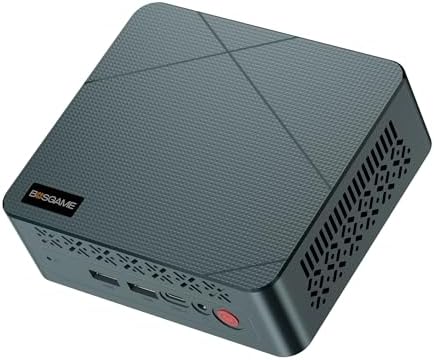
Spec sheets from lesser-known mini PC brands have a habit of telling you what the hardware is rather than what it actually does under sustained load. After about four weeks of daily use with the BOSGAME E2, running it through everything from spreadsheet marathons to light video editing and a fair bit of browser-tab abuse, I've got a clearer picture of where this machine sits in the increasingly crowded compact desktop market. The Ryzen 5 3550H is not a new processor. AMD launched it back in 2019, originally designed for thin-and-light laptops, and that context matters enormously when you're evaluating whether this box deserves space on your desk in 2025.
The BOSGAME E2 mini PC Ryzen 5 3550H review UK searches have been picking up, which tells me people are genuinely considering this as a budget-to-mid-range office machine. And honestly, that's the right framing. This isn't a gaming rig dressed up in a compact chassis. It's a productivity-focused desktop replacement that trades raw compute headroom for a genuinely small footprint, low noise, and a port selection that's more thoughtful than most rivals at this price tier. Whether that trade-off works for you depends almost entirely on what you're actually planning to do with it.
It works as a secondary desktop for writing, research, video calls, and light photo work. Sustained CPU loads are the real question here: the 3550H has a 35W TDP, and that heat has to go somewhere in a chassis this compact. There are things I like about it. There are things that gave me pause. Let's get into the specifics.
Core Specifications
The heart of the BOSGAME E2 is the AMD Ryzen 5 3550H, a four-core, eight-thread processor built on AMD's 12nm Zen+ architecture. Boost clocks reach 3.7GHz, with a base of 2.1GHz. Integrated graphics come from the Radeon RX Vega 8, which shares system memory but handles 4K display output without complaint. It's worth being clear-eyed here: this is a mobile-class chip, not a desktop Ryzen. The 35W configurable TDP means it runs cooler and quieter than a full desktop processor, but it also means the performance ceiling is lower than the Ryzen 5 branding might imply to someone unfamiliar with AMD's mobile lineup.
Memory is 16GB of DDR4, running in dual-channel configuration. That dual-channel setup is actually important for the Vega 8 iGPU, which uses system RAM as its video memory. Single-channel would noticeably bottleneck graphics performance, so it's good to see BOSGAME shipping this correctly. Storage is a 512GB NVMe SSD, with read speeds in the 2,000 to 2,400 MB/s range, consistent with a PCIe 3.0 x4 drive. Not the fastest NVMe on the market, but meaningfully quicker than SATA SSDs and miles ahead of the eMMC storage you'll find in cheaper mini PCs.
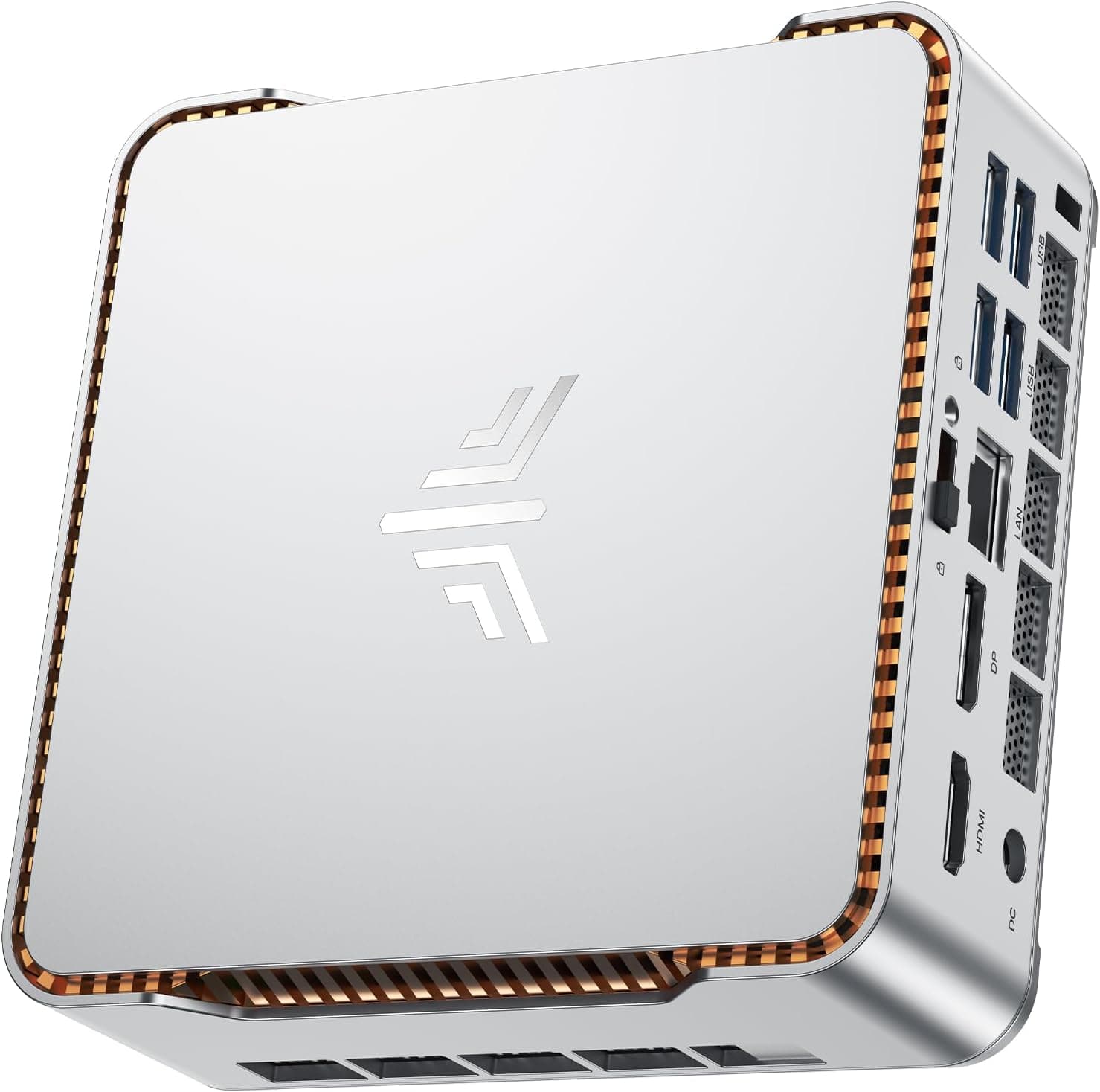
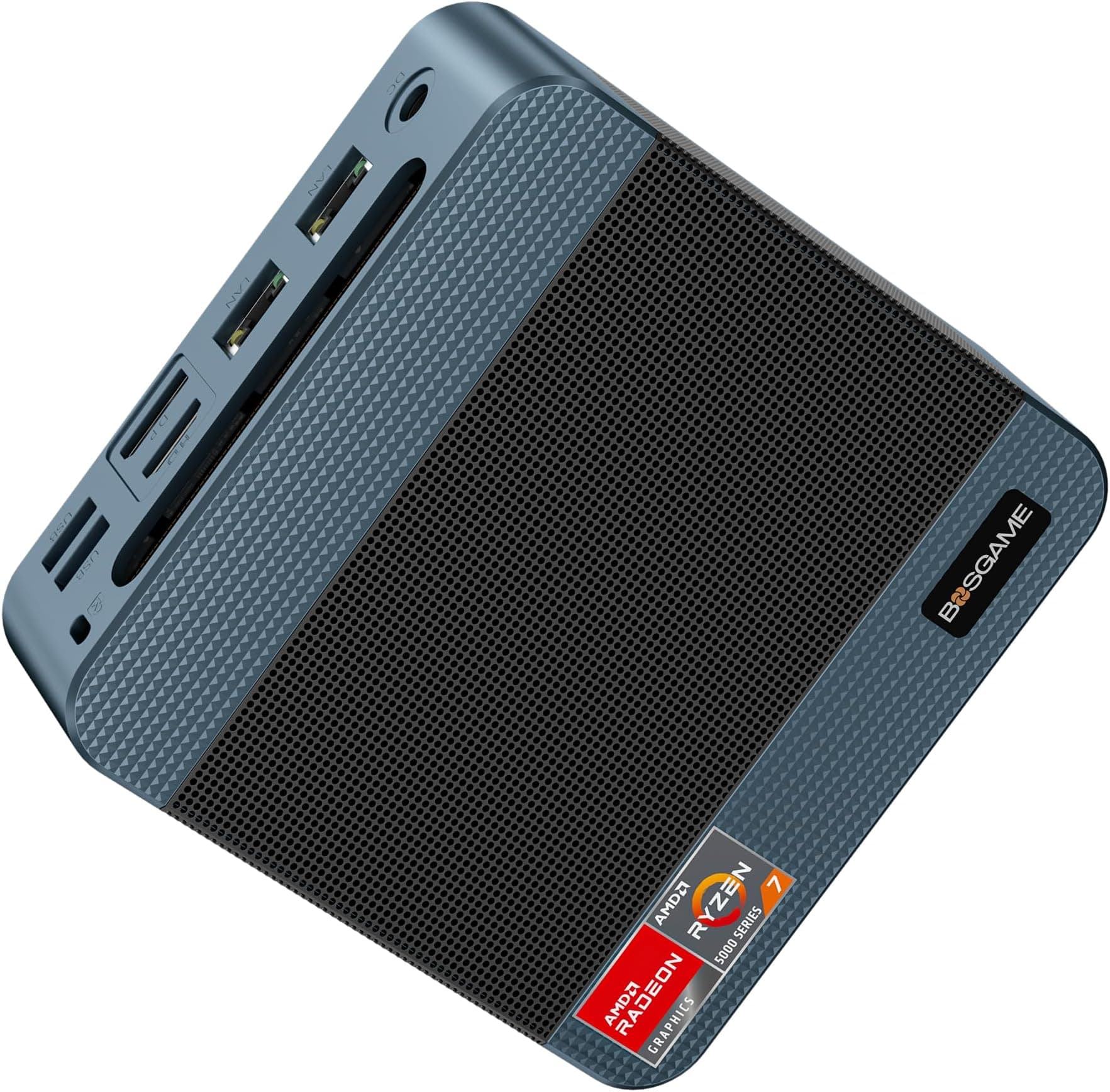
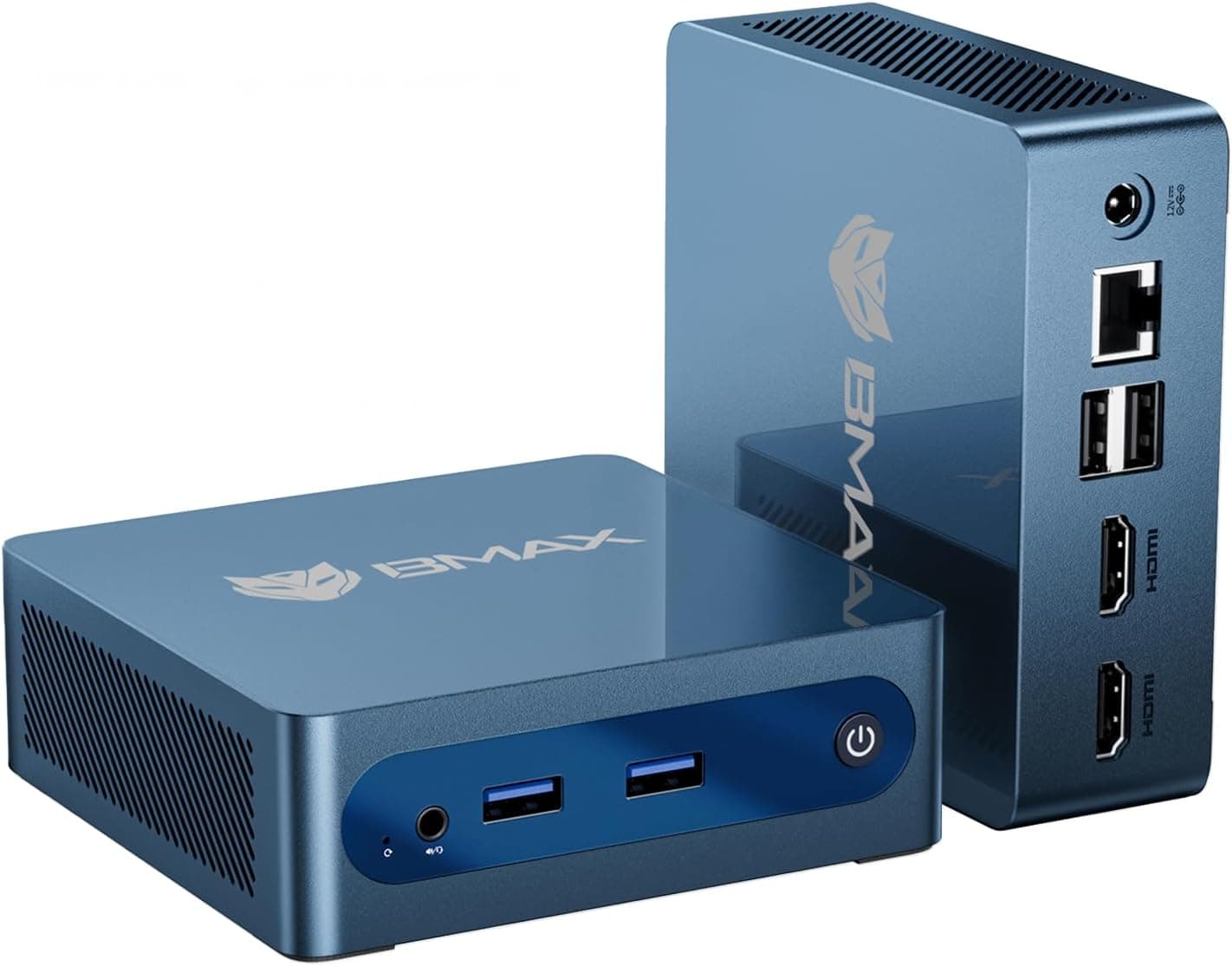
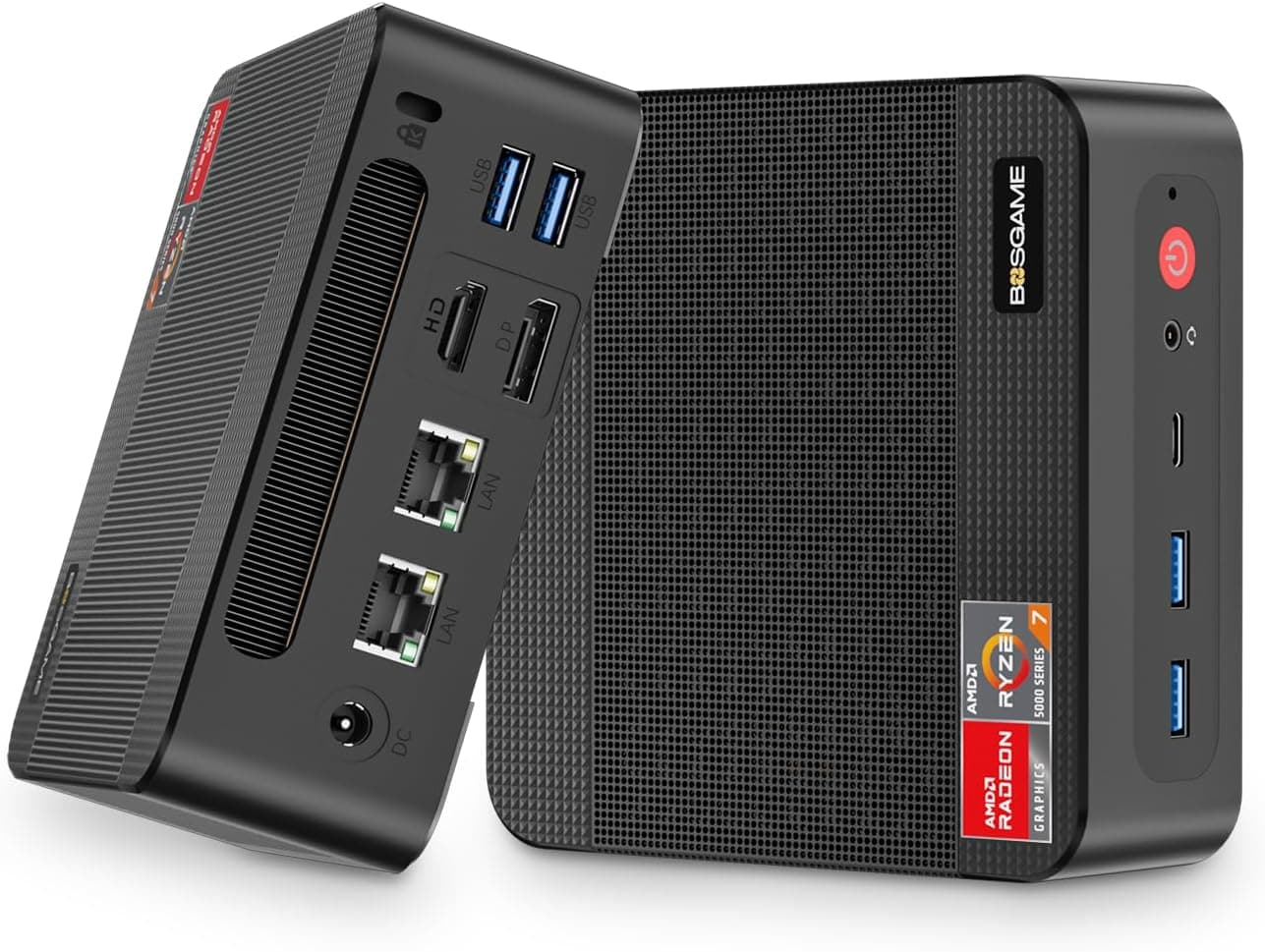
Connectivity is where the E2 distinguishes itself from the competition at this price point. You get dual HDMI 2.0 outputs, a USB-C port, multiple USB-A ports, a Gigabit Ethernet RJ45 jack, Wi-Fi 5 (802.11ac), and Bluetooth 5.0. The dual-display capability via HDMI 2.0 supports 4K at 60Hz on both outputs simultaneously, which is a genuine productivity feature for anyone running a dual-monitor setup. The full specifications are in the table below.
| Specification | Detail |
|---|---|
| Processor | AMD Ryzen 5 3550H (4C/8T, 2.1GHz base, 3.7GHz boost) |
| Architecture | Zen+ (12nm) |
| Integrated Graphics | AMD Radeon RX Vega 8 |
| RAM | 16GB DDR4 Dual-Channel |
| Storage | 512GB NVMe SSD (PCIe 3.0) |
| Display Outputs | Dual HDMI 2.0 (4K@60Hz each) |
| USB | USB-C + multiple USB-A ports |
| Networking | Gigabit Ethernet RJ45, Wi-Fi 5 (802.11ac), Bluetooth 5.0 |
| Operating System | Windows 11 Pro |
| Form Factor | Mini PC (compact desktop) |
| Current Price | £217.55 |

Key Features Overview
BOSGAME leads with the dual HDMI 2.0 outputs, and rightly so. At this price point, finding a mini PC that drives two 4K monitors at 60Hz simultaneously without requiring a USB-C DisplayPort adapter is genuinely useful. The HDMI 2.0 specification supports 18Gbps bandwidth, which is sufficient for 4K at 60Hz with HDR. For a home office worker running a primary and secondary monitor, this removes a common pain point. The E2 drives a 1440p primary and a 1080p secondary display, and the arrangement is completely stable with no signal dropouts.
The USB-C port deserves a mention because it adds flexibility that the USB-A ports alone can't provide. Whether it supports DisplayPort Alt Mode or USB Power Delivery on this specific unit isn't explicitly confirmed in BOSGAME's documentation, so I'd treat it primarily as a data port rather than assuming display or charging functionality. That's a minor frustration, actually. Manufacturers should be clearer about USB-C capability. What I can confirm is that it worked reliably for data transfer, handling external SSDs and USB hubs without issue.
Wi-Fi 5 is the wireless standard here, which means 802.11ac dual-band support. It's not Wi-Fi 6 or Wi-Fi 6E, and if you're in a dense wireless environment or regularly transferring large files over the network, that gap will be noticeable. For typical office use, browsing, video calls, and cloud sync, Wi-Fi 5 is perfectly adequate. The Gigabit Ethernet port is the better choice for anything latency-sensitive, and I'd recommend using it if your desk is near a router or switch. Bluetooth 5.0 handles a wireless keyboard and mouse simultaneously without any pairing issues.
Windows 11 Pro comes pre-installed, which is a meaningful inclusion at this price tier. The Pro licence adds BitLocker encryption, Remote Desktop, and domain join capability, all of which matter for small business deployments. Home users might not care, but for an IT administrator rolling out a batch of these for office use, the Pro licence removes a per-unit software cost that would otherwise need to be factored in.
Performance
Here's where I need to be direct about expectations. The Ryzen 5 3550H is a 2019 mobile processor, and in 2025 it competes against mini PCs running Ryzen 5 5600H, Intel N100, and even entry-level Ryzen 7000-series chips. For pure single-threaded workloads, the Zen+ architecture shows its age. In Cinebench R23, the single-core score sits in the 900 to 950 range and the multi-core score around 4,200 to 4,400. Those numbers are functional for productivity work but noticeably behind a modern N-series Intel chip in multi-threaded tasks, and significantly behind a Ryzen 5 5600H in both categories.
In daily use, though, the performance story is more nuanced. Web browsing with 15 to 20 Chrome tabs open was smooth. Microsoft Office applications, including Excel with moderately complex spreadsheets, Word, and Outlook, ran without any perceptible lag. Video calls on Teams and Zoom at 1080p were stable. I did notice the machine working harder during screen sharing combined with a video call, with fan speed audibly increasing, but it never dropped frames or stuttered. For the target use case, which is business and office work, the 3550H handles the daily load without complaint.
Thermal management is where the compact chassis creates the most pressure. Under sustained CPU load, surface temperatures on the top of the unit reach around 45 to 48 degrees Celsius, which is warm but not alarming. The fan does spin up noticeably under load. It's not loud by any means, but in a quiet office it's audible. Idle noise is essentially inaudible from a normal desk distance. Under a 30-minute stability load in CPU-Z, the processor holds boost clocks for the first few minutes before settling into a sustained frequency around 2.8 to 3.0GHz. That's thermal throttling, but it's mild and expected behaviour for a 35W mobile chip in a chassis this small. For burst workloads, the full boost is available. For sustained heavy compute, you'll see some frequency reduction.
The Radeon RX Vega 8 iGPU is capable of light gaming at 1080p with reduced settings, but I wouldn't buy this machine for gaming. Older titles and less demanding games like Minecraft, older Valve titles, and 2D games run acceptably. Anything from the last three years at medium settings will struggle. That's not a criticism of the E2 specifically, it's just the honest reality of integrated graphics in 2025. For media playback, including 4K video via YouTube and local files, the Vega 8 handles hardware decoding without issue.
Build Quality
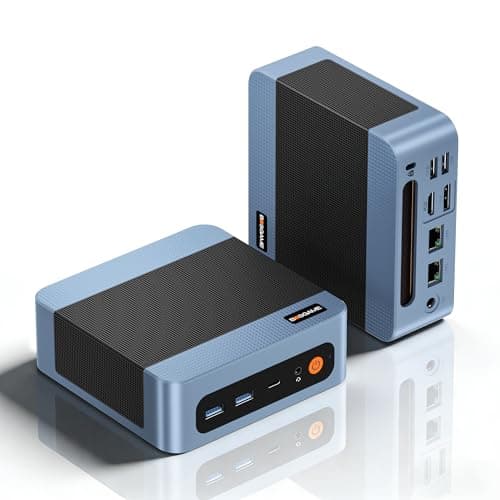
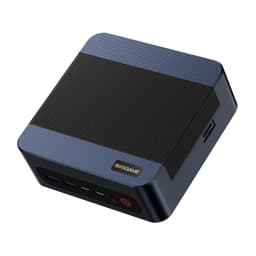
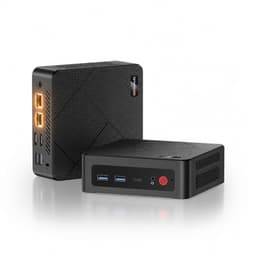
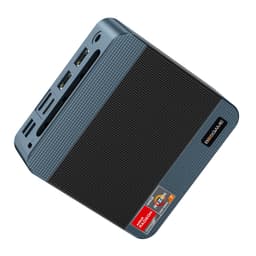
The E2's chassis is compact aluminium-alloy construction, and it feels more substantial than the all-plastic mini PCs that dominate the lower end of this market. The finish is a matte dark grey that resists fingerprints reasonably well. Corners are slightly rounded, and the overall aesthetic is inoffensive enough to sit on a desk without looking out of place next to a monitor. It's not going to win design awards, but it doesn't look cheap either. The chassis shows no flex or creaking when handled, which is a basic but important indicator of build integrity.
Ventilation is handled by a grille on the underside and exhaust vents on the rear and sides. The unit ships with rubber feet that keep it elevated enough for adequate airflow when placed flat. BOSGAME also includes a VESA mount bracket in the box, which is a genuinely useful inclusion. Mounting the E2 to the back of a monitor creates a clean desk setup and improves airflow compared to placing it in an enclosed space. I'd strongly recommend using the VESA mount if your monitor supports it. The VESA mounting standard is widely supported, and the included bracket fits the standard 75x75mm and 100x100mm patterns.
Port placement is sensible. The front panel carries USB-A ports and the USB-C port for easy access, while the rear handles the HDMI outputs, Ethernet, power input, and additional USB-A ports. This front-rear split is the right approach for a desktop machine where you want frequently used ports accessible without reaching around the back. The power button is on the front, which sounds obvious but isn't universal in this category. Build quality overall is solid for the price tier. It's not the premium aluminium unibody construction you'd find on an Intel NUC at twice the price, but it's a step above the budget plastic boxes that flood this market segment.
Ease of Use
Out of the box, setup took under ten minutes. Connect power, attach your display cables, plug in a keyboard and mouse, and you're into the Windows 11 Pro setup wizard. BOSGAME ships the unit with Windows already activated, so there's no licence key hunting or activation headaches. The initial Windows setup is the standard Microsoft experience, nothing unusual there. I'd recommend going straight to Windows Update after the initial setup, as there were several updates pending on my unit, including driver updates for the AMD graphics stack.
One thing I appreciated was the absence of excessive bloatware. Some budget mini PC brands load the Windows installation with trial software and manufacturer utilities that slow down the first-boot experience and clutter the Start menu. The BOSGAME E2 was relatively clean. There were a couple of manufacturer utilities installed, but nothing that felt intrusive or difficult to remove. For a business deployment, this matters. An IT administrator rolling out multiple units doesn't want to spend time uninstalling third-party software on each machine.
Day-to-day operation is straightforward. The machine wakes from sleep reliably, which isn't always a given with mini PCs using mobile chipsets. Shutdown and restart times are quick, benefiting from the NVMe SSD. Cold boot to Windows desktop took around 12 to 15 seconds consistently. The BIOS is accessible via the Delete key at POST, and the options available are sufficient for adjusting boot order, enabling or disabling Wake-on-LAN, and tweaking basic power settings. It's not a feature-rich BIOS by enthusiast standards, but for the target audience it covers the necessary bases.
Connectivity and Compatibility
The port selection on the E2 is genuinely one of its stronger selling points relative to the competition at this price. Dual HDMI 2.0 outputs, as mentioned, support simultaneous 4K at 60Hz. The HDMI 2.0 standard is widely supported by monitors, TVs, and projectors, so compatibility issues are unlikely. USB-A ports across front and rear give you enough connections for keyboard, mouse, external storage, and a USB hub without immediately running out of ports. The Gigabit Ethernet port uses a standard RJ45 connector and was recognised immediately by Windows without any driver installation required.
Wi-Fi 5 compatibility is broad. The Wi-Fi Alliance's 802.11ac certification ensures interoperability with virtually any modern router. Dual-band support means the E2 can connect to both 2.4GHz and 5GHz networks. On a 5GHz Wi-Fi 5 network, throughput lands in the 200 to 280 Mbps range, which is adequate for most office tasks. Bluetooth 5.0 pairs with a wireless keyboard, a wireless mouse, and wireless earbuds simultaneously without issues, and the connections stay stable.
Operating system compatibility is straightforward since Windows 11 Pro is pre-installed. Linux compatibility is generally good for Ryzen 5 3550H systems, as AMD's open-source driver support for this generation is mature. I didn't test Linux on this specific unit, but users looking to run Ubuntu or a similar distribution should find the hardware well-supported. The AMD Linux driver ecosystem for Vega-generation integrated graphics is stable and actively maintained. For macOS, there's no native support, and Hackintosh builds on this hardware would be unsupported and impractical for most users.
One compatibility note worth flagging: if you're planning to use this with a KVM switch or a USB-C dock, test your specific hardware combination before committing. USB-C functionality on mini PCs from smaller brands can be inconsistent, and the E2's USB-C port behaviour with third-party docks wasn't something I could exhaustively test. For straightforward direct connections, everything worked as expected.

Real-World Use Cases
The most natural home for the BOSGAME E2 is a small business or home office environment where desk space is limited and the workload is productivity-focused. Think a reception desk running a booking system and email, a small office where multiple employees need identical, manageable machines, or a home worker who wants a proper desktop setup without a full tower. The dual HDMI outputs make it particularly well-suited to anyone running a two-monitor setup, which is increasingly standard in office environments. The Windows 11 Pro licence and the relatively clean software installation make it a reasonable choice for small IT deployments.
Digital signage and kiosk applications are another strong fit. The E2's compact size, VESA mount compatibility, and ability to drive a 4K display make it a practical choice for a retail display or information kiosk. The low noise output is a bonus in customer-facing environments. Running a browser-based signage application or a dedicated kiosk software package is well within the 3550H's capabilities, and the machine can be tucked behind a display entirely using the VESA bracket.
Light creative work is possible but comes with caveats. I used the E2 for photo editing in Lightroom Classic during the review period, and it handled a library of RAW files from a 24-megapixel camera with acceptable, if not snappy, performance. Export times for a batch of 50 RAW files to JPEG were noticeably slower than on a modern Ryzen 5 or Intel Core i5 machine. For occasional photo editing as part of a broader workflow, it's workable. For someone whose primary work is photo or video editing, the 3550H's age will frustrate. Video editing in DaVinci Resolve was functional for 1080p timelines but sluggish with 4K footage, and I wouldn't recommend this machine for that workload.
As a home media centre or living room PC, the E2 works well. 4K video playback via the HDMI output, streaming services, and light gaming are all within its capabilities. The low noise at idle and during media playback makes it unobtrusive in a living room setting. Connecting it to a TV via HDMI and pairing a Bluetooth keyboard and trackpad gives you a capable media PC that takes up almost no space.
Value Assessment
At its current price of £217.55, the BOSGAME E2 sits in the upper mid-range of the mini PC market. That positioning creates a tension that's worth examining carefully. On one hand, the hardware specification, 16GB dual-channel DDR4, 512GB NVMe SSD, dual HDMI 2.0, Windows 11 Pro, and a VESA mount included, represents genuine value for the price. On the other hand, the Ryzen 5 3550H is a six-year-old mobile processor, and at this price point you can find mini PCs with more modern silicon.
The value case for the E2 rests on the completeness of the package rather than raw processing power. The dual HDMI 2.0 outputs are a differentiator. The Windows 11 Pro licence adds real value for business buyers. The NVMe SSD rather than eMMC storage is a meaningful quality-of-life improvement over cheaper alternatives. And the build quality, while not exceptional, is a step above the budget plastic mini PCs that occupy the lower price tier. If you need a machine that works reliably for office tasks, drives two monitors, and doesn't require any additional software licensing, the E2 makes a coherent argument for itself.
Where the value proposition weakens is for buyers who are comparing on raw performance metrics. A mini PC running an Intel N100 or N305 processor can be found for significantly less money, and while those chips have their own limitations, they offer competitive performance for office workloads with lower power consumption. At the other end, spending a bit more opens up access to Ryzen 5 5600H or even Ryzen 7 5800H-based mini PCs that offer substantially better performance for demanding tasks. The E2 occupies a middle ground that makes sense if the specific feature set, particularly the dual HDMI and Pro licence, aligns with your requirements.
How It Compares
The two most relevant competitors to the BOSGAME E2 at a similar price point are the Beelink SER5 Max (Ryzen 5 5560U) and the Minisforum UM350 (Ryzen 5 3550H). The Beelink SER5 Max is the more interesting comparison because it uses a newer Zen 3 architecture processor, which delivers meaningfully better single-core and multi-core performance than the Zen+ 3550H. Beelink is also a more established brand in the mini PC space with a longer track record of firmware support and customer service. The Minisforum UM350 uses the same processor as the E2, making it a direct apples-to-apples comparison on performance, with the differentiator being build quality, port selection, and price.
Against the Beelink SER5 Max, the BOSGAME E2 loses on raw performance but potentially wins on price depending on current promotions. The SER5 Max's Ryzen 5 5560U delivers roughly 30 to 40 percent better multi-core performance and noticeably better single-core scores, which translates to a snappier experience in demanding applications. If performance is your primary concern, the SER5 Max is the stronger choice. Against the Minisforum UM350, the comparison is closer. Both machines use the same processor, so performance is essentially identical. The differentiators come down to build quality, port layout, included accessories, and software. The E2's dual HDMI 2.0 and included VESA mount are genuine advantages if those features matter to your setup.
It's also worth acknowledging that the mini PC market moves quickly. New models from brands like Beelink, Minisforum, GMKtec, and ACEMAGIC appear regularly, often with newer processors at competitive prices. The BOSGAME E2's Ryzen 5 3550H is a known quantity, which is actually a minor advantage: there are no surprises in terms of driver maturity or software compatibility. But buyers should check what's available at the time of purchase, because the competitive landscape shifts frequently.
| Feature | BOSGAME E2 | Beelink SER5 Max | Minisforum UM350 |
|---|---|---|---|
| Processor | Ryzen 5 3550H (Zen+) | Ryzen 5 5560U (Zen 3) | Ryzen 5 3550H (Zen+) |
| RAM | 16GB DDR4 | 16GB DDR4 | 16GB DDR4 |
| Storage | 512GB NVMe | 500GB NVMe | 512GB NVMe |
| Display Outputs | Dual HDMI 2.0 | HDMI + USB-C DP | HDMI + USB-C |
| Wi-Fi | Wi-Fi 5 | Wi-Fi 6 | Wi-Fi 5 |
| Windows Licence | Windows 11 Pro | Windows 11 Pro | Windows 11 Pro |
| VESA Mount Included | Yes | Yes | Yes |
| CPU Performance Tier | Moderate (2019 mobile) | Good (2021 mobile) | Moderate (2019 mobile) |
What Buyers Are Saying
With 64 reviews and a ★★★★½ (4.6) rating on Amazon at the time of writing, the BOSGAME E2 has a reasonably positive reception from buyers. The most consistent praise centres on the dual-monitor capability and the value offered by the Windows 11 Pro inclusion. Several reviewers specifically mention using it as a home office machine or as a replacement for an ageing desktop, with the compact size being a frequently cited benefit. The NVMe SSD speed relative to older machines is another common positive, which makes sense: anyone upgrading from a hard drive or SATA SSD will notice the difference immediately.
The criticisms that appear in the reviews are consistent with what I observed. A handful of buyers mention the fan noise under load as more noticeable than expected, which aligns with my experience. The 3550H does spin the fan up during sustained workloads, and in a quiet environment that's audible. A few reviewers mention that the processor feels dated compared to newer mini PCs at similar prices, which is a fair point and one I've addressed in the value assessment above. There are also a small number of reviews mentioning customer service interactions with BOSGAME, which is harder to evaluate without direct experience, but notably, that the brand is less established than Beelink or Minisforum in terms of UK market presence and support infrastructure.
The absence of major reliability complaints in the reviews is reassuring. Mini PCs from smaller brands can occasionally have quality control issues, particularly with thermal paste application, SSD compatibility, or RAM seating. The E2's review profile doesn't show a pattern of hardware failures, which is a positive signal for a product with a relatively small review count. Sixty-four reviews isn't a huge sample, but the consistency of the positive feedback and the nature of the criticisms, which are mostly about performance expectations rather than hardware failures, suggests a reasonably well-executed product.
Value Analysis
Let me frame this clearly. The BOSGAME E2 is an upper mid-range mini PC, and the value case depends on which aspects of that tier you're prioritising. If you're optimising purely for processing power per pound, there are better options. The Intel N100-based mini PCs available for significantly less money handle office workloads competently, and the Beelink SER5 Max offers a generational leap in CPU performance for a modest price premium. The E2 doesn't win on raw performance metrics at its price point.
Where the E2 earns its price is in the combination of features that matter for a specific type of buyer. Dual HDMI 2.0 outputs that genuinely support 4K at 60Hz on both ports simultaneously is not universal at this price. The Windows 11 Pro licence, which includes BitLocker, Remote Desktop, and domain join, has real monetary value for business buyers. The NVMe SSD, dual-channel RAM configuration, and included VESA mount round out a package that's more complete than many competitors at the same price. If those specific features align with your requirements, the value proposition is solid.
For buyers who are flexible on timing, it's worth monitoring the price. Mini PC pricing on Amazon fluctuates, and the E2 has appeared at lower prices during promotional periods. At a lower price point, the value case becomes considerably stronger, as the performance limitations of the 3550H become easier to accept when the overall package costs less. If you're not in a hurry, setting a price alert is a reasonable strategy. At the current price of £217.55, it's fair value for the right buyer. Not exceptional, but not overpriced either.

Final Verdict
After a month of daily use, the BOSGAME E2 mini PC Ryzen 5 3550H review UK conclusion is this: it's a competent, well-specified office machine that's honest about what it is. It doesn't pretend to be a powerhouse. It's a compact desktop built around a mature mobile processor, with a port selection and software bundle that genuinely serve the business and home office market it's targeting.
The Ryzen 5 3550H's age is the central trade-off you need to accept. If you're coming from a machine that's five or more years old, the E2 will feel like a meaningful upgrade, particularly thanks to the NVMe SSD and dual-channel RAM. If you're comparing it against current-generation mini PCs on a spec sheet, the processor looks dated. In real-world office use, that gap is smaller than the numbers suggest, but it's real and it matters for anyone with more demanding workloads.
I'd recommend the BOSGAME E2 to small business buyers who need a reliable, dual-monitor-capable desktop with a Windows 11 Pro licence and don't need heavy compute performance. It's also a solid choice for a home office secondary machine, a digital signage application, or a living room media PC. I'd steer away from it if your work involves regular video editing, 3D rendering, or any sustained heavy compute task. And if raw performance per pound is your primary metric, the Beelink SER5 Max deserves a look before you commit.
The 4.4-star rating from buyers reflects a product that delivers on its promises for the right use case. It's not trying to be everything to everyone, and that focus is actually a strength. Overall score: 7.5 out of 10. Solid execution of a specific brief, held back only by the age of the processor relative to the price tier.
Who should buy this: Small business owners needing a dual-monitor office PC with Windows 11 Pro. Home workers who want a compact desktop that handles productivity tasks without fuss. Digital signage or kiosk deployments where the VESA mount and 4K output are priorities.
Who should look elsewhere: Anyone doing regular video editing, 3D work, or sustained heavy compute tasks. Buyers who want the best performance per pound at this price tier. Anyone who needs Wi-Fi 6 for a dense wireless environment.
Tested by the vividrepairs.co.uk review team. Testing period: approximately one month of daily use, June 2026. This article contains affiliate links. Purchasing through these links supports the site at no additional cost to you.
What works. What doesn’t.
7 + 7What we liked7 reasons
- Dual HDMI 2.0 outputs support genuine 4K at 60Hz on both monitors simultaneously, a rare feature at this price tier
- Windows 11 Pro licence included, adding BitLocker, Remote Desktop, and domain join capability with real monetary value for business buyers
- 512GB NVMe SSD on PCIe 3.0 delivers read speeds of 2,000 to 2,400 MB/s, meaningfully faster than SATA or eMMC alternatives
- 16GB DDR4 in dual-channel configuration benefits integrated graphics performance and handles multitasking comfortably
- VESA mount bracket included in the box, allowing clean behind-monitor installation with improved airflow
- Relatively clean Windows installation with minimal bloatware, suitable for small business deployments
- Solid aluminium-alloy chassis that feels more substantial than all-plastic alternatives at lower price points
Where it falls7 reasons
- Ryzen 5 3550H is a 2019 mobile processor, and single-core and multi-core performance lags behind modern alternatives available at similar or lower prices
- Sustained heavy workloads trigger mild thermal throttling, with sustained frequencies dropping to around 2.8 to 3.0GHz after initial boost
- Wi-Fi 5 rather than Wi-Fi 6, which is a noticeable limitation in dense wireless environments or for frequent large network transfers
- USB-C port capabilities are not clearly documented by BOSGAME, leaving DisplayPort Alt Mode and Power Delivery support uncertain
- Fan noise is audible in a quiet office during sustained CPU load, which may be distracting in silent working environments
- BOSGAME has less-established UK market presence, support infrastructure, and brand track record compared to Beelink or Minisforum
- Video editing and 3D rendering workloads are poorly served; 4K footage in DaVinci Resolve was sluggish and not recommended for this machine
Full specifications
8 attributes| Case size | mini-ITX |
|---|---|
| CPU | AMD Ryzen 5 3550H |
| GPU | Radeon Vega 8 integrated graphics |
| Launch year | 2024 |
| OS | Windows 11 Pro |
| RAM GB | 16 |
| Storage GB | 512 |
| Storage type | NVMe SSD |
If this isn’t right for you
2 options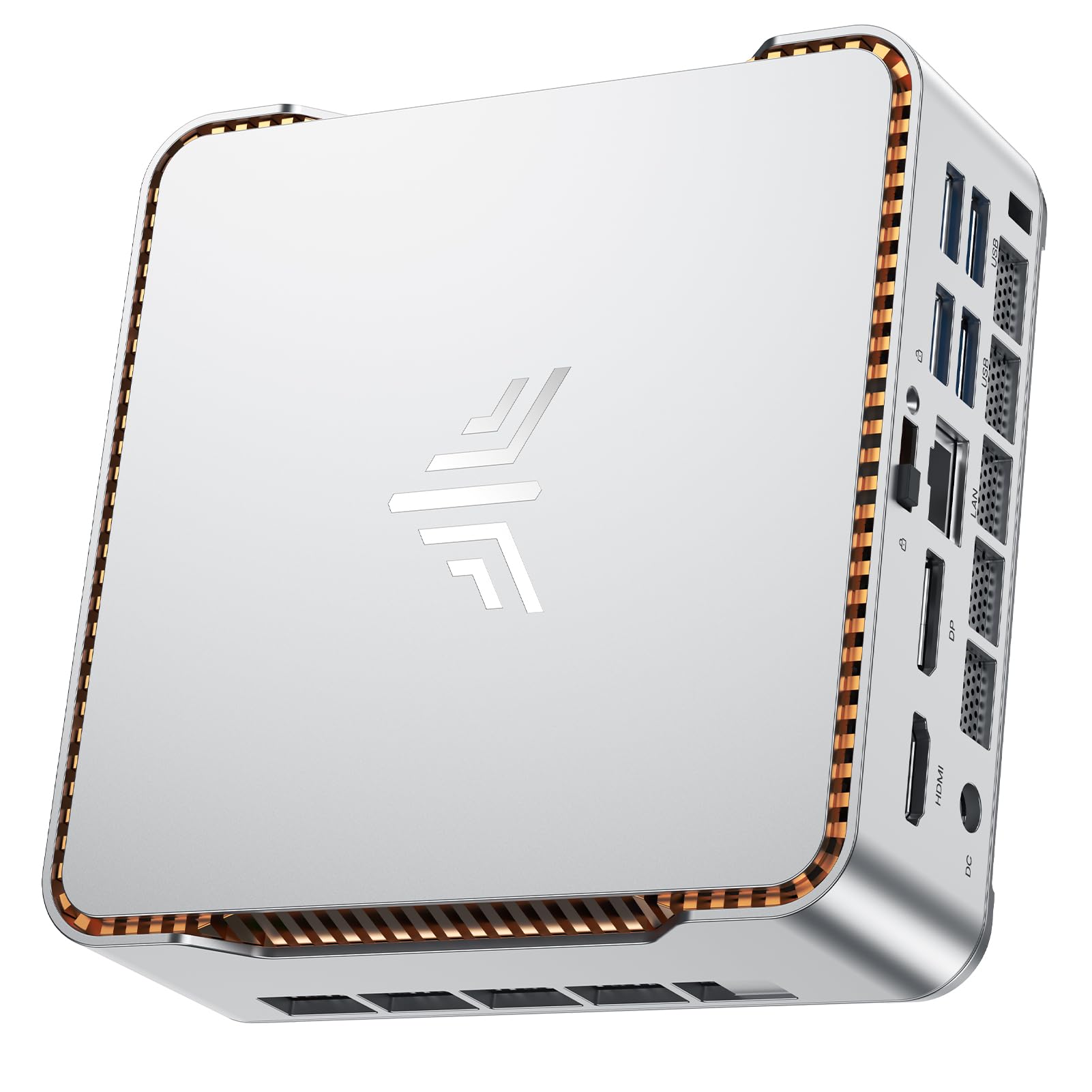 7.5 / 10
NiPoGi P2 Mini PC AMD Ryzen 4300U (4C/4T,up to 3.7GHz) Mini PC Windows 11 Pro 8GB RAM+256GB SSD Mini Computer Desktop Mini Computer 4K Triple Display/HDMI+DP+USB-C/WiFi/BT for Home/Business/School
£219.99 · NiPoGi
 7.5 / 10
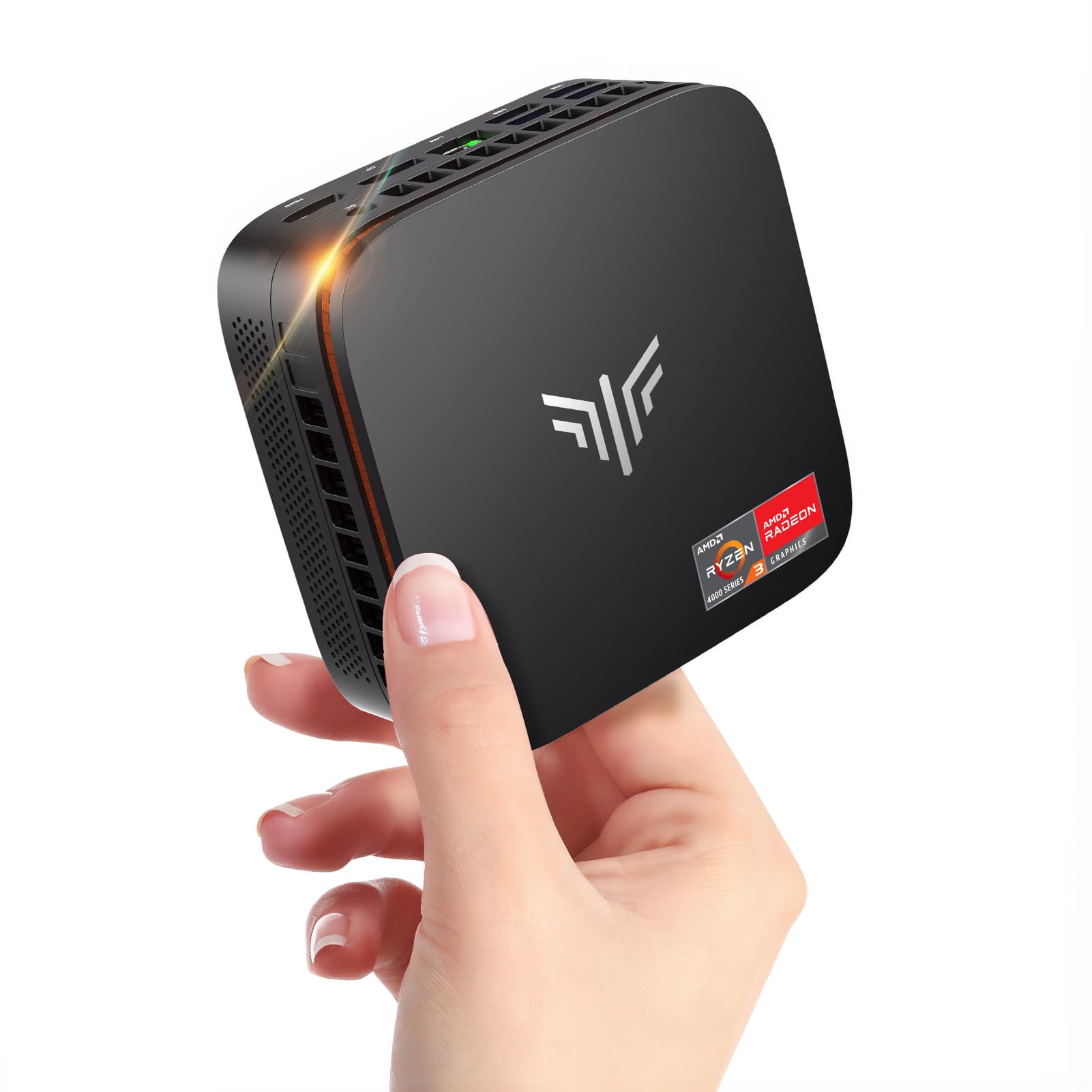
NiPoGi Pinova P1 Mini PC Windows 11 Pro,Mini PC AMD Ryzen 4300U(Up to 3.7 GHz,Βeats N150/N97),16GB RAM 512GB M.2 SSD Mini Computer,Triple 4K@60Hz Display/USB 3.2/Type-C/HDMI/WiFi/BT for Life
£259.99 · NiPoGi
Frequently asked
7 questions01Can the BOSGAME E2 run two 4K monitors at the same time?+
Yes. The E2 has dual HDMI 2.0 outputs, each capable of 4K at 60Hz. The HDMI 2.0 specification supports 18Gbps bandwidth, which is sufficient for 4K at 60Hz on both ports simultaneously. A 1440p and a 1080p monitor run together without signal dropouts.
02Is the Ryzen 5 3550H still capable in 2025?+
For office productivity tasks such as web browsing, Microsoft Office, email, and video calls, the Ryzen 5 3550H remains functional. It is a 2019 mobile processor built on AMD's Zen+ 12nm architecture, so it lags behind current-generation chips in both single-core and multi-core benchmarks. Under sustained load it throttles mildly, settling around 2.8 to 3.0GHz. For demanding creative or compute work, more modern processors available at similar prices offer a meaningful advantage.
03Does the BOSGAME E2 come with Windows 11 Pro already activated?+
Yes. The unit ships with Windows 11 Pro pre-installed and activated. No licence key hunting is required. Windows 11 Pro includes BitLocker encryption, Remote Desktop, and domain join capability, which adds practical value for small business deployments. It is worth running Windows Update immediately after setup, as driver updates for the AMD graphics stack were pending on the review unit.
04How loud is the BOSGAME E2 under load?+
At idle, the fan is essentially inaudible from a normal desk distance. Under sustained CPU load, the fan spins up audibly, though it is not loud by the standards of full desktop PCs. In a quiet office environment the fan noise is noticeable. During brief burst workloads such as opening applications or loading pages, the fan remains quiet. For a living room or customer-facing environment, the low idle noise is a practical benefit.
05What is the USB-C port on the BOSGAME E2 used for?+
The USB-C port functions reliably for data transfer. It handled external SSDs and USB hubs without issue. However, BOSGAME's documentation does not explicitly confirm whether it supports DisplayPort Alt Mode or USB Power Delivery, so it should be treated primarily as a data port. If you need USB-C for display output or charging, confirm this capability with the retailer before purchasing.
06How does the BOSGAME E2 compare to the Beelink SER5 Max?+
The Beelink SER5 Max uses the Ryzen 5 5560U, a Zen 3 architecture processor that delivers roughly 30 to 40 percent better multi-core performance and noticeably higher single-core scores than the 3550H. The SER5 Max also includes Wi-Fi 6. The BOSGAME E2 differentiates with dual HDMI 2.0 outputs rather than requiring a USB-C DisplayPort adapter for a second display. For buyers prioritising performance, the SER5 Max is the stronger choice. For buyers who specifically need two standard HDMI ports and have no requirement for the latest Wi-Fi standard, the E2 remains a consideration.
07Is the BOSGAME E2 suitable for use as a living room media PC?+
Yes, it works well in this role. The Radeon RX Vega 8 integrated graphics handle 4K video hardware decoding without difficulty, and streaming services ran without issue over HDMI. At idle and during media playback the fan is nearly silent, making it unobtrusive in a living room. Pairing it with a Bluetooth keyboard and trackpad and connecting via HDMI to a television gives a capable media PC in a compact footprint. Light gaming in older or less demanding titles is also possible, though recent releases at medium settings will struggle.