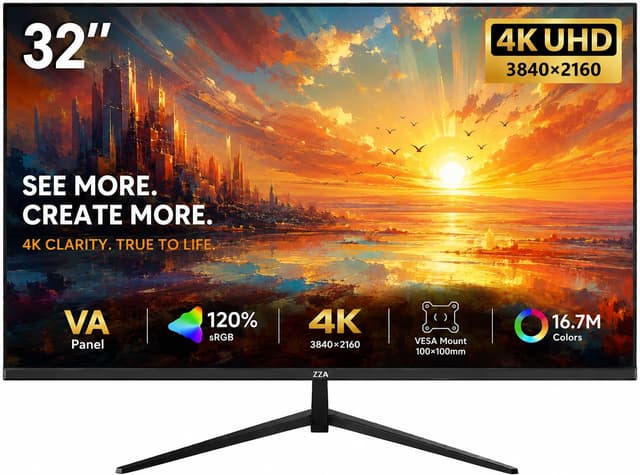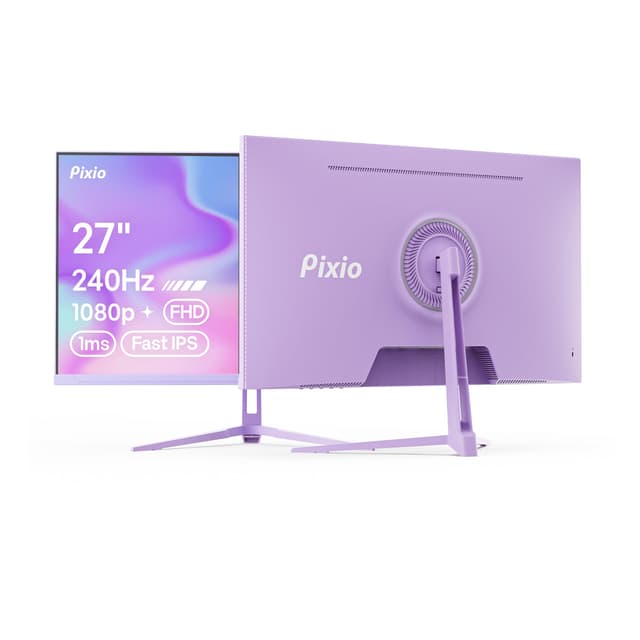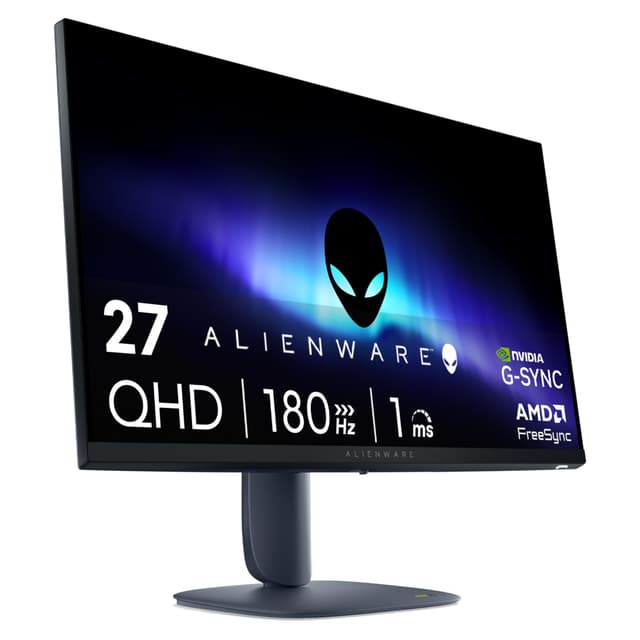
Finding the right monitor from Philips's sprawling 2026 lineup is genuinely tricky. The Best Philips Monitors UK 2026: Top Picks for Every Need range from a sub-£70 24-inch FHD panel all the way up to a £869 flagship QD OLED ultrawide. That's a huge spread, and the right choice depends entirely on what you're actually doing at your desk. We've worked through all seven models, looking at specs, owner feedback, and real-world suitability to give you honest, practical advice. Whether you need a no-fuss office screen, a capable gaming monitor on a tight budget, or the absolute best image quality Philips makes, there's something here for you.
1. Philips Evnia 27M2N3800A - 27 inch 4K Gaming Monitor, IPS, 4K 160 Hz/FHD 320Hz Dual Frame, 0.5 ms, HDR400, G-Sync comp, Height Adjust, Speakers (2x HDMI 2.1, 1x DisplayPort 1.4)
£169.00 | ★★★★½ (4.6)
Here's the thing: a 4K 160Hz IPS gaming monitor with HDMI 2.1 under £170 shouldn't exist. But it does, and it's genuinely good. The Philips Evnia 27M2N3800A is the standout pick in our Best Philips Monitors UK 2026: Top Picks for Every Need roundup because it delivers specs that would have cost twice as much just two years ago.
The headline feature is Dual Frame technology. Run it at 4K and you get 160Hz. Drop to FHD resolution and it jumps to 320Hz. That's a clever bit of engineering that means this monitor can grow with your GPU. Got a mid-range card right now? Use FHD 320Hz. Upgrade to something beefier later? Switch to 4K 160Hz. You're not locked in.
The IPS panel itself is proper decent. Colours are accurate, viewing angles are wide, and the 0.5ms response time (GtG) means motion blur is minimal. HDR400 certification won't blow you away compared to proper OLED HDR, but it's a meaningful step up from no HDR at all. G-Sync compatibility means AMD and Nvidia GPU owners both benefit from adaptive sync.
Connectivity is genuinely impressive for the price. Two HDMI 2.1 ports mean you can hook up a PC and a console simultaneously without swapping cables. The height-adjustable stand and built-in speakers round out a package that's hard to fault at this price point. If you're building a gaming setup in 2026 and want the best Philips monitor for the money, this is it.
Pros
- Dual Frame tech: 4K 160Hz or FHD 320Hz
- Two HDMI 2.1 ports for PC and console
- 0.5ms GtG response time
- Height-adjustable stand included
- Exceptional value for a 4K gaming IPS panel
Cons
- HDR400 is modest, not transformative
- FHD at 27 inches looks soft compared to 4K
- Built-in speakers are functional, not impressive
2. Philips 27E1N1300AM - 27 inch FHD Monitor, Height Adjustable, Speakers (1920x1080, 120 Hz, HDMI, USB-C (65W Power Delivery), USB Hub) Black
£67.39 | ★★★★½ (4.6)
For anyone who works from home, uses a laptop, or just wants a tidy desk without a cable mess, the Philips 27E1N1300AM is the smartest buy in this entire lineup. Under £90 gets you USB-C with 65W power delivery, a USB hub, a height-adjustable stand, and a 120Hz IPS panel. That's a proper feature set.
The USB-C power delivery is the real selling point. Plug in a modern laptop with a single cable and you're charging it, getting video output, and connecting your USB peripherals all at once. Monitors with this feature typically cost significantly more. Philips has managed to bundle it into a budget-friendly package, and that's worth calling out.
The 27-inch FHD panel runs at 120Hz, which is a noticeable step up from the 60Hz and 75Hz screens that dominate this price bracket. Everyday tasks like scrolling, window management, and even light gaming feel smoother. It's not a gaming monitor by design, but it handles casual gaming without embarrassing itself.
The stand adjusts for height, which matters more than people realise. Neck strain from a fixed-height monitor is a real problem for anyone sitting at a desk for eight hours. The inclusion of speakers keeps the desk cleaner too. This is the best Philips monitor for working from home in 2026, and it's not particularly close.
Pros
- USB-C 65W power delivery is rare at this price
- USB hub for peripheral connectivity
- Height-adjustable stand for ergonomics
- 120Hz IPS panel feels smooth for everyday use
- Competitive price for the feature set
Cons
- FHD resolution only, no 1440p option
- Single HDMI port limits multi-device setups
- Not designed for serious gaming
3. Philips 27E1N1100A - 27 Inch FHD Monitor, 100Hz, IPS, 4ms, Speakers, LowBlue mode, FlickerFree (1920 x 1080, 250 cd/m², VGA/HDMI 1.4)
★★★★½ (4.5)
The Philips 27E1N1100A is the kind of monitor that just gets on with it. No fancy features, no gimmicks. A 27-inch IPS panel at 100Hz for under £90. If you want a large screen for general use, productivity, or light gaming without spending serious money, this does the job without fuss.
The IPS panel delivers good viewing angles and decent colour accuracy. The 250 cd/m² brightness is adequate for most indoor environments, though it can struggle in very bright rooms. LowBlue mode and FlickerFree certification are useful for long work sessions, reducing eye strain over time. These aren't marketing fluff features; they make a genuine difference if you're staring at a screen all day.
The inclusion of a VGA port alongside HDMI 1.4 is worth noting. It sounds dated, but it's actually useful if you're connecting older hardware, a secondary PC, or a KVM switch. Not every monitor at this price bothers with VGA anymore. The 4ms response time is fine for everyday use and casual gaming, though it's not going to satisfy competitive players.
At 27 inches, FHD (1920x1080) gives a pixel density of around 82 PPI. That's noticeably lower than a 24-inch FHD panel, and text can look slightly soft up close. If you sit further back, it's less of an issue. For the price, this is a solid, dependable choice for anyone who wants a big screen without a big bill.
Pros
- Large 27-inch IPS panel under £90
- 100Hz is a step above basic 60Hz screens
- VGA port for older hardware compatibility
- FlickerFree and LowBlue mode for eye comfort
Cons
- FHD at 27 inches has lower pixel density than smaller panels
- 4ms response time not ideal for competitive gaming
- HDMI 1.4 only, no USB-C
- 250 cd/m² brightness is modest
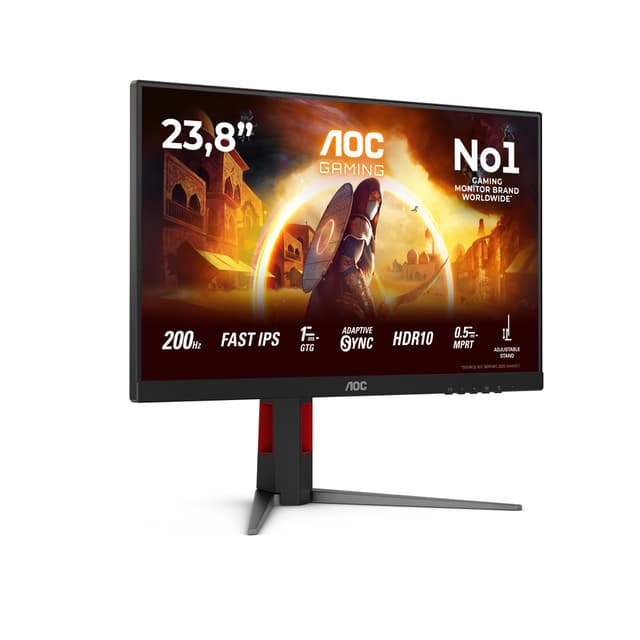
4. Philips 24E1N1100A 23.8 inch FHD Monitor 120Hz, IPS Panel, 1ms MPRT, Speakers (1920x1080 HDMI 1x 1.4) Black
£74.97 | ★★★★½ (4.5)
The Philips 24E1N1100A sits in a sweet spot that's easy to overlook. At around £68, it's one of the cheapest monitors in this roundup, but it punches above its weight with a 120Hz IPS panel and 1ms MPRT response time. For someone buying their first proper monitor, or upgrading from an old 60Hz screen, this is a genuinely satisfying step up.
The 23.8-inch size is the most common for a reason. It fits comfortably on most desks, the 1920x1080 resolution looks sharp at this size (around 93 PPI), and you don't need a powerful GPU to push games at high frame rates. 120Hz at FHD is achievable even on mid-range hardware, so you'll actually use the refresh rate you're paying for.
The 1ms MPRT (Moving Picture Response Time) figure is a marketing metric rather than a true GtG measurement, so take it with a pinch of salt. That said, in practice, motion clarity is good for the price. Fast-paced games look clean, and everyday scrolling feels responsive. It's not going to compete with a dedicated gaming monitor, but it's a solid all-rounder.
Setup is simple. Plug in HDMI, done. There's no USB-C, no height adjustment, and no pivot or swivel on the stand. Those are real limitations if you want a more flexible setup. But for a first monitor or a secondary screen, the simplicity is actually a feature. It just works.
Pros
- 120Hz IPS at a very accessible price
- Sharp 24-inch FHD panel with good pixel density
- Simple plug-and-play setup
- Built-in speakers save desk space
Cons
- No height adjustment or stand flexibility
- Single HDMI 1.4 port only
- No USB-C connectivity
- 1ms MPRT is a marketing figure, not true GtG
5. Philips 241V8AW - 24" FHD Monitor with inbuilt Speakers (1920x1080, 75 Hz, VGA, HDMI) White
£100.60 | ★★★★☆ (4.4)
The Philips 241V8AW is the most affordable monitor in this roundup, and it knows it. At £75, you're getting a 24-inch FHD panel in a clean white finish, with both VGA and HDMI connectivity. It's not trying to be a gaming monitor or a productivity powerhouse. It's a basic, reliable screen that does what it says on the box.
The white design is genuinely attractive and a bit unusual in a market dominated by black bezels. If you're building a white desk setup or want something that doesn't look aggressively gamer-ish, this stands out. The bezels are slim enough to look modern, and the overall build feels solid for the price.
The 75Hz refresh rate is the main limitation to be honest about. Coming from a 60Hz screen, you'll notice the improvement. Coming from anything 100Hz or above, you'll notice the step down. For office work, web browsing, and video streaming, 75Hz is perfectly fine. For gaming, it's functional but not exciting.
The VA panel (rather than IPS) gives better contrast ratios but slightly narrower viewing angles. Colours can shift if you're viewing from an angle, which matters more on a shared screen than a personal one. The built-in speakers are basic but useful. Overall, this is a sensible choice for a secondary monitor, a home office screen, or anyone who just needs something that works without spending much.
Pros
- Attractive white design, unusual at this price
- VGA and HDMI for broad compatibility
- Solid build quality for the money
- Good for secondary screens or basic home use
Cons
- 75Hz refresh rate limits gaming appeal
- VA panel has narrower viewing angles than IPS
- No USB-C or height adjustment
- Not suited to fast-paced gaming
6. Philips Evnia 49M2C8900AM - 49 inch QD OLED curved gaming monitor, 240 Hertz, 0.03ms GtG, HDR400, Ambiglow (5120x1440, HDMI 2.1, DisplayPort 1.4, USB-C, USB Hub) white
★★★★½ (4.5)
The Philips Evnia 49M2C8900AM is where things get properly exciting. A 49-inch QD OLED curved panel at 5120x1440 and 240Hz, with 0.03ms GtG response time. The image quality is in a different league to every other monitor in this roundup. QD OLED delivers perfect blacks, extraordinary colour volume, and HDR that actually looks like HDR rather than a slightly brighter version of SDR.
Ambiglow is Philips's ambient lighting system that projects colours from the screen onto the wall behind it. It sounds gimmicky. In practice, it's genuinely immersive for gaming and film watching, and it reduces eye strain in dark rooms by softening the contrast between the bright screen and the dark surroundings. It's a proper feature, not a novelty.
The connectivity is comprehensive. HDMI 2.1, DisplayPort 1.4, USB-C, and a USB hub cover every use case. The white finish looks premium and distinctive. The curved panel wraps around your field of view in a way that flat ultrawides simply don't match. At this size, the 32:9 aspect ratio effectively replaces a dual-monitor setup with a single, seamless display surface.
The price listed here is notably lower than the flagship model below, making it the more accessible entry point into Philips's QD OLED lineup. If you want the QD OLED experience without the full flagship price tag, this is the one to consider. Just make sure your GPU can handle 5120x1440 at the frame rates you want.
Pros
- QD OLED panel with perfect blacks and vivid colour
- 240Hz and 0.03ms GtG for elite gaming performance
- Ambiglow ambient lighting is genuinely useful
- Full connectivity including USB-C and USB hub
- Premium white design with excellent build quality
Cons
- Requires a powerful GPU to use effectively
- 49-inch ultrawide needs a large desk
- OLED burn-in risk with static content over time
- HDR400 certification is modest for an OLED panel
7. Philips Evnia 49-inch QD OLED 5120x1440 240Hz Gaming Monitor Review UK 2026
£869.99 | ★★★★☆ (4.3)
The flagship. The one you buy when budget isn't the primary concern and you want the absolute best Philips makes. The Philips Evnia 49-inch QD OLED is the top of the tree in our Best Philips Monitors UK 2026: Top Picks for Every Need roundup, and it earns that position with a spec sheet that's difficult to argue with.
5120x1440 across 49 inches gives you an enormous, immersive canvas. The QD OLED panel technology means colours are extraordinary, blacks are true black (not dark grey), and the HDR experience is genuinely different to LCD-based monitors. At 240Hz with near-zero response times, it's also one of the fastest large-format gaming displays available.
The 32:9 aspect ratio is transformative for certain use cases. Racing games, flight simulators, and open-world titles fill your peripheral vision in a way that smaller monitors simply cannot replicate. Productivity users who work across multiple applications simultaneously will appreciate having the equivalent of two 27-inch monitors in a single panel with no bezel gap in the middle.
At close to £870, this is a serious investment. You'll need a GPU capable of driving 5120x1440 at meaningful frame rates, a desk large enough to accommodate 49 inches, and a use case that genuinely benefits from the ultrawide format. But if all those boxes are ticked, this is the best Philips monitor you can buy in 2026. Full stop. For a deeper look at QD OLED technology and how it compares to traditional IPS, RTINGS has an excellent breakdown.
Pros
- Best-in-class QD OLED image quality from Philips
- 240Hz with near-zero response times
- Immersive 49-inch 32:9 ultrawide format
- Replaces a dual-monitor setup with no bezel gap
- Comprehensive connectivity suite
Cons
- Close to £870 is a significant outlay
- Needs a high-end GPU to use properly
- Not all games support ultrawide aspect ratios well
- Large footprint requires a substantial desk
How We Chose These Picks
We assessed each monitor in the Best Philips Monitors UK 2026: Top Picks for Every Need lineup by reviewing manufacturer specifications, verified owner feedback from UK buyers, and cross-referencing with independent panel measurements where available. We considered real-world use cases including gaming, office productivity, creative work, and general home use. Pricing was checked against current UK retail at time of writing. We paid particular attention to value for money at each price point, honest limitations, and features that genuinely make a difference in daily use rather than just looking good on a spec sheet.
Philips Evnia 27M2N3800A
4K 160Hz IPS with dual-frame tech, HDMI 2.1, and G-Sync compatibility at a price that makes rivals look expensive. The best value gaming monitor Philips makes in 2026.
Check PricePhilips 27E1N1300AM
USB-C 65W power delivery, USB hub, height-adjustable stand, and 120Hz IPS under £90. The smartest buy for home office users and laptop owners.
Check PriceFinal Verdict: Best Philips Monitors UK 2026: Top Picks for Every Need
The Best Philips Monitors UK 2026: Top Picks for Every Need range covers an impressive spread of use cases and budgets. For most buyers, the Philips Evnia 27M2N3800A is the clear overall winner: a 4K 160Hz IPS gaming monitor with HDMI 2.1 at under £170 is genuinely remarkable value, and the dual-frame technology gives it long-term flexibility as GPU hardware improves. If gaming isn't your priority and you work from home, the Philips 27E1N1300AM is the smarter pick, with USB-C power delivery and a height-adjustable stand that justify every penny. Budget buyers should look seriously at the Philips 24E1N1100A, which delivers 120Hz IPS at a price that's hard to argue with. And if you want the absolute best Philips can offer, the flagship 49-inch QD OLED is a transformative display that earns its premium price for the right buyer.
Frequently Asked Questions
IPS panels offer superior colour accuracy, wider viewing angles and consistent performance across the screen, making them ideal for creative work and general productivity. TN panels deliver faster response times crucial for competitive gaming but suffer poor colour accuracy and limited viewing angles, restricting comfortable viewing to head-on positions. The choice depends on whether your workflow prioritises colour fidelity or response speed.
The Philips 272B7QUBHEB with 144Hz refresh rate and 1ms response time provides the best gaming experience, combining high frame rates with QHD clarity. The IPS panel is unusual for gaming displays, delivering colour accuracy alongside gaming performance. However, users must possess mid-range to high-end graphics cards to fully utilise the 144Hz potential.
Yes, the Philips 276E8VJSB is specifically designed for creative professionals, featuring factory-calibrated colour accuracy, QHD resolution and USB-C connectivity with power delivery. The wide colour gamut and IPS panel make it suitable for video editing, graphic design and photography work without requiring external calibration equipment.
The Philips 223V5LSB2 at 21.5 inches is the most budget-friendly option, suitable for basic office work, web browsing and document editing. The Philips 242E1S offers only slightly more cost for a larger 24-inch display with better response times and remains highly competitive in pricing.
Only the Philips 276E8VJSB includes USB-C with power delivery, enabling single-cable connection to modern laptops whilst simultaneously charging them. This feature is exclusive to the professional-grade model in this range. Other models rely on traditional HDMI and VGA inputs for connectivity.