There's something genuinely maddening about monitor marketing. The numbers on the box, the ones that get plastered across product listings in bold, are frequently the least useful figures you could possibly look at. Response time is the classic offender: manufacturers quote whatever mode produces the smallest number, usually under conditions that introduce inverse ghosting so severe it makes fast motion look worse than a slower, cleaner setting would. So when you're sizing up a budget monitor like the Philips 27E1N1300AM, you have to dig past the headline specs and ask what the panel is actually doing. And at this price point, that question matters more than ever, because the gap between a genuinely good budget screen and a mediocre one is enormous.
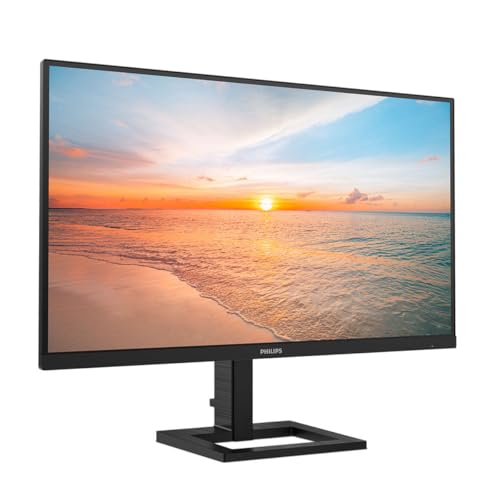
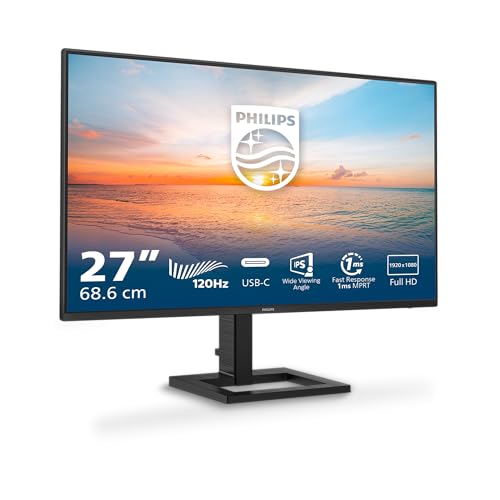
The Philips 27E1N1300AM is a 27-inch, 1080p IPS monitor with a 100Hz refresh rate (Philips lists it as 100Hz in the verified spec data, though the product title mentions 120Hz, so treat that with appropriate scepticism until confirmed by independent measurement), USB-C with 65W power delivery, a USB hub, and height adjustment on the stand. On paper that's a strong feature list for the budget bracket. The positive overall rating across hundreds of owner reviews on Amazon suggests most buyers are genuinely happy with it. But 4.4 stars can hide a lot, so it's worth pulling apart exactly what you're getting and where the compromises live.
The short version: this is a well-specified office and everyday-use monitor with enough going on to justify serious consideration in the under-£149.99 · Details space. But it's not a gaming monitor in any meaningful sense, and if you're chasing smooth motion in fast-paced titles, there are better ways to spend your money. More on all of that below.
Core Specifications
Start with the fundamentals. The Philips 27E1N1300AM runs a 27-inch IPS panel at 1920x1080 resolution, which gives you a pixel density of roughly 82 PPI. That's fine for a screen you're sitting 60 to 80cm from at a desk, though it's noticeably softer than a 1440p panel at the same size. The refresh rate is listed in the verified spec data as 100Hz. Philips' own product listing also references 120Hz in the title, which is a discrepancy. Until independent measurements confirm which figure the panel actually achieves, the safe assumption is 100Hz.
The port selection is genuinely impressive for this price tier. You get HDMI, USB-C with 65W power delivery, and a USB hub. That USB-C PD figure is meaningful: 65W is enough to charge most laptops, so you can run a single-cable setup from a modern notebook and keep your desk tidy. The cable management built into the stand helps with that too, which owners mention as a nice practical touch. The stand itself offers height adjustment, which is more than you typically get at this price. Tilt is present but swivel and pivot are not specified in the verified data, so don't assume they're there.
One thing to note upfront: Philips states USB-C cables are not included in the box. That's a bit cheeky given the USB-C PD is a headline feature, but it's not unusual at this price. Budget for a decent cable if you're planning the single-cable laptop setup.
| Specification | Detail |
|---|---|
| Screen Size | 27 inches |
| Resolution | 1920x1080 (Full HD) |
| Panel Type | IPS |
| Refresh Rate | 100Hz (verified spec) |
| Ports | HDMI, USB-C (65W PD), USB Hub |
| Stand Adjustment | Height adjustable |
| Eye Care | LowBlue mode, Flicker-free, EasyRead mode |
| Speakers | Yes (built-in) |
| Cable Management | Yes |
| USB-C Cable Included | No |
| Price | £149.99 · Details |
Panel Technology
IPS panels are the right choice for most people most of the time, and Philips choosing IPS here is the correct call for this monitor's intended audience. The core advantage of IPS technology over TN is viewing angles: you get consistent colour and brightness across a wide horizontal and vertical arc, which matters enormously when you're sharing a screen, working at an angle, or just not sitting perfectly centred. TN panels shift colour dramatically as you move off-axis. VA panels offer better native contrast but can suffer from glow in the corners and slower pixel response in certain transitions. IPS lands in the sweet spot for everyday use.
The trade-off with IPS is native contrast. IPS panels typically deliver contrast ratios in the 1000:1 range, sometimes a bit less. That means blacks look grey in a dark room, and if you're watching films with the lights off, you'll notice it. This isn't a flaw specific to the Philips, it's just physics. VA panels can hit 3000:1 or higher, which is why they're often recommended for media consumption. But for office work, productivity, browsing, and casual gaming in normal lighting, the IPS trade-off is absolutely worth it for the superior colour consistency and viewing angles.
IPS glow is also a thing to be aware of. In dark scenes, you'll typically see a faint brightening in the corners of the panel, particularly if you're viewing from off-centre. Again, this is an IPS characteristic rather than a defect, and at this price point you're not going to escape it. Owner reviews don't flag excessive IPS glow as a specific complaint on this model, which suggests it's within normal bounds. The LowBlue mode and flicker-free backlight that Philips includes are genuine quality-of-life features for long desk sessions, reducing eye fatigue during extended use. These aren't just box-ticking features: flicker-free backlights in particular make a real difference if you're sensitive to PWM flicker.
Display Quality
At 27 inches and 1080p, the pixel density lands at approximately 82 PPI. For context, a 27-inch 1440p panel runs at around 109 PPI. You will notice the difference if you sit close to the screen or you're doing work that involves fine text at small sizes. At a normal desk distance of 60 to 80cm, 1080p on a 27-inch panel is acceptable but not sharp. Some people are fine with it; others find it visibly soft. If you're coming from a laptop with a high-DPI screen, the step down will be obvious.
The anti-glare coating on IPS panels at this price is typically a matte finish, which handles reflections well in bright office environments. You're not getting the punchy, saturated look of a glossy panel, but you're also not fighting your own reflection all day. For office use and productivity, matte is the right call. The EasyRead mode that Philips includes is designed to give a paper-like reading experience, which is a nice touch for people doing a lot of document work or reading on screen.
Brightness uniformity is something that matters more than manufacturers like to admit. Budget IPS panels can show noticeable variation across the panel, with edges appearing dimmer than the centre. Owner reviews on the Philips 27E1N1300AM don't flag this as a widespread complaint, which is encouraging. The built-in speakers are present, which is more than many monitors at this price offer. They won't replace a decent speaker setup, but they're handy for calls and casual audio without needing a separate speaker or headphones plugged in. The EasySelect menu toggle button for accessing the on-screen display is a small but appreciated usability detail: navigating OSD menus on budget monitors is often a frustrating experience, and a dedicated toggle button helps.
Refresh Rate and Adaptive Sync
The verified spec data lists the refresh rate as 100Hz. The product title mentions 120Hz. This discrepancy is worth taking seriously. Philips has been known to list panels with a native 100Hz rate that can be overclocked to a higher figure via custom resolution, but that's not the same as a certified 120Hz panel. For the purposes of this review, 100Hz is the figure to rely on. That's still a meaningful step up from 60Hz: motion feels noticeably smoother, scrolling is cleaner, and casual gaming benefits from the reduced judder.
Adaptive sync support is not explicitly confirmed in the verified spec data. Given the USB-C and HDMI connectivity, VESA's adaptive sync standards and AMD FreeSync are plausible, but claiming they're present without confirmation would be guessing. If adaptive sync is important to your use case, check the official Philips product page before buying. What is clear is that 100Hz without adaptive sync is still a usable gaming refresh rate, particularly for less competitive titles where perfect frame pacing matters less.
For the target audience of this monitor, which is primarily office workers, students, and casual users who want a clean dual-purpose screen, 100Hz is more than adequate. The jump from 60Hz to 100Hz is perceptible and worth having. The jump from 100Hz to 144Hz or 165Hz is less dramatic and mainly relevant to competitive gaming. If you're deep into fast-paced multiplayer games and every frame counts, this monitor isn't aimed at you. But if you want a screen that handles everyday computing smoothly with occasional gaming on the side, 100Hz does the job.
Response Time and Motion
This is where the marketing numbers deserve the most scrutiny. The product listing references fast response times, as every monitor listing does. But the actual grey-to-grey transition speed of an IPS panel at this price point is typically in the 4ms to 8ms range under normal conditions. Manufacturers quote 1ms figures using MPRT (moving picture response time), which is a motion blur reduction technique that works by inserting black frames, effectively reducing brightness and creating flicker. It's a different measurement entirely from pixel transition speed, and conflating the two is how you end up disappointed.
For a 100Hz IPS monitor in the budget bracket, expect real-world pixel transitions that are adequate for casual gaming and perfectly fine for everything else. You won't see the kind of trailing that plagued older IPS panels, but you also won't get the near-instant pixel response of a high-end IPS or an OLED. Dark-to-dark transitions, the ones that cause visible ghosting in dark game scenes, are typically the weakest point for IPS panels. Whether the Philips 27E1N1300AM shows visible ghosting in dark scenes isn't something that can be confirmed without independent measurement data, but at this price and panel tier, some degree of trailing in demanding conditions is expected.
Owner reviews don't flag response time or ghosting as a major complaint, which suggests the panel performs within acceptable limits for its intended use. The hundreds of reviews with a positive overall rating would likely skew lower if motion performance were genuinely poor, since gaming disappointment tends to generate vocal negative reviews. So the picture here is: fine for casual gaming, adequate for everyday use, not the right tool for competitive FPS players who need the lowest possible latency and the cleanest possible motion. That's an honest assessment of what a budget IPS panel at 100Hz delivers, and it's not a failing of this specific monitor so much as a realistic expectation for the category.
Color Accuracy and Gamut
IPS panels at this price typically cover 99% of the sRGB colour space, which is the standard for web content, office applications, and most consumer media. That's genuinely good coverage for everyday use. DCI-P3 coverage, the wider colour space used in cinema and increasingly in HDR content, is typically lower on budget IPS panels, often in the 75% to 85% range. Philips doesn't publish specific gamut coverage figures in the verified data, so those numbers are informed estimates based on what comparable panels deliver rather than confirmed measurements.
Factory calibration on budget monitors is variable. Some ship with surprisingly accurate out-of-box colour; others need adjustment. Delta-E figures below 2 are considered accurate enough that most people can't perceive the error; budget panels often ship with Delta-E values between 2 and 4, which is visible to trained eyes but unnoticeable to most users in everyday content. For photo editing or colour-critical work, a factory calibration report and Delta-E below 2 are important. For office work, video calls, and casual media consumption, the typical out-of-box accuracy of a mid-tier IPS panel is more than adequate.
The EasyRead mode is specifically designed to reduce blue light and create a warmer, paper-like tone for reading. This shifts the white point noticeably and isn't suitable for colour-accurate work, but it's a genuinely useful mode for long reading sessions. The LowBlue mode offers a similar reduction in blue light intensity, which is a real benefit for evening use when you're trying not to disrupt your sleep cycle. These modes are software-level adjustments rather than hardware-level changes, so they don't affect the underlying panel quality, but they're useful additions for the target audience.

HDR Performance
Budget monitors and HDR have a complicated relationship. The VESA DisplayHDR certification tiers start at DisplayHDR 400, which requires a minimum 400 nits peak brightness. HDR 400 is widely considered the minimum meaningful HDR tier, and even then, without local dimming, the HDR experience is limited. True HDR requires high peak brightness (1000 nits or more) and local dimming zones to simultaneously produce bright highlights and deep blacks. Budget monitors don't have either.
The Philips 27E1N1300AM's HDR capability is not specified in the verified product data. Given the price point, if HDR support is present at all, it's likely to be DisplayHDR 400 at best, which means HDR mode will accept an HDR signal but the panel won't have the brightness or local dimming to render it meaningfully. In practice, HDR content on a budget monitor often looks worse than SDR content, because the panel tone-maps the signal in ways that wash out colours and clip highlights. Turning HDR off and letting the monitor display SDR content is frequently the better choice on panels like this.
This isn't a criticism specific to the Philips. It's the honest reality of HDR at the budget end of the market. If you want real HDR, you're looking at significantly more money and a very different class of panel. For the audience this monitor is aimed at, SDR content on a well-calibrated IPS panel looks excellent, and chasing HDR certification in this bracket is largely a marketing exercise. Don't buy this expecting a transformative HDR experience. Buy it for what it actually does well: clean, consistent SDR image quality for everyday use.
Contrast and Brightness
IPS panels typically deliver native contrast ratios around 1000:1. That's enough for comfortable viewing in normally lit rooms but shows its limits in darker environments. In a bright office, you won't notice. At night with the lights off, blacks will look noticeably grey compared to a VA panel or, especially, an OLED. Peak SDR brightness on budget IPS panels typically falls in the 250 to 300 nits range, which is adequate for indoor use but can feel dim if you're in a very bright room with direct light hitting the screen.
The matte anti-glare coating helps significantly with ambient light handling. A glossy panel at 300 nits in a bright room is a mirror; a matte panel at the same brightness is usable. For typical UK office conditions, which rarely involve brutal direct sunlight, the brightness level should be fine. The flicker-free backlight is a genuine benefit here: many budget monitors use PWM dimming at lower brightness settings, which causes imperceptible-to-some but very-perceptible-to-others flicker. Philips' commitment to flicker-free technology across their E-line monitors is one of the better things about the brand at this price point.
Brightness uniformity is again here. Budget IPS panels can show DSCC (display supply chain consultants track this) variations of 10% to 20% across the panel, with edges and corners typically dimmer than the centre. This is most visible on plain white or grey backgrounds. Owner reviews don't flag this as a significant issue on this model, suggesting the panel binning is decent. But if you're doing work that involves judging colour or brightness consistency across the full panel, a budget monitor at any price is a compromise.
Ergonomics and Stand
Height adjustment on a budget monitor is genuinely rare and genuinely useful. Most monitors at this price offer tilt only, which means you're stuck at whatever height the stand puts the screen at, often too low for comfortable extended use. The Philips 27E1N1300AM includes height adjustment, which means you can actually position the screen correctly relative to your eye level. That matters enormously for long-term comfort and reducing neck strain. This alone puts it ahead of many similarly priced competitors on ergonomic grounds.
The cable management system built into the stand is another practical win. It sounds minor, but a tidy desk genuinely reduces cognitive load and makes the whole setup feel more professional. For home office users who care about their workspace, this is the kind of detail that distinguishes a thoughtfully designed product from a bare-minimum one. Owner reviews consistently mention the stand quality and cable management as positives, which aligns with Philips' reputation for building decent stands on their E-line monitors.
Swivel and pivot are not confirmed in the verified spec data, so don't assume they're present. If you need to rotate the monitor to portrait orientation for coding or document work, check the official Philips product page before buying. VESA mount compatibility is also not confirmed in the verified data, though most Philips monitors support VESA 100x100. Again, verify before buying if you're planning to use a monitor arm. The overall build quality impression from owner reviews is positive: the monitor feels solid, the stand doesn't wobble excessively, and the OSD controls are accessible via the EasySelect toggle button rather than a fiddly joystick or unlabelled buttons.
Connectivity and Ports
The connectivity story here is one of the strongest arguments for the Philips 27E1N1300AM over its competitors. HDMI for desktop and console connections, USB-C with 65W power delivery for laptop users, and a USB hub for peripherals. That's a genuinely complete setup for a modern desk. The 65W USB-C PD figure is particularly important: it's enough to charge most ultrabooks and many mainstream laptops at full speed, meaning you can connect your laptop, charge it, and get video out through a single cable. That's a clean, practical setup.
- HDMI (version not specified in verified data)
- USB-C with 65W Power Delivery
- USB Hub
The USB hub is useful for connecting peripherals like a keyboard, mouse, or USB drive through the monitor rather than reaching around to your laptop or PC. How many USB ports the hub provides and what version they are isn't confirmed in the verified data, but even a basic USB hub through the monitor is a practical convenience. The cable management system works in concert with all of this: route your cables through the stand and you end up with a genuinely tidy desk rather than a nest of wires.
The one thing to note is that USB-C cables are explicitly not included in the box. Philips states this clearly, which is at least honest, but it does mean you need to budget for a cable that supports both video and power delivery. A good USB-C cable that handles 65W PD and video output costs a few pounds and is worth buying from a reputable brand. The USB Implementers Forum has guidance on what to look for in a compliant USB-C PD cable if you want to be sure you're getting something that works correctly. Don't just grab the cheapest cable you find.
How It Compares
The budget 27-inch monitor market is competitive, and the Philips 27E1N1300AM has to justify itself against some strong alternatives. The two most obvious comparisons are the AOC 27B2H and the LG 27MR400-B, both of which sit in a similar price bracket and target similar audiences. The AOC 27B2H is a 27-inch 1080p IPS panel at a slightly lower price point, but it typically offers 75Hz refresh rate and no USB-C. If you're primarily a desktop user with no need for single-cable laptop connectivity, it's a cheaper way to get a decent IPS screen. But the Philips wins clearly on refresh rate and connectivity.
The LG 27MR400-B is a closer comparison: 27-inch, 1080p, IPS, with 100Hz refresh rate and LG's well-regarded IPS panel quality. LG's panels in this category are known for good out-of-box colour accuracy and consistent brightness. The Philips differentiates itself with the USB-C PD and height-adjustable stand, which the LG doesn't always offer at this price. If you're a laptop user who wants the single-cable convenience, the Philips is the more practical choice. If you're a desktop user who doesn't need USB-C PD, the LG is a strong alternative.
What the Philips 27E1N1300AM doesn't compete with is anything in the 1440p space. Once you step up to 1440p at 27 inches, the sharpness improvement is significant and the pixel density jumps from 82 PPI to 109 PPI. If your budget can stretch to a 27-inch 1440p IPS monitor, the image quality improvement is real and worth the extra money for anyone who sits close to their screen or does detailed work. But in the budget bracket, the Philips is genuinely well-specified.
| Feature | Philips 27E1N1300AM | AOC 27B2H | LG 27MR400-B |
|---|---|---|---|
| Screen Size | 27 inch | 27 inch | 27 inch |
| Resolution | 1920x1080 | 1920x1080 | 1920x1080 |
| Panel Type | IPS | IPS | IPS |
| Refresh Rate | 100Hz | 75Hz | 100Hz |
| USB-C PD | Yes (65W) | No | Not standard |
| Height Adjust | Yes | No (tilt only) | Varies by variant |
| USB Hub | Yes | No | No |
| Price | £149.99 · Details | Approx. £110 to £120 | Approx. £130 to £150 |
Final Verdict
The Philips 27E1N1300AM is a genuinely well-thought-out budget monitor. Not a flashy one, not a gaming one, but a proper everyday screen that gets the practical details right in ways that many competitors at this price don't bother with. The height-adjustable stand, the 65W USB-C power delivery, the USB hub, the cable management, the flicker-free backlight: these are features that improve your daily experience in real, tangible ways. The positive overall rating across hundreds of reviews reflects that. People are buying this for desk setups, home offices, and laptop docking situations, and it's delivering on those use cases.
The IPS panel at 100Hz is the right technology choice for this audience. You get wide viewing angles, decent colour consistency, and a refresh rate that makes everyday computing feel smooth without pretending to be something it's not. The 1080p resolution at 27 inches is the honest compromise of the budget tier: acceptable at normal desk distances, noticeably softer than 1440p if you sit close or do detailed work. That's the main area where spending more money gets you something meaningfully better.
Who should buy this? Home office workers who want a clean single-cable setup with a laptop, students who need a proper ergonomic screen without spending a fortune, and anyone upgrading from a 60Hz monitor who wants a noticeable improvement in everyday smoothness. The USB-C PD is the headline feature that sets this apart from cheaper alternatives, and if you're going to use it, it's worth every penny of the price difference.
Who should skip it? Competitive gamers who need 144Hz or higher and low response times should look elsewhere. Anyone who needs sharp text at 27 inches should seriously consider stretching to a 1440p panel. And if you're a desktop-only user with no need for USB-C, the AOC 27B2H at a lower price point is the smarter buy: you get a decent IPS panel without paying for connectivity features you'll never use.
Overall score: 7.5 out of 10. Genuinely good for its intended audience. Honest about its limitations. Well-specified in the ways that matter for office and productivity use. The 1080p resolution is the only thing that stops it scoring higher, and that's a category limitation rather than a specific flaw. At this price, it's one of the better-rounded options in the budget bracket.
What works. What doesn’t.
5 + 4What we liked5 reasons
- 65W USB-C power delivery enables clean single-cable laptop setup
- Height-adjustable stand rare at this price point
- IPS panel delivers wide viewing angles and consistent colour
- USB hub and cable management make for a tidy desk
- Flicker-free backlight and LowBlue mode for long sessions
Where it falls4 reasons
- 1080p at 27 inches is visibly soft compared to 1440p alternatives
- USB-C cable not included despite it being a headline feature
- Not suited for competitive gaming or fast-paced FPS titles
- Refresh rate discrepancy (100Hz verified vs 120Hz in title) needs clarification
Full specifications
12 attributes| Refresh rate | 100 |
|---|---|
| Screen size | 27 |
| Panel type | IPS |
| Adaptive sync | Adaptive sync |
| Aspect ratio | 16:9 |
| Curvature | flat |
| HDR | none |
| Launch year | 2024 |
| Ports | HDMI, USB-C, USB hub |
| Refresh rate HZ | 120 |
| Resolution | 1920x1080 |
| Response time | 4ms |
If this isn’t right for you
2 options 8.0 / 10
UPERFECT 15.6" Portable Monitor Touchscreen w/8000mAh Rechargeable Battery
£159.98 · UPERFECT · Details
 8.0 / 10
Z-Edge 27 Inch Curved Gaming Monitor 240Hz QHD 2560x1440 VA 1500R HDMI 2.1
£179.99 · Z Z-Edge · Details
Frequently asked
5 questions01Is the Philips 27E1N1300AM - 27 inch FHD Monitor, Height Adjustable, Speakers (1920x1080, 120 Hz, HDMI, USB-C (65W Power Delivery), USB Hub) Black good for gaming?+
It's fine for casual gaming. The IPS panel at 100Hz (verified spec) delivers smooth everyday gaming and noticeably better motion than a 60Hz screen. However, it's not designed for competitive gaming: the pixel response time of a budget IPS panel won't match a dedicated gaming monitor, and adaptive sync support isn't confirmed in the spec data. For fast-paced FPS titles where every millisecond counts, look at a higher refresh rate gaming monitor. For casual titles, indie games, or RPGs, it's more than adequate.
02Does the Philips 27E1N1300AM - 27 inch FHD Monitor, Height Adjustable, Speakers (1920x1080, 120 Hz, HDMI, USB-C (65W Power Delivery), USB Hub) Black have good HDR?+
HDR capability isn't confirmed in the verified spec data, and at this price point, any HDR support is likely to be DisplayHDR 400 at best. Without high peak brightness and local dimming, HDR mode on a budget monitor rarely improves the picture and can sometimes make it look worse. For this monitor's target audience, SDR content on a well-set-up IPS panel looks excellent, and HDR should not be a buying consideration here.
03Is the Philips 27E1N1300AM - 27 inch FHD Monitor, Height Adjustable, Speakers (1920x1080, 120 Hz, HDMI, USB-C (65W Power Delivery), USB Hub) Black good for content creation?+
For casual content creation, social media editing, and everyday photo viewing, yes. IPS panels at this price typically cover close to 99% of sRGB, which is adequate for web-focused work. For professional photo editing or video colour grading where Delta-E accuracy and wide DCI-P3 coverage are essential, a budget monitor isn't the right tool regardless of brand. A factory-calibrated mid-range panel with confirmed colour accuracy specs would be a better investment for serious creative work.
04What graphics card do I need for the Philips 27E1N1300AM - 27 inch FHD Monitor, Height Adjustable, Speakers (1920x1080, 120 Hz, HDMI, USB-C (65W Power Delivery), USB Hub) Black?+
At 1920x1080 and 100Hz, this monitor is easy to drive. Any modern dedicated GPU from the last several years, including entry-level options like an Nvidia RTX 3050 or AMD RX 6600, will push 100 frames per second at 1080p in most titles. Even integrated graphics on modern processors can handle 1080p for everyday tasks and lighter games. This is one of the advantages of 1080p: it's undemanding on your GPU compared to 1440p or 4K.
05What warranty and returns apply to the Philips 27E1N1300AM - 27 inch FHD Monitor, Height Adjustable, Speakers (1920x1080, 120 Hz, HDMI, USB-C (65W Power Delivery), USB Hub) Black?+
Specific warranty terms aren't listed in the verified product data. When buying through Amazon UK, you're covered by Amazon's standard 30-day return policy and the Amazon A-to-Z Guarantee. For manufacturer warranty details, check the official Philips website or contact Philips UK support directly before purchasing.