Graphic designers need more from a laptop than most users. A high-resolution display with wide colour gamut coverage, enough RAM to run Adobe Creative Cloud without stuttering, fast storage for large asset files, and a processor that can handle rendering without turning the machine into a hand warmer, all matter enormously. The 2024-to-2025 laptop generation has brought meaningful changes: Intel's Core Ultra series has pushed integrated graphics further than ever, Qualcomm's Snapdragon X platform has arrived in mainstream Windows laptops, and OLED and AMOLED panels have filtered down into mid-range price brackets. Budget buyers are better served than they were a year ago, but the gap between a genuinely colour-accurate display and a passable one remains wide. This guide covers the best options currently available in the UK catalogue, from a capable budget touchscreen machine to a monstrous 18-inch workstation-class laptop, so whether you are a freelance illustrator working from a café or a studio professional processing 100-megapixel RAW files, there is a pick here for you.
Quick Verdict
Best Overall: Samsung Galaxy Book4 Pro 360, for its Dynamic AMOLED 2X display, Thunderbolt 4 connectivity and versatile 360-degree hinge that suits both drawing and presentation work.
Best Value: ASUS Vivobook S 14 S3407QA, which delivers a sharp 2.8K IPS panel, 1TB of fast PCIe Gen4 storage and a Copilot+ capable Snapdragon X Plus processor for under £600.
The Samsung Galaxy Book4 Pro 360 is the pick for professional graphic designers who want a large, colour-accurate display in a convertible form factor. The 16-inch Dynamic AMOLED 2X panel running at 2880x1800 resolution is the headline feature: AMOLED technology delivers true blacks, an essentially infinite contrast ratio, and the kind of colour vibrancy that makes working with brand palettes and photography genuinely pleasurable. Samsung's panels have historically covered 100 percent of the DCI-P3 colour space, which is the standard reference for digital content creation, and this generation continues that tradition.
Under the hood sits Intel's Core Ultra 7 155H, a hybrid-architecture processor that balances efficiency cores for background tasks with performance cores for demanding operations like batch exporting in Lightroom or rendering effects in After Effects. Paired with Intel Arc Graphics, this machine can handle GPU-accelerated tasks in Adobe applications that would have required a discrete GPU just two generations ago. The 16GB of LPDDR5X RAM is adequate for most design workflows, though users who routinely work with very large Photoshop documents with dozens of layers may eventually want more.
Connectivity is a genuine strength. Two Thunderbolt 4 ports mean you can drive a 4K external monitor, connect a fast external NVMe drive for overflow storage, and still have bandwidth to spare. The HDMI output adds a second display option without an adapter, and the microSD slot is useful for photographers importing from cameras. The 360-degree hinge transforms the laptop into a tablet for stylus-based illustration work, and Samsung includes an S Pen in the box, which is a meaningful addition that competitors charge extra for.
This is not a budget purchase, but for a professional tool that handles display quality, connectivity, and versatility in one package, the value proposition is strong. Battery life is typically quoted at around 12 hours for mixed use, though heavy Creative Cloud work will reduce that noticeably. Weight is on the higher side for a 16-inch convertible, so it is better suited to desk-to-meeting-room portability than all-day bag carrying.
Verdict: The best all-round graphic design laptop in this catalogue, combining a stunning AMOLED display with Thunderbolt 4 connectivity and a built-in stylus in a convertible chassis.
Pros
- Dynamic AMOLED 2X panel with DCI-P3 colour coverage suits professional colour work
- Two Thunderbolt 4 ports enable dual 4K monitor setups and fast external storage
- S Pen included in the box for stylus-based illustration without extra cost
- 360-degree hinge adds tablet and presentation modes for client-facing work
Cons
- 16GB RAM may feel limiting for very large multi-layer Photoshop files
- Premium price puts it out of reach for students and early-career designers
The ASUS Vivobook S 14 S3407QA represents one of the most compelling value propositions in the current UK laptop market for graphic design. At under £600, it delivers a 2560x1600 IPS display, 1TB of PCIe Gen4 SSD storage, and Qualcomm's Snapdragon X Plus processor, which Microsoft has certified as a Copilot+ PC. That certification matters less for design work than the underlying hardware, but the Snapdragon X Plus platform's neural processing unit does accelerate certain AI-assisted features in creative applications.
The 14-inch display at 2560x1600 resolution gives a pixel density well above 200ppi, which means text and fine linework in Illustrator appear genuinely sharp rather than slightly fuzzy as they do on a standard 1080p panel. IPS technology ensures consistent colours when viewed from different angles, which matters when you are showing work to a client sitting beside you. The Qualcomm Adreno integrated GPU handles GPU-accelerated rendering in Photoshop and Lightroom adequately for most design tasks, though it will not match a discrete GPU for video effects work.
The 1TB of PCIe Gen4 storage is particularly generous at this price point. Designers accumulate large asset libraries quickly, and having a full terabyte on the primary drive means you are less likely to need an external drive for day-to-day work. The 16GB of RAM is the right amount for running Creative Cloud applications alongside a browser with multiple tabs and a reference management tool simultaneously.
Port selection is thoughtful: two USB 4 Type-C ports provide Thunderbolt-equivalent bandwidth for external displays and fast storage, while two USB 3.2 Type-A ports handle peripherals like drawing tablets and card readers without adapters. HDMI 2.1 allows direct connection to a 4K monitor at full refresh rates. The Snapdragon X Plus platform is ARM-based, which means a small number of older creative applications may not run natively, though Adobe's Creative Cloud suite is fully ARM-optimised as of 2024.
Verdict: Outstanding value for graphic design, pairing a sharp 2.8K display with generous storage and versatile connectivity at a price that leaves budget for peripherals.
Pros
- 2560x1600 IPS display at this price point delivers noticeably sharper detail than 1080p rivals
- 1TB PCIe Gen4 SSD is unusually generous storage for a sub-£600 laptop
- USB 4 Type-C ports support external 4K displays without a Thunderbolt dock
Cons
- ARM-based Snapdragon X Plus may cause compatibility issues with older or niche design plugins
- Adreno integrated GPU struggles with GPU-intensive video effects and 3D rendering
- No discrete GPU option in this configuration limits future-proofing for motion graphics work
The MSI Raider 18 HX is not a laptop that apologises for what it is. Priced at over £7,000, it is a desktop-replacement workstation built around Intel's Core Ultra 9 285HX processor and Nvidia's RTX 5090 with 24GB of GDDR7 memory. For graphic designers who have crossed into motion graphics, 3D product visualisation, or high-end video production, this machine eliminates the performance ceiling that every other laptop in this catalogue imposes.
The 18-inch QHD+ display at 2560x1600 and 240Hz is primarily marketed at gamers, but the high resolution and large panel size are genuinely useful for design work. Viewing a full A3-equivalent layout at near-native size, or having two documents side by side with meaningful workspace in each, is a different experience from working on a 14-inch screen. The IPS panel provides wide viewing angles and consistent colour rendering, though it is worth noting that this is not an OLED or AMOLED display, so it will not match the Samsung Galaxy Book4 Pro 360 for absolute contrast or colour vibrancy.
The RTX 5090 GPU with 24GB of VRAM is transformative for AI-assisted design workflows. Stable Diffusion, Firefly, and similar generative tools run dramatically faster with a high-VRAM discrete GPU. Batch processing in Lightroom, GPU-accelerated rendering in After Effects, and real-time 3D previews in Blender or Cinema 4D all benefit enormously. The 64GB of RAM means even the most complex multi-application design environments will not run out of headroom, and 5TB of NVMe storage accommodates even the largest project archives without compromise.
Connectivity is exceptional: two Thunderbolt 5 ports, three USB-A 3.2 Gen 2 ports, HDMI 2.1, and a full-size SD card reader cover every peripheral scenario. The RJ45 Ethernet port is a practical addition for studio environments where Wi-Fi is unreliable. The trade-off is size and weight, this is a machine you carry between home and studio, not one you take to client meetings, and battery life under load is measured in under two hours rather than hours.
Verdict: The most powerful laptop in this catalogue by a significant margin, suited to design professionals who work with 3D, motion graphics, or generative AI tools and need desktop-class performance in a portable chassis.
Pros
- RTX 5090 with 24GB GDDR7 handles GPU-intensive 3D rendering and generative AI tools without compromise
- 64GB RAM and 5TB NVMe storage eliminate performance and capacity ceilings for the most demanding workflows
- Two Thunderbolt 5 ports provide the highest available bandwidth for external displays and storage
- 18-inch QHD+ display gives genuine desktop-scale workspace for complex layouts
Cons
- Price exceeds £7,000, which is beyond the budget of most individual designers
- Size and weight make it a desk-to-desk machine rather than a portable creative tool
- Battery life under load is very short, requiring mains power for serious work sessions
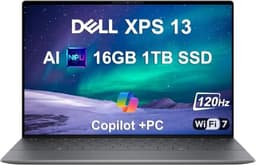
The Dell XPS 13 9345 occupies a specific niche: it is the laptop for the graphic designer who prioritises portability and build quality above all else, and who is willing to pay a premium for a machine that fits into a slim bag and draws admiring glances in a coffee shop. At 13.4 inches, it is the smallest screen in this selection, but the FHD+ 120Hz IPS panel is well-calibrated and the 120Hz refresh rate makes scrolling through large documents and zooming around canvas feel noticeably smoother than 60Hz alternatives.
The Qualcomm Snapdragon X Plus processor inside this XPS 13 is the same ARM-based platform found in the ASUS Vivobook S 14, but Dell's implementation benefits from the XPS chassis engineering: better thermal management, a more premium keyboard, and a build quality that feels genuinely robust rather than merely adequate. The 16GB of LPDDR5X RAM and 512GB of PCIe 4 NVMe storage are the right baseline specifications for a designer's primary machine, though the storage will fill up faster than the 1TB options elsewhere in this list.
Windows 11 Pro is included rather than Home, which matters for designers working in business environments that require BitLocker encryption or domain joining. The Copilot+ AI features built into the Snapdragon platform include background removal and image upscaling tools that are beginning to integrate into creative workflows, though they are not yet a primary reason to choose this platform over an Intel alternative.
At over £2,100, the XPS 13 9345 is expensive for a 13-inch laptop with integrated graphics and 512GB of storage. You are paying for the Dell XPS brand, the build quality, the Windows 11 Pro licence, and the premium display calibration. For a freelance designer who travels frequently and needs a machine that impresses in client meetings, that premium may be justified. For a studio-based designer who stays at a desk, the money is better spent elsewhere in this list.
Verdict: A premium portable option for designers who value build quality, display calibration and Windows 11 Pro in a compact chassis, though the price-to-performance ratio favours the ASUS Vivobook S 14 for most buyers.
Pros
- 120Hz FHD+ IPS display with premium calibration suits colour-sensitive design review work
- Windows 11 Pro included, adding BitLocker encryption and business network compatibility
- Compact 13.4-inch chassis with premium build quality is ideal for frequent travellers
Cons
- Over £2,100 for 512GB storage and integrated graphics is difficult to justify against cheaper alternatives
- 13.4-inch screen is small for complex multi-panel design layouts without an external monitor
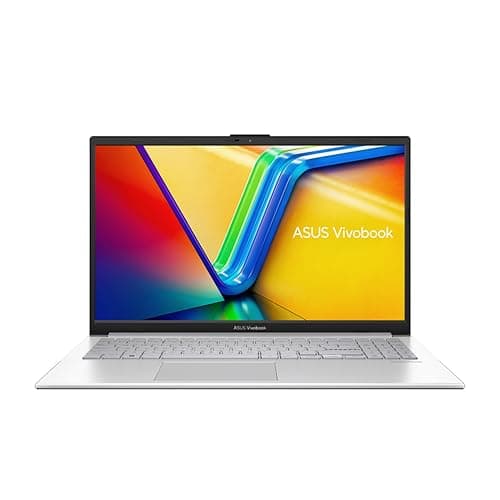
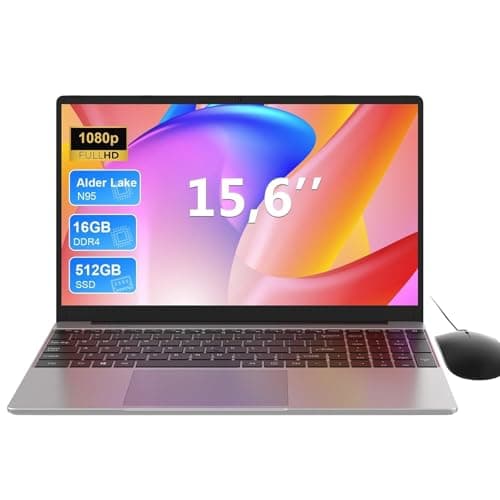
The ASUS Vivobook 14 (2025) takes an unusual approach to the value equation: rather than prioritising display resolution or processor generation, it loads up on RAM and storage. With 24GB of RAM and a 2TB SSD, it offers more memory and more local storage than any other machine in this catalogue at a significantly lower price than the premium picks. For a graphic designer whose primary constraint is running out of RAM when working with very large Photoshop files, or who needs to store an entire project archive locally, this configuration is genuinely appealing.
The Intel Core i5-1334U is a 13th-generation processor, which means it is one generation behind the Core Ultra series found in more expensive machines. In practical terms, this means slightly lower performance on CPU-intensive tasks like batch export and complex filter rendering, but for the majority of design work, the difference is not dramatic. The Intel UHD Graphics integrated GPU is the weakest point of this configuration: it handles basic GPU-accelerated tasks in Photoshop adequately, but will struggle with GPU-intensive video effects or 3D rendering.
The 14-inch FHD display at 1920x1080 is the other area where this machine makes a compromise. At 14 inches, 1080p is adequate but not sharp, and designers who have worked on a 2K or higher panel will notice the difference in fine linework and text rendering. Colour accuracy on IPS panels at this price point is typically acceptable for web and social media work but may not satisfy designers working to print standards without external calibration.
Where this machine genuinely shines is as a secondary or travel machine for a designer whose primary workstation is a desktop or a more powerful laptop. The 2TB of local storage means you can carry your entire working library with you, and the 24GB of RAM ensures that Creative Cloud applications open quickly and stay open without memory pressure. At its price point, it is a sensible choice for design students who need capacity over cutting-edge performance.
Verdict: The RAM and storage champion of this selection, offering 24GB and 2TB in a compact package, though the 1080p display and older processor generation are meaningful compromises for colour-critical work.
Pros
- 24GB RAM is the highest in this catalogue, eliminating memory pressure in large multi-layer design files
- 2TB SSD provides enough local storage for a full project archive without external drives
Cons
- 1920x1080 FHD panel lacks the sharpness of 2K displays for fine linework and detailed typography
- Intel UHD Graphics limits GPU-accelerated rendering and 3D preview performance
- 13th-generation Core i5-1334U trails current Core Ultra and Snapdragon X processors in efficiency and AI tasks
Buying Guide
Display Quality: The Non-Negotiable Factor
For graphic design, the display is the most important component in the machine. A fast processor and abundant RAM are wasted if the display cannot accurately represent the colours you are working with. Look for panels that cover at least 100 percent of the sRGB colour space for web and digital design work, or 90 percent or more of DCI-P3 for print and premium digital content. AMOLED and OLED panels offer the best contrast ratios and colour vibrancy, as demonstrated by the Samsung Galaxy Book4 Pro 360 in this selection. IPS panels are the reliable standard for consistent colour accuracy across viewing angles. TN panels, like the one in the ASUS Chromebook 11, are unsuitable for colour-critical work. Resolution matters too: at 14 inches, a 2560x1600 or higher panel delivers noticeably sharper linework and text than a 1920x1080 equivalent.
RAM: How Much Do You Actually Need?
Adobe Photoshop recommends 8GB as a minimum but performs significantly better with 16GB or more when working with large files. Running Photoshop, Illustrator, and a browser simultaneously on an 8GB machine will result in noticeable slowdowns as the operating system swaps data to the SSD. For most professional graphic designers, 16GB is the practical minimum. If you work with very large layered documents, print-resolution photography, or multiple applications simultaneously, 24GB or 32GB provides meaningful headroom. The ASUS Vivobook 14 (2025) with its 24GB configuration is notable in this regard.
Storage: Speed and Capacity Both Matter
Design files accumulate quickly. A single Photoshop document with many layers can exceed 500MB, and a project folder including source files, exports, and revisions can easily reach several gigabytes. Look for at least 512GB of SSD storage, and prefer PCIe Gen4 NVMe drives over older SATA SSDs for faster file access. If you work with large asset libraries or video footage, 1TB or more is worth the investment. The ASUS Vivobook S 14 with 1TB and the ASUS Vivobook 14 (2025) with 2TB stand out in this regard.
Connectivity: Ports That Matter for Designers
Graphic designers typically need to connect an external monitor, a drawing tablet, and occasionally a card reader or external drive simultaneously. Thunderbolt 4 or USB 4 ports are the most versatile, supporting high-bandwidth external displays and fast storage through a single cable. HDMI is useful for direct monitor connection without an adapter. An SD card slot is valuable for photographers. If a laptop lacks the ports you need natively, factor in the cost of a quality hub or dock, which can add £50 to £150 to the effective purchase price.
Processor and GPU: Matching Power to Workflow
For 2D graphic design work in Photoshop, Illustrator, and InDesign, a modern mid-range processor with integrated graphics is sufficient. The Intel Core Ultra 7, Snapdragon X Plus, and Intel Core i5-12450H all handle these tasks competently. If your work extends into motion graphics, video editing, 3D rendering, or generative AI tools, a discrete GPU becomes valuable. The RTX 5090 in the MSI Raider 18 HX is the extreme end of this spectrum, but even a mid-range discrete GPU would accelerate GPU-intensive tasks significantly over integrated alternatives.
ARM vs x86: A Practical Consideration
The Snapdragon X Plus machines in this selection, the ASUS Vivobook S 14 and the Dell XPS 13 9345, use ARM-based processors rather than the traditional x86 architecture. Adobe's Creative Cloud suite is fully ARM-optimised and runs natively on these machines. However, some older or niche design plugins, font management tools, and specialised print software may not yet have ARM-native versions. If your workflow depends on specific third-party tools, verify ARM compatibility before committing to a Snapdragon-based machine.
The Samsung Galaxy Book4 Pro 360 is the overall winner for graphic design in this catalogue. Its Dynamic AMOLED 2X display sets a standard for colour accuracy and contrast that no IPS panel in this selection can match, and the combination of Thunderbolt 4 connectivity, a built-in S Pen, and a 360-degree hinge makes it a genuinely versatile professional tool. The Intel Core Ultra 7 155H handles sustained Creative Cloud workloads competently, and the port selection covers every connectivity scenario a working designer is likely to encounter. For designers who cannot stretch to the Samsung's price, the ASUS Vivobook S 14 S3407QA is the clear best-value alternative, delivering a sharp 2.8K display, 1TB of fast storage, and excellent connectivity for under £600. At the opposite extreme, the MSI Raider 18 HX is the machine for professionals whose work demands desktop-class GPU performance in a portable form factor, with the RTX 5090 and 64GB of RAM eliminating every performance ceiling that the other machines in this list impose.