Choosing the right business laptop in 2025 is more nuanced than ever. Whether you are a sole trader who needs something light for client meetings, a remote worker who lives in spreadsheets and video calls, or a creative professional juggling large files, the market has expanded considerably. Copilot+ AI PCs have arrived in force, Qualcomm's Snapdragon X platform is now a genuine Windows alternative to Intel, and AMOLED displays have trickled down from flagship phones into mid-range notebooks. At the same time, Chromebooks remain a compelling, low-maintenance option for cloud-first teams. This guide cuts through the noise and focuses on real-world business use: battery life, keyboard quality, port selection, display clarity, and value for money. We have excluded pure gaming machines and kept the focus on portability, reliability, and professional software compatibility.
Quick Verdict
Best Overall: Samsung Galaxy Book4 Pro 360 (B0CS6MMSJ1). Its Dynamic AMOLED 2X display, Thunderbolt 4 connectivity, and flexible 360-degree hinge make it the most well-rounded business laptop in this selection for professionals who demand both performance and presentation quality.
Best Value: Lenovo IdeaPad Slim 3 14-inch (B0FBSQWGLD). For under £700, you get a capable Intel Core i5 processor, 16 GB of RAM, a solid IPS panel, and a broad port selection that most business users will find genuinely sufficient day to day.
The Samsung Galaxy Book4 Pro 360 is aimed squarely at senior professionals, executives, and creative consultants who want a laptop that performs in the boardroom and doubles as a tablet for annotating documents or sketching wireframes. The 360-degree hinge is genuinely useful rather than a gimmick, and Samsung's S Pen stylus is included in the box, making this a rare all-in-one productivity package at this price tier.
The headline specification is the 16-inch Dynamic AMOLED 2X display running at 2880x1800 resolution. Colours are vivid and accurate, contrast is exceptional, and the panel is bright enough for outdoor use in most British weather conditions. For anyone who spends hours reviewing presentations, editing marketing materials, or simply reading lengthy reports, the display quality alone justifies serious consideration.
Under the hood, the Intel Core Ultra 7 155H is a strong performer for productivity workloads. It handles multitasking across dozens of browser tabs, video conferencing, Office applications, and light creative work without breaking a sweat. The 16 GB of RAM is sufficient for most business tasks, though heavy virtual machine users may wish for more. Storage is 512 GB via a fast SSD, which is adequate but fills up quickly if you work with large media files.
Connectivity is excellent for a thin-and-light machine: two Thunderbolt 4 ports, a full-size HDMI output, a USB-A port, and a microSD card slot. That Thunderbolt 4 provision means you can drive dual 4K monitors from a single dock, which is a significant advantage over many rivals in this category. The machine runs Windows 11, so compatibility with enterprise software stacks is a non-issue.
Build quality reflects Samsung's premium positioning. The chassis is slim, the keyboard is well-spaced, and the trackpad is responsive. Battery life is competitive for a large-screen convertible, though the AMOLED panel does draw more power than an equivalent LCD when displaying bright content.
Verdict: The best all-round business laptop in this selection for professionals who want display excellence, flexible form factor, and strong connectivity in one package.
Pros
- Dynamic AMOLED 2X display delivers exceptional colour accuracy and contrast for presentations and document review
- Two Thunderbolt 4 ports enable dual 4K monitor setups via a single dock
- 360-degree hinge with included S Pen adds genuine tablet and annotation functionality
Cons
- Price is significantly higher than most rivals in this guide, making it harder to justify for budget-conscious businesses
- 512 GB storage feels limited relative to the premium price point, especially for media-heavy workflows
The Dell XPS 13 has been a benchmark for premium ultrabooks for years, and the 9345 variant brings the Qualcomm Snapdragon X Plus platform to one of the most recognisable business laptop designs on the market. This is a Copilot+ AI PC, meaning it meets Microsoft's requirements for on-device AI acceleration, which matters increasingly as Microsoft 365 Copilot features roll out across enterprise software.
The 13.4-inch FHD+ display runs at 120Hz, which gives scrolling and cursor movement a fluidity that 60Hz panels simply cannot match. For a machine in this size class, that refresh rate is a genuine differentiator. The IPS panel offers good colour accuracy and wide viewing angles, making it suitable for client-facing work even if it does not reach the AMOLED heights of the Samsung above.
Qualcomm Snapdragon X Plus delivers impressive efficiency. Real-world battery life on the XPS 13 9345 is among the best in the Windows laptop market, routinely exceeding ten hours of mixed productivity use. For professionals who travel frequently and cannot always guarantee access to a power socket, this is a compelling advantage. The ARM-based architecture also means the machine runs cool and quiet under typical business workloads.
The trade-off with ARM Windows is software compatibility. Most mainstream business applications, including Microsoft Office, Teams, Chrome, and Zoom, run natively or via efficient emulation. However, some specialist enterprise tools, particularly older 32-bit applications or certain VPN clients, may present compatibility issues. IT managers should verify their software stack before deploying at scale.
The XPS 13 9345 ships with Windows 11 Pro, which is the correct choice for business deployment, offering BitLocker encryption, domain join, and remote desktop out of the box. The build quality is exceptional, with a machined aluminium chassis that feels genuinely premium. At its price point, it competes with the Samsung Galaxy Book4 Pro 360 for the top spot among high-end business buyers.
Verdict: The best choice for frequent travellers who prioritise battery life, build quality, and a compact footprint, provided their software stack is ARM-compatible.
Pros
- Snapdragon X Plus delivers exceptional battery life, routinely exceeding ten hours of real-world use
- Windows 11 Pro included as standard, with full BitLocker and domain join support for enterprise deployment
- 120Hz IPS display provides noticeably smoother scrolling and cursor movement than standard 60Hz panels
Cons
- ARM architecture means some legacy enterprise applications and older VPN clients may not run without compatibility issues
- Price is very high for a 13-inch machine with 512 GB storage, representing a significant investment per seat
The ASUS Vivobook S 14 S3407QA occupies a compelling middle ground between premium ultrabooks and budget workhorses. It is a Copilot+ PC built around the Qualcomm Snapdragon X Plus processor, and it brings AI-accelerated features to a price point that is far more accessible than the Dell XPS 13 or Samsung Galaxy Book4 Pro 360. For small business owners, freelancers, and professionals who want modern AI capabilities without a flagship price tag, this is one of the most interesting options available.
The 14-inch display runs at 2560x1600 resolution on an IPS panel, which is a significant step up from the 1080p screens found on many rivals at this price. Text is sharp, images are detailed, and the extra vertical resolution compared to a standard 16:9 panel gives you meaningfully more space when working in documents, spreadsheets, or code editors. The panel covers a good colour gamut, making it suitable for light creative work alongside standard productivity tasks.
Storage is a genuine highlight: 1 TB of PCIe Gen4 SSD storage is generous at this price point, and the fast read and write speeds mean application launches and large file transfers are snappy. The 16 GB of RAM is sufficient for most business workloads, though the Snapdragon X Plus architecture means you cannot upgrade it later, so consider your long-term needs before purchasing.
Port selection is strong for a slim 14-inch machine: two USB4 Type-C ports, two USB 3.2 Type-A ports, HDMI 2.1, and a 3.5mm audio jack. The USB4 ports support external displays and fast charging, and HDMI 2.1 means you can drive a 4K monitor at high refresh rates without an adapter. This is a notably better port lineup than many competitors at this price.
Battery life benefits from the Snapdragon X Plus efficiency, and real-world endurance is strong. The machine is slim and reasonably light for a 14-inch device. The keyboard quality is good for an ASUS Vivobook, with adequate key travel for extended typing sessions. The same ARM compatibility caveats that apply to the Dell XPS 13 apply here, so verify your software requirements before committing.
Verdict: Excellent value for a Copilot+ AI PC with a sharp high-resolution display and generous storage, making it ideal for productivity-focused professionals on a mid-range budget.
Pros
- 2560x1600 IPS display offers noticeably sharper text and more vertical workspace than standard 1080p rivals
- 1 TB PCIe Gen4 SSD is unusually generous storage for this price bracket
- Strong port selection including two USB4-C, two USB-A, and HDMI 2.1 reduces the need for adapters
Cons
- RAM is soldered and cannot be upgraded, so the 16 GB ceiling is permanent for the life of the machine
- ARM-based Snapdragon X Plus may cause compatibility issues with some legacy enterprise software
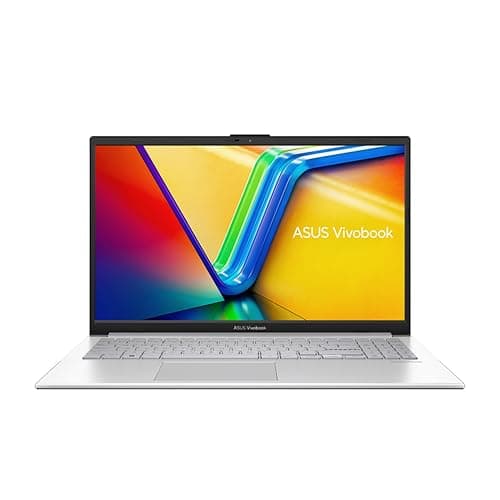
The ASUS Vivobook 14 (2025) takes a different approach to the Vivobook S 14 above. Rather than chasing the latest ARM-based Copilot+ credentials, it pairs a 13th-generation Intel Core i5-1334U processor with a very generous 24 GB of RAM and a substantial 2 TB SSD. For business users who need to run memory-intensive applications, keep dozens of browser tabs open alongside multiple Office applications, or work with large local datasets, that RAM and storage combination is genuinely impressive at this tier.
The Intel Core i5-1334U is an efficient U-series processor, meaning it prioritises battery life and thermal management over raw peak performance. It is well-suited to sustained productivity workloads: document editing, video conferencing, data analysis in Excel, and light web development. It will not match the performance of the H-series chips found in the Samsung Galaxy Book4 Pro 360, but for the vast majority of business users, the difference is imperceptible in day-to-day use.
The 14-inch FHD display is a standard 1920x1080 IPS panel. It is clear and comfortable for extended working sessions, though it lacks the resolution and colour vibrancy of the Vivobook S 14 above. For users who spend most of their time in text-based applications rather than reviewing visual content, this is an entirely acceptable trade-off, particularly given the generous RAM and storage specifications.
With 24 GB of RAM, this machine is unusually capable for multitasking. Running a virtual machine alongside a full Office suite, a browser with multiple tabs, and a video call is well within its capabilities. The 2 TB SSD means you are unlikely to run out of local storage even if you work with large project files, video recordings, or extensive archives. For a business that needs to keep several years of project data locally accessible, this is a meaningful advantage.
The Intel architecture means full compatibility with the entire Windows software ecosystem, including legacy enterprise applications, specialist industry tools, and all major VPN clients. There are no ARM compatibility concerns to navigate. Windows 11 Home is included, though businesses that require Pro features such as BitLocker or domain join will need to factor in an upgrade cost.
Verdict: The best choice for users who need maximum RAM and local storage at a mid-range price, particularly those running memory-hungry applications or managing large local file archives.
Pros
- 24 GB of RAM is exceptionally generous for this price tier, enabling heavy multitasking and virtual machine use
- 2 TB SSD provides ample local storage for large project archives, video files, and extensive datasets
- Intel architecture guarantees full compatibility with legacy enterprise software and all major VPN clients
Cons
- FHD 1080p display lacks the resolution and colour quality of higher-spec rivals at similar or lower prices
- Windows 11 Home rather than Pro means additional cost for businesses requiring BitLocker encryption or domain join
Buying Guide
Processor: Intel, AMD, or Qualcomm?
For most business users in 2025, the processor choice comes down to three platforms. Intel's Core Ultra series (formerly Meteor Lake and now Arrow Lake) offers strong performance and broad software compatibility, making it the safest choice for businesses with complex software stacks. Qualcomm's Snapdragon X Plus and X Elite processors deliver exceptional battery life and are now capable enough for mainstream productivity, but the ARM architecture means some legacy applications may not run correctly. Always verify your critical software against Qualcomm's compatibility list before committing. Intel U-series chips, such as the Core i5-1334U, prioritise efficiency over peak performance and are well-suited to light-to-moderate business workloads.
RAM: How Much Do You Actually Need?
For general business use involving Office applications, video calls, and web browsing, 8 GB is the minimum and 16 GB is the comfortable standard. If you regularly run virtual machines, work with large datasets in Excel or similar tools, or keep dozens of browser tabs open simultaneously, 16 GB to 24 GB will make a noticeable difference. Note that on ARM-based machines and many thin-and-light laptops, RAM is soldered to the motherboard and cannot be upgraded later, so err on the side of more if your budget allows.
Storage: SSD Type and Capacity
NVMe SSDs are significantly faster than eMMC storage and are the standard on most Windows laptops above entry level. For cloud-first workers who store most files in OneDrive, Google Drive, or SharePoint, 256 GB to 512 GB of local storage is typically sufficient. For those who work with large local files, video recordings, or extensive project archives, 1 TB or more is worth the investment. Avoid eMMC storage for Windows machines if performance matters to you, though it is acceptable on Chromebooks where the OS is less storage-intensive.
Display: Resolution and Panel Type
A 1080p IPS display is the minimum acceptable standard for a business laptop used for extended daily work. Higher resolutions, such as 1600p or 2K, provide sharper text and more screen real estate, which is genuinely useful for document work and multitasking. AMOLED panels offer superior contrast and colour, though they consume more power. If you regularly present to clients or review visual content, investing in a higher-quality display pays dividends in perceived professionalism and reduced eye strain.
Ports and Connectivity
Consider your daily connectivity needs carefully. If you use an external monitor, check whether the laptop has HDMI or a USB-C port that supports DisplayPort Alt Mode. Thunderbolt 4 or USB4 ports are the most versatile, supporting fast data transfer, external displays, and power delivery through a single cable. An SD card reader is useful for photographers and marketers. If you work in environments where a wired Ethernet connection is required, check whether the machine has an RJ45 port or whether you will need an adapter.
Operating System: Windows vs ChromeOS
Windows 11 remains the standard for business computing, offering the broadest software compatibility and the most comprehensive enterprise management features. Windows 11 Pro adds BitLocker encryption, domain join, and remote desktop, which are important for many business deployments. ChromeOS is a compelling alternative for Google Workspace-centric organisations, offering strong security, automatic updates, and very low maintenance overhead. The right choice depends entirely on your software requirements and IT management approach.
Budget Allocation
As a rough guide: under £400 buys a capable but compromised machine suitable for light use or as a secondary device. £400 to £700 is the sweet spot for most small business users, offering solid specifications and reliable performance. £700 to £1,200 brings premium build quality, better displays, and stronger connectivity. Above £1,200, you are paying for flagship performance, AMOLED displays, or specialist features such as 2-in-1 convertibility and stylus support.
The Samsung Galaxy Book4 Pro 360 is the overall winner for business professionals who want the best combination of display quality, connectivity, and versatility. Its Dynamic AMOLED 2X panel is genuinely class-leading for productivity and presentation use, the Thunderbolt 4 ports make it the most dock-friendly machine in this selection, and the 360-degree hinge with S Pen adds real-world utility for client-facing professionals. Yes, it is expensive, but the specification and build quality justify the investment for users who rely on their laptop as their primary business tool every single day.
For those who cannot stretch to the Samsung's price, the Lenovo IdeaPad Slim 3 14-inch is the value pick without reservation. It delivers a capable Intel Core i5-12450H processor, 16 GB of RAM, a solid port selection, and a comfortable IPS display for under £700. It is not glamorous, but it is reliable, practical, and well-specified for the money. For businesses equipping multiple employees, it represents the most sensible cost-per-seat investment in this guide.