VIVID·REPAIRS/THE FIELD GUIDE/MOTHERBOARDUpdated 13 October 2026Prices live from Amazon UK
Best of · UK · Field of 5
Best Gigabyte Motherboards UK 2026 | 6 Compared & Ranked
We compared 6 best gigabyte motherboards in 2026. From budget AM4 boards to premium AM5 platforms with WiFi 7, find the perfect Gigabyte motherboard for your build.
By the Vivid Repairs deskUpdated 13 October 20265 ranked picks2,208 owner ratings read
As an Amazon Associate we may earn from qualifying purchases. We have not handled these products. Everything below is judged on published specifications, the owner ratings on the UK listings and our own product reviews, and the ranking stays independent of what any of them pay.
As an Amazon Associate, we may earn from qualifying purchases. Our ranking is independent.
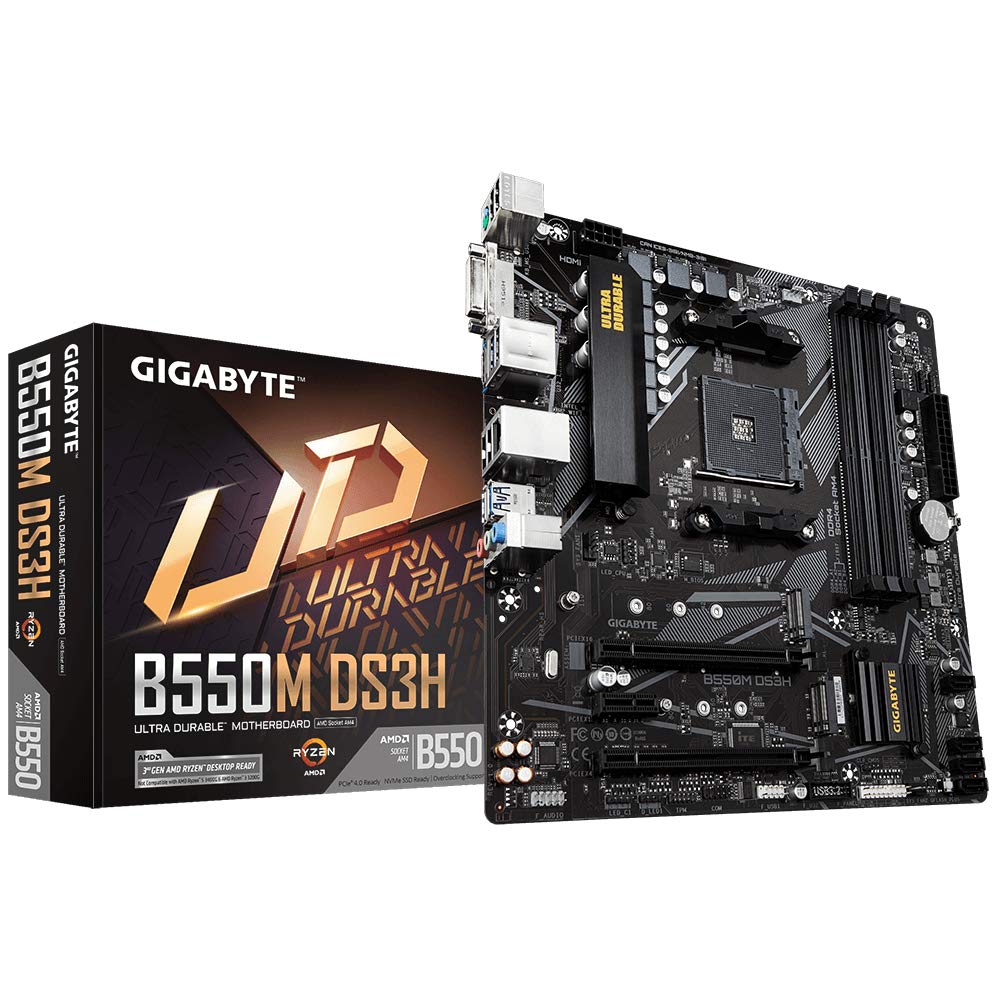
Gigabyte B550M DS3H Motherboard - Supports AMD Ryzen 5000 Series AM4 CPUs, 5+3 Phases Pure Digital VRM, up to 4733MHz DDR4 (OC), 2xPCIe 3.0 M.2, GbE LAN, USB 3.2 Gen1
Amazon confirms the live price, seller, stock and delivery. Prices here are read from the live listing through the day; a pick Amazon cannot supply is marked as such, and where the list has one in stock it is offered.
vividrepairs.co.uk / best-gigabyte-motherboards-uk-2026Updated 13 October 2026 · Prices from the live Amazon UK listing
§ The field
Five picks, on one page
Ranked on fit for the job in the title, not on raw specification. Tap any one to jump to the argument for it. Prices are the live Amazon UK figure, read today; a pick with no figure is out of stock and says so in its entry.
WiFi 6E connectivity included, typically found on £200+ boards
EZ-Latch mechanisms eliminate fiddly tabs on PCIe slots and M.2 drives
8+2+2 phase VRM handles Ryzen 9 9950X without thermal throttling, peaking at 68°C
Where it gives up
Only four USB-A ports and one USB-C rear I/O, limits peripheral connectivity. Basic Realtek ALC897 audio codec noticeably inferior to premium alternatives.
Rated 4.5 by 264 owners. No editorial score for this one yet.
VRM handles Ryzen 5 and Ryzen 7 CPUs reliably at stock settings without thermal issues
Clean, functional BIOS with straightforward XMP/DOCP compatibility across multiple RAM kits
Two M.2 slots with heatsink on primary PCIe 4.0 slot keeps drives cool under load
Where it gives up
No WiFi or Bluetooth connectivity, requires ethernet or separate expansion. Only two RAM slots severely limits upgrade flexibility and future expansion.
Rated 4.4 by 677 owners. Our review scores it 6.5.
The rules this ranking ran under, in plain sight: what we read, what we weighed and what no merchant can move.
How we picked
Our editors evaluated 5 Motherboard options against the criteria readers actually weigh up: price, real-world performance, build quality, warranty, and UK availability. Picks lean toward what we'd recommend to a friend buying today, not specs-on-paper winners.
Editorial contextEditor notes from individual reviews, not press releases.
Live UK pricingRefreshed from Amazon UK twice daily.
No paid placementsAffiliate commission doesn't change what wins.
The full guideEverything behind the shortlist above: the spec sheet, the write-ups in full, our method and the verdict.
§ Editorial · The full guide · three proofs, nothing hidden
The Doubt Index.
The shortlist told you what we picked; this zone shows the working. Come in through whichever doubt you’re carrying, or read straight down; we’d rather you checked us than trusted us.
You can, and you should. What follows is the part a sheet can’t do: the working between what these products have and what your desk actually needs, kept word for word.
Finding the best gigabyte motherboards for your PC build doesn't need to be complicated. Across six of Gigabyte's most popular boards spanning both AM4 and AM5 platforms, there are clear winners for different budgets and use cases. Whether you're building a budget gaming rig with a Ryzen 5 5600 or planning a high-end system with the latest Ryzen 9000 series, there's a Gigabyte board here that'll do the job properly.
The motherboard market in 2026 presents an interesting choice: stick with proven AM4 technology and save money on DDR4, or invest in newer AM5 platforms with DDR5 and PCIe 5.0 for better longevity. Gigabyte offers solid options across both camps, and these boards differ in how well they actually deliver on their promises.
TL;DR - Quick Picks
Best Overall: Gigabyte B550M DS3H for outstanding balance of features, performance, and value in a micro-ATX package.
Best Budget: Gigabyte B550M K for rock-bottom pricing without sacrificing essential features for Ryzen builds.
Best Premium: Gigabyte B850 AORUS Elite WiFi7 for modern AM5 platform with WiFi 7 and robust power delivery.
The B550M DS3H hits that sweet spot where price meets performance without cutting corners where it matters. You get Ryzen 5000 series support and a 5+3 phase VRM in this micro-ATX board.
What makes this one of the best gigabyte motherboards for most builders is the thoughtful feature set. You get PCIe 4.0 support for both the primary x16 slot and the single M.2 slot, which means your GPU and NVMe drive can run at full speed. The rear I/O is properly stocked with USB 3.2 Gen 1 ports, HDMI and DVI outputs for APU users, and Realtek GbE LAN.
Build quality feels reassuring for the price bracket. The PCB is thick, the DIMM slots have proper retention, and the heatsinks on the VRM and chipset actually do their job rather than being decorative. I particularly appreciate the Q-Flash Plus button that lets you update the BIOS without a CPU installed, which is brilliant if you're pairing this with a newer Ryzen chip.
The micro-ATX form factor works brilliantly for compact builds without sacrificing essential features. You get four SATA ports, front panel USB 3.2 Gen 1 header, and all the RGB headers you'd expect. The only real limitation is the single M.2 slot, but for most users running one fast NVMe drive and maybe a SATA SSD, that's perfectly adequate. See our full Gigabyte B550M DS3H review.
At this price, the B550M K is proper bargain territory for anyone building a budget Ryzen system. Don't let the low price fool you though. This board delivers the essentials without the fluff, making it one of the best gigabyte motherboards for cost-conscious builders who know exactly what they need.
The 4+3 phase VRM is adequate for Ryzen 5 5600 or 5600X chips at stock speeds. I wouldn't push a 5800X3D on this board, but for mainstream six-core CPUs it handles the job. It has dual M.2 slots, both supporting PCIe 4.0 NVMe drives. That's a feature you'd normally see on boards costing £30-40 more, and it's brilliant for running a fast boot drive plus secondary storage.
The rear I/O is stripped back but functional: four USB ports, PS/2 combo port (handy for troubleshooting), HDMI and DVI for integrated graphics, and Realtek GbE LAN. There's no USB-C, no fancy audio, no RGB headers to speak of. But here's the thing: if you're spending £86 on a motherboard, you probably don't care about RGB lighting.
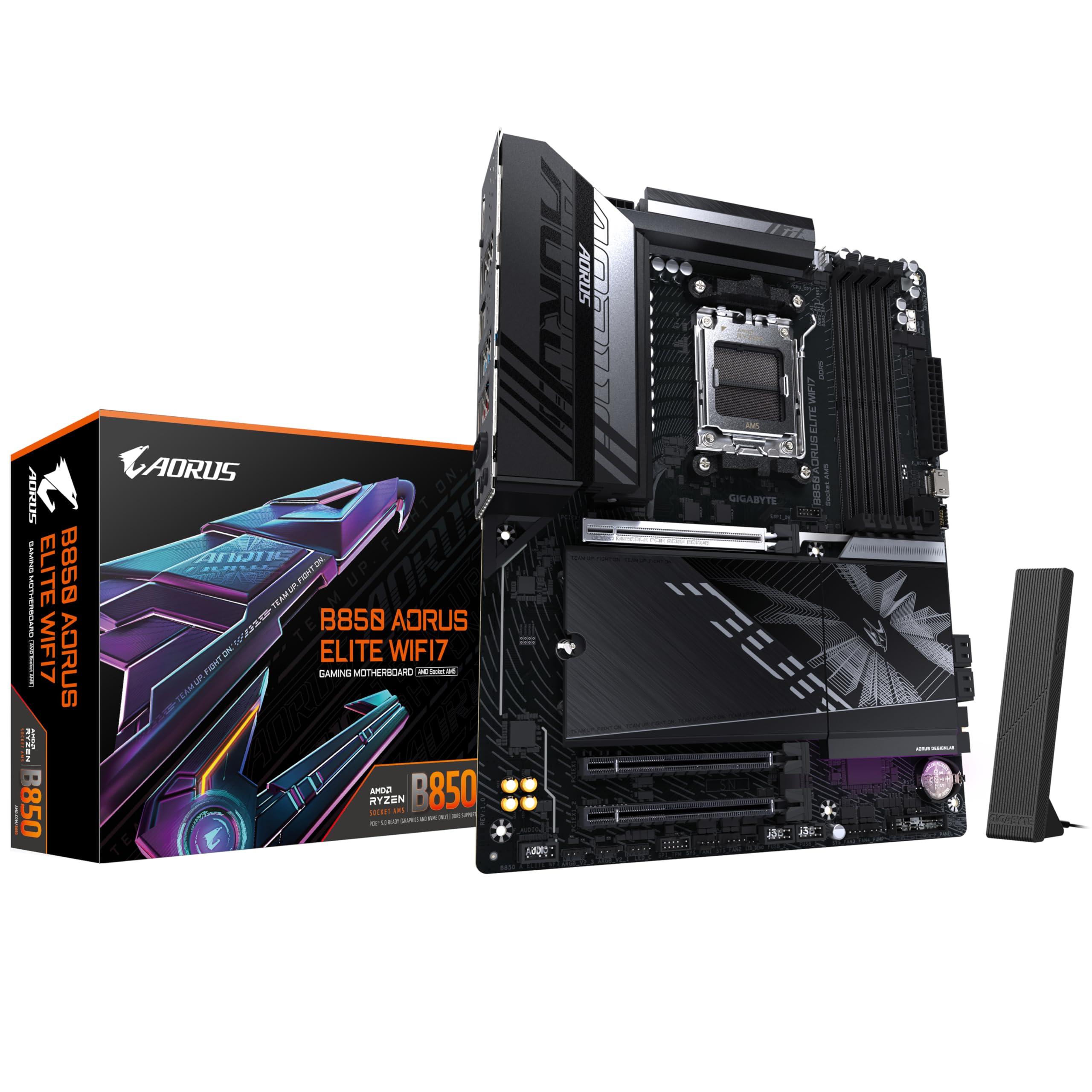
If you're building with Ryzen 9000 series and want a board that'll last, the B850 AORUS Elite WiFi7 is where the smart money goes. At this price, it's the priciest option here, but you're getting modern connectivity and power delivery that justifies the cost. This is among the best gigabyte motherboards for enthusiasts who want premium features without X870 pricing.
The board supports WiFi 7 and remains compatible with older WiFi equipment. For power delivery, you get a 12+2+2 phase VRM with 60A power stages and substantial heatsinks.
Three M.2 slots all support PCIe 4.0, with the primary slot offering PCIe 5.0 for when those drives become affordable. The PCIe 5.0 x16 slot is ready for next-gen GPUs, though current cards don't saturate PCIe 4.0 yet. What matters more is the overall build quality: reinforced PCIe slots, thick PCB, premium Nichicon audio capacitors, and that lovely AORUS aesthetic with customisable RGB.
The rear I/O is comprehensive: USB4 port (40Gbps), multiple USB 3.2 Gen 2 Type-A and Type-C ports, 2.5GbE LAN, WiFi 7 antenna connectors, and optical audio out. The BIOS is Gigabyte's latest interface, which is intuitive once you learn where everything lives. See our B850 AORUS Elite WiFi7 review.
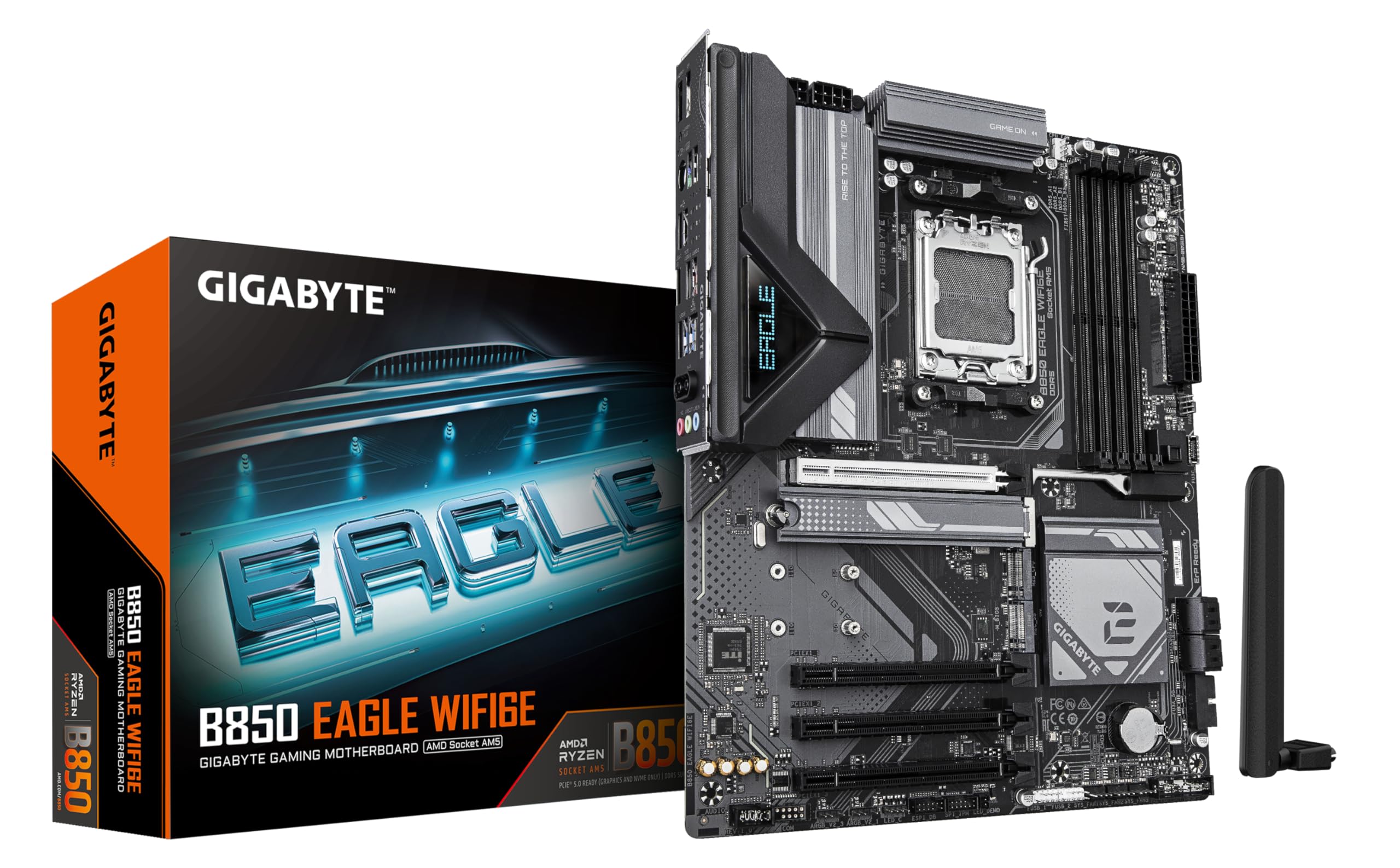
The B850 EAGLE WiFi6E sits in an interesting spot as the most affordable way into AM5 territory with wireless connectivity. At this price, it's only slightly more than the best AM4 boards but gets you onto the newer platform with DDR5 and better upgrade potential. For builders planning to stick with their motherboard for several years, this represents excellent value among the best gigabyte motherboards.
WiFi 6E performance is solid, though not as bleeding-edge as WiFi 7. In practice, you'll still get fast wireless speeds and the benefit of the less-congested 6GHz band. The 10+2+1 phase VRM is adequate for Ryzen 7 9700X or Ryzen 9 9900X at stock, though I'd want better cooling if you're planning aggressive overclocking on higher-end chips.
Three M.2 slots give you plenty of storage flexibility, all with thermal guards to prevent throttling. The primary slot supports PCIe 5.0, while the other two run at PCIe 4.0 speeds. That's more than enough for current NVMe drives. The PCIe 5.0 x16 slot future-proofs your GPU upgrade path, and the three PCIe 3.0 x1 slots handle capture cards or other expansion needs.
Build quality is decent rather than spectacular. The PCB feels solid, but the heatsinks are smaller than the AORUS Elite's. That's fine for mainstream builds but worth noting if you're pushing high-power CPUs. The rear I/O includes USB-C, multiple USB-A ports, 2.5GbE LAN, and HDMI 2.1 for integrated graphics. See our full B850 EAGLE WiFi6E review.
5. Gigabyte B550 Gaming X V2 Motherboard Review UK 2025
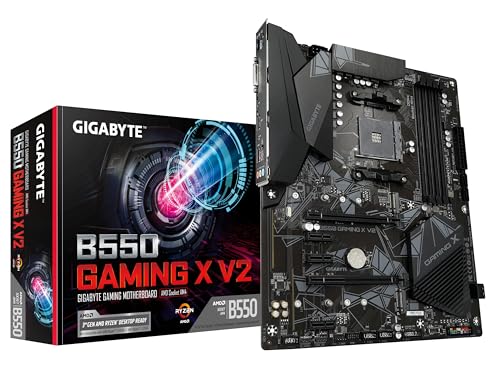
For builders who want a full-size ATX board without spending much, the B550 Gaming X V2 delivers the goods. It's among the best gigabyte motherboards for budget-conscious builders who need more expansion slots than micro-ATX offers but don't want to pay premium prices.
The 5+3 phase VRM is adequate for Ryzen 5 and Ryzen 7 chips at stock speeds. If you're running a 5800X3D or higher, I'd recommend better case airflow or consider stepping up to the AORUS Elite.
Two M.2 slots both support PCIe 4.0, which is excellent at this price point. The layout is sensible, with the primary M.2 slot getting a thermal guard. You also get six SATA ports, so there's no shortage of storage connectivity. The PCIe 4.0 x16 slot handles modern GPUs without issue, and there are two PCIe 3.0 x1 slots for expansion cards.
The rear I/O is functional rather than fancy: USB 3.2 Gen 1 ports, HDMI and DVI outputs, Realtek GbE LAN, and basic audio jacks. No USB-C, no WiFi, no premium features. But that's the trade-off for getting a full ATX board under £100. Build quality is acceptable. Our B550 Gaming X V2 review
Buying Guide: What to Look For in the Best Gigabyte Motherboards
Platform Choice: AM4 vs AM5
The biggest decision when choosing among the best gigabyte motherboards is platform. AM4 boards (B550 chipset) support Ryzen 3000 and 5000 series CPUs with DDR4 memory. They're cheaper overall and still deliver excellent gaming performance. AM5 boards (B850 chipset) support Ryzen 7000 and 9000 series with DDR5 memory. They cost more but offer better upgrade potential and newer features like PCIe 5.0.
For most builders in 2026, AM4 still makes sense if you're on a budget or building a mid-range gaming PC. The Ryzen 5 5600 and 5700X remain brilliant value, and DDR4 is significantly cheaper than DDR5. But if you're planning to keep this motherboard for five years and want the option to upgrade to future Ryzen CPUs, AM5 is the smarter long-term choice.
VRM Quality Matters
The voltage regulator module (VRM) delivers power to your CPU. Better VRMs mean more stable power delivery, lower temperatures, and support for higher-end processors. Look at the phase count: 5+3 phases is adequate for Ryzen 5 chips, 10+2 or 12+2 phases handle Ryzen 7 and 9 processors comfortably. Also check for heatsinks on the VRM, they're essential for sustained performance.
Storage and Expansion
Count the M.2 slots and check if they support PCIe 4.0 or 5.0. Most users need one or two M.2 slots for NVMe SSDs. Also consider SATA ports if you're using mechanical drives or older SSDs. For the PCIe slots, make sure the primary x16 slot supports PCIe 4.0 at minimum. PCIe 5.0 is nice for future-proofing but not essential yet.
Connectivity: WiFi and Rear I/O
Decide if you need WiFi built-in. WiFi 6 is adequate, WiFi 6E offers less congestion, WiFi 7 is modern but requires compatible gear. For wired connections, 2.5GbE LAN is becoming standard on better boards. Check the rear I/O for USB-C ports, enough USB-A ports for your peripherals, and video outputs if you're using integrated graphics.
Form Factor
Micro-ATX boards like the B550M DS3H save space and money but have fewer expansion slots. ATX boards offer more PCIe slots and often better VRM cooling. Choose based on your case size and whether you need multiple expansion cards. For most single-GPU gaming builds, micro-ATX is perfectly adequate.
Common Mistakes to Avoid
Don't overspend on features you won't use. RGB lighting and premium audio codecs are nice but don't affect performance. Don't cheap out on the VRM if you're buying a high-end CPU. The motherboard needs to deliver stable power. And don't forget BIOS compatibility: some B550 boards need a BIOS update for Ryzen 5000 series, though most ship updated now. Look for Q-Flash Plus if you want easy BIOS updates without a CPU installed.
This page carries affiliate links; they never set the order. We don’t lab-test: rankings come from published specifications, the owner ratings on the UK listings and our own reviews.
How We Chose These Motherboards
AM4 or AM5 is the starting point: the board has to suit the processor and memory in your build. From there, we compare storage slots and connectivity against current UK prices. This is a comparison of published specifications; we haven't tested the boards.
Best Overall
Gigabyte B550M DS3H
The perfect all-rounder with excellent VRM, PCIe 4.0 support, and outstanding value. Handles Ryzen 5000 series CPUs with confidence and delivers reliable performance in a compact micro-ATX package.
Unbeatable value with dual M.2 slots and solid performance for budget Ryzen builds. Strips away the extras but keeps everything that matters for a functional gaming PC.
The Gigabyte B550M DS3H remains our top pick among the best gigabyte motherboards for 2026, delivering exceptional balance between features, performance, and value. It's the board I'd recommend to most builders creating mid-range gaming systems with Ryzen 5000 series CPUs. For absolute budget builds, the B550M K is unbeatable value, while the B850 AORUS Elite WiFi7 represents the premium choice for enthusiasts building with Ryzen 9000 series who want modern connectivity. Choose based on your CPU platform, budget, and whether you need WiFi, but you honestly can't go wrong with any of these boards in their respective categories.
A crown that can’t be argued with isn’t proof of quality; it’s proof nobody checked. So rather than restate the winner’s virtues, we defend the crown against the strongest cases to take it.
Gigabyte B550M DS3H Motherboard
Cross-examination · Three challengers, taken seriously
The owners’ argumentGigabyte B850 Eagle WIFI6E Motherboard
It’s £164.91 on the live listing today. Owners rate it 4.5 from 264 ratings. The crown holds on the ranking rules: the order above was set before any link was attached, and its case is argued in full in the write-up above.
It’s £66.99 on the live listing today. Owners rate it 4.4 from 677 ratings. Our review scores it 6.5 against the winner’s 7.5. The crown holds on the ranking rules: the order above was set before any link was attached, and its case is argued in full in the write-up above.
The owners’ argumentGigabyte B550 AORUS Elite AX V2 Motherboard
It’s £174.60 on the live listing today. Owners rate it 4.6 from 1,129 ratings. Our review scores it 8.5 against the winner’s 7.5. The crown holds on the ranking rules: the order above was set before any link was attached, and its case is argued in full in the write-up above.
The Gigabyte B550M DS3H offers the best balance for gaming, supporting PCIe 4.0 for fast GPUs and NVMe drives. If you're building with Ryzen 9000 series CPUs, the B850 AORUS Elite WiFi7 delivers cutting-edge performance with PCIe 5.0 support and superior VRM cooling for sustained gaming sessions.
Absolutely. AM4 boards like the B550M K and B550 Gaming X V2 offer exceptional value for budget builds. They support up to Ryzen 5000 series CPUs which remain highly capable for gaming and productivity. You'll save money on both the motherboard and DDR4 RAM compared to newer AM5 platforms.
B850 is the newer chipset for AM5 CPUs (Ryzen 7000/9000), supporting DDR5 RAM and PCIe 5.0. B550 is for AM4 CPUs (up to Ryzen 5000), using DDR4 and PCIe 4.0. B850 offers better future-proofing but costs more, while B550 provides excellent performance at lower prices for current gaming needs.
It depends on your setup. If you can't run an ethernet cable to your PC, WiFi 6E or WiFi 7 models like the B850 EAGLE or AORUS Elite offer reliable wireless performance. However, wired connections remain faster and more stable for gaming, so save money with non-WiFi models if you can use ethernet.
Budget £80-100 for entry-level builds (B550M K), £130-150 for mid-range gaming systems (B550M DS3H, B850 EAGLE), and £180-200 for premium features like WiFi 7 and enhanced VRMs (B850 AORUS Elite). Don't overspend on features you won't use, but invest enough for stable power delivery and the connectivity you need.
That’s the field: five gigabyte motherboards, ranked for the job in the title and nothing else. We read the published specifications, the owner ratings and our own reviews; we haven’t handled these products, and no maker moves the order. Figures checked against the live Amazon UK listings, page updated 13 October 2026.
The Vivid Repairs desk
1Our top pickGigabyte B550M DS3H Motherboard - Supports AMD Ryzen 5000 Series AM4 CPUs, 5+3 Phases Pure Digital VRM, up to 4733MHz DDR4 (OC), 2xPCIe 3.0 M.2, GbE LAN, USB 3.2 Gen1Scored 7.5/10Compare all →Buy on Amazon →