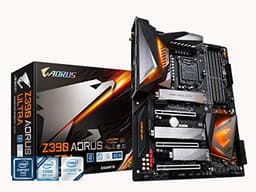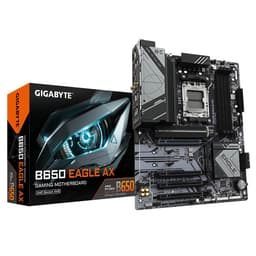
The GIGABYTE B850 AORUS STEALTH ICE Motherboard is genuinely exciting, and I don't say that about many boards in this bracket. It's an AMD AM5 board with a 14+2+2 phase VRM, four M.2 slots including a PCIe 5.0 slot, Wi-Fi 7, and 5 GbE LAN, all dressed in that clean, white "Stealth ICE" aesthetic that's been turning heads. At £187.94, it sits firmly in the upper mid-range, and the spec sheet punches well above what you'd normally expect at this price point. So yes, this is a good board. Probably a very good board, depending on your build.
But here's the honest bit: it's a B850 chipset, not an X870. That matters. You're getting a genuinely capable platform, and the VRM is better than most of the competition will throw at you in this bracket, but there are real trade-offs worth understanding before you hand over your cash. The 366 owner reviews averaging ★★★★½ (4.5) tell a broadly positive story, though owner feedback does flag some BIOS quirks that are about. Stick with me and I'll break down exactly what you're getting, where it earns its money, and who should probably save a bit or spend a bit more.
Core Specifications
The GIGABYTE B850 AORUS STEALTH ICE Motherboard is built on AMD's B850 chipset, using the AM5 socket. It's an ATX form factor board, so it'll fit in any standard mid-tower or full-tower case without drama. Four DDR5 DIMM slots support dual-channel memory with overclocking headroom up to 8200MT/s, which is genuinely impressive for a B-series board. Maximum memory capacity isn't stated explicitly in the verified data, but four DDR5 slots on AM5 typically supports up to 192GB with the right DIMMs.
Storage is a real highlight here. Four M.2 slots, with one running at PCIe 5.0 x4 speeds. That's the kind of spec you used to have to pay X670E money for. The expansion slot situation includes the primary PCIe x16 slot for your GPU, and the board carries GIGABYTE's EZ-Latch Plus system for tool-free PCIe and M.2 slot releases, which is a genuinely useful quality-of-life feature rather than marketing fluff. Rear connectivity includes USB 3.2 Gen 2 ports, and networking comes courtesy of 5 GbE wired LAN plus Wi-Fi 7.
The VRM configuration is a digital twin 14+2+2 phase solution. That's a serious power delivery setup for a B850 board, and it means this board can comfortably handle the top-end Ryzen 9000 series processors without breaking a sweat thermally. GIGABYTE has also fitted VRM Thermal Armor Advanced heatsinking, M.2 Thermal Guard L, and M.2 Thermal Guard Ext across the storage slots, so thermals are clearly a priority in the design.
| Specification | Detail |
|---|---|
| Socket | AMD AM5 |
| Chipset | AMD B850 |
| Form Factor | ATX |
| CPU Support | AMD Ryzen 9000 / 8000 / 7000 Series |
| Memory | 4x DDR5 DIMM, Dual Channel, up to 8200MT/s (OC) |
| VRM Phases | 14+2+2 Digital Twin |
| M.2 Slots | 4x M.2 (including 1x PCIe 5.0 x4) |
| Networking | 5 GbE LAN, Wi-Fi 7 |
| USB | USB 3.2 Gen 2 (rear I/O) |
| VRM Cooling | VRM Thermal Armor Advanced |
| M.2 Cooling | M.2 Thermal Guard L & M.2 Thermal Guard Ext |
| Key Features | EZ-Latch Plus, EZ-Latch Click, WIFI EZ-Plug, M.2 EZ-Flex |
| Current Price | £187.94 |
| Rating | ★★★★½ (4.5) (366 reviews) |
Socket & CPU Compatibility
The AM5 socket is AMD's current platform, and it's got legs. GIGABYTE confirms support for AMD Ryzen 9000, 8000, and 7000 Series processors, which covers everything from the budget-friendly Ryzen 5 7600 right up to the Ryzen 9 9950X. That's a genuinely wide compatibility window, and it means this board won't become a dead end the moment AMD releases a new chip. The AM5 platform is expected to remain current through AMD's roadmap for the foreseeable future, which is exactly what you want when you're spending upper mid-range money.
If you're planning to drop in a Ryzen 9000 series chip straight away, you should be fine with current BIOS versions. But if you're buying this board to pair with a brand-new CPU that launched after the board's initial production run, it's always GIGABYTE's support page for BIOS updates before you build. GIGABYTE typically includes Q-Flash Plus functionality on AORUS boards, which lets you update the BIOS without a CPU installed, using just a USB drive. That's a proper lifesaver if you're pairing a new board with a very new processor and need a BIOS update before the system will POST.
One thing for anyone coming from an older AMD platform: AM5 uses DDR5 only, and the physical socket is different from AM4. Your old AM4 cooler might still mount on AM5 (many do, using an adapter bracket), but double-check your cooler's AM5 compatibility before assuming. The board itself doesn't dictate this, AMD's socket design does, but it's the kind of thing that catches people out and leads to a frustrating build day.
Chipset Features
The B850 chipset sits one rung below AMD's X870 in the current lineup. In practical terms, that means you still get overclocking support (both memory and CPU), PCIe 5.0 for the primary M.2 slot, and a solid lane count for USB and storage. What you don't get compared to X870E is quite the same number of USB4 or Thunderbolt connections, and the chipset-level lane budget is a touch lower. For most builders, though, the B850 chipset genuinely covers everything you need.
Memory overclocking is fully unlocked on B850, which is why GIGABYTE can advertise DDR5 OC up to 8200MT/s. That's not a chipset limitation being overcome; it's a proper feature of the platform. The X3D Turbo Mode feature listed in the spec sheet is specifically relevant if you're running AMD's 3D V-Cache processors like the Ryzen 7 9800X3D. That chip responds brilliantly to tuned memory and fabric frequency settings, and a board that explicitly supports X3D optimisation in its firmware is worth paying attention to if that's your CPU of choice.
Chipset-level USB provision on B850 is respectable. You're looking at a mix of USB 3.2 Gen 2 (10Gbps) ports on the rear I/O, plus internal headers for front-panel connectivity. SATA support is present for traditional 2.5-inch drives, though the exact port count isn't specified in the verified data. PCIe lane allocation covers the primary GPU slot at x16 and distributes remaining lanes across the M.2 slots and secondary expansion slots. The key point is that the PCIe 5.0 x4 M.2 slot runs directly from the CPU, not the chipset, so you get full bandwidth without sharing.
VRM & Power Delivery
This is where the GIGABYTE B850 AORUS STEALTH ICE Motherboard genuinely earns respect. A 14+2+2 phase digital VRM on a B850 board is not what you'd call standard. Most boards at this price tier get away with 10+2 or 12+2 configurations and call it a day. GIGABYTE has clearly decided this board needs to handle serious silicon without thermal throttling becoming a conversation, and the phase count backs that up. The "digital twin" architecture means each phase has dedicated PWM control, which improves efficiency and load distribution compared to older doubler-based designs.
The VRM Thermal Armor Advanced heatsink system is the other half of this story. A high phase count is only useful if the MOSFETs can stay cool under sustained load, and GIGABYTE's heatsink coverage on the AORUS line has historically been decent. Owner reviews don't flag VRM thermals as a problem, which is the most honest signal you can get short of running a thermal camera over the board yourself. Boards with inadequate VRM cooling tend to generate complaints pretty quickly in user reviews, and with 366 averaging 4.5 stars, there's no pattern of overheating complaints visible here.
In practical terms, this VRM setup means you can run a Ryzen 9 9950X at full tilt without needing to worry. That's a 170W TDP processor, and it'll stress a weak VRM noticeably. The 14+2+2 configuration gives you headroom well beyond that. If you're running a Ryzen 5 9600X or Ryzen 7 9700X, this VRM is genuinely overkill, but overkill in the right direction. It runs cooler, more efficiently, and with less electrical stress on each individual phase. That's good for long-term reliability, which is something I care about more than headline benchmark numbers.
Memory Support
DDR5 only, dual channel, four DIMM slots. That's the AM5 reality and there's no getting around it. The good news is that GIGABYTE has pushed the OC ceiling to 8200MT/s, which is among the higher-rated speeds in the B850 bracket. Whether you'll actually hit 8200MT/s depends heavily on your specific DDR5 kit, your CPU's integrated memory controller, and how much time you want to spend in the BIOS tweaking subtimings. But having the headroom matters, especially if you're running a Ryzen 9000 series chip that benefits from faster memory fabric frequencies.
JEDEC standard DDR5 starts at 4800MT/s, and most good kits these days run at 6000MT/s to 6400MT/s out of the box with XMP or EXPO profiles. The B850 AORUS STEALTH ICE supports AMD's EXPO (Extended Profiles for Overclocking) standard, which means you can buy a DDR5 kit rated for 6000MT/s or 6400MT/s, enable EXPO in the BIOS, and it'll just work. No manual timing configuration required. That's the sensible approach for most builders, and it's good to confirm the board supports it properly.
The sweet spot for AM5 gaming performance is generally considered to be around 6000MT/s with tight timings, particularly if you're running a 3D V-Cache processor. The X3D Turbo Mode feature on this board is specifically designed to optimise memory and Infinity Fabric settings for those chips, which is a nice touch. Push beyond 6000MT/s and you can start running the memory controller at a 1:1 ratio with the Infinity Fabric, which is where the real performance gains live. The fact that this board supports OC up to 8200MT/s means you've got room to experiment if that's your thing.
Storage Options
Four M.2 slots is a proper storage setup, and GIGABYTE hasn't skimped on the quality of those slots either. The headline slot runs at PCIe 5.0 x4, which means it's compatible with the latest Gen 5 NVMe drives capable of sequential reads north of 12,000MB/s. That's genuinely fast. Whether you need that speed for day-to-day use is a separate question, but having the slot means you can drop in a Gen 5 drive now or in the future without the board being the bottleneck.
The remaining M.2 slots run at PCIe 4.0, which is still very quick for any current-generation NVMe drive. PCIe 4.0 x4 tops out around 7,000MB/s sequential read, which is faster than any real-world workload will saturate in normal use. So the practical difference between slot two, three, and four versus slot one is minimal for most people. What matters is that you've got four slots total, meaning you can load up on NVMe storage without ever touching a SATA cable. That's a clean build, and it's the kind of thing that makes cable management significantly less painful.
GIGABYTE's M.2 EZ-Flex system is worth a mention here because it's actually clever rather than just a marketing label. The flexible baseplate design accommodates M.2 SSDs without the usual fiddly screw and standoff combination, and the thermal guards (M.2 Thermal Guard L and M.2 Thermal Guard Ext) keep drive temperatures in check during sustained writes. NVMe drives throttle when they get hot, so proper thermal management on M.2 slots isn't decorative, it's functional. The EZ-Latch Click system for M.2 heatsinks means you're not hunting for a tiny Phillips head screwdriver every time you want to swap a drive either.
Expansion Slots & PCIe
The primary PCIe x16 slot is where your GPU lives, and on AM5 it runs at PCIe 5.0 x16 directly from the CPU. That's the maximum bandwidth available, and it future-proofs you nicely for next-generation graphics cards that will start to use that bandwidth more meaningfully. Current-generation GPUs don't saturate PCIe 4.0 x16 in most gaming scenarios, so PCIe 5.0 x16 is headroom for the future rather than a day-one performance boost. But it's good headroom to have.
GIGABYTE's EZ-Latch Plus system applies to both the PCIe slot and the M.2 slots, giving you a quick-release mechanism that doesn't require a screwdriver to operate. If you've ever tried to remove a GPU from a board while it's inside a tight case and the PCIe retention clip is buried under the graphics card, you'll understand why this is genuinely useful. It's one of those features that sounds minor until you actually need it, and then you're very glad it's there.
Beyond the primary x16 slot, the board carries additional PCIe slots for expansion cards. The exact configuration of secondary slots isn't fully detailed in the verified spec data, but the B850 chipset provides additional PCIe 4.0 lanes for secondary slots and peripherals. For most builders running a single GPU and a couple of M.2 drives, the primary slot is the only one that matters. But if you're planning to add a capture card, a dedicated USB controller, or a PCIe SSD expansion card, the additional slots give you somewhere to put them.
Connectivity & Rear I/O
Rear I/O on the GIGABYTE B850 AORUS STEALTH ICE Motherboard includes USB 3.2 Gen 2 ports (10Gbps), which is confirmed in the verified spec data. USB 3.2 Gen 2 covers the vast majority of fast storage devices, peripherals, and docking stations. The exact total port count across all USB standards on the rear panel isn't broken down in the verified data, so I won't invent numbers, but the presence of Gen 2 connectivity at the rear is confirmed and relevant for anyone transferring large files or using high-speed external drives.
The "Stealth ICE" aesthetic means the rear I/O shield and the board itself lean heavily into a white and silver colour scheme with minimal RGB. That's a deliberate design choice aimed at white-themed builds, and it's executed well based on owner feedback. The board looks genuinely clean, and the white PCB combined with the Stealth ICE branding gives it a premium feel that you don't always get in the upper mid-range. Whether aesthetics matter to you depends on your case and whether you're running a windowed panel, but it's this board was clearly designed to be seen.
Internal headers for front-panel USB, audio, and RGB/ARGB are present as you'd expect from an AORUS board. The WIFI EZ-Plug feature is a small but genuinely appreciated touch: rather than the fiddly RP-SMA antenna connections that require you to screw down two tiny connectors with your fingers in a tight space, GIGABYTE has designed a quick-connect system for the Wi-Fi antenna. Anyone who has built a system with integrated Wi-Fi will know exactly why this matters. It's not a revolutionary feature, but it's the kind of thoughtful detail that makes a build go more smoothly.
WiFi & Networking
Wi-Fi 7 and 5 GbE wired LAN on a B850 board is a combination that genuinely stands out. Most boards in this bracket offer 2.5 GbE wired networking, which is already a step above the old gigabit standard. GIGABYTE has gone to 5 GbE here, which puts you in a better position if your router or switch supports it, and if you're regularly shifting large files across your local network. For gaming, the difference between 2.5 GbE and 5 GbE is essentially zero, but for content creators or anyone with a NAS, it's a meaningful upgrade.
Wi-Fi 7 (802.11be) is the current top-tier wireless standard, offering theoretical speeds up to 46 Gbps across the 2.4GHz, 5GHz, and 6GHz bands simultaneously. Real-world performance depends heavily on your router's Wi-Fi 7 support and the RF environment in your home, but having Wi-Fi 7 on the board means you're not artificially bottlenecked by the motherboard if you do upgrade your router. The WIFI EZ-Plug antenna system makes the physical installation of the antennas straightforward, which is a nice complement to the high-spec wireless hardware.
Bluetooth support comes bundled with the Wi-Fi 7 module, as is standard with integrated wireless solutions. The exact Bluetooth version isn't specified in the verified data, but Wi-Fi 7 modules typically pair with Bluetooth 5.4. For anyone using wireless peripherals, headsets, or controllers, integrated Bluetooth is a genuine convenience that saves you a USB port compared to a dongle-based solution. The overall networking package on this board is genuinely impressive for the price bracket, and it's one of the clearest ways the AORUS STEALTH ICE differentiates itself from cheaper alternatives.
BIOS & Overclocking
GIGABYTE's BIOS has had a complicated history. The older EasyTune software and some earlier AORUS BIOS iterations got fair criticism for being cluttered and occasionally unstable. The more recent GIGABYTE BIOS revisions on AM5 boards have improved significantly, and owner reviews for this specific board don't flag widespread BIOS instability as a problem. That said, a handful of reviews do mention that getting EXPO memory profiles to stick reliably required a BIOS update, which is consistent with what you see across most AM5 boards from any manufacturer during the early firmware revision cycles.
The X3D Turbo Mode feature is a BIOS-level setting specifically optimised for AMD's 3D V-Cache processors. If you're running a Ryzen 7 9800X3D or a future 3D V-Cache chip, this mode adjusts memory and Infinity Fabric frequencies to hit the sweet spot for those processors' cache architecture. It's a meaningful feature, not just a marketing label, because 3D V-Cache chips are genuinely sensitive to memory configuration in a way that standard Ryzen chips aren't. Having a board that explicitly accommodates this in firmware is a real advantage for X3D buyers.
Fan curve control in GIGABYTE's BIOS is solid. You get per-header control with temperature source selection, which means you can tie your CPU fan to the CPU temperature sensor and your case fans to the motherboard sensor independently. That's the level of control you want for a quiet, thermally efficient build. DDR5 overclocking up to 8200MT/s is supported through manual timing entry or EXPO profiles, and the BIOS provides the usual voltage controls for VDDQ, VDD, and SOC rails. For most people, enabling EXPO and leaving it alone is the right call. For enthusiasts who want to push further, the tools are there.
Build Quality & Aesthetics
The "Stealth ICE" branding isn't just a name slapped on a standard board. GIGABYTE has genuinely committed to a white and silver aesthetic throughout, with a white PCB, white heatsinks, and minimal RGB. If you're building a white-themed system, this board is one of the cleaner options in the AM5 market. Owner photos in the reviews consistently show a board that looks premium in the flesh, with the VRM Thermal Armor Advanced heatsink being particularly substantial in appearance.
Build quality signals from the spec sheet and owner feedback are positive. The EZ-Latch systems (Plus for PCIe and M.2 slots, Click for M.2 heatsinks) suggest GIGABYTE has put thought into the physical design beyond just the electrical specs. The M.2 EZ-Flex patented baseplate design for SSD installation is an exclusive feature that addresses a real annoyance: standard M.2 installation requires fiddling with tiny screws and standoffs that are easy to drop and easy to cross-thread. A flexible baseplate that simplifies this process is genuinely useful, especially for builders who swap drives occasionally.
The overall build quality impression from 366 owner reviews averaging ★★★★½ (4.5) is that this is a well-made board. The minority of lower ratings tend to relate to specific compatibility issues or initial BIOS configuration rather than physical quality problems, which is a good sign. DOA rates appear low based on the review pattern, and the boards that do arrive working seem to keep working, which is ultimately what you're paying for. A motherboard that dies after 18 months is the worst possible outcome in a PC build, and there's no pattern of early failure in the owner feedback here.
How It Compares
The GIGABYTE B850 AORUS STEALTH ICE Motherboard's most direct competition comes from the ASUS ROG STRIX B850-F Gaming WiFi and the MSI MAG B850 TOMAHAWK WiFi. The ASUS ROG STRIX B850-F is a well-regarded board with strong BIOS software (ASUS's UEFI is generally considered the best in the industry), solid VRM, and good connectivity. It typically sits at a similar price point to the AORUS STEALTH ICE. The MSI MAG B850 TOMAHAWK WiFi is the value-conscious alternative, usually slightly cheaper, with a strong reputation for reliability and a clean feature set, though it doesn't push as hard on aesthetics or the M.2 accessory features.
Where the AORUS STEALTH ICE has a clear advantage is the combination of 5 GbE LAN (versus 2.5 GbE on many competitors), the explicit X3D Turbo Mode optimisation, the patented M.2 EZ-Flex system, and the white aesthetic. If you're building a white-themed system with a Ryzen 9000 series chip, particularly an X3D variant, this board is genuinely the most tailored option in the bracket. If aesthetics don't matter and you want the most polished BIOS experience, ASUS's offering is worth a look. If you want to save money and don't need the premium features, the TOMAHAWK undercuts both.
One thing the AORUS STEALTH ICE does better than most B850 competition is the VRM phase count. 14+2+2 phases with digital twin architecture is genuinely top-tier for this chipset tier, and it's the kind of specification that usually appears on X870 boards. That matters if you're running a power-hungry Ryzen 9 chip and want thermal headroom without paying X870 prices. The MSI TOMAHAWK has a solid VRM too, but it doesn't match the phase count here.
| Feature | GIGABYTE B850 AORUS STEALTH ICE | ASUS ROG STRIX B850-F Gaming WiFi | MSI MAG B850 TOMAHAWK WiFi |
|---|---|---|---|
| Chipset | AMD B850 | AMD B850 | AMD B850 |
| Socket | AM5 | AM5 | AM5 |
| VRM Phases | 14+2+2 | 16+2 (estimated) | 14+2 (estimated) |
| DDR5 OC Max | 8200MT/s | 8000MT/s+ | 8000MT/s+ |
| M.2 Slots | 4x (incl. 1x PCIe 5.0) | 4x (incl. 1x PCIe 5.0) | 4x (incl. 1x PCIe 5.0) |
| Wired LAN | 5 GbE | 2.5 GbE | 2.5 GbE |
| Wi-Fi | Wi-Fi 7 | Wi-Fi 7 | Wi-Fi 7 |
| Aesthetics | White/Stealth ICE | Black/ROG styling | Black/Silver |
| X3D Optimisation | Yes (X3D Turbo Mode) | Not specified | Not specified |
| Price Bracket | Upper mid-range | Upper mid-range | Mid-range |
Final Verdict
The GIGABYTE B850 AORUS STEALTH ICE Motherboard is a genuinely strong board in a competitive bracket, and it earns its 4.5-star average from real owners. The 14+2+2 phase VRM is the headline, and it's the right headline: a power delivery setup that can handle the full Ryzen 9000 lineup without thermal drama is worth paying for, and it's not something every B850 board delivers. Add four M.2 slots with a PCIe 5.0 primary, Wi-Fi 7, 5 GbE LAN, and the clean Stealth ICE aesthetic, and you've got a board that genuinely punches above its chipset tier in almost every measurable way.
The BIOS situation is worth watching. GIGABYTE's AM5 firmware has improved considerably, and the owner feedback here doesn't show widespread instability. But if BIOS polish is your top priority, ASUS's ecosystem is still the smoothest experience in the industry. That's a personal preference call rather than a dealbreaker for the AORUS board. The X3D Turbo Mode is a real differentiator if you're pairing this with a Ryzen 7 9800X3D or any future 3D V-Cache chip, and the white aesthetic is genuinely well executed for anyone building a themed system. These aren't minor points; they're the reasons to choose this board over similarly priced alternatives.
Who should buy this? Anyone building a high-performance AMD AM5 system with a Ryzen 7000, 8000, or 9000 series processor, particularly those going for a Ryzen 9 chip or an X3D variant, who wants a white board with premium VRM, excellent storage options, and top-tier networking without stepping up to X870 pricing. It's also a great pick for white-build enthusiasts who don't want to compromise on specs for aesthetics.
Who should skip it? If you're pairing this with a Ryzen 5 9600X and a mid-range GPU for a straightforward gaming build, the 14+2+2 VRM and 5 GbE LAN are more board than you need. In that case, the MSI MAG B850 TOMAHAWK WiFi does the job at a lower price point and won't leave you with unused headroom you paid for. Save the money for a better GPU or faster RAM. The AORUS STEALTH ICE is the right choice when you're pushing the platform hard; it's overkill when you're not.
Score: 8.5 out of 10. A properly thought-out B850 board with VRM quality that shames many X870 alternatives, let down only slightly by GIGABYTE's BIOS reputation (which is improving) and the fact that the full feature set is more than casual builders will ever use.
What works. What doesn’t.
5 + 3What we liked5 reasons
- 14+2+2 phase VRM is genuinely exceptional for a B850 board and handles top-end Ryzen 9 chips without thermal stress
- Four M.2 slots including a PCIe 5.0 primary slot gives future-proof storage options
- 5 GbE wired LAN plus Wi-Fi 7 is a networking combination that outclasses most B850 competition
- X3D Turbo Mode is a meaningful feature for Ryzen 3D V-Cache CPU owners, not just a marketing label
- Clean white Stealth ICE aesthetic is well executed and genuinely suits white-themed builds
Where it falls3 reasons
- GIGABYTE BIOS still trails ASUS in polish, and some owners needed firmware updates to stabilise EXPO profiles
- 5 GbE LAN and 14+2+2 VRM are overkill for budget or mid-range CPU pairings, making it poor value for casual builds
- Premium feature set commands a price that may be hard to justify if you're not using the top-end Ryzen chips
Full specifications
12 attributes| Socket | AM5 |
|---|---|
| Chipset | B850 |
| Form factor | ATX |
| Bios flashback | true |
| M2 slots | 4 |
| MAX RAM | 256GB |
| MAX RAM GB | 256 |
| Network | 5GbE + Wi-Fi 7 |
| Pcie 5 slots | 1 |
| Pcie slots | 1x PCIe 5.0 x16 |
| RAM slots | 4 |
| RAM type | DDR5 |
If this isn’t right for you
2 options 8.5 / 10
MSI PRO B760-P WIFI DDR4 Motherboard, ATX - Supports Intel 14th, 13th & 12th Gen Core Processors, LGA 1700 - DDR4 Memory Boost 5333+MHz/OC, PCIe 4.0 x16 Slots, M.2 Gen4 Slots, 2.5G LAN, Wi-Fi 6E
£129.95 · MSI
 8.5 / 10
MSI B650M GAMING PLUS WIFI Motherboard, mATX - Supports AMD Ryzen 9000/8000 / 7000 Series Processors, AM5 - DDR5 Memory Boost 7800+ MHz/OC, PCIe 4.0 x16, M.2 Gen4, Wi-Fi 6E
£147.96 · MSI
Frequently asked
5 questions01Is the GIGABYTE B850 AORUS STEALTH ICE Motherboard - AMD Ryzen 9000 Series CPUs, 14+2+2 Phases Digital VRM, up to 8200MHz DDR5 (OC), 2xPCIe 5.0 + 2xPCIe 4.0 M.2, WIFI 7, 5 GbE LAN, USB 3.2 Gen 2 overkill for just gaming?+
For most gaming builds, yes, parts of it are overkill. The 14+2+2 VRM is more than a Ryzen 5 or mid-range Ryzen 7 will ever stress. The 5 GbE LAN is irrelevant for online gaming. However, if you're pairing it with a Ryzen 7 9800X3D or a Ryzen 9 chip for a high-end gaming rig, the X3D Turbo Mode, the PCIe 5.0 M.2 slot, and the VRM headroom all become genuinely useful. Match the board to your CPU, and it makes more sense.
02Will my existing CPU cooler work with the GIGABYTE B850 AORUS STEALTH ICE Motherboard - AMD Ryzen 9000 Series CPUs, 14+2+2 Phases Digital VRM, up to 8200MHz DDR5 (OC), 2xPCIe 5.0 + 2xPCIe 4.0 M.2, WIFI 7, 5 GbE LAN, USB 3.2 Gen 2?+
This board uses the AMD AM5 socket. Many coolers designed for AM4 are compatible with AM5 using an adapter bracket, but not all. Check your cooler manufacturer's compatibility list for AM5 support before assuming it'll mount. If you're buying a new cooler alongside this board, make sure it explicitly lists AM5 compatibility. The board itself doesn't restrict cooler choice beyond the socket requirement.
03What happens if the GIGABYTE B850 AORUS STEALTH ICE Motherboard - AMD Ryzen 9000 Series CPUs, 14+2+2 Phases Digital VRM, up to 8200MHz DDR5 (OC), 2xPCIe 5.0 + 2xPCIe 4.0 M.2, WIFI 7, 5 GbE LAN, USB 3.2 Gen 2 doesn't work with my components?+
Amazon's standard 30-day return window applies, and the Amazon A-to-Z Guarantee covers you if the seller doesn't cooperate. If you're worried about CPU compatibility with the current BIOS version, check GIGABYTE's support page before buying to confirm the latest firmware supports your specific processor. GIGABYTE's Q-Flash Plus feature on AORUS boards typically allows BIOS updates without a CPU installed, which helps if you need a firmware update before your chip will POST.
04Is there a cheaper motherboard I should consider instead?+
If you're not running a Ryzen 9 or 3D V-Cache processor, the MSI MAG B850 TOMAHAWK WiFi is worth a serious look. It's typically less expensive, has a strong reputation for reliability and BIOS stability, and covers the core features most builders actually need. You lose the 5 GbE LAN, the X3D Turbo Mode, and the white aesthetic, but for a Ryzen 5 or mid-range Ryzen 7 build, those aren't features you'll miss. The money saved is better spent on a faster GPU or better RAM kit.
05What warranty and returns apply to the GIGABYTE B850 AORUS STEALTH ICE Motherboard - AMD Ryzen 9000 Series CPUs, 14+2+2 Phases Digital VRM, up to 8200MHz DDR5 (OC), 2xPCIe 5.0 + 2xPCIe 4.0 M.2, WIFI 7, 5 GbE LAN, USB 3.2 Gen 2?+
The verified product data doesn't specify a warranty duration for this board. GIGABYTE typically offers a manufacturer warranty on their motherboards, so check the GIGABYTE support page or the Amazon listing for current warranty terms. Regardless of manufacturer warranty, Amazon's 30-day return policy and A-to-Z Guarantee provide a baseline level of buyer protection for purchases made through Amazon UK.