Pick the wrong motherboard and you'll know about it. Not immediately, maybe, but six months in when your Ryzen 7 5800X is thermal throttling because the VRM is cooking itself, or when you're three hours into a BIOS update rabbit hole trying to get your new RAM to post at rated speed. The board is the foundation. Get it wrong and everything built on top of it is compromised.
The Gigabyte B550 Gaming X V2 Motherboard sits in the budget bracket and solves a very specific problem: you want a proper AM4 board that'll handle a Ryzen 5000 series CPU without falling apart, and you don't want to spend mid-range money to get there. Over 2,217 owners have left reviews averaging 4.5 stars, which for a budget board is genuinely good. That's not a small sample. So the question isn't whether people like it. It's whether it'll work for your specific build, and where it cuts corners to hit that price point.
The short answer is that it's a solid budget choice for Ryzen 5000 builds, with a decent VRM for the money and connectivity that covers most builders' needs. The longer answer is below, and it includes the bits Gigabyte won't put in the marketing copy.
Core Specifications
The B550 Gaming X V2 is an ATX form factor board on the AMD B550 chipset, using the AM4 socket. You get four DIMM slots for DDR4 memory in a dual-channel configuration, with support for ECC and non-ECC unbuffered modules. That ECC support is a nice touch for anyone doing anything remotely professional, though most builders won't use it. Two M.2 slots handle NVMe storage, and the primary PCIe x16 slot carries Gigabyte's Ultra Durable reinforcement treatment. The rear I/O includes HDMI and DVI-D outputs for systems using a Ryzen APU with integrated graphics, which is useful if you're building a budget box without a discrete GPU initially.
The board supports memory speeds up to 4733MHz with overclocking, which is well beyond what most people will actually run, but it's good headroom to have. Gigabyte's 8118 Gaming LAN chip handles networking, and there's a front panel USB 3.2 Gen1 Type-C header for cases that have a front Type-C port. Audio uses high-quality capacitors with a noise guard, which is the kind of thing that sounds like marketing but does actually matter if you're using onboard audio rather than a DAC.
Here's the full spec breakdown:
| Specification | Detail |
|---|---|
| Socket | AMD AM4 |
| Chipset | AMD B550 |
| Form Factor | ATX |
| Memory Slots | 4 x DDR4 DIMM (Dual Channel) |
| Memory Type | ECC / Non-ECC Unbuffered DDR4 |
| Max Memory Speed (OC) | 4733MHz |
| M.2 Slots | 2 x NVMe PCIe 4.0/3.0 x4 |
| Primary PCIe x16 Slot | PCIe 4.0 (Ultra Durable reinforced) |
| LAN | Gigabyte 8118 Gaming GbE |
| Video Output | HDMI, DVI-D |
| Front USB | USB 3.2 Gen1 Type-C header |
| VRM | 10+3 Phase Digital Twin Power Design |
| Audio | High-quality capacitors with Audio Noise Guard |
| RGB | RGB Fusion 2.0 (Addressable LED + RGB strip headers) |
| Fan Control | Smart Fan 5 with hybrid headers and FAN STOP |
| CPU Support | AMD Ryzen 5000 Series, 3rd Gen Ryzen, 3rd Gen Ryzen with Radeon |
| Price | £89.99 |
Socket & CPU Compatibility
The AM4 socket is one of the great success stories of modern PC building. AMD's AM4 platform ran from 2016 to 2022, covering everything from budget Athlon chips to the Ryzen 9 5950X, and the B550 chipset sits at the sweet spot of that ecosystem. The Gaming X V2 officially supports AMD Ryzen 5000 Series processors (Zen 3), 3rd Gen Ryzen (Zen 2), and 3rd Gen Ryzen with Radeon Graphics (the APU range). That's a broad and useful compatibility window.
If you're pairing this with a Ryzen 5 5600, a 5600X, or pushing up to a 5700X or 5800X, you're in the board's comfort zone. The 5900X and 5950X are technically compatible too, though you'll want to think carefully about whether the VRM can sustain those chips under extended load. More on that in the VRM section. For most builders picking a mid-range Ryzen 5000 chip, compatibility is a non-issue.
One thing to flag: if you're buying this board secondhand or from old stock and pairing it with a Ryzen 5000 series chip, check the BIOS version before you assume it'll post first time. Earlier firmware versions didn't support Zen 3, and some boards shipped from warehouses with older BIOS. Gigabyte has made BIOS updates relatively straightforward, and the Q-Flash feature lets you update without a CPU installed if you have a compatible USB drive, which is genuinely useful. But it's worth verifying the BIOS version with your seller if you're not buying new.
Chipset Features
The B550 chipset is AMD's mid-tier offering for AM4, sitting above the budget B450 and below the enthusiast X570. The key difference from B450 is native PCIe 4.0 support from the CPU lanes, which is what enables the primary M.2 slot and the main PCIe x16 slot to run at Gen 4 speeds. That matters if you're buying a Gen 4 NVMe drive, which most people building a new system in 2026 probably are.
What B550 doesn't give you compared to X570 is active chipset cooling (X570 has a chipset fan, which some people find annoying anyway), and the chipset-connected lanes are PCIe 3.0 rather than 4.0. So the second M.2 slot on this board runs at PCIe 3.0 x4, not Gen 4. That's fine for most SSDs, and PCIe 3.0 NVMe is still very fast in real-world use. You're not getting Gen 4 on both slots.
USB provision through the chipset gives you enough for a typical build. The front USB 3.2 Gen1 Type-C header is a nice inclusion at this price point, since plenty of modern cases have front Type-C and cheaper boards skip the header entirely. Overclocking support is present for both CPU and memory, which is the main practical advantage B550 holds over the older B450. AMD's EXPO and XMP profiles work through the BIOS for memory, so getting your RAM to run at rated speed is generally a one-toggle job rather than manual fiddling.
VRM & Power Delivery
This is where budget boards usually disappoint, so it's worth being specific. The Gaming X V2 uses a 10+3 phase Digital Twin Power Design with Low RDS(on) MOSFETs. The "Digital Twin" terminology means Gigabyte is doubling the output of each phase through a doubler circuit, so you're not getting 10 true physical VRM phases in the traditional sense. That's common practice across the industry and not inherently bad, but it's worth understanding what you're actually buying.
For a Ryzen 5 5600 or 5600X, this VRM is more than adequate. Those chips have a 65W TDP and don't demand much from the power delivery. A Ryzen 7 5800X at 105W TDP is manageable too, and owner feedback generally backs this up with no widespread reports of VRM thermal issues at stock settings with those chips. Where it gets more interesting is if you're running a 5900X or 5950X and planning to remove power limits. Those chips can pull significantly more than their rated TDP when limits are lifted, and at that point you're asking more of the VRM than a budget board was really designed for.
The heatsink coverage on the VRM is present but not massive. It does the job for sensible builds. If you've got good case airflow and you're not running a 16-core chip at full tilt with power limits removed, you won't have problems. If that's your plan, spend the extra on a B550 Aorus Pro or step up to an X570 board. For the overwhelming majority of people pairing this with a Ryzen 5 or Ryzen 7 chip, the power delivery is genuinely fine.
Memory Support
Four DIMM slots in a dual-channel configuration is the standard ATX setup, and the Gaming X V2 follows it correctly. You can run two sticks for optimal compatibility, or fill all four slots if you need the capacity. Filling all four slots can sometimes reduce the maximum stable memory speed, which is a platform-level quirk of AMD's memory controller rather than anything specific to this board, but it matters if you're planning a 4x16GB or 4x32GB configuration.
The rated maximum with overclocking is 4733MHz, which is high for a budget board and frankly higher than most people will ever run. In practice, Ryzen 5000 chips tend to be happiest with DDR4 in the 3600MHz range, which hits the sweet spot of the Infinity Fabric clock. Getting memory stable at 3600MHz CL16 or CL18 is straightforward on this board according to owner reports. Pushing beyond that requires more BIOS fiddling, as it does on any platform.
ECC unbuffered support is listed, which is unusual for a gaming-branded budget board. If you're building a home server or a workstation that needs error-correcting memory, this is a genuine differentiator. Most gaming builders won't care, but it's a useful option to have. XMP profiles are supported through the BIOS, so getting your kit to run at its rated speed is generally as simple as enabling the XMP profile on first boot.
Storage Options
Two M.2 slots is the right number for most builds, and the Gaming X V2 has them. The primary slot runs at PCIe 4.0 x4, connected directly to the CPU, which means full Gen 4 speeds for drives like the WD Black SN850X or Samsung 990 Pro. The second slot runs at PCIe 3.0 x4, which is still fast enough for a secondary drive or a boot drive if you're putting a slower SSD there. Both slots support NVMe, and the spec sheet confirms PCIe 4.0/3.0 x4 M.2 connectors, so you're not limited to SATA M.2 on either.
SATA ports are present for traditional 2.5-inch SSDs or hard drives, which matters if you're migrating from an older system and bringing storage with you. The board doesn't strip you down to a single M.2 and nothing else, which some ultra-budget options do. For a typical gaming build with a Gen 4 boot drive and a secondary storage drive, the storage provision here is genuinely adequate without compromise.
One thing to note: M.2 slots on budget boards often share bandwidth with SATA ports, meaning populating an M.2 slot can disable one or two SATA ports. This is a B550 chipset-level consideration rather than specific to Gigabyte, but it's the manual before you plan your storage layout. The Gigabyte product page has the specific bandwidth sharing details if you need to verify your exact configuration.
Expansion Slots & PCIe
The main event here is the PCIe 4.0 x16 slot, which carries Gigabyte's Ultra Durable reinforcement. That reinforcement is a steel-shielded slot that's significantly more resistant to GPU sag and the stress of heavy graphics cards. At this price point, having a reinforced primary slot is a genuine quality-of-life feature, not just cosmetics. If you're fitting a heavy GPU like an RTX 4070 or an RX 7800 XT, you want the slot to be solid.
The PCIe 4.0 x16 slot runs at full x16 bandwidth from the CPU when a single GPU is installed, which is what you want. Additional PCIe slots are present for expansion cards, running at lower bandwidth through the chipset. For most gaming builds, you're putting one GPU in the primary slot and possibly a PCIe sound card or capture card in a secondary slot, and the board handles that without issue.
There's no PCIe 5.0 here, but that's not a B550 limitation you need to worry about for gaming in 2026. Current GPUs don't saturate PCIe 4.0 x16, and PCIe 5.0 x4 for storage is only relevant if you're buying the fastest Gen 5 NVMe drives, which is a different platform conversation entirely. For an AM4 Ryzen 5000 build, PCIe 4.0 on the primary slot is exactly what you need.

Connectivity & Rear I/O
The rear I/O on a budget board is often where the cuts are most visible. The Gaming X V2 includes HDMI and DVI-D outputs for integrated graphics use, which is useful if you're building with a Ryzen APU or if you want a display output for troubleshooting before a GPU goes in. USB provision covers the typical mix for this price tier, and the front panel headers include a USB 3.2 Gen1 Type-C connector, which is specifically because cheaper boards often skip it.
The audio section uses what Gigabyte describes as high-quality audio capacitors with an Audio Noise Guard. The noise guard is a physical PCB separation between the audio circuitry and the rest of the board, which reduces electrical interference. It's a real feature, not just a sticker. Owner feedback on onboard audio quality is generally positive, with people noting it's usable without an external DAC for headphones and speakers at moderate quality levels.
What you won't find here is USB 3.2 Gen 2 or Thunderbolt, but neither of those is expected at this price point. The front Type-C header is the connectivity highlight, and it's a meaningful one. If your case has a front USB-C port, this board supports it without needing an adapter or a workaround. That's more than can be said for some boards at similar prices.
WiFi & Networking
There's no Wi-Fi on this board, which is standard for budget ATX motherboards. If you need wireless, you'll need either a PCIe Wi-Fi card or a USB adapter. That's not a criticism, just a reality of the price bracket. Most desktop builds going into a fixed location use wired ethernet anyway, and the wired networking here is genuinely good for the money.
Gigabyte's 8118 Gaming LAN chip is the headline networking feature, and it's not just a rebadged Realtek chip with a gaming sticker on it. The 8118 controller includes bandwidth management features that let you prioritise game traffic over background downloads and streaming. Whether that makes a meaningful difference in practice depends on your network setup and how much you care about latency consistency, but it's a proper feature rather than pure marketing.
Gigabit ethernet is the standard here, not 2.5GbE. For gaming, streaming, and general use, gigabit is absolutely fine. You'd only notice the absence of 2.5GbE if you're regularly moving large files between devices on a 2.5GbE network, which most home users aren't doing. It's a limitation, but not one that'll bother the target audience for this board.
BIOS & Overclocking
Gigabyte's BIOS has had a complicated reputation over the years. The good news is that the B550 generation marked a genuine improvement in usability compared to older Gigabyte boards. The interface is split between an Easy Mode for quick adjustments and an Advanced Mode for full control, which is the right approach. Easy Mode lets you enable XMP, check temperatures, and set fan curves without navigating deep menus. Most builders will spend 90% of their BIOS time in Easy Mode.
Smart Fan 5 is the fan control system, and it's one of the better implementations at this price. Multiple temperature sensor inputs mean you can set fan curves based on CPU temperature, VRM temperature, or even a dedicated probe header if your case has one. The hybrid fan headers support both PWM and DC fans, and the FAN STOP feature lets fans spin down completely at low temperatures, which is nice for a quiet idle. Owner feedback on fan control is consistently positive, with people noting it works reliably without needing third-party software.
Overclocking headroom is present for memory and, on unlocked Ryzen chips, for CPU tweaking. The B550 chipset supports CPU overclocking on X-suffix chips (5600X, 5800X, etc.), and the BIOS provides the controls to do it. The VRM limits how far you can push the CPU under sustained load, but for modest overclocks on a 5600X or 5800X, the board is capable. RGB Fusion 2.0 handles lighting control through the BIOS or the software utility, covering both addressable LED strips and standard RGB headers. It works, it's not the most polished software in the world, but it gets the job done.
Build Quality & Aesthetics
The Gaming X V2 has a dark colour scheme with subtle RGB accents, which is inoffensive and will fit into most builds without clashing. It's not trying to be an Aorus board with aggressive styling. The heatsinks are present on the VRM and chipset, which is the minimum you want, and they're adequately sized for the board's intended use. The PCB quality feels solid based on what owner reviews describe, with no widespread reports of bent pins, damaged DIMM slots, or poor component placement.
The reinforced PCIe x16 slot is a genuine build quality plus. Budget boards sometimes skip this and leave a standard plastic slot that can crack or deform under the weight of a heavy GPU over time. The steel shielding on the primary slot here is a meaningful upgrade. The M.2 slots don't have heatsinks included, which is common at this price, so if you're running a high-performance Gen 4 drive that gets warm, you'll want to source a heatsink separately or use the one that comes with your SSD.
RGB Fusion 2.0 support means you can sync lighting with other Gigabyte components through the software, and the addressable LED header gives you control over individual LED strips if you're building a lit system. If you don't care about RGB, it's easy to ignore. The board doesn't scream gaming aesthetics in an embarrassing way, which is more than can be said for some competitors in this bracket. It looks like a proper board, not a toy.
How It Compares
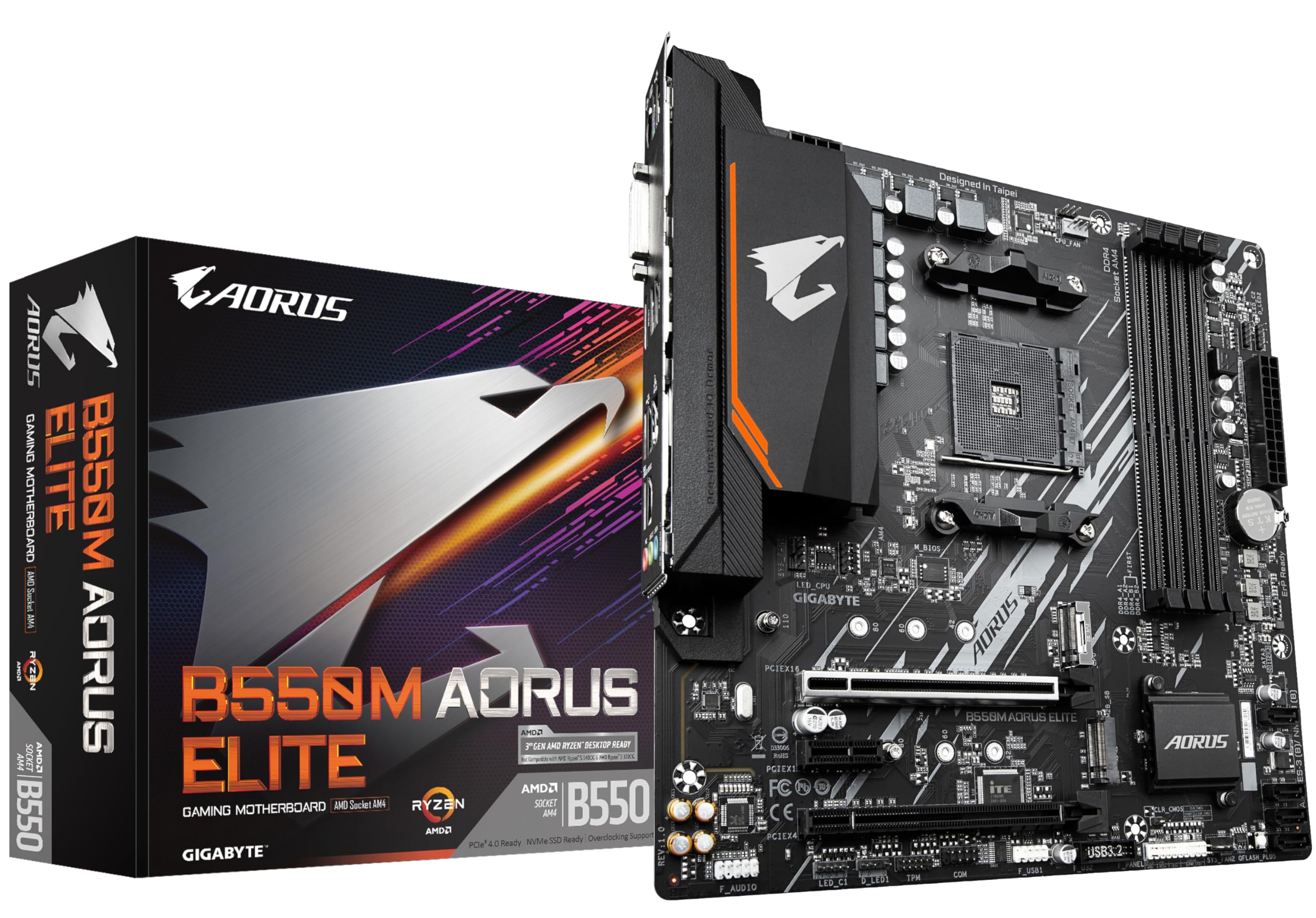
The two most obvious competitors for the Gaming X V2 in the AM4 budget space are the MSI B550-A Pro and the ASRock B550M Pro4. The MSI B550-A Pro is a similarly positioned ATX board with a comparable feature set, while the ASRock B550M Pro4 is a Micro-ATX option that trades some expansion slots for a smaller footprint. Both sit in the same general price bracket as the Gaming X V2.
The MSI B550-A Pro has a slightly stronger VRM reputation for pushing higher-TDP chips, with a true 10-phase design rather than a doubled configuration. If you're planning to run a 5900X or 5950X at stock or with power limits enabled, the MSI board might give you slightly more headroom. The Gaming X V2 counters with the 8118 Gaming LAN (the MSI uses a standard Realtek chip), the front Type-C header, and RGB Fusion 2.0 integration if you're in the Gigabyte ecosystem.
The ASRock B550M Pro4 is the choice if you're building in a Micro-ATX or Mini-ITX case, though the smaller form factor limits expansion options. For a standard ATX build, the Gaming X V2 makes more sense. The honest comparison is that all three boards are competent budget options for Ryzen 5000 builds, and the differences between them are marginal for most use cases. The Gaming X V2's 4.5-star average across 2,231 suggests it delivers on its promises reliably.
| Feature | Gigabyte B550 Gaming X V2 | MSI B550-A Pro | ASRock B550M Pro4 |
|---|---|---|---|
| Form Factor | ATX | ATX | Micro-ATX |
| VRM | 10+3 Phase (Digital Twin) | 10 Phase | 10 Phase |
| M.2 Slots | 2 (PCIe 4.0/3.0) | 2 (PCIe 4.0/3.0) | 2 (PCIe 4.0/3.0) |
| LAN | Gigabyte 8118 Gaming GbE | Realtek GbE | Realtek GbE |
| Front Type-C Header | Yes (USB 3.2 Gen1) | Yes | Yes |
| RGB Support | RGB Fusion 2.0 | Mystic Light | Polychrome Sync |
| PCIe x16 (Primary) | PCIe 4.0 (Reinforced) | PCIe 4.0 | PCIe 4.0 |
| ECC Memory Support | Yes | No | No |
| Fan Control | Smart Fan 5 | Smart Fan 5 | Polychrome Sync |
Final Verdict
The Gigabyte B550 Gaming X V2 Motherboard does exactly what a good budget board should do: it gets out of the way and lets your CPU and GPU do their jobs without introducing problems. The 10+3 phase VRM is adequate for Ryzen 5 and Ryzen 7 chips at stock settings, the dual M.2 slots cover most storage needs, the 8118 Gaming LAN is a genuine differentiator in this price bracket, and the Smart Fan 5 implementation is one of the better fan control systems you'll find at this price. Over 2,217 owners with a 4.5-star average is a meaningful signal that this board delivers reliable results in real builds.
The limitations are real but predictable for the price. No Wi-Fi. Gigabit ethernet rather than 2.5GbE. The VRM, while decent, isn't what you want if you're planning to run a 5950X with power limits removed. The second M.2 slot is PCIe 3.0, not Gen 4. None of these are dealbreakers for the target buyer, but they're before you commit.
Who should buy this? Anyone building a Ryzen 5000 system around a 5600, 5600X, 5700X, or 5800X who wants a reliable foundation without overspending on the motherboard. It's particularly good value if you care about front panel USB-C support, want the 8118 LAN for bandwidth management, or need ECC memory support for a workstation-adjacent build. If you're on a tight budget and just need something that works, this is a safe, well-reviewed choice.
Who should skip it? If you're running a 5900X or 5950X and want to push those chips hard, spend more and get a B550 Aorus Pro or an X570 board with a beefier VRM. If you need Wi-Fi built in, add a PCIe card or look at boards with integrated wireless. And if you're starting fresh in 2026 and haven't already invested in AM4 components, it's worth at least considering whether the AM5 platform with a B650 board makes more sense for your long-term plans, since AM4 is a mature platform with no upgrade path beyond Ryzen 5000.
The honest don't-overspend note: if you're pairing this with a Ryzen 5 5600 (non-X) and you just want a stable gaming PC without any overclocking ambitions, a B550M board from ASRock at a lower price point will do the same job in a smaller footprint. The Gaming X V2 earns its price over those alternatives mainly through the ATX expansion options, the 8118 LAN, and the reinforced PCIe slot. If those features matter to you, it's worth it. If they don't, save the money.
Our assessment: 7.5 out of 10. A genuinely capable budget AM4 board that earns its strong owner rating through reliability and sensible feature choices rather than cutting corners in the wrong places.
What works. What doesn’t.
5 + 4What we liked5 reasons
- 10+3 phase VRM handles Ryzen 5 and Ryzen 7 5000 series chips reliably at stock
- Dual M.2 slots with PCIe 4.0 on the primary slot
- Gigabyte 8118 Gaming LAN with bandwidth management is a genuine differentiator at this price
- Smart Fan 5 fan control is one of the better implementations in the budget bracket
- Front USB 3.2 Gen1 Type-C header included, which cheaper boards often skip
Where it falls4 reasons
- No Wi-Fi, wired ethernet only
- Gigabit LAN rather than 2.5GbE
- VRM not suited to 5900X or 5950X with power limits removed
- Second M.2 slot is PCIe 3.0, not Gen 4
Full specifications
12 attributes| Socket | AM4 |
|---|---|
| Chipset | B550 |
| Form factor | ATX |
| Bios flashback | true |
| M2 slots | 2 |
| MAX RAM | 128GB |
| MAX RAM GB | 128 |
| Network | 1GbE |
| Pcie 5 slots | 0 |
| Pcie slots | 1x PCIe 4.0 x16 |
| RAM slots | 4 |
| RAM type | DDR4 |
If this isn’t right for you
2 options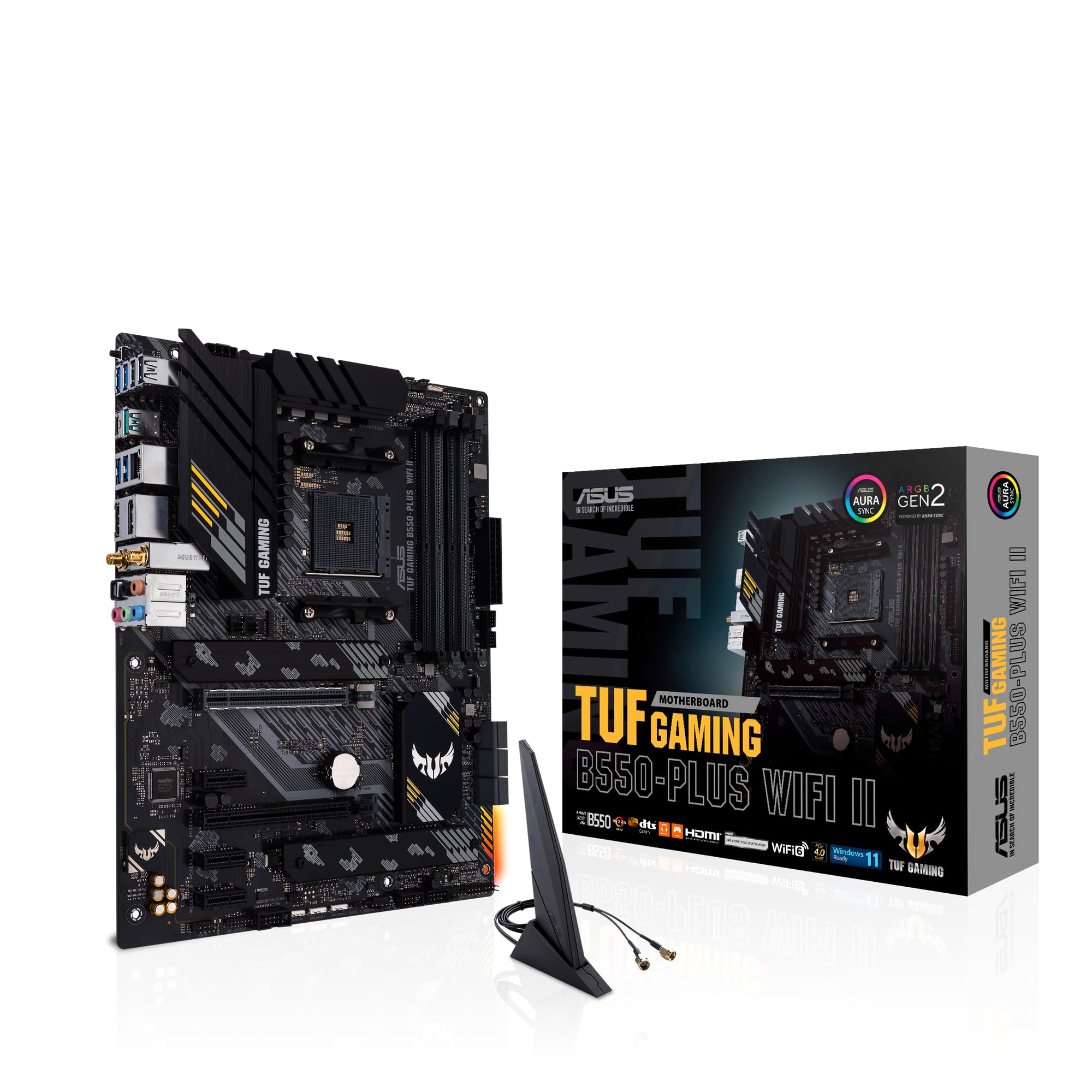
Frequently asked
5 questions01Is the Gigabyte B550 Gaming X V2 Motherboard overkill for just gaming?+
Not at all. It's actually well-matched for a gaming build. The PCIe 4.0 primary slot handles current GPUs without any bandwidth limitations, the dual M.2 slots cover a fast boot drive and a secondary storage drive, and the 8118 Gaming LAN with bandwidth management is specifically useful for gaming network traffic. You're not paying for features you won't use. If anything, the board is pitched squarely at gaming builds rather than workstation or server use.
02Will my existing CPU cooler work with the Gigabyte B550 Gaming X V2 Motherboard?+
If your cooler uses the standard AMD AM4 mounting bracket, it will fit. The AM4 socket has been consistent across Ryzen generations, so coolers designed for Ryzen 3000 or 5000 series will mount without issue. If you're coming from an older AMD platform (AM3 or earlier) or from Intel, you'll need an AM4-compatible cooler or a mounting kit. Check your cooler manufacturer's compatibility list if you're unsure.
03What happens if the Gigabyte B550 Gaming X V2 Motherboard doesn't work with my components?+
Amazon's standard 30-day returns policy applies to purchases from Amazon UK, and the Amazon A-to-Z Guarantee covers marketplace purchases too. If you have a compatibility issue, document it clearly before initiating a return. For BIOS-related compatibility problems with newer Ryzen 5000 chips, check the BIOS version first using Gigabyte's CPU support list, as a BIOS update often resolves first-boot issues without needing to return the board.
04Is there a cheaper motherboard I should consider instead?+
If you're building around a Ryzen 5 5600 with no overclocking plans and you don't need the front Type-C header or the 8118 LAN, an ASRock B550M Pro4 in Micro-ATX format comes in cheaper and does the same fundamental job. The Gaming X V2 earns its price mainly through the ATX form factor, reinforced PCIe slot, and the Gaming LAN chip. If those features don't matter to your build, the ASRock is a sensible alternative to consider.
05What warranty and returns apply to the Gigabyte B550 Gaming X V2 Motherboard?+
The verified product data doesn't specify a manufacturer warranty period for this board. For purchases through Amazon UK, you're covered by Amazon's standard 30-day return window and the A-to-Z Guarantee. For manufacturer warranty queries beyond that, contact Gigabyte directly through their UK support channels. Always keep your proof of purchase.