Twitch streaming demands more from a desktop than everyday gaming does. You need enough CPU headroom to run your game, OBS Studio (or Streamlabs), a browser with your dashboard open, and Discord, all at the same time, without dropping frames or spiking your encode queue. Since last year, the arrival of Nvidia's RTX 50-series cards has shifted the value equation considerably: NVENC on the RTX 5060 and 5060 Ti now offers near-broadcast-quality H.265 and AV1 encoding that was previously reserved for much pricier hardware. AMD's Ryzen 8000-series processors have also matured, giving streamers strong multi-threaded performance at sensible prices. This guide is aimed at creators who stream at 1080p60 or 1440p60, whether they are just starting out on a tight budget or are ready to invest in a rig that can handle 4K output, face-cam overlays, and real-time effects without breaking a sweat.
Quick Verdict
Best Overall: CyberPowerPC Wyvern Gaming PC (RTX 5060 Ti, Ryzen 7 8700F), a well-balanced machine with a next-generation GPU encoder and a capable octa-core CPU at a price that makes sense for serious part-time and full-time streamers alike.
Best Value: CyberPowerPC Wyvern Gaming PC (RTX 5060, Ryzen 5 8400F), nearly identical streaming credentials at a lower price point, making it the smart pick for anyone who does not need the extra VRAM headroom of the Ti variant.
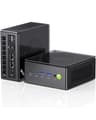
The GMKtec K8 Plus is the wildcard in this list: a compact mini PC that offers a surprising amount of streaming capability in a form factor small enough to sit behind a monitor. The AMD Ryzen 7 8845HS is an eight-core, sixteen-thread mobile processor with a boost clock of up to 5.1 GHz, and it is paired with the AMD Radeon 780M integrated GPU, which is the most capable integrated graphics solution currently available from AMD. It is not a gaming GPU in any meaningful sense for demanding titles, but it is relevant for streamers playing less demanding games.
The 32 GB of DDR5 RAM is the standout specification at this price point and is the most RAM of any machine in this list outside the Vibox VIII-75. For streaming workflows, this is a genuine advantage: you can run OBS with multiple scenes, a browser, Discord, and a game without any memory pressure. The 1 TB PCIe 4.0 NVMe SSD is fast and adequately sized for most streaming setups.
The critical limitation for Twitch streaming is the absence of a dedicated GPU. The Radeon 780M can handle games like Minecraft, Stardew Valley, Rocket League, and older esports titles at 1080p with reasonable frame rates, but it will struggle with modern AAA titles at any meaningful resolution. For streamers who primarily play less demanding games, or who use the mini PC as a dedicated encoding machine alongside a gaming console or a second PC, the K8 Plus makes a compelling case. AMD's software encoding in OBS (using x264 or AMF) on the 8845HS is genuinely good for 1080p60 streaming.
The compact form factor also means it is easy to take to events, LAN parties, or a second location, which is a niche but real advantage for mobile streamers. There is no discrete GPU slot, so the integrated graphics are the ceiling for gaming performance.
Who is this for? Streamers playing indie games, retro titles, or less demanding esports games who want a compact, quiet, and capable encoding machine with generous RAM at a mid-range price. Also suitable as a secondary encoding PC in a dual-PC streaming setup.
Verdict: A clever and capable mini PC for the right use case. The 32 GB DDR5 RAM and fast NVMe SSD are impressive at this price, but the lack of a discrete GPU limits its appeal for streamers playing demanding titles.
Pros
- 32 GB DDR5 RAM provides more multitasking headroom than any other machine in this list at a comparable price
- Compact form factor is easy to transport and takes up minimal desk space
- Ryzen 7 8845HS offers strong multi-threaded CPU encoding performance for 1080p60 streams
Cons
- No discrete GPU means modern AAA titles are not playable at acceptable frame rates
- AMD Radeon 780M integrated graphics lacks AV1 hardware encoding support comparable to RTX 50-series NVENC
Buying Guide
CPU: cores and threads matter more than clock speed
Twitch streaming is one of the workloads where CPU core count genuinely matters. OBS Studio, whether you use it in software encoding mode or hardware encoding mode, runs on the CPU alongside your game. A six-core processor is the practical minimum for 1080p60 streaming; eight cores give you noticeably more headroom for multitasking. Clock speed matters less than thread count for this use case, because OBS distributes its workload across available threads. Look for a processor with at least six cores and twelve threads as a baseline, and prefer eight cores if your budget allows.
GPU: the encoder is as important as the renderer
For Twitch streamers, the GPU serves two roles: rendering your game and encoding your stream. Nvidia's NVENC encoder has been the gold standard for hardware encoding for several years, and the seventh-generation implementation in the RTX 50-series adds AV1 support, which produces better image quality at the same bitrate compared to H.264. AMD's AMF encoder, available on Radeon cards and integrated Radeon graphics, has improved significantly and is a viable alternative for 1080p streaming. If you are on a tight budget and your game is not graphically demanding, integrated graphics with a strong CPU encoder can work, but a dedicated GPU will always give you more flexibility.
RAM: 16 GB is the minimum, 32 GB is comfortable
A modern game can consume 8, 12 GB of RAM on its own. OBS adds another 2, 4 GB depending on scene complexity and the number of sources active. Add a browser with your Twitch dashboard, Discord, and a music application, and 16 GB can become a constraint. 32 GB is the comfortable target for streamers who multitask heavily or who use scene-heavy OBS setups with multiple overlays and media sources.
Storage: speed and size both matter
If you record local VODs while streaming, storage fills up faster than you might expect. A 1080p60 recording at 50 Mbps will consume roughly 22 GB per hour. An NVMe SSD is strongly preferred over a SATA SSD for recording, as the sustained write speeds are more consistent. 1 TB is a reasonable starting point, but budget for an external drive or a second internal drive if you record frequently.
Operating system: Windows 11 for maximum compatibility
OBS Studio, Streamlabs, most capture card software, and Nvidia's NVENC implementation are all optimised for Windows 11. If you are considering a macOS machine, OBS for Mac is mature and capable, but AV1 encoding is not currently available, and some streaming tools and game overlays are Windows-only. Windows 11 Home is the standard pre-installed OS on most gaming desktops and is the safest choice for maximum compatibility.
Form factor: tower versus mini PC
A tower PC offers upgradeability: you can add RAM, swap the GPU, add storage drives, and install a capture card for console streaming. A mini PC is compact and portable but typically cannot be upgraded beyond RAM and storage. For most streamers, a tower is the better long-term investment, but a mini PC can work well as a dedicated encoding machine in a dual-PC setup.
For the majority of Twitch streamers, the CyberPowerPC Wyvern with the AMD Ryzen 7 8700F and Nvidia RTX 5060 Ti is the overall winner. It combines a genuinely capable eight-core processor with a next-generation GPU encoder in a pre-built package that is ready to use out of the box with Windows 11 Home. The RTX 5060 Ti's seventh-generation NVENC AV1 encoder means your stream quality is no longer the bottleneck, and the Ryzen 7 8700F's sixteen threads give OBS the room it needs without stealing performance from your game. If budget is the primary concern, the base Wyvern with the RTX 5060 and Ryzen 5 8400F delivers nearly identical streaming credentials for less money. For creators who need the absolute best and are producing 4K content alongside their streams, the Vibox VIII-75 with the RTX 5090 is the no-compromise option. The iMac M4 is the right choice for macOS-committed creators who value silence and the included display, and the GMKtec K8 Plus earns its place for streamers of less demanding titles or those building a dual-PC setup on a budget.