Adobe Premiere Pro is one of the most demanding applications a desktop processor can face. It stresses single-core clock speeds during timeline scrubbing and playback, hammers multi-core throughput during export and rendering, and increasingly offloads work to hardware encoders and decoders built into modern silicon. Whether you are a solo content creator cutting 1080p YouTube videos on a tight budget, a freelance editor working with 4K RAW footage daily, or a studio professional pushing 8K timelines, the processor you choose will define how smoothly Premiere runs. Since last year, AMD's Zen 5 architecture has arrived in the mainstream desktop space with the Ryzen 5 9600X and Ryzen 7 9700X, offering meaningfully better IPC than Zen 4, while Intel's Raptor Lake Refresh holds its own at the top end with the Core i9-14900. This guide covers five processors that represent the best options across different budgets and use cases, from affordable AM4 chips to the latest AM5 silicon.
Quick Verdict
Best Overall: AMD Ryzen 7 9700X. It delivers exceptional single-core and multi-core performance on the modern AM5 platform with a sensible 65W TDP, making it ideal for editors who want fast exports and smooth 4K playback without excessive heat or power draw.
Best Value: AMD Ryzen 5 9600X. It brings Zen 5 IPC gains to a six-core chip at a price that undercuts most rivals, offering a genuine upgrade path for editors on a budget who still want a modern platform with PCIe 5.0 and DDR5 support.
The Intel Core i9-14900 is the heavyweight option in this list, and it makes no apologies for that. With 24 cores split across eight Performance cores and sixteen Efficiency cores, this chip can throw an enormous amount of parallel compute at Premiere Pro's export queue. If your workflow involves exporting long-form 4K or 6K timelines repeatedly throughout the day, the sheer thread count here translates into noticeably shorter render times compared to eight-core alternatives. The non-K suffix means this chip runs at a 65W base TDP, though in practice it will consume well over 200W under sustained multi-core loads, so a capable cooler and a quality motherboard with robust power delivery are essential investments alongside it.
For Premiere Pro specifically, the i9-14900 benefits from Intel Quick Sync, the company's dedicated hardware video encode and decode engine. When you enable hardware acceleration in Premiere's export settings, Quick Sync handles H.264 and H.265 encoding at speeds that software rendering simply cannot match, and the quality remains very good for web delivery. The chip's P-cores boost to 5.8 GHz, which keeps timeline scrubbing and real-time effects playback feeling snappy even on complex sequences with multiple adjustment layers and colour grades applied.
This processor suits professional editors who work in busy post-production environments, handle multiple projects simultaneously, or regularly batch-export content. It is also a strong choice if you run Premiere alongside other demanding applications, such as After Effects, DaVinci Resolve, or Photoshop, since the Efficiency cores handle background tasks without stealing resources from your primary workload. The LGA1700 socket is now in its final generation, so there is no upgrade path beyond this chip on the same board, but for those who want maximum performance today and plan to build a new system in several years anyway, that limitation is largely academic.
One thing to note: the non-K variant cannot be overclocked, so you are relying on Intel's factory boost behaviour. In practice, the chip boosts aggressively and consistently, so most editors will not feel the absence of manual overclocking headroom. Pairing it with fast DDR5 memory will help, though it also supports DDR4 depending on your motherboard choice, which can reduce platform costs.
Verdict: The best raw export performance in this list, best suited to professional editors who prioritise throughput above all else and are comfortable managing its power and thermal demands.
Pros
- 24-core configuration delivers class-leading multi-threaded export speeds in Premiere Pro
- Intel Quick Sync provides fast, high-quality hardware H.264 and H.265 encoding
- High P-core boost clock of 5.8 GHz keeps real-time playback and scrubbing smooth
Cons
- Sustained multi-core loads push power consumption well above 200W, requiring a substantial cooler and PSU
- LGA1700 is a dead-end platform with no further upgrade path
The AMD Ryzen 7 9700X is the processor we would recommend to the widest range of Premiere Pro users, and it earns that position through a combination of strong single-core performance, capable multi-core throughput, and a remarkably sensible 65W TDP. Built on AMD's Zen 5 architecture, it brings a meaningful IPC improvement over the previous Zen 4 generation, which translates directly into faster timeline rendering, quicker effect previews, and snappier overall responsiveness in Premiere's interface. The eight cores and sixteen threads are more than sufficient for 4K editing, and the chip handles 6K workflows with composure when paired with a capable GPU for GPU-accelerated effects.
The 9700X boosts to 5.5 GHz on its fastest core, which is competitive with anything else in this price bracket. In Premiere Pro, single-core speed matters more than many editors realise: scrubbing through a timeline, applying and previewing colour grades, and rendering short preview segments are all tasks that rely heavily on fast single-threaded execution. The Zen 5 architecture's improved branch prediction and wider execution units make these everyday editing tasks feel noticeably more fluid compared to Zen 4 chips at equivalent clocks.
Sitting on the AM5 platform, the 9700X supports DDR5 memory and PCIe 5.0, giving you access to the fastest storage and graphics interfaces currently available. This matters for Premiere Pro editors who work with high-bitrate RAW formats, since fast NVMe storage directly affects how smoothly the application can read and cache footage. AMD's platform also benefits from a longer socket lifespan commitment, meaning AM5 boards should accept future Zen 6 processors, giving this build genuine longevity.
The chip runs cool and quiet under typical editing loads thanks to its 65W TDP. A mid-range air cooler is sufficient for most scenarios, and you will not need to invest in custom water cooling to keep temperatures sensible. This makes the 9700X an excellent choice for home office setups where noise levels matter, or for compact builds where thermal headroom is limited. For editors who also game, the Zen 5 architecture performs very well in games too, making this a genuinely versatile processor.
The 9700X does not include integrated graphics, so a discrete GPU is required. Given that Premiere Pro relies on GPU acceleration for many of its effects and colour tools, you will want a capable graphics card alongside this chip regardless, making the absence of iGPU a non-issue in practice.
Verdict: The best all-round processor for Premiere Pro in 2024, combining Zen 5 IPC gains with a power-efficient 65W TDP and a future-proof AM5 platform.
Pros
- Zen 5 architecture delivers strong IPC gains that improve everyday Premiere Pro responsiveness
- 65W TDP keeps temperatures and noise levels low with a modest cooler
- AM5 platform supports DDR5 and PCIe 5.0, with a long upgrade path ahead
Cons
- No integrated graphics, so a discrete GPU is mandatory
- Eight cores may feel limiting for very heavy multi-project batch rendering compared to higher core-count alternatives
The AMD Ryzen 5 9600X is the best-value entry point into AMD's Zen 5 architecture for Premiere Pro editors, and it punches well above its price point. Six cores and twelve threads might sound modest compared to the higher-end options in this list, but for editors working primarily with 1080p and 4K footage, this chip handles the workload with genuine competence. The key advantage over older budget processors is the Zen 5 IPC improvement, which means the 9600X performs closer to last generation's eight-core chips in many real-world Premiere tasks than its core count alone would suggest.
The 9600X boosts to 5.4 GHz, just 100 MHz behind the 9700X's peak, which means single-core-sensitive tasks like timeline scrubbing, preview rendering, and effect application feel nearly identical between the two chips. The performance gap between the 9600X and 9700X opens up most noticeably during long multi-threaded exports, where the additional two cores and four threads of the 9700X provide a measurable advantage. For editors who export infrequently or work with shorter content, that difference may not justify the price premium.
Like the 9700X, the 9600X sits on the AM5 platform, bringing DDR5 memory support, PCIe 5.0 connectivity, and AMD's commitment to socket longevity. This means a 9600X build today is a genuinely future-proof investment, with the option to drop in a more powerful Zen 5 or Zen 6 chip later without changing the motherboard. For editors who are building their first serious editing workstation on a tight budget, this upgrade flexibility is a significant practical benefit.
The 65W TDP makes the 9600X easy to cool and quiet to live with. A mid-range air cooler will keep it running at full boost without breaking a sweat, and the chip's power efficiency means your electricity bills and case temperatures stay manageable. This is particularly relevant for home editors who work long hours and want a system that runs quietly in the background.
Premiere Pro's Mercury Playback Engine benefits from having fast cores rather than simply many cores for a lot of common tasks, and the 9600X's Zen 5 cores are fast. Editors working with H.264 and H.265 footage will find the chip handles real-time playback of multi-stream timelines without dropping frames, provided the GPU is also up to the task. For those stepping up from a Ryzen 5 3600 or 5600X, the 9600X represents a substantial generational leap.
Verdict: The smartest budget pick for Premiere Pro in 2024, offering Zen 5 performance and a modern AM5 platform at a price that leaves budget for a better GPU or faster storage.
Pros
- Zen 5 IPC improvements deliver performance well beyond what the six-core count implies
- AM5 platform with DDR5 and PCIe 5.0 provides a long upgrade path
- 65W TDP means it runs cool and quiet with an affordable cooler
Cons
- Six cores show their limits during heavy multi-threaded batch exports compared to eight-core rivals
- No integrated graphics requires a discrete GPU purchase
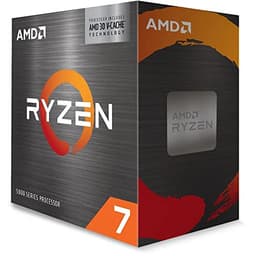
The AMD Ryzen 7 5800X3D occupies a unique position in this list. It is an AM4 chip, which means it fits into a wide range of existing motherboards and pairs with DDR4 memory, making it an attractive upgrade for editors who already own a capable AM4 system and want a meaningful performance boost without the cost of a full platform change. The 3D V-Cache technology stacks an additional 64MB of L3 cache on top of the standard die, bringing the total to 96MB. For Premiere Pro, this large cache reduces the frequency with which the processor needs to fetch data from slower main memory, which can improve performance in cache-sensitive rendering tasks.
The 5800X3D is built on Zen 3 architecture, which is now two generations old, but the V-Cache implementation gives it performance characteristics that remain competitive with newer chips in specific workloads. In Premiere Pro, the benefit is most pronounced during complex timeline rendering with many layers, effects, and colour grades, where the large cache helps the processor keep frequently accessed data close to the execution units. Export performance is solid for an eight-core chip, though it trails the Zen 5 options in raw throughput.
One notable limitation of the 5800X3D is that it cannot be overclocked. AMD locked the multiplier to protect the V-Cache die from voltage-related damage. In practice, the chip's boost behaviour is consistent and reliable, so most editors will not miss manual overclocking, but it is worth knowing. The 105W TDP is higher than the 65W chips in this list, so a capable cooler is recommended, though it is far less demanding than the i9-14900 under sustained loads.
For editors who are already on AM4 and running a Ryzen 5 3600, 5600X, or similar chip, the 5800X3D is one of the best possible upgrades available without changing the platform. It slots into most B450 and X570 boards with a BIOS update, and the performance improvement over six-core Zen 3 chips is substantial in multi-threaded export scenarios. For those building from scratch, the AM5 options represent better long-term value, but the 5800X3D remains a compelling choice for the upgrade market.
The chip does not include integrated graphics, and its gaming performance is exceptional, making it a strong dual-purpose processor for editors who also game heavily. The V-Cache architecture was originally designed with gaming in mind, and that same cache benefit carries over into Premiere Pro's more cache-sensitive rendering paths.
Verdict: The best upgrade option for existing AM4 users, offering strong Premiere Pro performance and exceptional gaming capability, though new builders should consider AM5 instead.
Pros
- 96MB of 3D V-Cache improves cache-sensitive Premiere Pro rendering tasks noticeably
- Compatible with existing AM4 motherboards, making it a cost-effective platform upgrade
- Strong dual-purpose performance for editors who also game
Cons
- Multiplier is locked, so no overclocking is possible
- AM4 is a mature platform with no future upgrade path beyond this generation
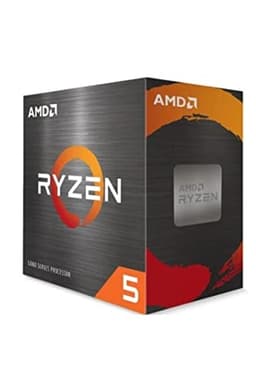
The AMD Ryzen 5 5600X is the entry-level pick in this list, and it remains a genuinely capable processor for editors working with 1080p and standard 4K footage on a tight budget. Built on Zen 3 architecture, it offers six cores and twelve threads with a boost clock of 4.6 GHz, and it has been a popular choice for budget editing builds since its launch. Prices have fallen considerably since then, making it one of the most affordable routes into a capable Premiere Pro system without resorting to genuinely outdated hardware.
In Premiere Pro, the 5600X handles real-time playback of H.264 and H.265 4K footage without difficulty when paired with a mid-range GPU for hardware acceleration. Timeline scrubbing is responsive, effect previews render quickly for common operations, and export times are acceptable for editors who are not working under tight professional deadlines. The chip begins to show its limits when you pile on complex multi-layer timelines with heavy effects stacks, or when exporting long-form content repeatedly throughout the day, where the six-core configuration falls behind eight-core alternatives.
The 65W TDP is one of the 5600X's most practical advantages. It runs cool and quiet with even a basic cooler, and AMD includes a capable Wraith Stealth cooler in the box, which is sufficient for light to moderate workloads. This makes the 5600X an excellent choice for compact or budget builds where cooling headroom is limited, and it keeps the total system cost down by removing the need for a separate cooler purchase.
The AM4 platform is a double-edged sword here. On one hand, AM4 motherboards are widely available at very low prices, and DDR4 memory is cheap, keeping the total build cost accessible. On the other hand, AM4 has no future upgrade path beyond the existing Zen 3 and 5800X3D chips, so a 5600X build is a short-term investment rather than a long-term platform. Editors who plan to upgrade their processor in two or three years would be better served by the 9600X on AM5, even if the initial cost is slightly higher.
For students, hobbyists, and part-time content creators who edit occasionally and do not need professional-grade throughput, the 5600X is a sensible and affordable starting point. It handles the most common Premiere Pro workflows without frustration, and the low platform cost leaves more budget available for a better GPU, which often has a larger impact on Premiere's GPU-accelerated effects performance than the processor itself.
Verdict: A solid budget starting point for casual Premiere Pro editors, though the limited upgrade path and older architecture mean it is best suited to those with strict budget constraints rather than long-term builders.
Pros
- Very affordable entry point into a capable six-core Zen 3 editing system
- 65W TDP and included Wraith Stealth cooler reduce total build cost
Cons
- Six Zen 3 cores fall behind newer architectures in sustained export workloads
- AM4 platform has no meaningful upgrade path remaining
- Noticeably slower than Zen 5 alternatives in IPC-sensitive Premiere tasks
Buying Guide
Core Count and Premiere Pro
Adobe Premiere Pro uses cores in different ways depending on the task. During export, it can distribute work across all available cores, so higher core counts reduce render times for long-form content. During timeline playback and scrubbing, however, Premiere relies more heavily on fast single-core performance, since many operations are not easily parallelised. This means a six-core chip with fast, modern cores can feel more responsive during everyday editing than an older eight-core chip with slower individual cores. For most editors, eight cores represents the sweet spot between export throughput and single-core responsiveness. Six cores is sufficient for 1080p and light 4K work, while twelve or more cores benefits those who batch-export frequently.
Clock Speed and Architecture
Raw clock speed matters, but it must be considered alongside the processor's architecture. A Zen 5 core running at 5.0 GHz will outperform a Zen 3 core at the same clock in IPC-sensitive tasks, because Zen 5's wider execution units and improved branch prediction complete more work per cycle. When comparing processors across generations, look at published IPC improvement figures and real-world Premiere Pro benchmarks rather than relying on clock speed alone as a proxy for performance.
Platform Choice: AM4, AM5, or LGA1700
Your choice of processor determines your platform, and the platform has long-term implications. AM5 is AMD's current and future socket, supporting Zen 5 and the upcoming Zen 6 generation, with DDR5 memory and PCIe 5.0 storage. It is the best long-term investment for new builds. AM4 is mature and affordable, with cheap motherboards and DDR4 memory, but no meaningful upgrade path remains. Intel's LGA1700 platform supports the current Raptor Lake Refresh generation, and while it offers excellent performance today, Intel has moved to LGA1775 for its next generation, so LGA1700 is also approaching end of life.
Hardware Encoding and Decoding
Modern processors include dedicated hardware video encode and decode engines that Premiere Pro can use to accelerate export and playback. Intel's Quick Sync is well-regarded for H.264 and H.265 encoding quality and speed. AMD's media engine, available on Ryzen 7000 and 9000 series chips, also supports hardware acceleration for common codecs. Enabling hardware acceleration in Premiere's export settings can dramatically reduce export times for web-delivery formats, so it is worth ensuring your chosen processor supports the codecs you use most frequently.
Memory and Storage
The processor you choose determines which memory type you can use. DDR5 on AM5 offers higher bandwidth than DDR4, which benefits Premiere Pro when working with high-resolution, high-bitrate footage. Fast NVMe storage, particularly PCIe 4.0 or 5.0 drives, reduces the time Premiere spends reading and caching media files. Allocating sufficient RAM is also critical: 32GB is the practical minimum for 4K editing, and 64GB is advisable for 6K or multi-stream workflows.
GPU Considerations
While this guide focuses on CPUs, it is important to note that Premiere Pro's Mercury Playback Engine relies heavily on GPU acceleration for effects, colour grading, and certain export operations. A fast processor paired with a weak GPU will still produce a frustrating editing experience. Budget accordingly, and consider that spending slightly less on the CPU to invest more in the GPU can sometimes produce a more balanced and responsive system for Premiere Pro specifically.
The AMD Ryzen 7 9700X is the overall winner for Premiere Pro in 2024. It combines the IPC improvements of Zen 5 with eight cores, a 5.5 GHz boost clock, and a 65W TDP that makes it easy to cool and quiet to live with. It handles every common Premiere Pro workflow with ease, from 4K timeline editing to 6K export, and the AM5 platform ensures it remains a viable processor for years to come. For editors on a tighter budget, the Ryzen 5 9600X delivers the same Zen 5 architecture at a lower price, sacrificing two cores but retaining the platform benefits and the strong single-core performance that makes everyday editing feel fluid. Both represent excellent investments for anyone serious about video editing in Premiere Pro.