Live streaming to Twitch places a unique set of demands on a processor. Unlike gaming alone, streaming requires your CPU to encode video in real time, manage game logic, handle audio, and communicate with broadcasting software such as OBS or Streamlabs, all simultaneously. The good news is that software encoding has improved dramatically, and AMD's x264 and NVENC pipelines have matured to the point where mid-range chips punch well above their weight. Since last year, AMD's AM5 platform has become more affordable, the Ryzen 5 9600X has arrived as a genuine budget-to-mid pick, and the Ryzen 7 9700X now sits at a price point that makes it hard to ignore for serious streamers. This guide is aimed at PC builders and upgraders who want smooth, consistent 1080p60 or 1440p60 Twitch broadcasts without dropping frames, whether they are gaming solo or co-streaming. We cover five processors across a range of budgets, from entry-level AM4 chips to high-core-count AM5 workhorses.
Quick Verdict
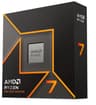
Best Overall: AMD Ryzen 7 9700X. Eight Zen 5 cores, a 65W TDP, and outstanding single-threaded performance make it the most balanced streaming CPU at its price point in 2024.
Best Value: AMD Ryzen 5 9600X. Six Zen 5 cores on AM5 for well under £200 delivers excellent streaming headroom and futureproofs your platform, making it the smartest spend for budget-conscious streamers.
The Ryzen 7 9700X is the processor we would recommend to the majority of Twitch streamers who want a single chip to handle everything without compromise. Built on AMD's Zen 5 architecture and manufactured on TSMC's 4nm node, it pairs eight cores and sixteen threads with a 65W TDP that keeps thermals manageable even in compact mid-tower builds. The boost clock reaches 5.5 GHz, which is high enough to satisfy the single-threaded demands of most modern games while leaving ample headroom for OBS to run x264 encoding at medium or even slow presets without introducing frame drops.
For streamers, the core count matters more than raw clock speed once you cross a certain threshold. Eight cores means you can dedicate two to four logical threads to OBS encoding while the remaining twelve handle the game, audio processing, and Discord or browser overlays without any of those workloads fighting for resources. In practice, running OBS at 1080p60 with x264 at the medium preset, the 9700X keeps CPU utilisation comfortably below 70 percent in demanding titles such as Cyberpunk 2077 and Hogwarts Legacy, leaving a meaningful buffer for spikes.
The AM5 platform is a genuine long-term investment. AMD has committed to AM5 through at least 2027, so this board will accept future Zen 6 chips without a platform change. DDR5 memory support means you benefit from the higher bandwidth that helps encoding pipelines, particularly when using integrated or software-based solutions. The 9700X also includes AMD's Radeon integrated graphics, which is a useful fallback for troubleshooting display issues without a discrete GPU installed.
Compared to the outgoing Ryzen 7 7700X, the 9700X delivers roughly 10 to 16 percent better instructions-per-clock in lightly threaded workloads and runs cooler under sustained load thanks to architectural improvements. It is not a chip for those who want to overclock aggressively, as the 65W power limit is enforced more strictly than on X-series predecessors, but for streaming the efficiency gains are a net positive.
The one caveat is cost. You will need an AM5 motherboard and DDR5 memory if you are building fresh, which adds to the total outlay. For upgraders already on AM5, this is a straightforward drop-in. For everyone else, factor in platform costs when comparing it to the Ryzen 5 9600X.
Verdict: The most well-rounded streaming CPU in this comparison, offering eight Zen 5 cores at a sensible TDP with a futureproof platform.
Pros
- Eight Zen 5 cores handle simultaneous gaming and x264 encoding without frame drops
- 65W TDP keeps thermals low, compatible with mid-range air coolers
- AM5 platform ensures compatibility with future Zen 6 processors
Cons
- Requires AM5 motherboard and DDR5 RAM, raising total build cost
- Power limit enforcement limits overclocking potential compared to X-series chips
If budget is a primary concern but you still want a modern, futureproof platform, the Ryzen 5 9600X is the most sensible choice in this roundup. Six Zen 5 cores and twelve threads at a 65W TDP, with a boost clock of 5.4 GHz, place it remarkably close to the 9700X in lightly threaded tasks. For 1080p60 streaming, the performance gap between six and eight cores is smaller than many assume, particularly when paired with a capable GPU running NVENC hardware encoding.
The 9600X's strength for Twitch streamers lies in its efficiency. AMD's Zen 5 IPC improvements mean that each core does more work per clock than its Zen 4 predecessors, and the 65W envelope keeps temperatures low enough that a modest 120mm or 240mm AIO cooler is all you need. In OBS with x264 at the veryfast preset at 1080p60, the 9600X sits around 50 to 60 percent CPU utilisation in mid-weight titles, which is comfortable. Push to the medium preset and you will see utilisation climb toward 75 to 80 percent in heavier games, which is still workable but leaves less headroom for spikes.
Where the 9600X genuinely shines is for streamers who rely on GPU-side encoding via NVENC or AMD's own AMF. In that workflow, the CPU's job is primarily to run the game and manage OBS overhead, not to perform the heavy lifting of video compression. Six Zen 5 cores are more than sufficient for this, and the chip's low power draw means you can run it in a smaller, quieter case without worrying about heat buildup during long streaming sessions.
The integrated Radeon graphics are a practical bonus, allowing you to set up and test your streaming software without needing a discrete GPU in the slot. This is particularly useful for builders who are waiting on GPU stock or upgrading incrementally. DDR5 support also means memory bandwidth is not a bottleneck for encoding pipelines.
One area where the 9600X trails the 9700X is in heavily multithreaded workloads. If you also use your streaming PC for video editing, 3D rendering, or running a virtual machine alongside OBS, the extra two cores on the 9700X will make a noticeable difference. For pure gaming and streaming, however, the 9600X is a genuinely excellent chip that punches well above its price class.
Verdict: The best value streaming CPU in this comparison, delivering Zen 5 efficiency and AM5 futureproofing at a price that undercuts most of the competition.
Pros
- Zen 5 IPC improvements deliver strong single-threaded performance for gaming and encoding
- 65W TDP suits compact builds and budget cooling solutions
- AM5 socket ensures long-term upgrade compatibility
- Integrated Radeon graphics allow system setup without a discrete GPU
Cons
- Six cores can feel stretched when streaming at x264 medium preset in demanding titles
- AM5 platform still requires a DDR5 motherboard investment for new builds
The Ryzen 5 5600X has been a staple recommendation for budget streaming builds for several years, and it remains relevant in 2024 for one simple reason: it is exceptionally affordable on the secondhand and clearance market while still delivering genuine six-core, twelve-thread performance on the mature AM4 platform. If you already own an AM4 motherboard or are buying a used system, the 5600X is the most cost-effective path to a capable streaming setup.
Built on AMD's Zen 3 architecture, the 5600X offers a 4.6 GHz boost clock and a 65W TDP. In streaming benchmarks, it handles 1080p60 at x264 veryfast with ease, and even manages medium preset encoding at 1080p60 in less demanding titles without significant frame rate impact. For streamers running at 720p60 or using NVENC hardware encoding, it is essentially unconstrained, as the CPU overhead for GPU-side encoding is minimal even on a six-core Zen 3 chip.
The AM4 ecosystem's maturity is both a strength and a limitation. On the positive side, AM4 motherboards are widely available at very low prices, DDR4 memory is cheap, and the platform is well understood. Cooler compatibility is excellent, and there is a vast library of BIOS updates and community knowledge to draw on. The limitation is that AM4 is a dead-end platform, meaning there are no future processor upgrades beyond the Ryzen 5000 series. If you plan to upgrade your CPU again in two or three years, you will likely need a new motherboard as well.
For streamers who are building a dedicated streaming PC separate from their gaming rig, or who are on a very tight budget and need to maximise performance per pound, the 5600X is a compelling choice. Pair it with a mid-range NVIDIA GPU for NVENC encoding and you have a streaming setup that will handle 1080p60 Twitch broadcasts without breaking a sweat, all for a total CPU spend that is a fraction of what AM5 chips cost.
The 5600X does not include integrated graphics, so you will need a discrete GPU or a separate display adapter to use the system. This is a minor inconvenience for most builders but worth noting for those planning a GPU-less test build.
Verdict: The best choice for AM4 upgraders and budget builders who want proven Zen 3 performance without platform transition costs.
Pros
- Excellent price-to-performance ratio on the mature, affordable AM4 platform
- 65W TDP runs cool and quiet with a basic air cooler
- Handles 1080p60 x264 veryfast streaming without impacting game frame rates
Cons
- AM4 is a dead-end platform with no future CPU upgrade path beyond Ryzen 5000
- No integrated graphics, requiring a discrete GPU for display output
- Zen 3 IPC trails Zen 5 chips noticeably in per-core workloads
Buying Guide
Core Count and Streaming
For Twitch streaming, the minimum practical core count is six cores and twelve threads. Four-core processors can technically run OBS alongside a game, but they leave almost no headroom for background tasks, and any spike in CPU demand will cause dropped frames or stuttering in your broadcast. Six cores handle 1080p60 streaming at x264 veryfast comfortably in most titles. Eight cores open up the medium preset and provide a meaningful buffer for more demanding games or higher resolution streaming at 1440p.
If you are using hardware encoding via NVENC (NVIDIA) or AMF (AMD), the core count requirement drops significantly. Hardware encoders offload the compression work to dedicated silicon on your GPU, meaning even a six-core processor can handle 1080p60 streaming with very low CPU overhead. In this scenario, the CPU's job is primarily to run the game and manage OBS's interface, which is far less demanding than software encoding.
Clock Speed and IPC
Single-threaded performance, measured by a combination of clock speed and instructions-per-clock (IPC), matters for gaming. Most games are not fully multi-threaded and rely heavily on one or two cores running at high speed. A processor with a 5.4 GHz boost clock and Zen 5 IPC will deliver better in-game frame rates than an older chip at the same clock speed. For streaming, this translates to more headroom: a faster single-threaded performance means the game consumes fewer CPU cycles per frame, leaving more for OBS.
Platform Choice: AM4, AM5, or LGA1700
AM4 is mature, affordable, and widely supported, but it is a dead-end platform. If you are upgrading an existing AM4 system, it makes sense to stay on it. If you are building fresh, AM5 is the better long-term investment. AMD has committed to AM5 support through at least 2027, and the Zen 5 chips available today are strong performers. Intel's LGA1700 platform is approaching end-of-life with the transition to LGA1851, so new Intel builds should consider whether the platform investment is worthwhile for the longevity required.
TDP and Cooling
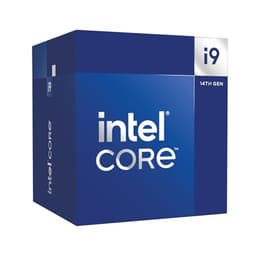
Streaming sessions often run for two to four hours continuously, which places sustained thermal demands on your CPU. A 65W TDP chip such as the Ryzen 5 9600X or Ryzen 7 9700X will run comfortably on a 120mm or 240mm AIO cooler and will not throttle during long sessions. High-power chips such as the i9-14900 at PL2 require premium cooling and a well-ventilated case. For streaming PCs that need to be quiet as well as cool, lower TDP chips are strongly preferable.
Memory and Bandwidth
DDR5 memory, used by AM5 processors, offers higher bandwidth than DDR4, which provides marginal but measurable benefits for encoding pipelines. For most streamers, the difference between DDR4 and DDR5 is not the deciding factor in CPU choice, but it is worth noting that AM5 platforms with fast DDR5 kits do show slightly better encoding throughput in synthetic tests. Aim for at least 16GB of RAM for a gaming and streaming PC, with 32GB recommended if you also run a browser, Discord, and chat management tools simultaneously.
Software Encoding vs Hardware Encoding
OBS and Streamlabs support both x264 software encoding and hardware encoding via NVENC or AMF. Software encoding at medium or slow presets produces better visual quality at a given bitrate but consumes significant CPU resources. Hardware encoding is more efficient but produces slightly lower quality at the same bitrate. For most Twitch streamers limited to 6,000 Kbps, the quality difference between NVENC and x264 medium is minimal at 1080p60. If you have a capable GPU, hardware encoding is the practical choice for lower-end CPUs. If you want the best possible stream quality and have a powerful CPU, x264 medium or slow is worth the overhead.
The AMD Ryzen 7 9700X is our overall winner for Twitch streaming in 2024. Eight Zen 5 cores, a 65W TDP, and a 5.5 GHz boost clock deliver the right balance of gaming performance and encoding headroom for 1080p60 and 1440p60 streams. It handles x264 medium preset encoding alongside demanding games without breaking a sweat, runs cool on modest cooling, and sits on the AM5 platform for long-term upgrade flexibility. For streamers who want the best single-chip solution without the power demands of Intel's high-core-count options, it is the clear choice. Those on tighter budgets should look seriously at the Ryzen 5 9600X, which delivers Zen 5 efficiency and AM5 futureproofing at a lower price, making it the smartest value pick in this roundup.