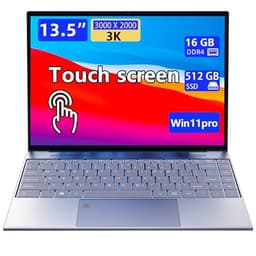
AutoCAD demands more from a laptop than most productivity software. You need sufficient RAM to handle large drawing files, a processor capable of sustained multi-threaded performance, a sharp display that renders fine linework accurately, and enough storage to keep project libraries close at hand. The 2-in-1 form factor adds genuine value for CAD work: a 360-degree hinge or detachable screen lets you annotate drawings directly with a stylus, present designs to clients in tablet mode, and carry a lighter load to site visits. Since last year, the arrival of Intel Core Ultra processors and Qualcomm Snapdragon X Plus chips has raised the efficiency bar considerably, meaning you no longer have to sacrifice battery life for raw power. This guide focuses on machines from the current catalogue that pair adequate horsepower with the flexibility of a touchscreen or convertible chassis, helping architects, engineers, and design students find the right tool for their workflow.
Quick Verdict
Best Overall: Samsung Galaxy Book4 Pro 360 (2024), a genuine 360-degree 2-in-1 with an Intel Core Ultra 7 processor, Thunderbolt 4 connectivity, and a stunning Dynamic AMOLED 2X display that makes AutoCAD linework look exceptional.
Best Value: ASUS Vivobook S 14 S3407QA, a CoPilot+ PC with a 2.8K IPS screen, 16GB RAM, and a 1TB SSD at a price that undercuts the Samsung by a significant margin, making it the smart pick for students and freelancers on a tighter budget.
The Samsung Galaxy Book4 Pro 360 is the standout choice for AutoCAD professionals who want a genuine 2-in-1 experience without compromise. Its 360-degree hinge allows the machine to fold flat into tablet mode, and when paired with a Samsung S Pen (sold separately), you can sketch design concepts, mark up DWG files, and annotate PDFs directly on screen with a level of precision that a trackpad simply cannot replicate. This is particularly valuable for architects who need to present concept sketches to clients on site, or for engineers who want to mark up as-built drawings in the field.
The Intel Core Ultra 7 155H processor is one of the most capable chips available in a thin-and-light form factor. It combines performance cores for heavy rendering tasks with efficiency cores that keep the machine running quietly during lighter drafting sessions. In AutoCAD, this translates to fast model regeneration, smooth panning across large assemblies, and responsive 3D orbit commands even on complex multi-layer drawings. The 16GB of LPDDR5X RAM is sufficient for most 2D and moderately complex 3D AutoCAD work, though power users running multiple large Civil 3D or Revit files simultaneously may eventually feel the constraint.
The 16-inch Dynamic AMOLED 2X display is arguably the single best reason to choose this machine for CAD work. Running at 2880×1800 pixels with a 120Hz refresh rate, it delivers exceptional colour accuracy and contrast, making it far easier to distinguish between layers and spot fine linework detail than on a standard IPS panel. The touchscreen is responsive and smooth, and the display's wide colour gamut is a genuine advantage if your workflow extends into rendering or presentation work in tools like Lumion or Enscape.
Connectivity is strong: two Thunderbolt 4 ports support external displays, high-speed storage, and docking stations, while a full-size HDMI port and a USB-A port cover legacy peripherals. The microSD slot is a useful addition for transferring files from cameras or survey equipment. Battery life is competitive for a machine of this power, and the build quality is premium throughout, with a slim aluminium chassis that feels appropriately professional.
The price is the main barrier. This is a premium machine, and the cost reflects that. If your AutoCAD work is primarily 2D drafting and you do not need the AMOLED display or Thunderbolt 4, there are more cost-effective options below. But for professionals who rely on their laptop daily and want the best possible display and 2-in-1 flexibility, the Galaxy Book4 Pro 360 is the clear leader in this category.
Pros
- 360-degree hinge enables genuine tablet and tent modes for stylus annotation and client presentations
- Dynamic AMOLED 2X display at 2880×1800 renders AutoCAD linework with exceptional clarity and contrast
- Dual Thunderbolt 4 ports support external monitors and high-speed docking stations
- Intel Core Ultra 7 155H delivers strong sustained performance for 2D and 3D AutoCAD tasks
Cons
- Premium price makes it one of the most expensive options in this category
- 16GB RAM may feel limiting for very large Civil 3D or Revit assemblies
The ASUS Vivobook S 14 S3407QA is the best-value option for AutoCAD users who want a capable, modern machine without paying flagship prices. Powered by the Qualcomm Snapdragon X Plus processor and carrying the CoPilot+ PC designation, it represents a new generation of ARM-based Windows laptops that prioritise efficiency and battery life without sacrificing the processing power needed for CAD software. AutoCAD 2025 has full ARM-native support on Windows 11, which means the Snapdragon X Plus can run it without the performance penalty that emulation used to impose on earlier ARM chips.
The 14-inch 2.8K (2560×1600) IPS display is one of the highlights of this machine. At this resolution, AutoCAD drawings are rendered with excellent sharpness, and the 16:10 aspect ratio provides more vertical screen real estate than a standard 16:9 panel, which is genuinely useful when working with the AutoCAD ribbon and command line simultaneously. The panel covers a wide colour gamut, making it suitable for design presentations as well as technical drafting.
Storage is a significant advantage here: the 1TB PCIe Gen4 SSD gives you ample room for project files, block libraries, and reference drawings without needing an external drive. The 16GB of RAM is paired with the Snapdragon X Plus in a configuration that handles multi-layer 2D drawings and moderately complex 3D models comfortably. The USB 4 Type-C ports (two of them) support external displays and fast data transfer, while the HDMI 2.1 port makes it straightforward to connect a larger monitor at your desk.
The machine is notably light and slim, which matters for professionals who carry it between office, site, and home. The Qualcomm Adreno integrated graphics are not a dedicated GPU, so very complex 3D renderings or large point cloud visualisations will be slower than on a machine with discrete graphics, but for the vast majority of AutoCAD 2D and moderate 3D work, performance is more than adequate. Battery life is one of the best in this category, thanks to the efficiency of the Snapdragon X Plus architecture.
One consideration worth noting is that some third-party AutoCAD plugins and legacy add-ins may not yet have ARM-native versions, which could require emulation and a performance trade-off for specific workflows. If your practice relies heavily on specialist plugins, it is worth checking compatibility before committing. For standard AutoCAD and AutoCAD LT use, however, this machine is an excellent proposition at its price point.
Pros
- 2.8K IPS display with 16:10 aspect ratio provides sharp, detailed rendering of AutoCAD drawings
- 1TB PCIe Gen4 SSD offers generous storage for project libraries and reference files
- Snapdragon X Plus delivers excellent battery life alongside sufficient AutoCAD performance
Cons
- Some third-party AutoCAD plugins may require emulation on ARM architecture, reducing their performance
- Qualcomm Adreno integrated graphics limit complex 3D rendering and point cloud performance
The Dell XPS 13 9345 is aimed at AutoCAD users who prioritise portability above all else. At 13.4 inches, it is the smallest and most travel-friendly machine in this selection, and Dell's engineering pedigree means it is built to a standard that justifies its premium positioning. The Qualcomm Snapdragon X Plus processor and Windows 11 Pro operating system make it a capable platform for professional AutoCAD work, with the added reassurance of Pro's enterprise security features and BitLocker encryption for protecting sensitive project data.
The 13.4-inch FHD+ (1920×1200) IPS display runs at 120Hz, which gives AutoCAD panning and zooming operations a noticeably smoother feel than the standard 60Hz panels found on many competitors. The 16:10 aspect ratio, as with the Vivobook S 14, provides more usable vertical space for the AutoCAD interface. The touchscreen is responsive, and while the XPS 13 is not a 360-degree convertible, its touchscreen capability still allows for direct interaction with drawings, which is useful for quick annotations and navigation.
The 16GB of RAM and 512GB PCIe 4 NVMe SSD are well-matched for professional 2D AutoCAD and moderate 3D work. The SSD's PCIe 4 interface ensures fast file open and save times even with large DWG assemblies. The Snapdragon X Plus chip, as noted in the Vivobook S 14 section, runs AutoCAD 2025 natively on ARM, delivering strong performance with excellent power efficiency. Expect all-day battery life in real-world mixed use.
The XPS 13's build quality is exceptional. The chassis is machined from premium materials, and the keyboard and trackpad are among the best available on any laptop in this size class. For professionals who spend long hours drafting, the typing experience matters, and Dell has consistently delivered here. The display bezels are minimal, maximising screen area within a compact footprint.
The main practical limitation is connectivity. The XPS 13 9345 relies primarily on USB-C/Thunderbolt-class ports, which means a hub or dock is likely necessary for users who need simultaneous access to a monitor, USB-A peripherals, and storage. This is a common trade-off for ultra-slim machines and is worth factoring into the total cost of ownership. The Windows 11 Pro licence is a genuine differentiator for business users, however, and the overall package is compelling for the mobile AutoCAD professional.
Pros
- Windows 11 Pro included, offering BitLocker encryption and enterprise management features for professional use
- 120Hz FHD+ IPS display makes AutoCAD panning and zooming noticeably smoother than 60Hz alternatives
- Exceptionally compact and lightweight chassis for professionals who travel frequently between sites
Cons
- Limited port selection means a USB-C hub or dock is required for connecting monitors and USB-A peripherals simultaneously
- Smaller 13.4-inch screen can feel cramped when working with complex multi-layer AutoCAD drawings
Buying Guide
Processor: x86 vs ARM
AutoCAD 2025 runs natively on both x86 (Intel and AMD) and ARM (Qualcomm Snapdragon) processors under Windows 11. If you use standard AutoCAD or AutoCAD LT, either architecture will serve you well. However, if your workflow depends on third-party plugins, vertical products such as AutoCAD Architecture or Civil 3D, or legacy add-ins, it is worth checking Autodesk's and each plugin developer's ARM compatibility list before choosing a Snapdragon-based machine. Intel Core i5 12th generation and above, and Intel Core Ultra processors, offer full x86 compatibility with no caveats.
RAM: How Much Do You Actually Need?
Autodesk recommends 16GB RAM for AutoCAD, and this is the right minimum for professional use. 8GB is sufficient for AutoCAD LT and simple 2D drawings, but as soon as you open large DWG files, work with external references (XREFs), or run AutoCAD alongside other applications, 8GB becomes a bottleneck. All five machines in this guide offer 16GB or more, which reflects the genuine requirement of the software. If you are considering a machine not in this guide, avoid anything with less than 16GB for professional AutoCAD work.
Display: Resolution and Accuracy
AutoCAD's interface is dense, and fine linework requires a sharp display to distinguish between closely spaced elements. A minimum of 1920×1080 is acceptable for a 14-inch screen, but 2K or higher resolution makes a meaningful difference to the drafting experience. For a 2-in-1 used in tablet mode, the display also needs to be touch-responsive and, ideally, stylus-compatible. AMOLED panels offer superior contrast and colour accuracy compared to IPS, which matters if your workflow includes rendering or presentation work. IPS panels at 2.8K or higher are excellent alternatives at lower cost.
Storage: Speed and Capacity
AutoCAD benefits from fast storage for opening large drawing files and loading block libraries. A PCIe NVMe SSD is the right choice: SATA SSDs are acceptable but slower, and eMMC or UFS storage found in budget machines is not suitable for professional CAD work. 512GB is a workable minimum if you use cloud or network storage for archives, but 1TB is preferable for keeping active projects local. Avoid machines with less than 256GB NVMe SSD for AutoCAD use.
Graphics: Integrated vs Dedicated
For 2D AutoCAD and moderate 3D work, modern integrated graphics, including Intel Iris Xe, Intel Arc, and Qualcomm Adreno, are sufficient. AutoCAD uses hardware acceleration for display rendering, and these integrated GPUs handle it adequately. For complex 3D modelling, large point clouds, or rendering within AutoCAD, a dedicated GPU provides a meaningful advantage. However, dedicated GPU laptops are typically heavier and have shorter battery lives, which conflicts with the portability goals of a 2-in-1 form factor. Most users in this category will find integrated graphics adequate.
Battery Life and Portability
A 2-in-1 laptop for AutoCAD is often chosen specifically because the user needs to work away from a desk. Battery life therefore matters more here than it would for a desktop-replacement laptop. ARM-based machines (Snapdragon X Plus) generally offer longer battery life than equivalent Intel machines, often exceeding 12 hours in mixed use. If you regularly work on site without access to power, this is a significant consideration. Also factor in weight: a lighter machine is easier to carry between locations, and the difference between a 1.2kg ultrabook and a 2kg standard laptop becomes noticeable over a full working day.
2-in-1 Flexibility: What to Look For
A true 2-in-1 for AutoCAD should offer at minimum a responsive touchscreen. A 360-degree hinge adds tent and tablet modes, which are genuinely useful for client presentations and field annotation. Stylus support, whether through an active digitiser or a capacitive pen, elevates the annotation experience significantly. If stylus annotation is a core part of your workflow, prioritise machines with active stylus support and check whether a pen is included or sold separately.
The Samsung Galaxy Book4 Pro 360 (2024) is the overall winner for AutoCAD use in the 2-in-1 category. Its combination of a 360-degree hinge, Dynamic AMOLED 2X display, Intel Core Ultra 7 155H processor, and dual Thunderbolt 4 ports makes it the most complete professional tool in this selection. The display alone justifies much of the premium: rendering AutoCAD drawings on a 2880×1800 AMOLED panel is a materially better experience than working on a standard FHD IPS screen, and the Thunderbolt 4 ports ensure that docking to a full workstation setup at your desk is straightforward. For users who cannot stretch to the Samsung's price, the ASUS Vivobook S 14 S3407QA is the best value pick, offering a sharp 2.8K display, 1TB of fast storage, and excellent battery life at a considerably lower outlay. Both machines run AutoCAD 2025 natively and will serve professional users well for several years of daily use.