Music producers need more from a laptop than most users: low-latency audio processing, enough RAM to run dozens of virtual instruments simultaneously, fast storage to stream large sample libraries, and a screen that is comfortable for long sessions in a studio or on the road. The 2-in-1 form factor adds genuine value here, letting you sketch ideas in tablet mode, annotate scores with a stylus, or prop the machine in tent mode beside a mixing desk without a keyboard getting in the way. Since last year, the arrival of Intel Core Ultra processors and Qualcomm Snapdragon X platforms has shifted the conversation around power efficiency, meaning you can now get serious processing headroom without the fan noise that plagued earlier ultrabooks. This round-up focuses on the five most capable machines available in the UK right now from the current catalogue, ranked by their real-world suitability for DAW work, whether you run Ableton Live, Logic Pro alternatives on Windows, FL Studio, Cubase, or any other professional audio software.
Quick Verdict
Best Overall: Samsung Galaxy Book4 Pro 360, the only true 360-degree 2-in-1 in this selection, with a stunning Dynamic AMOLED display, Thunderbolt 4 connectivity for professional audio interfaces, and an Intel Core Ultra 7 processor that handles demanding plugin stacks without thermal throttling.
Best Value: Morostron 13.5-inch Touchscreen Laptop, at a fraction of the price, it delivers 16 GB of RAM and a 512 GB SSD in a compact, touch-enabled chassis that suits producers who need portability above all else and are working with lighter DAW setups.
The Samsung Galaxy Book4 Pro 360 is the standout choice for music producers who want a genuine 2-in-1 experience without compromising on professional-grade performance. Its 360-degree hinge means you can fold it flat for stylus-based score annotation, prop it in tent mode beside a hardware synthesiser, or use it as a conventional clamshell during long mixing sessions. For those tasks, the 16-inch Dynamic AMOLED 2X panel at 2880×1800 resolution is genuinely excellent: colour accuracy is strong enough to distinguish fine waveform detail in your DAW's arrangement view, and the brightness holds up well in bright studio environments.
The Intel Core Ultra 7 155H processor sits at the heart of this machine. It is a hybrid architecture chip with both performance and efficiency cores, which matters enormously for audio work. When you are running a dense Ableton Live session with multiple instances of Kontakt, Serum, and a heavy reverb chain, you need sustained multi-core throughput rather than brief burst performance. The Core Ultra 7 155H delivers exactly that, and its integrated Intel Arc Graphics handle any video work you might layer on top of your music projects. The 16 GB of RAM is adequate for most professional sessions, though producers working with very large orchestral templates in Cubase or Logic alternatives may eventually wish for more.
The connectivity story is where this machine truly earns its place at the top of this list. Two Thunderbolt 4 ports mean you can connect a professional USB audio interface such as a Focusrite Scarlett or Universal Audio Apollo Twin with full bandwidth headroom, while simultaneously charging the laptop and running an external monitor. The HDMI output, USB-A port, microSD slot, and 3.5mm jack round out a port selection that covers virtually every studio scenario. The microSD slot is particularly useful for importing samples from field recorders or drum machines.
Windows 11 runs natively, which means full compatibility with every major DAW and plugin format including VST3, AAX (via a compatible host), and AU alternatives. The S Pen stylus support, sold separately but compatible with this chassis, opens up possibilities for drawing automation curves, annotating chord charts, or sketching production ideas in apps like OneNote directly on the screen.
At its price point, the Galaxy Book4 Pro 360 is a serious investment, but for producers who need a machine that genuinely doubles as both a studio workstation and a portable creative tool, there is nothing else in this selection that comes close to matching the combination of display quality, port selection, and processing power.
Verdict: The best all-round 2-in-1 for music production in this selection, combining Thunderbolt 4 connectivity, a superb AMOLED display, and sustained multi-core performance in a genuinely flexible form factor.
Pros
- Two Thunderbolt 4 ports provide full bandwidth for professional audio interfaces and external monitors simultaneously
- Dynamic AMOLED 2X display at 2880×1800 offers excellent colour accuracy for waveform and arrangement work
- 360-degree hinge enables tent, tablet, and clamshell modes for genuine studio versatility
Cons
- Premium price puts it out of reach for hobbyist producers or those on a tighter budget
- 16 GB RAM may feel limiting for very large orchestral sample library templates in professional DAWs
The Morostron 13.5-inch portable touchscreen laptop is the most affordable entry in this selection and makes a compelling case for producers who prioritise portability and value. With a 3K resolution touchscreen at 13.5 inches, it offers a sharp, touch-enabled display that is genuinely useful for navigating a DAW's arrangement view with your fingers, zooming into waveforms, or sketching out ideas when you do not want to reach for a mouse. The compact 13.5-inch form factor means it slips into a backpack alongside a portable audio interface and headphones without adding significant bulk.
The 16 GB of RAM is the headline specification that separates this machine from budget alternatives that might offer only 8 GB. For music production, 16 GB is the practical minimum for running a modern DAW alongside a selection of virtual instruments and effects plugins without constant buffer underruns or memory warnings. The 512 GB SSD provides enough room for a working sample library and project archive, though producers who rely on very large third-party libraries such as Spitfire Audio's full orchestral ranges will want to supplement storage with an external drive.
The 3K display resolution is notably high for this price bracket. In practical terms, it means your DAW's mixer, piano roll, and arrangement view will all render with crisp text and fine detail, reducing eye strain during long sessions. The touchscreen functionality adds a layer of interaction that most conventional laptops at this price cannot offer, making it more genuinely 2-in-1 in character even if the hinge does not rotate a full 360 degrees.
Where the Morostron requires some realistic expectation-setting is in processor performance. The CPU is not specified in detail, and producers planning to run very CPU-intensive plugin stacks, such as multiple instances of convolution reverb or analogue modelling synthesisers, may encounter performance ceilings that a more powerful machine would not hit. For lighter DAW work, beat-making, podcast production, or songwriting sessions with a moderate plugin count, however, this machine punches well above its price.
The combination of 16 GB RAM, 512 GB SSD, a sharp 3K touchscreen, and a genuinely portable chassis at this price makes the Morostron the best value option in this selection for producers who are starting out or who work primarily with lighter setups.
Verdict: Outstanding value for budget-conscious producers who need a touch-enabled screen and 16 GB of RAM in a compact, portable package, provided they keep plugin loads moderate.
Pros
- 3K touchscreen at 13.5 inches delivers sharp, finger-navigable DAW views at a very competitive price
- 16 GB RAM is sufficient for moderate DAW sessions with virtual instruments and effects
Cons
- Processor specifications are not fully disclosed, making it difficult to benchmark against known DAW performance requirements
- 512 GB storage will fill quickly if you use large third-party sample libraries, requiring an external drive
- No confirmed Thunderbolt connectivity limits professional audio interface options to USB-A or USB-C alternatives
The ASUS Vivobook S 14 S3407QA is one of the most interesting laptops in the current UK market for music producers who care deeply about battery life and sustained performance without fan noise. It runs on a Qualcomm Snapdragon X Plus processor, which is an ARM-based chip designed from the ground up for efficiency. In practical terms for a music producer, this means you can run a DAW session for extended periods on battery without the fan spinning up to disruptive levels, which matters enormously if you are recording vocals, acoustic instruments, or any source that requires a quiet room.
The Snapdragon X Plus architecture delivers strong multi-threaded performance for its power envelope, and Windows 11 on ARM has matured considerably over the past year, with most major DAWs including Ableton Live, FL Studio, and Cubase now offering ARM-compatible builds or running acceptably under emulation. Producers should verify compatibility for any niche plugins before committing, particularly older 32-bit VST instruments, as ARM emulation does not cover every legacy format.
The 14-inch IPS panel at 2560×1600 resolution is a step up from standard Full HD, offering noticeably more screen real estate for arranging tracks and reading plugin interfaces. The 1 TB PCIe Gen4 SSD is the largest storage allocation in this selection, which is a significant practical advantage for producers who keep their sample libraries on the internal drive rather than relying on external storage. Loading times for large Kontakt libraries, for example, will be noticeably faster on PCIe Gen4 than on older PCIe 3 or SATA drives.
Connectivity is strong for a slim laptop: two USB 4 Type-C ports, two USB 3.2 Type-A ports, HDMI 2.1, and a 3.5mm audio jack. The USB 4 ports support high-bandwidth audio interfaces and can drive external displays, though they are not confirmed as Thunderbolt 4, so producers should verify interface compatibility before purchase. The HDMI 2.1 output is useful for connecting to a studio monitor with an HDMI input or a large external display for expanded DAW workspace.
The Vivobook S 14 does not fold into a full tablet mode, but its touchscreen capability and slim profile make it a practical choice for producers who want a touch-enabled display for DAW navigation without the added weight of a full 360-degree hinge mechanism.
Verdict: A strong mid-range pick for producers who prioritise quiet operation, large fast storage, and a sharp display, with the caveat that ARM plugin compatibility should be verified for your specific software stack.
Pros
- 1 TB PCIe Gen4 SSD is the largest and fastest internal storage in this selection, ideal for sample library access
- Snapdragon X Plus runs cool and quiet, reducing fan noise interference during recording sessions
- 2560×1600 IPS display provides noticeably more DAW workspace than standard FHD screens
Cons
- ARM architecture means some older 32-bit VST plugins may not run correctly without emulation workarounds
- USB 4 ports are not confirmed as Thunderbolt 4, which may limit compatibility with some professional audio interfaces
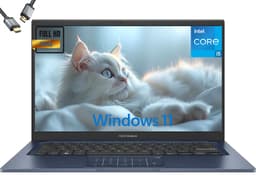
The ASUS Vivobook 14 (2025) occupies an interesting position in this selection. It is powered by an Intel Core i5-1334U, a 13th-generation processor that offers a reliable and well-understood performance profile for Windows DAW work. More notably, it ships with 24 GB of RAM, which is the highest RAM allocation in this entire selection. For music producers who work with large orchestral templates, multiple instances of RAM-hungry samplers such as Kontakt or Play, or who run a DAW alongside other applications simultaneously, 24 GB provides a meaningful headroom advantage over the 16 GB configurations found elsewhere in this round-up.
The 2 TB SSD is the other headline specification. Two terabytes of internal solid-state storage is genuinely generous and means that most producers, even those with extensive third-party sample libraries from providers like Spitfire Audio, Native Instruments, or Output, can keep their entire working library on the internal drive. This eliminates the latency and management overhead of external drives, which can be a meaningful quality-of-life improvement during intensive production sessions.
The Intel Core i5-1334U uses a hybrid efficiency architecture with both performance and efficiency cores. It is not the most powerful processor available in this price bracket, but it is a known quantity with excellent driver support, broad DAW compatibility, and no ARM emulation concerns. Every VST2, VST3, and AU plugin that runs on Windows will work without modification, which is a practical advantage over the ARM-based alternatives in this selection.
The 14-inch FHD display is functional rather than exceptional. At 1920×1080, it is adequate for DAW work but does not offer the extra resolution of the Samsung or ASUS Vivobook S 14 panels. Producers who spend many hours looking at fine waveform detail or small plugin interfaces may find this limiting over time. The Intel UHD Graphics integrated GPU handles standard display output and video playback without issue, though it is not suited to GPU-accelerated video processing.
At its price point, the Vivobook 14 (2025) offers a compelling RAM and storage combination that is hard to match elsewhere. For producers who need maximum memory and storage headroom on a fixed budget and who want guaranteed plugin compatibility, it is a very practical choice.
Verdict: The best choice for producers who need maximum RAM and storage headroom, with 24 GB and 2 TB respectively, in a reliable Intel-based package with full Windows plugin compatibility.
Pros
- 24 GB RAM is the highest in this selection, providing genuine headroom for large orchestral templates and RAM-intensive samplers
- 2 TB SSD allows most producers to store their entire sample library internally without external drives
- Intel Core i5-1334U ensures full VST2/VST3 plugin compatibility without ARM emulation concerns
Cons
- FHD 1920×1080 display is the lowest resolution in this selection, which may feel limiting during long DAW sessions
- Intel UHD Graphics offers no GPU acceleration advantage for video-heavy multimedia production workflows
Buying Guide
Processor: the foundation of your DAW performance
The processor is the single most important component for music production. DAWs are highly multi-threaded applications, and modern virtual instruments and effects plugins place significant demands on CPU cores. For professional work, you want at minimum an Intel Core i5 from the 12th generation or newer, or a Qualcomm Snapdragon X series chip. Intel H-series processors (denoted by the H suffix, such as the Core i5-12450H) offer higher sustained performance than U-series chips and are preferable for dense mixing sessions. ARM-based processors like the Snapdragon X Plus offer excellent efficiency and quiet operation, which is valuable during recording, but you should verify that your specific DAW and plugins support ARM or run acceptably under emulation before committing.
RAM: how much do you actually need?
Sixteen gigabytes of RAM is the practical minimum for professional music production in 2025. At this level, you can run a modern DAW with a reasonable selection of virtual instruments and effects without hitting memory limits. If you work with large orchestral sample libraries, multiple instances of RAM-intensive samplers, or run your DAW alongside video editing software, 24 GB or more becomes genuinely useful rather than merely aspirational. Eight gigabytes is insufficient for serious DAW work and should be avoided if music production is your primary use case.
Storage: speed matters as much as capacity
Sample libraries are large and benefit enormously from fast storage. A PCIe Gen4 NVMe SSD will load samples noticeably faster than a PCIe Gen3 drive, and both are vastly superior to eMMC or UFS storage for this purpose. Aim for at least 512 GB internally, though 1 TB or more is preferable if you keep your libraries on the internal drive. If your chosen laptop has only 512 GB, budget for a fast external SSD or USB-C drive for sample library overflow.
Connectivity: audio interfaces and external gear
Most professional USB audio interfaces connect via USB-C or USB-A. Thunderbolt 4 ports, as found on the Samsung Galaxy Book4 Pro 360, offer the highest bandwidth and lowest latency for professional interfaces and are worth prioritising if your budget allows. At minimum, ensure your chosen laptop has at least one USB-C port with data transfer capability and a 3.5mm audio jack for headphone monitoring. An SD card reader is a useful bonus for importing samples from hardware devices.
Display: resolution and accuracy for long sessions
A higher-resolution display makes a meaningful difference during long DAW sessions. At 2560×1600 or higher, you can see more tracks, more mixer channels, and more plugin parameters simultaneously without scrolling. IPS panels offer better viewing angles than TN alternatives, which matters when collaborating. AMOLED panels, as found on the Samsung Galaxy Book4 Pro 360, offer superior contrast and colour accuracy. For producers who also work in music video or visual content, colour accuracy becomes even more important.
2-in-1 features: when do they actually help?
A 360-degree hinge or detachable keyboard is most useful for producers who sketch ideas with a stylus, annotate chord charts and lyrics on screen, or use their laptop beside hardware in a way that a conventional clamshell would obstruct. Tent mode is practical for keeping a reference screen visible while playing a MIDI keyboard. Touchscreen capability, even without a full 360-degree hinge, is useful for DAW navigation, particularly for zooming and scrolling in arrangement views. If these scenarios match your workflow, prioritise machines with confirmed touch and rotation capabilities.
The Samsung Galaxy Book4 Pro 360 is the clear overall winner for music production among the machines in this selection. Its combination of a genuine 360-degree 2-in-1 form factor, two Thunderbolt 4 ports for professional audio interface connectivity, a stunning Dynamic AMOLED 2X display, and an Intel Core Ultra 7 processor capable of handling demanding plugin sessions makes it the most complete tool available here. For producers who cannot justify the premium, the ASUS Vivobook 14 (2025) offers the most RAM and storage of any machine in this selection at a lower price, making it a practical alternative for those who prioritise headroom over connectivity. The Morostron 13.5-inch remains the best value entry point for producers on a tight budget who still need a touch-enabled screen and 16 GB of RAM. Whichever machine you choose, ensure your DAW and essential plugins are compatible before purchasing, and always budget for a quality USB audio interface to complement your laptop's built-in audio hardware.